
Home
Account setting
Staff
Lists
Forms
Templates (HTML emails/SMS messages)
Sending messages by SMS and email
Classes, events, attendance and Zoom
Automation
Create a birthday invitation and automation
Communication
Microsite
E-Commerce
Networks, Federations and Franchises
How to guides
Personal information and electronic message laws in Canada and the USA
Get support
Terms and conditions
RL-24
Activity Messenger Help
https://activitymessenger.com/
10410 Waverly, Montréal, H3L 2W4
Terms and conditions

https://activitymessenger.com/
10410 Waverly, Montréal, H3L 2W4
Terms and conditions
Powered by
Let participants self check in from My Account
Enable self check-in on a class so registered participants or their connected parents can record attendance from the organization’s My Account page on the day of each class. This is useful when participants already use their client account and you do not need a public check-in station.
# Before you begin
- The participant must be registered in a class with a scheduled occurrence.
- The participant or a connected parent must be signed in to the organization’s client account and have access to that registration.
- Self check-in is configured separately for each class.
# Enable self check-in for a class
- Go to Classes > All classes and events.
- Open the class you want to modify.
- On the Information tab, expand Advanced options.
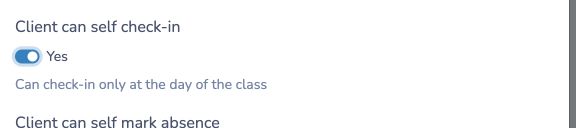
- Turn on Client can self check-in.
- Select Save.
# Check in from My Account
On the class date, the participant or connected parent:
- Opens the organization’s website and signs in to My Account.
- Opens Classes/events. Organizations using Planitou attendance display this tab as Activities.
- Selects Today and finds the class occurrence and participant.
- Opens the Action menu and selects Check in.

A green check mark confirms that attendance was recorded. Selecting Check in again does not create another check-in. My Account does not provide an option to undo the check-in or check the participant out.
# Important behavior
- Check in is available only on the calendar date of the class occurrence. There is no narrower time window on that date.
- Each participant is checked in separately for each class occurrence.
- Waitlisted participants cannot use this action.
- If a participant was marked absent or submitted a late notice for the same occurrence, checking in records the participant as present and clears that absence or late status.
- This option does not create a public link or a kiosk. Participants must use their connected client account.
For a shared entrance station where visitors search for their name, use Access Control and enable its self-serve check-in mode instead.