
Home
Account setting
Staff
Lists
Forms
Templates (HTML emails/SMS messages)
Sending messages by SMS and email
Classes, events, attendance and Zoom
Automation
Create a birthday invitation and automation
Communication
Microsite
E-Commerce
Networks, Federations and Franchises
How to guides
Personal information and electronic message laws in Canada and the USA
Get support
Terms and conditions
RL-24
https://activitymessenger.com/
10410 Waverly, Montréal, H3L 2W4
Terms and conditions

Block clients from registration
Use an organization-wide banned-clients list to prevent specific clients from submitting registrations or making bookings. You can use an existing list, including an uploaded list imported from a previous platform, and display a custom message explaining what the client needs to do next.
For example, select a list of clients with unresolved balances and tell them to contact your organization before registering again.
# Before you begin
You need permission to modify organization settings and a list containing the clients you want to block.
For an uploaded or recipient list, make sure each entry contains the email address or mobile number the client is likely to enter during registration. Activity Messenger can also use linked client records and client-tag lists.
# Select the banned-clients list
- Open Organization settings.
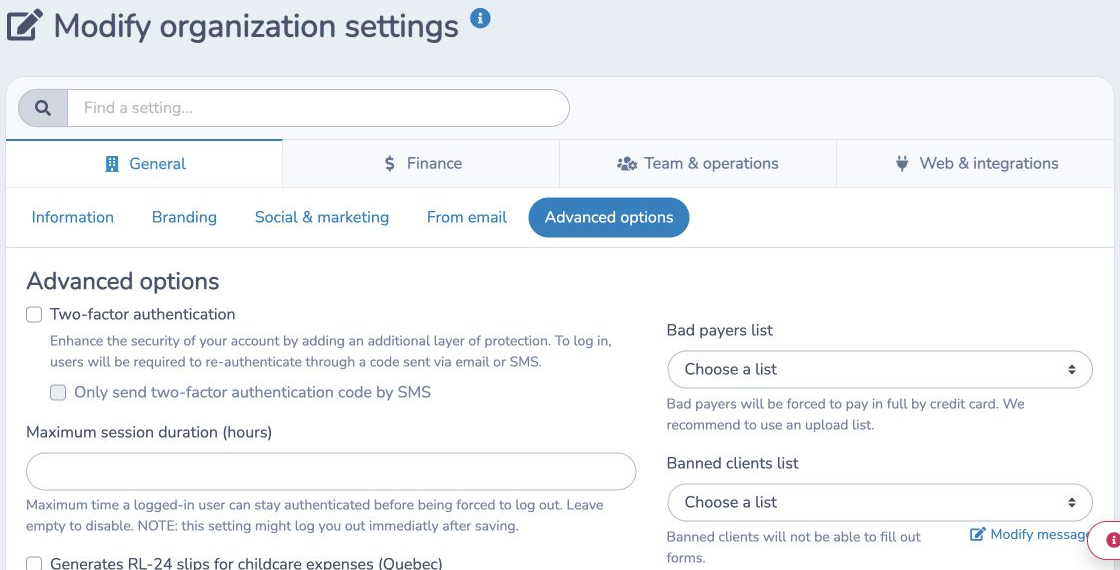
- Under General, open Advanced options.
- Under Banned clients list, select the list containing the affected clients.
The setting takes effect as soon as the list is selected. A matching client is blocked from submitting forms, importing registrations, making package bookings, or being selected as a banned booking player.
If no list is selected, the banned-client check is disabled.
# Customize the blocked-registration message
- Under Banned clients list, click Modify message.
- Use the rich-text editor to explain why registration is unavailable and how the client can resolve the issue.
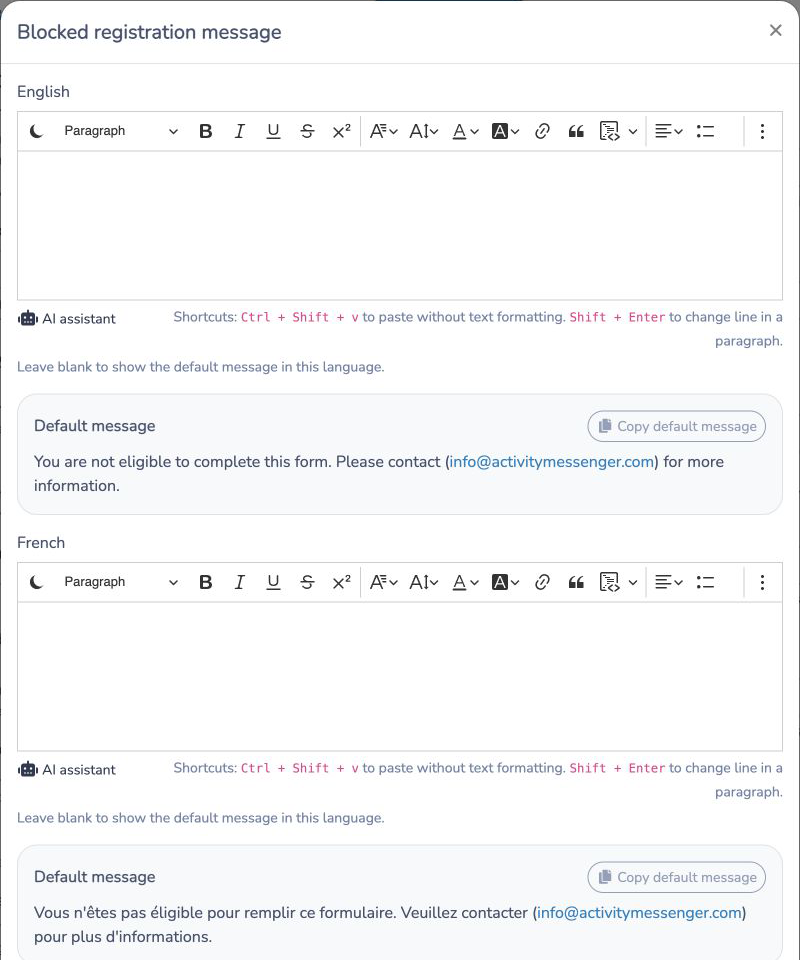
- Review the Default message shown beneath the editor.
- To begin with the standard wording, click Copy default message, then edit the copied text in the rich-text editor.
- Click Save.
Leaving the editor blank keeps the localized Activity Messenger default. The copy action only fills the editor; the message is not changed until you save.
# English and French messages
An organization without bilingual forms sees one editor in its primary language.
When bilingual forms are enabled, the modal shows separate English and French editors, default-message previews, and copy buttons. Enter both messages so clients see the appropriate text for the language of the form or booking interface. If one language is blank, that language continues to use its system default.
# How clients are matched
Activity Messenger checks the information supplied during registration against the selected list:
- Uploaded and recipient lists can match by email address or mobile number.
- Linked client lists can match the client's account record.
- Client-tag lists evaluate their configured tag rules.
- Entries from child lists are included when matching a recipient list.
Use current, normalized email addresses and mobile numbers in uploaded lists. If the client registers with different contact information, an upload-list entry may not match.
# Allow a client to register again
Remove the client from the selected list after the issue is resolved. The client can register again once their email, mobile number, linked client, or client tags no longer match the list.
To turn off this rule for everyone without deleting the list, clear the Banned clients list setting.
# Example: balances from a previous platform
An organization imports an upload list named Balances to resolve. Each row contains the account owner's email address or mobile number.
The administrator selects that list under Banned clients list and uses a message such as:
We cannot accept this registration while a previous balance remains on your account. Please contact our office so we can review the balance with you.
When a listed client tries to register with matching contact information, Activity Messenger stops the registration and displays the message. After the balance is resolved, the administrator removes the client from the list.
# Banned clients compared with bad payers
These organization settings have different effects:
- Banned clients list prevents matching clients from registering or booking.
- Bad payers list can require matching clients to pay an invoice in full by credit card.
Choose Banned clients list when registration itself must remain unavailable until the client resolves the issue.