
Home
Account setting
Staff
Lists
Forms
Templates (HTML emails/SMS messages)
Sending messages by SMS and email
Classes, events, attendance and Zoom
Automation
Create a birthday invitation and automation
Communication
Microsite
E-Commerce
Networks, Federations and Franchises
How to guides
Personal information and electronic message laws in Canada and the USA
Get support
Terms and conditions
RL-24
https://activitymessenger.com/
10410 Waverly, Montréal, H3L 2W4
Terms and conditions

Download multiple invoices as PDFs
Prepare invoice copies for bookkeeping, an audit, or your records in one download. Select finalized invoices from the Invoices page, then choose Download invoice PDFs (ZIP). Activity Messenger prepares a ZIP file in the background with a separate PDF for each selected invoice.
# Before you start
You need an Account Owner, Administrator, or Attendant role with Can view client invoice details permission. Each selected invoice must be finalized and have an invoice number. Draft invoices are not eligible.
# Select and export invoices
- Open E-Commerce > Invoices.
- Apply the filters you need to locate the invoices. If needed, change Items per page at the bottom of the table before making your selection. You can display up to 500 invoices per page.
- Click the check-square button labeled Select invoices. Select the invoice checkboxes, or use the table header checkbox to select the eligible invoices on the current page.
- Open Actions and choose Download invoice PDFs (ZIP).
- A confirmation indicates that the ZIP is being prepared. Follow its progress in Background jobs. You can continue working while it runs.
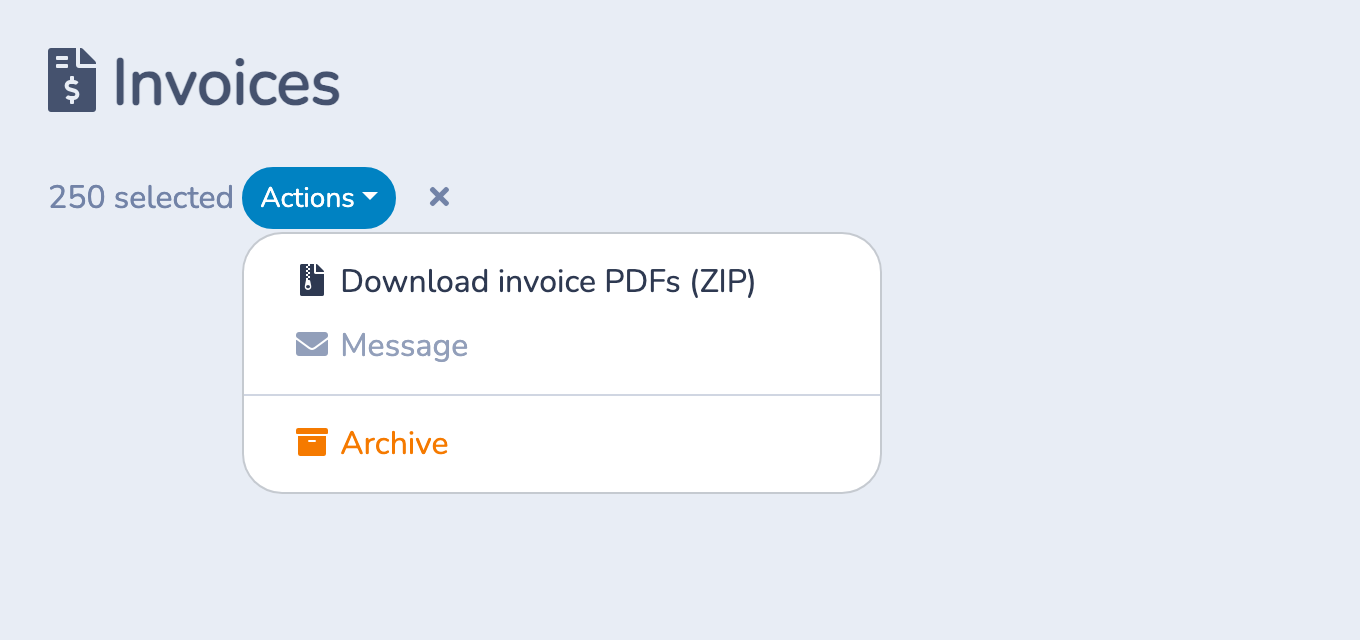
Selection covers the current page. Changing pages removes selections that are no longer visible. Check your selection again after changing filters or refreshing the list. The former 100-invoice export cap has been removed, but the table still displays at most 500 invoices per page. To export invoices from several pages, start an export for each page.
# Download the finished ZIP
- In Background jobs, wait for the export to show Finished and 100%.
- Click the Download invoice PDFs (ZIP) job title to download the ZIP.
- Open or extract the ZIP on your computer. It contains a separate PDF for each selected invoice, with filenames that include the invoice number and a unique identifier.
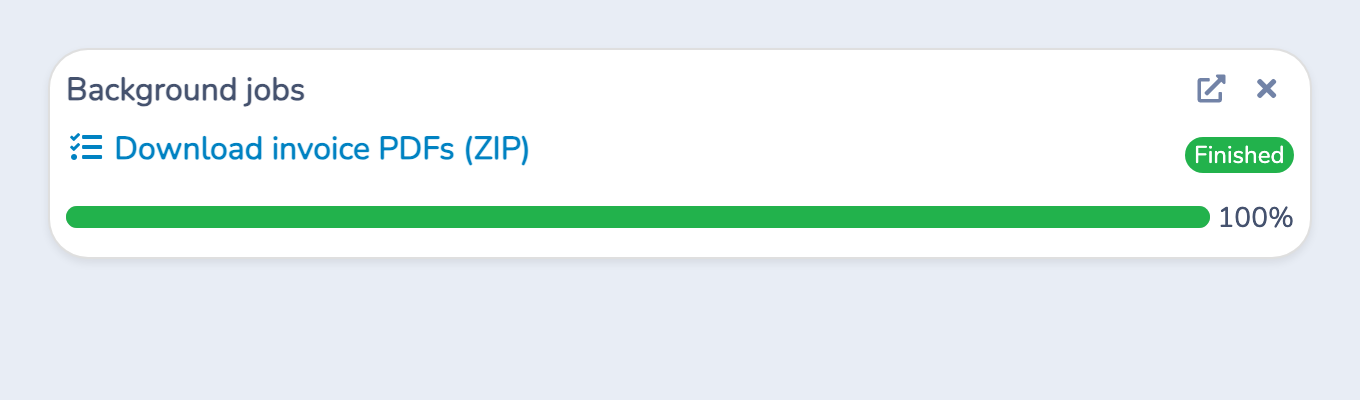
The download requires the account that requested the export, with continued access to the organization and invoice details. Another administrator cannot use your download link; they can create their own export.
# Example: prepare invoice copies for a review
You need copies of 250 finalized invoices. Display 250 rows, check that the list contains the invoices you need, select them, and choose Actions > Download invoice PDFs (ZIP). When the background job finishes, download and extract the ZIP to get the 250 separate PDFs.
Check the selection against the review period you need. The invoice list's date filter refers to associated event or booking dates; it is not an invoice creation-date filter.
# Important behavior
- Archived invoices: Finalized, numbered invoices remain eligible when shown using the archived-invoice filter.
- PDF contents: The export uses the saved invoice PDF when available and generates one when needed. The PDFs keep each invoice's language; changing the interface language does not translate all exported invoices.
- Scope: This action exports invoice PDFs. It does not include other form documents, send the invoices to clients, or record a payment.
- Large exports: Preparation time depends on the invoices. If a large export fails, try smaller selections.
# If something goes wrong
The action is missing or disabled: Check your role and invoice-detail permission, select at least one invoice, and confirm that every selected invoice is finalized and numbered.
The job failed: Refresh the invoice list, check that the selected invoices are still available, and start a new export. If it fails again, try a smaller selection or contact support. A failed export does not provide a completed ZIP.
You want to cancel: Use the open-page icon in Background jobs to open the full background-operations page, then cancel your active export. A cancelled export does not provide a completed ZIP.
The download is unavailable: Sign in using the account that requested the export and check that you still have permission to view invoice details. If the file is no longer available, create a new export.