If you use Amilia, Activity Messenger makes it easy to send class reminders to participants either by SMS or by email.
Follow these steps:
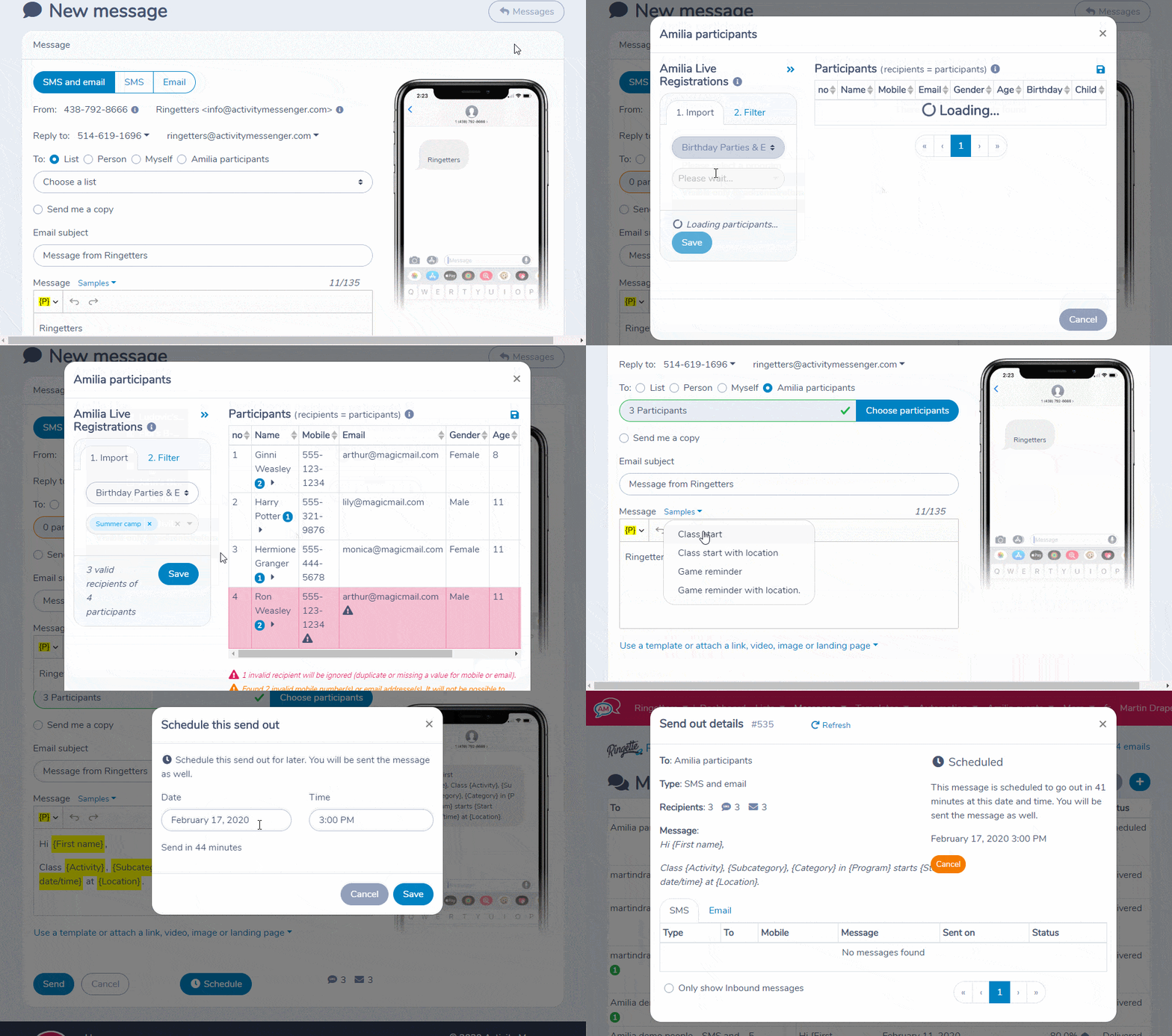
- Create a new message
- Click on Amilia participants and choose the class or classes. Activity Messenger will import participants and their classes.
- In the Message box, use the “Class start reminder” sample. Activity Messenger will create the message with Placeholders for you.
- Click on Schedule and set the date and time.
That’s it! Should you wish to cancel the scheduled message, you can do so.
–Martin