How to create a Survey for Gymnastics
In this article, we’ll explore how to design, distribute, and analyze surveys or feedback forms for Gymnastics Clubs.
We’ll discuss:
How to create a survey for gymnastics
Create your gymnastics club survey with Canva
Canva and Activity Messenger integrate to create visually appealing, branded surveys and feedback forms for your gymnastics club.
Here’s your quick guide:
Sign into Activity Messenger: Select the survey feature.
Design with Canva: Keep everything on brand with our Canva integration
Add questions to your gymnastics club survey
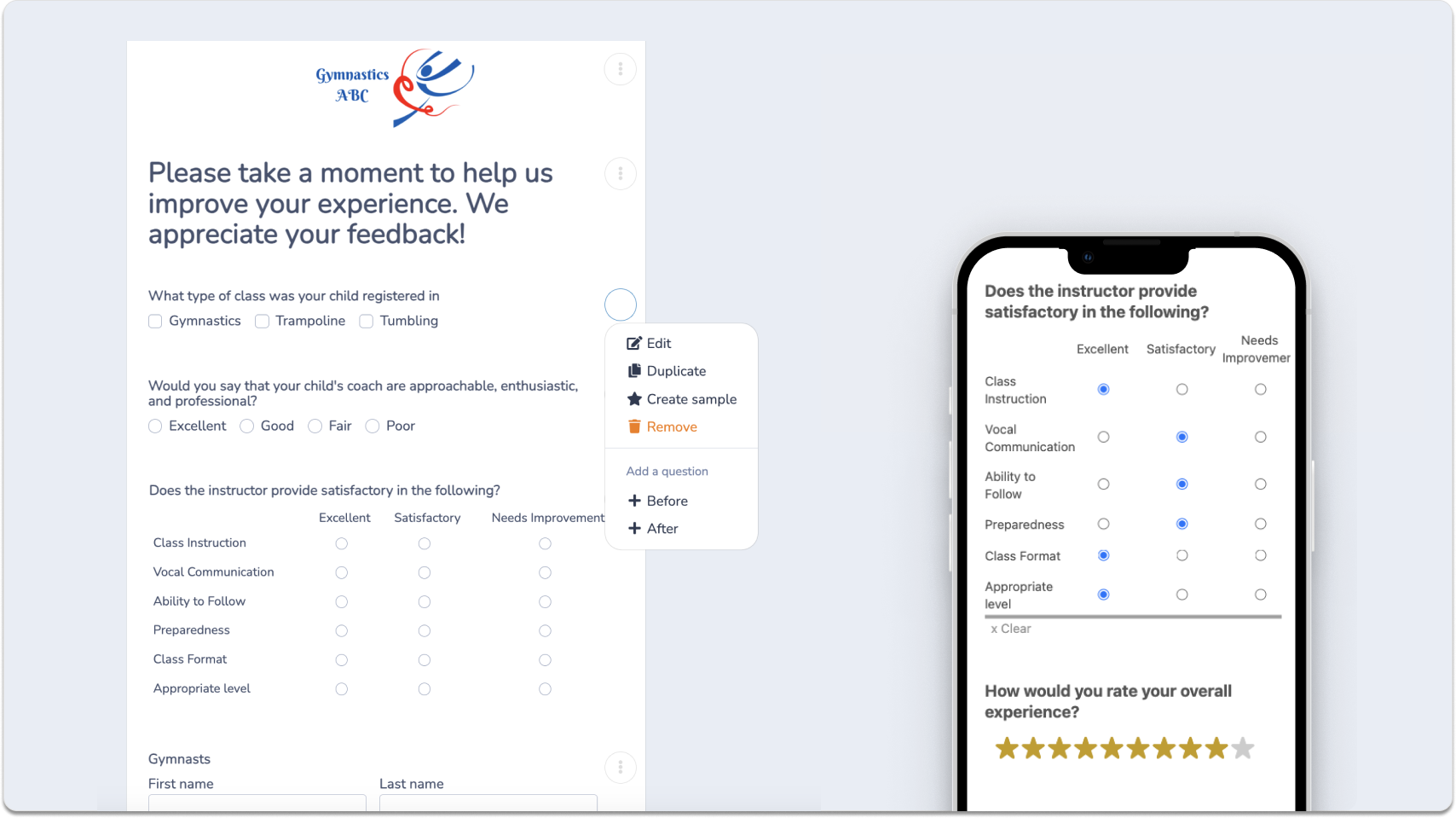
With over 80 question types, you can customize your survey for your gymnastics club:
Multiple Choice & Text Input: Gather both quantitative and qualitative insights about classes, coaches and facilities.
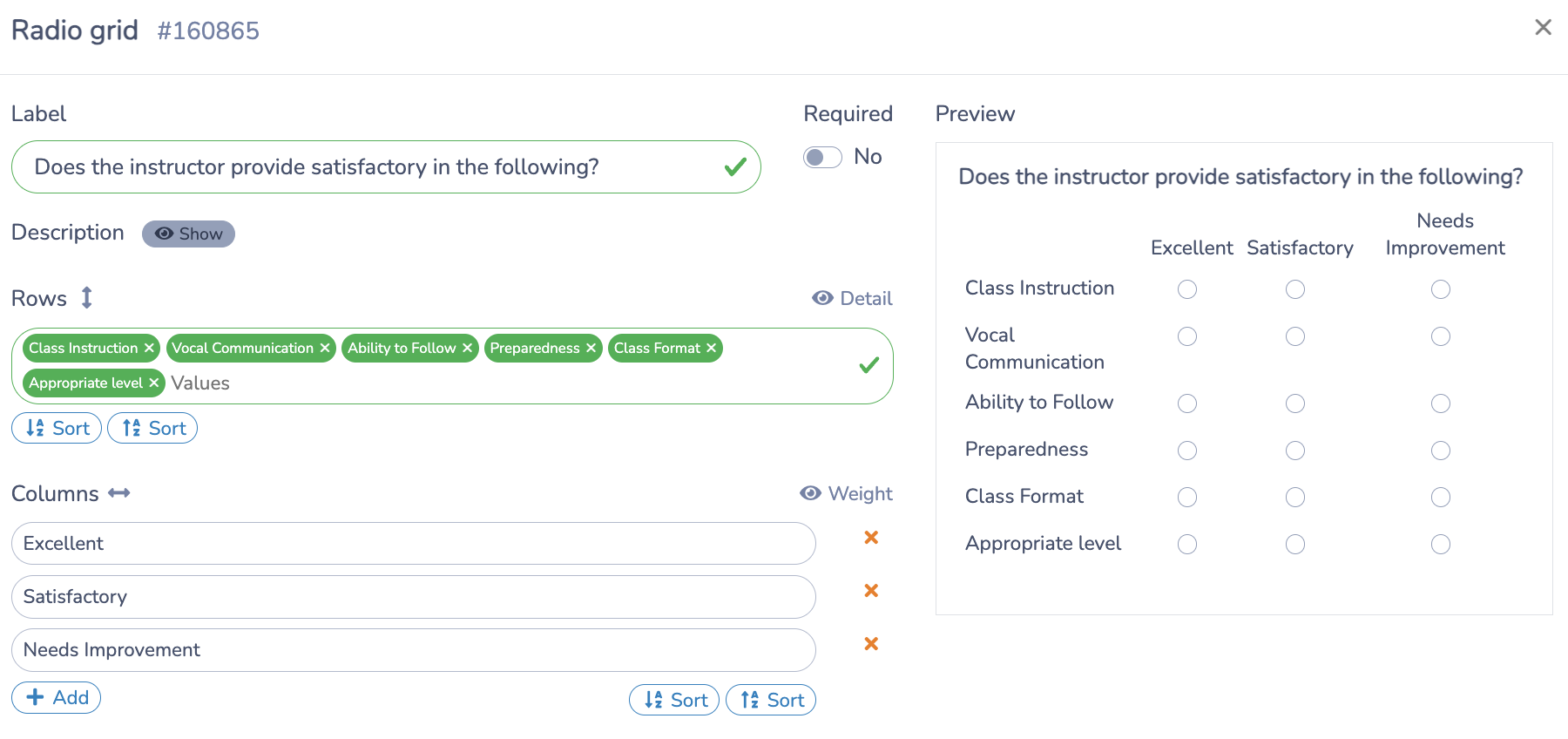
Star Rating & Radio Button Grid: Gain simple, easy-to-interpret feedback on overall satisfaction and specific elements of the gymnast’s experience.
📌 Pro Tip: We tried longer surveys for our children’s programs and found that it was important to keep a survey short and sweet. More people filled it out when we made it shorter, and we got similar actionable insights about the customer experience. But we kept the questions open-ended so people who wanted to elaborate could do so.
Sharing your feedback form with gymnasts and families
Once you’ve created your survey, it’s important to distribute it to ensure maximum participation.
Activity Messenger generates a unique link for each survey or feedback form, allowing you to share it through social media and on your website.
You can also display a unique QR code at your gymnastics clubs.
How to share your Survey with Gymnasts
Social Media and QR Codes: Leverage social media and online channels and even display a QR code at your front desk.
Email and SMS Integration: Distribute the survey link via email or text message to ensure direct communication with your gymnastics community.
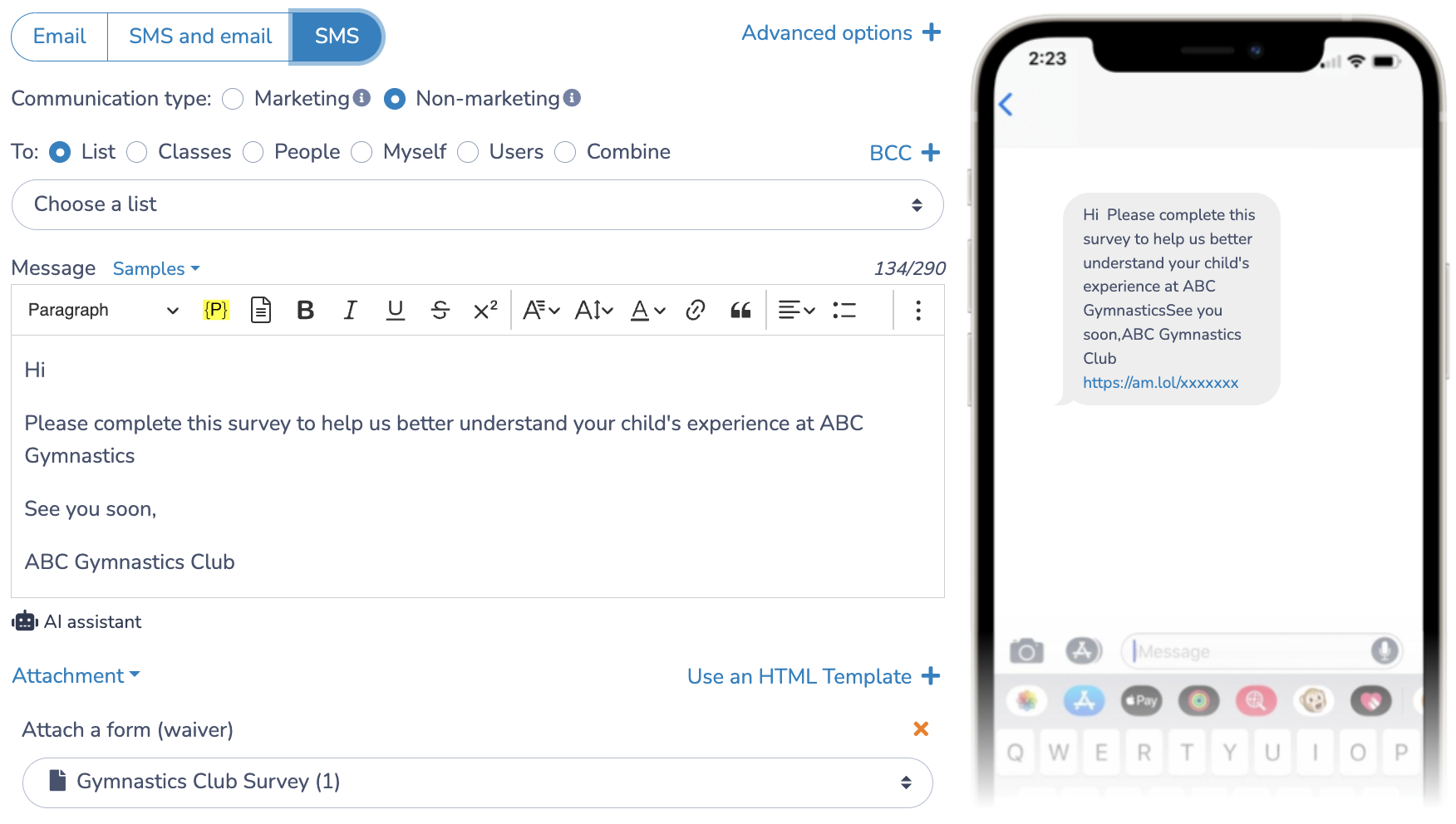
📌 Pro Tip: In my experience working with numerous gymnastics clubs, I’ve found that diversifying the distribution of surveys – through social media, email/SMS and QR codes at the front desk – significantly increases response rates. Gathering more responses not only enriches your data pool, but also empowers you as a club owner to make more informed decisions.
Automate survey collection
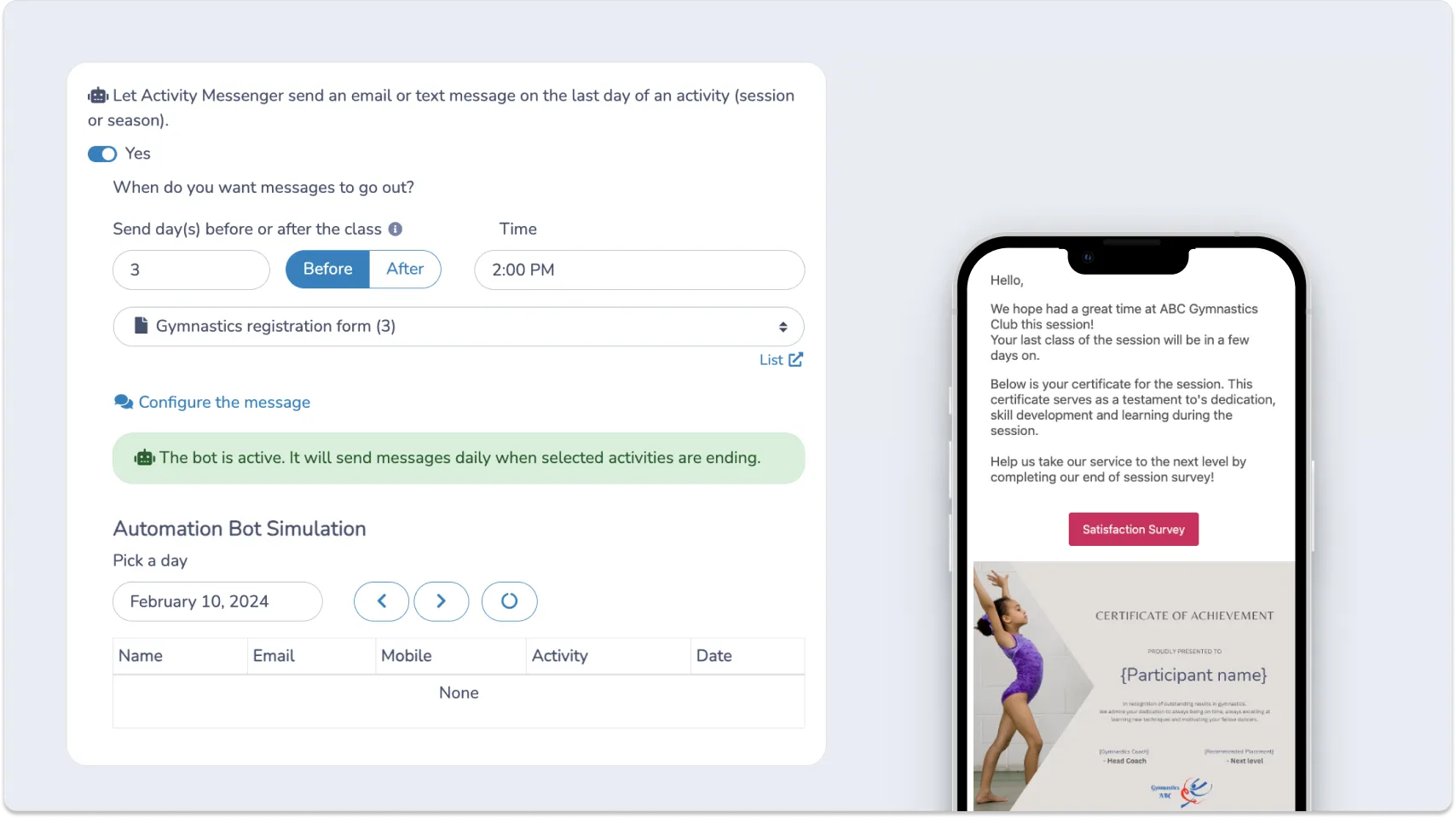
Activity Messenger allows you to automate an SMS/email to X number of people the day after a class, event, or even a gymnastics meet ends. Simply include a link to your survey in this automated message and start automating survey collection.
Enhancing survey collection with automation:
- Timely Distribution: Our system intelligently sends surveys when they’re most relevant (end of session or after an event), increasing the likelihood of timely responses.
- Streamlined operations: Leverage the power of automation to not only save valuable time, but also ensure consistency in feedback collection, making your process more efficient and reliable.
Understanding the Data
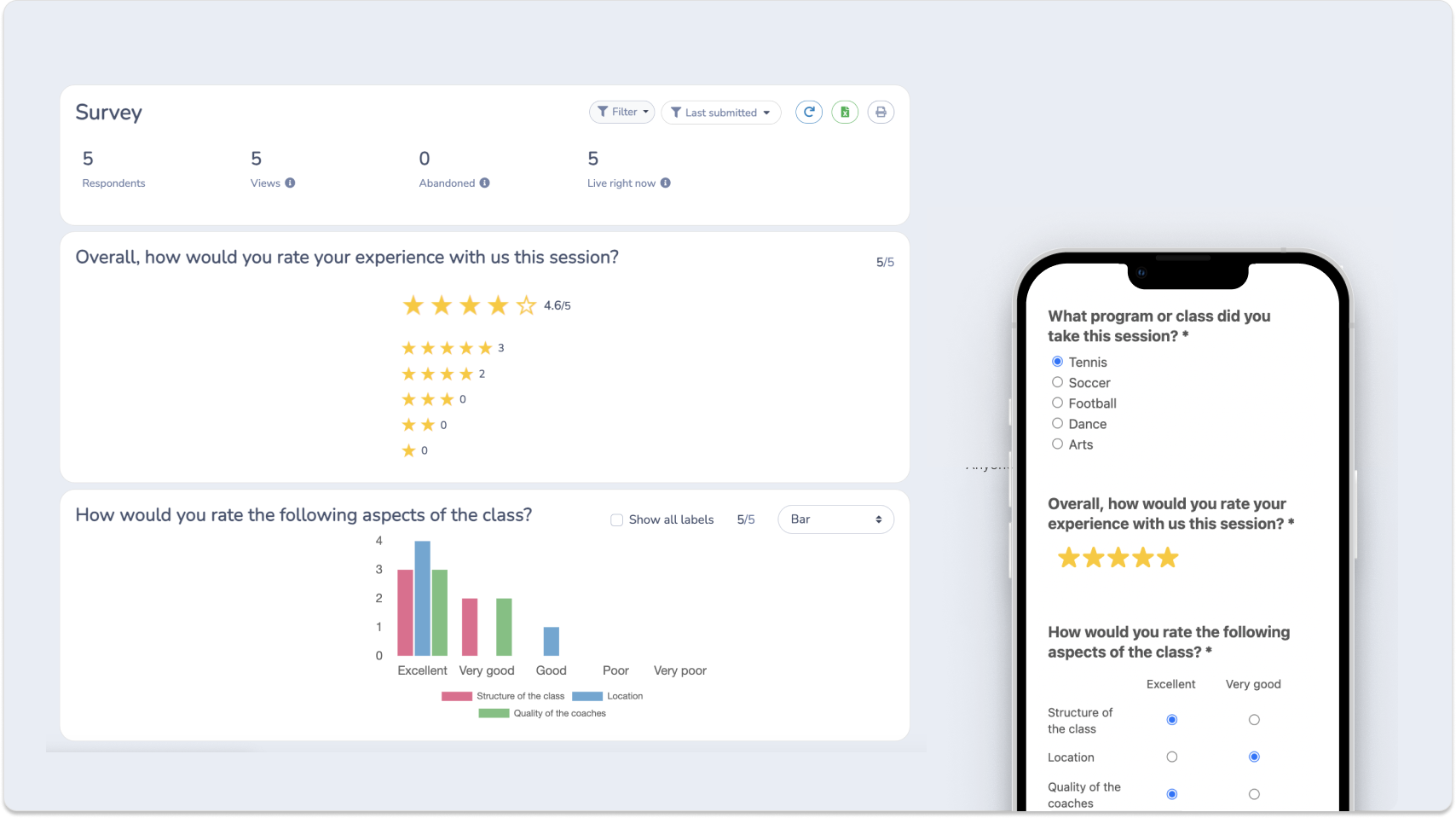
Once you’ve collected responses from your survey, it’s important to analyze and understand the data. Activity Messenger has an analytics tool to help you.
Understanding Gymnastics Survey Data
- Sort and group: Review responses based on different class levels and types
- Find patterns: Look for the same types of comments to understand what’s working well or what needs to change.
- Make changes: Use what you learn from the responses to make your class even better.
📌 Pro Tip: When we started, my partner and I were the only ones coaching so it was easy to understand how parents and children enjoyed the classes and how to adapt. But as our classes expanded and our team grew, it became critical to understand how we could improve training for our employees to boost the client experience. Through careful analysis of survey data, we gained valuable insights that helped us refine our programs.
Gymnastics feedback form (survey) template
Here is a Gymnastics Survey (Feedback form) that was created using Activity Messenger. Test it out and see if you like it.
More tools for Gymnastics Clubs
Collecting data about your gymnastics programs is important. And Activity Messenger can help you with that. But you might also be looking to streamline more aspects of running your Gymnastics club.
Replace your current Gymnastics software (JackRabbit, Uplifter, IClassPro etc)
Gymnastics Class Management Software
Gymnastics registration form
Best Gymnastics Management Software
Replace tools like Jotform, SurveyMonkey and Mailchimp
Email Marketing for Gymnastics Club
Attendance tracking for Gymnastics Club
Online Ticket sale for Gymnastics competition
Gymnastics Online Waiver
How to create an online store to sell merchandise
Create a job application form for Gymnastics Club
FAQ
- Why should gymnastics club survey their gymnasts? Online surveys help gymnastics clubs gather feedback on classes, coaching, facilities, and overall satisfaction. This provides insights for improvements on how to improve the client experience.
- What types of questions should be included in a gymnastics survey? Include questions on coaching quality, class structure, facility cleanliness, safety measures, overall satisfaction, and suggestions for improvements. Open-ended questions are great for parents add context and go more in detail.
- What are the best methods for distributing surveys for gymnastics clubs? Distribute surveys via email, sms, club mobile apps, social media, or provide a Qr code at the front desk that people can scan to fill out the survey.
- What are the key considerations in designing a gymnastics club survey? With a mix of open-ended and multiple-choice questions, focus on creating short, clear, and relevant surveys for comprehensive feedback.
- Can surveys be used to gather feedback from parents of young gymnasts? Absolutely, parent feedback is critical to understanding the needs and experiences of young gymnasts and improving youth programs.