
Selling tickets for a gymnastics competition shouldn’t mean juggling spreadsheets, chasing e-transfers, or hoping your door volunteers can make change. A good ticketing process lets spectators buy their spot in advance, gets your gym paid faster, and frees up your staff to focus on the meet itself.
In this article, we’ll walk through how Activity Messenger helps gymnastics clubs sell tickets in three steps: build the form, connect a way to get paid, and share it with families.
Key Takeaways:
- Build a branded ticket form in minutes, with custom pricing tiers, seating plans, capacity limits, ledger codes, and taxes all set from the same screen.
- Accept credit cards, Interac, and gift cards online through Stripe, or record cash and cheque payments taken at the door, so every sale lives in one system.
- Activity Messenger’s processing fees (3.9% + $0.30 per ticket) are lower than Eventbrite’s Canadian rate (6.4% + $1.29 per ticket).
- Every ticket includes a QR code that saves to Apple or Google Wallet and scans in seconds at check-in, cutting down entrance lineups.
- Ticketing runs on the same platform as your gymnastics club’s registrations, waivers, and communications, so you’re not paying for and juggling a separate tool just for events.
Table of Contents
- Step 1: Create An Online Gymnastics Competition Ticket Form
- Step 2: Connect a Payment Processor (Or Collect Offline Payments)
- Step 3: Share Your Form With Gymnasts and Families
- Explore Our Eventbrite Alternative for Gymnastics Competitions
- Case Study: How Flip City Gymnastics Optimized Online Ticket Sales
- Frequently Asked Questions
- Final Thoughts
About the author: I’m Olivier, and I’ve spent over a decade managing children’s sports programs and have tried many options for online ticket sales. I believe that the focus should be on a platform that not only makes it easier for our customers to purchase tickets, but also enhances the mobile experience and promotes personalized, automated communication with parents and gymnasts.
Step 1: Create An Online Gymnastics Competition Ticket Form
Activity Messenger’s ticket form gives you control over every detail of the sale: ticket price, seating plan, maximum attendance, ledger codes, taxes, and event location. Spectators can pick their own seat during checkout and see which sections are already booked, so you get fewer “where should I sit” messages during the week of the competition.
You can also turn on SMS or email notifications so spectators receive reminders as the competition date approaches, instead of forgetting and asking for a refund at the door.
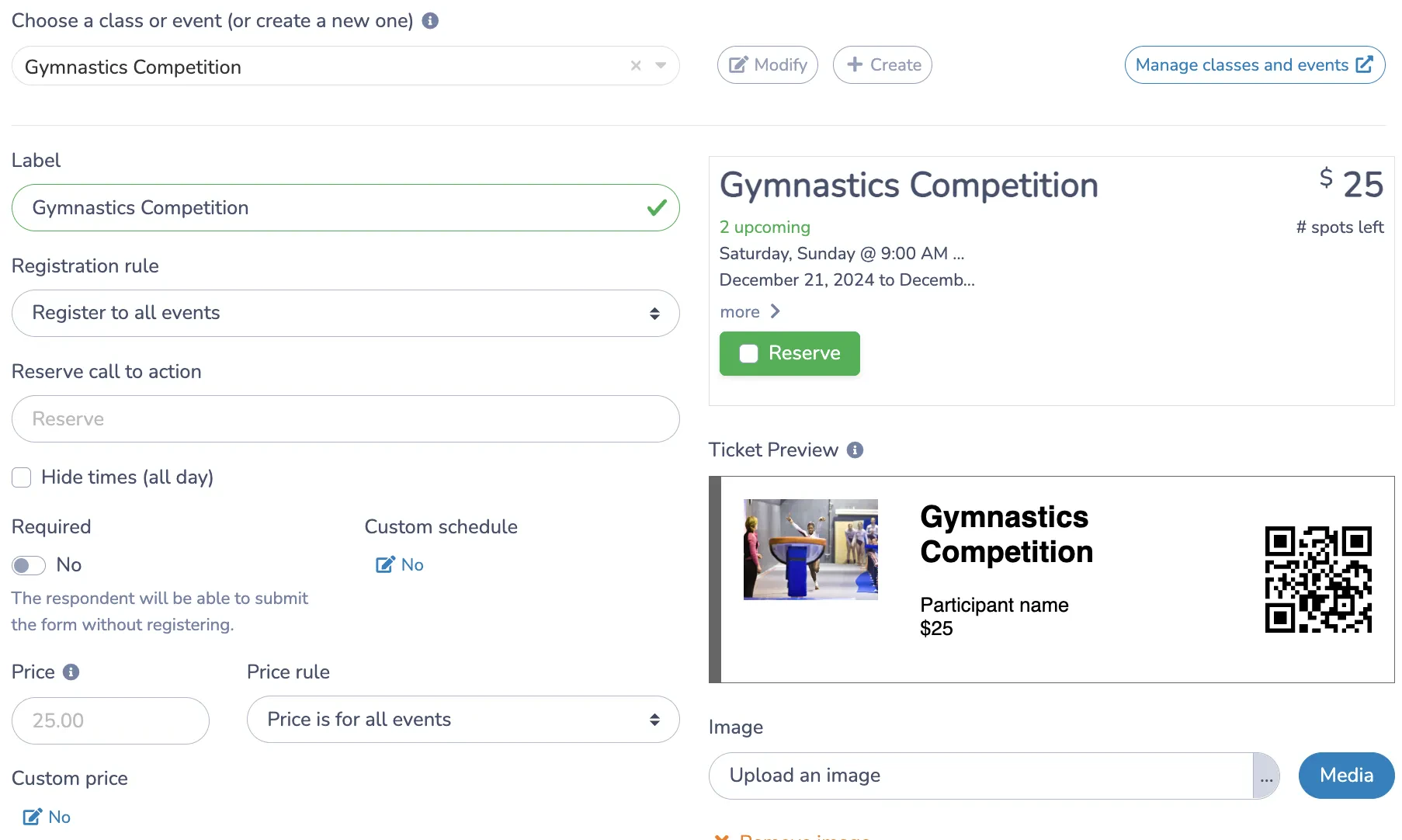
Design Your Tickets with Canva
Activity Messenger’s Canva integration lets you design tickets that match your competition’s branding, so families get something that looks like it was made by your gym, not a generic template.
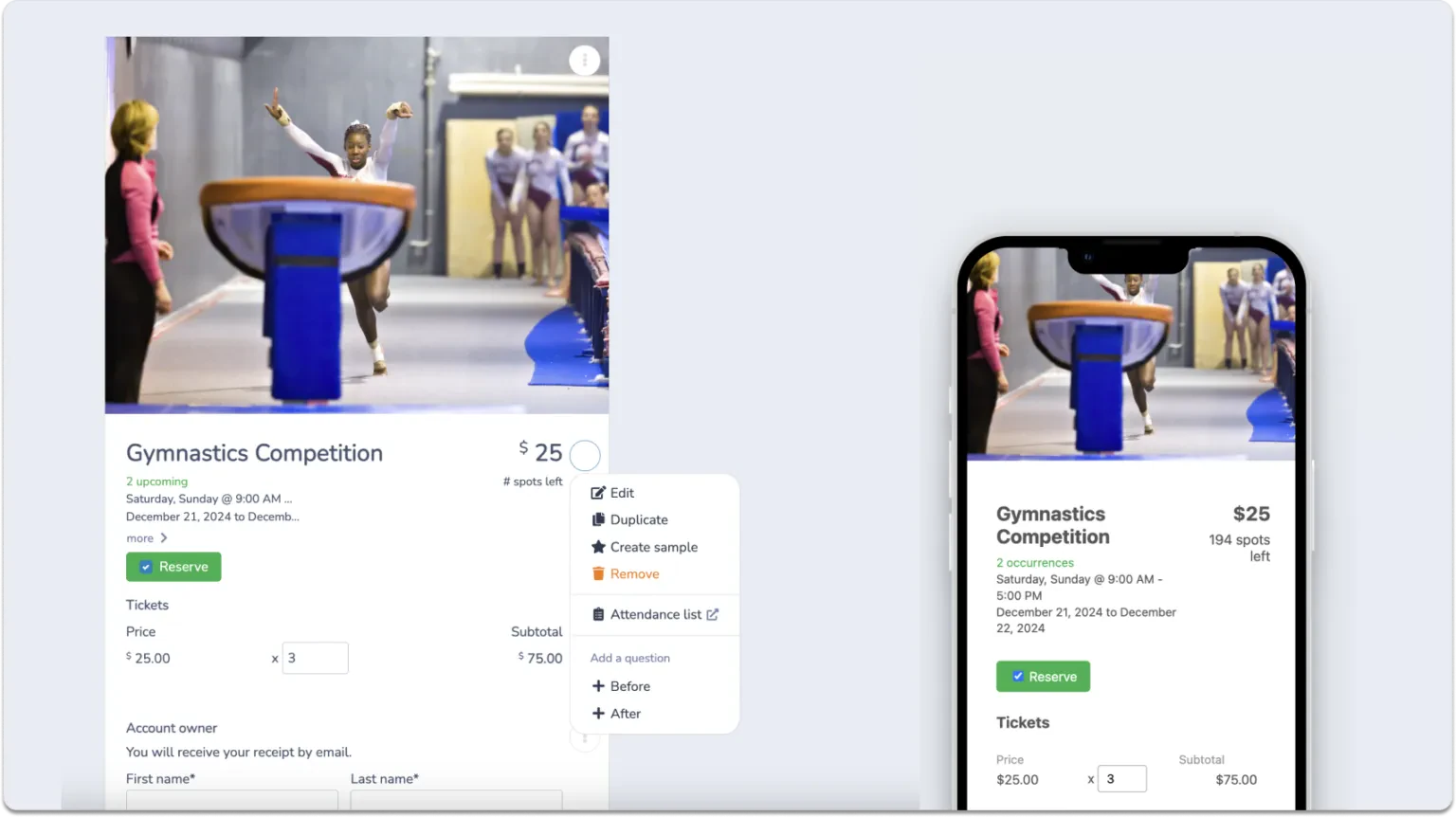
👉 For example, a club running a Saturday invitational might set up a general admission price of $12, a $20 reserved-seating section near the floor, a cap of 300 spectators to match the gym’s capacity, and an automated reminder SMS the Thursday before the meet. All of that lives in one form, built once and reused for the next competition.
Step 2: Connect a Payment Processor (Or Collect Offline Payments)
Selling gymnastics competition tickets online should be simple for both you and the families buying them.
Activity Messenger connects directly to Stripe, so every online transaction, whether by credit card, Interac, or gift card, is processed securely without you needing a separate merchant account.
If some families prefer to pay cash or cheque at the door, the built-in point-of-sale option records those sales manually as well, so online and in-person ticket sales stay in the same system rather than two separate lists you have to reconcile after the meet.
👉 For a club expecting a mix of online buyers and walk-ups, this might look like 80% of tickets sold in advance through Stripe over the two weeks before the meet, with the remaining spectators paying cash at a check-in table the morning of. Both sets of sales appear in the same report, so there’s no separate cash count to reconcile with a spreadsheet afterward.
Step 3: Share Your Form With Gymnasts and Families
Once your form is built and payments are connected, getting it in front of families is the last step.
Activity Messenger gives you a shareable link and QR code you can post on social media, send by email or text, or hand out at your facility. The same form also embeds directly on your website, so spectators can buy without ever leaving your gym’s site or being redirected somewhere unfamiliar. If you don’t have a website, you can generate a standalone event microsite instead.
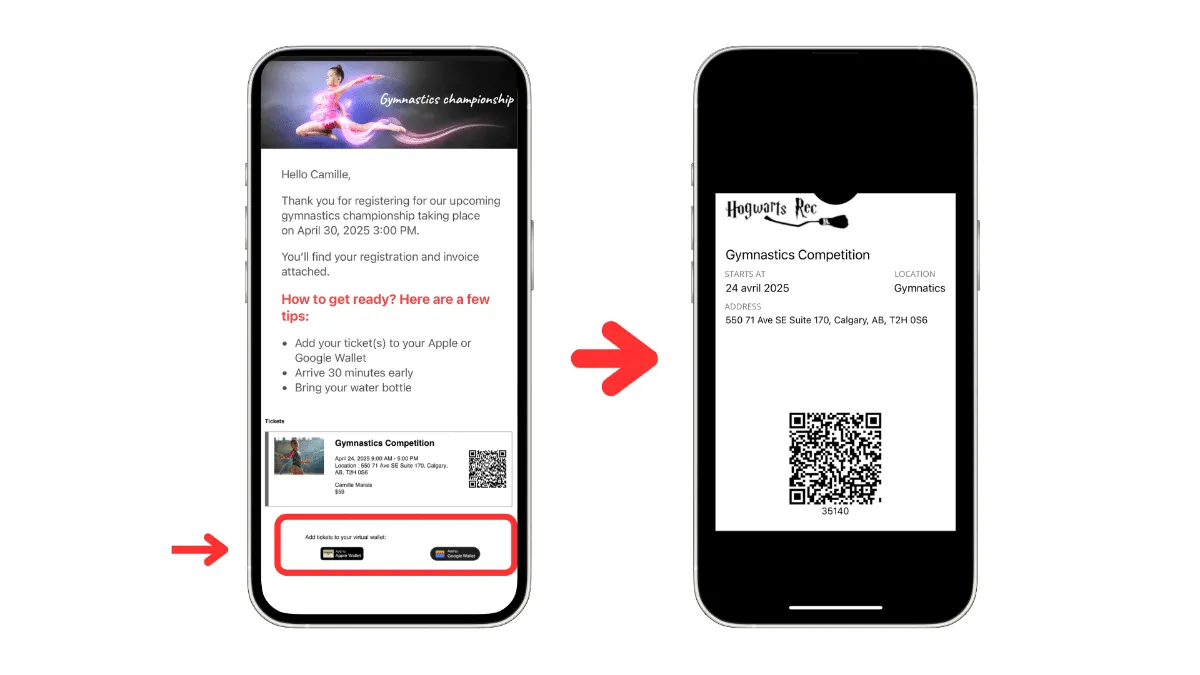
Once a spectator buys, their ticket saves straight to an Apple Wallet or Google Wallet, so it’s already on their phone by the time they arrive at the door.
Explore Our Eventbrite Alternative for Gymnastics Competitions
Every ticketing platform charges a processing fee, but those fees add up fast over a season of competitions.
Processing fees for gymnastics competition ticket sales:
| Platform | Fee per ticket |
| Activity Messenger | 3.9% + $0.30 |
| Eventbrite | 6.4% + $1.29 |
For a competition selling 300 tickets at $15 each, that works out to about $265 in fees on Activity Messenger, compared to roughly $675 on Eventbrite, a difference of over $400 for a single meet. Run three or four competitions a season, and that gap turns into real budget your club can put toward equipment, travel, or coaching instead of a ticketing platform’s cut.
Whether those savings go back to your club or are passed on as a lower ticket price for families depends on how you set up your event, but either way, there’s more room to work with than Eventbrite leaves you.
💡 Want to see how Eventbrite and Activity Messenger compare one-on-one? Check out this blog.
Case Study: How Flip City Gymnastics Optimized Online Ticket Sales
Promoting a competition is much easier with a shareable link and QR code. Clubs can post it on social media, send it by email, or embed it right on their website. That’s exactly what Flip City Gymnastics does for all of their gymnastics competitions.
“Purchasing tickets using the phones and the QR code was a game changer. We have many people buying tickets at the same time instead of a lineup of people waiting for their turn”
At check-in, Activity Messenger generates a unique QR code for each ticket that any staff member can scan with a smartphone.
“I really think Activity Messenger is the only way to go. For the ease of use and the time saved. But also the fact that the staff & volunteer training requirements are so minimal”
👉 Read the Full Success Story Here
Frequently Asked Questions
What’s the cheapest way to sell gymnastics competition tickets in Canada?
Fees vary by platform. Activity Messenger charges 3.9% + $0.30 per ticket, compared to Eventbrite’s 6.4% + $1.29 per ticket for Canadian organizers. Over a full season of meets, lower per-ticket fees add up to a meaningful amount of savings for your club.
Can I sell gymnastics tickets without redirecting spectators to another website?
Yes. Unlike platforms such as Eventbrite, Activity Messenger’s ticket form embeds directly into your club’s own website, so buyers check out without leaving your site. If your gym doesn’t have a website, you can use a hosted event microsite instead.
Can spectators choose their own seats when buying tickets?
Yes, if your competition uses assigned seating. Activity Messenger’s interactive seating plan lets buyers see available sections, compare pricing by location, and select their own seats during checkout.
Can I still accept cash or cheque payments at the door?
Yes. Activity Messenger’s point-of-sale option lets you record in-person payments, including cash and cheques, so those sales stay in the same system as your online ticket sales rather than in a separate tally.
Does ticketing work with the rest of my gymnastics club’s registration system?
Yes, ticketing, class registrations, waivers, and communications all run on the same Activity Messenger account, so competition data doesn’t live in a separate tool from the rest of your club’s operations.
Final Thoughts
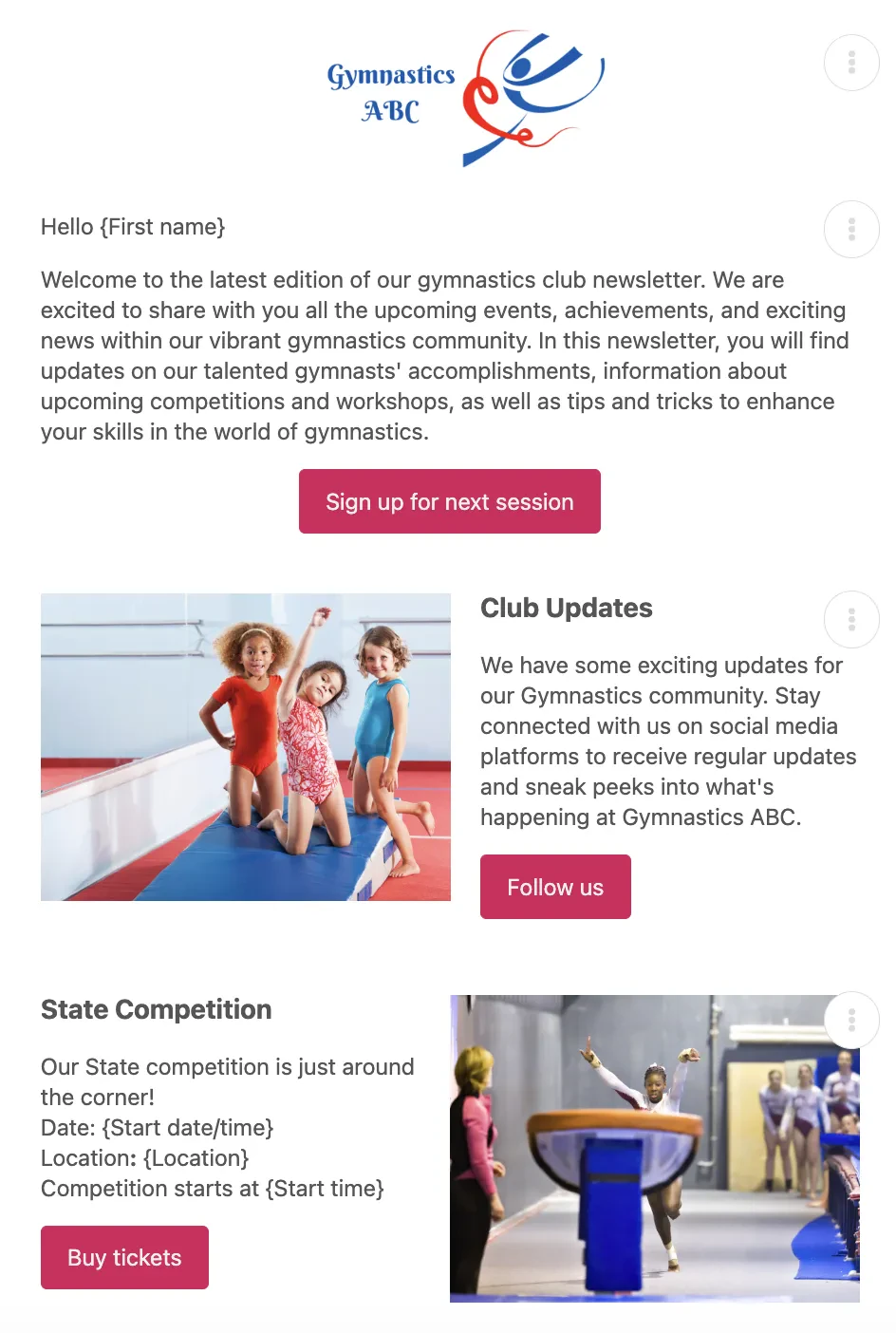
A gymnastics competition is one of the few times your whole community, gymnasts, families, coaches, and spectators, show up in one place. That’s worth building an easy path to buy a ticket, not a barrier.
If you’re currently using Eventbrite, spreadsheets, or a mix of cash and e-transfers to manage competition tickets, this is one of the easier pieces of your operations to switch over, and one where the savings on processing fees alone tend to justify the move.
🤸🏻♀️ Book a demo to see how Activity Messenger can handle ticketing for your next gymnastics competition.
📖 Related Reading: