Managing permission slips with paper forms creates more work than it solves. Parents forget to return them, signatures get lost, and you end up chasing down families the day before the trip.
A well-built online permission slip fixes all of that. It collects parent details, consent, medical information, and digital signatures in one place, while automating reminders so nothing slips through the cracks.
In this guide, we’ll walk through exactly how to create online permission slips for your school or camp, which fields to include, which tools to consider, and how to set up automations that save you hours every week.
Key Takeaways:
- A good online permission slip collects participant details, emergency contacts, medical information, and a signed consent or liability waiver in one place.
- Online permission slips eliminate paper forms, lost signatures, and manual follow-up.
- Choosing a tool built for schools and camps gives you features like SMS delivery, automated reminders, and payment collection altogether.
- Sending permission slips by SMS instead of email significantly increases the percentage of forms signed on time.
- Automated reminders that only target parents who haven’t signed yet save time and reduce awkward follow-ups.
Table of Contents
- What To Include in Your Online Permission Slip
- Select a Tool Designed for Schools and Camps
- Create Your Online Permission Slip
- Include a Liability Waiver With Digital Signature
- Send Your Permission Slip by SMS
- Collect Payments at the Same Time
- Track Attendance and Access Forms on the Day
- Bonus Idea: Send Bulk Certificates After The Event
- Success Story: How Summit Academy Moved to Online Permission Slips
- Frequently Asked Questions
- Final Thoughts
What To Include in Your Online Permission Slip
The goal of your permission slip is to collect everything you need up front so you’re not following up with families about missing details later. Here’s what to include:
1. Participant Information
- Full name
- Date of birth
- Gender
2. Parent or Guardian Information
- Full name
- Email address and phone number
- Relationship to participant
3. Emergency Contact Information
- Full name
- Phone number
4. Medical Information
- Allergies and severity
- Medical conditions
- Current medications
5. Event Details
- Date and time of the field trip or event
- Location
- Supervising staff or chaperones
6. Consent and Digital Signature
- Liability waiver
- Photo and video consent
- Digital signature
7. Payment (if applicable)
- Fee collection
- Payment method
Select a Tool Designed for Schools and Camps
There are many tools available to help you create online permission slips, including Cognito Forms, Smartwaiver, and Jotform. These tools simplify the process and eliminate common frustrations like illegible, torn, or lost paper slips.
That said, generic form builders have limitations. Because they’re designed to serve a wide range of industries and use cases, they tend to lack the integrated communication features that make the permission slip process run smoothly. In most cases, they don’t offer the ability to:
- 📝 Send permission slips by SMS
- 🔔 Automate reminders only to parents who haven’t signed yet
- 👥 Simplify attendance tracking
- 💳 Collect payments
- 💬 Communicate with parents during the field trip or event
A platform like Activity Messenger is built specifically for school administrators and camp managers, so all of these features are included in a single form builder, eliminating the need for separate tools.
Create Your Online Permission Slip
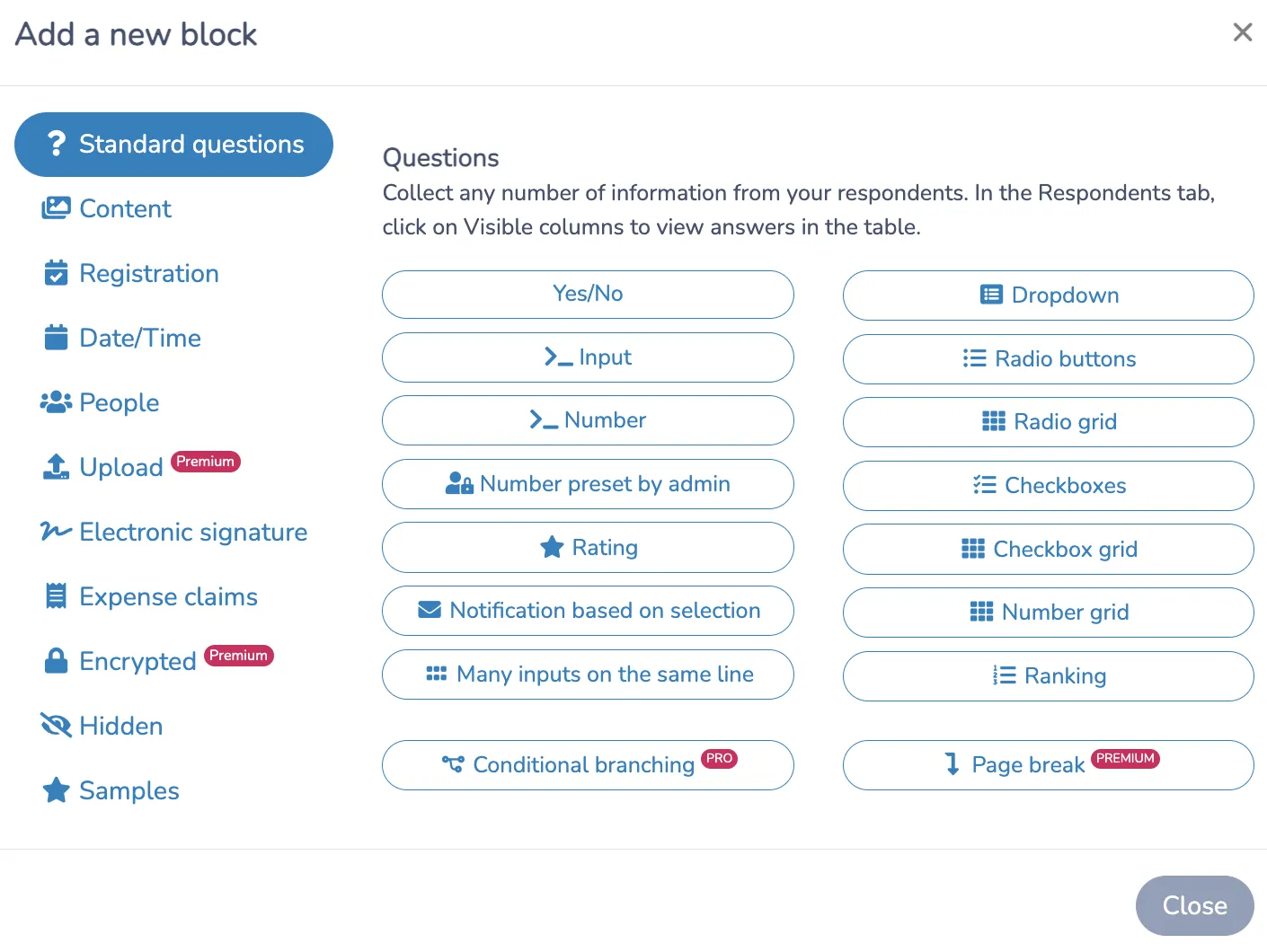
Just like most form builders, permission slips in Activity Messenger are created using a simple drag-and-drop editor with 80+ question types to choose from.
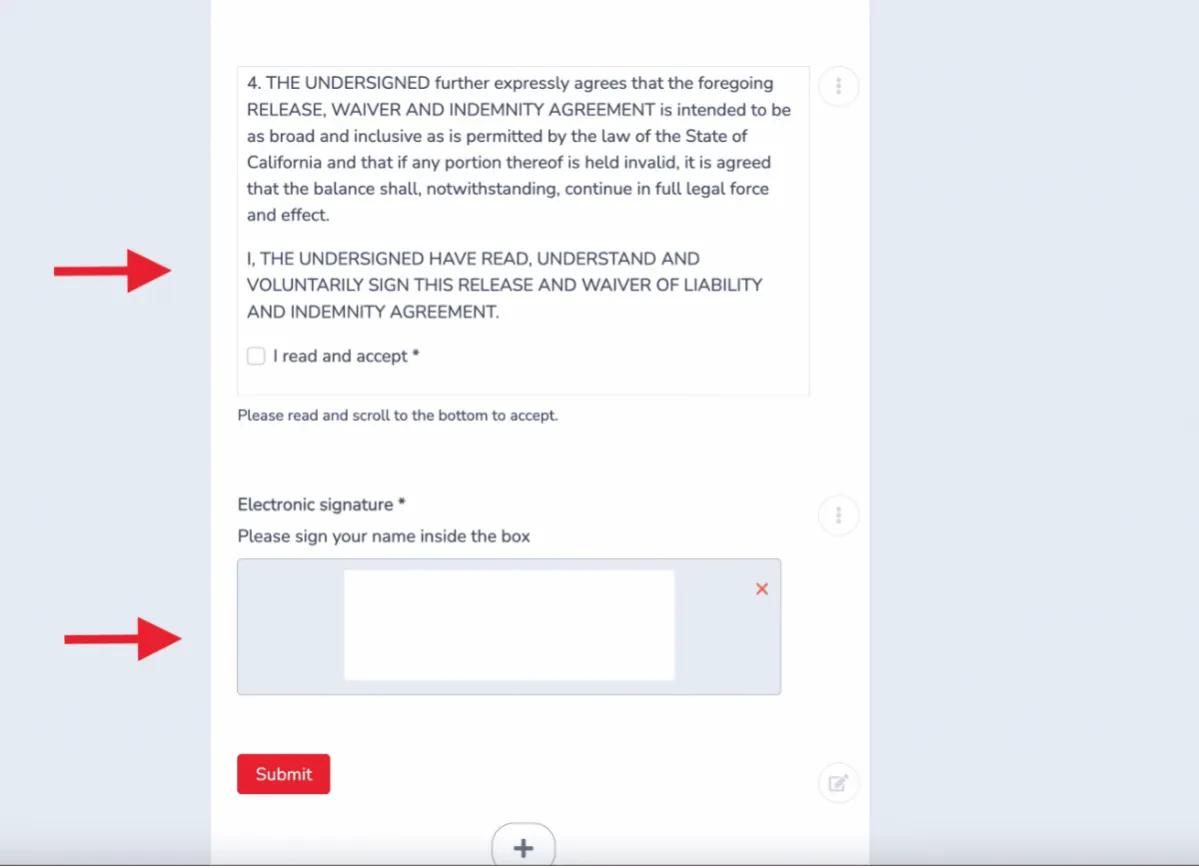
Copy and paste your terms and conditions, add the fields you need, and make sure to include a checkbox confirming the parent has read and accepted your terms.
Here are the most commonly used fields when building a permission slip:
- Header (title and description)
- Parent name
- Participant name
- Emergency contact
- Date and time of the event or trip
- Allergies or medications
- Payment options
- Terms and conditions
- Liability and waiver
- Permission to take or share photos
- Digital signature
- Document import
Your forms don’t have to be plain, either. Activity Messenger integrates with Canva, so you can easily incorporate eye-catching designs that stay on brand.
Include a Liability Waiver With Digital Signature
Every permission slip should include a liability waiver. Collecting it as part of the same form, rather than as a separate document, removes a significant administrative step and ensures you have signed documentation on file before the event.
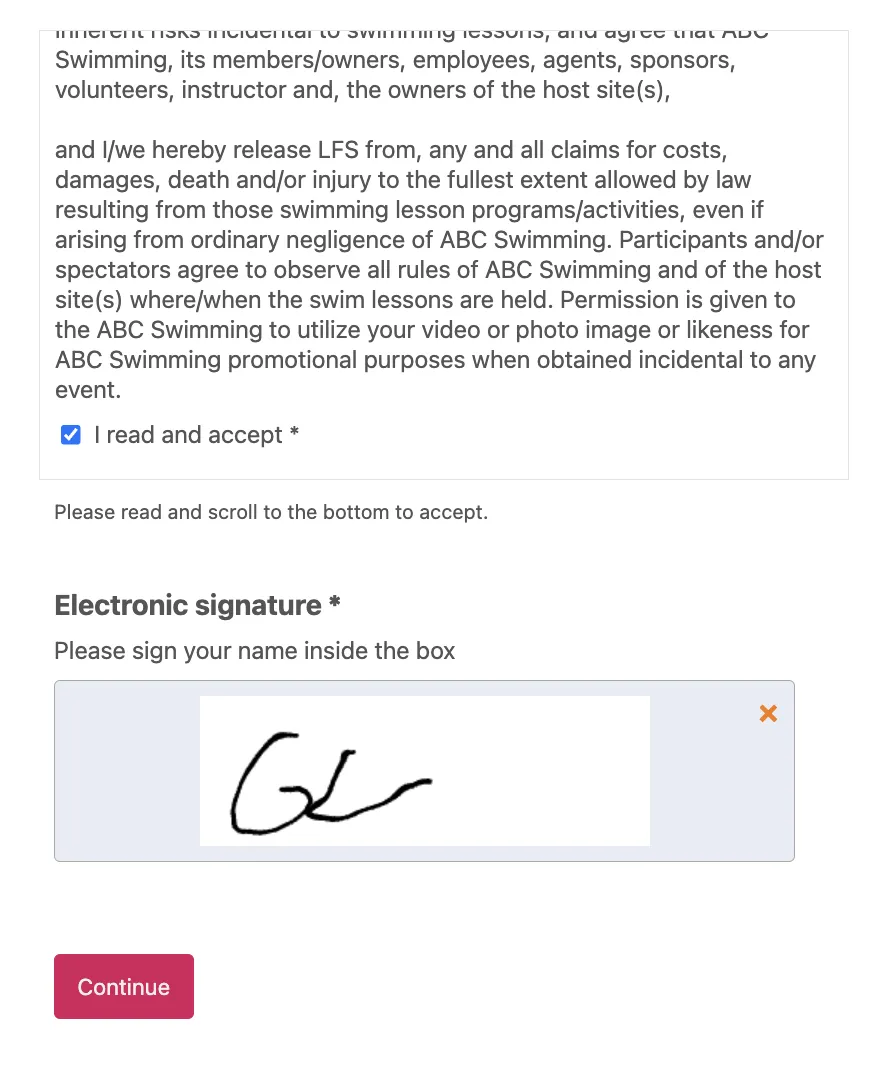
Add a digital signature field. Parents sign directly on the form by typing their name or drawing a signature on their phone. No printing, scanning, or separate waiver platform required.
Require acceptance before submission. The form won’t submit until the parent checks the acknowledgment box and signs, removing any ambiguity about whether the waiver was actually read.
Store signed waivers automatically. Every time a parent signs, a PDF version of the completed form is saved to your account, and a confirmation email with their copy is sent automatically.
Send Your Permission Slip by SMS
Once your permission slip is ready, you need to get parents to actually sign it. Most administrators default to email, but email gets buried. Some parents say they never got it, others ignore it, and many simply miss it.
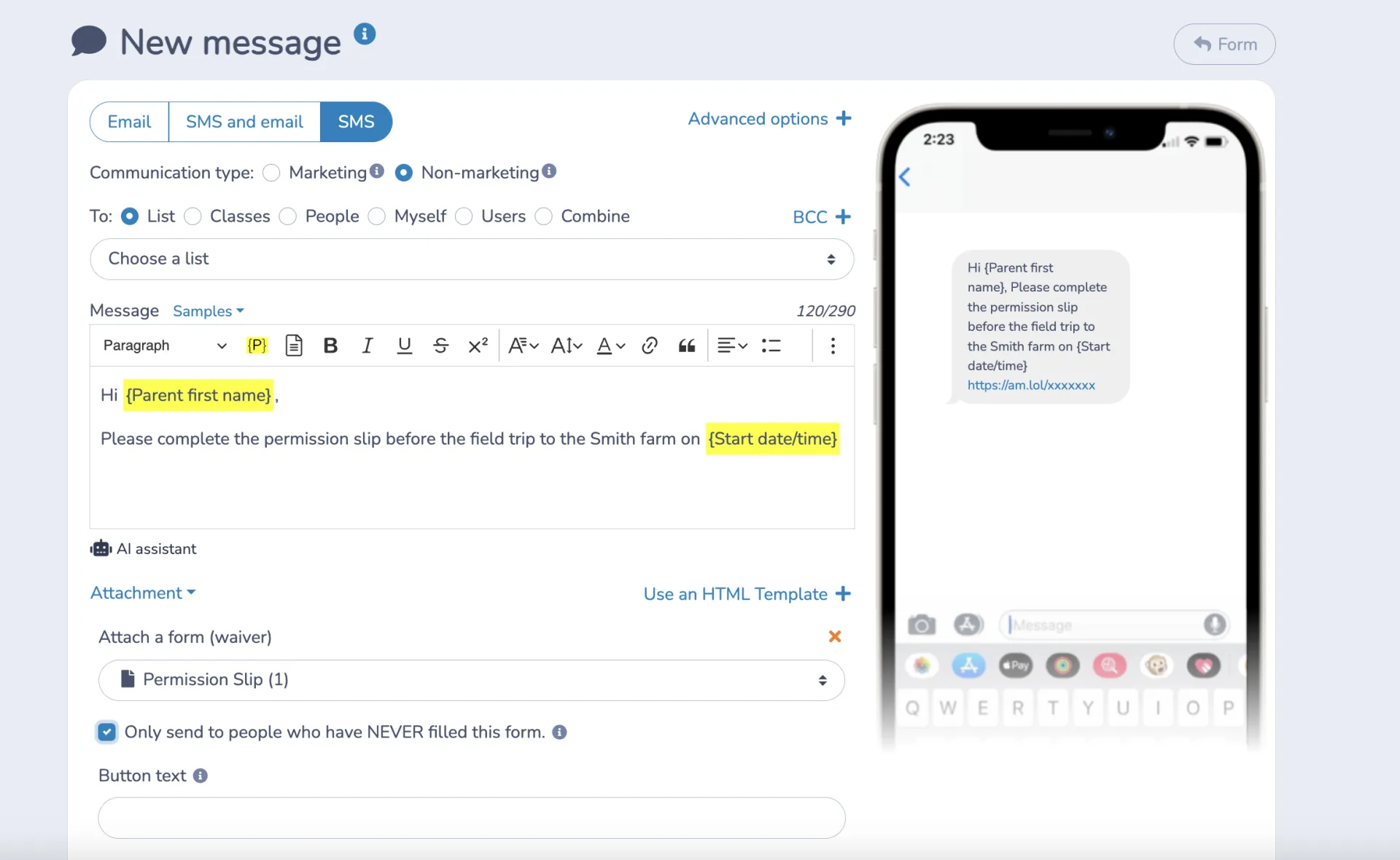
Even with SMS delivery, some parents will need a nudge. Activity Messenger lets you automate a follow-up reminder that goes only to parents who haven’t signed yet, so you’re not messaging the families who already submitted. With just a bit of setup, you’ll have a system that chases down stragglers without any manual work on your end.
Collect Payments at the Same Time
Many field trips and events require an additional fee from families. Collecting payment separately from the permission slip creates extra steps for parents and extra tracking for your team.
With Activity Messenger, you can collect payment on the same form. Every submission includes both the signed waiver and the completed payment. An invoice is automatically generated and sent to the parent along with their copy of the permission slip.
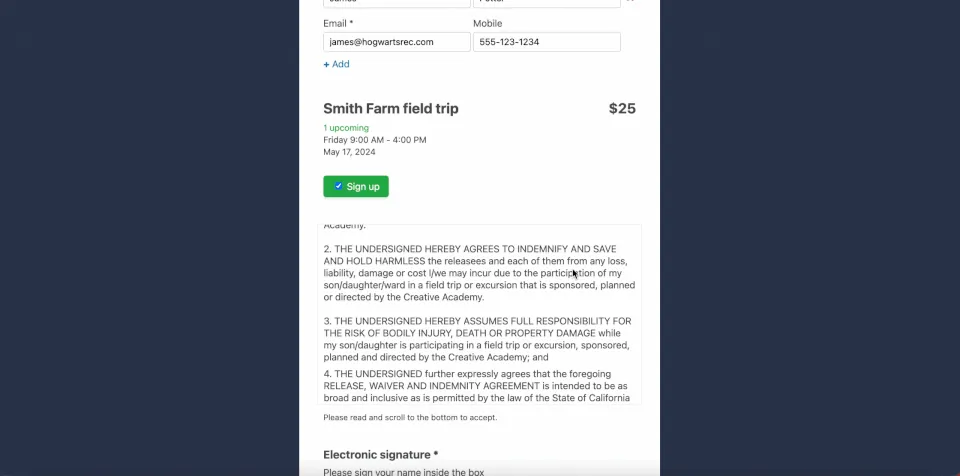
Payments can be taken by credit card through Stripe or offline. In either case, the invoice and signed slip are automatically sent to the parent.
Track Attendance and Access Forms on the Day
Once forms are submitted, Activity Messenger gives you a centralized dashboard to see who has registered, signed, and paid. You can also set up notifications so you’re alerted every time a new form comes in.
On the day of the event, you can track arrivals and departures, add notes, and access signed permission slips directly from your phone or tablet. The system timestamps check-ins automatically as you go.
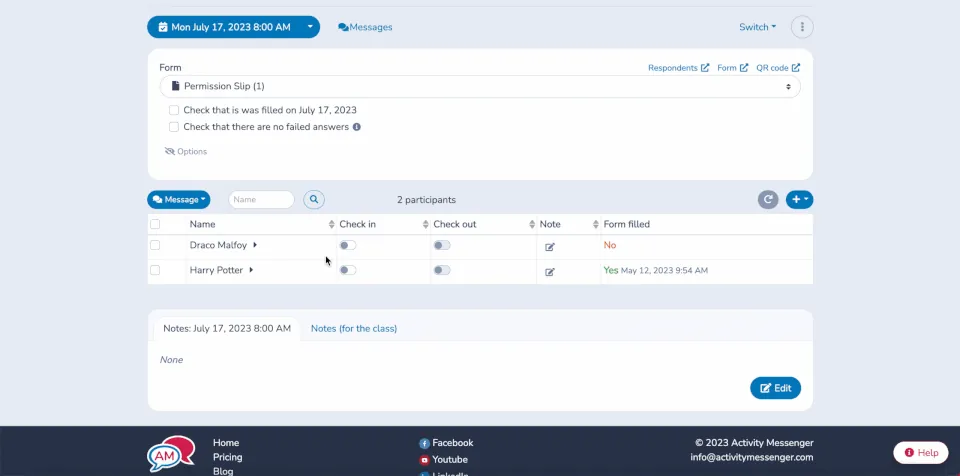
💡 Need to reach parents during the event? Activity Messenger lets you send bulk messages to all parents at once, or target specific individuals based on context, such as a child-specific situation that needs immediate attention.
Bonus Idea: Send Bulk Certificates After The Event
Some field trips and events ask students to learn new skills or push themselves physically. Recognizing that effort with a certificate is a simple way to acknowledge their participation and make the experience memorable.
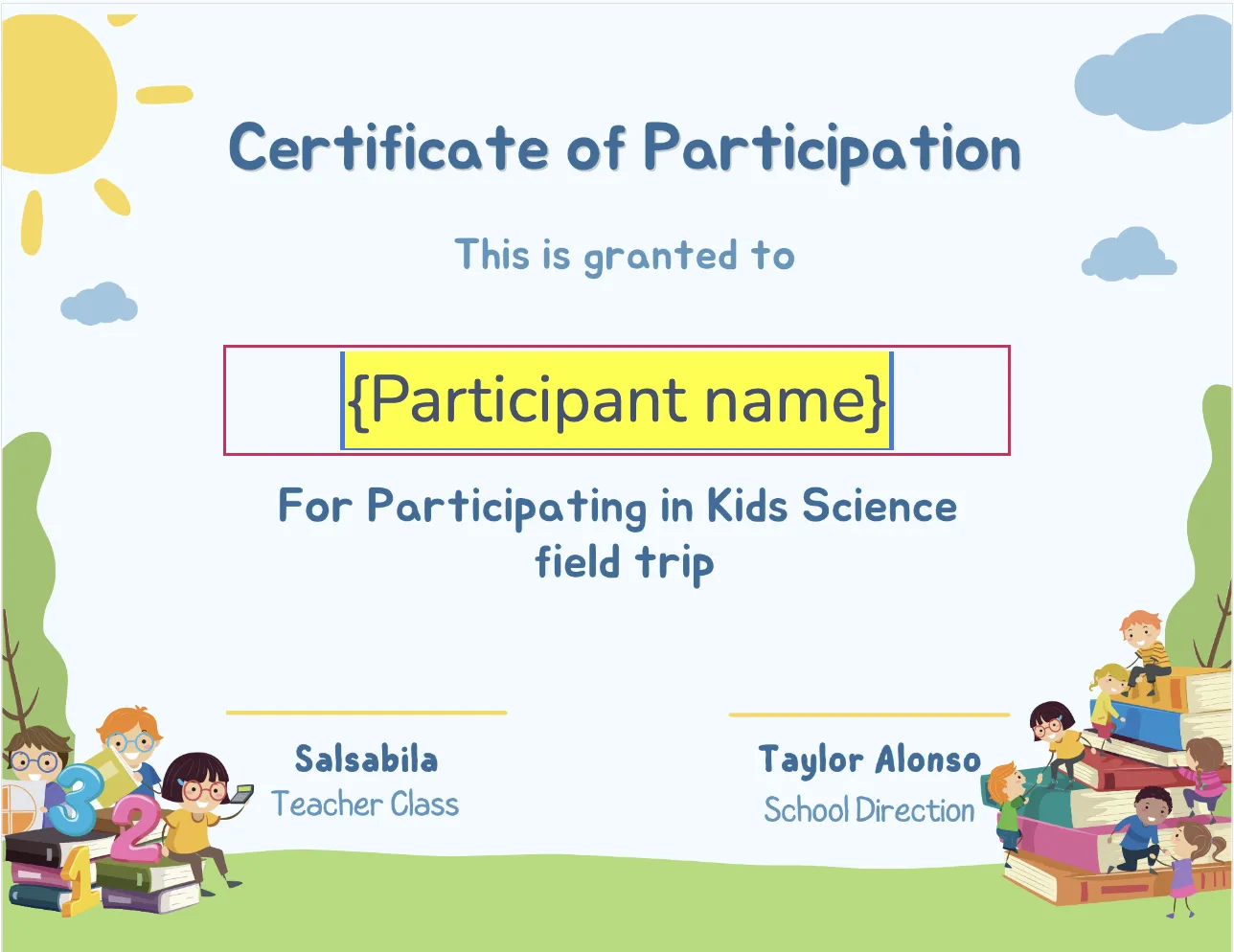
Certificates also serve as a tangible record of learning outside the classroom, documenting what students experienced and accomplished during the trip. Activity Messenger lets you generate and send bulk certificates using Canva, so you can recognize every participant without it becoming another manual task.
Success Story: How Summit Academy Moved to Online Permission Slips
Discover how Summit Academy replaced a paper-based permission slip process with Activity Messenger. Printing forms, distributing them, and manually tracking returns were consuming significant staff time before each trip. Digital signatures gave parents a way to sign directly from their phones, and the admin work that used to follow every trip simply stopped.
“When we started it was all paper based. So we were printing, sending out and manually keeping track of who brought things back. It was a very cumbersome and extremely time-intensive. The number one reason we switched to Activity Messenger is that parents are able to sign a permission slip on their phone, just by using their fingers.”
👉 Read the Full Case Study Here
Frequently Asked Questions
What is an online permission slip?
An online permission slip is a digital form that collects parent or guardian consent for a child to participate in a school field trip, camp activity, or event. It replaces paper forms and typically includes participant details, emergency contacts, medical information, a liability waiver, and a digital signature. Once submitted, the form is stored automatically with no printing or manual filing required.
What should a school permission slip include?
A school permission slip should include the participant’s name and date of birth, parent or guardian contact information, emergency contact details, relevant medical information, event details, and a liability waiver with a digital signature. Payment collection can also be built directly into the same form so everything is captured in one submission.
How do I send permission slips digitally to parents?
The most effective way to send permission slips digitally is by SMS. Text messages see significantly higher open rates than email, which means more forms get signed on time. With Activity Messenger, you can send a permission slip link to all families at once and automate follow-up reminders only to parents who haven’t responded yet.
Can I collect payment on the same form as the permission slip?
Yes, with Activity Messenger, you can collect registration fees or event payments directly on the permission slip form. Every submission includes a signed waiver, a completed payment, and an invoice automatically sent to the parent.
Do I need a separate platform for digital waivers?
Activity Messenger lets you include a digital signature field directly in your permission slip, so parents sign the waiver at the same time they submit the form. Signed waivers are stored automatically and accessible anytime.
How do I make sure all parents complete the permission slip before the event?
Automated reminders are the most effective approach. Set up a sequence of email or SMS follow-ups targeted only at families who haven’t submitted yet. A final reminder one to two days before the event will catch most remaining submissions without any manual outreach on your end.
Final Thoughts
A good online permission slip does more than collect a signature. It captures the information your team needs, automatically stores signed waivers, processes payments if required, and triggers confirmation emails and reminders without any manual work on your end.
If you’re still relying on paper forms or a generic tool that wasn’t built for schools and camps, switching to Activity Messenger is one of the fastest ways to reduce admin work before your next field trip or event.
📅 Ready to simplify permission slips for your school or camp? Book a demo with Activity Messenger to see how administrators across North America manage consent, communication, and waivers in one place.