
The best camp counsellors often get snapped up within days of applying. They’re comparing a few programs, checking their phone more than their inbox, and taking the first offer that moves them. A slow or clunky camp counsellor application form doesn’t just lose you paperwork; it loses you the candidate.
This guide walks through what to ask on a camp counsellor application form, how to set up notifications so you never miss a strong candidate, and how to use SMS to move faster than camps still relying on email and paper applications. Plus, scroll down for a free template to streamline the process and start hiring the best talent right away.
Key Takeaways:
- A counsellor application form should combine structured questions (experience, age groups, certifications) with a few open-ended ones that reveal whether a candidate is genuinely interested, not just applying everywhere.
- Instant notifications matter more in hiring than almost anywhere else in camp operations. Strong candidates often have offers from more than one program and go with whoever responds first.
- Resume and cover letter uploads should live in the same form as your questions, so you get the full picture of a candidate in one submission instead of two.
- SMS gets read faster than email, especially by younger applicants, and can shorten the time between application and interview significantly.
- A form built for camp hiring keeps applications, interviews, and candidate communication in one place instead of split across a form tool and a separate inbox.
Table of Contents
- What to Include in Your Camp Counsellor Application Form
- Ask Questions That Reveal the Right Fit
- Set Up Instant Notifications for New Applications
- Allow Resume and Cover Letter Uploads
- Engage Applicants via SMS/Text
- Share Your Form and Start Collecting Applications
- Try Our Free Camp Counsellor Application Form Template 👇
- 4 More Ways Activity Messenger Helps With Camp Hiring
- Frequently Asked Questions
- Final Thoughts
Author’s note: Olivier shares tips and tricks he’s learned over the past decade as the owner of a kids’ sports program. Today, as co-founder of Activity Messenger, he helps hundreds of summer camps across North America simplify hiring and communication.
What to Include in Your Camp Counsellor Application Form
Before building your form, decide which information you actually need to make a hiring decision. Keep the basics straightforward, then leave room for a few questions that help you understand each candidate beyond their resume.
Applicant information:
- 👤 Full name, email, and phone number
- 🎂 Age (many camps have a minimum age for counsellor roles)
Camp and childcare experience:
- 🏕️ Have they worked at a camp or in a similar role before, and where
- 🎯 What activities or skills they can lead
- 👦 What age groups they’re comfortable working with
- 📜 Relevant certifications (CPR, first aid, lifeguard, or role-specific training)
Availability:
- 📅 Which weeks or the full season they’re available for
- 🚗 Any scheduling conflicts, such as a return-to-school date that falls mid-season
Resume and cover letter:
- 📎 A place to upload a resume and cover letter
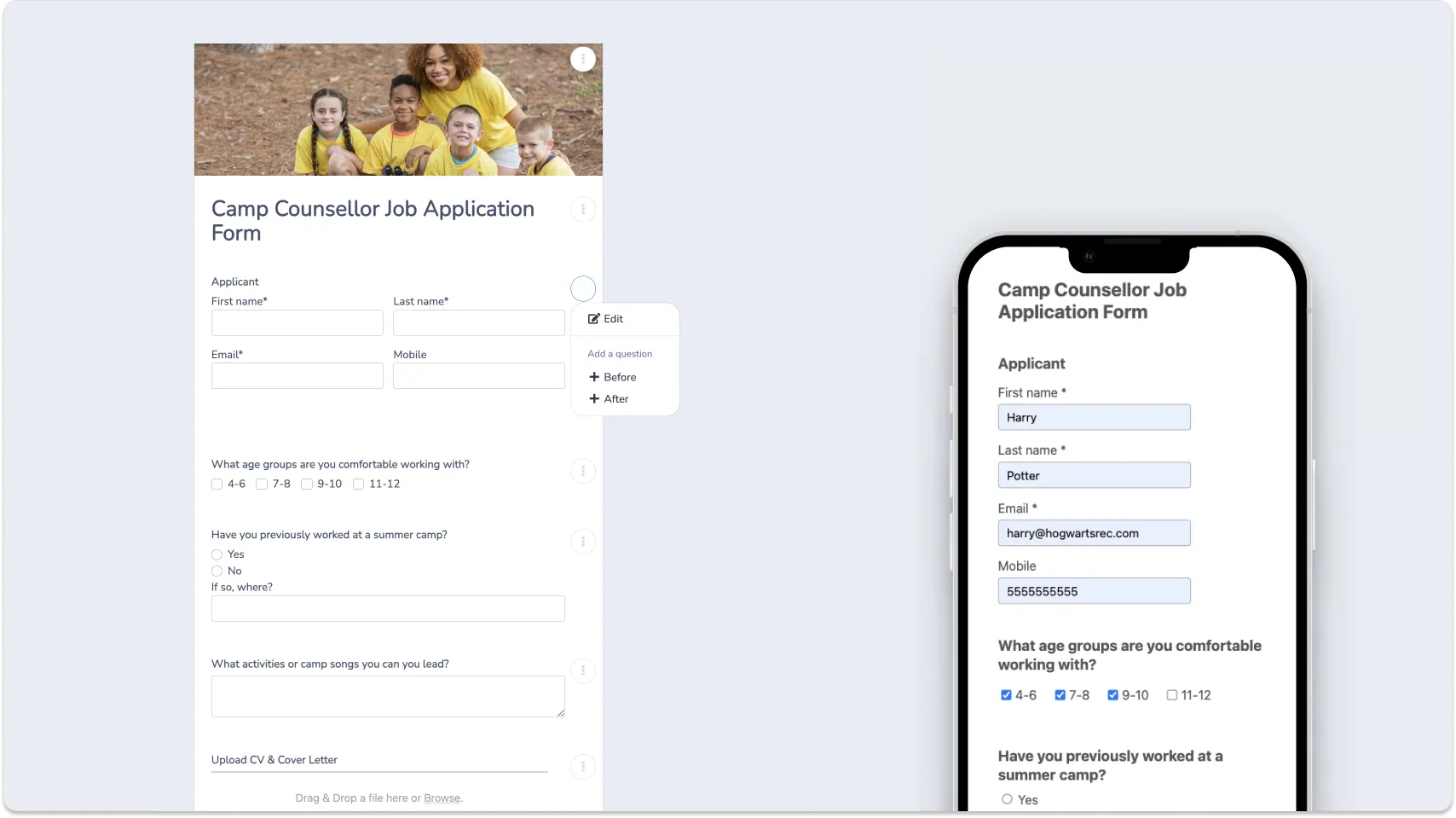
Ask Questions That Reveal the Right Fit
Once you’ve collected the basics, use a few targeted questions to learn how a candidate thinks, communicates, and handles situations they’ll actually encounter at camp. These questions can reveal things that aren’t always obvious from a resume or list of certifications.
With Activity Messenger, you can create customized questions that probe into a candidate’s history, expertise, and approach to camp activities.
A few questions worth including:
- Why are you interested in working at our camp?
- What would you do if a camper refused to participate in an activity?
- Describe a time you had to handle a difficult situation with a child. What did you do?
- What activities, sports, arts, or other skills would you feel comfortable leading?
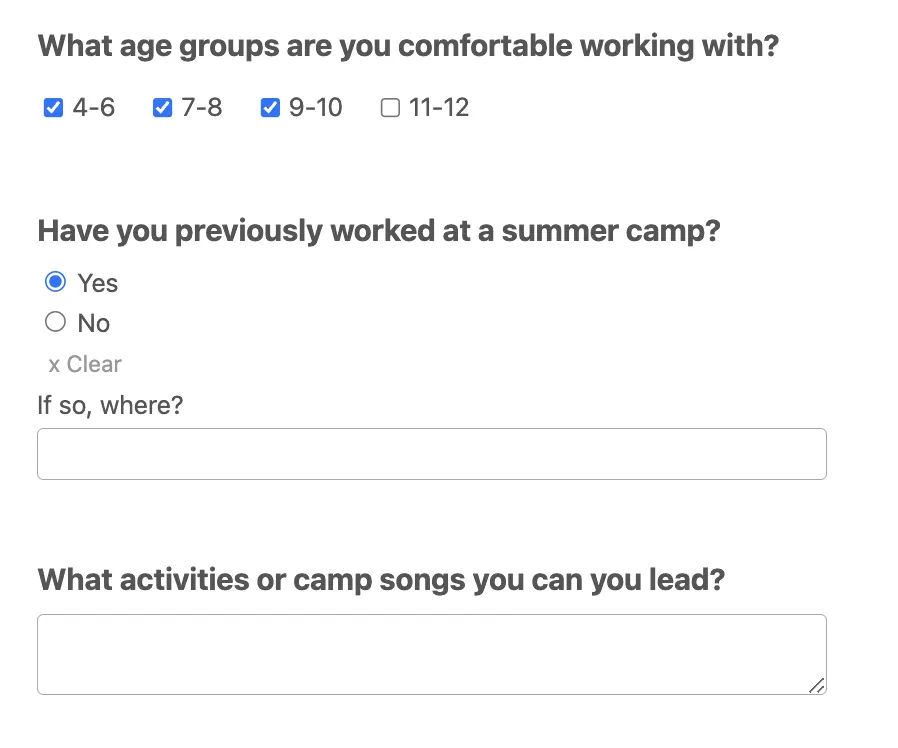
📌 Pro Tip: When working with hundreds of summer camps across North America, I have found that keeping forms short and sweet is the best approach. This will help you get more applicants and make it easier for people to apply from their smartphones. Open-ended questions do double duty; they help you get to know applicants and reveal who’s genuinely interested versus mass-applying.
Set Up Instant Notifications for New Applications
Hiring season moves fast, and the strongest candidates rarely wait around for a reply.
With notifications sent by email or SMS the moment someone applies, you can respond within the hour instead of finding out about an application days later. Camps that treat speed as part of their hiring process consistently report an edge over camps that check a shared inbox once a day.
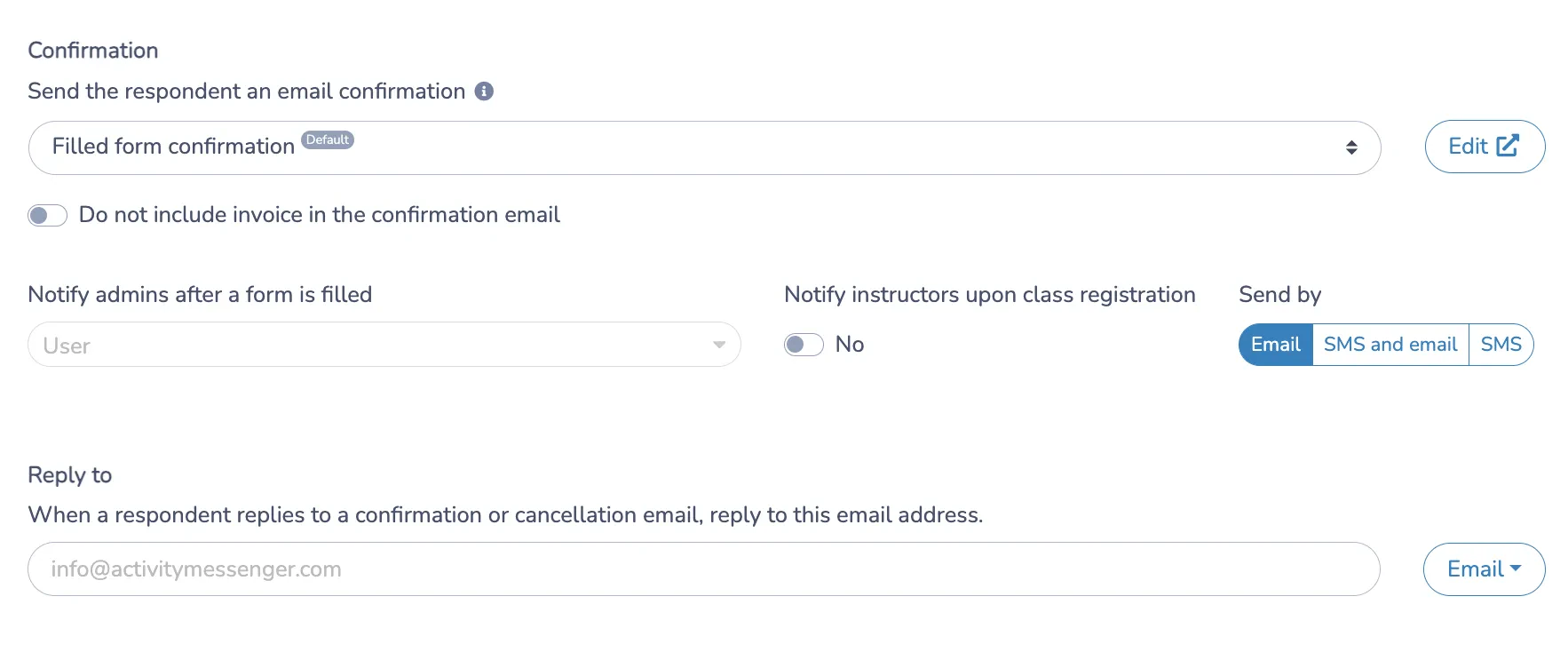
📌 Pro Tip: We try to respond within an hour of receiving an application whenever possible. Strong candidates may be considering multiple opportunities at the same time, so responding quickly can help you keep them engaged. This gives employers a leg up in attracting the right candidates.
Allow Resume and Cover Letter Uploads
Keep resume and cover letter uploads in the same form as your questions, so everything about a candidate arrives together instead of across separate emails.
A resume shows you what a candidate has done. The application questions show you how they think about the role. Together, they give a fuller picture than either one on its own, and a candidate who looks strong on paper doesn’t always answer the open-ended questions the way you’d expect.
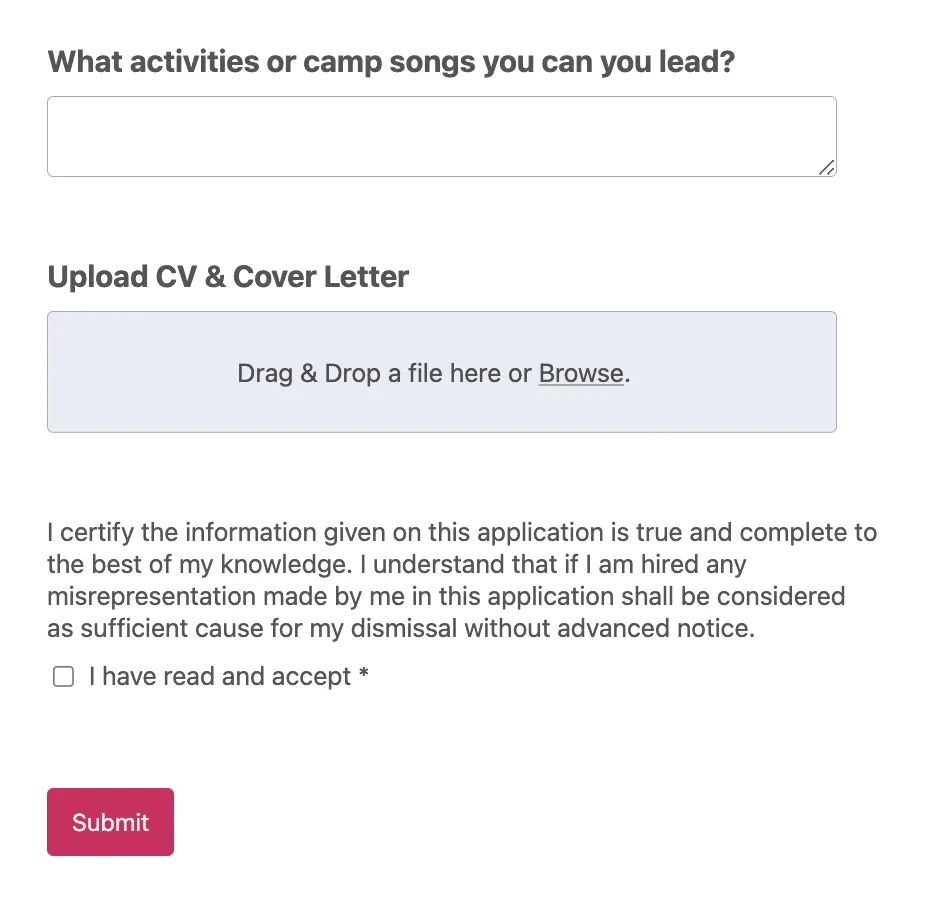
📌 Pro Tip: After hiring hundreds of counsellors and instructors over the years, I’ve learned the value of asking specific questions that matter to your organization. You might find the perfect candidate on paper by reading a resume, but an application gives you more context and a clearer idea of whether they are a good fit.
Engage Applicants via SMS/Text
Getting the application is only the first step. Once someone applies, the next challenge is keeping them engaged while you move them toward an interview.
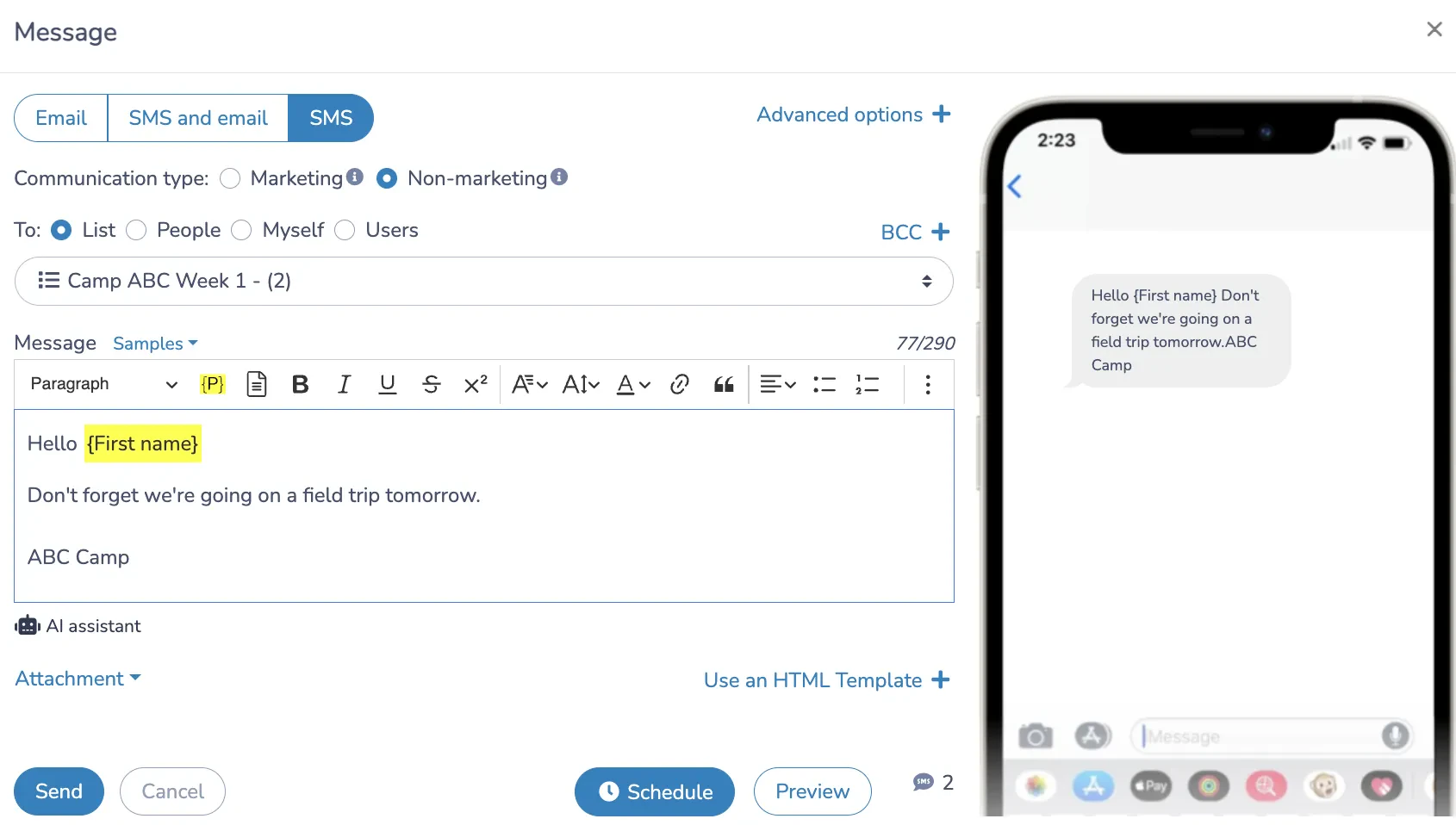
Camp counsellor candidates tend to be younger, and younger applicants are less likely to check email regularly or answer a call from an unknown number. A few reasons SMS works better for this audience:
- 📱 Faster engagement. A text gets opened within minutes, where an email might sit unread for a day.
- 📈 Higher response rates. Camps that move interview scheduling and follow-ups to SMS tend to see noticeably better response rates than email alone.
- ⏱️ Faster hiring. Scheduling interviews and following up by text shortens the whole process, which matters when a good candidate is deciding between two offers.
- 🙂 A better candidate experience. Texting signals that your camp is organized and easy to work with, before the candidate has even started.
Try Our Free Camp Counsellor Application Form Template 👇
Want to skip the setup? We’ve created a free camp counsellor application form template you can use as a starting point. It includes the essential questions around experience, availability, certifications, and more, and you can customize it to fit your camp. Test it out and see if you like it!
4 More Ways Activity Messenger Helps With Camp Hiring
The application form is only the beginning. Once candidates start applying, Activity Messenger can also help you move them through interviews, hiring, and onboarding without switching between multiple tools.
Interview Scheduling Candidates Can Book Themselves
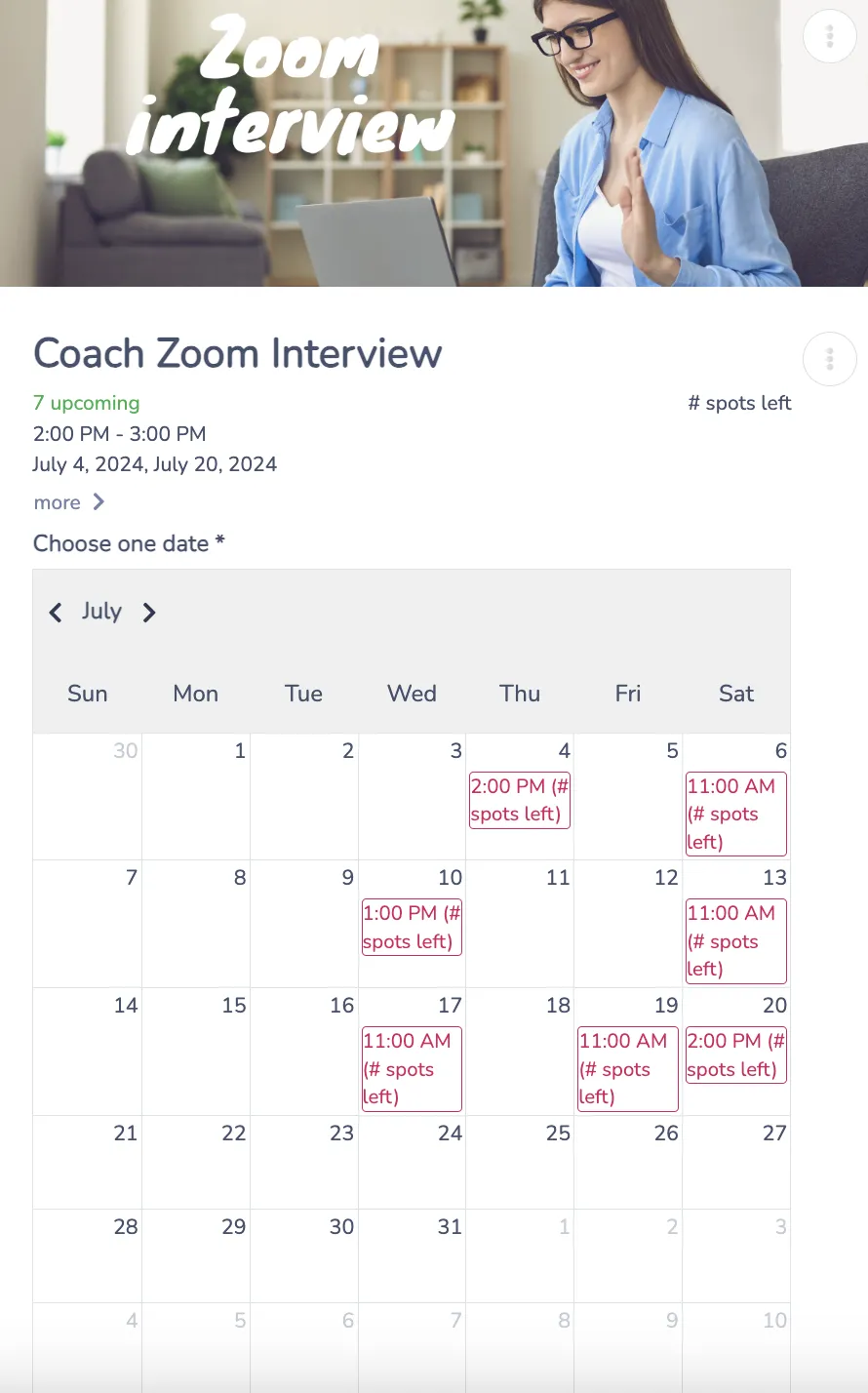
Instead of back-and-forth emails to land on a time, an interactive calendar lets candidates pick a slot that works for them, synced automatically with your team’s calendar. One less round of messages between application and interview.
Zoom Interviews Without Leaving the Platform
For remote interviews, a Zoom link goes out automatically once a candidate books a slot, with everything about that candidate, application, notes, and interview time kept in one place instead of scattered across email and a separate meeting tool.
Digital Contracts, Signed on the Spot
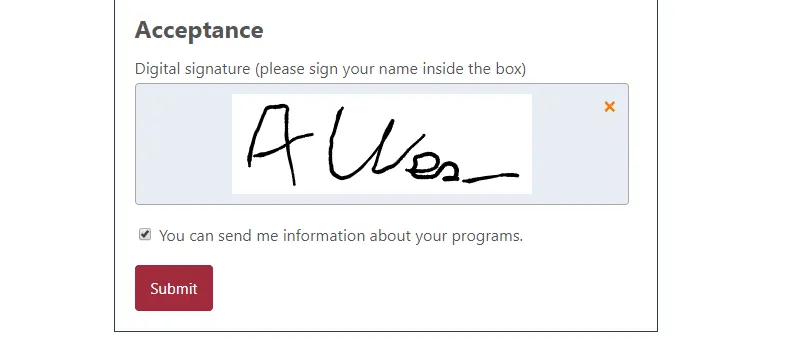
Once you’ve found your hire, send the employment contract with a built-in acceptance box and signature field. No printing, scanning, or chasing down a signed PDF, and the signed contract is stored securely alongside the rest of their file.
Onboarding Starts the Moment You Hire
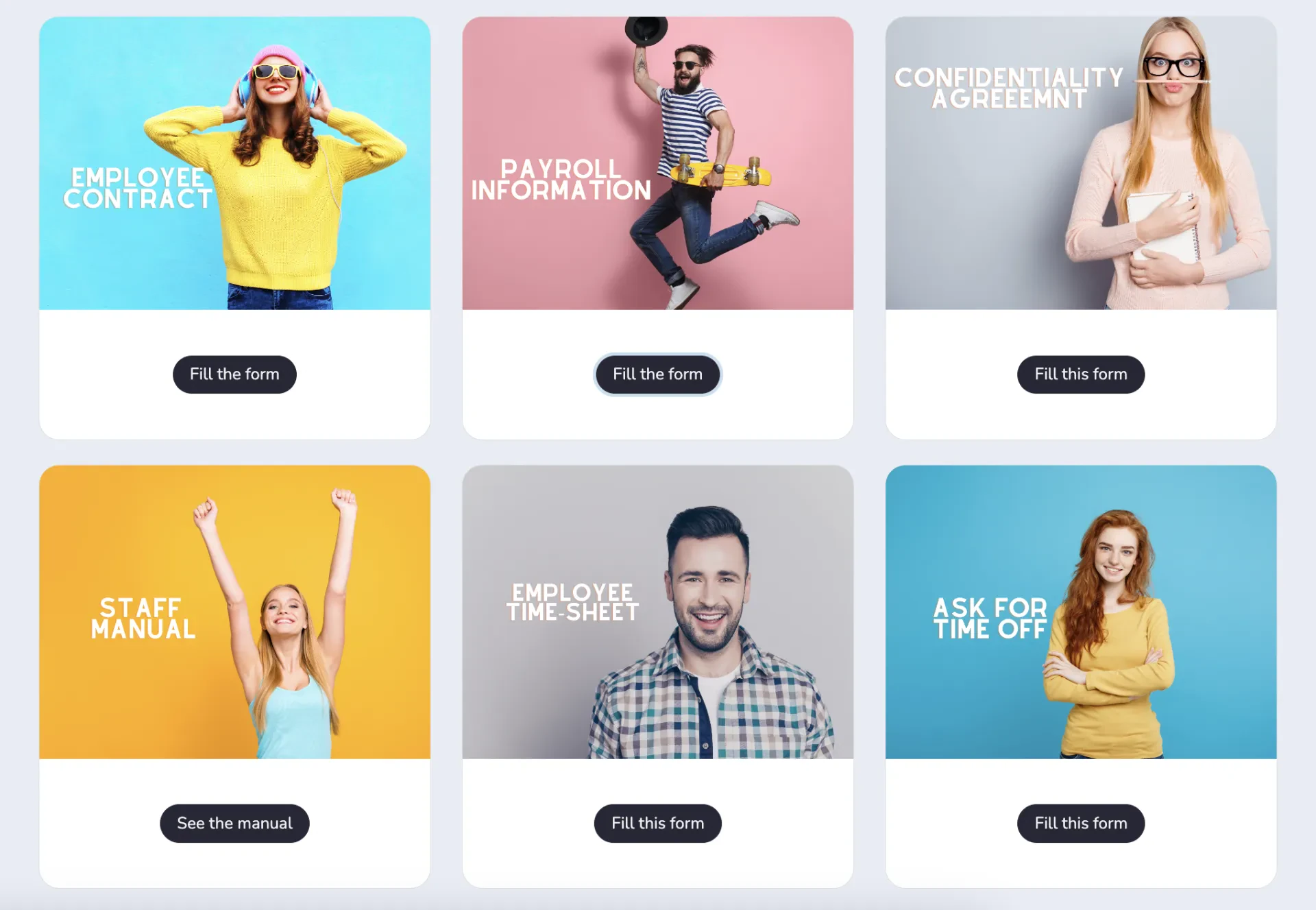
Getting a signed contract is only the beginning. The same platform can carry a new counsellor through onboarding with staff portals, mobile forms, certifications, and timesheets, so hiring and onboarding don’t have to happen in two separate systems.
Frequently Asked Questions
What should be included in a camp counsellor application form?
Include personal information, camp or childcare experience, the age groups the candidate is comfortable with, relevant certifications, availability, and a resume or cover letter upload. You should also include a few open-ended questions that help you assess whether the candidate is a good fit for your camp.
How is a camp counsellor application different from a general job application?
It needs to ask things a standard application doesn’t inquire about directly, such as comfort with specific age groups, activities a candidate can lead, and how they’d handle a difficult moment with a child. These matter more for a camp role than a resume alone can show.
How do I avoid losing strong candidates to a competing camp?
Speed is the biggest factor. Instant notifications and SMS follow-up let you respond within the hour instead of a day later, which matters since strong candidates often apply to more than one camp at once.
Should resumes and cover letters be uploaded through the same form as the application questions?
Yes, keeping everything in one submission means you’re reviewing a complete picture of the candidate at once, rather than piecing together an application from separate emails.
What’s the benefit of texting applicants instead of emailing them?
Younger candidates are more likely to see and respond to a text than an email, especially during a busy hiring season when they may be applying to several camps. Faster responses tend to mean faster hires.
Do returning counsellors need to fill out the same application?
Many camps use a shorter version for returning staff, skipping questions already on file from a previous season and focusing on availability and any changes since they last worked.
Final Thoughts
Hiring counsellors is often the first place a camp’s operations get tested each year, and it happens on a tighter timeline than almost anything else in the season. A camp counsellor application form that’s quick to fill out, paired with fast notifications and SMS follow-up, is often the difference between hiring your first-choice candidate and losing them to a camp down the road that replied first.
Activity Messenger is built to handle that, from the first application to opening day.
💡 Want to see how it works for your camp? Book a demo with Activity Messenger and see how camp owners across North America handle hiring, onboarding, and communication in one place.
📖 Related Reading: