
Hiring camp counsellors and seasonal staff every year is one of the most time-consuming parts of running a summer camp. Between collecting contracts, chasing down certifications, and answering the same questions over and over, the administrative load can eat up weeks before the season even starts.
The good news: most of that friction is avoidable. In this article, I’ll walk through how camps can streamline the entire staff onboarding process, from the moment someone applies to their first day on the job, using tools designed for the way seasonal teams actually work.
Key Takeaways:
- A customizable staff portal gives new hires a single place to find everything they need, reducing back-and-forth before day one.
- Mobile-friendly forms are essential for Gen Z staff: if they can’t complete paperwork from their phone, they probably won’t complete it.
- Centralizing documents in each employee’s profile makes it easier to catch gaps and stay audit-ready.
- Digital onboarding goes beyond paperwork: time-off requests, training materials, timesheets, and contract signing can all live in one place.
- A smoother onboarding experience leads directly to better staff retention, and that matters a lot when you’re rehiring the same positions every summer.
Table of Contents
- Why Camp Staff Onboarding Is Different
- 1. Create a Customizable Staff Portal
- 2. Mobile-Friendly Forms
- 3. Centralized Document Management
- 4. Much More Than Reduced Paperwork
- 5. A Simple Camp Staff Onboarding Timeline
- Common Onboarding Mistakes Camps Make
- The Real Impact of Streamlined Onboarding
- Final Thoughts
About the author: I’m Olivier, co-founder of Activity Messenger, an online registration software for camps. I previously ran a multi-franchise business that introduced sports to children aged 2–9, with over 100 employees. My team and I hired hundreds of part-time coaches and camp counsellors over 18 months in a tough labour market, with 97% of them from Gen Z. Here’s what we learned about making onboarding actually work.
Why Camp Staff Onboarding Is Different
Most HR software is built for full-time, year-round employees. Camp hiring doesn’t work that way. You’re bringing on large groups of seasonal staff in a short window, many of them young and new to the workforce, and you need them ready to go before opening day.
That creates a specific set of challenges:
- 🚀 High volume, compressed timeline: You might be onboarding 20 or 30 people in the span of a few weeks.
- 📱 Younger staff: Gen Z employees are less likely to check email regularly or have access to a printer. Text messages have an open rate of around 98% (compared to roughly 20% for email), and most are read within minutes of delivery. If your onboarding instructions arrive by email, a significant portion of your staff may never see them.
- 🔄 Recurring hiring: Many camps rehire the same staff year after year, which means your system needs to handle returning employees without starting from scratch.
- 🔒 Compliance requirements: Camps collect a lot of sensitive information that needs to be stored securely and retrieved quickly, like certifications, emergency contacts, photo waivers, and medical forms.
Getting onboarding right isn’t just an administrative nicety: when staff feel organized and welcomed before their first shift, they show up better prepared and more likely to come back next season.
1. Create a Customizable Staff Portal
The staff portal is the foundation of a good onboarding experience. It’s the first thing new hires see when they join your team, and it sets the tone for how organized (or disorganized) your camp appears to them.
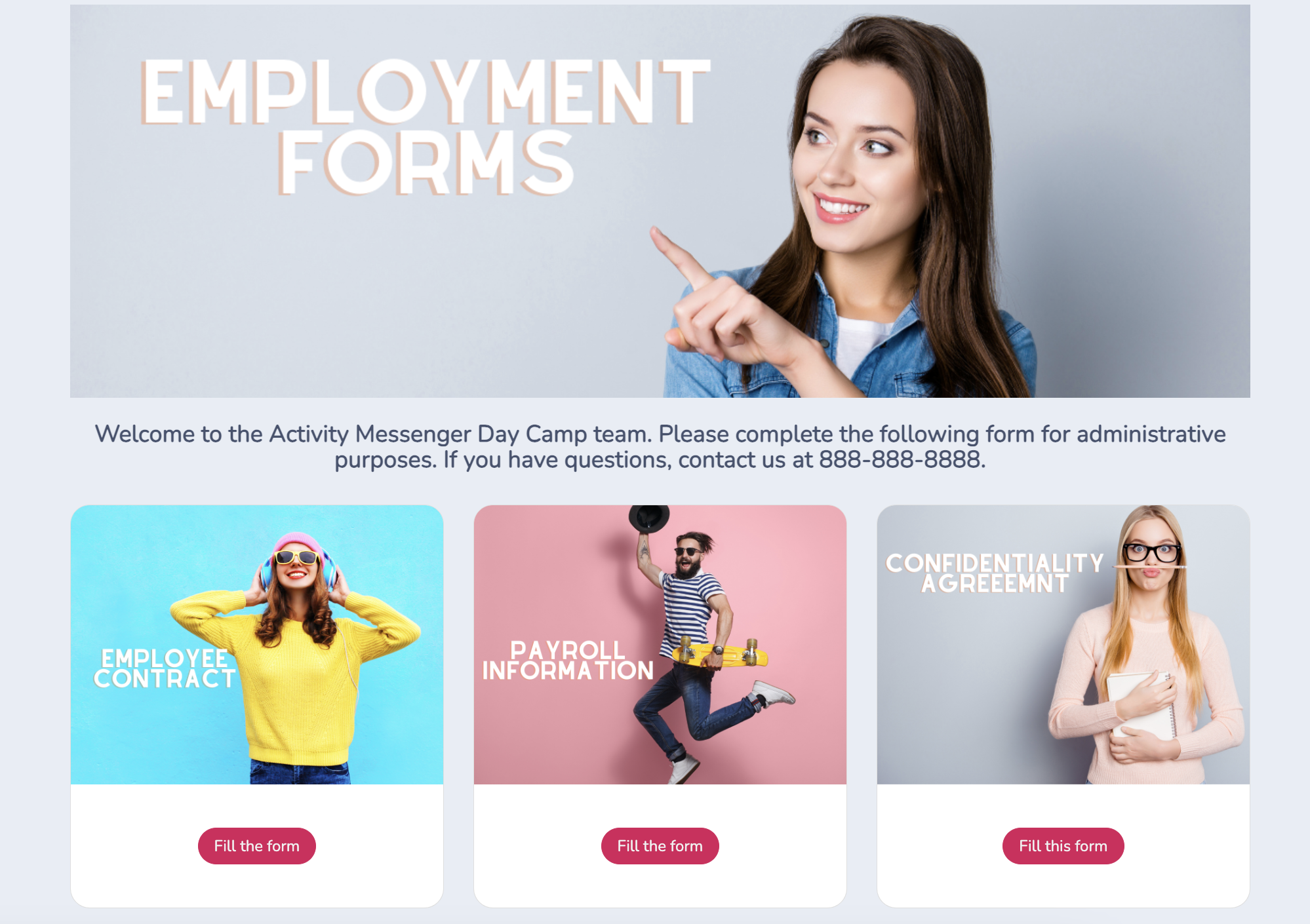
With Activity Messenger, you can build a portal that reflects your camp’s identity and gets staff to the right information immediately. That means:
- Branding and personalization: Add your camp’s logo, colours, and tone so new staff feel like they’ve landed somewhere that knows what it’s doing. Activity Messenger integrates with Canva, so all of your forms and materials can stay on-brand.
- Organized information: Arrange the portal so the most important items (staff handbook, training videos, required forms) are front and center. Staff shouldn’t have to dig for anything on day one.
- Embedded forms and documents: Employment contracts, certification uploads, emergency contact forms, and policy agreements can all live directly in the portal. Staff complete everything in one place, and you see it all there, too.
📌 Pro Tip: Add a QR code in the break room that links directly to the portal. It makes time-off requests, timesheets, and form submissions easy to access throughout the season, not just during onboarding.
2. Mobile-Friendly Forms
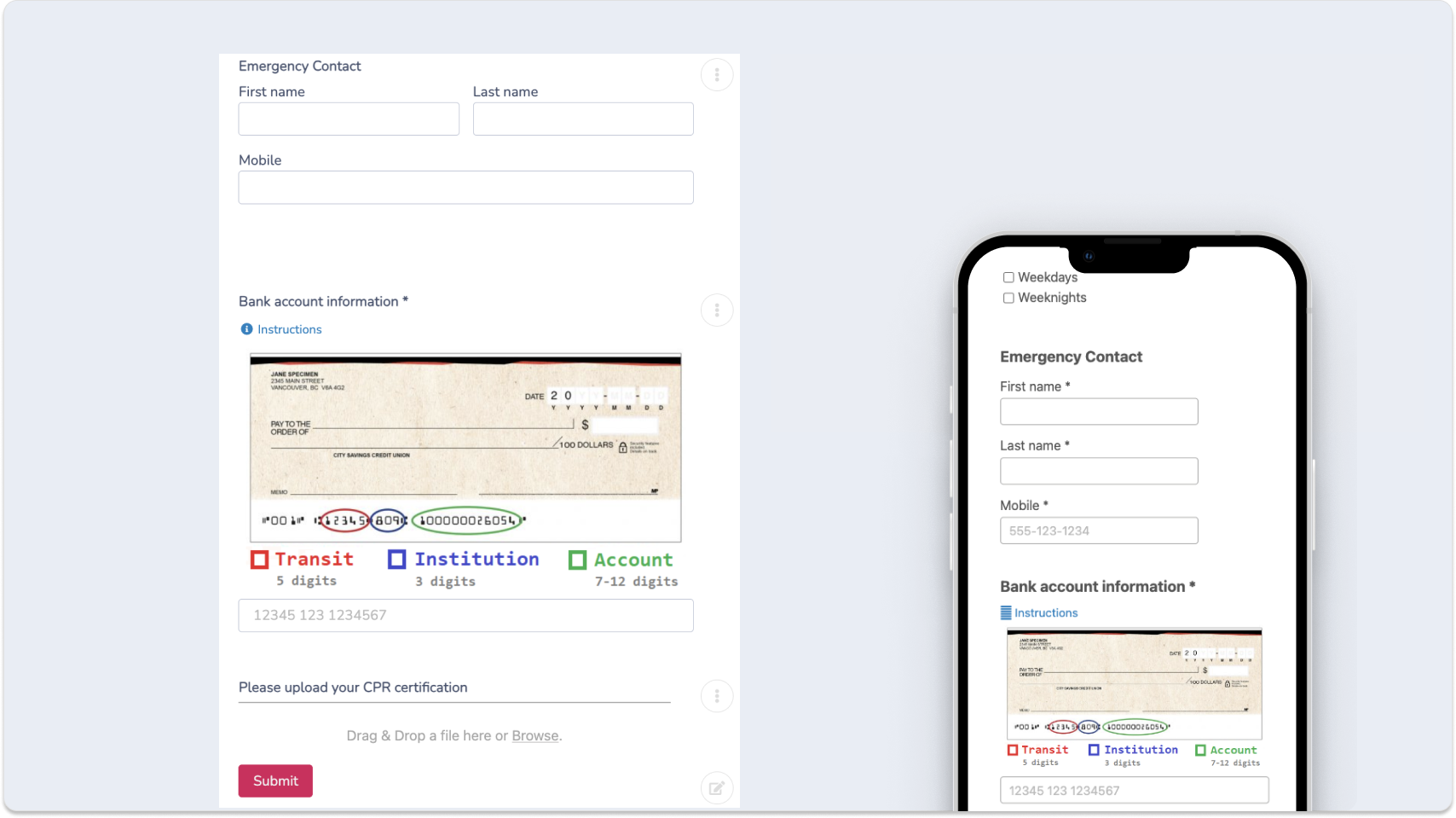
If your onboarding process requires a printer or a desktop computer, you’re already creating friction. The majority of camp counsellors and seasonal staff are going to complete their paperwork on a phone, so your forms need to work well on one.
Activity Messenger forms are built for mobile from the ground up. For camps, that means:
- Accessibility: Staff can complete contracts, upload certifications, and submit forms from wherever they are, on any device. No printer and no PDF back-and-forth necessary.
- Faster turnaround: When forms are easy to fill out on a phone, staff complete them sooner. That means fewer follow-up reminders and less outstanding paperwork heading into the season.
- Lower environmental impact: Going paperless is one of the easiest ways to reduce your camp’s administrative footprint.
3. Centralized Document Management
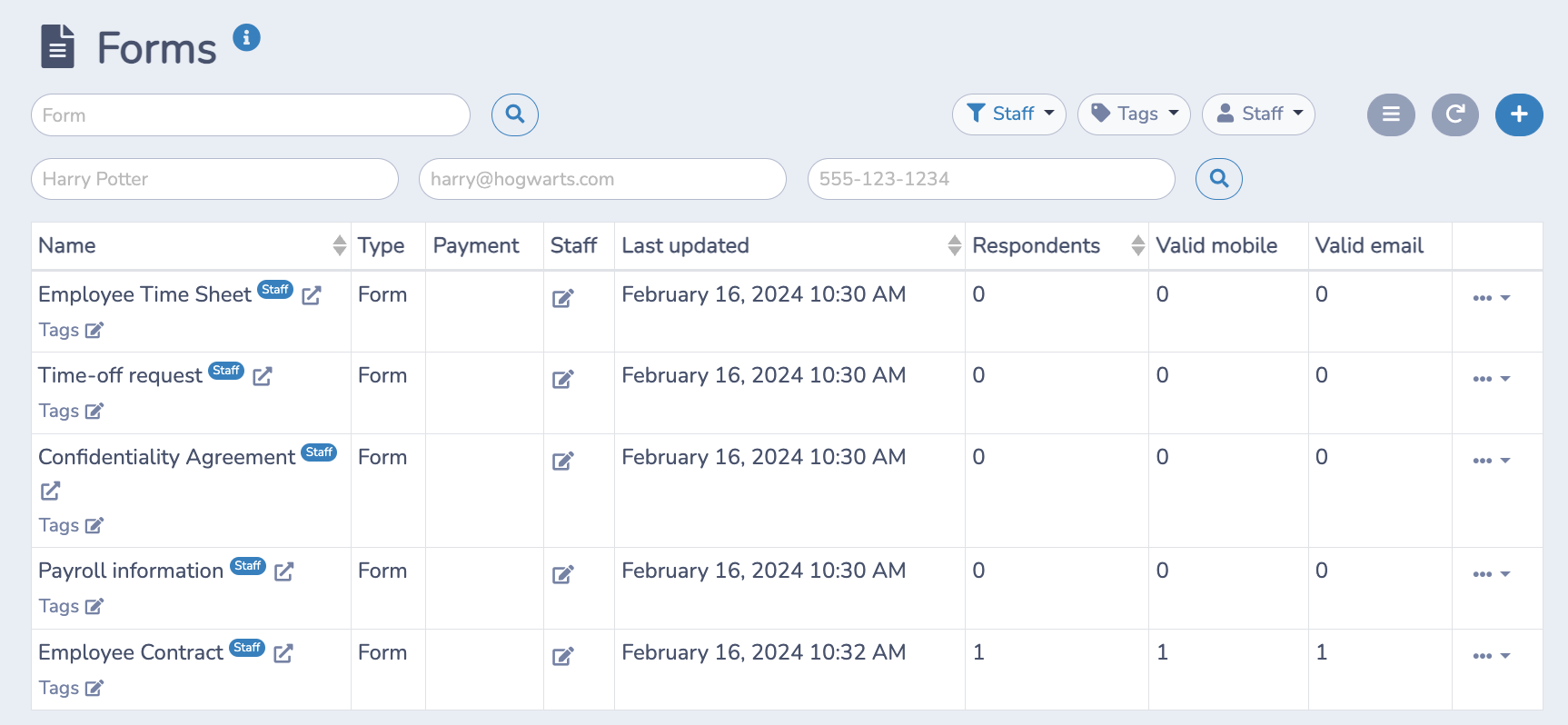
Once a staff member submits a form, the document is automatically stored in their employee profile. Both the staff member and your admin team receive a copy, and everything is organized and searchable from a single dashboard.
For camps, that kind of centralized storage matters more than it might seem:
- Compliance and audits: Whether it’s certifications, signed waivers, or background check acknowledgements, everything is in one place when you need it.
- Easy retrieval: No more digging through email threads or file folders to find a specific document. A few clicks and you’re there.
- Secure storage: Employee information (banking details, emergency contacts, medical notes) is encrypted and stored securely, with access controlled by your admin team.
This is especially useful for camps that hire returning staff year after year. Profiles carry over, so you’re updating existing records rather than starting from zero.
What to Collect During Camp Staff Onboarding
Before the season starts, most camps need to collect a fairly consistent set of documents from every new hire. Here’s what that typically looks like:
| Document | Why You Collect It |
|---|---|
| Emergency contact information | Required for camper and staff safety protocols |
| First aid / CPR certification | Confirms staff meet minimum safety requirements |
| Lifeguard or other role-specific certifications | Validates qualifications before a staff member works with campers |
| Signed employment contract | Documents the terms of employment and protects both parties |
| Banking / direct deposit information | Needed to process payroll |
| Photo release form | Covers use of staff images in camp communications and marketing |
| Staff handbook acknowledgement | Confirms staff have read and understood your policies |
| Code of conduct agreement | Sets expectations for behaviour with campers and colleagues |
| Background check consent | Required in most jurisdictions for anyone working with minors |
Collecting all of this digitally and storing it in one profile per employee means you can see at a glance what’s been submitted and what’s still outstanding before anyone sets foot on site.
4. Much More Than Reduced Paperwork
Onboarding software often gets framed as a way to cut paperwork. That’s true, but it undersells what a connected staff platform actually does for your camp throughout the season.
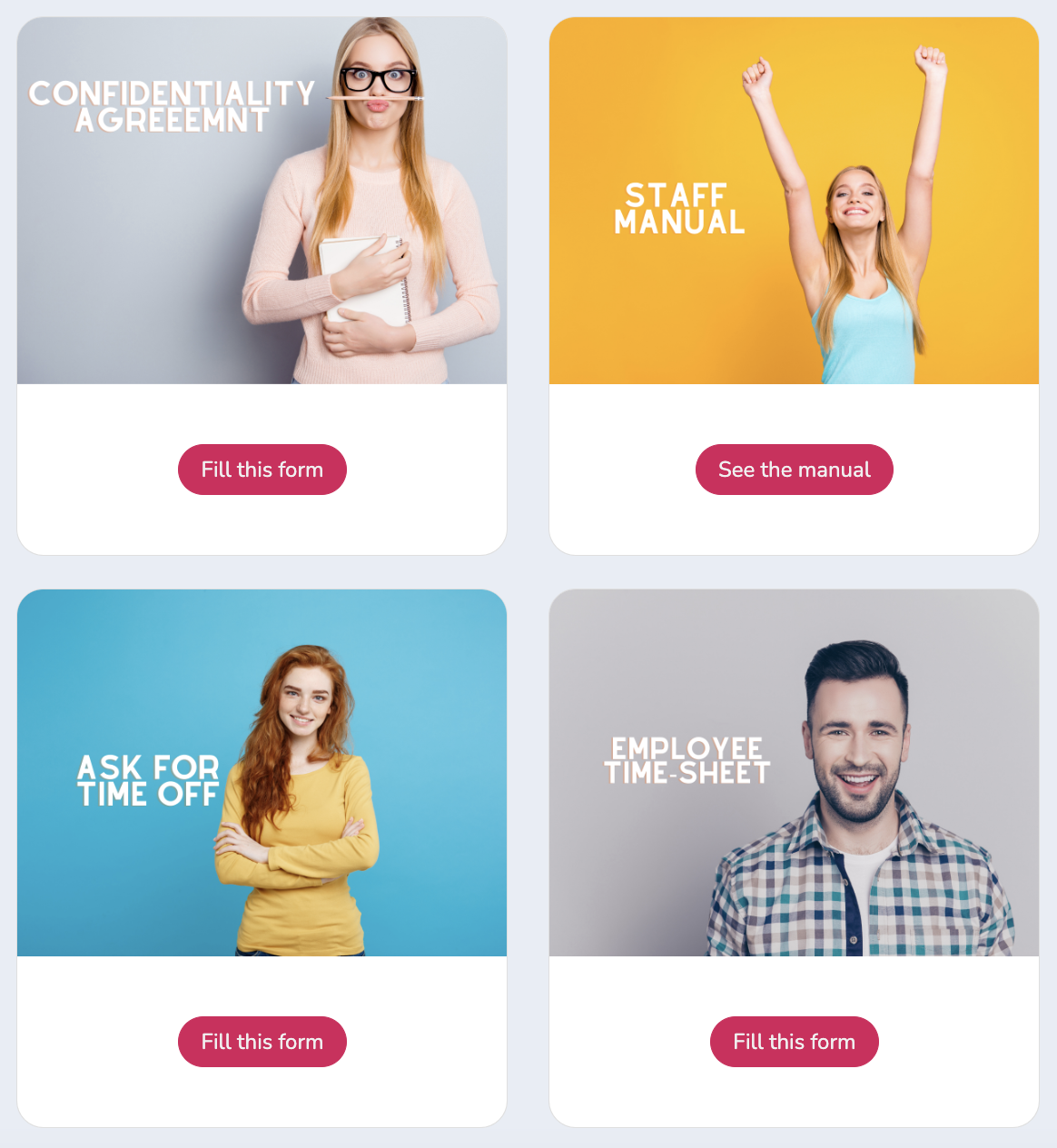
Once your team is onboarded, the same system handles:
- Time-off requests: Instead of juggling texts, emails, and in-person asks from counsellors, staff submit requests through a standardized form. Requests are visible to all admins, and you can approve or decline them directly on the platform, with the response sent to staff automatically via SMS or email.
- Training and manuals: Upload staff handbooks, safety protocols, and role-specific training materials directly to the portal. Staff access them on their own time, and you can see who’s reviewed what.
- Timesheets: Digital timesheets reduce payroll errors and give you clean data. Staff can submit from their phone, and you can schedule a weekly SMS reminder so nothing gets missed.
- Digital contract signing: Once you’ve hired someone new, you can send the employment contract directly through the platform. Staff review and sign digitally, no printing, scanning, or emailing required. A PDF is generated automatically and stored in their profile for later reference.
5. A Simple Camp Staff Onboarding Timeline
A lot of camps have a solid onboarding process on paper, but the problem is when they start it. Two weeks before opening day isn’t enough time for staff to complete everything, and it’s definitely not enough time for you to follow up on what’s missing.
Here’s what works:
As soon as the offer is accepted
Send a welcome text with a link to the staff portal. This is also a good moment to set expectations: let them know what they’ll need to complete, the deadline, and who to contact if they have questions. Starting that communication early makes everything that follows a lot smoother.
Within the first 3 to 5 days
Staff fill out their forms: emergency contacts, banking info, certifications, photo release, and code of conduct. Give them a clear deadline and text a reminder to anyone who hasn’t finished yet. The faster this gets done, the more time you have to catch anything that’s missing or out of date before it becomes a problem closer to the season.
One week before their first shift
Contract signed, handbook assigned. If anyone has questions about either, you still have time to address them. This is also a good point to make sure certifications are current. A lifeguard certification that expired three months ago is something you want to know about now, not on the first day of camp.
Two to three days before their first shift
Do a quick check to see who still has outstanding items, and follow up directly. A short text goes a long way here. Most staff aren’t ignoring you on purpose; they just need a nudge. Opening week is not when you want to be sorting this out.
Day one
The paperwork is done, the contracts are signed, and the staff have had a chance to look through the handbook. Orientation can actually be about the job: the schedule, the kids, the culture of your camp. That’s a much better use of everyone’s time than sitting in a room filling out forms.
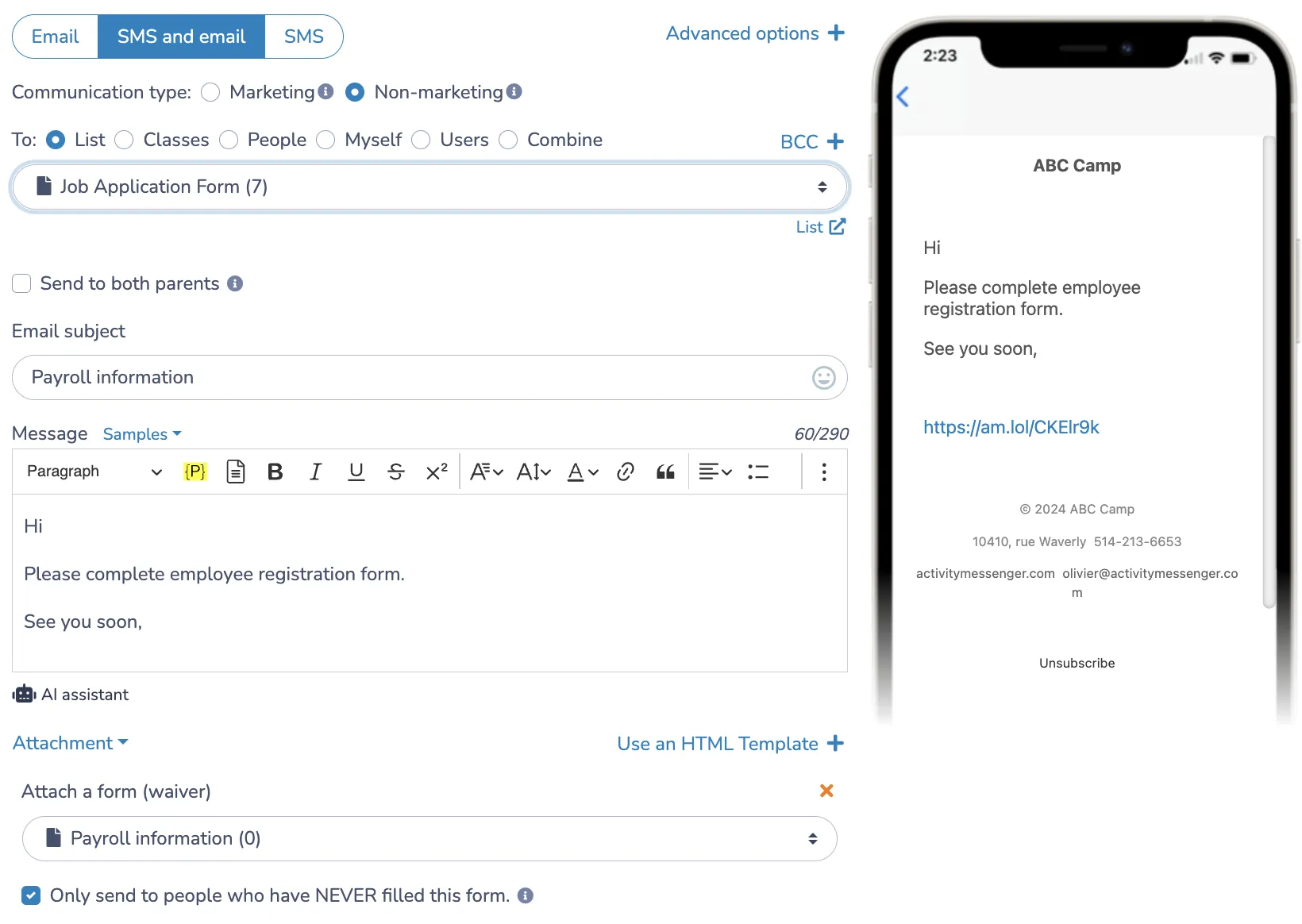
📌 Pro Tip: For returning staff, most of this is already done. Activity Messenger retains staff profiles from season to season, so you’re really just updating what’s changed: a new certification, updated banking info, a fresh contract signature. Everything else carries over, and your returning staff don’t have to feel like they’re starting from scratch every summer.
Common Onboarding Mistakes Camps Make
Even well-run camps can hit avoidable friction points in their onboarding process. A few patterns come up again and again:
⏰ Starting too late. Sending onboarding materials two weeks before the season opens doesn’t give staff enough time to complete everything or give you enough time to follow up on what’s missing. Start the process as soon as an offer is accepted.
🧰 Using too many tools. When contracts live on one platform, certifications come in via email, and schedules are managed in a spreadsheet, things get missed, and staff get confused. Consolidating everything in one system makes the process clearer for everyone.
📬 Sending onboarding by email only. It’s not that staff are ignoring you, it’s that a lot of them never see the message in the first place. Sending onboarding instructions by SMS with a direct link to the portal consistently gets better results than email alone.
👋 Skipping the welcome. A brief welcome message, a clear outline of what to expect, and easy access to answers go a long way toward making new staff feel like they’ve made the right choice to join your team.
👥 Not planning for returning staff. If you rehire the same counsellors each summer, your onboarding process should account for that. Returning staff shouldn’t have to resubmit everything from scratch, only what’s actually changed.
The Real Impact of Streamlined Onboarding
Fixing your onboarding process has effects that go well beyond saving time on paperwork.
🤝 Better staff retention. When the experience of joining your team is smooth and organized, staff show up on day one with a better impression of your camp. That sets a tone that tends to carry through the season and influences whether they come back next year.
⏳ Less admin time mid-season. When time-off requests, timesheets, and communications all run through the same system, your admin team spends less time managing logistics and more time on actually running the camp.
📋 Fewer compliance gaps. Missing certifications or unsigned documents are easier to spot when everything is in one place. You can see at a glance who’s complete and who still has outstanding items.
🌟 A better experience for staff. Seasonal workers talk to each other. A camp that runs a clean, respectful onboarding process gets recommended to other potential hires. One that relies on chaotic paper-based systems gets a reputation for that, too.
Final Thoughts
Staff onboarding doesn’t have to be the most painful part of getting ready for summer. With the right system in place, you can move from application to first day with less back-and-forth, fewer missing documents, and staff who feel genuinely prepared before they arrive.
Activity Messenger is built for exactly this kind of operation: seasonal, high-volume, and staff-heavy.
Running a camp means you’re already stretched thin before the season starts. Activity Messenger handles onboarding, so you’re not chasing down paperwork when you should be planning programs.
📅 Book a demo, and we’ll show you how it works specifically for camps.
📖 Related Reading: