
A summer camp survey is often the only structured feedback a camp collects all season, which makes it worth more than a quick “how was your week” email blast. Parents and campers notice details that staff don’t always see: a counsellor who went out of their way, a scheduling gap between activities, a lunch line that ran long every single day.
If you ask well and at the right moment, a survey turns that noticed-but-unspoken feedback into something you can actually act on before next season starts. If you send a generic form two weeks after camp ends, you’ll get a handful of vague responses and miss most of it.
This guide walks through how to build, distribute, and analyze a camp survey, plus how to use the responses to strengthen your marketing with real testimonials. Or jump right to our free summer camp survey template below.
Key Takeaways:
- A summer camp survey works best when it’s timed to the moment feedback is freshest: end of week for a single session, end of summer for a full-season program.
- Mixing question types (multiple choice, ratings, open response) gets you both the numbers you need for trends and the specific stories you need for marketing.
- QR codes at pickup and direct links by email or text remain the two distribution methods that reliably drive response volume.
- Automating survey delivery means feedback collection doesn’t depend on staff remembering to send it during the busiest week of the season.
- A platform built for camps keeps survey creation, distribution, and analysis in one place instead of split across a form builder and a spreadsheet.
Table of Contents
- Step 1: Choose the Right Type of Summer Camp Survey
- Step 2: Build Your Survey Questions
- Step 3: Distribute Your Survey to Campers and Families
- Step 4: Automate Survey Delivery
- Step 5: Analyze the Data
- Try This Free Summer Camp Survey Template 👇
- Other Ways Activity Messenger Helps Summer Camps
- Frequently Asked Questions
- Final Thoughts
Author’s note: Olivier shares tips and tricks he’s learned over the past decade as the owner of a kids’ sports program. Today, as co-founder of Activity Messenger, he helps hundreds of summer camps across North America simplify how they collect and act on feedback.
Step 1: Choose the Right Type of Summer Camp Survey
📋 Decide when you’re surveying. A pre-camp survey (sent shortly after registration) surfaces expectations and any special requests before the first day. A mid-camp survey works best for multi-week programs, catching problems while there’s still time to fix them. A post-camp survey, sent right at pickup or within a day or two, is where most camps get the bulk of their usable feedback.
🎨 Start from a survey template. A camp-specific template already covers the categories that matter most: activities, counsellors, food, facilities, and overall satisfaction. Activity Messenger’s survey templates connect directly to Canva, so your existing branding carries over into the form itself.
✅ Test the survey yourself first. Go through it as a parent or camper would: answer every question, check that ratings and open text fields display properly on a phone, and confirm the form submits cleanly before you share it widely.
Step 2: Build Your Survey Questions
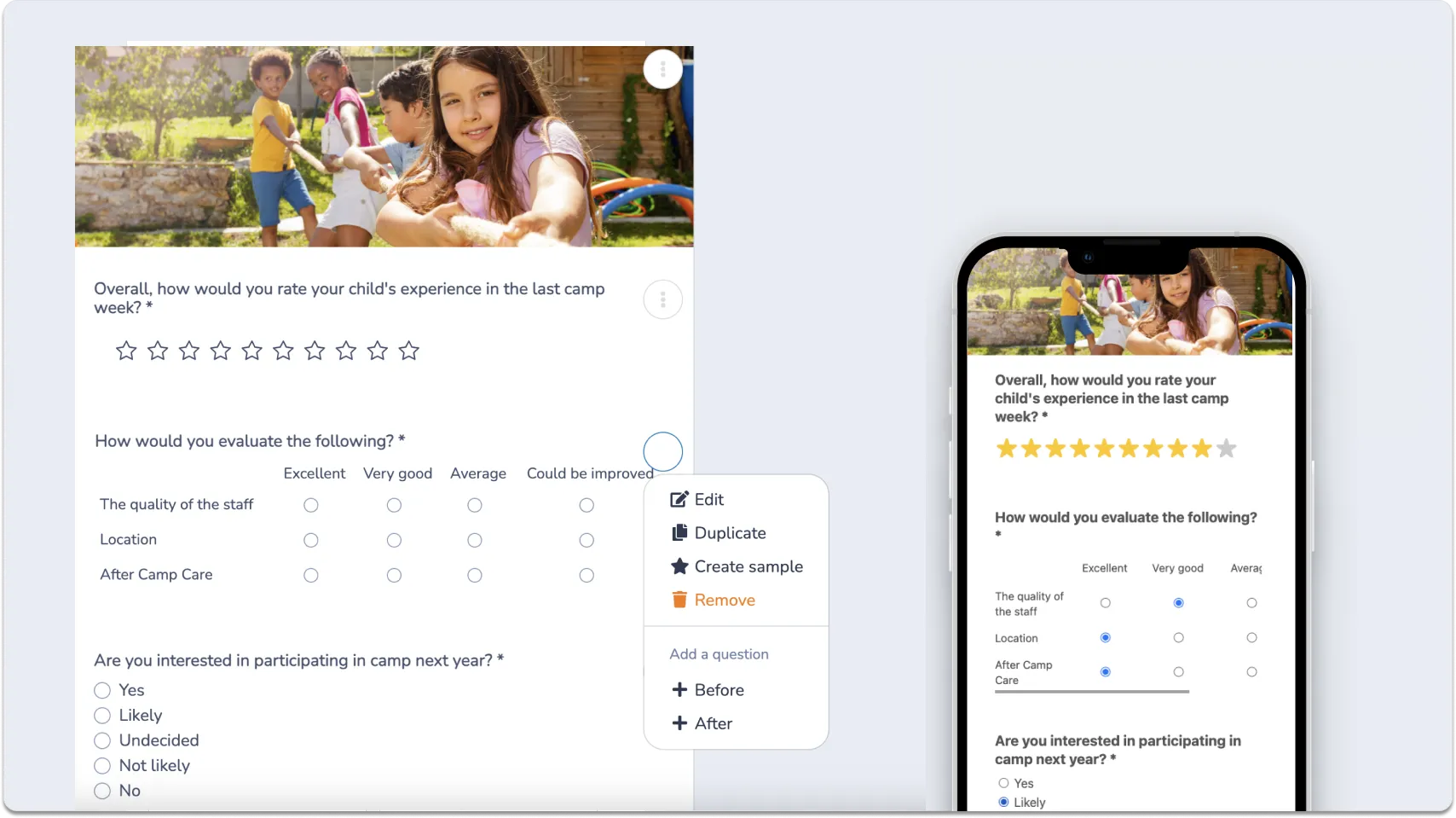
A useful camp survey mixes question types so you get both measurable data and specific stories:
⭐ Star ratings and Likert scales. Quick to answer and easy to track over time. Use these for overall camp enjoyment, food quality, and how campers felt about specific activities.
☑️ Multiple choice questions. Good for anything with a fixed set of likely answers: favourite activity, most-used amenity, whether a camper would return next summer.
💬 Open response questions. This is where the specific, quotable feedback comes from. A single open field asking “what’s one thing we could do better?” often surfaces more useful detail than five structured questions combined.
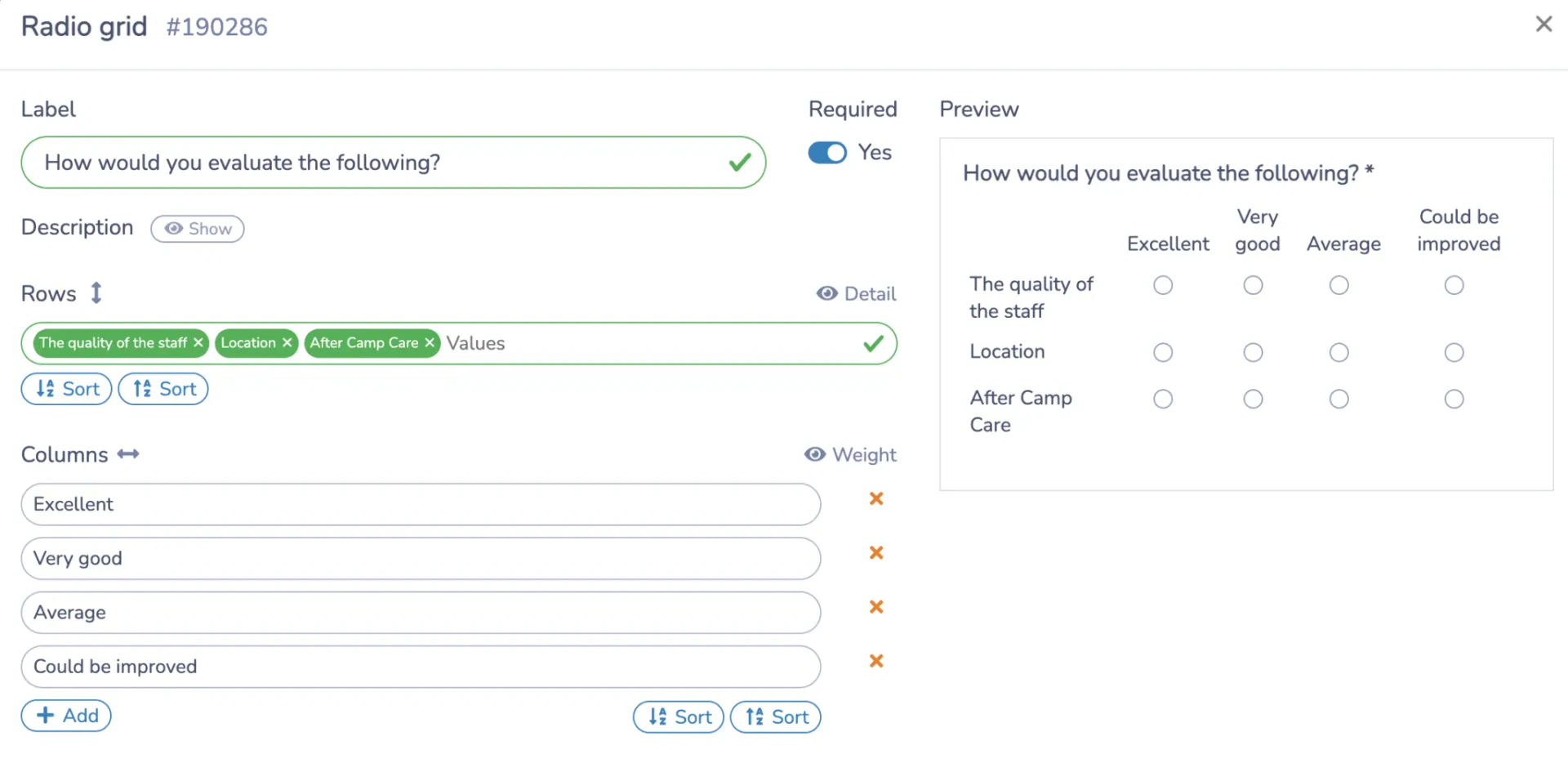
👉 If you’re running distinct programs under one roof, a day camp and a specialty sports camp, for example, keep the core survey the same across both but add two or three questions specific to each program. Comparing responses across programs only works if most of the survey stays consistent.
There are more than 80 question types available in Activity Messenger’s form builder, so a summer camp survey can go well beyond a basic satisfaction check when you want it to.
Step 3: Distribute Your Survey to Campers and Families
Strategic distribution is what turns a well-built summer camp survey into one with a strong response rate.
📱 QR codes at pickup. Placing a QR code at the pickup location, printed or on a sign, catches families in the moment while the week is still fresh, without requiring them to dig up an email later.
📩 Direct links by email or text. Activity Messenger generates a unique link for each survey, which you can send by email or SMS. Text messages in particular see much higher open rates during a busy week.
📣 Social media as a secondary channel. Sharing the survey link on your camp’s social accounts reaches families who might not check email closely during the summer, though it typically drives lower volume than direct methods.
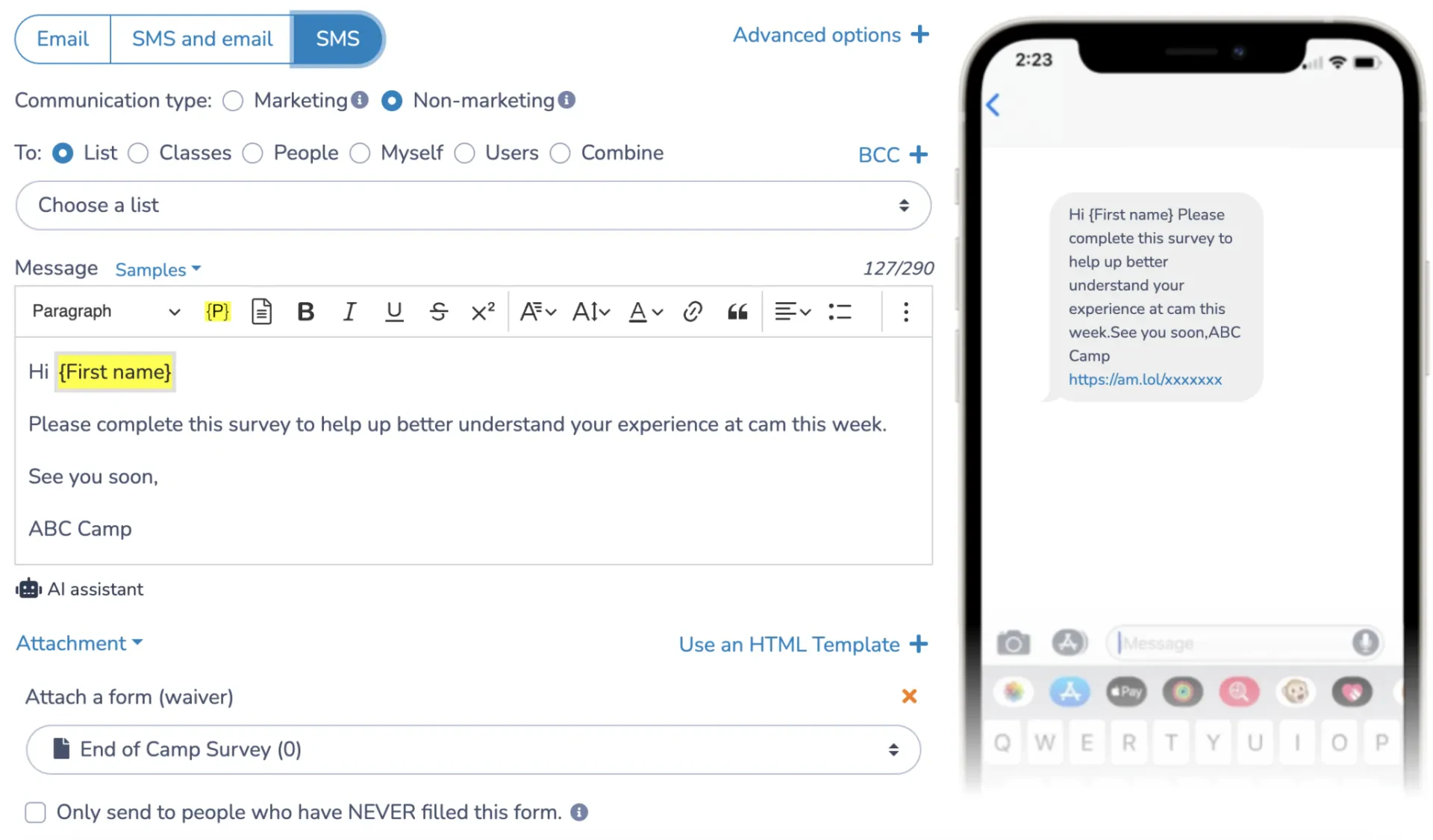
📌 Pro Tip: In my experience working with camps, diversifying distribution, QR codes onsite plus a direct email or text link, consistently produces a higher response volume than relying on a single channel.
Step 4: Automate Survey Delivery
Activity Messenger allows you to schedule survey distribution at the end of the camp week:
⏰ Schedule the send in advance. Set up your summer camp survey to go out automatically at the end of each session, rather than relying on staff to remember during the last, busiest day of camp.
🔁 Build it once per camp type. If you run the same one-week program repeatedly through the summer, automation means the survey goes out consistently for every session without extra setup each time.
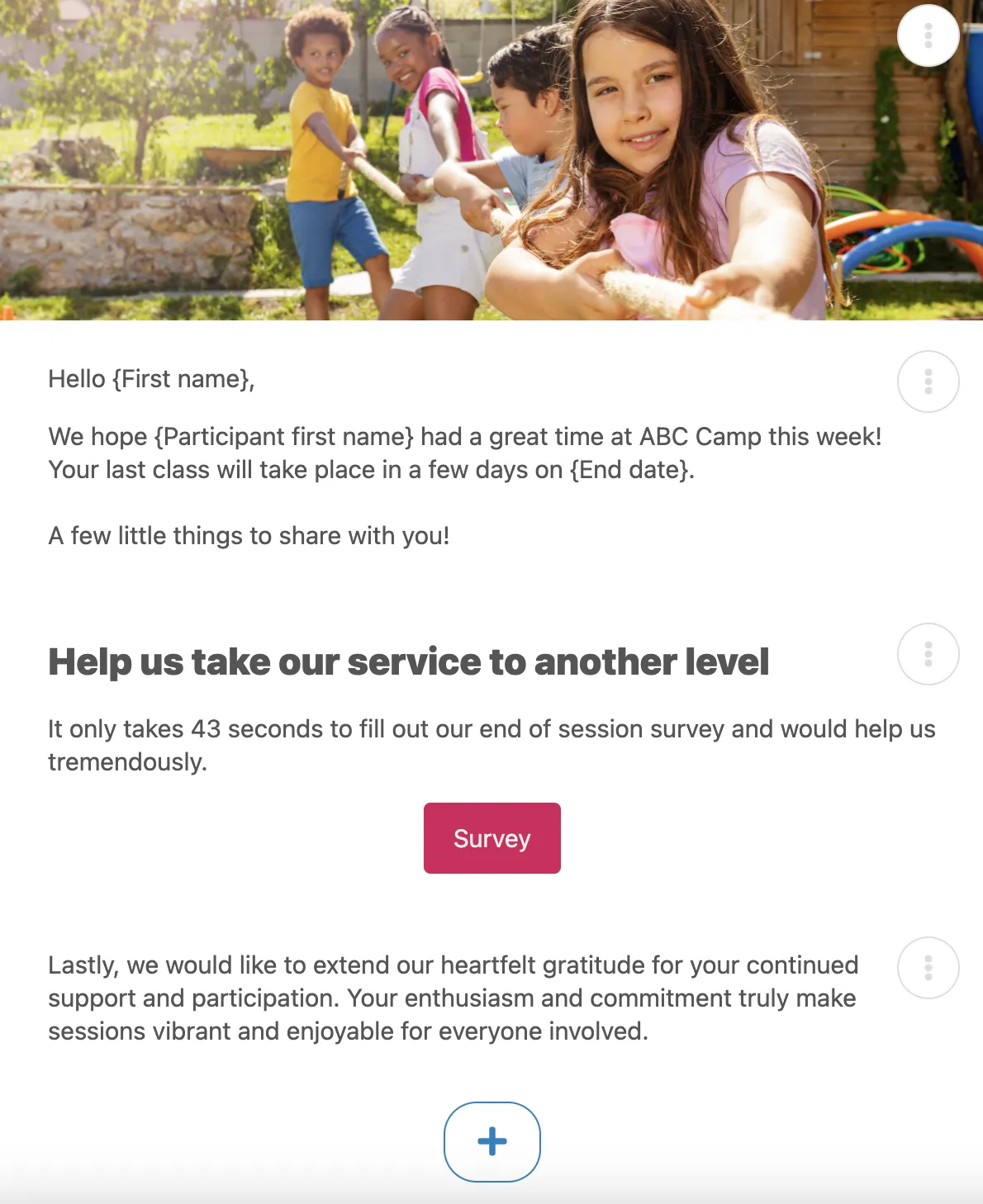
📌 Pro Tip: Gathering feedback matters to me, but I used to miss the ideal sending window more often than I’d like to admit. With automation, I set up the survey once, while I’m still planning the season, and it goes out on schedule without me having to think about it again.
Step 5: Analyze the Data
Once responses start coming in, the summer camp survey only pays off if you actually look into what it’s telling you:
🔍 Filter by session or activity. Activity Messenger’s analysis tools let you break down responses by specific camp week, activity, or age group instead of looking at everything as one undifferentiated pool.
🔁 Look for repeat mentions. A single comment about a scheduling gap might be one family’s preference. The same comment from a dozen families across a session is a pattern worth acting on.
✏️ Turn insights into changes for next season. The point of a survey isn’t just the data itself, it’s what you change because of it: a schedule tweak, a staffing adjustment, a new activity based on demand.
💬 Pull testimonials for marketing. Strong open-response answers double as ready-made testimonials. With a family’s permission, these can go straight into next season’s marketing.
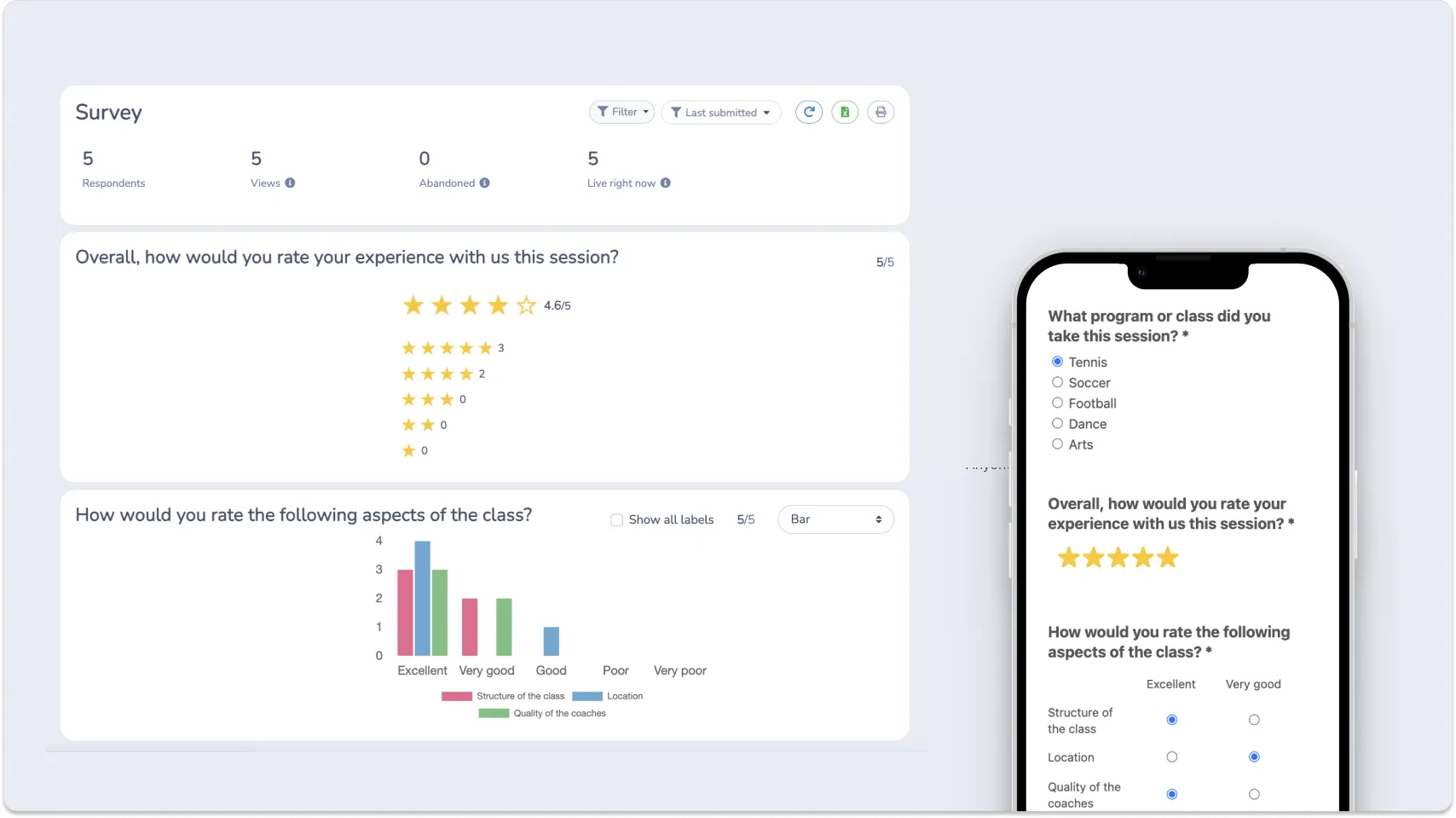
📌 Pro Tip: As our camps grew and our team expanded, digging into survey responses became essential to understanding how we were actually doing, not just how we assumed we were doing. The patterns we found guided real changes to staffing and programming.
Try This Free Summer Camp Survey Template 👇
Other Ways Activity Messenger Helps Summer Camps
A summer camp survey is only one piece of a longer season. Here’s what the same platform handles before, during, and after camp:
Registration and Waivers
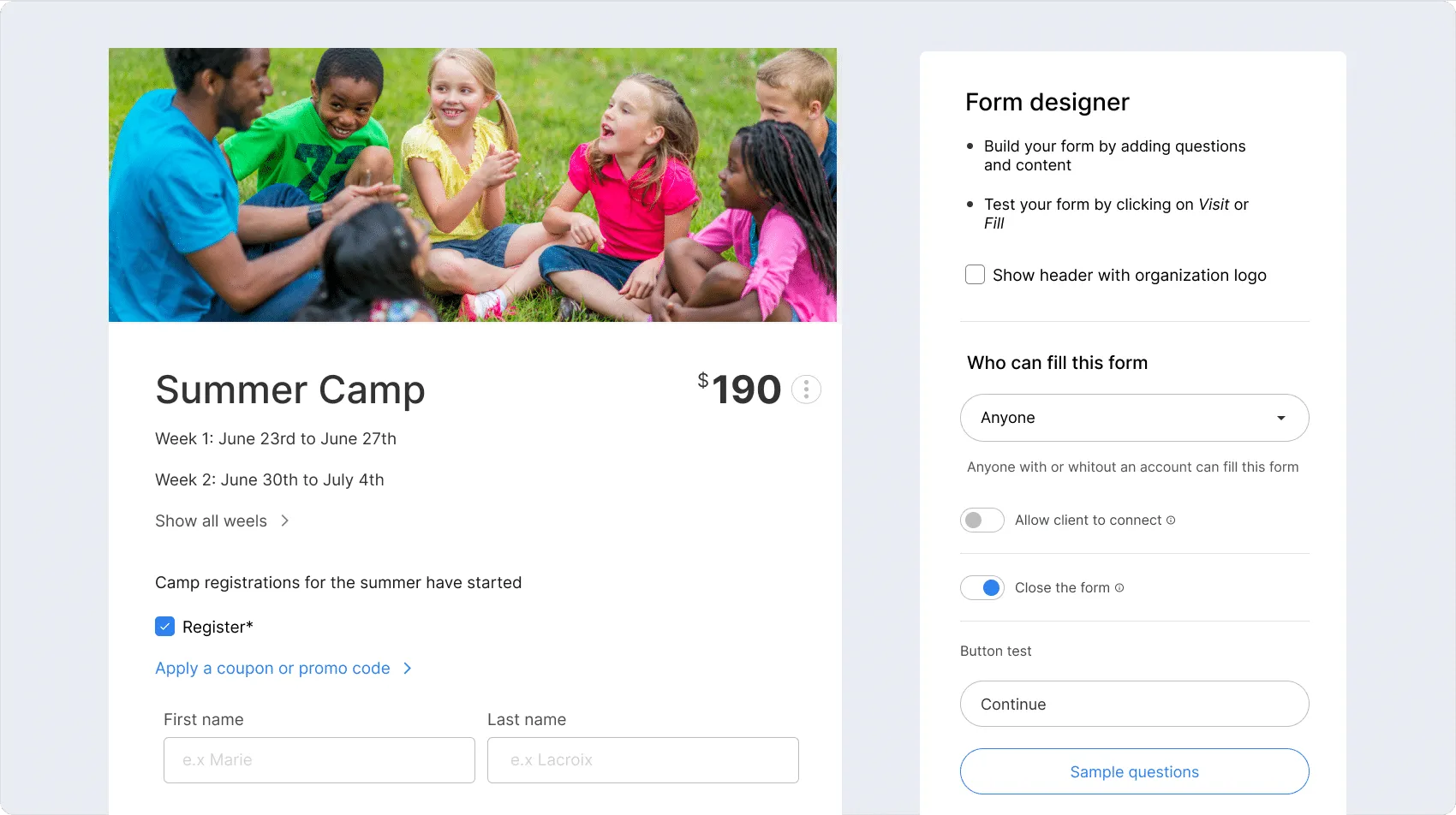
Online registration forms collect participant details, medical information, and emergency contacts up front, with digital waivers and photo/video consent built into the same flow instead of a separate form to chase down later.
Payment happens there too: Stripe, Interac e-transfer, pay-later, and gift cards, with payment plans and promo codes applied automatically at checkout for multi-week or full-summer bundles.
Attendance Tracking
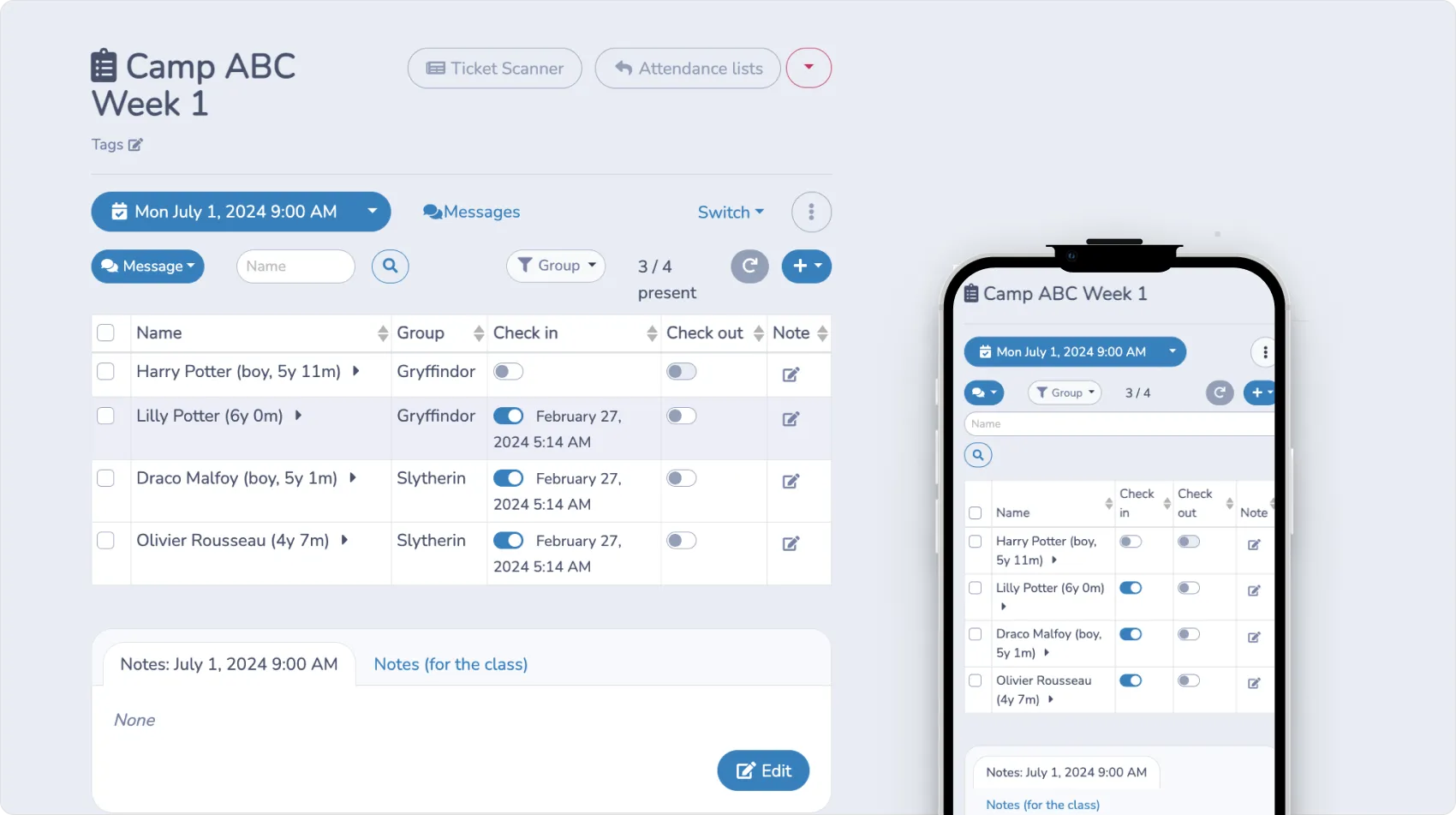
Each session generates its own check-in list automatically. Staff mark attendance in real time and can flag notes on individual campers directly, whether that’s a mid-day mood change or an early pickup, which is useful to have on hand if a survey response later references a specific day or incident.
Staff Onboarding
Seasonal staff onboarding tools get counsellors and coaches set up with the information and paperwork they need before camp starts, so nothing gets sorted out on day one in front of parents.
This matters when survey feedback about staff interaction is part of what you’re measuring, since a pattern in the responses is easier to trace back to a specific hire or training gap when onboarding records are already centralized.
Email and SMS Communication
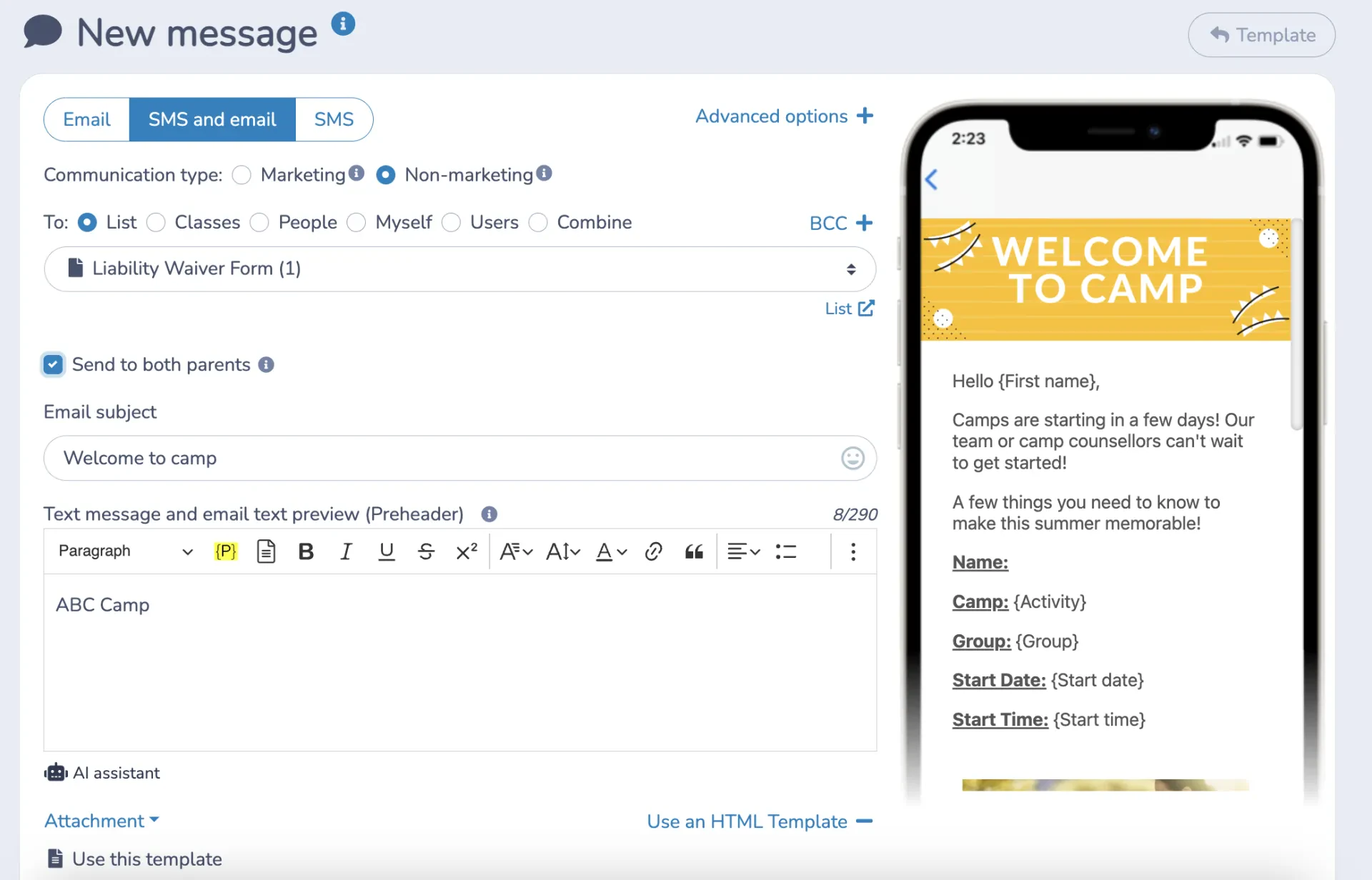
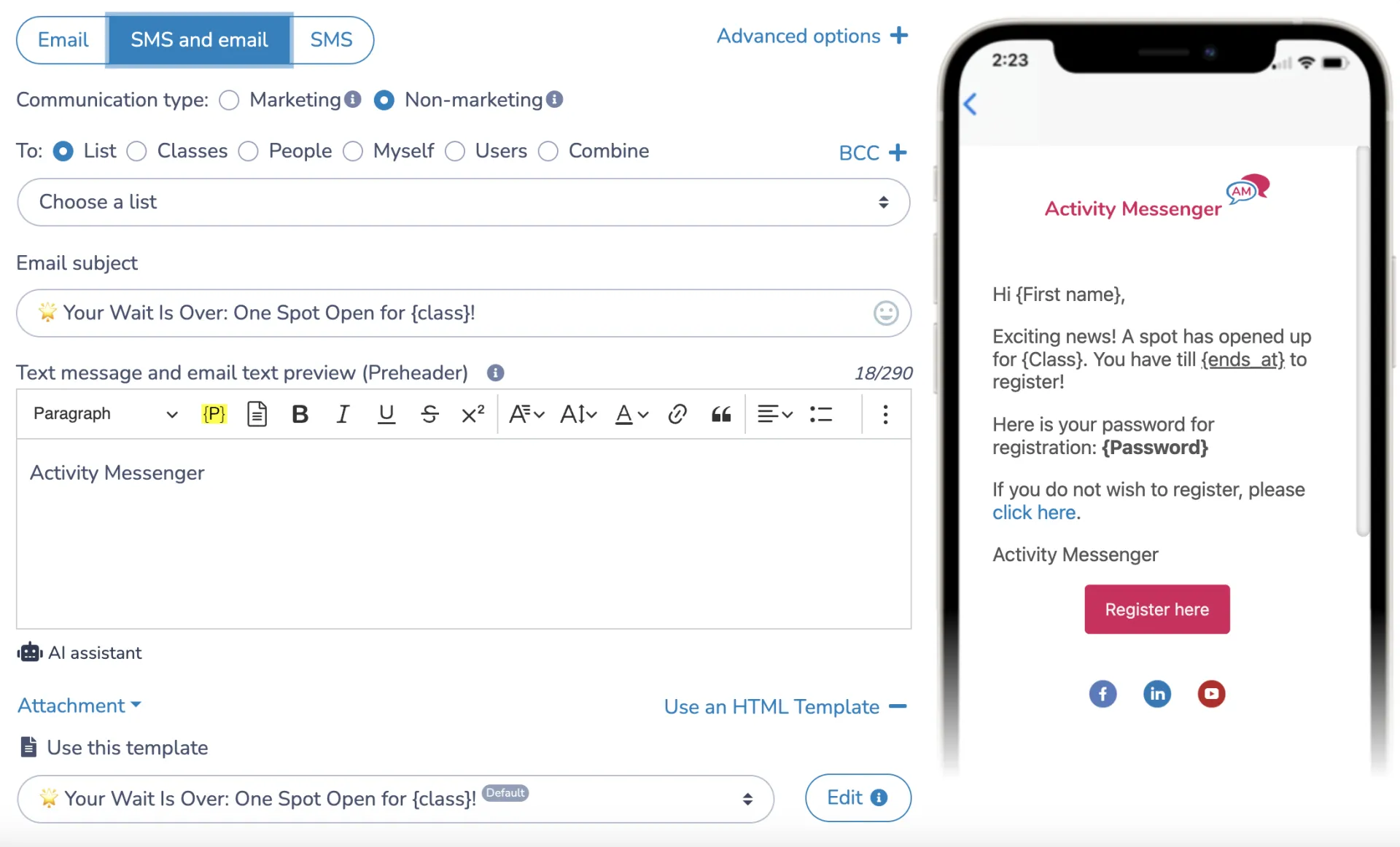
Beyond the survey itself, schedule changes, weather closures, and day-to-day reminders go out by email or text. SMS in particular sees far higher open rates than email, which matters both when a message is time-sensitive and when it’s your survey link competing for attention during a busy pickup week.
Waitlist Automation
If a session fills before your survey even goes out, waitlist automation keeps the next family in line notified without manual follow-up. That keeps capacity issues from becoming part of the feedback you’re trying to fix, since a family who got in off the waitlist smoothly has a very different first impression than one who had to email you twice to ask about their spot.
Frequently Asked Questions
Why are summer camp surveys important?
A summer camp survey determines what’s working and what isn’t directly from the people experiencing it. That includes camper safety concerns, satisfaction with activities and staff, and ideas for next season that internal staff might not think to suggest.
What types of camp surveys should I run?
Pre-camp surveys capture expectations and special requests right after registration. Mid-camp surveys, useful for multi-week programs, catch issues while there’s still time to adjust. Post-camp surveys gather overall feedback and suggestions once the session wraps up.
Who should I send the summer camp survey to?
Campers for direct experience feedback, parents for their own perspective and any concerns, and staff for insight into how the program actually ran day to day.
What should a camp survey cover?
Activities, safety, staff and counsellor interaction, facilities and food, and overall satisfaction. A mix of rating questions and open response fields covers both the numbers and the specific stories.
How do I get a good response rate on my summer camp survey?
Keep it short, make it easy to access (QR codes and direct links work best), and consider a small incentive like a discount on next season’s registration.
When should I send a summer camp survey?
Right at pickup or within a day or two of the session ending, while the week is still fresh. Automation tools like Activity Messenger can schedule this in advance so it happens consistently.
What tools can I use to build a camp survey?
Google Forms, SurveyMonkey, Typeform, and Activity Messenger are all common options. Activity Messenger’s advantage for camps specifically is that survey distribution, analysis, and the rest of camp operations live in one platform.
How should I handle negative feedback from a survey?
Acknowledge it directly, follow up with the family if appropriate, and be specific with staff and, where relevant, other parents about what’s changing as a result. Camps that respond to negative feedback well tend to build more trust than camps with no negative feedback at all.
Final Thoughts
A summer camp survey is worth building properly, not because feedback collection is complicated, but because a rushed, generic survey sent at the wrong time gets rushed, generic answers. Time it well, mix your question types, and make it easy to find, and you’ll end up with feedback specific enough to act on and testimonials good enough to use.
💡 Ready to put your summer camp on autopilot and pair your surveys with registration, waivers, and communication in one place? Book a demo with Activity Messenger and see how camps across North America run their full season without switching between five different tools.
📖 Related Reading: