If you’ve been searching for an Omnify alternative, there’s a good chance you already like what the platform does on the surface. The booking flow is straightforward, and it’s a decent platform for kids’ activity centers, fitness studios, swim schools, and clubs that manage classes and camps.
But a number of business owners have run into the same issues: communication tools that are limited to automated emails, key features locked behind premium pricing tiers, and recurring technical frustrations that take time to work around.
This article gives you an honest comparison of both platforms, where Omnify holds up well, where it leaves gaps, and where Activity Messenger fills them.
Key Takeaways:
- Omnify is a booking platform with a clean storefront, solid class management, and a support team that earns praise. For basic scheduling and registration, it holds up.
- The pricing structure matters more than the starting price. Party management sits behind the $349/month Accelerate plan. Custom reporting requires the Scale plan with custom pricing. Transaction fees apply to every tier, with the highest at 3% in their Launch plan.
- The communication gap is what drives most owners to look elsewhere. No SMS, no newsletter suite, no abandoned cart recovery, and no way to run a re-enrolment campaign without adding outside tools.
- Activity Messenger brings registration, SMS, email marketing, waivers, surveys, certificates, and event ticketing into one platform, replacing the Mailchimp, texting tool, and Smartwaiver subscriptions most clubs end up stacking on top of Omnify.
Table of Contents
- Omnify vs. Activity Messenger: Comparison Table
- What Omnify Does Well
- Where Omnify Falls Short
- Birthday Parties: A Closer Look
- Activity Messenger: A More Complete Alternative
- Which Platform Fits Your Situation?
- Frequently Asked Questions
- Final Thoughts
Omnify vs. Activity Messenger: Comparison Table
| Feature | Omnify | Activity Messenger |
| Origin | 🇺🇸 US-based | 🇨🇦 Canadian-built and hosted |
| Online Registration | ✅ Via Service Store | ✅ Mobile-first, no account required |
| Class Scheduling | ✅ | ✅ |
| Memberships & Auto-Billing | ✅ | ✅ |
| Attendance Tracking | ✅ | ✅ |
| Birthday Party Management | ⚠️ Accelerate plan only ($349/mo) | ✅ Included |
| Bulk SMS | ❌ Not available | ✅ Included |
| Two-Way SMS | ❌ Not available | ✅ Included |
| Email Marketing & Campaigns | ⚠️ Automated emails only; no newsletter suite | ✅ Full campaigns, segmentation, open-rate tracking |
| Abandoned Cart Recovery | ❌ Not available | ✅ Included |
| Canva Integration | ❌ Not available | ✅ Included |
| ChatGPT Integration | ❌ Not available | ✅ Included |
| Digital Waivers & Form Builder | ⚠️ Basic waiver; limited form builder | ✅ 80+ question types, e-signatures, auto-reminders |
| Post-Session Surveys | ❌ Not available | ✅ Built-in with automated delivery |
| Bulk Certificates | ❌ Not available | ✅ Included with Canva integration |
| Custom Reporting | ⚠️ Scale plan only (Custom pricing) | ✅ Included |
| Capterra Score | ⭐ 4.4/5 | ⭐ 4.8/5 |
| Canadian Data Hosting | ❌ US-based | ✅ Canadian hosting, PIPEDA and Law 25 compliant |
| Bilingual (EN/FR) | ❌ | ✅ Full French and English support |
| Pricing | $149–Custom/mo (tiered, transaction fees apply) | $99–$199/mo (monthly, no contracts) |
| Onboarding | Free trial available | Free progressive onboarding |
👉 Want to see how Activity Messenger compares to other registration platforms? Here’s our full guide to the best online registration software for sports clubs and activity centers.
What Omnify Does Well
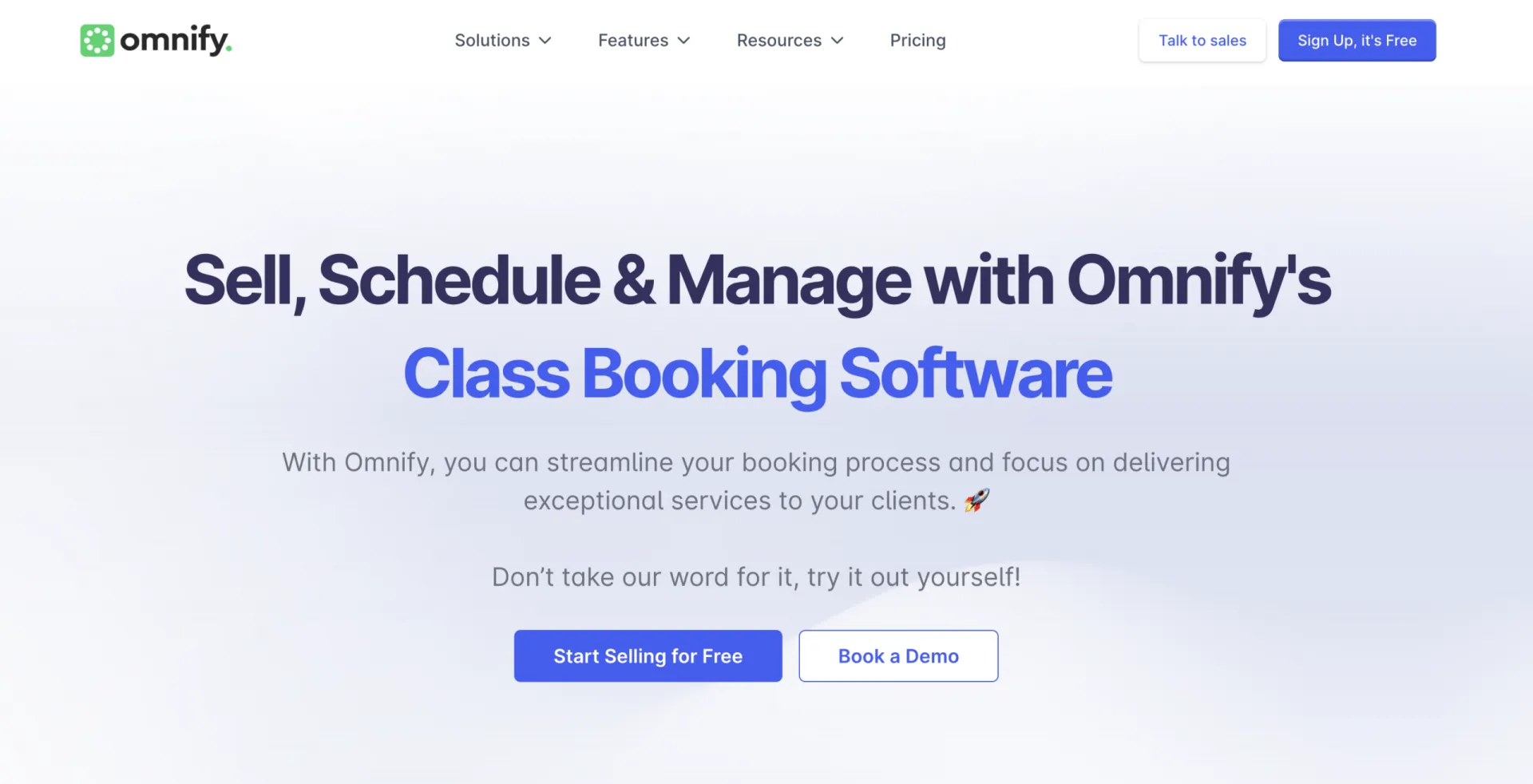
Any fair comparison looks at both sides. Here’s where Omnify succeeds for activity centers, studios, and club operators:
✅ Clean Storefront and Booking Experience
Omnify’s Service Store allows business owners to customize themes and layouts, group services into categories, and embed a widget directly on their existing website. For families browsing and booking on a phone, the experience is clean and mostly frictionless, according to Capterra reviews.
✅ Class and Program Management
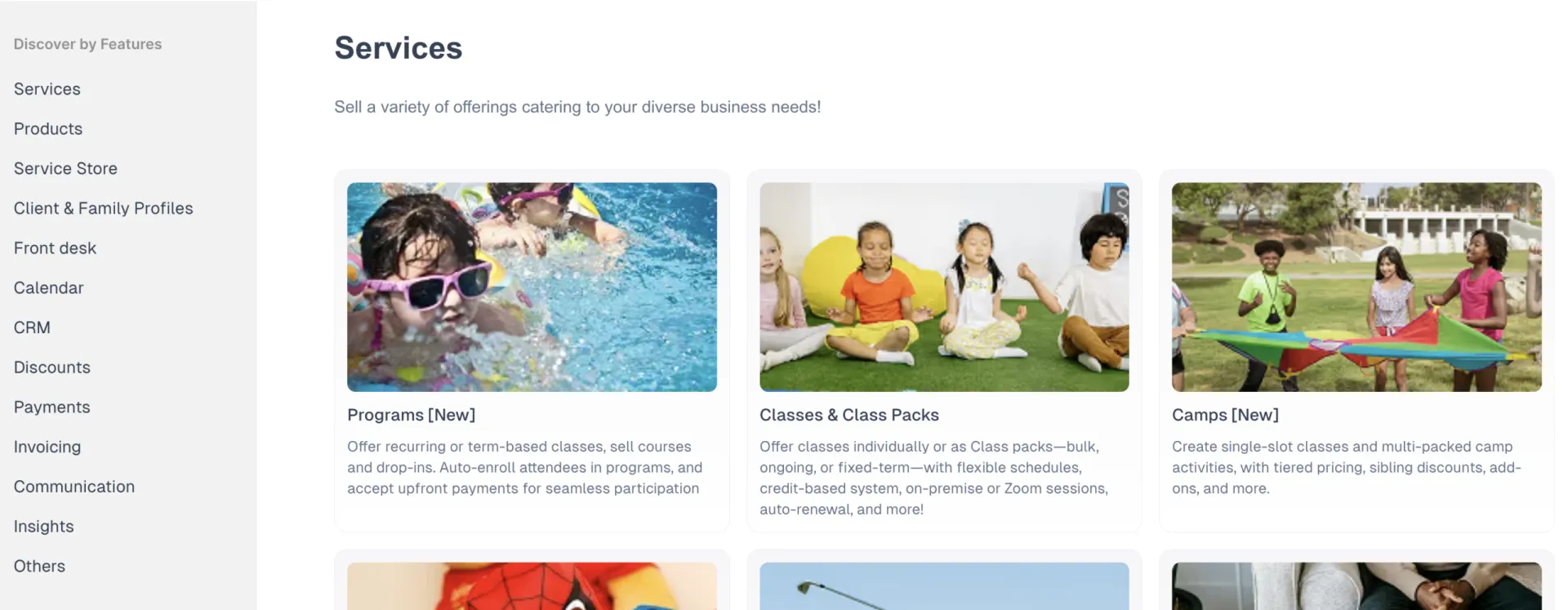
Omnify handles session-based scheduling, class packs, drop-ins, waitlists, and recurring programs in one place. The calendar gives staff a unified view of all services. One-click check-in, no-show tracking, and automatic makeup credit for missed classes are included. For studios running structured programs week over week, this covers the daily operational basics.
✅ CRM and Client Profiles
The platform includes a CRM layer with client profiles, activity timelines, booking histories, and notes per family. Prospects who browse the storefront without booking are captured as leads for follow-up. For business owners who want to track client relationships over time, this is a meaningful inclusion.
✅ Customer Support
Omnify’s support team earns consistent praise. Capterra reviewers across industries describe fast responses, patient help during setup, and a team that tries to solve problems as they arise.
✅ Flexible Discounting
Family discounts, multi-purchase discounts, recurring subscription discounts, and auto-apply promotional rules are all available. For centers running sibling pricing or early-bird deals, this covers the discount structures most activity businesses need.
Where Omnify Falls Short
For many owners, Omnify works fine until they need to reach a parent quickly, run a re-enrolment campaign, or collect a waiver before the first session.
1. No SMS, at all
Omnify’s communication model is built entirely around email: automated confirmations, reminder emails, cancellation notifications, and payment requests. There is no native SMS, no bulk texting, and no two-way messaging.
For a swim school cancelling a lane due to a mechanical issue an hour before practice, or a gymnastics club trying to reach families when a coach calls in sick, email simply isn’t fast enough. Text messages have open rates close to 90%. An email sent at 6:45 AM for a 9:00 AM class is read by only a fraction of the people who need to see it.
The gap also extends to re-enrolment. There’s no way to send a targeted promotional text to families whose children attended last season but haven’t registered for the new one. That kind of outreach usually goes into a separate texting tool, which means a separate database, a separate bill, and a separate place where family information can fall out of sync.
2. Communication is automated but not marketed
The email tools in Omnify are designed for transactional messages tied to bookings: confirmations, reminders, and payment alerts. What they don’t include is a full email marketing suite. There’s no newsletter builder, no audience segmentation, no open-rate tracking, and no Canva integration for on-brand campaigns.
For a dance studio trying to fill spots in a new adult class or a kids’ activity center running a back-to-school promotion, transactional emails aren’t the right tool. Most owners in this situation add Mailchimp or a similar platform on top of Omnify, creating the disconnected multi-tool setup they were trying to avoid.
3. Abandoned cart recovery doesn’t exist
A parent searches for a summer camp program, clicks through, starts filling in the registration form, then stops to double-check dates or find a credit card. They don’t come back. In Omnify, that’s a lost registration with no follow-up.
Activity Messenger tracks incomplete registrations and automatically sends a follow-up by email or SMS with a direct link back to where the parent left off. Over a full season, the difference in recovered enrolments is measurable.
4. Waivers are basic
Omnify includes digital and PDF waiver options, but the functionality is limited compared to platforms built for form management.
There are no automatic follow-up reminders for unsigned waivers, no centralized dashboard showing who has and hasn’t signed, and no way to send a waiver via SMS or QR code outside the booking flow.
For a camp that collects medical forms, injury disclosures, and photo consent documents, managing all of this in Omnify requires either manual tracking or a separate tool altogether.
5. Recurring functional issues
Multiple Capterra reviewers document the same operational frustrations:
- Cancelled classes cannot be re-added to the schedule without creating a duplicate entry, which clutters the calendar over time.
- The reporting feature has been flagged as unreliable, with reports downloading as empty files despite data being present.
- Automated emails are sent in PST without time zone labels, causing confusion for attendees in other regions.
- Family management has limitations: clients cannot be transferred between family accounts, and the client search only works by the head-of-household name rather than any family member.
These aren’t dealbreakers for every business, but for studios running multi-instructor schedules or centers managing dozens of families simultaneously, they add friction to routine tasks.
6. Key features cost significantly more
Omnify’s pricing starts at $49/month on the Launch plan, but several features most relevant to activity-based businesses are available only on higher tiers. Custom reports require the Scale plan at custom pricing, which you have to book a demo to determine your specific costs.
Transaction fees of 3% apply to Launch, dropping to 2% on Growth ($149/month), 1% on Accelerate ($349/month), and 0.5% on Scale. For a studio processing meaningful monthly volume, transaction fees add up in ways that aren’t always visible during a demo.
💬 What their customers say:
“There are a few issues with Omnify’s functionality that are concerning. Firstly, the inability to re-add a cancelled class to the schedule without creating a redundant class is problematic. This not only clutters the services but also causes confusion when reviewing past classes on the calendar. Additionally, the emails being sent exclusively in PST, without clear labeling, adds to the confusion for attendees in different time zones. The reporting feature is currently unreliable. Often, when I attempt to generate a report, it downloads with zero rows, despite there being data available. This issue is impacting our ability to access necessary information.” — Brooke T., Lead Product Learning Expert, Computer Software
Birthday Parties: A Closer Look
Birthday parties are a genuine revenue opportunity for kids’ activity centers, gymnastics clubs, swim schools, and dance studios. Both platforms offer party management tools, but the experience and price point differ meaningfully.
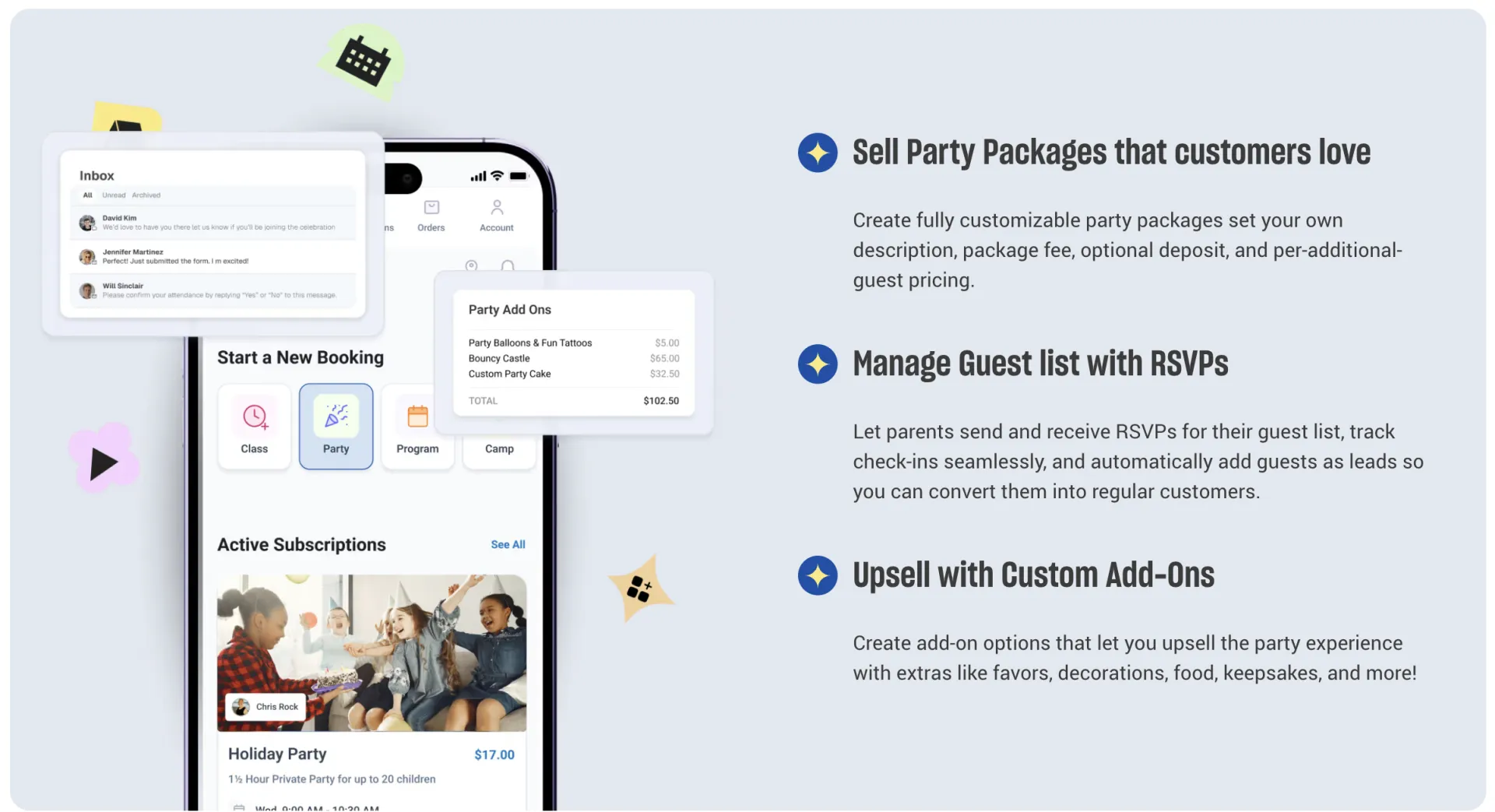
Omnify’s party features are well-designed. Operators can create customizable packages with their own descriptions, pricing, and deposit requirements. The guest list and RSVP functionality lets the booking parent share a link with family and friends, track responses, and manage day-of check-ins. Add-ons for extras like food, decorations, and party favours can be sold at the time of booking. Post-party, Omnify supports tip collection and delivers revenue reporting on bookings, add-ons, and package performance.
The catch is the plan requirement. Party management in Omnify is only available on the Accelerate Pro plan at $349/month. If you’re currently on the Growth Pro plan at $149/month and want to add parties, that’s more than double the monthly cost, before transaction fees.
Activity Messenger handles the full party booking cycle and includes it in all plans. Parents land on a branded registration form, select their package, pay a deposit or full amount, and complete any required waivers in the same flow.
From there, the communication side takes over automatically: confirmation emails, SMS reminders in the days before the event, waiver follow-ups for anyone who hasn’t signed, and a post-party survey to collect feedback and drive re-bookings.
The Canva integration is particularly useful here. Venues can design branded party invitations and send them directly through the platform, personalized with the child’s name, event details, and RSVP information. For centers that currently handle invitations manually or send generic emails, this is a meaningful time save per booking.
Activity Messenger also uses birthday data collected at registration to trigger automated messages as a child’s birthday approaches, creating a natural, low-effort touchpoint to promote party availability and drive repeat business.
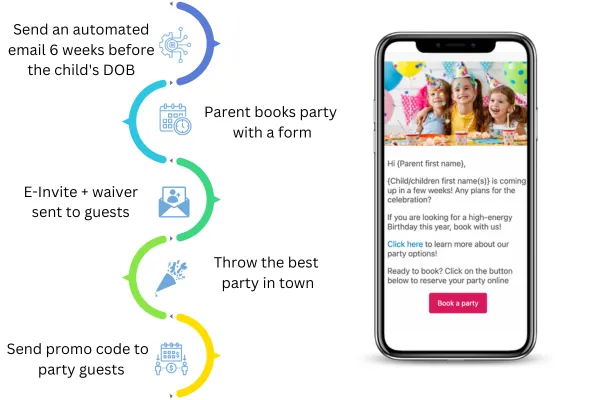
🎉 For a deeper look at how Activity Messenger handles party bookings, see our full comparison of the best party booking software platforms. You can also check out our birthday party marketing ideas and our AMplify podcast episode featuring more tips for successful parties.
Activity Messenger: A More Complete Alternative
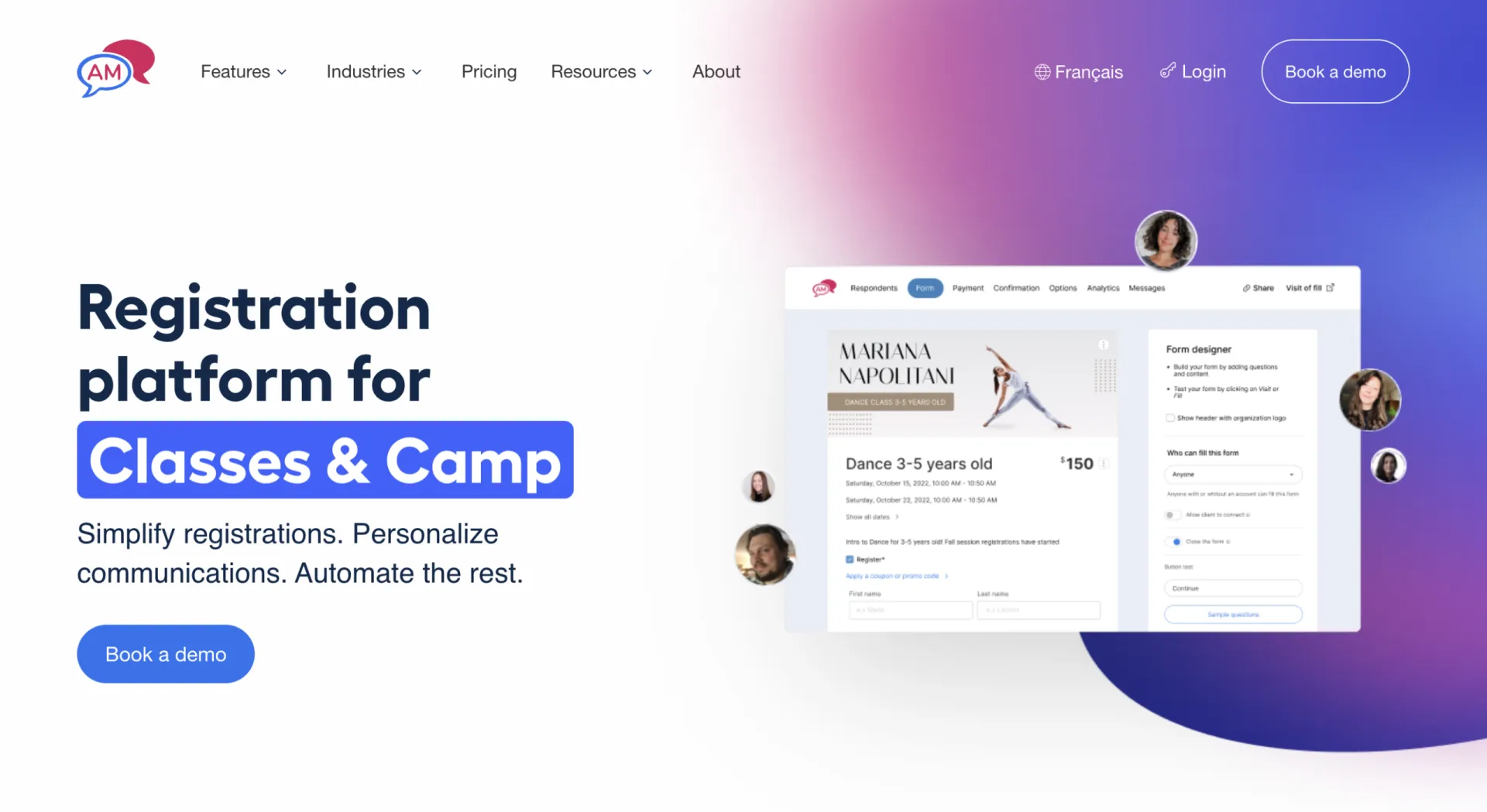
Activity Messenger was built around the full participant journey, from the first registration form to the follow-up after a session ends, with everything in one place and one database connecting it all.
📱 Registration That Converts on Mobile

When a parent clicks a registration link, they land directly on a branded form. Activity Messenger’s online registration requires no account creation and no portal navigation. Participants or parents fill in their child’s information, pay, and they’re done. An account is created automatically in the background, and returning families log back in with just their email and a one-time code.
The form adapts based on what the parent selects, so a parent registering a six-year-old for swim lessons doesn’t see the options that are only relevant for adult drop-in fitness classes. Multiple children can be added in one session, sibling discounts apply automatically, and payment plans are straightforward to set up.

📣 SMS and Email in the Same Platform

Bulk SMS in Activity Messenger is part of the same platform as registrations, waivers, and client data. Text your entire program roster about a weather cancellation, send attendance-based SMS to the families whose child was absent, or run a re-enrolment campaign targeting last season’s participants who haven’t registered yet.
Two-way texting means parents can reply, which reduces incoming calls and speeds up the back-and-forth around rescheduling or last-minute changes. And because SMS and email share the same contact database, there’s no syncing between platforms.
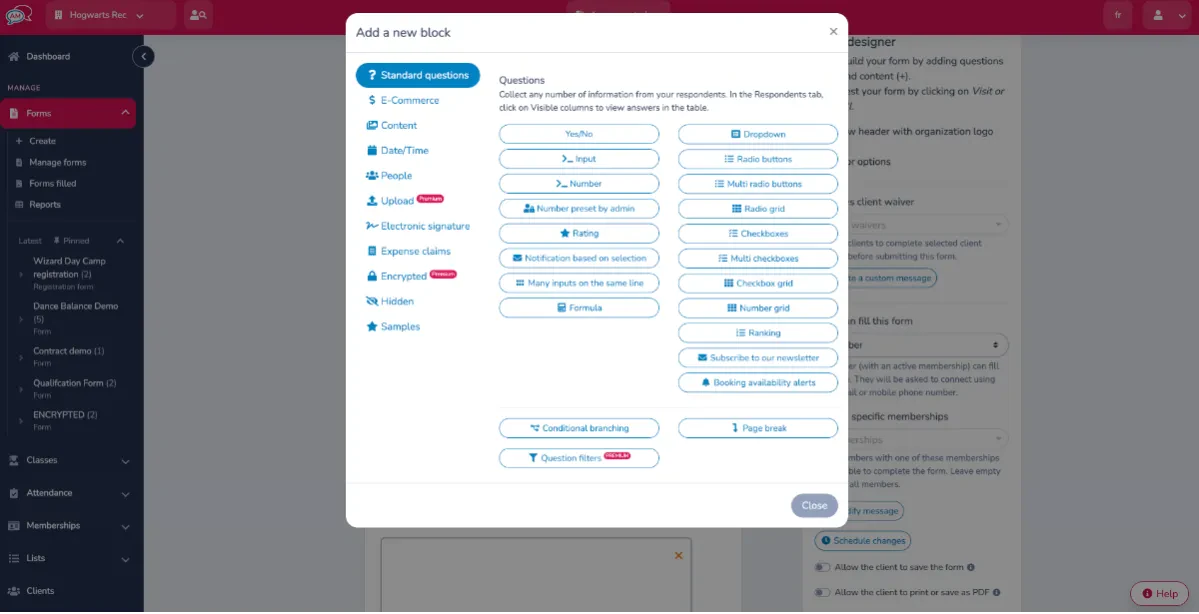
📝 Forms and Waivers That Actually Get Signed
The form builder supports 80+ question types, conditional logic, and legally binding e-signatures. Waivers can be sent by email, SMS, or QR code, and automated reminders go out to anyone who hasn’t signed. On the morning of a camp session, you can pull up a participant’s profile and see exactly what’s been signed and what hasn’t, without searching through email threads or a filing cabinet.
Custom intake forms, medical declarations, staff applications, and rental contracts are all handled in the same platform and stored against the relevant profile.
🤖 Automations That Don’t Require Manual Follow-Up
Set up once, and they run without anyone lifting a finger:
- Abandoned cart recovery for incomplete registrations
- Welcome emails for newly registered participants
- Session reminders 24 or 48 hours before each class
- Waiver follow-ups for anyone who hasn’t signed
- Post-session surveys when a program ends
- Payment reminders before tuition is due
- Bulk certificates delivered automatically when a session wraps
- Birthday messages timed to each child’s date of birth
📊 Reporting That’s Actually There
Activity Messenger includes reporting across every module: registration numbers, email open rates, SMS delivery, survey results, attendance, waiver completion, and payment status. Because everything runs on the same platform, the data connects automatically, and there’s no exporting between tools to see the full picture.
🎟️ Event Ticketing for Competitions and Showcases
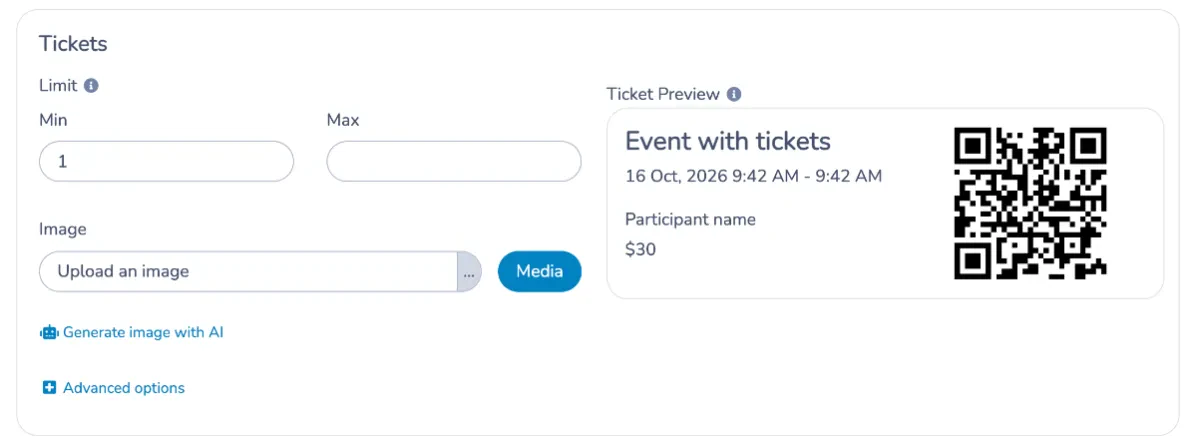
For gymnastics clubs, swim schools, and dance studios that host end-of-season showcases or competitions, ticket sales are part of the picture. Activity Messenger handles online ticketing directly on the platform, so there’s no need to run a separate Eventbrite or Tututix setup alongside your registration system.
You can create ticket tiers, set capacity limits, collect payment online, and send automated confirmations to buyers. QR code scanning speeds up entry at the door, and tickets can be delivered via Apple or Google Wallet, so families have them on their phone without digging through email. Omnify does not currently offer event ticketing.
🏅 Certificates That Drive Re-enrolment

Milestone recognition matters, especially in programs where progress keeps kids motivated to come back. Activity Messenger generates and delivers personalized certificates in bulk when a session ends, without any manual exporting or one-by-one design work. The Canva integration lets you create branded designs once, and bulk delivery sends them to an entire group in a few clicks, by email or SMS.
For swim schools tracking levels, gymnastics clubs marking skill progressions, or camps recognizing program completions, this is a small touch that has a real impact on retention. Omnify does not currently offer certificate generation.
💬 What our customers say:
“The level of flexibility is honestly one of its biggest strengths. You can customize forms, registrations, workflows, pricing structures, and communication flows to match your exact needs. It adapts to your reality instead of forcing you into a rigid system.” — Jessica C., Owner, Sports and Recreation
“We have been working with Activity Messenger for almost two years now and we are so happy we were introduced to their product. We replaced both Mailchimp and Survey Monkey with Activity Messenger as well as continue to find new ways to utilize AM in our daily work. It’s such a robust and easy platform to use.” — Catherine D, Member Services Manager & Finance, Non-Profit Organization Management
Which Platform Fits Your Situation?
🏫 You run a small kids’ activity center, and your primary needs are scheduling and booking. Both Omnify and Activity Messenger are worth considering if you’re on a tight budget. Both platforms offer robust customer support, ensuring that your onboarding experience is as seamless as possible.
📣 You need to reach families by text, run re-enrolment campaigns, or recover incomplete registrations. Activity Messenger covers all of this natively. Omnify does not have SMS or abandoned cart recovery.
🎂 Birthday parties are part of your revenue model. If you’re on Omnify’s lower tiers, you’ll need to move to the $349/month Accelerate plan to access party management. Activity Messenger includes party booking across plans and adds SMS invitations, waiver collection, and automated follow-ups that Omnify’s party module doesn’t.
📋 You collect waivers, health forms, or intake documents regularly. Activity Messenger handles all of this natively with automatic reminders and centralized tracking. Omnify’s waiver tools are more limited.
🇨🇦 You’re a Canadian organization with data residency or bilingual requirements. Activity Messenger hosts data in Canada and runs fully in English and French. Omnify is US-based.
💳 You want to try a platform without a large upfront commitment. Activity Messenger is month-to-month from $99/month with no annual contract. Omnify’s Growth Pro plan starts at $149/month and adds transaction fees on top.
Frequently Asked Questions
What is the best Omnify alternative for kids’ activity centers and studios?
Activity Messenger is a practical option for organizations that need registration, SMS, email marketing, digital waivers, automations, and party booking in one platform. It covers what Omnify handles and adds the communication layer that most activity-based businesses need to run re-enrolment campaigns, reach families quickly, and reduce the manual work of chasing unsigned forms and incomplete registrations.
Does Activity Messenger fully replace Omnify?
For most of what Omnify covers, yes. Both platforms handle registration, billing, scheduling, attendance, memberships, and gift cards. Activity Messenger goes further on communications, waivers, automations, and surveys. Omnify’s CRM and customizable storefront themes are genuinely well-designed, though Activity Messenger’s embeddable registration forms also integrate directly into your website.
Can Activity Messenger work alongside Omnify instead of replacing it?
Yes. Some organizations start by using Activity Messenger for newsletters, SMS, waivers, and surveys while keeping Omnify for scheduling and billing. Over time, many migrate fully once they see how much consolidating platforms reduces admin time.
Why do business owners look for an Omnify alternative?
The most common reasons: no built-in SMS, party management locked behind the $349/month plan, limitations in the waiver and form tools, recurring issues with reporting reliability, and the multi-tool situation that develops when communication needs outgrow what Omnify offers.
Does Omnify have SMS?
No, Omnify’s communication tools are limited to automated emails, including confirmations, reminders, and payment requests. There is no bulk SMS, no two-way texting, and no way to reach families by text within the platform.
Final Thoughts
Omnify has a lot going for it as a starting point for activity-based businesses. The storefront is clean, setup is relatively quick, and the support team earns genuine praise. For a small studio or center where scheduling and basic booking are the main requirements, it does that job without much friction.
The limitations become visible when the business grows: when parties become a real revenue line, when re-enrolment season requires actual marketing, when a class cancels at short notice, and email isn’t fast enough, or when the cost of sitting on the Accelerate or Scale plan to access reporting and party management stops making sense.
Activity Messenger was built for that next stage. Registration, SMS, email marketing, waivers, automations, certificates, and party booking all live in one platform, connected to one database, without the extra subscriptions.
💡 Ready to see how Activity Messenger would work for your studio or club? Book a free demo, and we’ll walk through exactly how it fits your situation.