CampBrain has been a trusted name in camp management software for years. Its registration engine, season-cloning tools, and reporting capabilities have made it a reliable choice for resident camps, day camps, and retreat programs across the US and Canada. But as parents’ expectations for fast, mobile-friendly experiences continue to rise, more camp directors are seeking a CampBrain alternative that better fits how camps operate today.
One frustration we often hear from US camps on CampBrain is that much of their communication happens outside the platform. Because CampBrain’s email and automation tools are limited, many camps end up paying for Constant Contact or Mailchimp to send newsletters and reminders, then use separate tools for waivers and forms on top of that. The result is more subscriptions, more list exports, and more places where family information falls out of date.
This article takes an honest look at where CampBrain excels, where it falls short, and why Activity Messenger has become a go-to camp management software alternative for organizations that want stronger communication tools, a modern registration experience, and automations that actually save time.
Or, if you prefer to watch, check out the video below featuring insights from our co-founder, Olivier:
Key Takeaways:
- CampBrain is feature-rich but registration-heavy: the portal-based flow adds friction, especially on mobile.
- Activity Messenger centralizes more: registration, SMS, email, waivers, forms, automations, and certificates, all on one platform.
- Communication is where the gap widens: users have flagged email deliverability issues, and many camps end up paying for Constant Contact or Mailchimp to fill in. Activity Messenger handles automated email, SMS, waivers, and forms on one platform.
- Waitlist automation fills spots faster: automatic SMS and email alerts let families claim an open spot themselves, with no staff follow-up required.
- A recent merger with Xplor Technologies adds a degree of uncertainty worth monitoring for camps making a long-term software commitment.
- Many camps switch to Activity Messenger entirely rather than running two platforms at once.
Table of Contents
- CampBrain vs. Activity Messenger: Comparison Table
- CampBrain: What Camps Appreciate
- CampBrain’s Key Limitations
- Activity Messenger: A Modern Alternative to CampBrain
- Why Camps Switch to Activity Messenger
- Been With CampBrain for Years? It Might Be Time for Something New
- Frequently Asked Questions
- Conclusion: Modern Camp Management Starts Here
CampBrain vs. Activity Messenger: Comparison Table
| Feature | CampBrain | Activity Messenger |
|---|---|---|
| Registration Model | ⚠️ Portal login required before registering | ✅ No account creation needed — created automatically |
| Mobile Experience | ⚠️ Not optimized for smartphones; desktop-first design | ✅ Mobile-first design throughout |
| Multi-Child Registration | ✅ Register multiple children in one session | ✅ Register multiple children in one session |
| Health / Medical Forms | ⚠️ Must be completed before payment (blocks checkout) | ✅ Integrated into registration; parents can self-edit |
| Email Marketing | ⚠️ Basic; deliverability issues reported, so many camps add Constant Contact or Mailchimp | ✅ Full newsletter suite with segmentation, analytics, and automated sends |
| SMS / Texting | ✅ Available | ✅ Built-in SMS with automations and two-way texting |
| Automations | ⚠️ Limited; manual follow-ups required for most tasks | ✅ Advanced: reminders, surveys, abandoned form follow-ups, etc. |
| Waitlist Management | ⚠️ Basic waitlist; no automated notifications | ✅ Automated waitlist with SMS/email alerts, accept or decline links, and self-service spot claiming |
| Digital Waivers & Forms | ⚠️ Forms available; limited question types, often supplemented with outside form tools | ✅ 80+ question types, conditional logic, digital signatures |
| Certificates | ❌ Not available | ✅ Bulk certificate generation with Canva integration |
| Attendance Tracking | ⚠️ Reports available; limited mobile access | ✅ Digital lists, real-time check-in, SMS absentee alerts |
| Season Cloning | ✅ Clone previous seasons; strong reporting tools | ✅ Session-based activity duplication |
| API / Integrations | ⚠️ Complex API setups required for third-party tools | ✅ All-in-one; no external integrations needed for core use |
| Onboarding | ✅ Video walkthroughs; structured setup process | ✅ Progressive and free onboarding by module |
| Data Hosting | North America | North America (Canada) |
| Ownership | Now part of Xplor Technologies (merged April 2026) | Independent, Montreal-based |
📌 Read More: Want to see how CampBrain and Activity Messenger stack up against other popular camp registration platforms? Check out our blog Best Camp Management Software (In-Depth Comparison).
CampBrain: What Camps Appreciate
CampBrain is purpose-built for camps, and that focus shows. It is not a generic activity registration platform adapted for camps — it was designed from the ground up for the specific rhythms of seasonal programming, family accounts, and multi-child enrolment. For many organizations, that specificity is exactly what they need.
1. Registration and Season Management
CampBrain offers a comprehensive set of tools built specifically for camps: session-based program management, multi-child family registration, and solid reporting.
The ability to clone a previous season, including activities, pricing, and forms, is also a time-saver at the start of each new camp year.
2. Customer Support and Onboarding
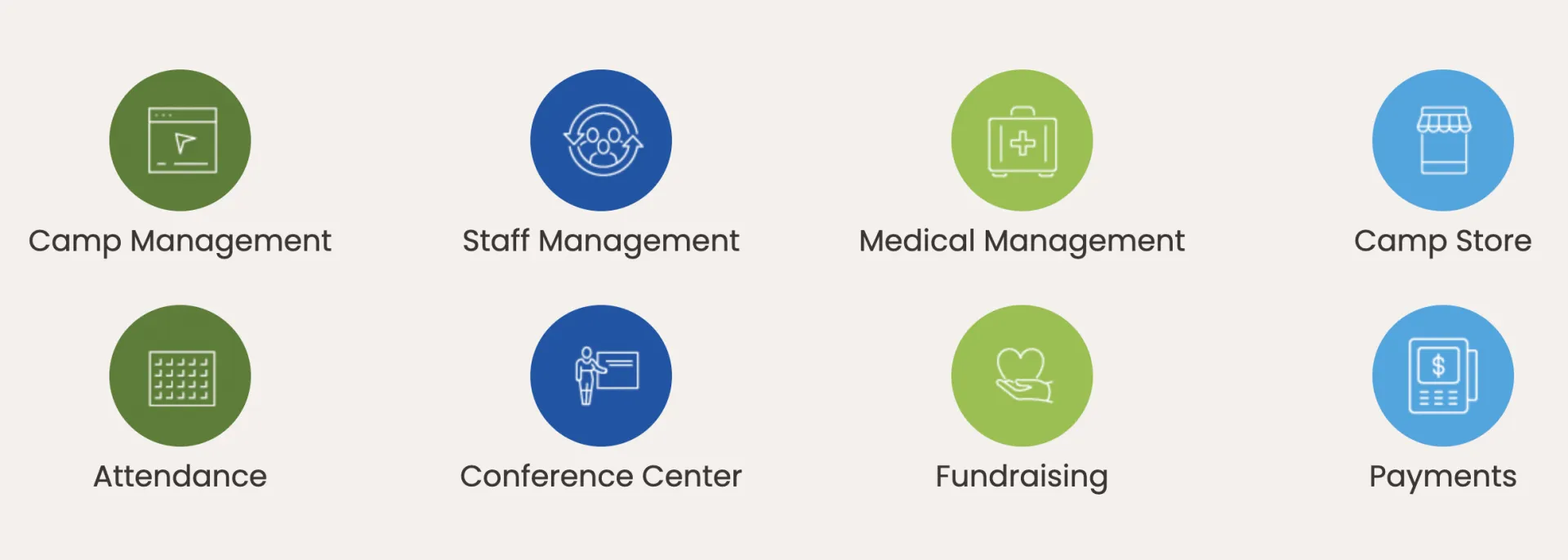
CampBrain provides video walkthroughs and webinars for common processes, and its support team is consistently praised by users. Both email and phone support are available, and the onboarding experience is structured enough that new staff can get up to speed without relying entirely on one-on-one help. For organizations with regular staff turnover, having documented training resources alongside responsive support makes a real difference.
3. Tuck Shop
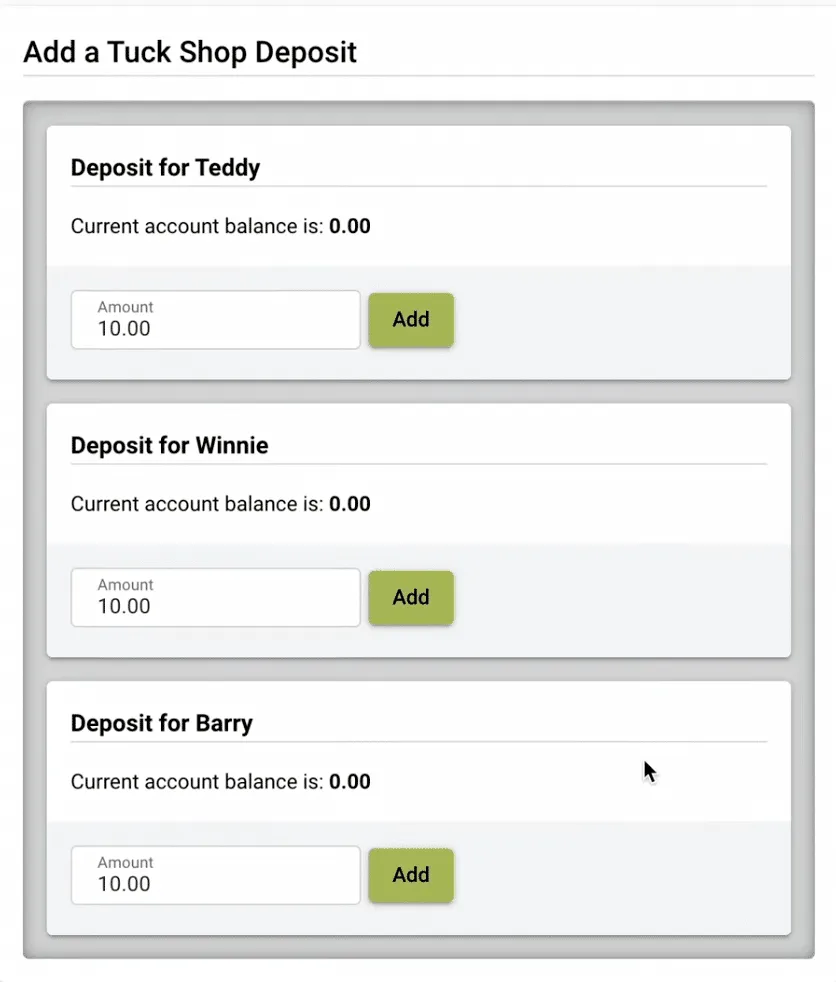
For overnight camps, CampBrain’s tuck shop module is a practical and well-executed feature. Parents can load funds into their child’s spending account and top it up at any time through the parent-facing portal, without contacting the camp directly. For programs where canteen or store purchases are part of the daily experience, having this built into the registration platform rather than managed separately saves administrative time on both sides.
4. Retreat and Conference Management
Beyond its camp-specific tools, CampBrain also supports retreat and conference programming. Organizations that run both seasonal camp programs and group retreats or rental bookings can manage both within the same platform, including group inquiries, booking stages, and facility management. For camps that operate year-round or host external groups during off-season periods, this cross-program functionality reduces the need for a separate system.
CampBrain's Key Limitations
While the platform is capable, camp directors who have evaluated or moved away from CampBrain tend to raise the same concerns. These affect registration conversion rates, daily admin workload, and the experience families have with your camp before they even arrive.
1. The registration flow adds friction
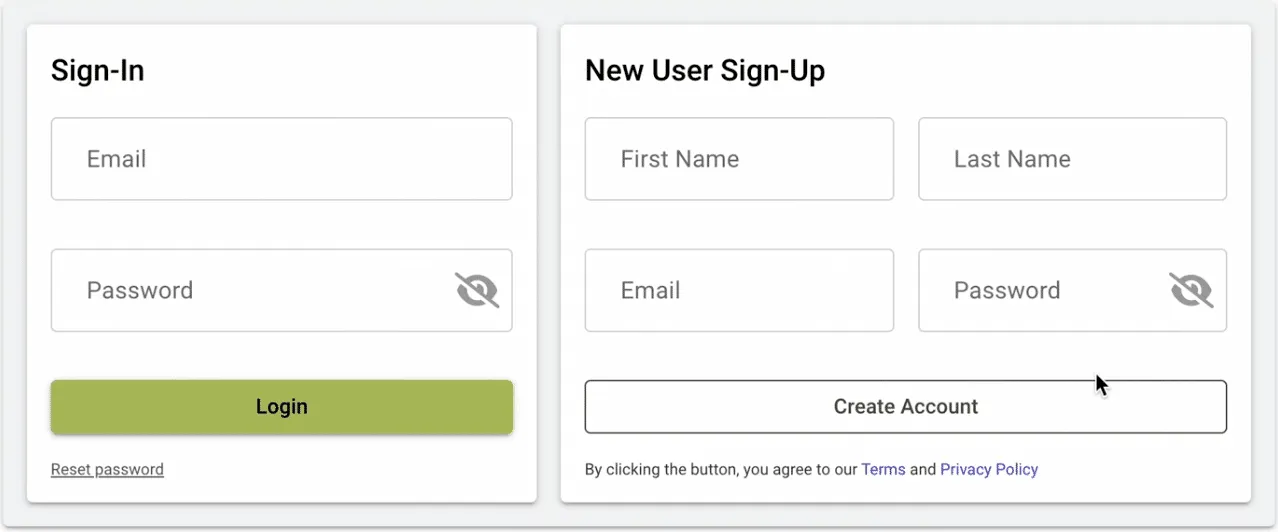
CampBrain requires families to create an account and set a password before completing registration. From there, the process involves multiple screens and sub-menus that were not designed with smartphones in mind.
If a child’s age does not match any available program, the parent must manually remove that child from the cart before proceeding — an unintuitive step that often causes confusion.
Not only have users reported that it is difficult from the client’s point of view, but administrators also note their frustration with the software:
“It is horribly frustrating to use. Every technical efficiency problem we have is because of CampBrain. The database is so difficult to use, when people register for camp it doesn’t automatically populate the fields in the database so each camper still needs to be manually entered at the camp office.” — Stephanie A., Camp Director
Parents compare every digital experience to the apps they use daily. A heavy registration flow means higher abandonment rates and unfilled spots.
2. Email deliverability issues
Multiple CampBrain users have reported that emails sent through the platform frequently land in recipients’ junk folders.
When important communications go unread, the effect is predictable: missed deadlines, confused families, and more inbound calls to the office.
“My greatest issue is that emails I sent via CampBrain consistently went to the junk boxes of most recipients. Important information was being missed. I then opted to use an ad-hoc report (which was easy to make) to send mass emails manually. Frustrating but it worked. I am hoping this can be improved.” — Alison C., Camp Administrator, Non-Profit Organization Management
3. Limited automation
Beyond basic confirmations, CampBrain’s automation capabilities are limited. There are no native tools for abandoned form follow-ups, post-camp surveys, re-engagement campaigns, or SMS reminders before a session starts. Administrators who need these workflows end up handling them manually or adding more tools to an already fragmented setup.
4. Mobile and technical limitations
CampBrain does not have a dedicated mobile app (and is not optimized for mobile), and many reports do not render well on phones or tablets. For staff doing gate check-ins or counsellors reviewing rosters on the go, this is a daily inconvenience.
“There’s no app for phones/tablets. A lot of reports don’t run on phones/tablets, so that has made it hard to use on the go. A little more customization would be great.” — Stephanie W., Guest Services and Office Specialist, Hospitality
Connecting CampBrain to third-party platforms also requires complex API configurations, which can be a barrier for smaller camp organizations.
5. No waitlist automation
When a spot opens up, CampBrain has no built-in way to notify the next family in line. Staff have to track the waitlist manually and reach out one by one, which means open spots sit empty longer than they need to.
Activity Messenger automates this from start to finish. When a spot opens, the next person on the waitlist gets an SMS or email with the option to accept or decline right from the message. If they decline, the next person is notified automatically, so the spot fills without anyone picking up the phone.
A Note On the Xplor Merger
In April 2026, CampBrain’s parent company Clubessential Holdings merged with Xplor Technologies. CampBrain now sits within Xplor’s Recreation vertical, alongside a wide portfolio of software products spanning fitness, field services, and more.

The merger may bring additional investment and resources. That said, camp directors making a long-term software decision should keep an eye on how the platform evolves under new ownership, particularly whether camp-specific development remains a clear priority.
Activity Messenger: A Modern Alternative to CampBrain
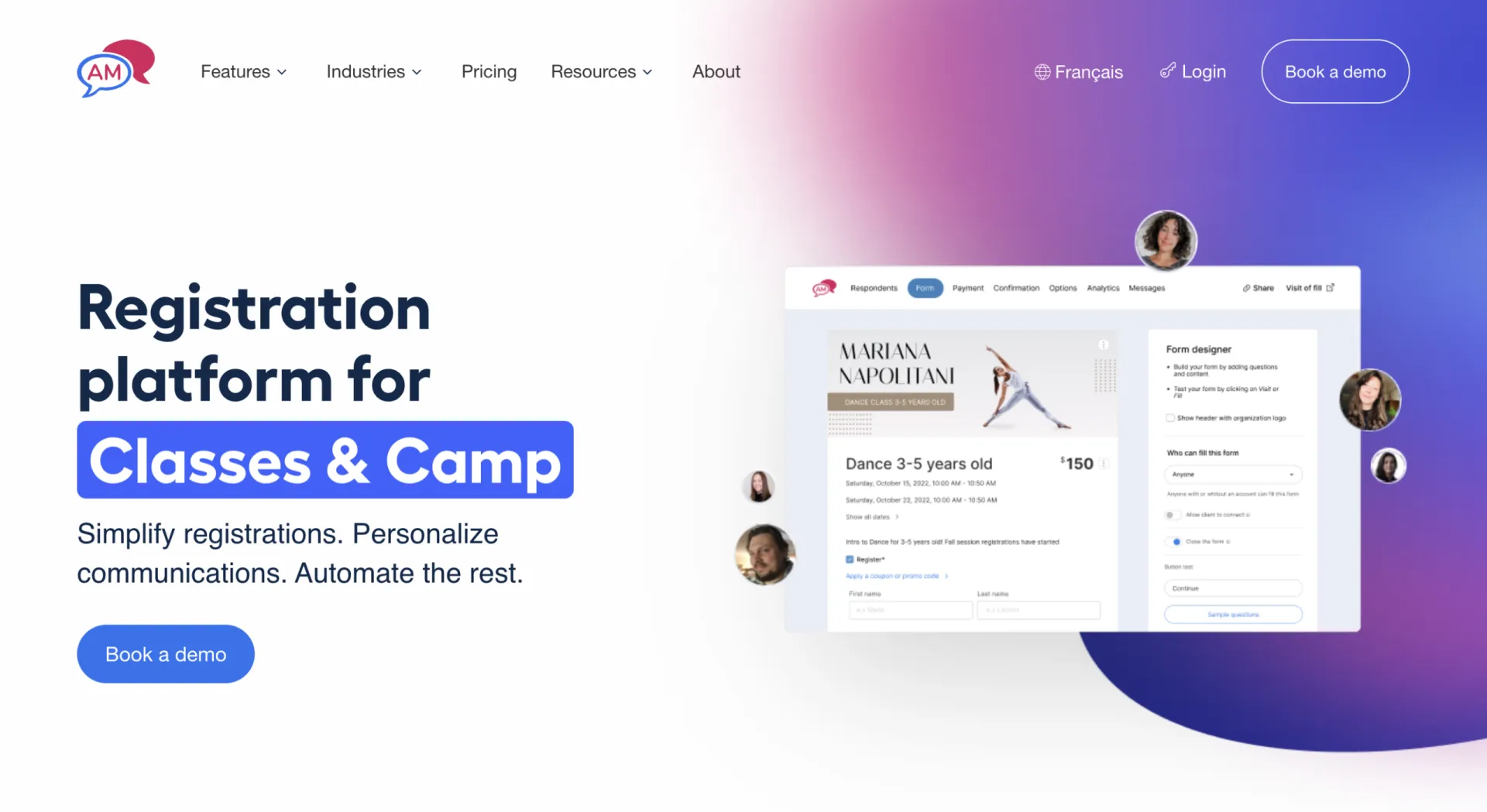
Activity Messenger is a camp registration and communication platform used by camps across the US and Canada.
Rather than prioritizing administrative depth above all else, it focuses on reducing friction at every step: for families registering, for staff sending communications, and for administrators trying to get through the day without switching between five different tools.
1. Registration without the portal
Families never get redirected to an external portal or asked to create a password. The registration form lives on your website, works on any device, and automatically creates a family account in the background upon completion. Fewer steps means fewer drop-offs and more registrations that actually get finished.
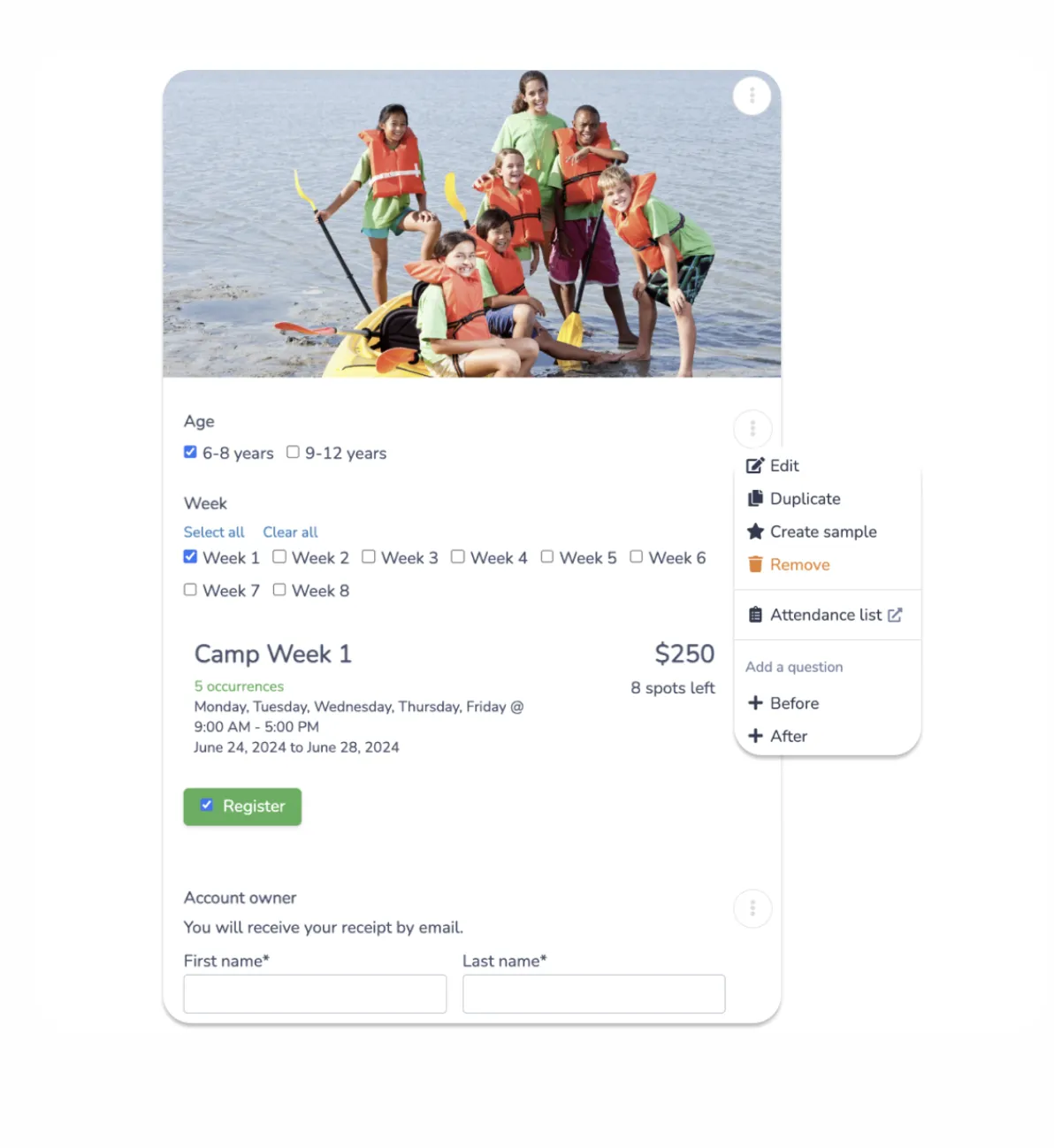
Health forms and medical declarations are built into the registration flow and tied directly to the child’s profile. Parents can update their own submissions if they made an error, without having to contact the office to reopen a form.
2. Built-in SMS
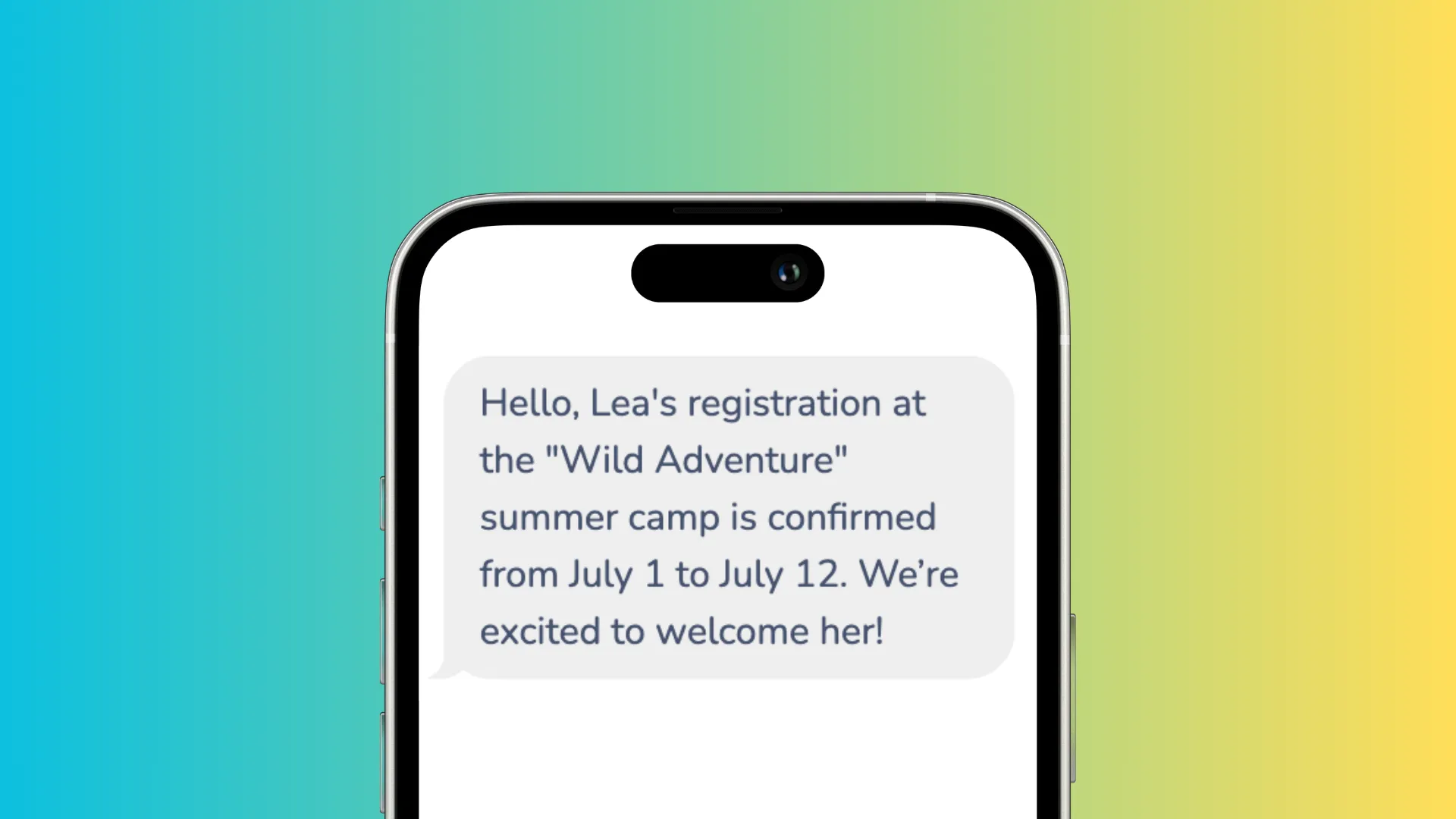
SMS is a core part of Activity Messenger, with no third-party texting tool or integration needed. Staff can send targeted texts to specific groups, by session, age group, or attendance list, from the same platform used for registration. Automated reminders go out before activities begin. Cancellation notices reach families immediately. Two-way texting lets parents reply, which reduces the volume of incoming calls.
3. Email that reaches inboxes
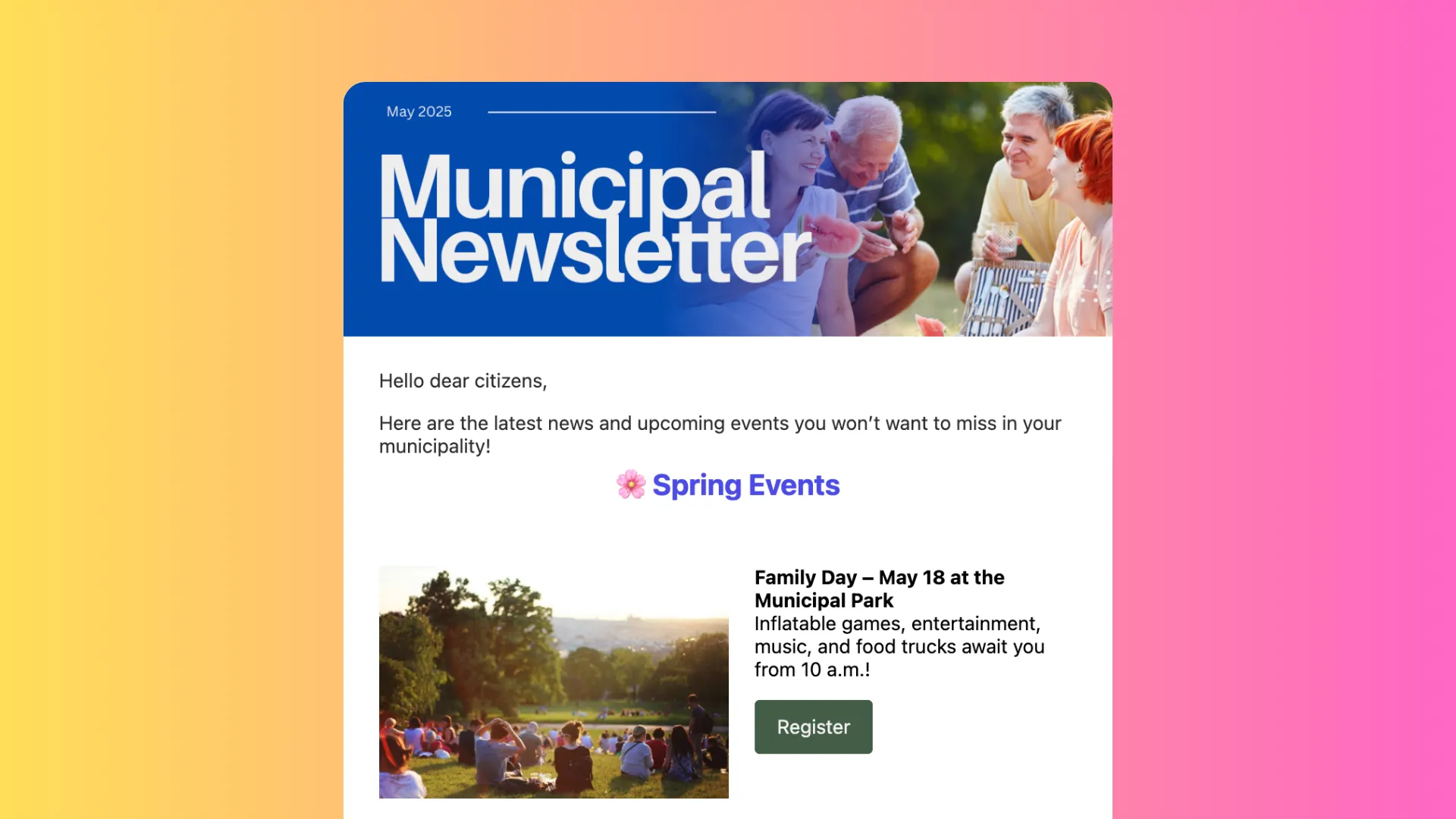
The platform includes a full email suite with a drag-and-drop builder, audience segmentation, and open-rate tracking, so camps don’t need to pay for Constant Contact or Mailchimp on the side.
Built-in unsubscribe links and consent tracking help camps meet CAN-SPAM requirements in the US and CASL in Canada. Confirmation and transactional emails are automated, and newsletters can go to specific segments (by session, age group, or past attendance) without exporting a list to another tool.
4. Automations that reduce admin workload
Activity Messenger’s automation tools cover the workflows that CampBrain leaves to manual effort. Pre-session reminders reduce no-shows. Post-camp surveys go out automatically once a session wraps. Payment reminders handle outstanding balances. All of it runs without staff intervention.
One notable automation is for abandoned registration forms. Activity Messenger lets you track users’ progress through your forms to see who got stuck or left halfway through. Whether it was double-checking a schedule, needing to grab their credit card, or talking to their child to decide which session to attend, there are many reasons people abandon forms.
With automation, you can send a friendly reminder via SMS or email within 24 to 48 hours after abandonment, along with a link that takes them directly to the form they left off. You can customize the message, timing, and more to suit your audience.
5. Waivers, forms, and certificates
The form builder replaces what many camps handle across multiple external tools. It supports over 80 question types, conditional logic, electronic signatures, and file uploads. Easily capture allergies, health conditions, additional contact information, and more within a single flow.
Liability waivers can be distributed via email, SMS, or QR code, and unsigned waivers trigger automatic reminders, so no one has to track down those who haven’t responded.
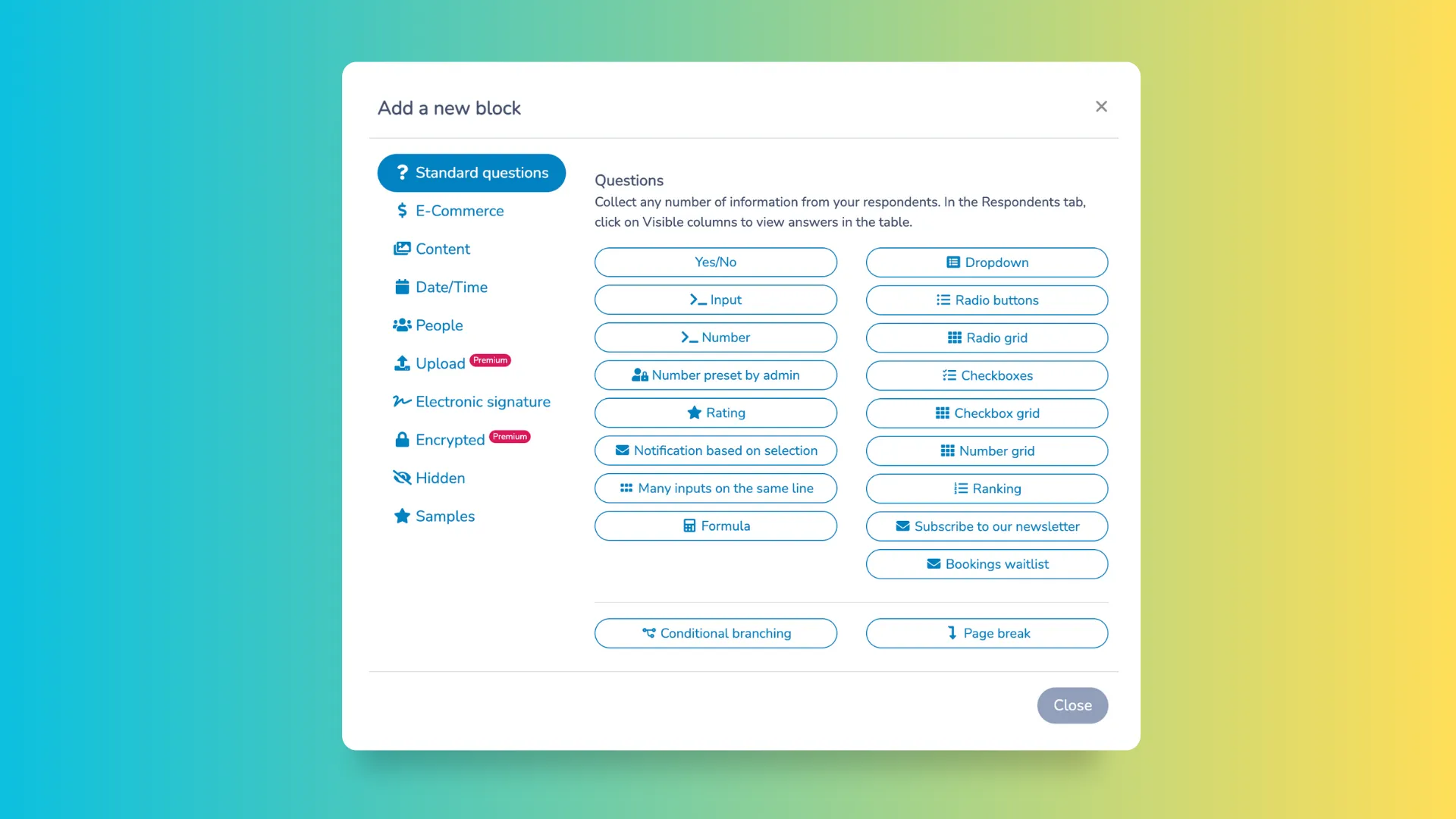
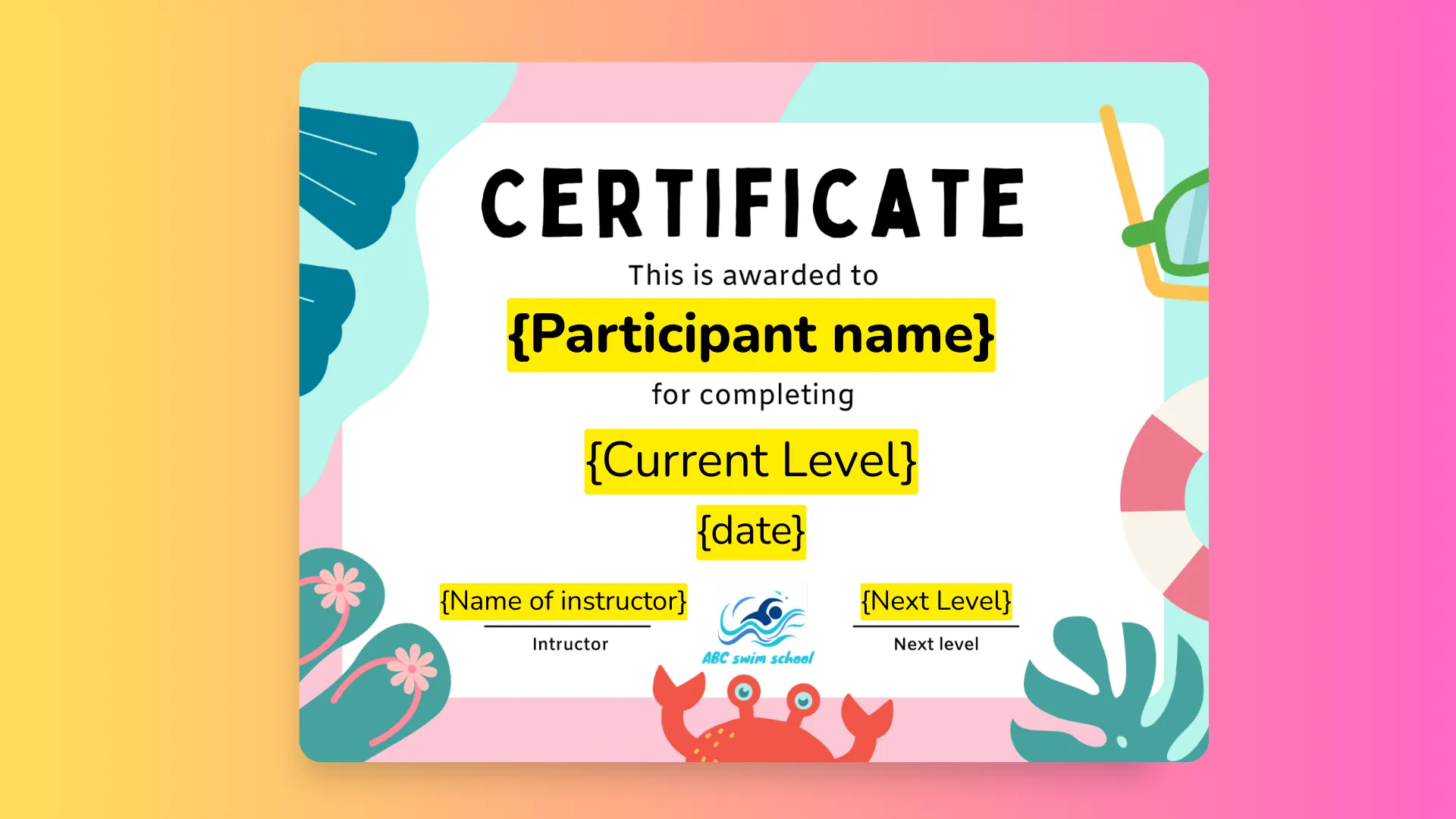
For camps that recognize milestones or achievements, Activity Messenger includes a certificate generator with Canva integration. Branded participation certificates can be created and sent to participants in bulk at the end of a session, by email or text. By offering participants and parents a visual reminder, it’s a great way to promote the next session.
6. Waitlists that fill spots on their own
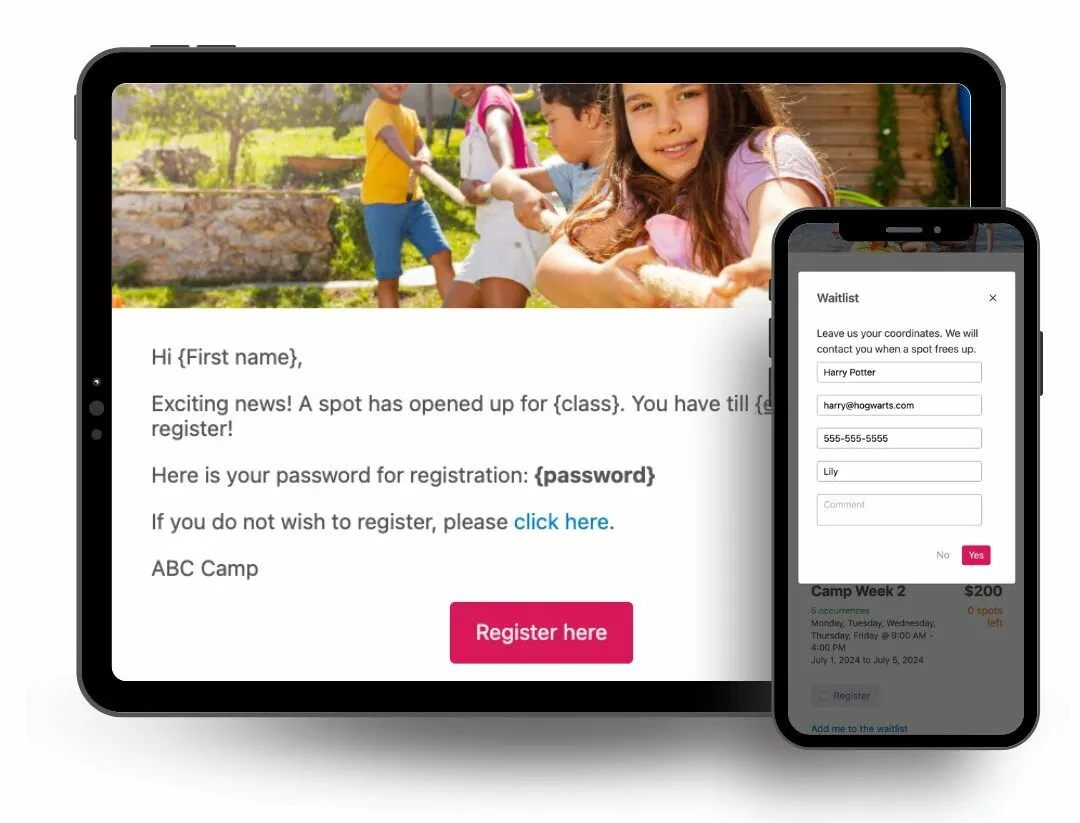
Instead of a static waitlist, families are notified the moment a spot opens via SMS or email, with a direct link to accept or decline. Organizations can set how long an invitation stays open before it moves to the next person, and every notification can be branded to keep the experience consistent with the rest of your communications.
📌 Read More: Want to know how automated waitlists can fill spots faster and reduce no-shows? Check out our blog, Waitlist Automation for Camps, Classes, and Activities.
Why Camps Switch to Activity Messenger
Most camp directors looking for a CampBrain alternative are not trying to run two platforms in parallel. They want to simplify operations, not add another tool to manage. Camps that make the full switch typically share the same set of frustrations:
🔗 Too many disconnected tools. CampBrain handles registration, but many camps still pay for Constant Contact or Mailchimp to handle email, add a separate texting tool for emergencies, and use an external form builder for waivers and health declarations. None of these systems share data, which means manual exports, duplicate records, and more logins for staff to manage.
📩 Communications that do not reach families. Recurring email deliverability problems mean important messages get missed. Parents do not show up informed, and staff spend time fielding calls that a well-timed text could have prevented.
📱Registration drop-offs on mobile. The portal-based flow loses families before they finish. Every incomplete registration is a spot that could have been filled.
⏳ Admin work that should not exist. Without automation, reminders, follow-ups, surveys, and waitlist management all fall back on staff. During a busy camp season, that adds up fast.
👉 Activity Messenger addresses all of these on a single platform. Registration, SMS, emails, forms, waivers, attendance, and certificates are all in one place. The data is shared across every module, which means better targeting, less duplication, and a more consistent experience for families from first registration through the last day of camp.
💡 Did you know? Activity Messenger also offers features for staff onboarding and scheduling, surveys to gauge camper satisfaction, and gift cards.
Been With CampBrain for Years? It Might Be Time for Something New
Sticking with a platform because switching feels like a hassle is a common reason camps stay put, even when the day-to-day frustrations pile up. The good news is that migrating away from CampBrain is more straightforward than most directors expect.
Activity Messenger’s customer success team handles the heavy lifting of moving your programs, forms, and historical data, and most camps start with a single module (usually communications) before migrating registration entirely. A phased switch means your team gets comfortable with the platform before going fully live, and there’s no need to run two systems in parallel for long.
If your team has outgrown what CampBrain offers, or you’re just tired of the workarounds, a switch does not have to mean starting from scratch.
Frequently Asked Questions
What is the best CampBrain alternative for overnight and day camps?
Activity Messenger is a strong option for camps looking to replace or supplement CampBrain. It combines mobile-first registration, built-in SMS, email marketing, digital waivers, and automations in one Canadian-built platform.
Can Activity Messenger fully replace CampBrain?
Yes. Many camps make a full switch when their main frustrations involve communication gaps, mobile registration performance, or the overhead of managing multiple disconnected tools. The transition typically happens at the start of a new season to minimize disruption.
Is Activity Messenger good for camp registration?
Activity Messenger was built with registration conversion in mind. Families register directly on your website without creating an account first. The process works on any device, and health forms are integrated into the flow. The result is fewer incomplete registrations and less follow-up for staff.
Does Activity Messenger offer waitlist automation?
Yes. When a spot opens, the next waitlisted family is automatically notified by SMS or email and can accept or decline the spot directly from the message. If they decline, the next person in line is notified right away, so open spots get filled without manual follow-up from staff.
How does Activity Messenger handle camp communications?
The platform includes built-in SMS, a full email marketing suite, and automated messaging sequences. Camps can send targeted texts or emails to specific groups, schedule pre-session reminders, and automate post-camp surveys, all from the same tool used for registration.
Does Activity Messenger work for both day camps and resident camps?
Yes. The platform supports session-based scheduling for both day camp and overnight camp programs. Features like attendance tracking, health forms, digital waivers, and certificate generation are relevant regardless of camp format.
How does the Xplor merger affect CampBrain users?
CampBrain merged into Xplor Technologies in April 2026. Current users should continue to receive normal service, but camps evaluating a multi-year software commitment may want to follow how the platform’s roadmap and support structure evolve under new ownership.
How do I compare pricing between camp management platforms?
When evaluating any camp software, ask each vendor about setup and onboarding fees, monthly or seasonal subscription costs, per-registration or per-camper charges, payment processing fees, and any features that require paid add-ons, such as SMS, waivers, or reporting modules.
How long does it take to switch from CampBrain to Activity Messenger?
Most camps plan the transition around a natural break in programming, typically between seasons. The timeline depends on how much historical data needs to be migrated and how many modules you are activating, but a phased approach (starting with communications before migrating registration) is a common way to reduce risk and get familiar with the platform before going fully live.
Conclusion: Modern Camp Management Starts Here
CampBrain is a solid, well-established tool with a track record that speaks for itself. If your registration runs smoothly and your team is comfortable with the platform, there is no urgency to change.
But if your day-to-day challenges include families dropping off mid-registration, emails landing in junk folders, no quick way to reach parents by text, or a growing pile of tools that do not talk to each other, Activity Messenger offers a modern, all-in-one alternative worth a close look — whether you start with a single module or make the full switch.
💡 Ready to see what modern camp management looks like? Book a demo with Activity Messenger today to learn how you can centralize your tools, save your team time, and give families a better experience from day one.