If you’re using WooCommerce to sell class registrations, memberships, or program access, you’ve probably appreciated its flexibility. WooCommerce is one of the most widely used e-commerce tools in the world — and for selling products, it works extremely well.
But for organizations built around people, schedules, and participation, WooCommerce often feels like a workaround. Classes become “products.” Enrollments look like “orders.” Attendance, waivers, reminders, and renewals live somewhere else.
That’s why many organizations across fitness, recreation, sports, arts, and education eventually look beyond WooCommerce. Instead of continuing to adapt a product-first ecommerce tool, they’re switching to Activity Messenger, a platform built specifically for managing classes, memberships, programs, and communication in one place.
If your organization has outgrown basic e-commerce and now needs structure, automation, and participant-first workflows, this guide will help you understand where WooCommerce fits and when it’s time to move on.
Key Takeaways:
- WooCommerce is designed for selling products, not managing participants, schedules, or ongoing programs.
- Organizations offering classes or memberships often rely on multiple add-ons to handle forms, waivers, reminders, and attendance.
- As programs grow, admin work increases due to disconnected tools and manual processes.
- Activity Messenger replaces e-commerce workarounds with a single platform for registration, payments, communication, and attendance.
- Built for Canadian organizations, Activity Messenger offers bilingual tools and PIPEDA-compliant data hosting.
Table of Contents
- What WooCommerce Is (and Does Well)
- Signs You’ve Outgrown WooCommerce for Classes or Memberships
- Why Add-Ons Don’t Solve the Core Problem
- WooCommerce vs Activity Messenger (Comparison Table)
- How Activity Messenger Compares
- Who Should Consider Switching
- Migration Tips: Moving Away From WooCommerce
- Frequently Asked Questions
- Final Thoughts: When E-commerce Isn’t Enough
DISCLAIMER: Activity Messenger is our software. We created it after experiencing the limitations of e-commerce tools like WooCommerce for managing classes, memberships, and programs.
What WooCommerce Is (and Does Well)
WooCommerce is a powerful e-commerce solution built to sell physical and digital products through its WordPress plugin.
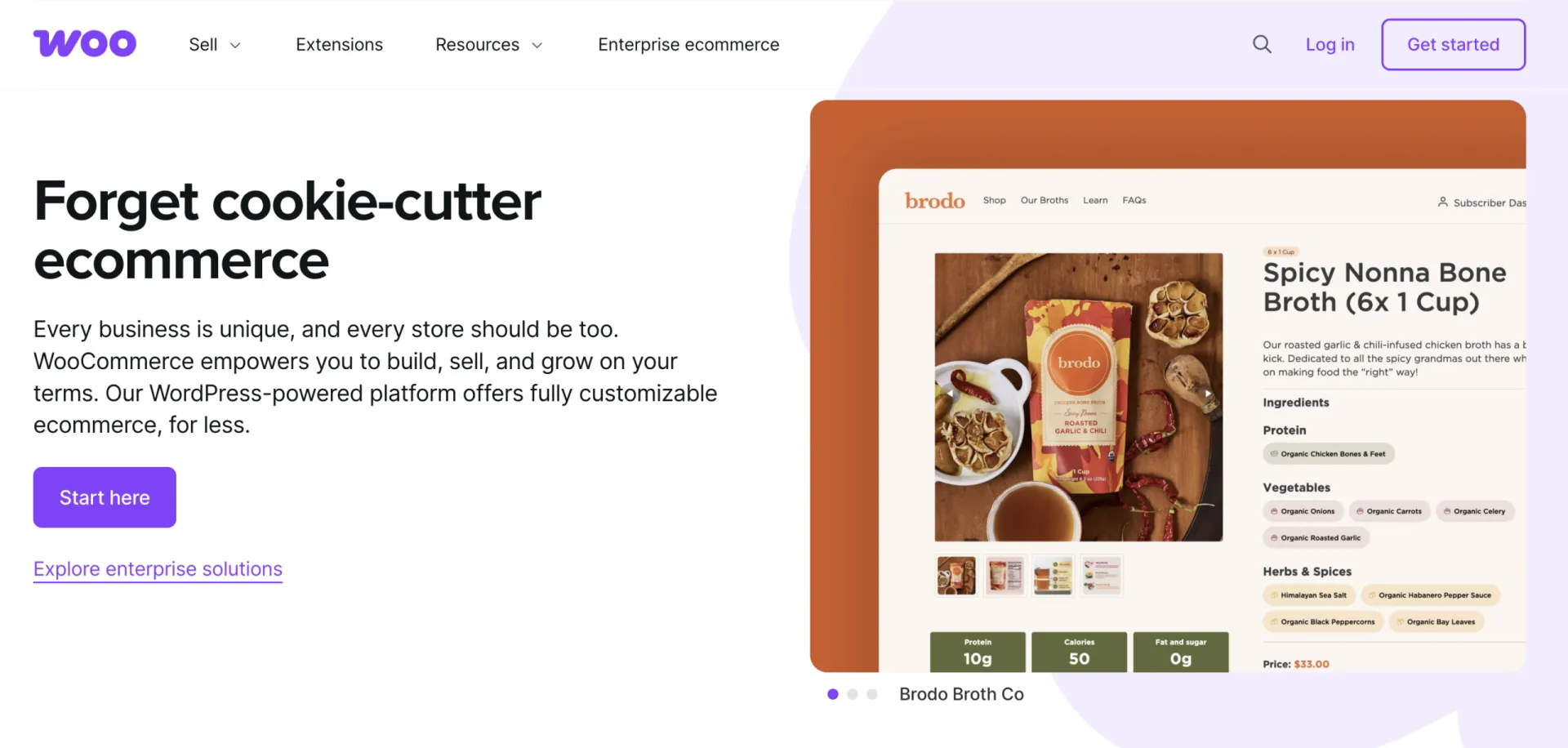
It excels at:
- Product listings and checkout
- Payment processing
- Discounts and promotions
- Selling one-time or subscription-based items
For retail and e-commerce-focused businesses, WooCommerce is a solid choice.
Where challenges arise is when organizations try to manage programs instead of products — things like weekly classes, camps, leagues, or member access tied to attendance and schedules. WooCommerce wasn’t designed around those concepts, so teams begin adapting it in ways that increase complexity over time.
Signs You’ve Outgrown WooCommerce for Classes or Memberships
WooCommerce can “work” for programs until these red flags appear:
🚩 Classes are treated like products
Sessions, instructors, capacity, and schedules aren’t native concepts, so staff rely on manual tracking.
🚩 Participant data is scattered
Family details, waivers, emergency contacts, and attendance live outside of WooCommerce.
🚩 Memberships aren’t connected to participation
Selling a membership is easy; managing who can attend, renewals, and benefits is not.
🚩 Reminders and updates are manual
Class reminders, schedule changes, and renewal notices require separate messaging tools.
🚩 Admin work grows every season
Each new program adds more setup, more maintenance, and more places where things can break.
📌 Read More: Customers also consider making the switch from Shopify, another powerful e-commerce tool, to an all-rounder like Activity Messenger.
Why Add-Ons Don’t Solve the Core Problem
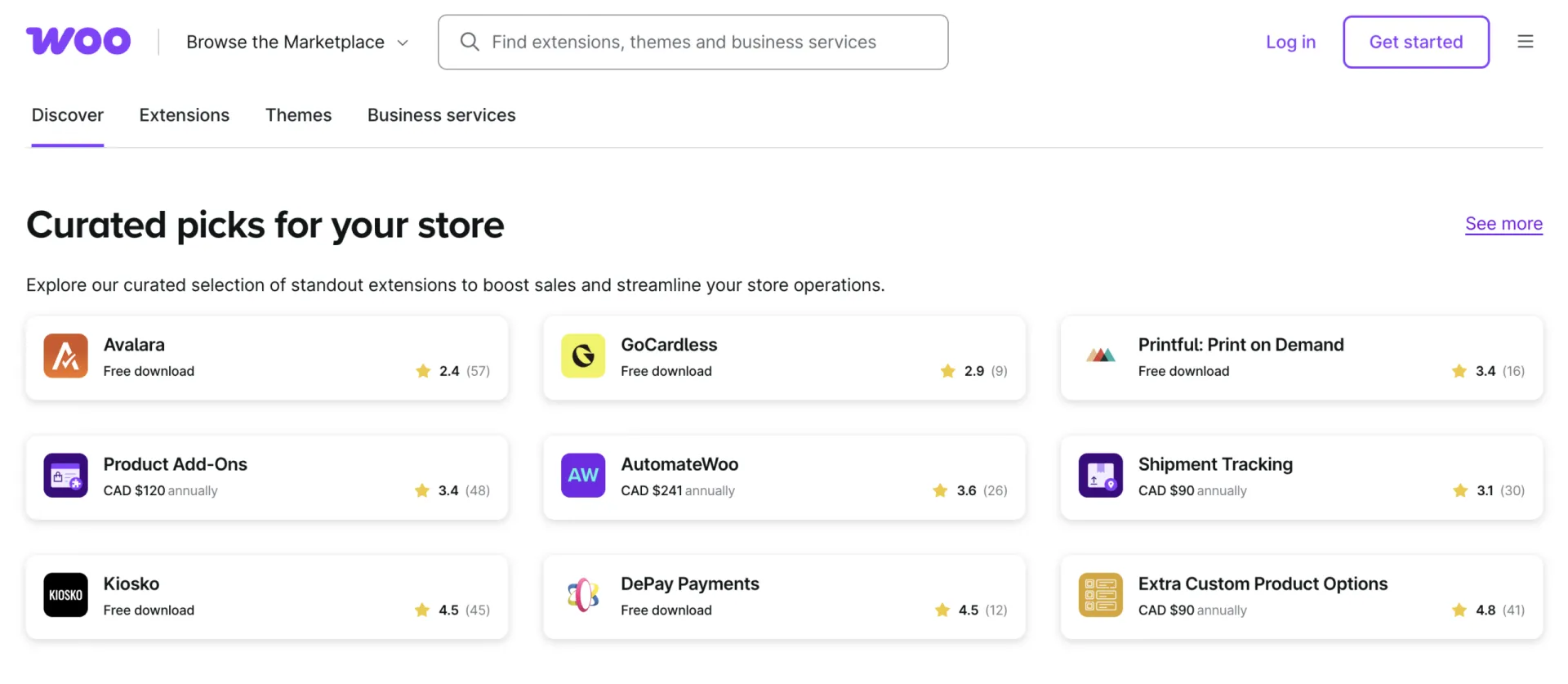
Many organizations try to fill the gaps with add-ons or integrations. While this extends WooCommerce’s functionality, it introduces new challenges.
1. Each tool solves only one piece
One for forms, one for waivers, one for memberships, one for messaging — none provide a complete workflow.
2. Costs increase quietly
Monthly fees add up, often exceeding the cost of a unified platform.
3. No single source of truth
Participant records, attendance, and communication history are spread across systems.
4. Limited automation
Triggers like class start times, waitlist promotions, or membership expiry are difficult to automate across tools.
5. More maintenance, more risk
More systems mean more updates, more configuration, and more opportunities for errors.
👉 In short: Add-ons can extend WooCommerce, but they can’t turn it into a purpose-built program management platform.
WooCommerce vs Activity Messenger (Comparison Table)
| Feature | WooCommerce | Activity Messenger |
| Designed For | Selling physical and digital products online | Managing classes, memberships, events, and multi-program operations |
| Registration Forms | ❌ Requires plugins; limited participant-specific fields | ✅ Fully customizable, mobile-friendly forms with family accounts, waivers, health info, and surveys |
| Memberships | ⚠️ E-commerce subscriptions, limited program awareness | ✅ Memberships tied to access, attendance, renewal cycles, and benefits |
| Attendance Tracking | ❌ Not available | ✅ Real-time rosters, check-ins, QR codes, Apple/Google Wallet, auto-updating attendance lists |
| Online Ticketing & Event Access | ❌ Needs third-party plugins | ✅ Built-in ticketing and event registration with participant tracking |
| Payments & Invoicing | ✅ Standard checkout; requires add-ons for recurring billing or invoicing | ✅ Integrated payments, invoices, payment plans, refunds, POS, and corporate billing options |
| Gift Cards & Certificates | ❌ Plugin required | ✅ Sell, issue, and redeem directly for classes, memberships, or credit |
| Communication Tools | ❌ Requires email plugins or extensions | ✅ Email + SMS, automated reminders, surveys, post-program communications |
| Automations | ❌ Limited; usually plugin-dependent | ✅ Automated confirmations, reminders, waitlist promotions, surveys, and membership renewals |
| Staff Management & Onboarding | ❌ Not built-in | ✅ Role-based access, onboarding workflows, and instructor management |
| Data Hosting & Compliance | 🇺🇸 U.S.-based; GDPR tools available via plugins | 🇨🇦 Canadian hosting, PIPEDA-compliant, bilingual forms, CASL-compliant messaging |
| Best For | Online stores selling products or downloads | Programs, classes, camps, workshops, memberships, community organizations, and multi-channel operations |
📌 Read More: Activity Messenger also acts as a Canadian-based alternative to Constant Contact, Eventbrite, Jotform, Smartwaiver, and Mailchimp.
How Activity Messenger Compares
Activity Messenger approaches the problem from a completely different angle than WooCommerce. Instead of starting with a checkout and layering features on top, it starts with how organizations actually run programs day to day — before, during, and after registration.
One System for the Entire Program Lifecycle
Activity Messenger manages the full lifecycle of a class or membership, from discovery to participation to follow-up. Registration, payments, attendance lists, certificates, invoices, and communication are all connected to the same participant record, eliminating the need to reconcile orders, customers, and exports.
This structure makes it easier to scale programs without adding complexity. New sessions, seasonal offerings, or membership tiers can be launched without rebuilding workflows each time.
Flexible Ways to Sell Access (Not Just “Products”)
Beyond standard registrations, Activity Messenger supports:
- Online ticketing for workshops, events, or one-time sessions
- Memberships tied to eligibility, attendance, and renewal cycles
- Gift cards and certificates that can be redeemed for programs or credit
- Point-of-sale (POS) for in-person registrations, drop-ins, or merchandise
- Invoices for organizations that bill schools, teams, or partners
These tools allow organizations to mix online and in-person sales without maintaining separate systems or reports.
Attendance, Rosters, and Real-Time Visibility
Unlike e-commerce platforms, Activity Messenger tracks who is expected, who attended, and who still has access. Attendance lists update automatically as registrations change, giving staff real-time visibility across classes, events, or member sessions.
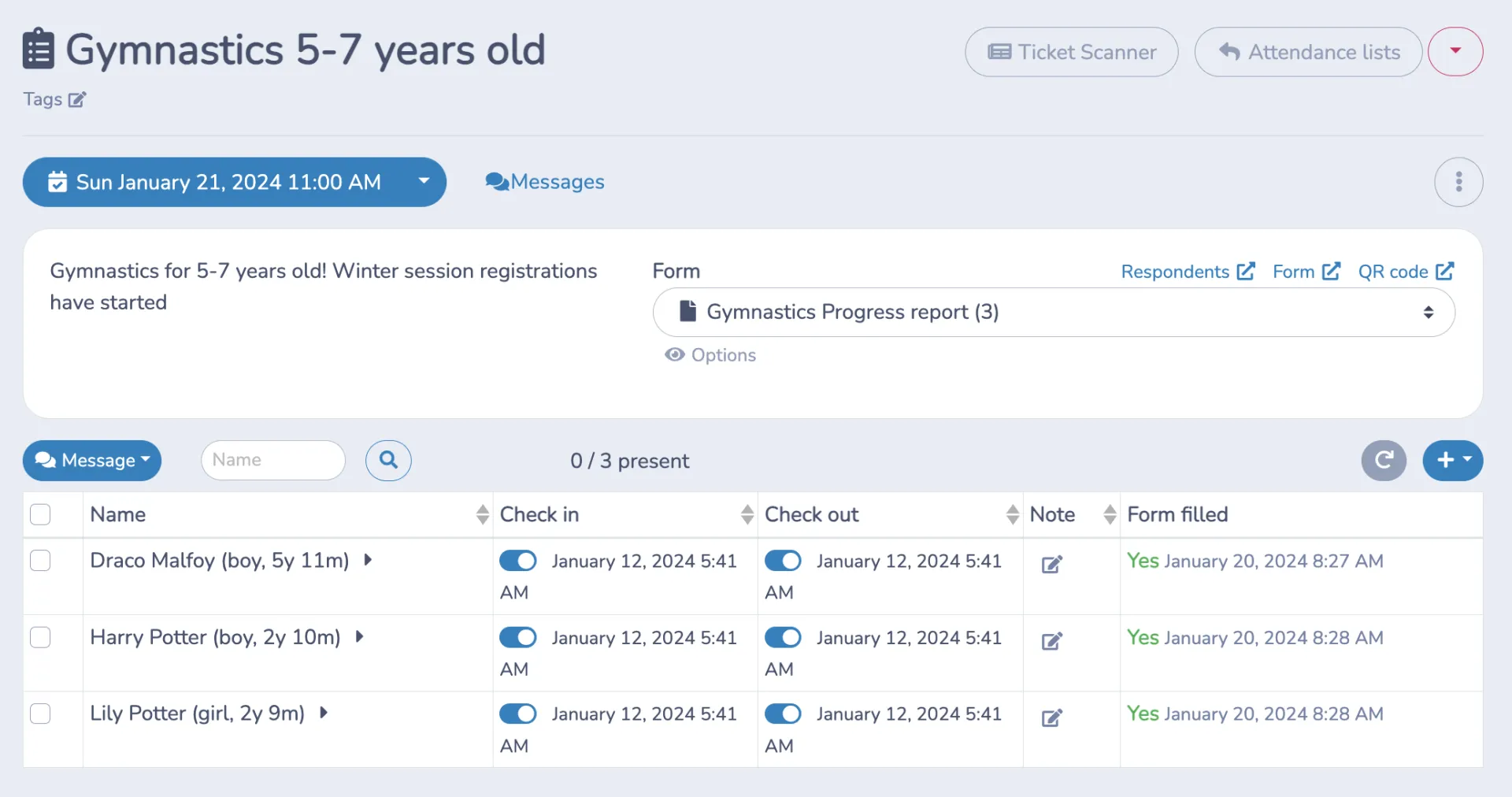
This makes it easier to manage capacity, verify eligibility, and understand participation trends — without manual checklists or spreadsheets.
Communication Built Into Operations
Activity Messenger includes built-in email marketing, SMS messaging, surveys, and automations, all triggered by program activity.

Organizations can automatically send:
- Confirmations and reminders
- schedule changes or cancellations
- renewal notices and expiring memberships
- post-program surveys or feedback requests
Because messaging is tied to registrations and attendance, communication stays relevant and timely — not generic.
Staff Onboarding, Scheduling, and Internal Coordination
Beyond participant-facing tools, Activity Messenger also supports staff onboarding, scheduling, and internal workflows. Staff can be assigned roles, access attendance lists, and receive program updates without sharing login credentials or exporting data.
This is especially useful for organizations with instructors, seasonal staff, or volunteers who need limited, role-based access.
Who Should Consider Switching
Activity Messenger is ideal for organizations that have been using WooCommerce to sell programs, classes, memberships, or event access but are running into limitations when it comes to operations beyond checkout.
Consider switching if you:
- ✅ Sell classes, workshops, camps, leagues, or memberships and need attendance tracking, waitlists, or recurring access.
- ✅ Manage registrations for multiple programs, locations, or seasons and want a centralized participant database instead of reconciling orders across spreadsheets and plugins.
- ✅ Spend significant staff time on manual reminders, emails, or roster updates that could be automated.
- ✅ Need digital waivers, certificates, gift cards, or POS support without juggling multiple WooCommerce plugins.
- ✅ Want your data hosted in Canada with PIPEDA-compliant privacy and bilingual forms for English/French-speaking participants.
Switching isn’t just about replacing WooCommerce—it’s about gaining a system built to handle programs end-to-end, freeing staff time, and improving the participant experience.
Ready to combine e-commerce with better program management?
Book a demo with Activity Messenger to see how we can help your organization today.
Migration Tips: Moving Away From WooCommerce
Transitioning from WooCommerce to Activity Messenger can be straightforward if approached methodically. Here’s a recommended workflow:
Step 1: Export your data
Download all participant, customer, order, membership, and subscription data from WooCommerce. If you’re tracking multiple sessions, families, or teams, organize the data so it can map to Activity Messenger’s participant records.
Step 2: Set up your program structure
Create classes, events, memberships, sessions, and pricing plans in Activity Messenger before importing participants. This ensures new registrations align with your operational workflows.
Step 3: Import participants and families
Activity Messenger supports family accounts and multiple participant types. Import your CSVs or Excel sheets, and link existing memberships or registrations to the correct programs.
Step 4: Configure forms, waivers, and payments
Recreate registration forms with custom fields, waivers, and health info as needed. Set up online payments, POS, invoices, and gift cards for both online and in-person transactions.
Step 5: Test workflows
Run a small pilot with a sample group to ensure registrations, automations, and communications work correctly. Test emails, SMS reminders, attendance tracking, and payment receipts.
Step 6: Communicate with participants
Notify your community of the switch, highlighting improved registration, payment, and communication features. Provide guides or links to help families navigate the new system.
Step 7: Go live and monitor
Launch your programs fully, monitor registrations and check-ins, and collect staff feedback to refine automations and workflows.
Frequently Asked Questions
Can I use WooCommerce to manage classes or memberships?
WooCommerce is primarily designed for selling products, so managing recurring classes, memberships, or events requires multiple plugins and manual work. It lacks built-in attendance tracking, automated reminders, and participant management features. Activity Messenger is built for these workflows, combining registration, payment, communication, and reporting into a single platform.
How does Activity Messenger handle registrations differently from WooCommerce?
Unlike WooCommerce, Activity Messenger offers fully customizable registration forms, family accounts, waitlists, and multi-session enrollment. It also supports digital waivers, health info, and surveys, all tied directly to participant profiles. This streamlines operations and reduces manual data entry for staff.
What’s the best WooCommerce alternative for memberships?
The best alternative depends on whether memberships are tied to participation or access. For organizations offering classes, programs, or member benefits, Activity Messenger provides built-in memberships connected to attendance, renewals, and communication. This eliminates the need for separate membership and messaging tools.
Can I migrate my WooCommerce data to Activity Messenger?
Yes. You can export customers, orders, memberships, and subscriptions from WooCommerce and import them into Activity Messenger. The platform supports family accounts and multi-program structures, making the transition smoother than moving between typical e-commerce tools.
Why do organizations switch from WooCommerce to a program-based platform?
Switches usually happen when WooCommerce becomes difficult to scale for programs. As classes and memberships grow, staff face more manual work, disconnected data, and limited automation. A program-based platform reduces these issues by design.
Is Activity Messenger secure?
Yes. All data is hosted in Canada, fully PIPEDA-compliant, and the platform supports bilingual forms and CASL-compliant messaging. This is a major advantage for organizations handling sensitive participant information.
Can Activity Messenger still support e-commerce?
Yes. Organizations can sell class passes, memberships, merchandise, or one-time access while maintaining full program management features. E-commerce is supported without sacrificing scheduling or participant tracking. Activity Messenger also offers Stripe integration for easy payments.
Who benefits most from switching from WooCommerce?
Organizations running classes, memberships, camps, workshops, or multi-program operations will see the biggest gains. Activity Messenger saves staff time, reduces reliance on multiple plugins, and provides a complete program management solution.
Final Thoughts: When E-commerce Isn’t Enough
WooCommerce remains an excellent e-commerce tool. But when your organization revolves around classes, schedules, memberships, and people, ecommerce-first tools introduce friction over time.
Activity Messenger replaces those workarounds with a platform built for how programs actually operate. Instead of forcing WooCommerce to manage participation, choose a system designed around it.
💡 Ready to simplify registrations and move beyond ecommerce workarounds? Book a demo with Activity Messenger to see how your operations can run more smoothly.