AI-native vs. traditional sounds like a label on a pricing page. On registration night, it's everything that happens after 7:00.
Two things can be true at the same time: your software takes every registration and payment without a hiccup, and you still spend the evening answering the same parent questions by hand.
Every registration platform says "AI" now. But not every platform is built the same way. What does "AI-native registration software" actually mean, and does it fit your program?
Key Takeaways
- Traditional registration software was built around forms, settings and reports. It handles the transaction: registrations, payments and confirmations.
- AI-native registration software is built with AI connected to your classes, prices and policies from the start. It handles the transaction and the conversation around it.
- The difference shows up after registration opens: full classes, parent questions mid-checkout, the evening inbox and waitlist replies.
- Traditional software may be all you need if your programs rarely change. AI-native is worth a look if families slip away when classes fill, or your inbox fills with the same questions every session.
- Whichever you choose, switch between seasons, never right before registration opens.
Table of Contents
- What Is Traditional Registration Software?
- What Is AI-Native Registration Software?
- One Registration Night, Two Ways
- Which One Should You Choose?
- Conclusion: Choosing AI-Native vs. Traditional
What Is Traditional Registration Software?
Traditional registration software was built around forms, settings and reports. It handles the transaction: a parent picks a class, pays and gets a confirmation. Many platforms have since added AI on top, usually to write class descriptions or emails.
This typically means:
- The software processes registrations and payments, but can't answer a parent's question mid-checkout
- When a class fills, parents see "Full" and a waitlist button, even if the same level has room at another time
- Parent questions land in your inbox, and you answer them one by one
- Reports exist, but answering a board question means exporting and merging them
To be fair, platforms like Jackrabbit, iClassPro and Amilia have run thousands of registration nights reliably. Some, like iClassPro (with Auto Pilot) and Uplifter, already automate waitlist offers, and owners appreciate the feature because it takes pressure off manual work.
Pros and Cons of Traditional Registration Software
| Pros | Cons |
|---|---|
| ✅ Proven and reliable on busy registration nights | ⚠️ Parents who get stuck email you or leave the cart |
| ✅ Your staff already know it | ⚠️ The same questions come in every session |
| ✅ Works well if your programs rarely change | ⚠️ Board reports mean exporting and merging by hand |
What Is AI-Native Registration Software?
AI-native registration software is built with AI connected to your real classes, rosters, prices, and policies from the start. It still handles the transaction. It also handles the conversation around it.
ChatGPT is a good example of AI-native. It was built around a conversation from day one. Google Search added AI answers on top of a results page it had already built. Both are useful. They're built differently.
Pros of AI-Native Registration Software
- Fewer families lost when a class fills or a form confuses them
- Fewer evenings spent answering the same questions
- Reports in plain language, with the list behind them to check
Cons of AI-Native Registration Software
- The AI will sometimes get something wrong, so refunds, credits, and sensitive messages should always wait for your approval
- Switching takes work: families, balances, and waivers have to move, and your front desk learns a new screen
One Registration Night, Two Ways
Definitions only go so far. Here's the same night in both: same swim school, same families, same 180 spots.
7:00 pm: The doors open
Both handle this well. Parents pick a class, pay and get a confirmation. If registration night were only this minute, you could stop reading here.
It never is.
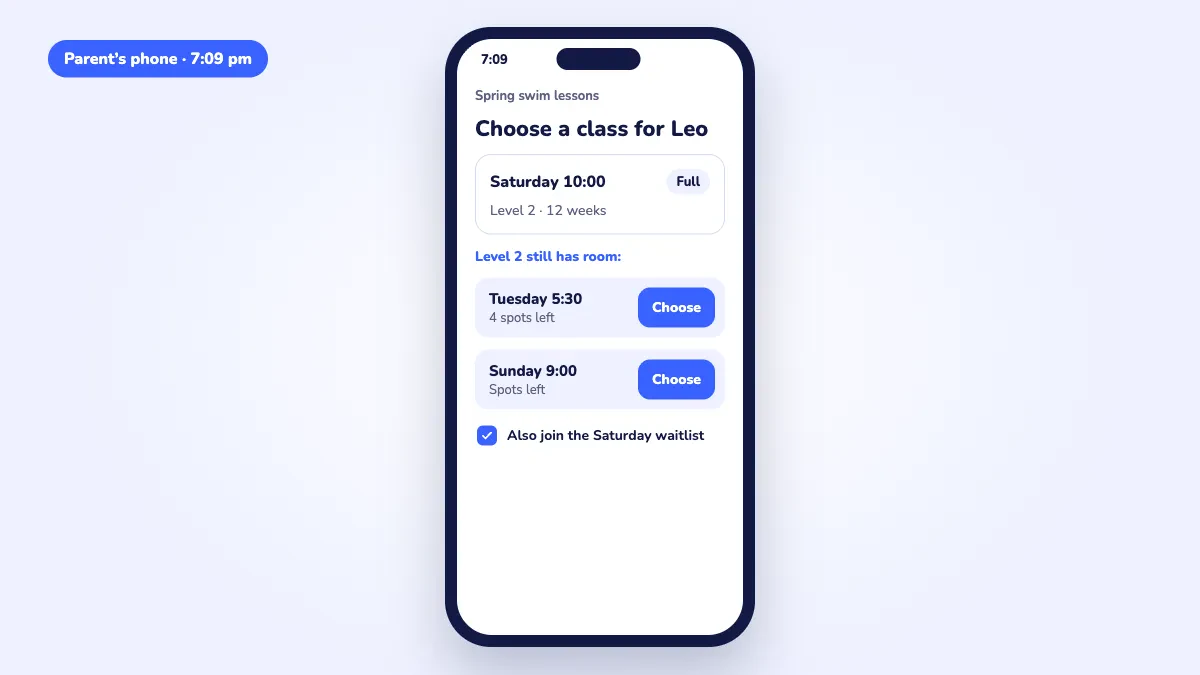
7:09 pm: Saturday Level 2 fills
A dad lands on it one minute later.
Traditional: he sees "Full" and a waitlist button. Tuesday 5:30 Level 2 still has four spots. He never scrolls down to it.
AI-native: right under "Full," he sees that Tuesday 5:30 and Sunday 9:00 still have room. It's what your front desk would have told him if he'd called.
7:40 pm: A mom gets stuck at the medical form
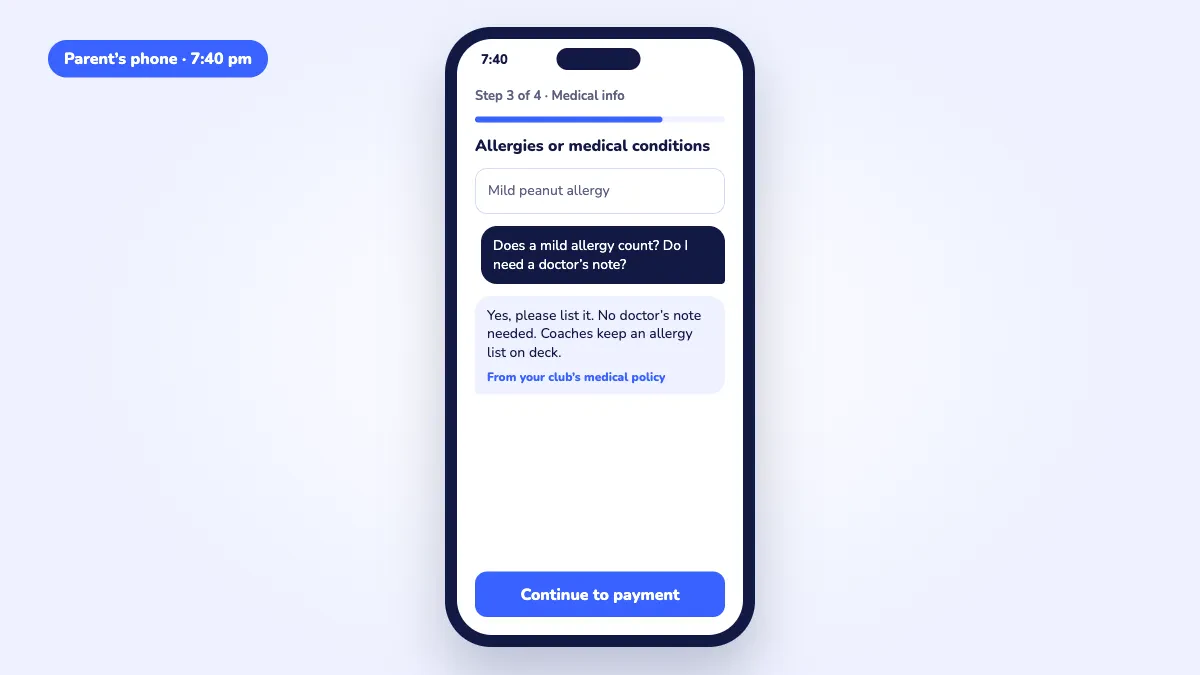
She's in the pickup line. Her youngest has a mild peanut allergy. Does she need a doctor's note?
Traditional: the form can't answer her. She emails you or leaves the cart. By 8:15, one of those spots is gone.
AI-native: she asks right where she's stuck and gets the answer from your own policy. She checks out before the line moves.
9:15 pm: The inbox
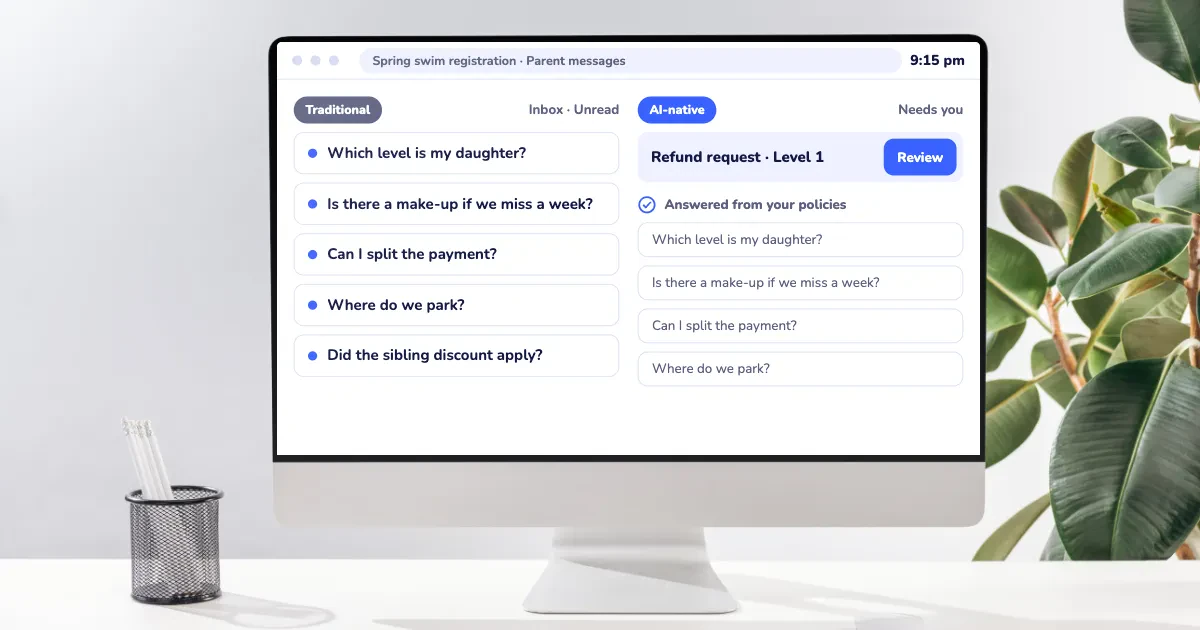
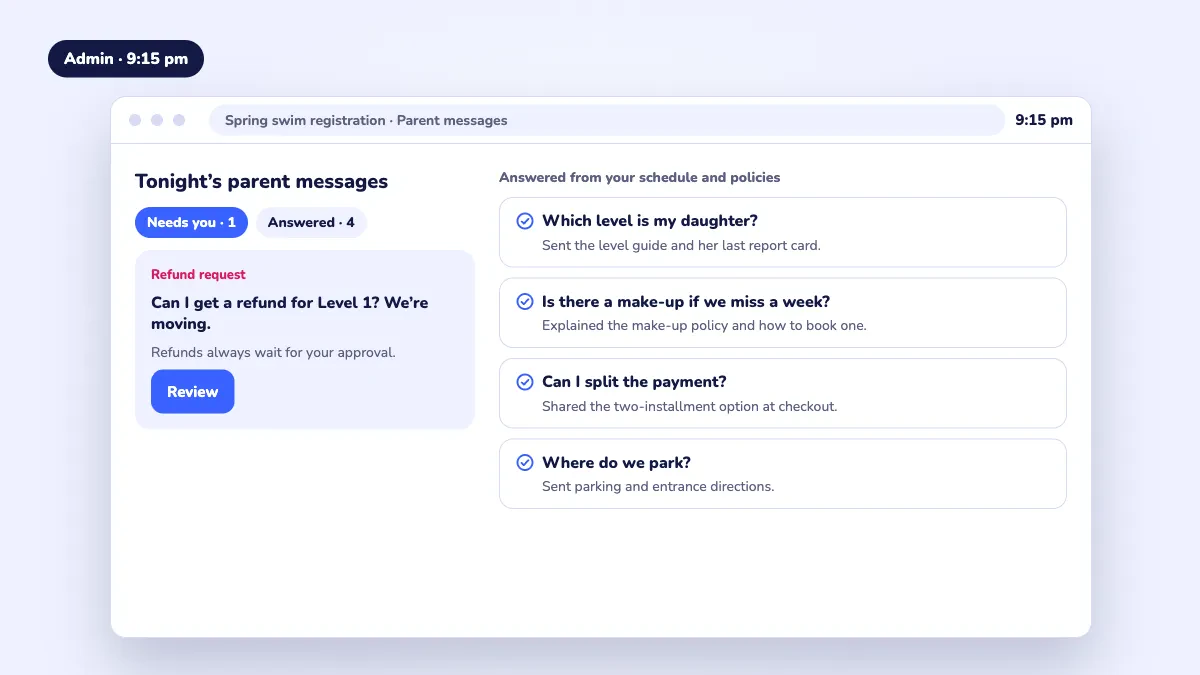
Which level is my daughter? Is there a make-up? Can I split the payment? You've answered every one of these before. Probably this week.
Traditional: you answer them one by one, until 10:30.
AI-native: most were answered when they were asked. What's left is the short list it couldn't answer, plus anything about refunds or credits. Those stay yours.
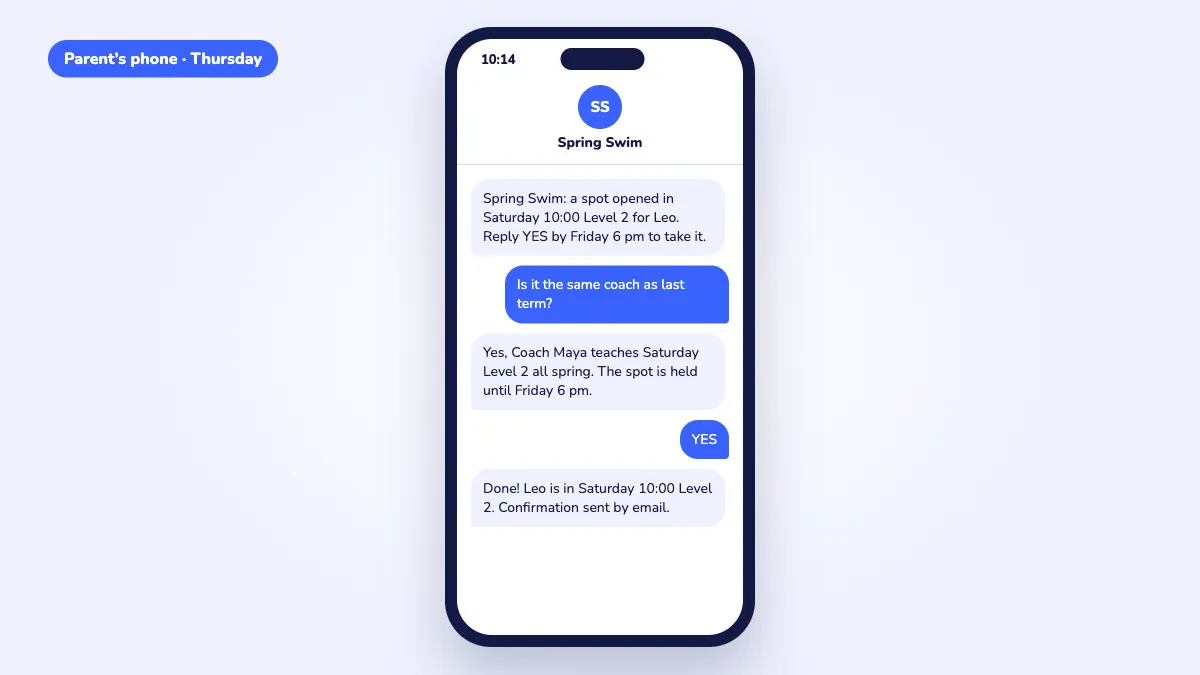
Thursday: A spot opens on the waitlist
Traditional: some systems already send the offer for you. iClassPro's Auto Pilot and Uplifter both do, and owners love them for it. But when the family replies, "Is it the same coach as last term?", that lands in your inbox while the offer clock runs.
AI-native: the reply gets an answer too.
Which One Should You Choose?
The best option depends on what your registration night looks like. Ask yourself these questions:
- 👉 Do families hit "Full" while the same level has room at another time? If so, you're losing families you could have kept. AI-native is worth a look.
- 👉 Is your inbox full of the same questions after registration opens? If you answer them by hand every session, AI-native will give you those evenings back.
- 👉 Are your programs steady, and do you only touch your setup twice a year? Traditional software may be all you need. Stay put.
- 👉 Is a busy season coming up? Switch between seasons, never the week before registration opens.
Not sure? Next registration night, keep four counts on a sticky note:
- Families who hit "Full" while the same level had room at another time.
- Emails and texts waiting for you at 9 pm.
- Minutes you spent filling waitlist spots that week.
- How long the treasurer's last report question took.
If the numbers are small, your setup is working. If they're not, that's what's worth fixing.
Conclusion: Choosing AI-Native vs. Traditional
Traditional registration software handles the transaction. AI-native software also handles the conversation around it.
Registration night is never just the minute registration opens. It's the full class, the parent stuck at the medical form, the inbox at 9 pm and the waitlist reply on Thursday. That's where the difference shows up: in families kept, and evenings you get back.
If you're ready to see what AI-native looks like on your own programs, book a demo with an Activity Messenger expert.