Finding the best private lesson registration software for your specific context isn’t always easy. Whether you’re running music lessons out of a studio, coordinating sports coaching across multiple instructors, or managing a full tutoring practice, the administrative load adds up fast.
Most organizations end up stitching together a scheduling app, a payment tool, an email platform, and a paper sign-in sheet, yet still find things falling through the cracks.
This guide compares seven of the most widely used platforms in North America: Activity Messenger, Sawyer, Jackrabbit, Amilia, SimplyBook.me, Arlo, and Acuity Scheduling, so you can match the right tool to how your organization actually works.
DISCLAIMER: Activity Messenger is our software. We built it after seeing firsthand how fragmented scheduling, registration, and communication tools make private lesson management unnecessarily complicated for organizations.
Private lesson management sits in an awkward middle ground, as it’s more complex than a simple appointment. Recurring sessions, multiple instructors, package payments, and waivers add up fast, but they don’t always fit neatly into a full recreation management platform, either.
This guide is written for those individuals who are caught in that middle: independent coaches who’ve outgrown a shared Google Calendar, studios juggling six instructors and three room schedules, recreation departments running swim or tennis lessons alongside a broader community program, and tutoring centers trying to bring recurring bookings and payments under one roof.
If any of that sounds familiar, this comparison will help you find the right fit.
Before diving into specific platforms, it’s worth clarifying what separates a true private lesson management platform from a simple scheduling tool.
Here’s what actually matters when you’re managing lessons:
🔁 Recurring session management. Can the platform hold a standing weekly appointment and carry it forward automatically? For most music, sports, and tutoring programs, manually rebooking each session every week isn’t realistic.
📅 Multi-instructor scheduling. More than one instructor means you need real visibility: individual availability, conflict detection, and booking loads across your team. A shared calendar stops working the moment you have two instructors and three rooms.
🤖 Automated client communications. Lesson reminders, cancellation notices, and rescheduling confirmations should go out on their own. If a staff member has to manually text clients before every session, that’s time that could go toward actually running the program.
💳 Integrated payment processing. Lesson fees, packages, and recurring billing need to live in the same system as your booking flow. Chasing payments separately via e-transfer, a different app, or an invoice done by hand creates gaps that are hard to close.
📋 Attendance tracking. Whether it’s for your own records, client accountability, or resolving billing disputes, you need a reliable log of who showed up, who cancelled, and who went silent.
🖥️ Client self-serve booking. Clients expect to book, reschedule, or cancel on their own time. A client-facing portal reduces the back-and-forth considerably and frees up front-desk time for things that actually need a human.
📈 Scalability. The right private lesson scheduling software should still work well when you add instructors, open a second location, or double your client roster. Migrating to a new platform every time you grow is a costly distraction.
| Platform | Primary Focus | Best Fit | Key Strengths | Starting Price | Capterra Rating |
| Activity Messenger | All-in-one lesson & program management | Organizations running recurring lessons alongside programs | Automation, communications, flexible registrations | From ~$89/mo | ⭐ 4.8/5 |
| Sawyer | Children’s activity & class management | Small studios & youth programs | Recurring lessons, parent-friendly interface, marketplace | Launch 2%/transaction + fees | ⭐ 4.5/5 |
| Jackrabbit | Dance, gymnastics, sports studios | Mid-sized studios with complex schedules | Class management, attendance tracking, billing | From ~$49/mo + total student count | ⭐ 4.6/5 |
| Amilia | Recreation & private lessons | Mid-to-large organizations | Flexible registrations, integrated payments, multi-facility support | From ~$99/mo | ⭐ 4.3/5 |
| SimplyBook.me | Appointment & lesson booking | Solo instructors or small studios | Customizable booking, reminders, payment options | Free tier; paid from $15/mo | ⭐ 4.6/5 |
| Arlo | Professional training & corporate lessons | Enterprise or structured training programs | Course management, instructor dashboards, reporting | From ~$179/mo | ⭐ 4.7/5 |
| Acuity Scheduling | Individual instructor booking | Solo instructors | Easy appointment booking, calendar sync, client reminders | From ~$20 USD/mo | ⭐ 4.8/5 |

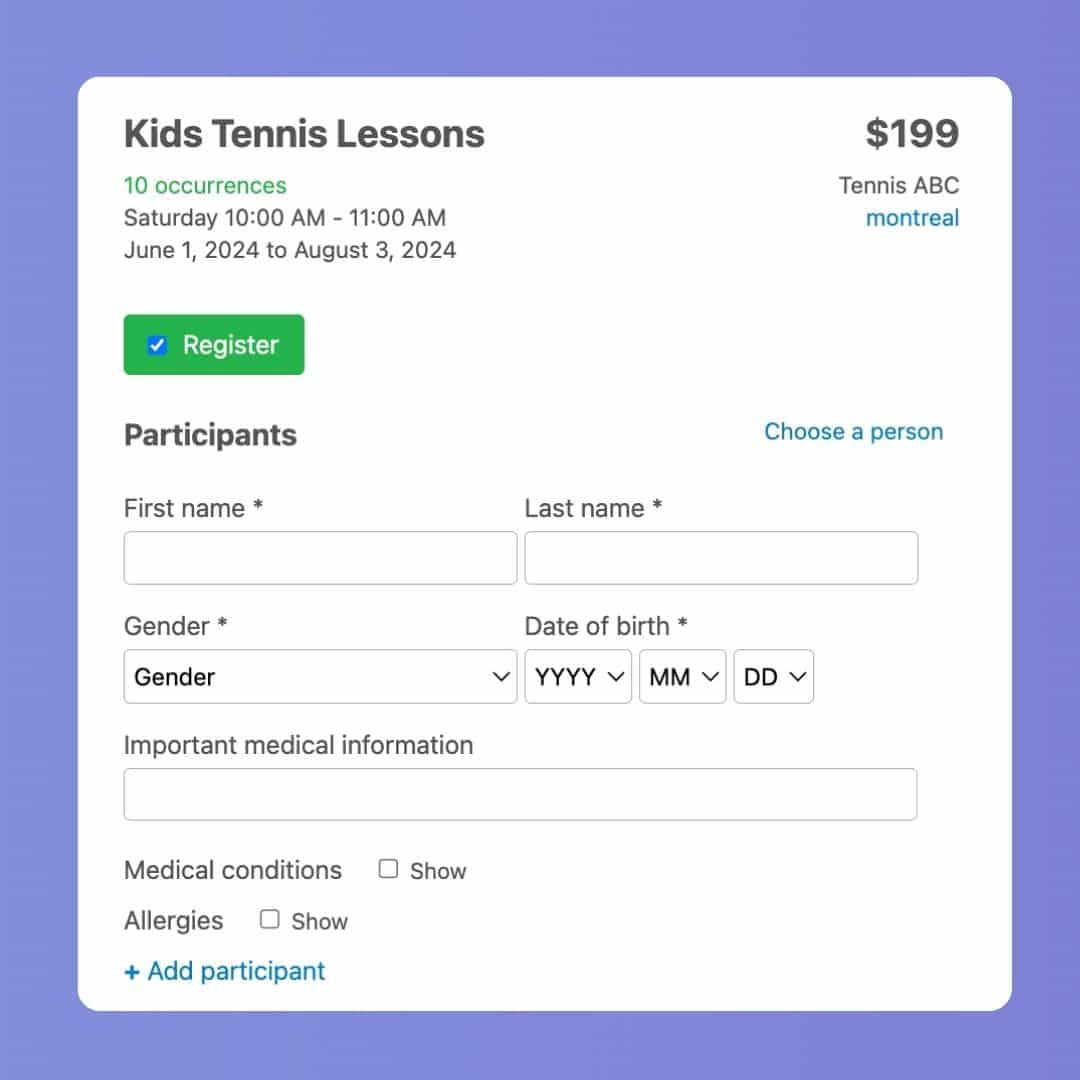
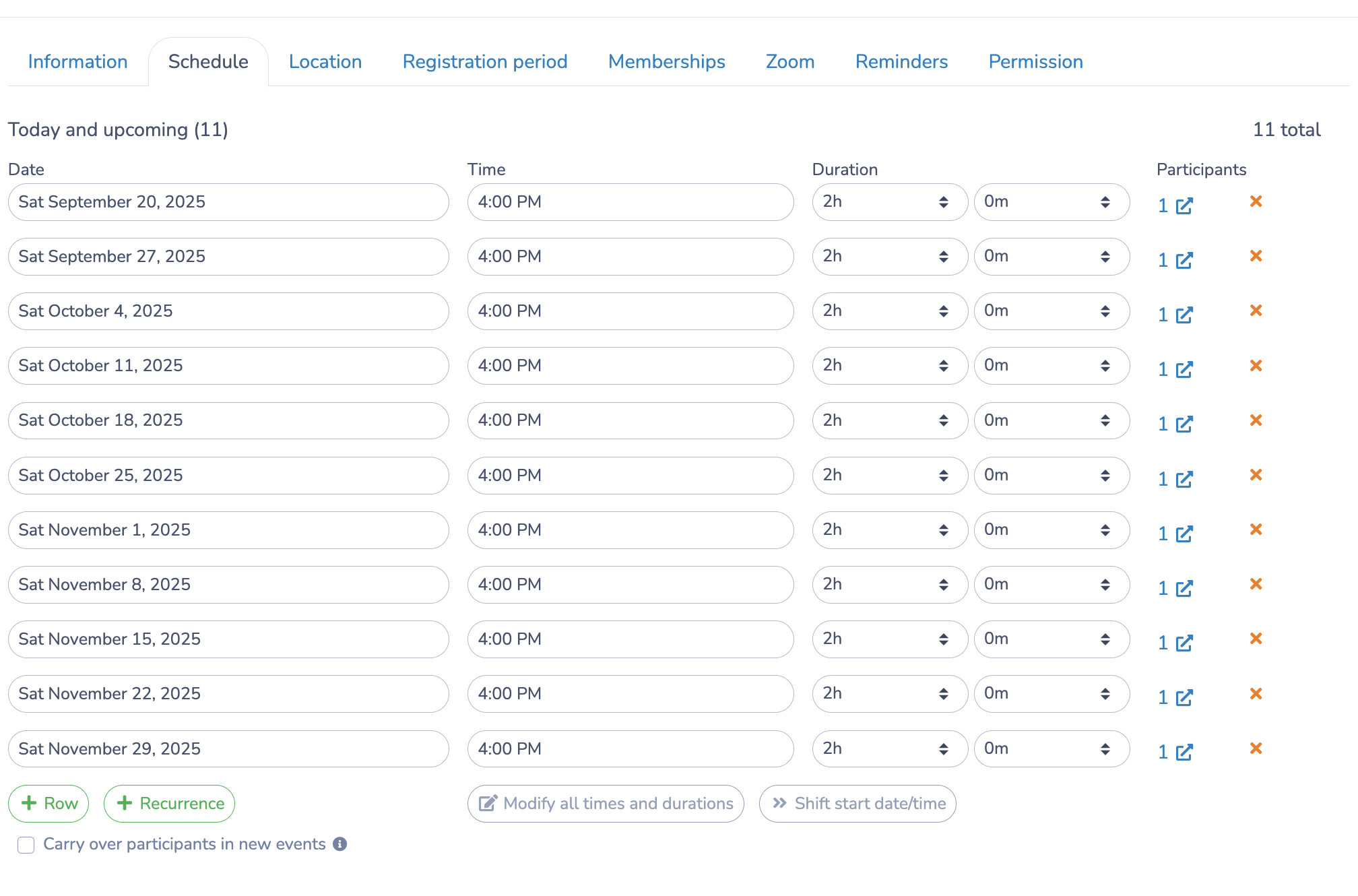
Why it stands out: Most private lesson platforms are built for one thing: booking. Activity Messenger is built for organizations that need booking alongside automated communications, program registrations, memberships, digital waivers, and attendance tracking.
If you’re a sports academy running private coaching alongside group clinics, or a recreation department offering swim lessons as part of a broader community calendar, it’s one of the few platforms that handles the full picture without pushing you toward four other paid tools to fill the gaps.
For organizations shopping for private lesson registration software that can also grow with them, Activity Messenger sits in a different category than the scheduling-only tools on this list. It handles both the lesson and the operation around it (payment collection, staff portals, communications, waivers), and does so at a price point that doesn’t assume an enterprise IT budget.
Key Features:
Pricing: $89–$199/month (Light, Premium, Pro, Enterprise plans)
Pros:
Cons:
💬 What our customers say:
“We have been working with Activity Messenger for almost two years now and we are so happy we were introduced to their product. We replaced both Mailchimp and Survey Monkey with Activity Messenger as well as continue to find new ways to utilize AM in our daily work. It’s such a robust and easy platform to use.” — Catherine D., Member Services Manager & Finance, Non-Profit Organization Management
“So far we’re just using the forms and registration features and our experience has been amazing. The team is incredibly helpful, I honestly cannot say enough about the customer service this company provides. The new forms I’ve built are beautiful (who knew forms could ever be beautiful!?) and the way it tracks the information that our participants provide has saved a ton of time. Our class teachers can check their registration and class lists directly as well, taking me out of the equation entirely. It’s fabulous.” — Annie C., Enrolment Coordinator, Education Management

Why it stands out: Sawyer was purpose-built for providers running children’s enrichment programs. If your private lesson business serves kids (music lessons, art classes, swim coaching, STEM tutoring), its parent-friendly interface and intuitive booking flow make it easy for families to navigate.
Key Features:
Pricing: Launch plan at 2%/transaction + processing fees; Grow at $169/mo (billed annually); Scale at $329/mo (billed annually); Enterprise pricing available
Pros:
Cons:

Why it stands out: Jackrabbit has earned a loyal following among studio operators. It was built specifically for dance, gymnastics, or martial arts studios, where class schedules are complex, instructors are multiple, billing is recurring, and attendance tracking is non-negotiable.
Key Features:
Pricing: From $49/mo (starting price; pricing is based on total student count at the end of each month)
Pros:
Cons:

Why it stands out: Amilia’s SmartRec platform is designed for organizations managing high volumes of registrations across multiple program types and facilities. For recreation departments, YMCAs, or larger academies that offer private lessons, it provides the registration infrastructure and payment workflows to keep it all organized.
Key Features:
Pricing: $99–$499/month (Standard, Advanced, and Custom plans)
Pros:
Cons:

Why it stands out: For independent instructors or small studios that need a clean, professional-looking booking page without the complexity of a full program management system, SimplyBook.me delivers a flexible experience. It won’t replace a full private lesson management software platform, but for solo operators, it’s a good starting point.
Key Features:
Pricing: Free tier; paid from $15/month (pricing scales by feature set and booking volume)
Pros:
Cons:

Why it stands out: Arlo occupies a different niche than the other platforms on this list. Rather than managing ongoing private lessons in the traditional sense, it’s built for structured training programs like corporate coaching, professional certification courses, technical workshops, and continuing education sessions.
Key Features:
Pricing: From ~$179/month (Simple), scaling to ~$293/month (Professional), $389month (Enterprise), and Scale (custom)
Pros:
Cons:

Why it stands out: Acuity is the no-fuss solution for the solo instructor who just needs clients to be able to book time, get a reminder, and pay without learning a complex platform. It integrates cleanly with Google Calendar, sends automatic confirmations, and handles intake forms so you can collect information before the first session.
Key Features:
Pricing: From ~$20 USD/month (Starter), scaling to ~$34 USD/month (Standard), $61 USD/month (Premium), and Enterprise (custom)
Pros:
Cons:
When evaluating platforms for your lessons, coaching practice, or studio, here’s what to look for before committing:
☑️ Online lesson booking with recurring support — Can clients book a standing weekly slot, not just a one-off appointment?
☑️ Automated email & SMS reminders — Are reminder notifications sent automatically, or does someone on your team have to trigger them manually?
☑️ Flexible payment processing — Does the platform support lesson packages, installment plans, and recurring billing — not just one-time transactions?
☑️ Multi-instructor scheduling — Can you manage individual availability, prevent double-booking, and see across your team’s calendars at once?
☑️ Digital waivers and intake forms — Are liability waivers, health forms, and client intake documents handled inside the platform or outsourced to a third-party tool?
☑️ Attendance tracking and no-show logging — Is there a clear record of who showed up, who cancelled, and who was a no-show?
☑️ Client self-serve access — Can clients view their upcoming lessons, make payments, and cancel or reschedule without contacting you directly?
☑️ Reporting dashboards — Can you see revenue by instructor, lesson type, or time period without exporting data to a spreadsheet?
☑️ Transparent pricing — Is the pricing clearly published, or will you only find out the full cost after a sales call?
☑️ Data security and compliance — Does the platform hold relevant certifications (SOC 2, PCI-DSS) to protect client and payment data?
☑️ Scalability — Will the platform still work well when you add a second location, three new instructors, and double the client volume?
👉 Offering private lessons? Our YouTube channel offers tips, tutorials, and feature walkthroughs to help you streamline business operations. Plus, our AMplify podcast offers additional insights from one of our founders, Olivier Rousseau.
Private lesson registration software manages the full lifecycle of a client-lesson relationship beyond appointments. Where a basic booking tool lets someone pick a time slot, lesson registration software handles recurring sessions, multi-instructor scheduling, payment processing, automated communications, attendance tracking, and client history, all in one platform. You start to feel the gap when you’re managing more than a handful of clients.
It depends on your complexity and client base. Tutoring practices are well served by Acuity Scheduling or SimplyBook.me, which are lightweight, affordable, and quick to set up. Sports academies, music schools, and arts studios typically have more moving parts. For those organizations, Activity Messenger, Sawyer (for youth-focused programs), or Jackrabbit are better fits as dedicated sports lesson management software.
Yes, the more robust platforms, including Activity Messenger, Jackrabbit, and Amilia, support fully automated recurring lesson management. This means a client books a standing weekly time slot once, and the system automatically carries it forward, sends reminders before each session, and processes payment on the agreed schedule. This eliminates the need to rebook each week manually, which adds up quickly when you’re running dozens of ongoing lessons.
The honest answer depends on your volume and complexity. If you’re a solo instructor with 10–15 clients and no staff, a simple tool like Acuity or SimplyBook.me is likely all you need. The moment you add a second instructor, layer in group programs, or need to track attendance and run financial reports, you’ll feel the limitations of a basic scheduler. Organizations managing 30+ active clients across multiple instructors almost always benefit from a platform with deeper functionality, such as Activity Messenger.
Look for a platform that handles both without requiring separate tools. Activity Messenger and Amilia both manage private lesson registrations alongside group program enrolments, memberships, and event management. This matters because running two separate platforms, one for individual bookings and one for group programs, means double the admin, double the payment reconciliation, and a fragmented client experience.
Multi-instructor environments have distinct needs: individual availability management, booking conflict prevention, per-instructor schedule visibility, and the ability to assign clients to specific instructors without overlap. You’ll also want attendance tracking that logs sessions by instructor, and financial reporting that breaks down revenue by staff member. Platforms like Jackrabbit, Activity Messenger, and Amilia are built with these multi-staff scenarios in mind.
Choosing the best private lesson registration software comes down to the size of your operation and which workflows are costing you the most time.
Here’s a quick breakdown:
Before committing, request a demo and test the booking flow from a client’s perspective. The best software is the one your staff will actually use, and your clients won’t abandon halfway through sign-up.
💡 Looking to simplify private lesson management? Book a demo with Activity Messenger to see how organizations streamline registrations, payments, and communications in one modern platform.