Birthday parties are a big opportunity: they bring in revenue, attract new families, and showcase your programs. But they can also be stressful to plan, manage, and deliver.
In this webinar, Olivier (co-founder at Activity Messenger) shares strategies to promote parties, streamline bookings, and automate repetitive admin so your staff can focus on creating a fun experience for everyone.
From boosting visibility and filling your calendar to reducing last-minute headaches and ensuring parents leave raving about the experience, you’ll walk away with a clear playbook for running birthday parties that practically market themselves.
Key Takeaways:
- Make your birthday offering visible where parents already visit (website, social, front desk QR codes).
- Use targeted email automations timed 6–8 weeks before a child’s birthday to increase bookings.
- Offer clear online booking with calendar rules, deposits, and automated balance collection to reduce no‑shows and administrative work.
- Send personalized invitations that let guests confirm attendance and sign waivers before the party.
- Use digital attendance lists and QR check‑in to simplify day‑of operations.
- Follow up after the party with a thank you and a conversion offer to turn guests into returning customers.
Table of Contents
- Why Birthday Parties Matter
- Make Your Offering Visible
- Simplify Booking With an Online Form and Calendar Rules
- Collect Payments Reliably: Deposits and Automated Balances
- Personalized Invitations, RSVP Tracking, and Waivers
- Day‑of Check‑in and Real‑time Attendance
- Post‑party Follow‑up: Convert Guests Into Clients
- How Activity Messenger Supports These Workflows
- Practical Checklist To Get Started
- Conclusion: Parties That Practically Run Themselves
This webinar is inspired by insights from Olivier Rousseau, co-founder of Activity Messenger, who brings over twelve years of experience in online registration for kids’ sports programs.
1. Why Birthday Parties Matter
Birthday parties are often scheduled during otherwise underused hours (such as weekend afternoons) and can help you maximize space and staff utilization. More importantly, parties bring new families through your doors—many will see your programs for the first time and may convert into regular participants.
2. Make Your Offering Visible
Visibility is the first marketing hurdle. Parents won’t book a party if they don’t know you offer them. Promote parties across multiple channels:
- A booking page on your website that’s easy to find.
- Regular social posts showcasing past parties and available packages.
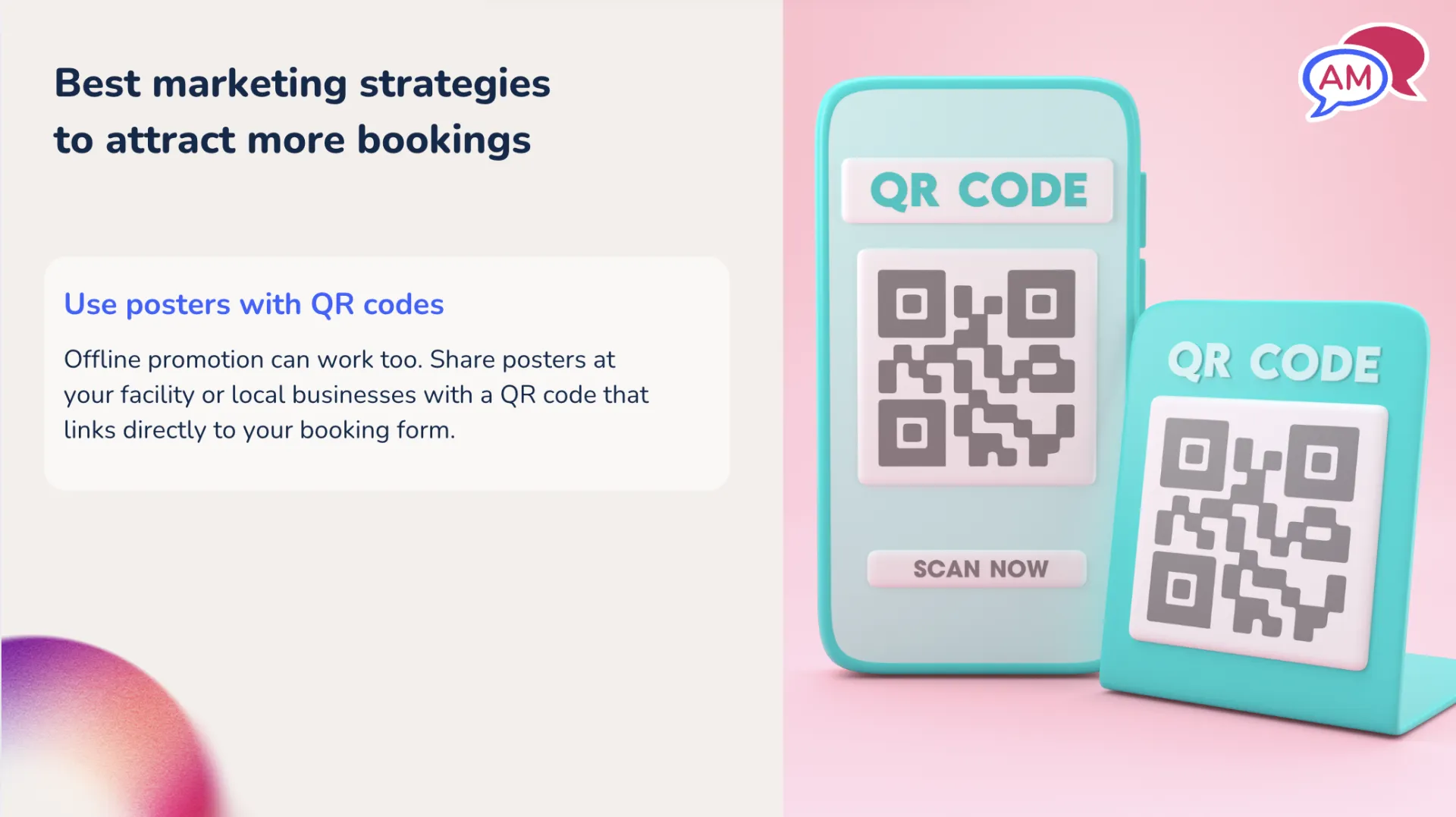
- QR codes at the front desk or on posters are perfect while parents watch classes.
“You want parents to feel excited and be able to reserve their spot in just a few clicks — not wait until they get home to a computer.”
3. Simplify Booking With an Online Form and Calendar Rules
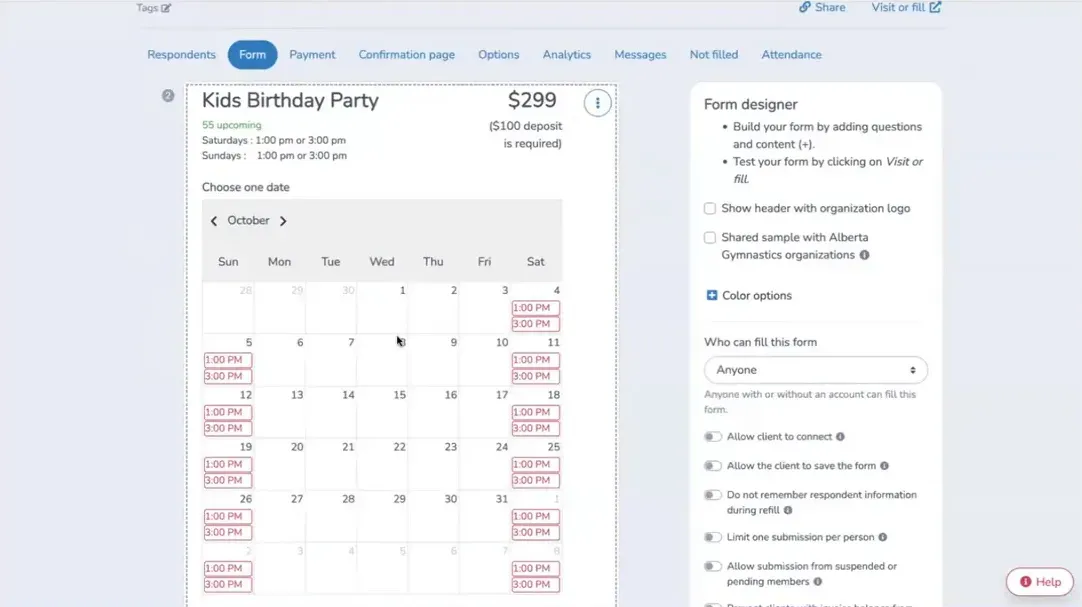
Make booking happen in just a few clicks. An up‑to‑date calendar with clear rules reduces confusion and prevents double bookings:
- Create a dedicated party booking form with images, package options, and add‑ons (cake, decorations, extra staff).
- Offer fixed time slots (for example, Saturdays and Sundays at 1:00 and 3:00 PM) and limit the number of simultaneous bookings.
- Set booking windows to prevent bookings too far in advance and block last‑minute slots if you need lead time for staffing and setup.
4. Collect Payments Reliably: Deposits and Automated Balances
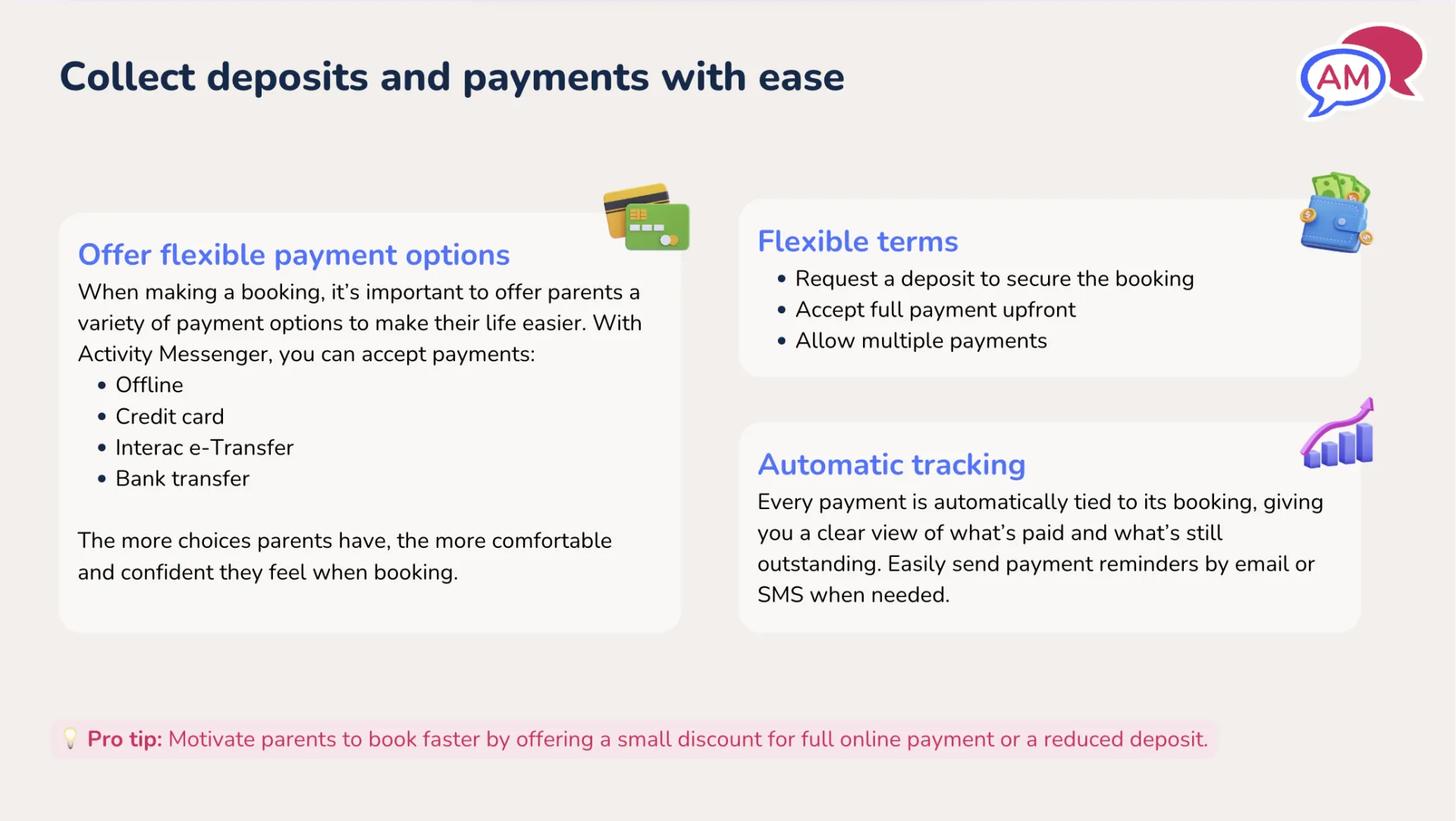
Decide how you want to accept payment and automate follow-up to reduce chasing parents:
- Take deposits via card to lock in the date. Example: $100 deposit on a $300 party.
- Automated balance collection by scheduling an automatic charge 7–14 days before the event for the remaining amount.
- If you accept offline payments, notify staff and move to paid status only after confirmation. Then send a payment link to finalize the booking.
- Use SMS for fast troubleshooting when a payment fails (expired card, etc.).
5. Personalized Invitations, RSVP Tracking, and Waivers
Close the gap between booking and the event by giving the booking parent a ready‑to‑send invitation:
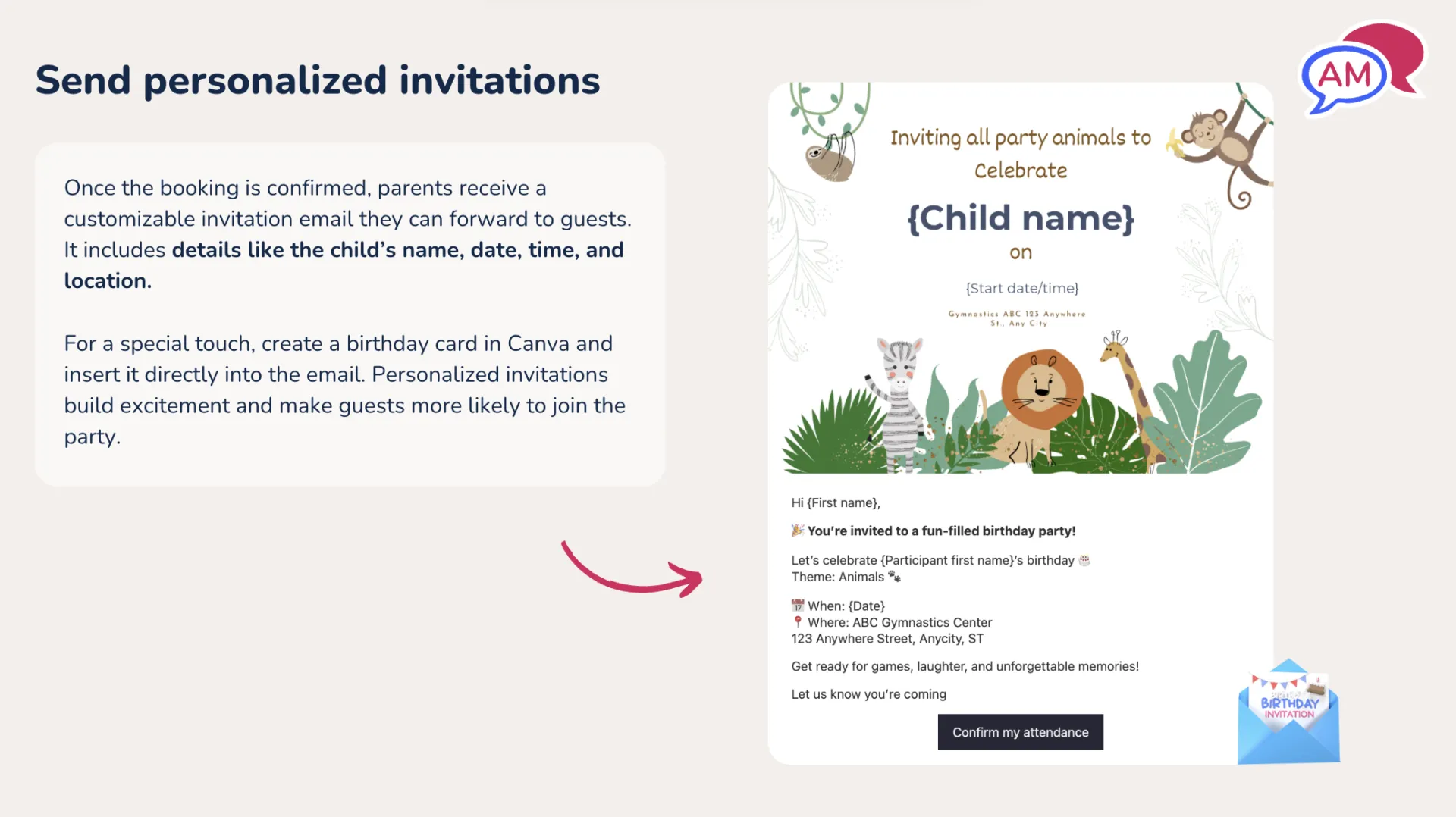
- Send a template invitation that uses placeholders (child’s name, date/time, location) that the parent can forward to guests.
- Include a clear “Count me in” or “Confirm my attendance” button that takes recipients to an RSVP linked to the event.
- Require guests to sign an online waiver as part of RSVP—only those who complete the waiver appear on the attendance list.
The benefits:
- You get a live, shareable attendance list to plan staff, food, and space.
- You collect waivers before arrival, minimizing paperwork and safety risk.
- Parents can see who’s coming, creating excitement and reducing last‑minute surprises.
“Giving parents ready-to-use invitations with your branding makes them feel supported and saves them hours of work.”
📌 Read More: Check out our blog “How To Create Digital Waivers for Kids’ Birthday Parties” for a step-by-step guide to creating waivers specifically for birthday parties!
6. Day‑of Check‑in and Real‑time Attendance
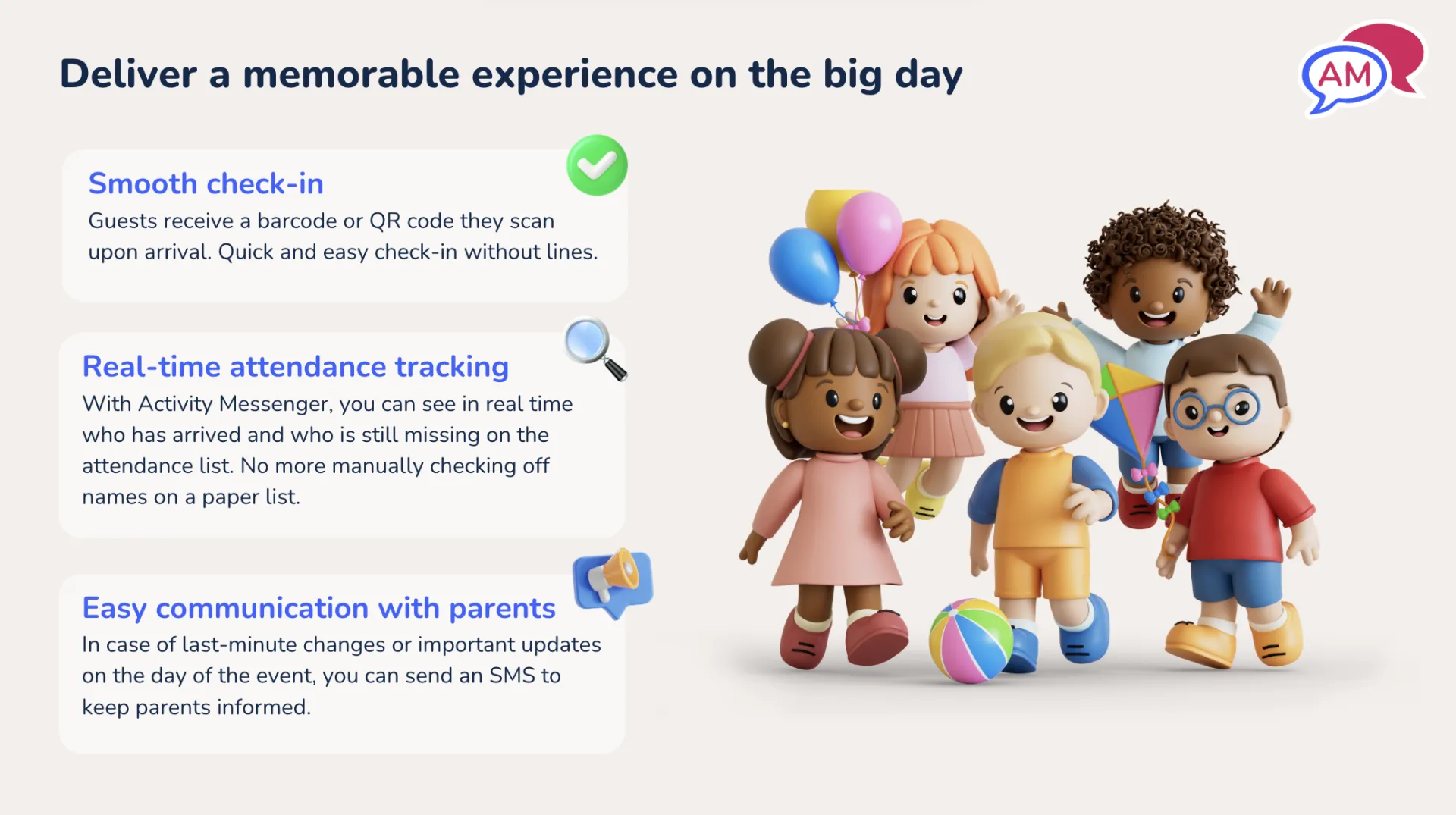
Smooth check‑in is essential for a calm party experience. Use digital tools to speed the process:
- Display the event attendance list to staff so they can check guests in quickly.
- If a guest arrives without an RSVP, staff can present a QR code for on‑the‑spot waiver signing and immediate check‑in.
- Track who is actually present in real time—if fewer kids show up than expected, you can adapt the schedule (start later, change activities) instead of discovering issues mid‑party.
- Use day‑of messaging (SMS or email) to inform parents of last‑minute changes, traffic, or detours.
7. Post‑party Follow‑up: Convert Guests Into Clients
The party is a marketing moment—follow up while the experience is fresh:
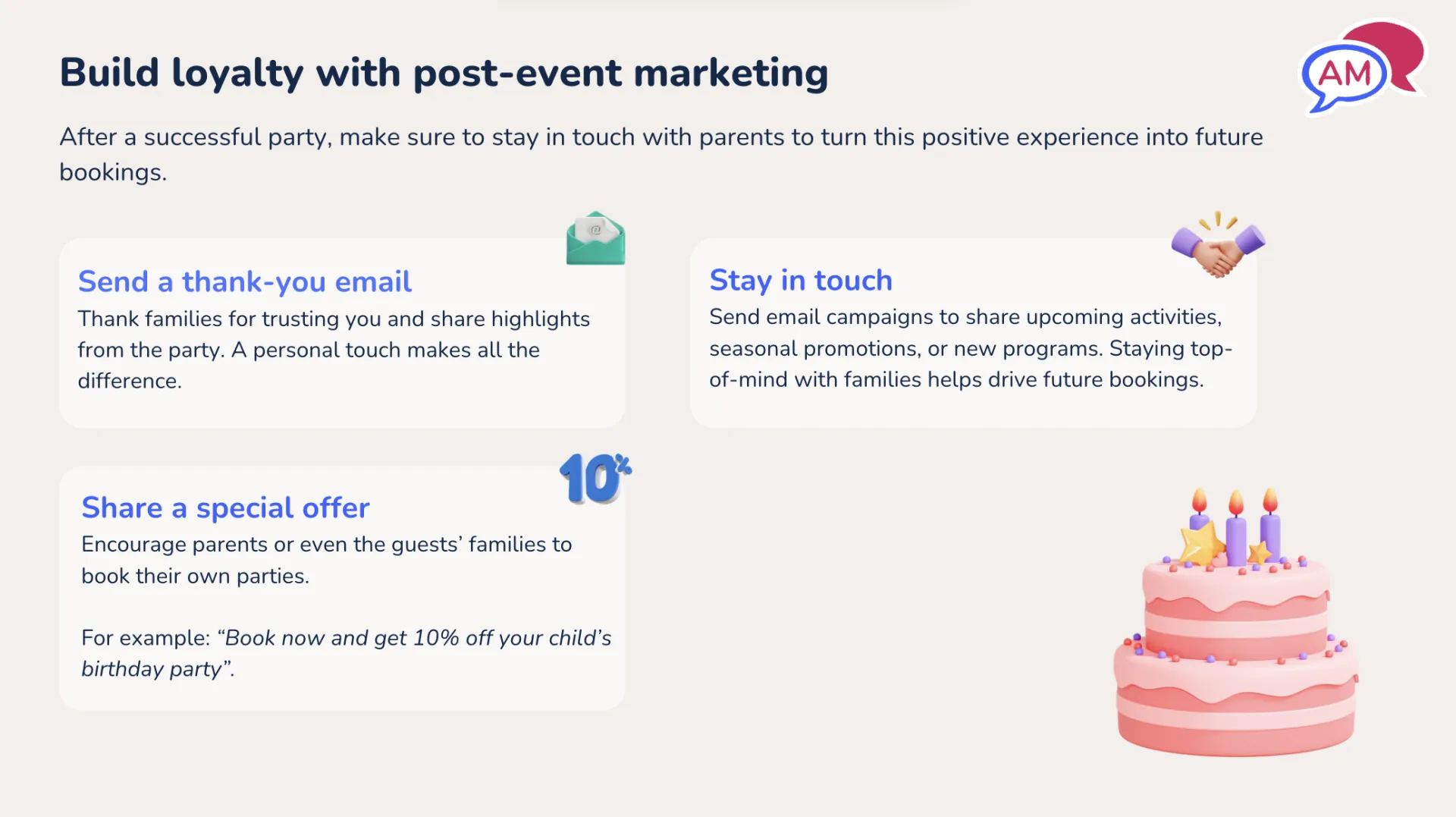
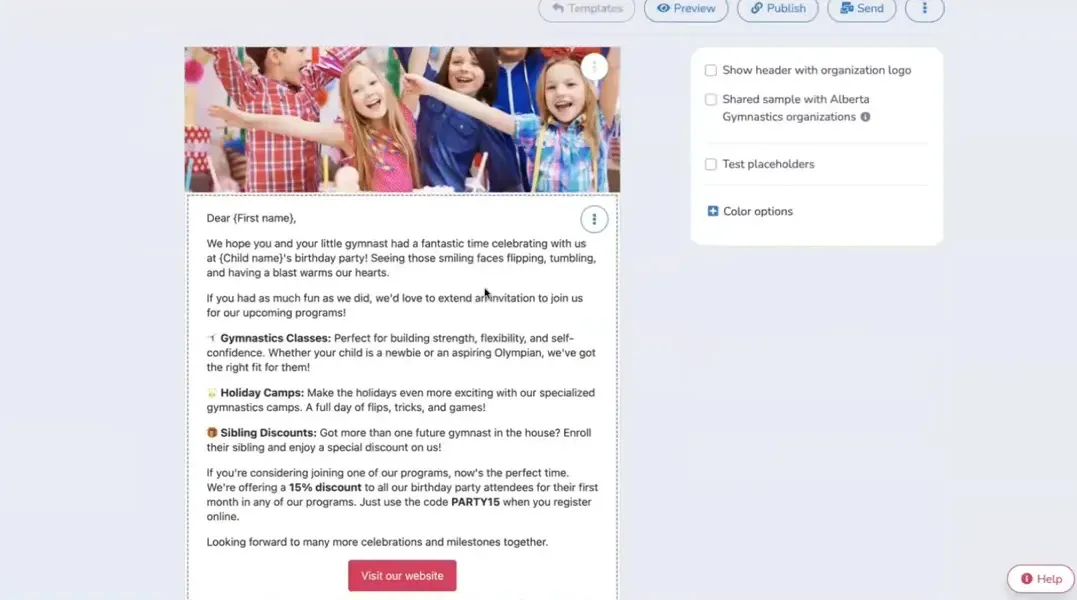
- Send a thank you email to attendees (and their families) after the party.
- Include a targeted offer (e.g., 15% off classes, camps, or the next birthday) to encourage repeat visits.
- Automate an annual birthday message to your existing account holders as a friendly touch and soft promotion.
How Activity Messenger Supports These Workflows
Activity Messenger’s approach shows how a single tool can manage the full party lifecycle:
- Drag‑and‑drop booking form builder with calendar rules and add‑on options.
- Automations for targeted email outreach (age-based segmentation), confirmation emails, and invitation messages.
- Payment workflows supporting deposits, automated balance charging, offline payment flags, and payment failure alerts via SMS.
- RSVP → waiver → attendance list flow that gives organizers real‑time visibility and simplifies day‑of check‑in.
- Post-event automations for thank-you messages and promotional follow-ups.
Practical Checklist To Get Started
☑️ Create a clear party package and publish a booking page on your website.
☑️ Set up an online booking form with calendar rules, capacity limits, and add‑ons.
☑️ Decide payment flow: deposit + automated balance or offline verification. Configure automated reminders for failed payments.
☑️ Build an invitation template with placeholders and an RSVP button that links to waiver signing.
☑️ Place QR codes at your facility for quick access to party info and on‑site waivers.
☑️ Train staff on digital check‑in and how to present a QR waiver for walk‑ups.
☑️ Schedule a post‑party email with a targeted offer to convert guests into returning families.
Conclusion: Parties That Practically Run Themselves
Birthday parties don’t have to feel overwhelming. With the right systems in place, like simple booking flows, reliable payment collection, automated invitations, and waivers, you can turn what used to be a stressful process into a smooth, repeatable experience.
The result? Happier parents, more efficient staff, and parties that generate both revenue and long-term clients for your programs.
To see these automations in action, watch the full webinar recorded by Activity Messenger or book a demo for a personalized walkthrough.
💡 Missed the live discussion? Sign up for our monthly newsletter for sneak peeks at upcoming webinars, instant access to webinar registration, and other tips for managing your organization with Activity Messenger.