We’re constantly improving Activity Messenger to better support your day-to-day operations. This February, we’ve introduced several new features and enhancements:
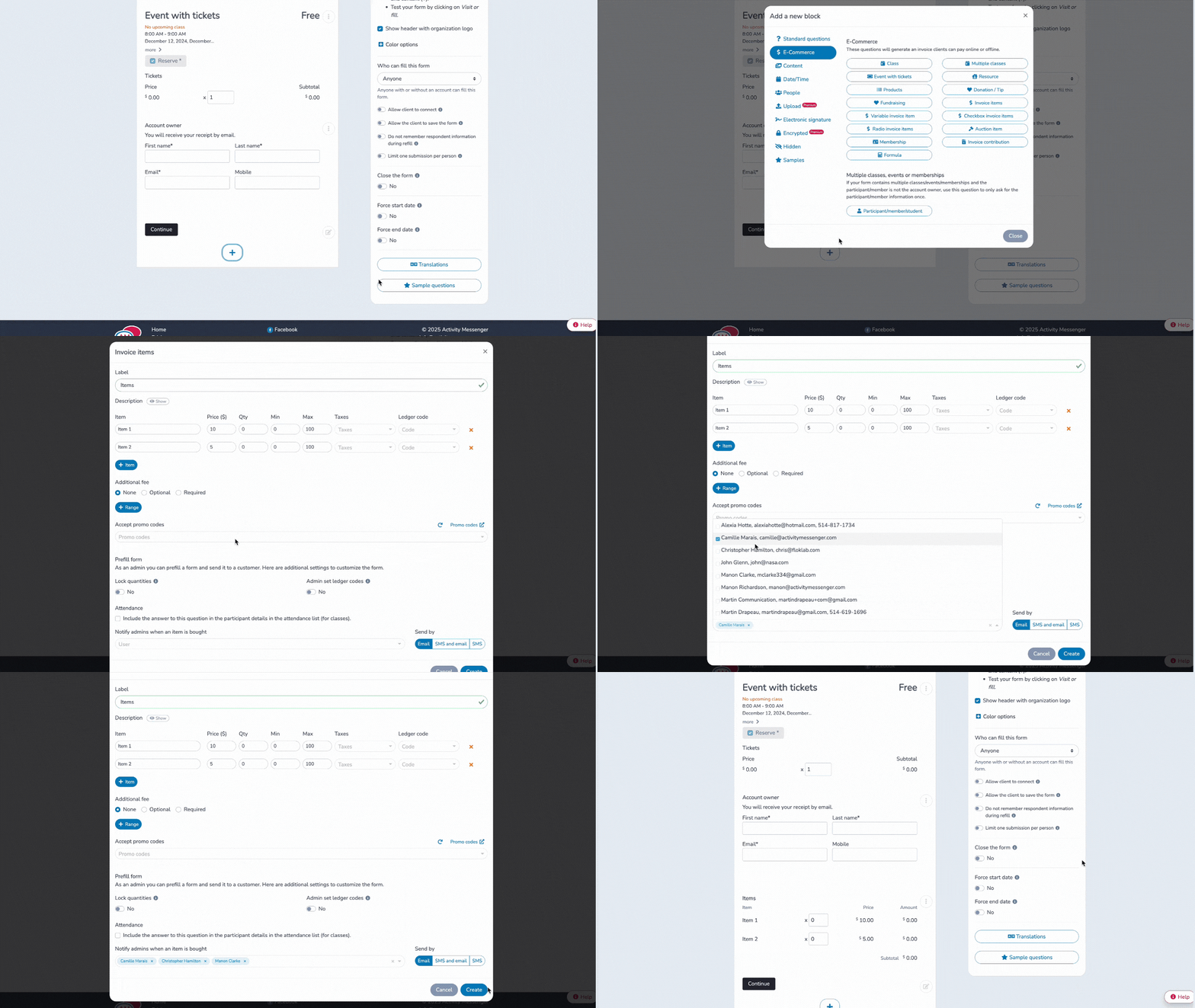
Selling shirts, bottles, caps, or other branded items through your organization? Even if merchandising isn’t your core activity, it can help build team spirit, boost visibility, and raise funds for events.
To make things easier, you can now automatically notify an administrator as soon as an item is sold. This feature helps you to:
Would you like to find out more about sales management with Activity Messenger? Make an appointment with our team
Tired of managing never-ending waitlists? We’ve added two new options to help you streamline the way they work:
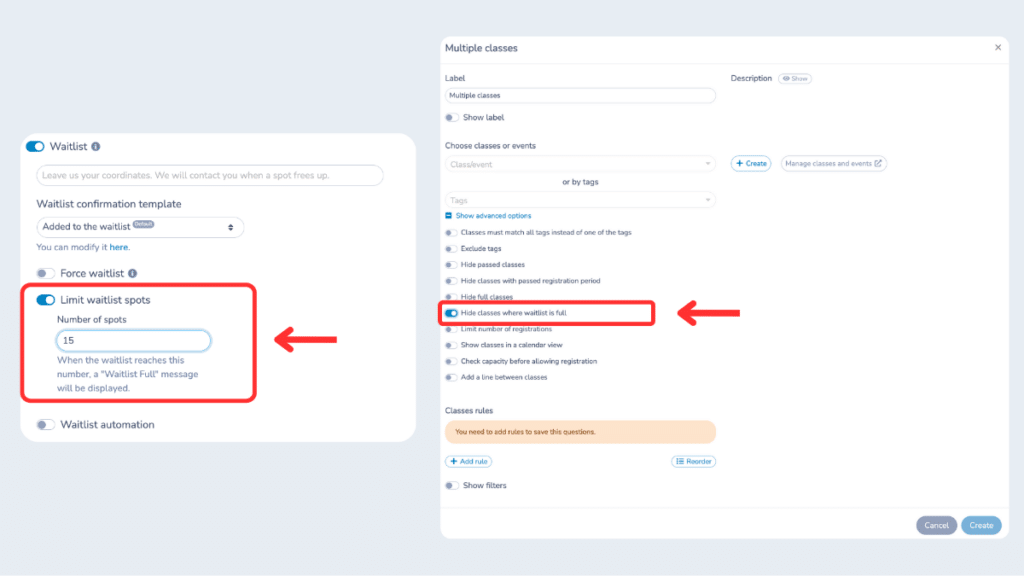
These improvements give you more control over your programs and create a smoother experience for families and participants.
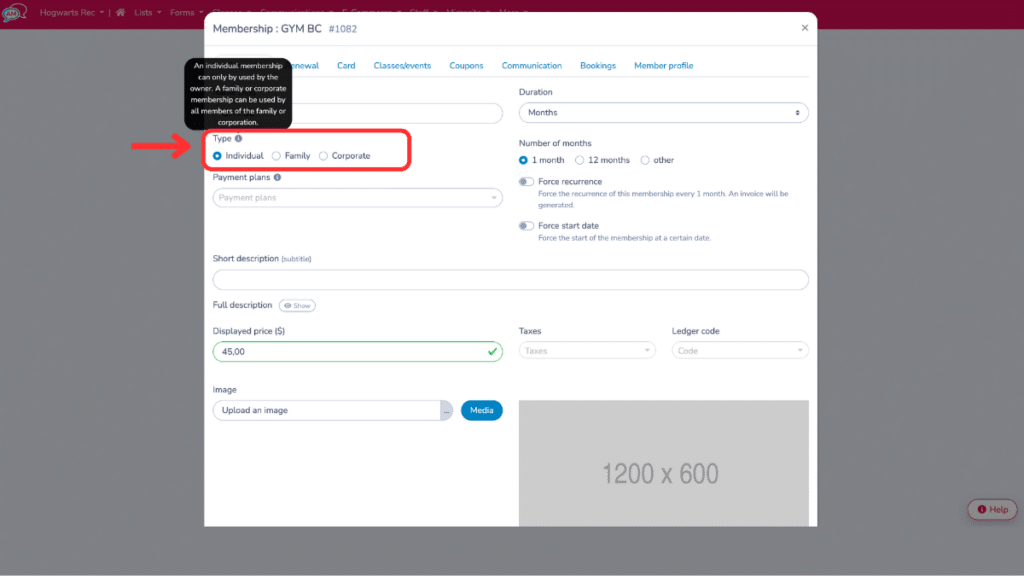
Every organization has different membership needs. That’s why you can now create individual, family or corporate membership cards directly in Activity Messenger:
What’s more: during group registrations, Activity Messenger now automatically fills in member names based on the email address, saving time and reducing errors.
📖 Also read: How to create an online membership form?
Need one person to choose the activity and another to pay? That’s now possible, thanks to a new “relay” question in your forms. Here’s how it works:
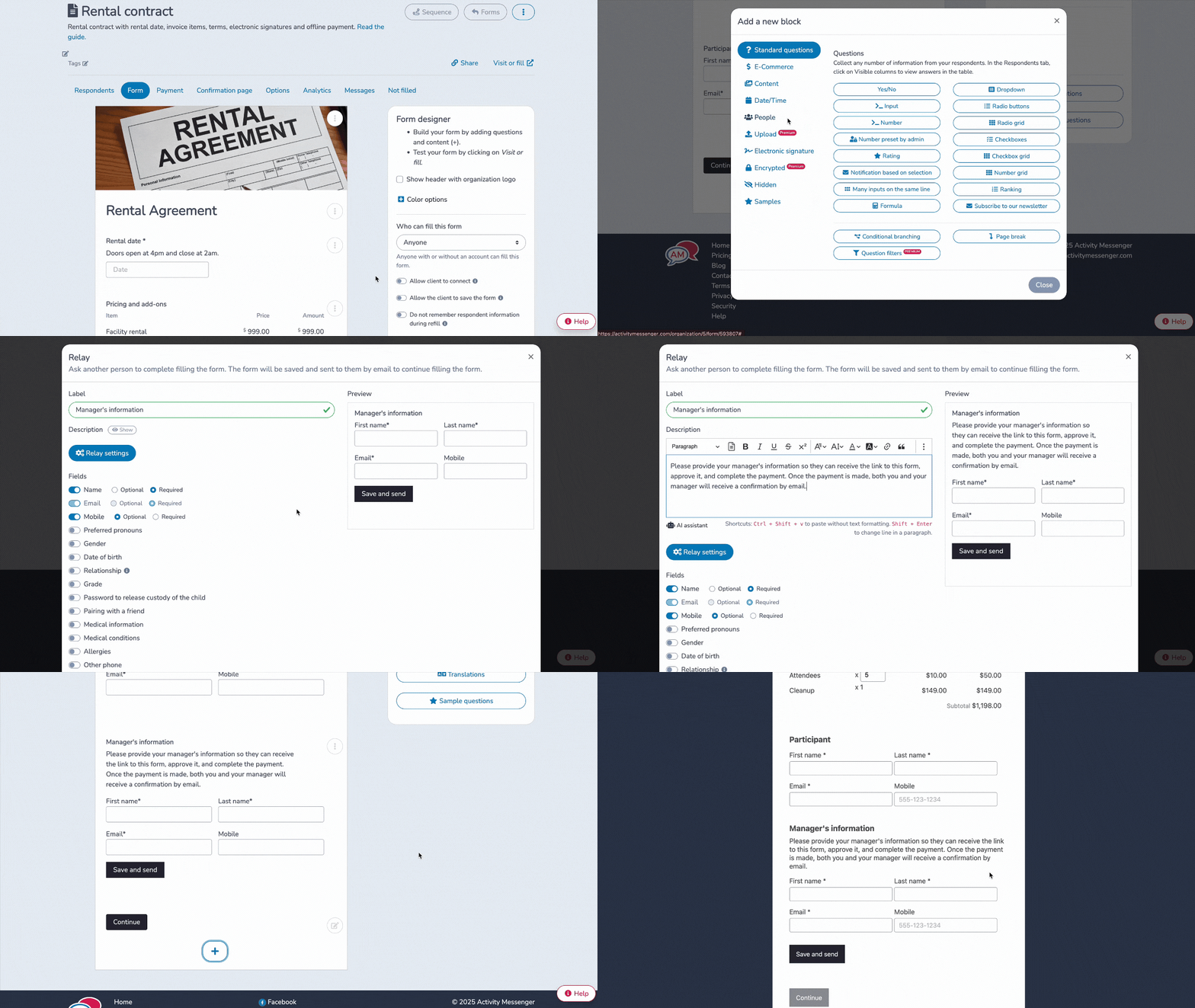
Each person gets a confirmation and a PDF invoice once the registration is complete. This is a great solution for schools, companies, or families where multiple people are involved in the process.
In addition to the main updates above, here are a few more improvements that were released in February:
Join the growing number of organizations that trust Activity Messenger to simplify their operations. Book a free demo today and see how we can help you save time and grow faster!