
Running a sports club means juggling a lot, and your booking system shouldn’t add to the chaos. The good news: you can simplify court bookings in a single afternoon, without managing multiple spreadsheets, playing phone tag with your participants, or risking double bookings.
Whether you manage tennis court bookings, pickleball court bookings, or a multi-sport facility, this guide walks you through how a purpose-built system like Activity Messenger handles everything from court scheduling to add-ons, member logic, digital waivers, and online payments.
Key Takeaways:
- One seamless booking flow for your clients. Members land on your page, pick a time slot, choose a court, fill out a short form, sign a digital waiver, and pay online. The whole process takes a few minutes, and they walk away with an email confirmation that includes their receipt and a copy of the waiver.
- Double bookings become a thing of the past. The moment a time slot is reserved, it’s locked. No back-and-forth emails, no overlapping bookings, no awkward conversations at the front desk.
- Pricing rules are fully configurable. Set different rates for members and non-members, charge more during peak hours or on weekends, and create seasonal pricing windows. You can go as specific as you need without managing it manually.
- Upsell extras right at checkout. Offer ball rentals, racquet hire, warm-up lessons, or drinks as optional add-ons during the booking flow. Clients opt in with a click, and the revenue adds up without any extra effort on your end.
- Members get rewarded with earlier booking access. Premium members can book a week out, basic members a couple of days, and non-members can book same-day only. It’s a simple but effective way to drive membership upgrades automatically.
- You’re not locked into one payment method. Accept credit cards via Stripe, cash or card at the desk, Interac e-Transfer, or set certain clients up to pay later. Whatever works for your club and your members.
- Cancellations, waitlists, and notifications run themselves. When someone cancels, their spot automatically opens back up. If there’s a waitlist, the next person on the list gets a text and can claim the slot instantly. No admin work, no missed revenue.
Table of Contents
- The Typical Booking Flow (What Clients Experience)
- The Admin Side: Full Control Over Your Booking Rules
- Add-Ons and Upsells at Checkout
- Payment Options: Total Flexibility
- Prioritized Booking for Members
- Final Thoughts: You Deserve a Booking System That Works for You
🎾 When it comes to tennis lesson registration forms, generic form builders are not ideal. That’s why Activity Messenger developed a custom form builder specifically for the unique needs of pickleball and tennis clubs.
The Typical Booking Flow (What Clients Experience)
Here is what tennis or pickleball court bookings look like for your members using Activity Messenger from start to finish:
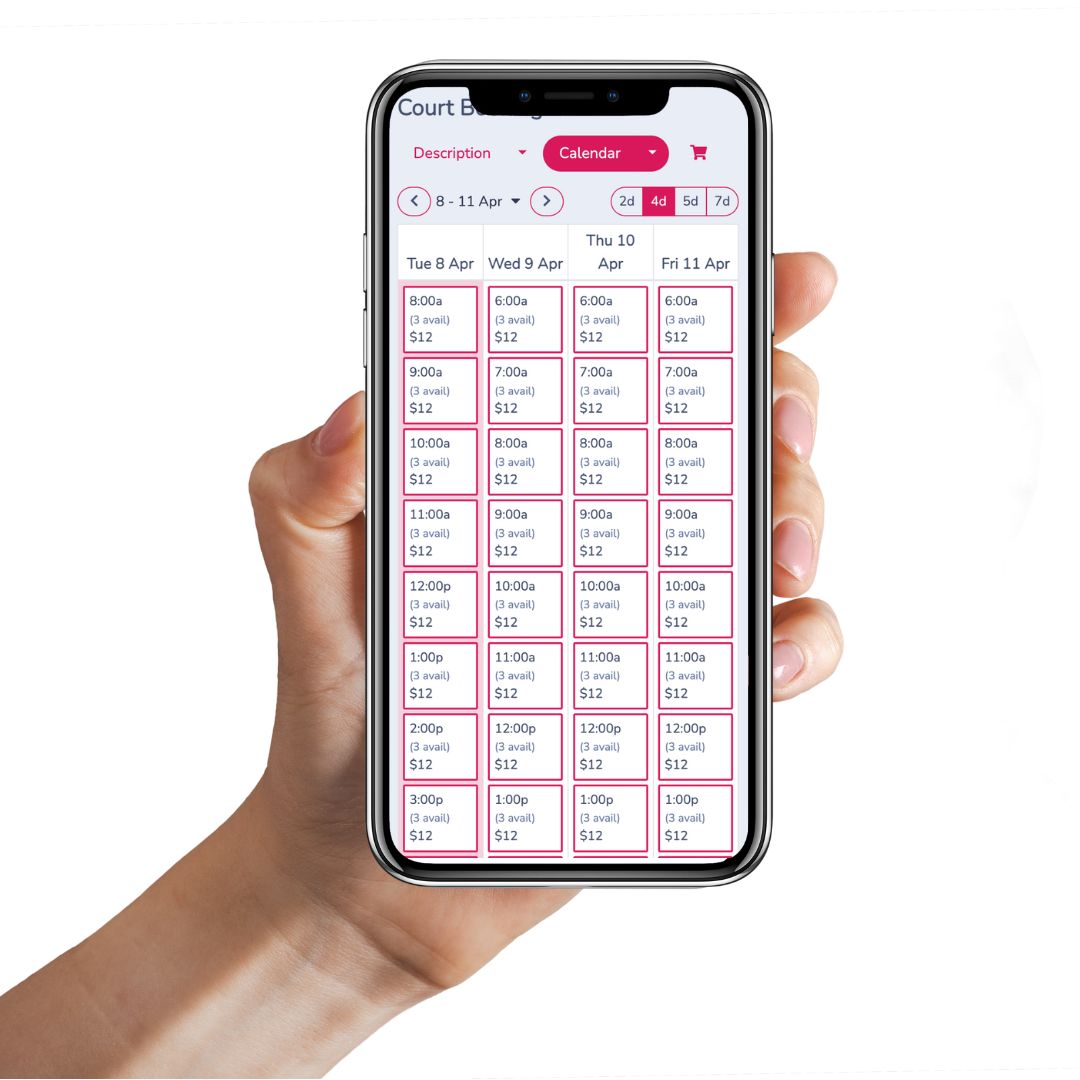
Step 1: Choose a time and court. Clients land on your booking page and see only what is available based on your schedule. Once a slot is taken, it disappears. Whether you have 3 courts or 20, clients can select a specific one (Court #2, 8:00 to 9:00am) or let the system assign one automatically.
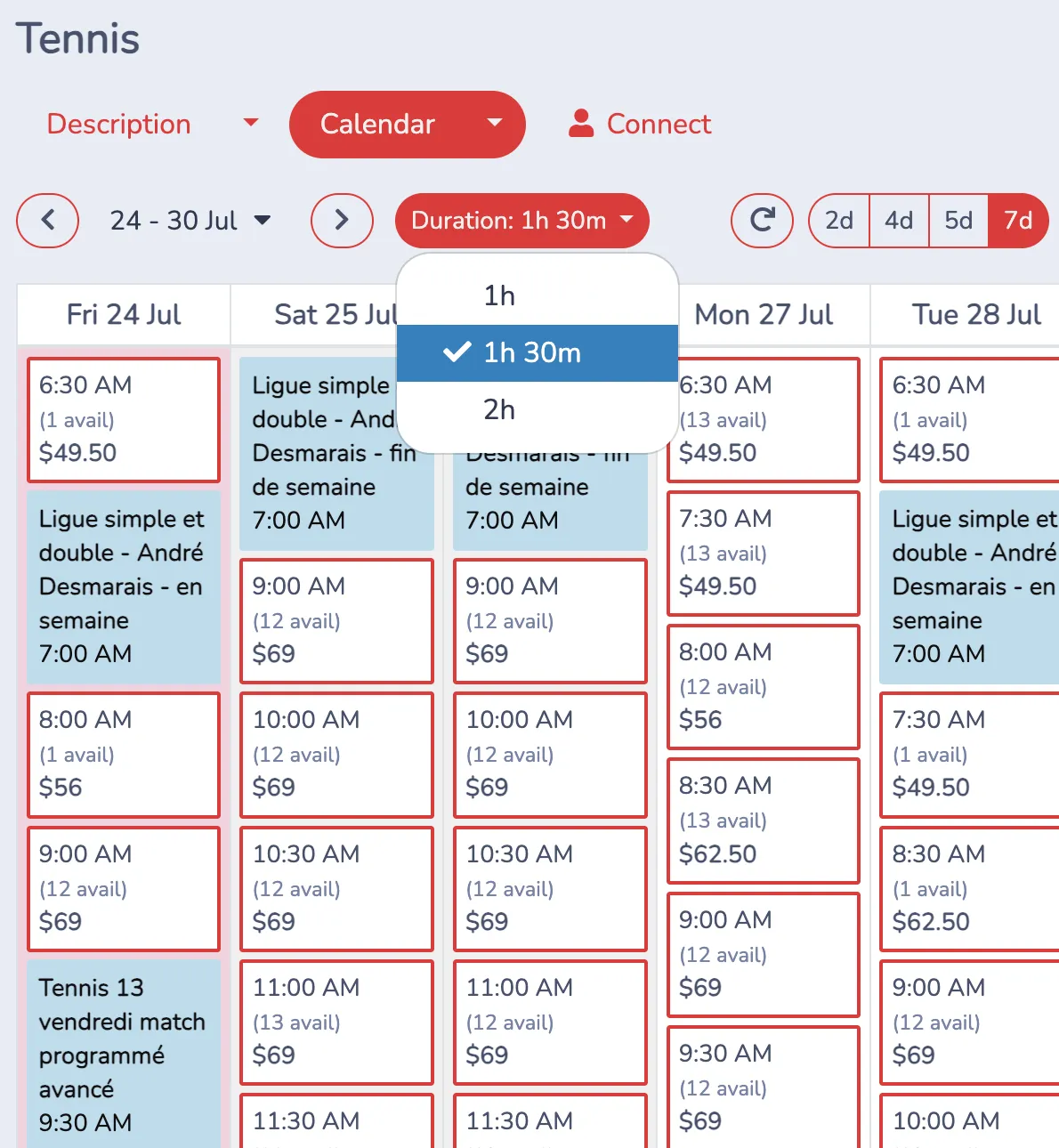
If you offer court time or lessons in more than one length, clients can switch between them using the Duration dropdown, which updates the calendar view instantly to show availability for that length, whether it’s 1 hour, 1.5 hours, or 2 hours.
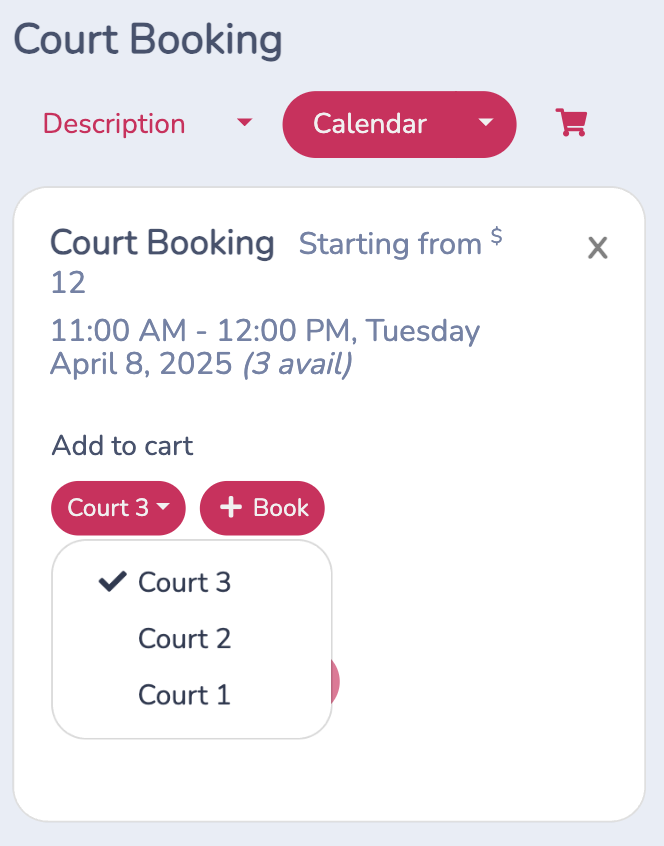
Step 2: Customize their session. Collect the details you actually need: number of players, singles vs. doubles, emergency contact. Keep it short or make it thorough.
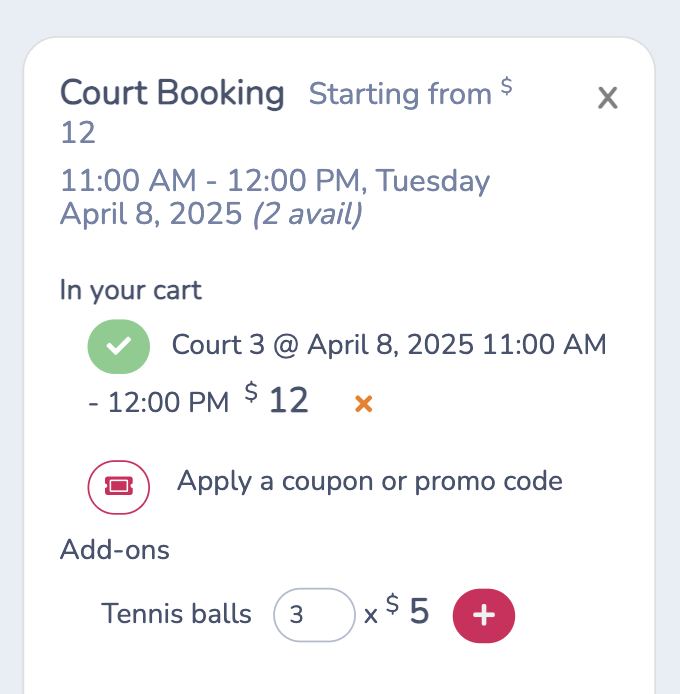
Step 3: Add extras at checkout. Optional add-ons like tennis balls, racquet rentals, or a warm-up lesson appear right at checkout, no extra steps needed.
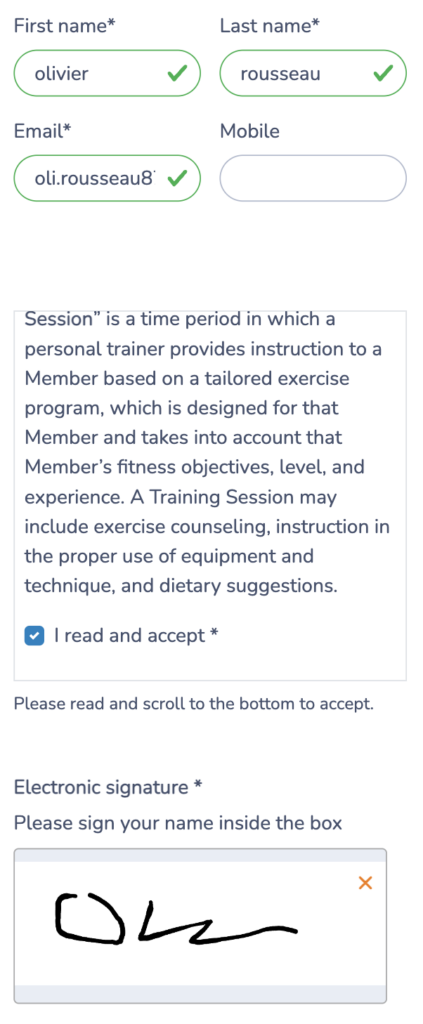
Step 4: Sign your waiver digitally. Whether it is a simple liability waiver or multi-page terms, clients sign digitally before completing their booking. No more chasing paper forms.
Step 5: Pay and confirm. Clients choose their payment method and receive an instant email confirmation with their receipt and a copy of the signed waiver. You can accept credit cards, offline payments (pay at the desk), or even Interac e-Transfer.
💡 Want to start a tennis club or academy from scratch? Read our step-by-step guide to opening a new tennis club.
The Admin Side: Full Control Over Your Booking Rules
This is where simplifying court bookings really pays off. Instead of manually managing schedules, Activity Messenger lets you configure your business rules once and automate everything else.
Booking Hours and Lead Times
- Set open hours (e.g. 7:00 am to 9:00 pm weekdays, different hours on weekends)
- Block specific holidays or dates
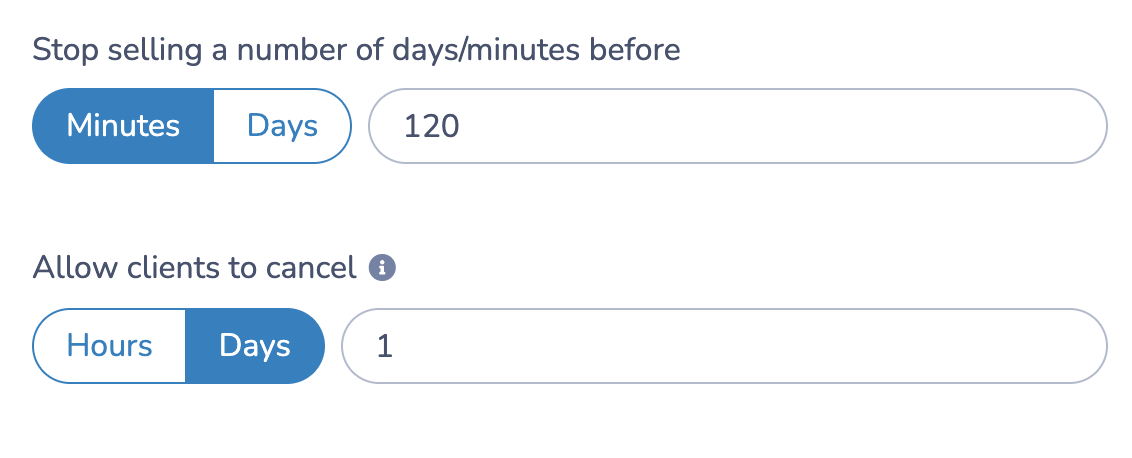
- Stop bookings 2 hours before a session to give your team time to prepare
Cancellations on Autopilot
- Define how far in advance clients can cancel
- Let them cancel via their confirmation email or client account
- Automatically free up the slot for the next person
Flexible Pricing
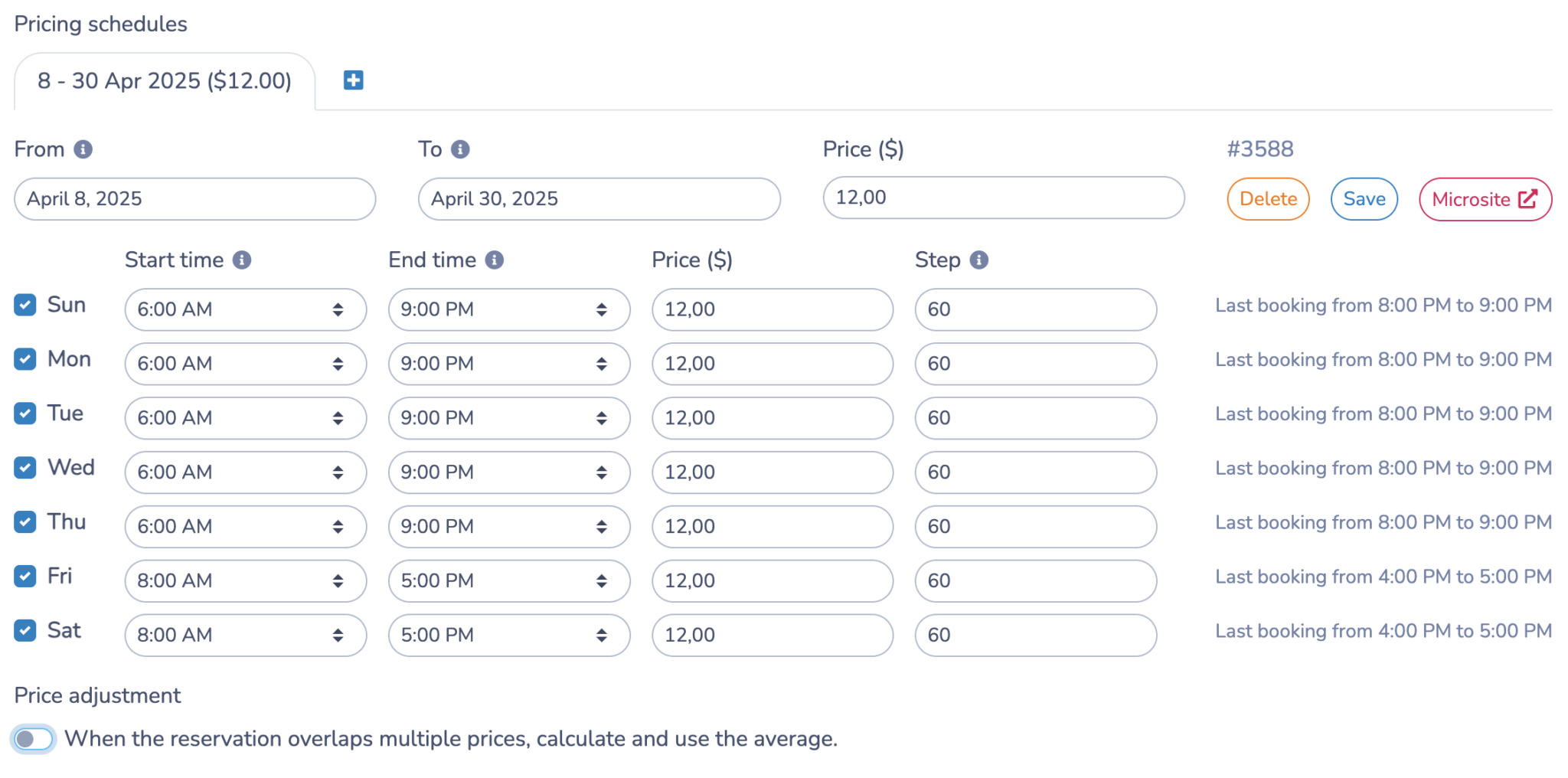
- Seasonal rates (e.g. $12/court March through October, higher in peak season)
- Peak/off-peak pricing for evenings and weekends
- Member vs. non-member rates
Variable Package Durations
Previously, offering court time in different lengths meant building a separate package for each one: Tennis 1h, Tennis 1.5h, Tennis 2h, each with its own setup and pricing. Now those combine into a single package with multiple duration options built in. Clients pick their length from a Duration dropdown on the microsite, and the calendar updates to show what’s available for that length. One package to manage instead of three.
Resource Management
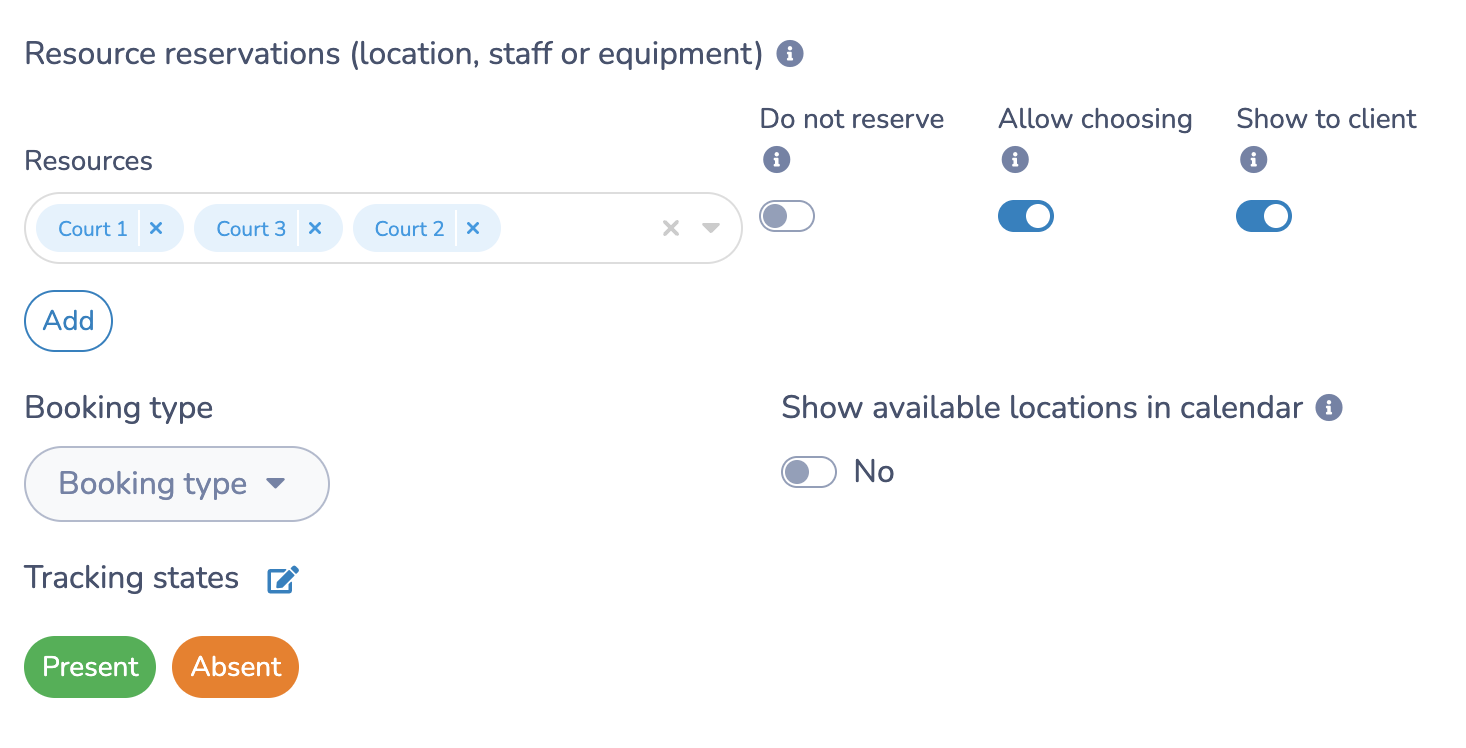
Create a “resource” for each court and set availability per resource. The system handles the rest to prevent overbooking. Let clients choose a court, or assign it automatically.
Customized Court Bookings
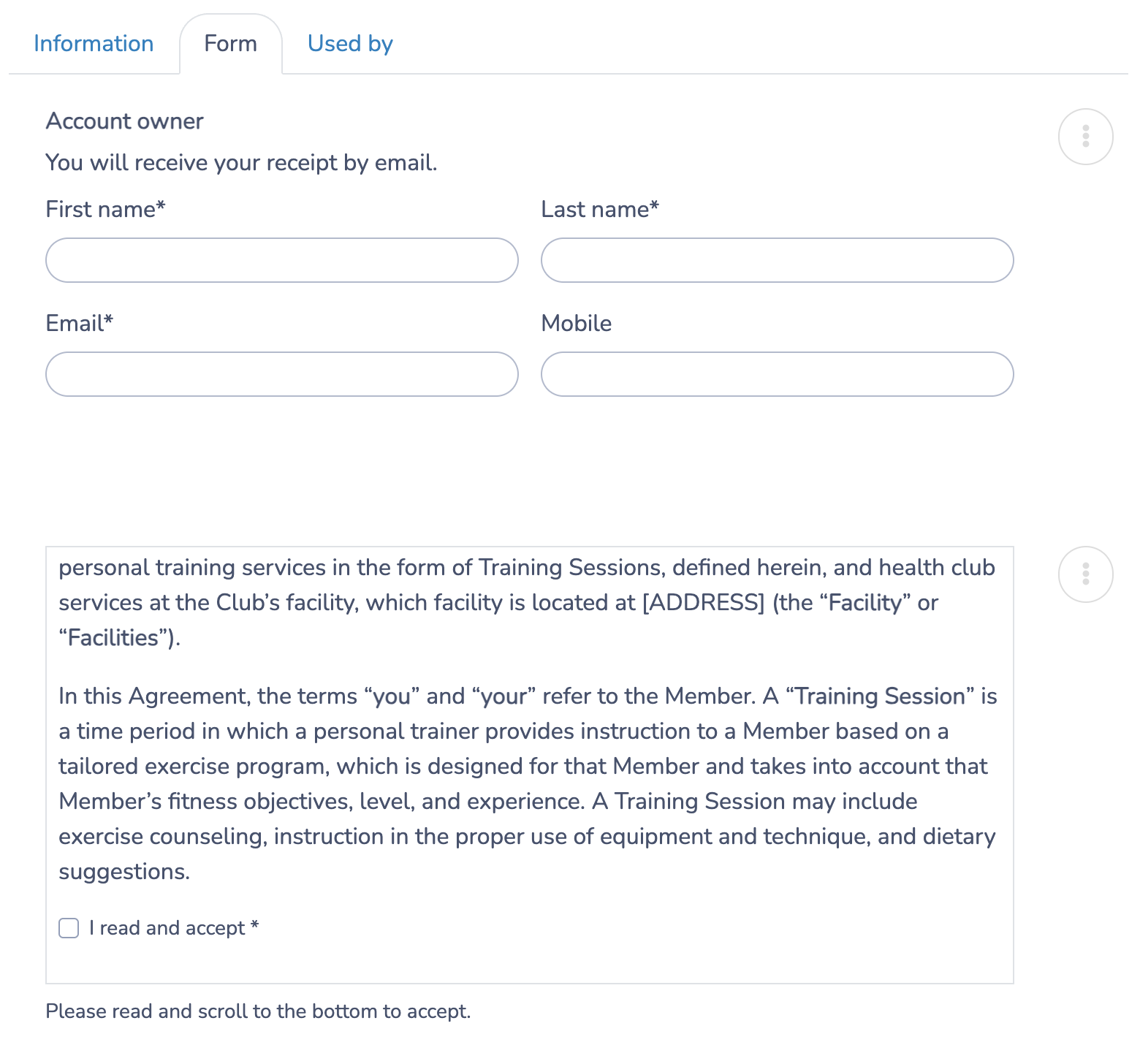
Collect only the info you need: name, email, phone number, emergency contact, etc. You can also:
- Ask how many players are coming
- Ask if they want singles or doubles
- Include a custom liability waiver or policies
Waitlists with Automated SMS
When a slot fills up, clients join a waitlist. The moment someone cancels, the next person in line gets an automatic text and can grab the spot instantly. Zero admin involvement, zero lost revenue.
Add-Ons and Upsells at Checkout
The checkout moment is one of the most underused revenue opportunities in court bookings, and Activity Messenger makes it easy to act on.
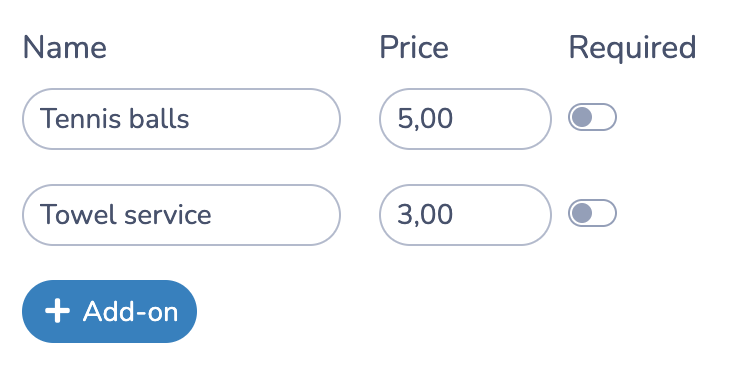
- 🎾 A pack of tennis or pickleball balls ($5)
- 🏓 Racquet or paddle rental
- 🧑🎓 A 15-minute warm-up lesson
- 🎾 Ball machine rental
- 🥤 Drinks or snacks
- 🧼 Towel service
These appear as optional selections during checkout. Clients add what they want, and revenue increases without any extra work on your end.
Payment Options: Total Flexibility
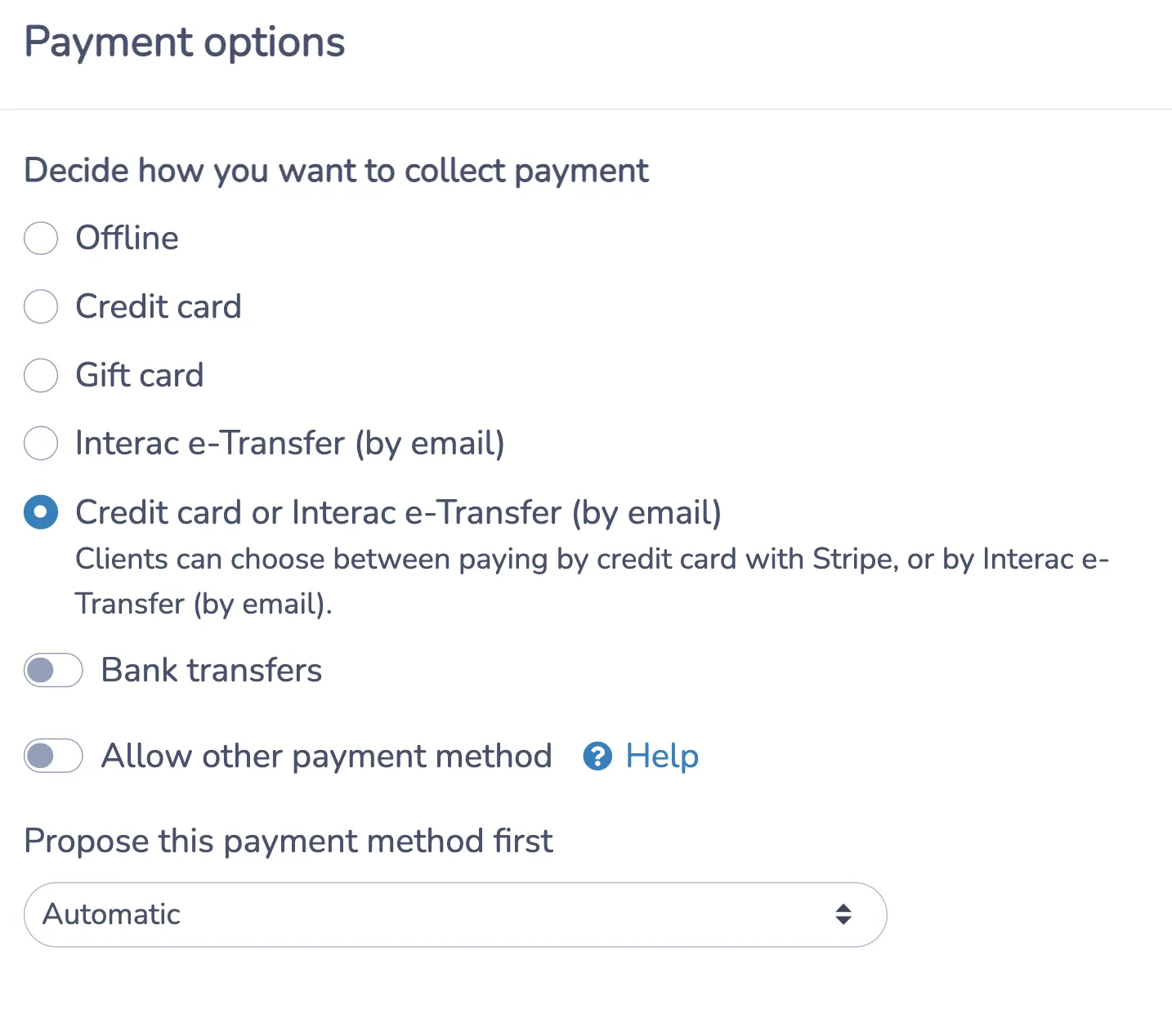
Not every club is ready to go fully cashless, and that is okay. Activity Messenger supports all the most common payment scenarios:
- Credit card payments (via Stripe)
- Offline payments (cash, card at the front desk)
- Interac e-Transfer (with auto-settlement to your bank)
- Pay later (for recurring clients or internal use)
You choose which options to offer, and clients choose what works for them.
Prioritized Booking for Members
One of the best ways to reward loyalty and upsell memberships is through tiered booking access. With Activity Messenger, you can set different advance booking windows based on membership level.
For example:
- Premium members can book 7 days in advance
- Basic members can book 2 days in advance
- Non-members can only book same-day
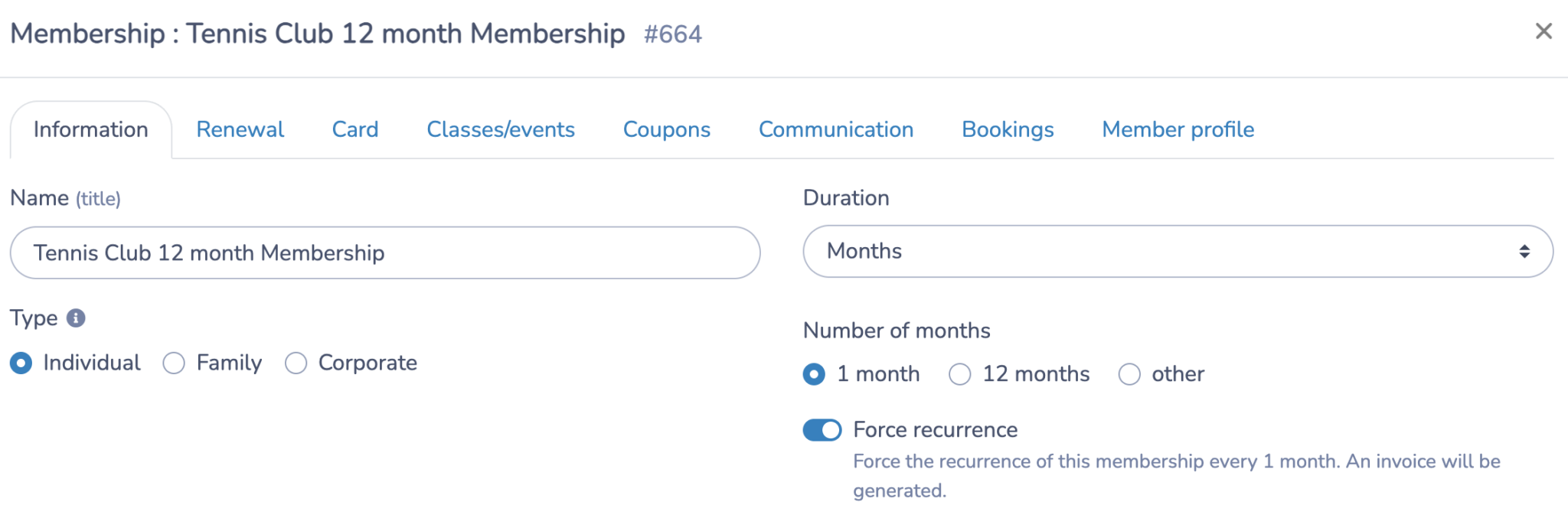
Your most loyal members always get first pick of prime court times, while last-minute gaps can still be filled by non-members. No manual tracking required.
Final Thoughts: You Deserve a Booking System That Works for You
If you’re still managing tennis or pickleball court bookings with Google Forms, paper calendars, or a mix of disconnected tools, you are creating unnecessary work for your staff and a frustrating experience for your members.
A good booking system should simplify court bookings from the first click to the final confirmation, collect payments, waivers, and player info in one place, handle cancellations and waitlists without involving anyone, give members the priority access they have earned, and bring in extra revenue through smart checkout upsells.
With Activity Messenger, you can:
- Customize your court booking system to match your rules
- Collect payment, waivers, and information in one place
- Automate follow-ups, cancellations, and notifications
- Save your staff time and offer a better experience to your clients
👉 Want to see how it would look for your club? Book a free demo, and we will walk you through a setup tailored to your courts, rooms, or fields.