A hockey player evaluation form is how coaches turn what they see on the ice into something they can actually compare, track, and share.
Whether you’re running tryouts, mid-season check-ins, or an end-of-camp assessment, the goal is the same: replace scattered paper score sheets with a structured evaluation form that captures skating, stickhandling, shooting, and game sense in a way that’s consistent from one evaluator to the next.
This guide walks through what to include in a hockey player evaluation form, how to set one up, and what to do with the results once they’re collected. Or jump right to our free hockey player evaluation form template below.
Key Takeaways:
- A complete hockey player evaluation form covers player details, evaluator details, skill ratings, comments, and a placement recommendation.
- Consistent rating scales (numeric, star, or colour-coded) matter more than which scale you pick, since the point is comparing players fairly against each other.
- Goalies need their own evaluation criteria. Rating a goalie on the same skating and shooting scale as a forward misses most of what actually matters in net.
- A hockey tryout evaluation sheet works from the same template as a mid-season check-in, with a placement recommendation field added at the top for tryout decisions.
- Sharing results directly with parents and players, rather than keeping them in a coach’s binder, cuts down on “how did my kid do” emails after tryouts and camp.
Table of Contents
- Step 1: Set Up Your Hockey Player Evaluation Form
- Step 2: Capture Player and Evaluator Details
- Step 3: Choose What Skills to Evaluate
- Step 4: Pick a Rating Scale
- Step 5: Add Comments and a Placement Recommendation
- Step 6: Share Evaluations with Parents and Players
- Step 7: Track Progress Over Time
- Try This Free Hockey Player Evaluation Form Template 👇
- Frequently Asked Questions
- Final Thoughts: Turning Ice Time Observations Into Something Useful
Author’s note: Olivier shares tips and tricks he’s learned over the past decade as the owner of a kids’ sports program. Today, as co-founder of Activity Messenger, he helps hundreds of hockey camps and schools across North America simplify the management of their evaluations, registrations, and communication.
Step 1: Set Up Your Hockey Player Evaluation Form
📋 Start from a hockey player evaluation form template. A hockey-specific template already has the fields coaches actually need, so you’re adjusting an existing hockey player evaluation template rather than building one from a blank page.
- Add fields for player details like name and level.
- Define the skills you want to evaluate.
- Choose your preferred evaluation scale.
🎯 Decide what the form is for before you build it. A tryout evaluation runs differently than a mid-camp check-in. A hockey tryout evaluation sheet usually needs a placement recommendation field front and centre, since the whole point is deciding who makes which team or group. A mid-season evaluation can put more weight on the comments section and skip that field entirely.
✅ Test it with a real evaluator. Have one of your coaches fill it out during a practice before the season or camp starts. If a field feels awkward to complete rink-side on a tablet or phone, that’s the field to fix first.
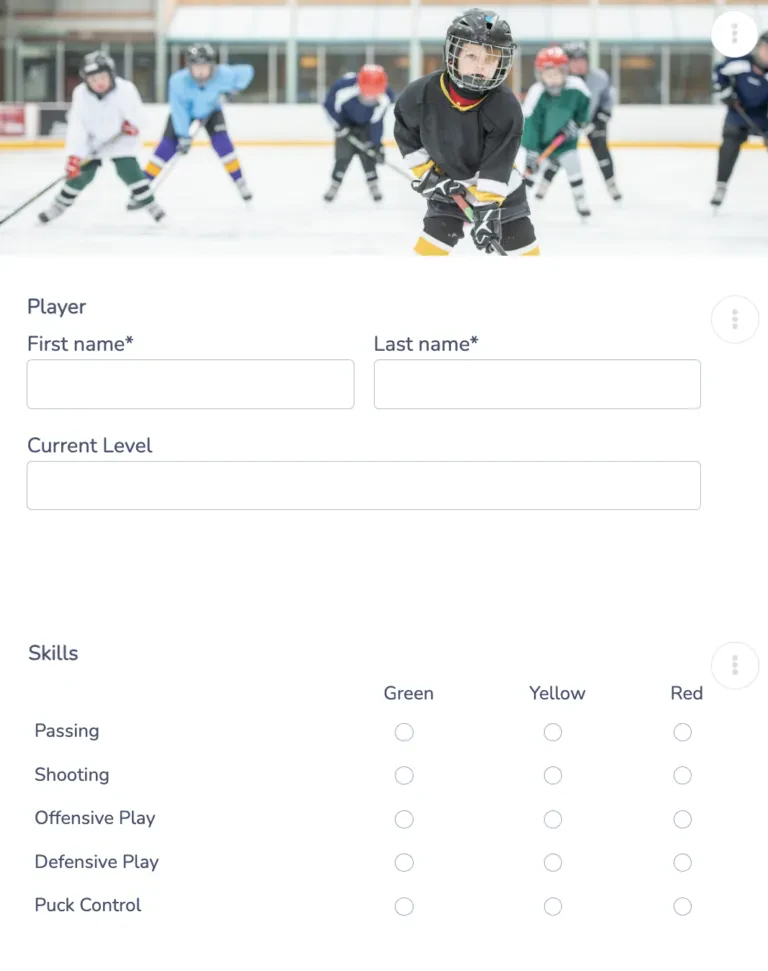
👉 The same drag-and-drop builder used for online registration forms handles evaluation forms too, and conditional logic means you can show goalie-specific fields only when a player’s position is set to goalie, rather than building two separate forms.
Step 2: Capture Player and Evaluator Details
Before getting into skills, the form needs to identify who’s being evaluated and who’s doing the evaluating:
Player information:
- Name
- Current level or team
- Contact details (optional, useful if the evaluation is shared directly with the family later)
Evaluator information:
- Evaluator’s name
- Date of evaluation
- Session or practice the evaluation is based on
Keeping the evaluator’s name attached to each hockey evaluation sheet matters more than it seems. When a parent asks about a rating months later, or when you’re comparing scores across a coaching staff, knowing who filled out which form helps you catch inconsistencies in how strictly (or generously) individual coaches score.
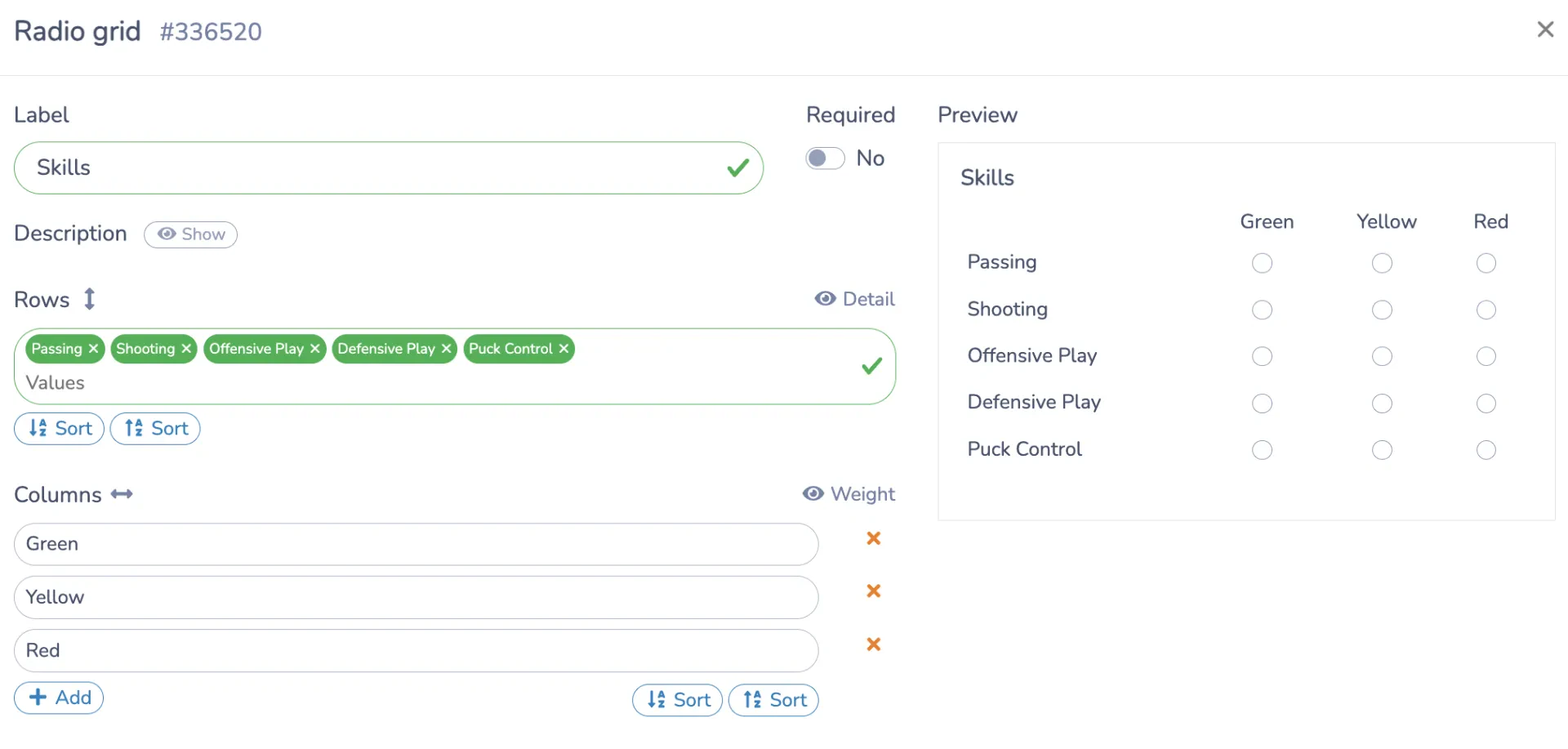
👉 Access levels matter here too. Assistant coaches can be given access to fill out evaluations during a session without seeing the full roster’s contact or payment details, while directors keep the broader view.
Step 3: Choose What Skills to Evaluate
This is the core of any hockey player evaluation form template, and it’s worth building out by position rather than using one generic list for everyone:
- Skater categories
- Skating (speed, agility, balance, edge work)
- Stickhandling
- Shooting accuracy and power
- Passing
- Game sense and decision-making
- Positional awareness (forward vs. defence)
💡 Goalies need a separate section. Rating a goalie against a skater’s skating and shooting categories doesn’t make much sense. A goalie-specific evaluation form should cover rebound control, positioning, lateral movement, glove and blocker work, and puck-handling behind the net. If your camp or tryout runs goalies through the same generic sheet as everyone else, it’s usually a sign the form was built once for skaters and never adjusted.
👉 With dozens of question types available in the Activity Messenger form builder, from ratings to free text to dropdowns, each skill category can use whichever field type fits best, rather than forcing every skill into the same numeric box.
Step 4: Pick a Rating Scale
- 🔢 Numeric scale (1 to 10): Gives the most granularity, useful when you’re ranking a large tryout group.
- ⭐ Star ratings: Easier for evaluators to fill out quickly between drills.
- 🚦 Colour-coded (green, yellow, red): Fastest to scan across a full roster, though it sacrifices some nuance.
Whichever scale you choose, keep it the same across every evaluator and every session. A hockey tryout evaluation sheet where one coach rates on a 1-10 scale and another uses colours produces results you can’t actually compare, which defeats the purpose of standardizing the form in the first place.
Step 5: Add Comments and a Placement Recommendation
Numbers alone don’t tell a parent or a director much. Build in space for:
- 💬 Evaluator comments: A few lines for context a number can’t capture, like “strong on-puck instincts, needs to work on backward crossovers.”
- 🏒 Recommended placement or team: Especially important on a hockey tryout evaluation sheet, where the whole exercise is feeding into a roster decision.
- 🎯 Development priorities: What this player should focus on before the next evaluation.
Set required fields so an evaluation can’t be submitted with the skill ratings filled in but the comments left blank. Those comments are usually what a parent or a player actually reads.
Step 6: Share Evaluations with Parents and Players
Once evaluations are in, get them in front of the people who need them:
- 📧 Email reports directly to parents and players with the full skill breakdown and comments included.
- 🔗 Share results through a secure link instead of a printed page or a group chat screenshot.
- 📲 Send SMS notifications when results are ready, since SMS open rates are far higher than email and evaluations tend to be time-sensitive around tryout decisions.
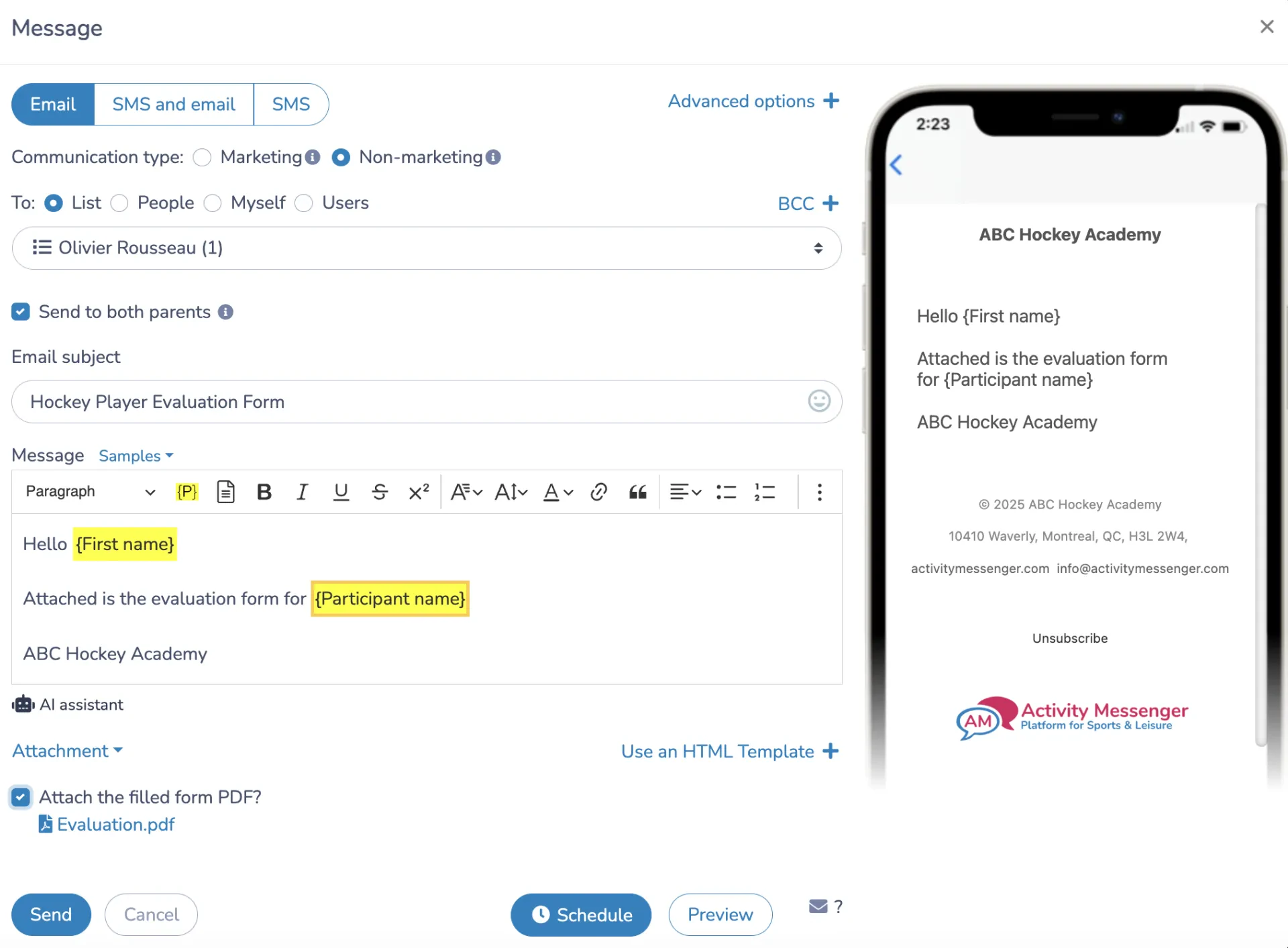
👉 These can be set up as an automatic send once an evaluation is submitted, so results reach a parent the same day instead of waiting on a coach to get to it after practice.
Step 7: Track Progress Over Time
A single evaluation form is a snapshot. The value shows up once you’re comparing multiple evaluations for the same player across a season:
- 📊 Visual trends across each skill category, so a coach can see if stickhandling scores are climbing or plateauing.
- ⚖️ Player-to-team comparisons, useful heading into a tryout or an all-star selection.
- 🗂️ A running history attached to each player’s profile instead of a stack of paper sheets from three different practices.
👉 Reports can be filtered by player, team, or evaluation date and exported when needed, rather than pulling numbers manually out of each form.
Try This Free Hockey Player Evaluation Form Template 👇
Frequently Asked Questions
What is a hockey player evaluation form?
A hockey player evaluation form is a structured way for coaches to rate a player’s skating, stickhandling, shooting, and game sense, along with space for comments and a placement recommendation. It replaces paper score sheets with a consistent format that’s easy to compare across players and easy to share with parents.
What should a hockey player evaluation form template include?
At a minimum, you should include player and evaluator details, a set of skill categories relevant to the player’s position, a consistent rating scale, a comments section, and a recommended placement field if the evaluation is tied to team selection or camp group placement.
Is a hockey tryout evaluation sheet different from a regular evaluation form?
It uses the same core structure, but a hockey tryout evaluation sheet usually puts more weight on the placement recommendation field, since the evaluation is directly feeding a roster decision. A mid-season or end-of-camp evaluation can lean more on comments and progress tracking instead.
Do goalies need a different evaluation form than skaters?
Yes, a goalie evaluation form should focus on rebound control, positioning, lateral movement, and puck-handling rather than the skating and shooting categories used for forwards and defence. Using one generic hockey evaluation sheet for every position usually means the goalie section is an afterthought.
What rating scale works best for a hockey evaluation sheet?
Numeric scales give more detail and work well for ranking larger tryout groups; star ratings are quicker to fill out between drills; and colour-coded scales are the fastest to scan across a full roster but offer less nuance. The scale matters less than keeping it consistent across every evaluator.
How do I share evaluation results with parents?
Results can be emailed directly using Activity Messenger with the full skill breakdown, shared through a secure link, or sent as an SMS notification when the evaluation is ready. SMS tends to get opened faster, which matters when results are tied to a tryout timeline.
Can I track a player’s progress across multiple evaluations?
Yes, evaluations tied to a player’s profile can be compared over time, showing trends in specific skill categories and how a player’s ratings compare to the team average, rather than each evaluation existing as a standalone paper sheet.
Final Thoughts: Turning Ice Time Observations Into Something Useful
A hockey player evaluation form only does its job if the information collected on the ice actually gets used afterward, shared with a parent, compared across a season, or fed into a tryout decision.
Getting the structure right at the start with consistent categories, a scale every evaluator uses the same way, and a clear placement recommendation means the results are worth something once the skates come off.
💡 Want to see how our software works for your program? Book a demo with Activity Messenger and see how hockey camps and schools across North America handle evaluations, registration, and communication in one place.
📖 Related Reading: