The hockey camp registration template in this article is designed to create a good first impression for hockey parents. Why? Because parents choosing a hockey camp are usually weighing a few options at once, and registration is often their first real interaction with your program.
If they can find the right skill group, see the schedule, sort out equipment questions, pay, and sign a waiver in one sitting, they show up to the first session already confident in how the week will run.
If they have to email you twice to ask whether their kid needs their own gear or which group they’ve been placed in, that uncertainty follows them onto the ice. The same holds whether you’re setting up a one-week camp form or a hockey school registration form for a program that runs all season.
This guide walks through what to include in a hockey camp registration form, how to set it up, and how to keep things running once registrations start coming in. Or, jump right to our free hockey camp registration template below.
Key Takeaways:
- A complete hockey camp registration form collects participant details, skill level, emergency contacts, medical information, equipment needs, and a signed waiver before the first skate.
- The risk of contact sports makes a signed liability waiver more important for hockey than for most activities, and collecting it at registration avoids chasing signatures rinkside.
- Gear questions (skates, helmets, sticks, goalie equipment) come up constantly during camp season, and addressing them directly in the form and confirmation email heads off most of them.
- Skill level placement works best as a structured question rather than a guess, since mismatched groups affect both safety and how much a camper gets out of the week.
- A tool built for camps keeps registration, payment, waivers, and communication in one place instead of split across a form builder, a spreadsheet, and an inbox.
Table of Contents
- Step 1: Set Up Your Hockey Camp Registration Form
- Step 2: Define Camp Details
- Step 3: Collect Participant Information
- Step 4: Include Liability Waivers
- Step 5: Add Payment Options
- Step 6: Monitor Registrations
- Try This Free Hockey Camp Registration Template 👇
- Other Ways Activity Messenger Helps Hockey Camps and Schools
- Frequently Asked Questions
- Final Thoughts: Getting Your Camp Ready for the Ice
Author’s note: Olivier shares tips and tricks he’s learned over the past decade as the owner of a kids’ sports program. Today, as co-founder of Activity Messenger, he helps hundreds of hockey camps and schools across North America simplify the management of their camps and clinics.
Step 1: Set Up Your Hockey Camp Registration Form
📋 Start from a hockey camp registration template. A hockey-specific registration template already has the fields you need: participant info, skill level, equipment, and waiver. Activity Messenger’s templates are customizable, so you can adjust what’s relevant to your program and drop what isn’t.
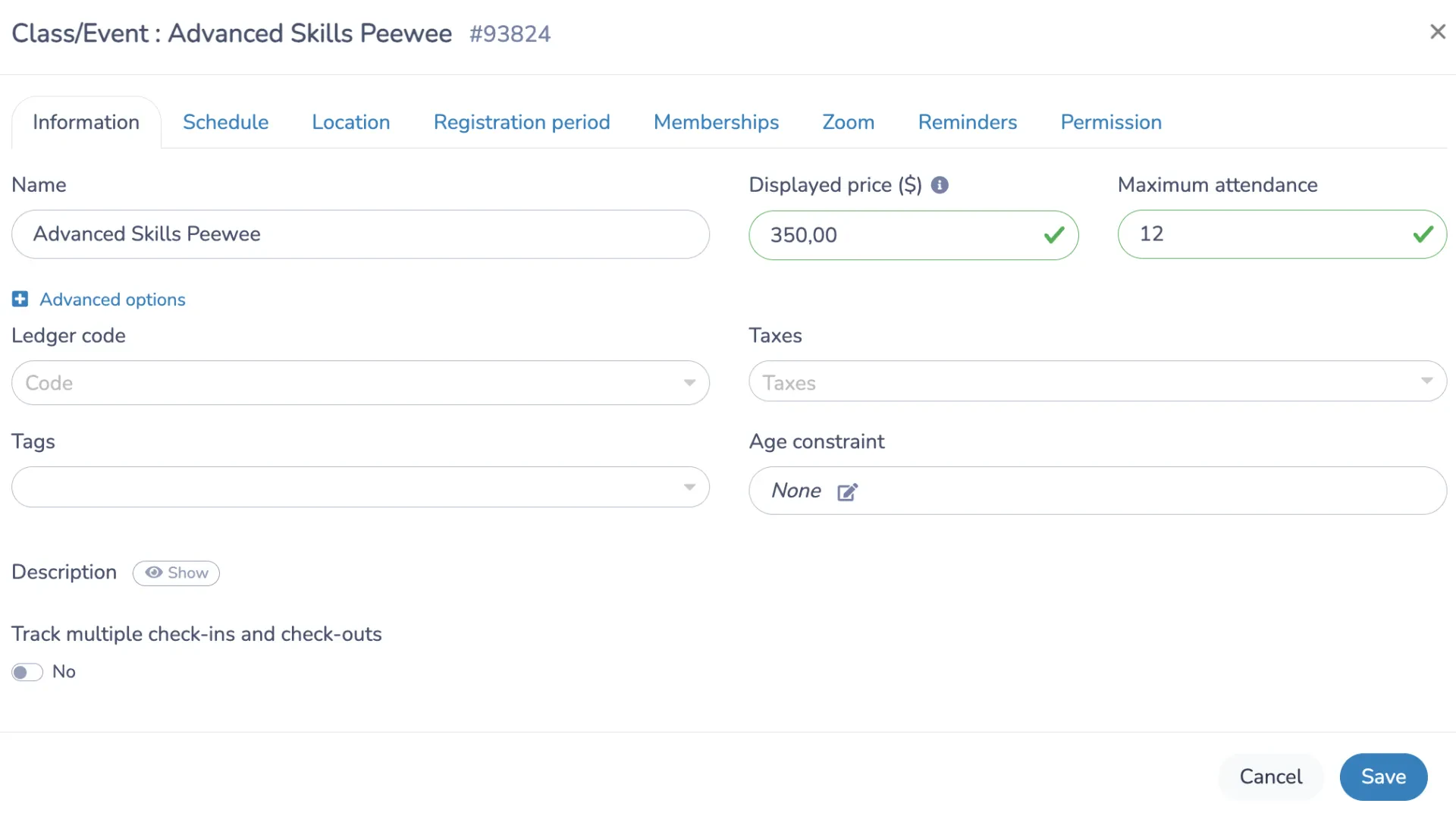
🎨 Brand it properly. For many families, this form is their first impression of your camp online. Your logo, your team colours, and a clear camp name, something like “Advanced Skills Clinic for PeeWee Players” rather than a generic label, signal that this is a well-run program before a parent reads a single field. Activity Messenger connects directly to Canva, so your existing design assets carry over.
✅ Test it yourself before launch. Go through the whole flow as a parent would: pick a session, answer the skill level question, upload or skip the medical fields, sign the waiver, and pay. Confirm the confirmation email lands with the right details.
Step 2: Define Camp Details
Once your form’s layout is ready, it’s time to input the hockey camp or clinic details:
📅 Set the schedule. Decide whether this is a week-long day camp, a weekend clinic, or a recurring Saturday morning session, and list the exact dates and ice times. Parents comparing camps often make a decision based on the schedule alone, so make it easy to find.
👉 If you’re running a single-day or weekend clinic, say so clearly in the title and description. Families searching for a full hockey school program, one that runs multiple weeks or combines on-ice training with classroom or fitness components, are looking for something different from a one-off skills session, and a title that makes the distinction obvious saves you from fielding “wait, is this just one day?” questions after sign-up.
📍 Confirm the rink and ice surface. Note the arena, which pad or surface (if your facility has more than one), and any parking or entrance details that matter on day one.
⏳ Set your registration window and capacity. A clear deadline encourages early sign-ups, and a visible capacity limit (with automatic waitlisting once a session fills) means you’re not manually tracking who’s in and who’s overflow.
🏒 List what’s included and what isn’t. Ice time only, or ice time plus off-ice training? Is a jersey provided, or does the camper wear their own team gear? If you’re running a goalie camp alongside your regular skills groups, list that as its own camp type so goalie parents know it exists without having to ask. Spelling this out in the camp description prevents a wave of near-identical questions once registration opens.
Step 3: Collect Participant Information
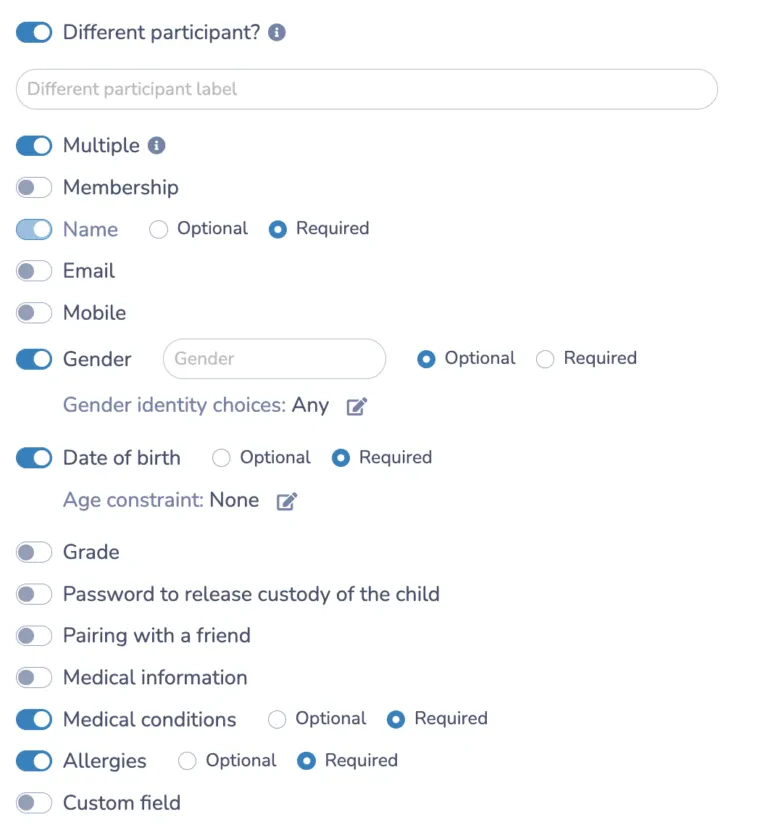
A hockey camp form needs a bit more than the standard name-and-contact fields, primarily for gear and skill placement:
1. Player information
- Full name
- Date of birth
- Gender
- Email and phone number
- Current skill level or years of experience
- Position, if relevant (forward, defence, goalie)
2. Parent or guardian information
- Full name
- Email and phone number
- Relationship to the participant
3. Emergency contact information
- Full name
- Phone number
4. Medical information
- Allergies
- Medical conditions
- Current medications
- Any previous concussion history worth flagging to the on-ice staff
5. Equipment and gear
This section is where hockey camps differ most from other sports forms, and it’s worth building out properly rather than leaving it as an afterthought:
- If it’s a learn-to-play camp, does the camper have their own full gear (skates, helmet, pads, stick), or do they need rental equipment?
- Whether a helmet meets current certification standards, since this is a safety requirement at most rinks, not a preference
👉 Goalie-specific equipment needs its own question. If your camp offers goalie sessions or a dedicated goalie stream, ask separately whether the player has their own pads, glove, and blocker, since goalie gear is a distinct rental category and most camps only have a handful of sets available.
6. Skill level and group placement
Rather than a vague “beginner/intermediate/advanced” dropdown, give each group a plain-language description: “comfortable skating forwards and backwards, not yet confident with crossovers” reads very differently to a parent than “intermediate.”
A short self-assessment question, such as “Can your child stop on both edges?” catches most placement issues before the first day. Note in the form that on-ice staff may adjust groupings after the first session, so a shift isn’t read as a demotion.
7. Custom and logistics fields
- What level did they play last season, and with which association or league?
- Do they need before-care or after-care?
- Waitlist activation, so parents are notified automatically by SMS the moment a spot opens up
Step 4: Add your Liability Waiver
Hockey carries more physical risk than most youth activities, including checking, falls on ice, high-speed collisions, and documented consent matters more here than almost anywhere else.
Collecting it during registration, rather than handing out a paper form rinkside on day one, means your records are complete before a single skate touches the ice.
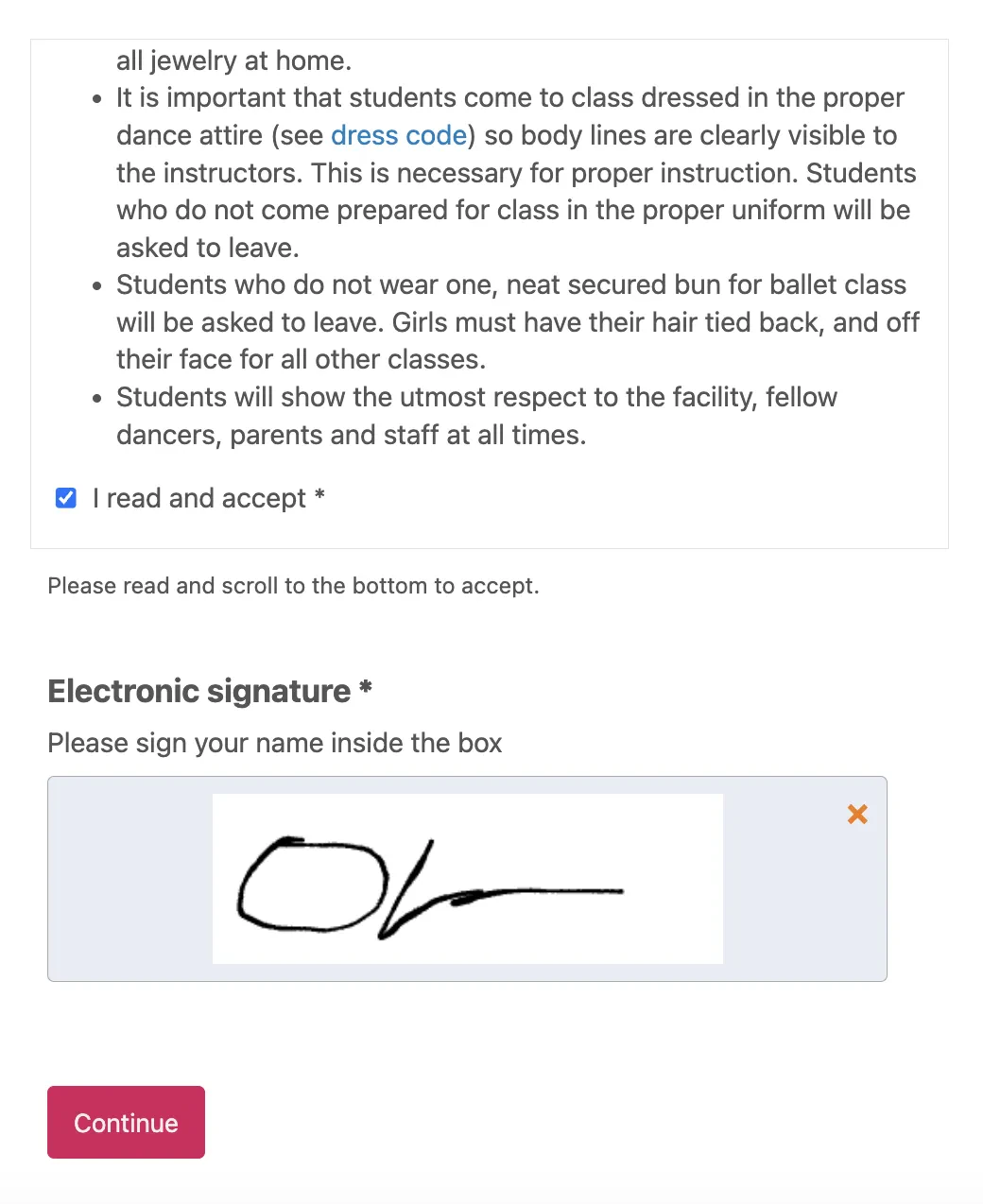
✍️ Build the signature into the form itself. Parents type their name or draw a signature on their phone, no printing or scanning required.
🔒 Block submission until it’s signed. The registration shouldn’t go through without a completed waiver and a checked acknowledgment box. This is the only reliable way to get full completion before a session starts.
📸 Include photo and video consent. Camp photos and highlight clips get used in marketing and on social media more often than most programs expect, so cover this alongside the physical liability waiver rather than as a separate ask later.
🗂️ Store everything centrally. Signed waivers live in your Activity Messenger account, ready to pull up for an incident report or a parent question without digging through a filing cabinet.
Step 5: Add Payment Options
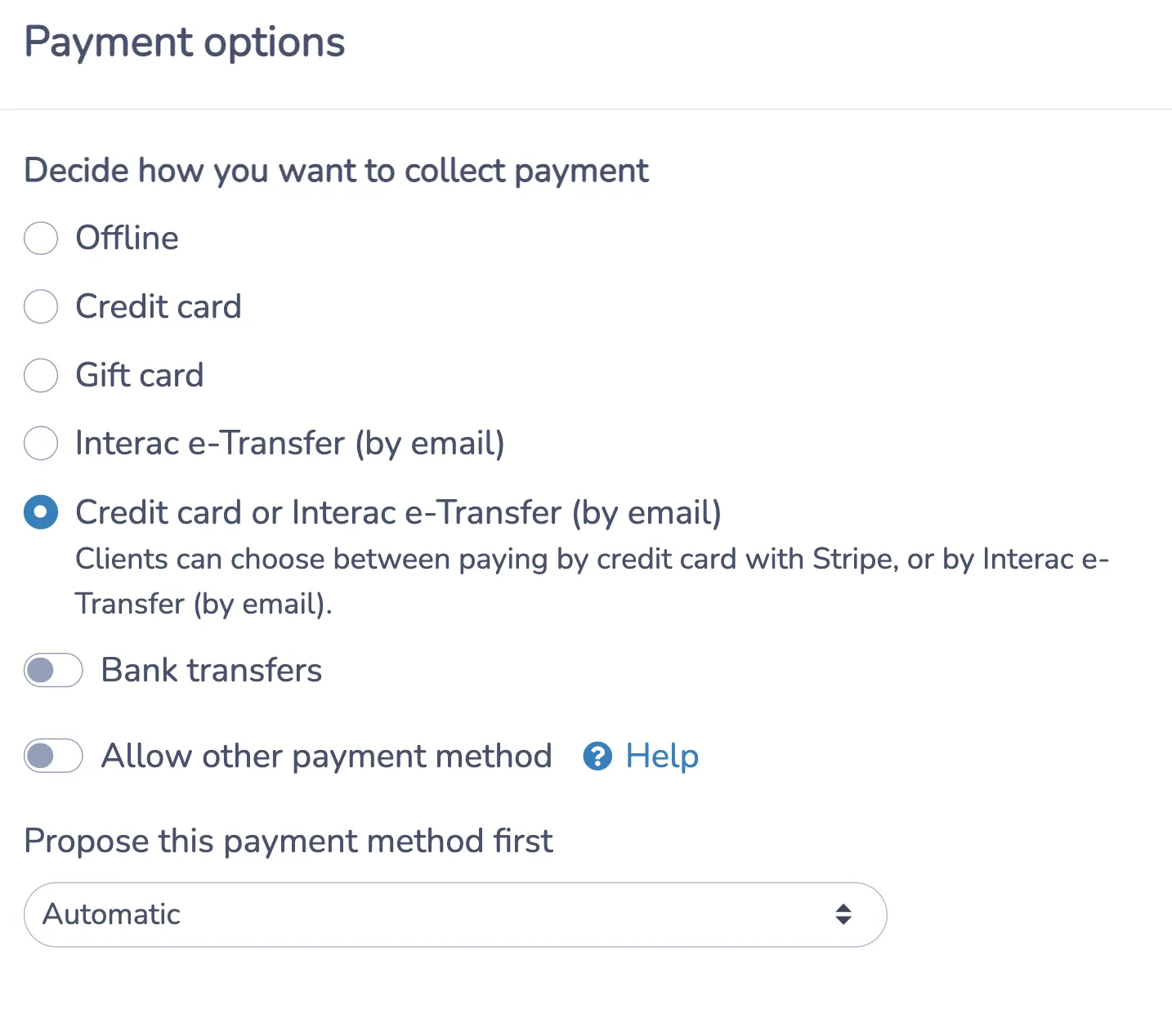
Give families more than one way to pay, and make sure the form does the invoicing work for you:
💳 Credit card payments. Parents pay directly through the form via Stripe.
🇨🇦 Interac e-transfer. A lower-fee alternative to credit cards for Canadian camps and schools.
⏸️ Pay later option. This lets a family confirm their spot and settle payment afterward, useful for camps that want to secure a roster early without turning away a family who needs a few extra days.
🎁 Gift cards. Sell and accept gift cards as payment, which works well heading into holiday camp sign-ups.
📊 Payment plans and promo codes. Multi-week camps or full-summer bundles are easier to fill when a family can split the cost, and an early-bird or returning-camper code can be applied automatically at checkout.
An invoice is generated automatically once payment clears, with a copy sent to the parent and one stored in your admin dashboard.
Step 6: Monitor Registrations
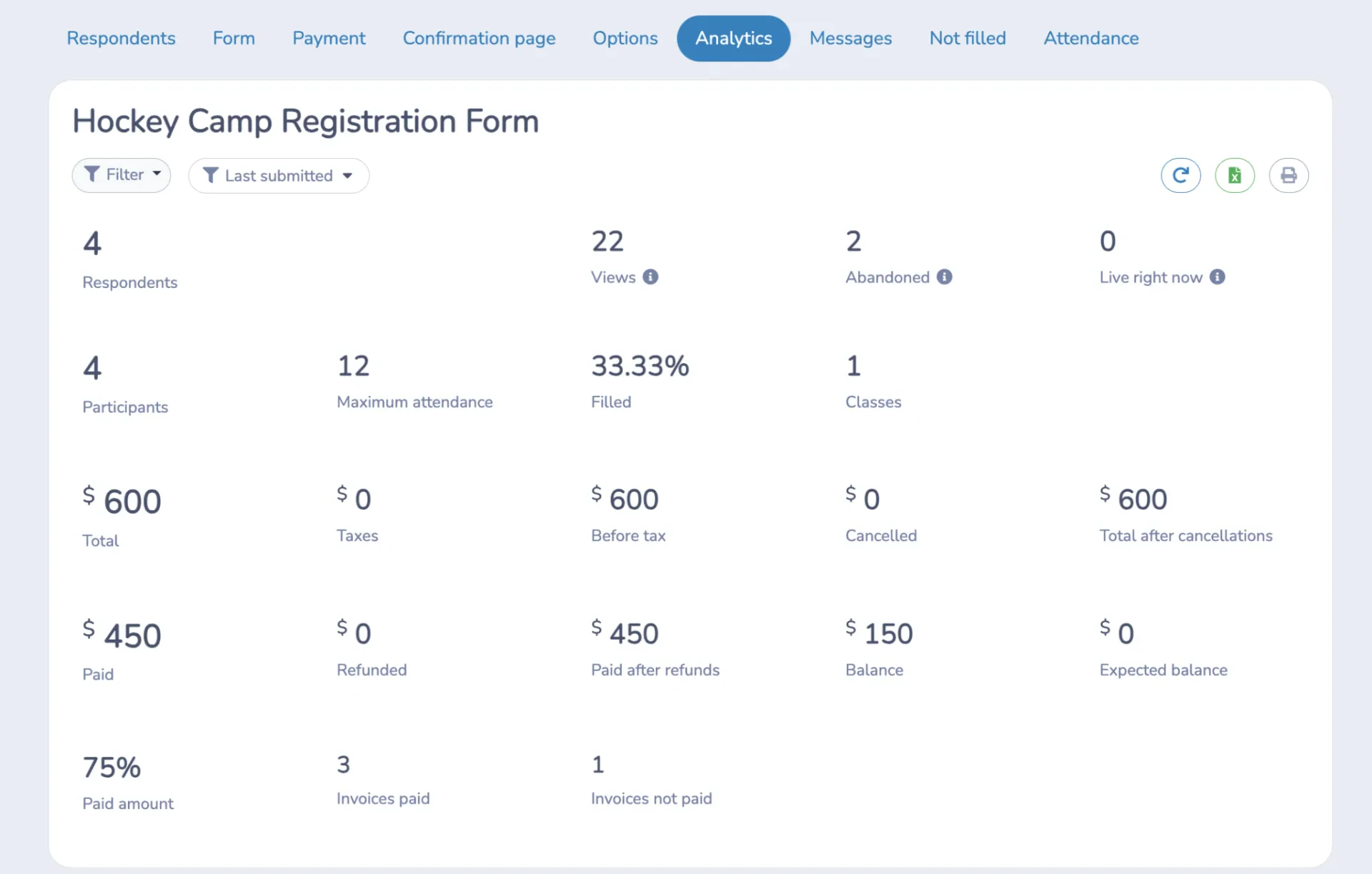
Once your form is live and shared, your admin dashboard becomes the place to track everything without needing a separate spreadsheet:
- View the full list of registrants by session or skill group
- Check payment status at a glance, including anyone on a payment plan or pay-later arrangement
- Process offline payments manually if a family pays by cash or cheque at the rink
- Watch your waitlist and see automatic notifications go out as spots open
Try This Free Hockey Camp Registration Template 👇
Other Ways Activity Messenger Helps Hockey Camps and Schools
A hockey camp registration form is really just the entry point. Here’s what else the same platform handles once camp is underway:
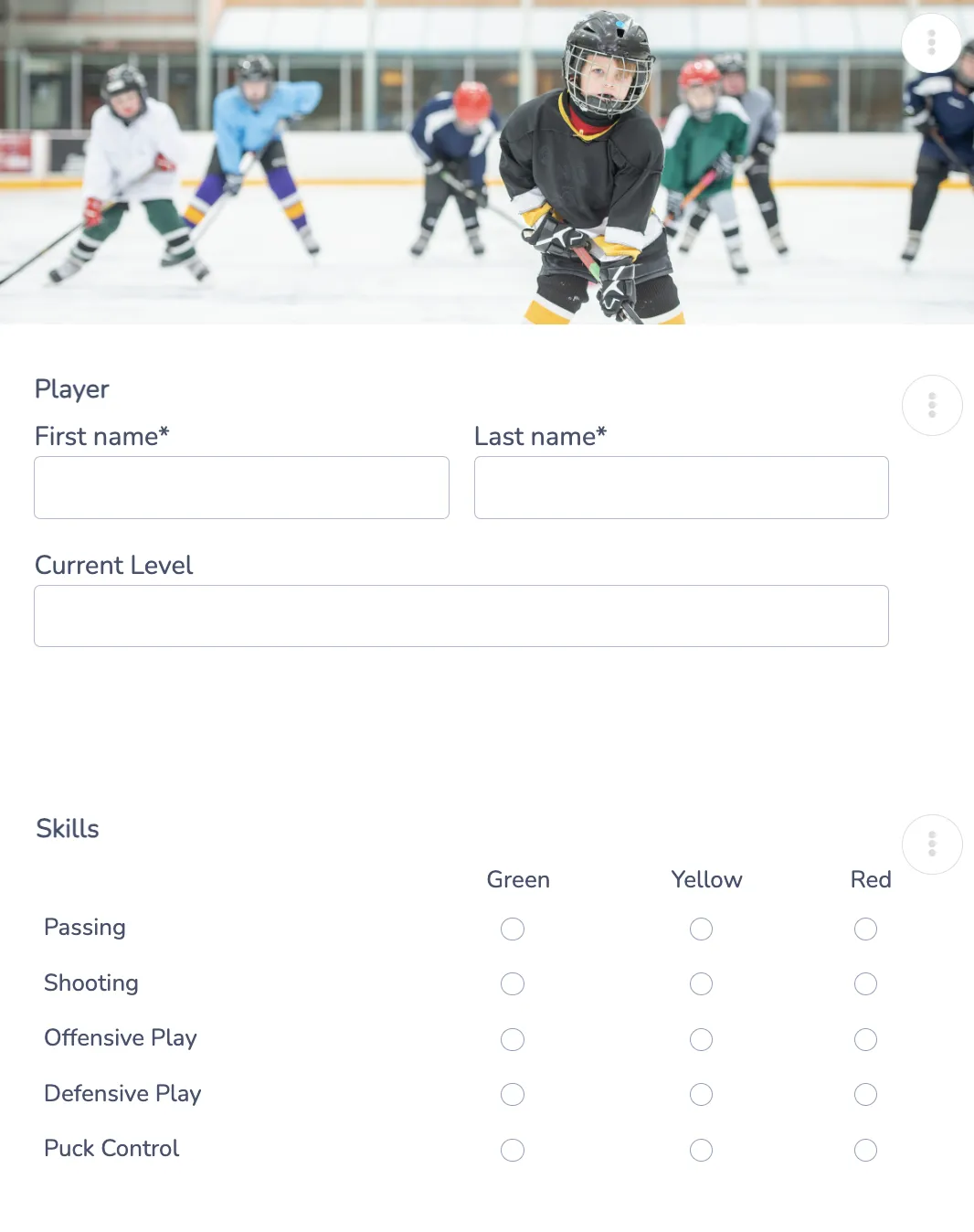
Player Evaluations
Coaches can evaluate players directly through online evaluation forms, whether that’s an end-of-camp skills assessment or a mid-week check-in used to fine-tune group placement. Results are stored against each player’s profile instead of scattered across paper score sheets.
Camps looking for hockey evaluation software often end up needing the same system for skill placement and end-of-camp assessments, so there’s no real benefit to running a separate tool just for evaluations.
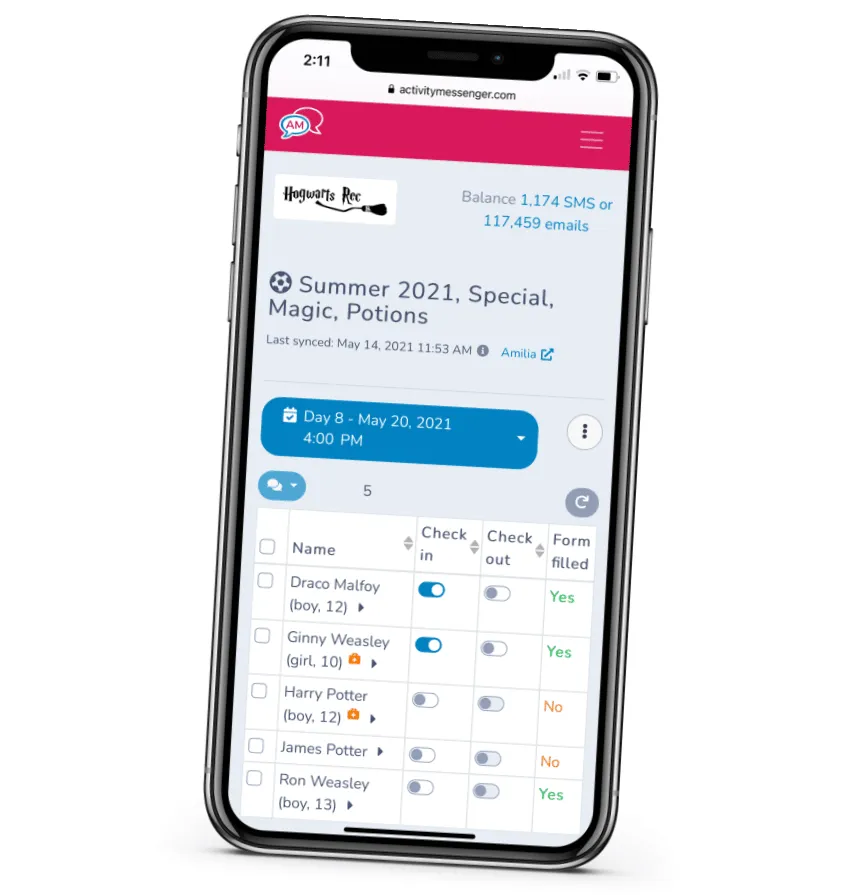
Attendance Tracking
Each session generates its own check-in list automatically. Coaches can mark attendance in real time, add notes on individual players, and message a parent directly if someone needs to be picked up early.
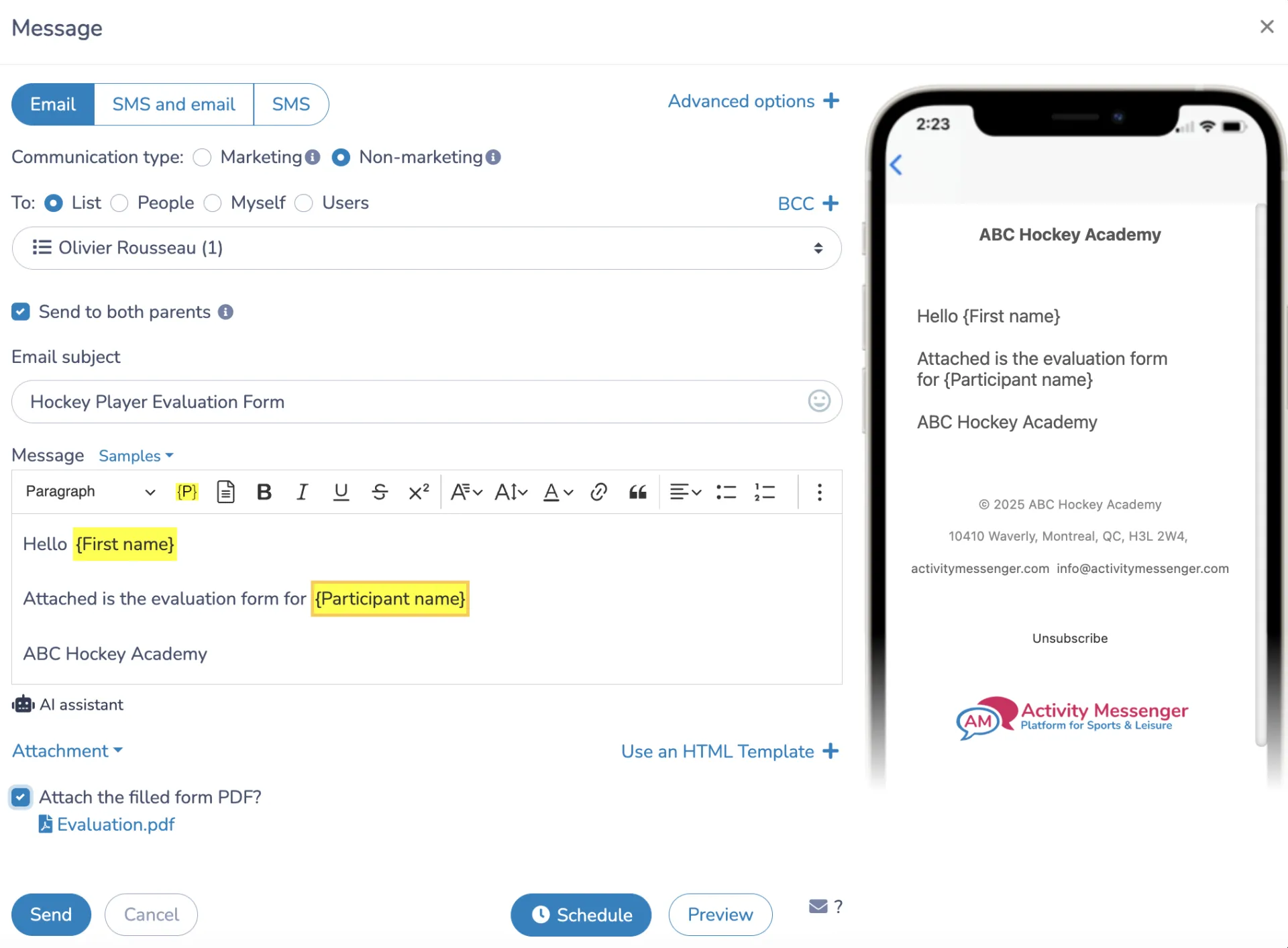
Email and SMS Communication
Keep parents in the loop before, during, and after camp: schedule changes, weather-related ice closures, or a reminder about what to bring on the last day. SMS sees far higher open rates than email, which matters when a message is time-sensitive.
Frequently Asked Questions
What is a hockey camp registration form?
A hockey camp registration form is an online form that collects everything a camp or school needs before a player steps on the ice: player details, skill level, equipment needs, emergency contacts, medical information, payment, and a signed liability waiver. The same setup works as a hockey school registration form for programs that run a full season rather than a single week or weekend.
Do I need to include everything from your hockey camp registration template?
No, you should adapt it to meet your needs. But, at minimum, you’ll need the player’s name, date of birth, contact information, and skill level or prior experience. Add a parent or guardian section and emergency contact for junior campers, medical information including any concussion history, an equipment section covering gear ownership and skate size, and a signed liability waiver with photo and video consent.
How do I place players in the right skill group?
Use a plain-language description for each group rather than just a label like “beginner” or “advanced.” A short self-assessment question, such as whether a player can stop on both edges or has played a full season before, helps families place themselves accurately. Let coaches adjust groupings after the first on-ice session if needed.
Do I need a separate goalie camp registration form?
Largely the same form works, but it’s worth adding a goalie-specific equipment question, since pads, gloves, and blockers are a separate rental category from skater gear and often more limited in supply. If you run a dedicated goalie stream, list it as its own session option so goalie parents can find it without having to ask.
Do I need to ask about equipment on the registration form?
Yes, gear questions are one of the most common sources of last-minute messages during camp season. Ask upfront whether the camper has their own skates, helmet, and stick, whether they need rental equipment, and, if your camp offers sharpening or rentals, their skate size. This is especially important for goalies, since rental goalie gear is often limited.
Why does hockey need a more detailed waiver than other sports?
Hockey involves higher-impact physical contact than most youth activities, including checking at some age levels, falls on ice, and collision risk. Collecting a signed waiver at registration, rather than on the first day at the rink, ensures documentation is complete before anyone steps on the ice and gives you a clear record if an incident does occur.
Can I collect payment directly through the form?
Yes. Activity Messenger supports credit card payments through Stripe, Interac e-transfer for Canadian camps, a pay-later option for families who need a few extra days, and gift cards. Payment plans and promo codes can be applied automatically at checkout for multi-week or full-summer bundles.
How do I handle a session that fills up?
Enable automatic waitlisting. Once a session hits capacity, the form stops accepting new registrations for that group and offers a waitlist spot instead. Families are automatically notified via SMS as spots open up, so you don’t have to track this by hand.
Final Thoughts: Getting Your Camp Ready for the Ice
Registration is the first real touchpoint a family has with your hockey camp, and it carries more than just a name and a date: equipment, skill level, medical details, and a signed waiver all need to be sorted before a player steps on the ice.
Getting that first step right, one form, one record, no chasing down paperwork rinkside, makes the rest of camp week run smoother for coaches and parents alike.
If you’re still managing registration with paper forms or a generic tool that wasn’t designed for camps, it’s worth taking a closer look at a platform specifically built for this.
💡 Want to see how a hockey school registration form works for your program? Book a demo with Activity Messenger and see how camps across North America handle sign-ups, waivers, and communication in one place.
📖 Related Reading: