Interac e-transfer is one of the most trusted ways for Canadian parents to pay for classes, camps, and programs. It moves money straight from their bank account to yours, the fees are low, and almost everyone already knows how to send one.
The catch shows up once you’re collecting more than a handful of online payments. Every transfer has to be matched to the right registration, the right amount, and the right family, and if you’re doing that by hand, it adds up fast. For organizations processing a high volume of transfers each week, a few unmatched payments can add up to hours of admin work.
This guide covers how to add Interac e-transfer to your registration form, automate the reconciliation side, and manage bulk e-transfers as your enrolment grows.
Key Takeaways:
- Interac e-transfer can be added directly to your registration form as a payment option.
- Fees are lower than credit card processing, even with the small Stripe processing fee added.
- Automated reconciliation matches payments to registrations without manual tracking.
- Organizations handling a high volume of transfers can automate bulk e-transfer matching instead of checking each one individually.
- Auto-cancellation frees up spots automatically when payment isn’t received in time.
Table of Contents
- How to Create a Registration Form With Interac E-Transfer
- Adding Interac E-Transfer as a Payment Option
- Managing Bulk Interac E-Transfers
- Direct Deposits and Auto Settlements
- Interac vs Credit Card: Comparing Fees
- Frequently Asked Questions
- Final Thoughts
Author’s note: Olivier shares tips and tricks he’s learned over the past decade as the owner of a kids’ activity center working with many different online registration tools. Today, as the co-founder of Activity Messenger, he now helps hundreds of organizations in North America improve their online registration process and increase their conversion rates.
How to Create a Registration Form With Interac E-Transfer
Before you can accept Interac e-transfers, you need a registration form designed to support them.
- 🖥️ Choose a platform. A platform like Activity Messenger handles Canadian payment methods, including Interac e-transfer, alongside credit card and offline payments.
- 📝 Design the form. Keep it simple: participant details, program or session selection, and a clear payment method choice. Make sure it works on mobile, since many parents will register from their phone.
- 🔀 Customize the flow. Add conditional fields where they matter, such as dietary needs, waiver agreements, or digital signatures, so families only see what applies to them.
- 🧾 Automate invoicing. Once someone registers and selects Interac e-transfer, an invoice should generate on its own rather than needing manual follow-up.
- 📣 Publish and share. Post the form on your site and send it out via email, SMS, or social media so families can find it.
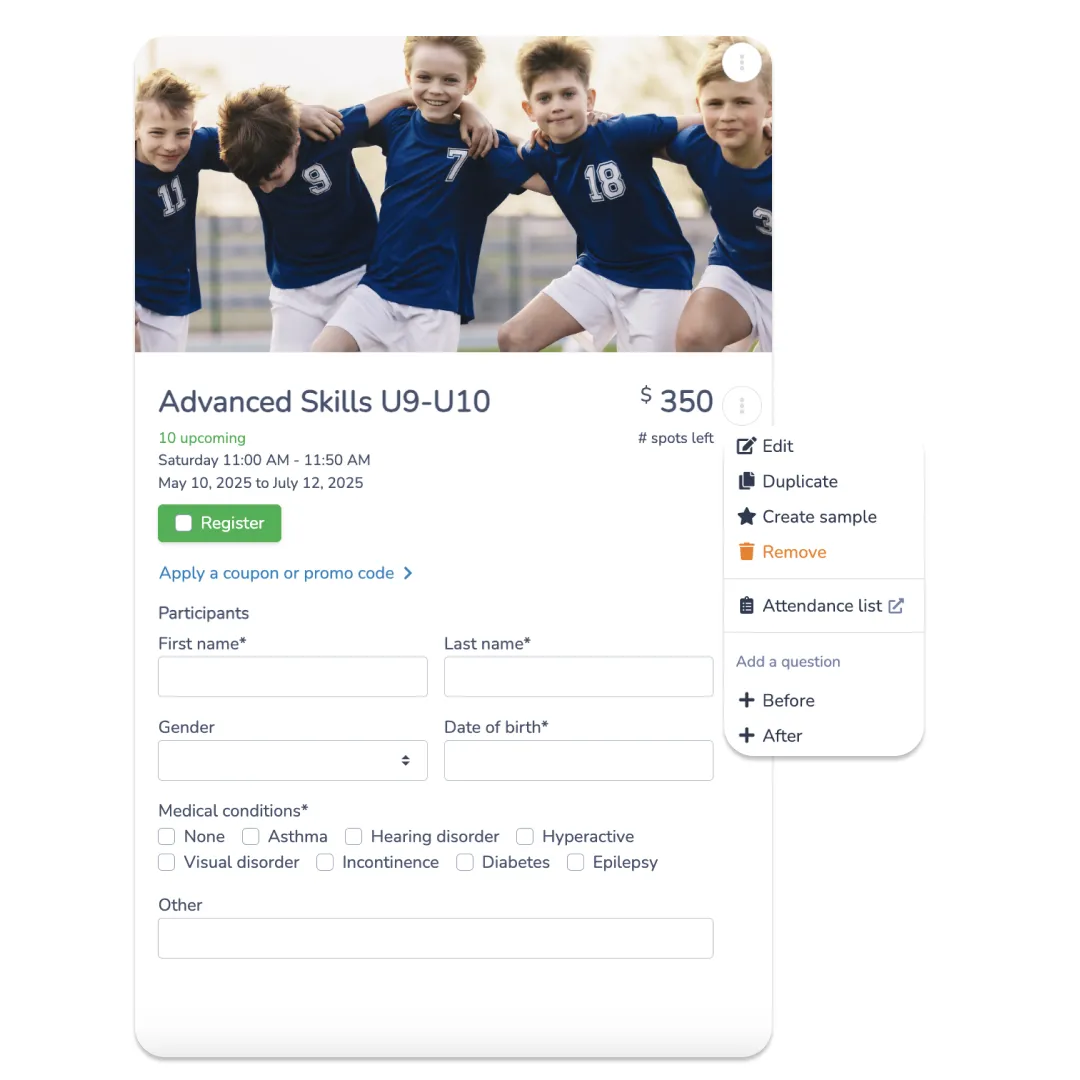
📌 Read More: Learn how to retarget abandoned forms and improve conversion rates.
Adding Interac E-Transfer as a Payment Option
Once your form is built, here’s how to turn on Interac e-transfer:
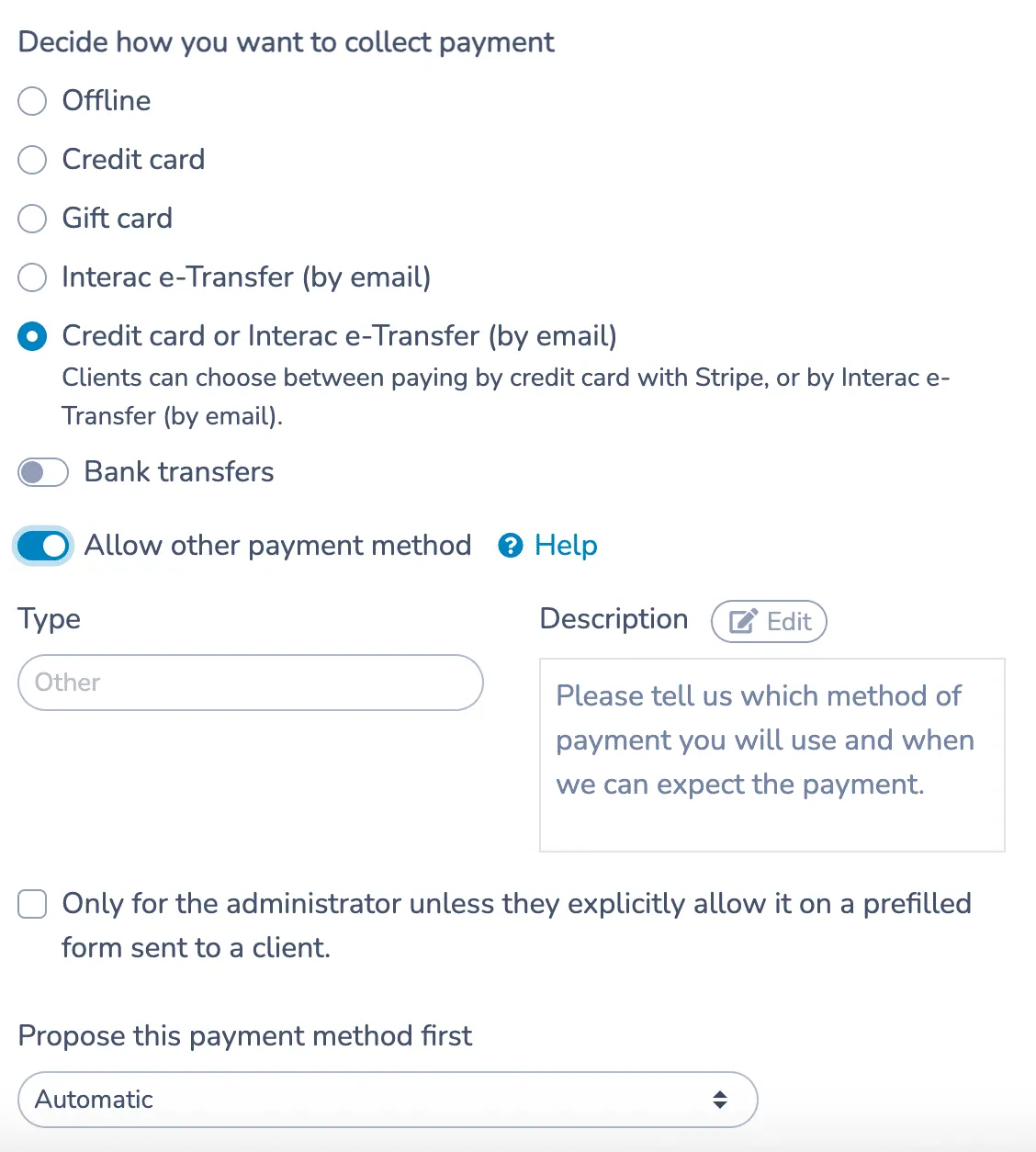
- Enable it in your form settings. In Activity Messenger, go to the payment section and select Interac e-transfer, either alongside other options or as your only method.
- Set up your recipient details. Add the email address where transfers should be sent, along with a security question and answer.
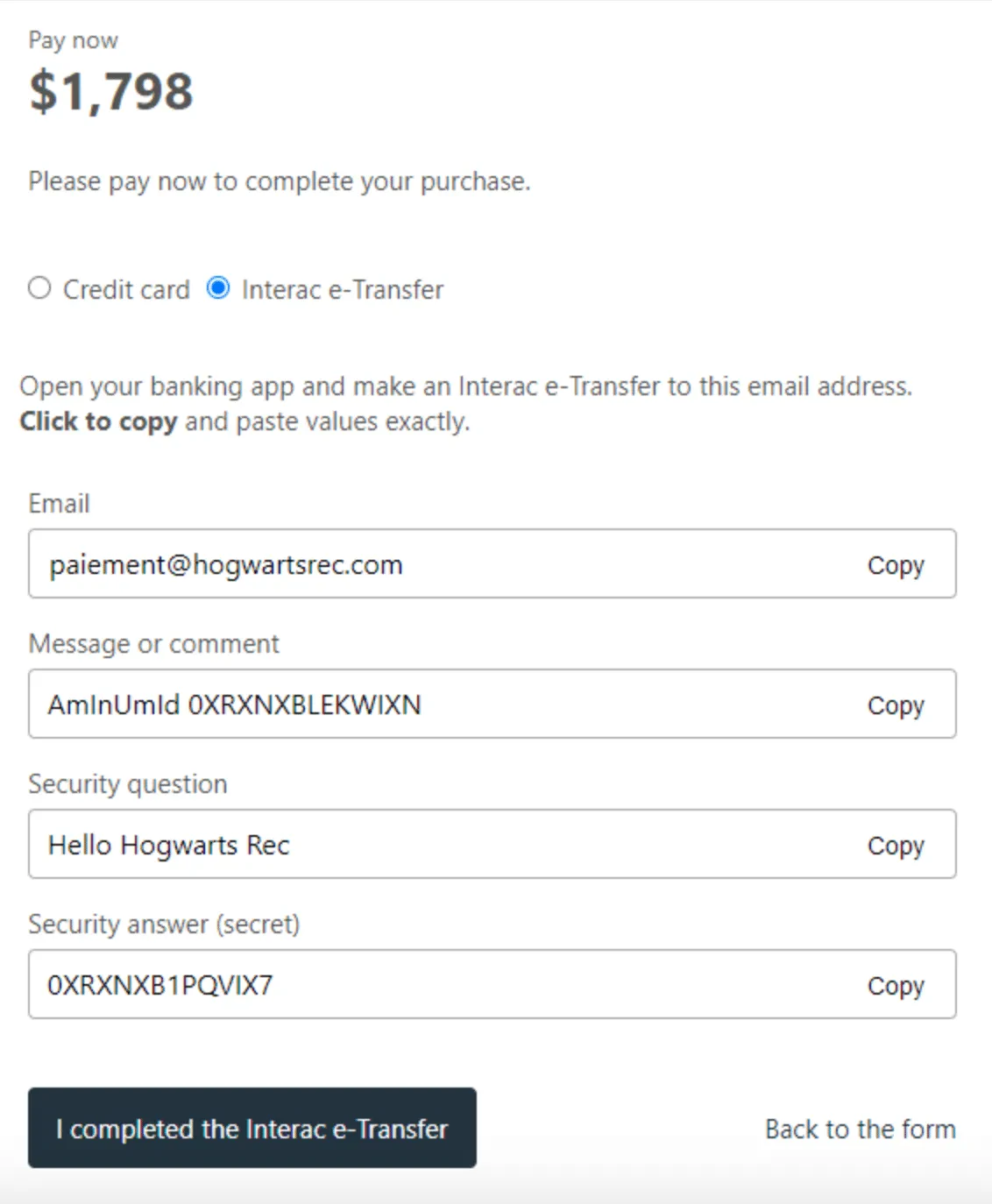
- Give parents clear instructions. Once selected, the form should display the recipient email, security question, and any notes families need at checkout.
- Turn on automated reconciliation. This automatically matches incoming payments to the correct registration, so nobody on your team has to cross-check a bank statement against a spreadsheet.
Managing Bulk Interac E-Transfers
The steps above work fine for a handful of payments a week, but they start to break down once you’re running multiple programs at once and receiving dozens or hundreds of e-transfers during peak registration periods.
A few things make a real difference at that volume:
- 🔐 One security question across your organization. If every program uses a different question and answer, your team ends up managing a list just to keep track of them. Standardizing it removes that step entirely.
- 🏦 Autodeposit at the bank level. Most Canadian banks let you set up Interac e-Transfer Autodeposit, so transfers land in your account without anyone having to approve each one manually.
- 📧 Automatic email matching. Once autodeposit is on, your bank sends a confirmation email for every deposit. Activity Messenger can read those automatically: forward the confirmation to a dedicated address, and the system looks for a payment identifier in the email to match it to the right invoice. If it can’t find that identifier, it falls back to matching by the client’s name and email instead.
- ⚠️ A safety net for anything that doesn’t match. If a payment still can’t be matched to an invoice, it shows up as a flag on your dashboard so your team can settle it manually rather than it slipping through unnoticed.
- 📊 Batch visibility. During a big registration push, you want a single view showing which invoices are paid, which are outstanding, and which came in as bulk e-transfers awaiting matching, rather than digging through email confirmations one at a time.
This is where the gap between a basic Interac setup and a full reconciliation system shows up most. Handling ten transfers a week is manageable with almost any tool, but handling three hundred during a fall registration rush is a different problem, and it’s the one that ends up costing organizations the most staff time if it’s not automated.
Direct Deposits and Auto Settlements
As your organization grows, processing a high volume of payments and invoices manually and keeping up with settlements becomes time-consuming. Activity Messenger helps you streamline this so you can stop chasing parents for payments once and for all:
- Direct deposits. Most Canadian banks support direct deposit for Interac e-transfer, so funds land in your account with no extra steps once a payment is sent.
- Auto settlements. Activity Messenger settles the payment against the client’s account and marks the invoice as paid automatically, rather than requiring someone to update it by hand.
- Auto-cancellation. If payment isn’t received within a set window, the registration cancels automatically, and the spot opens back up, so you’re not holding seats for families who never paid.
💬 What our customers say:
“Adding Interac e-Transfer by email as an option to pay online has saved thousands of dollars a month in credit card fees. This was made possible by Activity Messenger’s auto-reconciliation, which saves us 3 days of admin work a week!” — Duncan M., Founder & CEO, HamOnt Sports
Interac vs Credit Card: Comparing Fees
Switching to Interac e-transfers can help you reduce credit card fees while maintaining a streamlined registration process, if done well.
With Activity Messenger, you can enjoy the benefits of lower fees, faster payments, and fewer manual tasks, all without sacrificing customer convenience.
| Transaction Fees | Fee |
|---|---|
| Credit Card Processing (Stripe) | 2.9% + $0.30 |
| Activity Messenger Credit Card Fee | 1% (min. $0.25) |
| Interac e-Transfer & Bank Transfer Processing (Stripe) | 1% + $0.40 (max. $5) |
| Instant Verification | $1 |
| Activity Messenger Interac & Bank Transfer Fee | 1% (min. $0.50, max. $5) |
Interac e-transfer still costs noticeably less than credit cards on most transactions, especially for larger payments, where the credit card percentage adds up quickly. It’s not free, but it’s the cheapest online option available, and payout is instant once autodeposit is turned on.
👉 Payment collection is one piece of running a program. Reminders, SMS updates, and post-session surveys also save admin time once they’re automated. Read more on automating reminders, bulk SMS for activity businesses, attendance tracking, and post-session surveys.
Frequently Asked Questions
Can I accept Interac e-transfer for high registration volumes?
Yes. With autodeposit enabled at your bank and automated reconciliation turned on in your registration platform, bulk e-transfers get matched to invoices without manual review of each one.
Is there a limit to how many Interac e-transfers I can process?
Interac itself doesn’t cap the number of transfers you can receive as a business, though individual sender limits depend on the parent’s bank. The bottleneck is usually reconciliation, not the transfer itself, which is why automating that step matters at scale.
How does Activity Messenger automatically match Interac e-Transfers?
When an Interac e-Transfer is deposited, your bank sends a confirmation email. If that email is automatically forwarded to Activity Messenger, the system looks for the AmInUmId payment identifier to match the deposit to the correct invoice. If the identifier isn’t available, Activity Messenger can also try matching the payment using the client’s email address and full name. Unmatched payments are flagged for manual settlement.
What fees apply to Interac e-transfer?
Interac itself doesn’t charge to send a transfer, but processing it through your registration form costs 1% + $0.40 via Stripe, capped at $5, plus Activity Messenger’s 1% fee (minimum $0.50, maximum $5). It’s still cheaper than credit card processing at 2.9% + $0.30, plus Activity Messenger’s 1% fee (minimum $0.25).
Can US-based organizations use Interac e-transfer?
No, Interac e-transfer is a Canadian payment network. US organizations can use credit card or bank transfer options instead.
What happens if a parent doesn’t send payment after registering?
With auto-cancellation enabled, the registration cancels automatically after a set window and the spot reopens, so you’re not chasing unpaid invoices or holding seats indefinitely.
Final Thoughts
Interac e-transfer works fine as a payment option when you’re collecting a few payments a week. It stops being simple the moment registration opens and dozens of transfers land in your inbox on the same day. That’s the point where manual matching turns into hours of admin work, and where the tools you use to accept payment matter more than the payment method itself.
With autodeposit, automatic reconciliation, and auto-cancellation working together, Interac e-transfer stops being something your team has to manage and becomes something that just happens in the background, whether you’re processing five payments a week or five hundred during a fall registration rush.
🗓️ Ready to stop chasing e-transfers? Book a free demo, and we’ll show you how Activity Messenger handles Interac payments, reconciliation, and bulk matching for organizations your size.
📖 Related Reading: