For sports clubs, dance studios, and other membership-based organizations, collecting monthly payments can be a challenge. Credit cards and direct debits often come with processing fees, and managing cash or cheques can be time-consuming. A growing number of organizations in Canada are turning to Interac e-Transfers as a cost-effective alternative.
In this guide, we’ll show you how to set up monthly membership payments with Interac e-Transfers, automating and simplifying the process.
We’ll discuss:
Author’s note: Olivier shares tips and tricks he’s learned over the past decade as the owner of a kids’s activity center working with many different online registration tools. Today, as the co-founder of Activity Messenger, he now helps hundreds of organizations in North America improve their online registration process and increase their conversion rates.
Create a Membership Registration Form with E-Transfer Payment Option
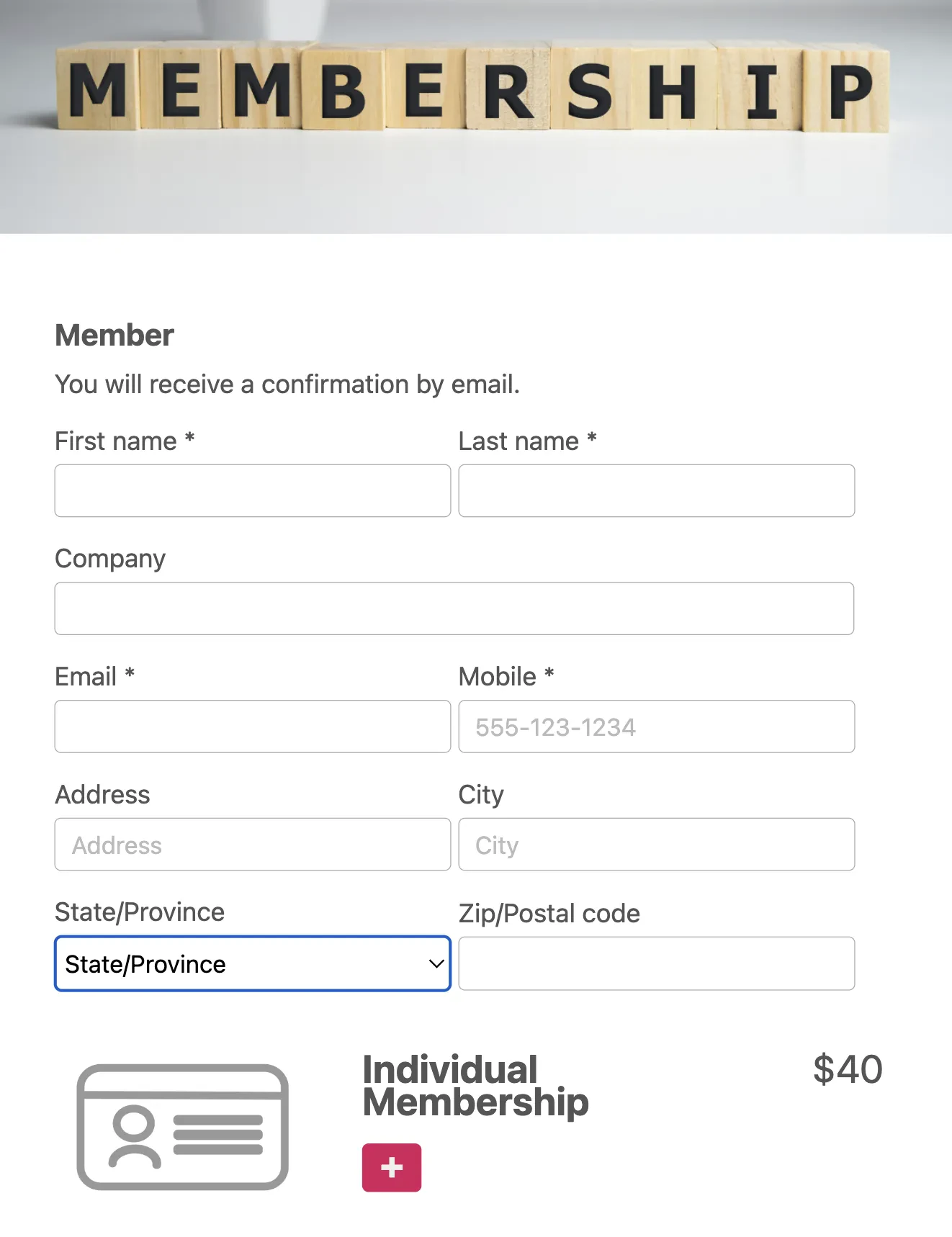
To start collecting monthly payments, you need a structured process for members to sign up and commit to e-Transfer payments. Activity Messenger makes it easy to create a membership registration form with built-in e-Transfer instructions.
Key Fields to Include in Your Form:
- Member Information – Collect essential details such as name, email, phone number, and address.
- Membership Plan Selection – Allow members to choose between different plans (e.g., monthly, quarterly, annual) and indicate their preferred payment frequency.
- Payment Instructions – Clearly specify where and how to send Interac e-Transfers, including the recipient email address and required payment references.
- Agreement to Payment Terms – Include a clause stating that members understand and agree to send their payment manually each month.
📝 Example:
“I agree to send a monthly Interac e-Transfer of $XX to [your email] on the 1st of each month. Failure to do so may result in suspension of my membership.”
A platform like Activity Messenger allows you members to store their memberships cars in their Apple wallet or Google wallet.
Add Interac e-Transfer as a Payment Option
Once your membership from is ready, you’ll need to integrate Interac e-Transfer as a payment method on you form.
Here’s a step-by-step guide:
- Enable Interac e-Transfer: In your Activity Messenger form, go to the payment section and select Interac e-Transfer as one of the payment options. This will allow participants to select it during checkout. You can also make it the only payment option you offer.
- Recipient Information: Provide an email address for participants to send their Interac payments to. Be sure to configure security questions and answers based on your organization’s preferences.
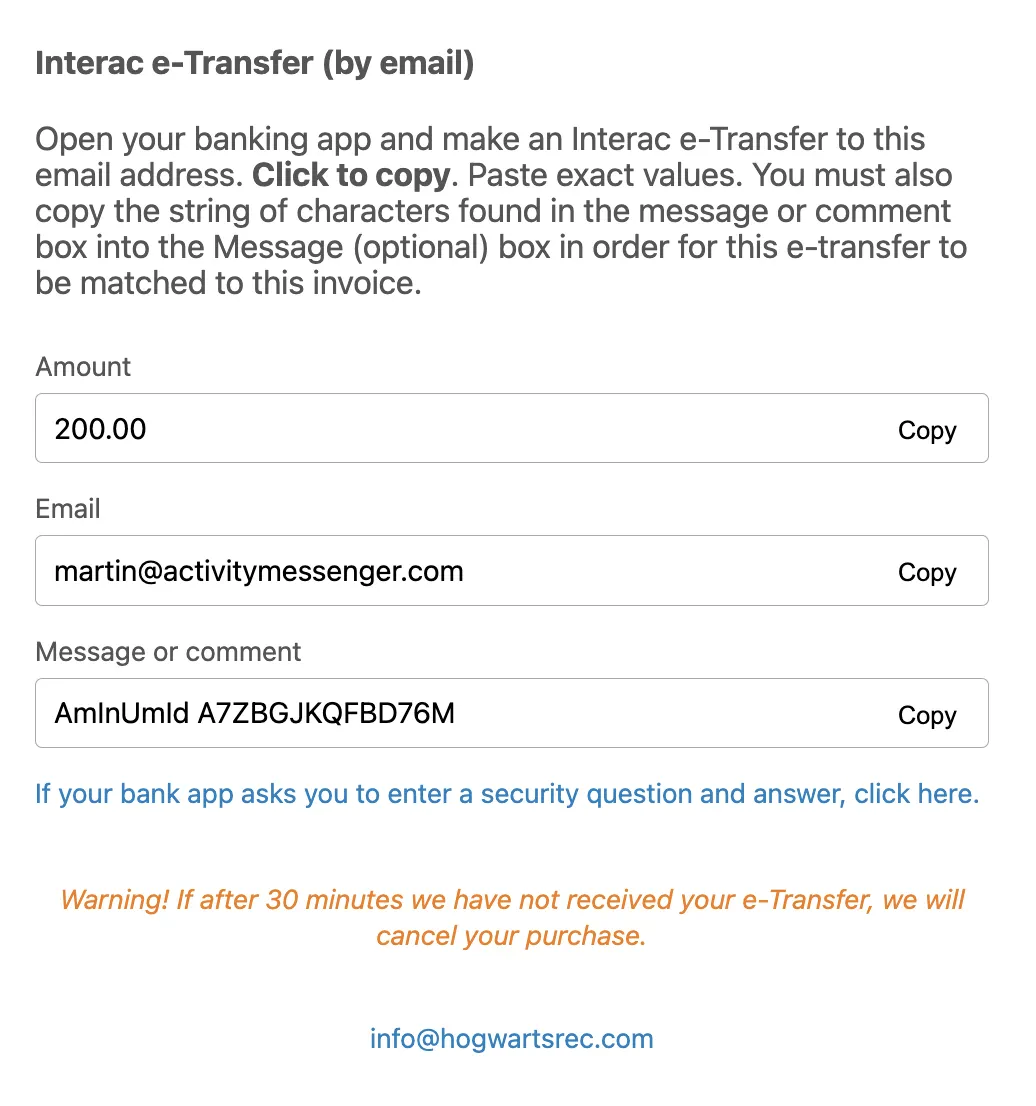
- Provide clear instructions: Once Interac e-Transfer is selected as a payment method, the platform will provide detailed instructions such as a recipient email address, the security question, and relevant notes.
Automate Payment Reminders
Since Interac e-Transfers require members to manually send payments, it’s essential to automate reminders to ensure timely payments.
How Activity Messenger handles this:
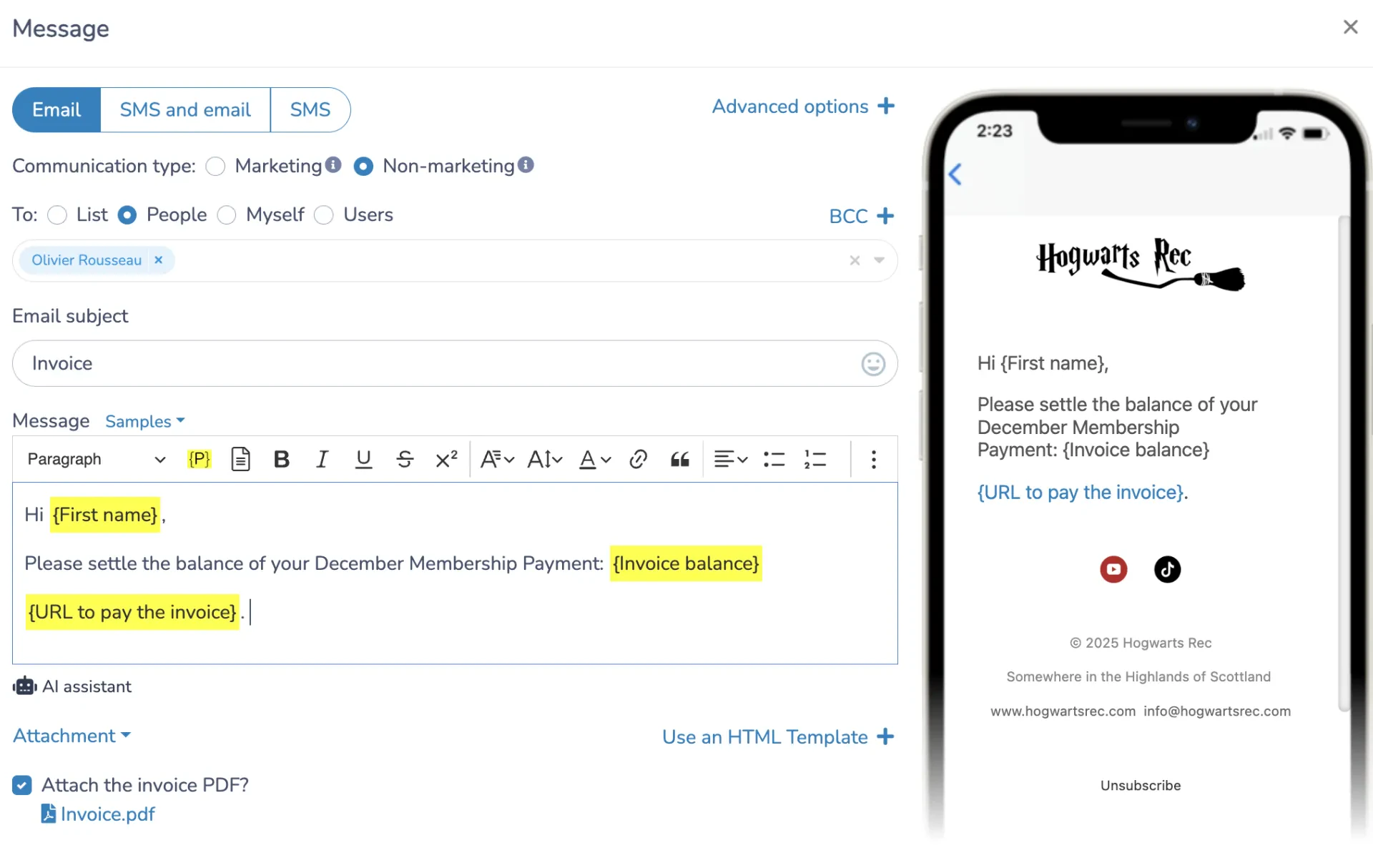
- Sets up automated email and SMS reminders to notify members before each due date.
- Includes direct payment instructions in every reminder message.
- Personalizes reminders by including the member’s name and payment amount to make them more effective.
- Uses follow-up sequences to remind members who haven’t yet sent their payment.
📅 Example Reminder Message:
“Hello [First Name], this is a friendly reminder that your monthly membership payment of $XX is due. Please follow instructions below to send you Interac e-Transfer. Thank you!”
Automated reminders help reduce late payments without requiring manual intervention from your staff.
Direct Deposits and Auto Settlements
As your organization grows, processing a high volume of payments and invoices manually and keeping up with settlements becomes time-consuming. Activity Messenger helps you streamline this so you can stop chasing parents for payments once and for all:
- Direct Deposits: Many banks in Canada, allow direct deposits for payments made with Interac e-Transfer. Once a payment is received, the funds are transferred to your organization’s bank account without additional steps.
- Auto Settlements: Once you receive the payment, you usually have to go settle it and keep track of everything, but with Activity Messenger, the system does it for you. Activity Messenger settles the payment under the client’s accounts and automatically marks it as paid.
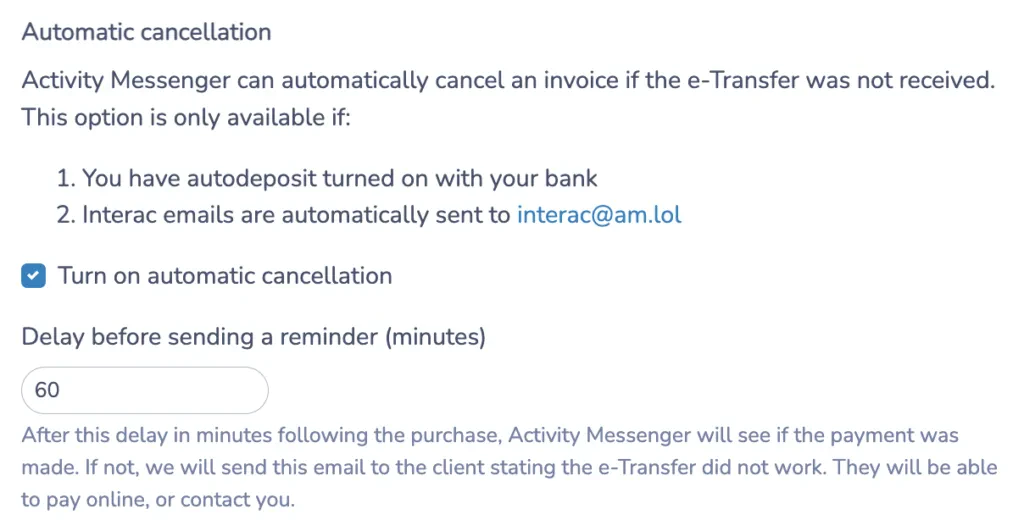
- Auto-Cancellation Feature:Activity Messenger’s auto-cancellation feature cancels registrations if a payment isn’t received within a set timeframe. By enabling auto-cancellation, you avoid holding spots for non-paying participants and can quickly free up spots for others. This tracking and communication with clients is done automatically with Activity Messenger.
💬 What our customers say:
“Adding Interac e-Transfer by email as an option to pay online has saved thousands of dollars a month in credit card fees. This was made possible by Activity Messenger’s auto-reconciliation, which saves us 3 days of admin work a week!” — Duncan M., Founder & CEO, HamOnt Sports
Pre-Autorized Debit (PAD) is another great way to collect monthly memberships with lower fees than credit cards.
Lower Fees Compared to Credit Cards
Using Interac e-transfers can lower your credit card fees. It can also keep your enrollment process simple if done correctly.
With Activity Messenger, you get lower fees, faster payments, and fewer manual tasks. Plus, it keeps customer convenience high.
Interac vs Credit Card vs other payment methods
| Interac | Credit card | Pre-Autorized Debit (PAD) | Offline | |
|---|---|---|---|---|
| Processing fees* | 0% | 2.9% + 30c | 1% + 40c | Yes |
| Payout | Instant | 1-3 days | 5 days | Client dependant |
| Settlement | Automated** | Automated | Automated | Manual |
*Excludes all fees charged by registration software and can vary from bank to bank. Credit card fees and bank transfer fees are based on stripe fees. Note that Activity Messenger charges a 1% fee on all transactions.
**Activity Messenger is the only registration platform that can automate Interac settlements.
Conclusion
Collecting monthly membership payments with Interac e-Transfers is a cost-effective solution for Canadian organizations. By setting up an easy-to-use membership forms and automating payment reminders you can reduce administrative headaches.
By integrating Interac e-Transfer as a payment option on your registration form, you offer your participants a secure, familiar, and convenient way to pay.
To learn more, book a quick demo with one of our experts.