A tennis club website needs to do more than look professional. Members use it to check court availability, book a time, compare membership options, register for lessons, and find out what’s happening at the club. When those details are difficult to find or disconnected from the booking system, even a great-looking website can create more work for your front desk.
That’s what separates the best website builder for tennis clubs from a standard website template. A good tennis club website should work alongside your booking system, giving members a clear path from finding an available court to making a booking. It should also make memberships, lessons, leagues, pricing, and club policies easy to understand.
This guide walks through what to include on a tennis club website, how to structure it around the way members actually use your facility, and what to look for when choosing a website builder for your club.
Key Takeaways:
- Court availability is one of the first things members look for, so make it easy to find and book from your website.
- Your website and court booking system should work together, so members can see accurate availability and book without jumping between tools.
- Duration-based bookings, peak-hour rules, and indoor vs. outdoor courts all need to be reflected accurately on your site, not just in a back-office calendar.
- Memberships, drop-in rates, private lessons, and league fees all price differently and deserve separate, scannable sections.
- Weather and court closures matter more for outdoor facilities than for most other activity businesses, so that policy needs a visible section.
- Leagues, ladders, and tournaments give your website a reason for members to come back outside of booking season.
- Mobile testing matters because members frequently check courts and book from the parking lot or between games.
Table of Contents
- Step 1: Define What Your Tennis Club Website Needs to Do
- Step 2: Connect Your Website to Court Availability
- Step 3: Map Out the Rest of Your Pages
- Step 4: Set Your Branding
- Step 5: Build a Homepage That Leads With Booking
- Step 6: Connect Booking and Registration to Your Website
- Step 7: Make Memberships, Pricing, and Programs Easy to Compare
- Step 8: Make Weather and Cancellation Policies Easy to Find
- Step 9: Promote Leagues, Ladders, and Tournaments
- Step 10: Test Your Website Courtside
- Step 11: Publish and Share Your Website
- Activity Messenger: A Website Builder Built for Tennis Clubs
- Frequently Asked Questions
- Final Thoughts
Step 1: Define What Your Tennis Club Website Needs to Do
Before you touch a template, decide what a member should be able to do on your website without picking up the phone.
Think about the different reasons someone might visit your site. A returning member may only need to book a court, while a prospective member may want to compare memberships or see what programs you offer. A parent may be looking for junior lessons, while a guest may be trying to understand your drop-in policy.
Your website should make each of those paths obvious.
For most tennis clubs, that means checking which courts are open right now, understanding membership and lesson pricing, booking or registering, and finding policies around cancellations, guests, and weather.
Your website also has to hold up under a schedule that changes constantly. Court availability shifts by the hour and pricing shifts by season. If updating any of that requires a call to your web developer, the site will always be a step behind your actual booking calendar.
👉 Before building, write down what your front desk gets asked most. If it’s “Is Court 3 free at 6pm,” “How much for a guest pass,” or “When does the fall league start,” those need direct answers on your site.
Step 2: Connect Your Website to Court Availability
For a tennis club, court availability is more than just another piece of information to display on your website. It changes constantly based on bookings, lessons, leagues, maintenance, weather, and other events.
Members should be able to see which courts are available and understand what they can book without calling the club or waiting for someone to confirm availability.
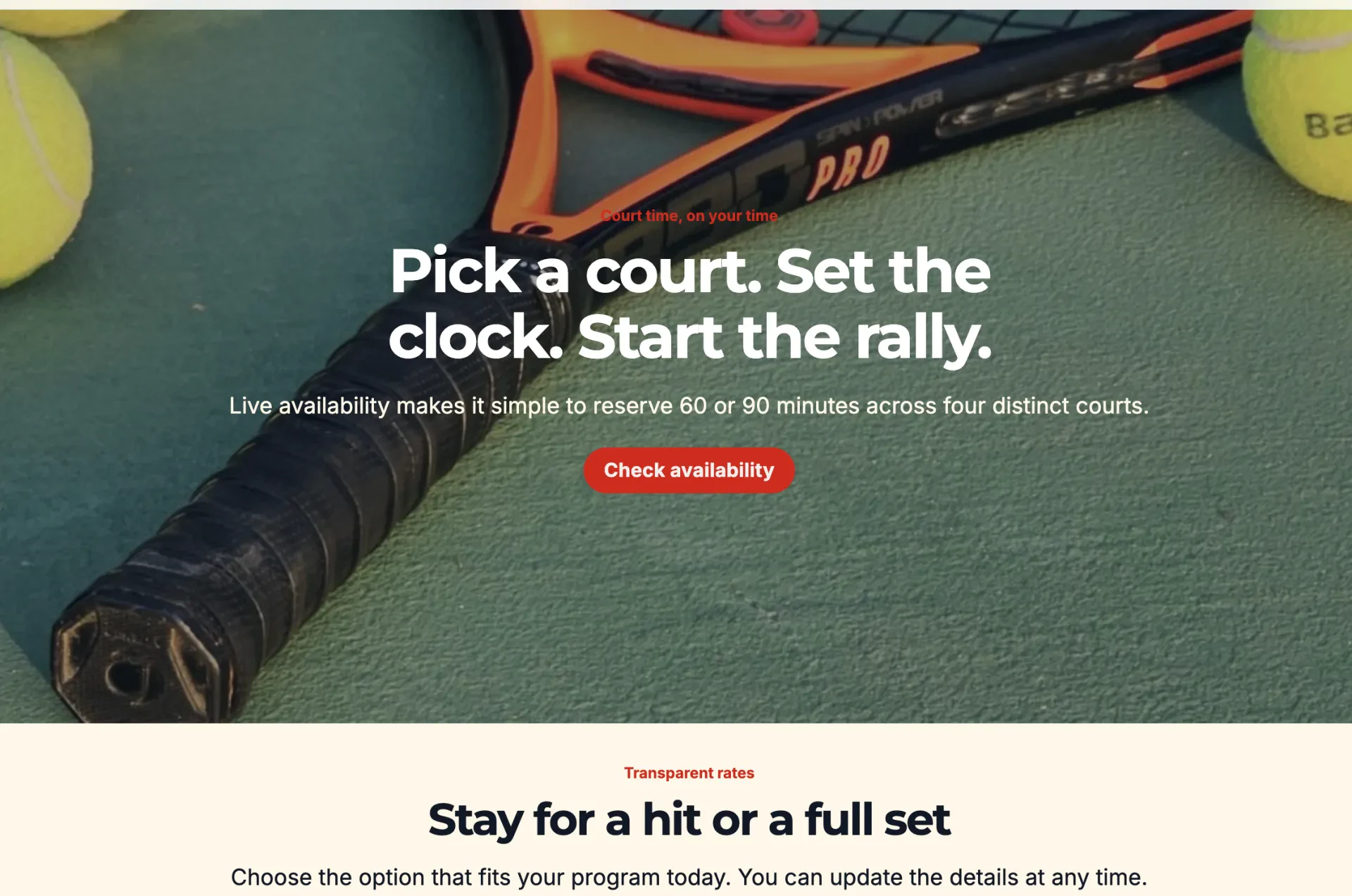
Members don’t browse a tennis club website the way they browse a program catalogue. They want to know right away which courts are open, and they want to book without waiting for a confirmation email to find out if the slot actually held. That means your site needs to reflect:
- 🎾 Indoor vs. outdoor courts, if your club has both
- ⏰ Peak and off-peak hours, and any pricing difference between them
- ⏱️ Variable session lengths (a member should be able to choose a 1, 1.5, or 2-hour slot from one flexible booking flow, not hunt for three separate packages)
- 🚫 Blackout times for league play, maintenance, or private events
- 📋 A waitlist option when a popular time is full, instead of a dead end
- 🔔 Availability alerts, so a member who wants a Tuesday evening court hears about openings instead of checking back all week
If your website only shows a static schedule or a “contact us to book” form, members will assume availability is worse than it actually is, or they’ll book elsewhere. The court calendar should be treated as the core of the site, not an add-on page.
When choosing a website builder, look for one that can connect directly to your court booking system rather than simply placing a booking button on the page. That connection is usually the clearest sign of whether you’re looking at the best website builder for tennis clubs or just a template with a booking button stuck on top.
Step 3: Map Out the Rest of Your Pages
With court booking handled, map out the supporting pages that help a member choose what to book in the first place.
Start by thinking about the questions your visitors are trying to answer. Someone deciding whether to join your club needs different information from an existing member who just wants to book Court 4. Organize your navigation so both can get where they need to go quickly.
A typical tennis club website might include:
- 🏠 Home: Court availability up front, plus a quick overview of the club.
- 🎾 Memberships: Tiers, what’s included, and how they compare to drop-in rates.
- 💵 Shop: Promote products like rackets, balls, and custom-branded merchandise on a shop page.
- 👩🏫 Lessons and Programs: Private lessons, group clinics, and junior programs.
- 🏆 Leagues and Ladders: Season dates, standings, and how to join.
- 💰 Pricing: Court fees, membership costs, and lesson rates in one place.
- 🧑🏫 Coaches: Bios, certifications, and specialties.
- 📋 Policies: Cancellations, weather, guest passes, and court etiquette.
- ❓ FAQ: Booking, waivers, and payment questions.
- 📞 Contact: A way to reach staff for anything the site doesn’t answer.
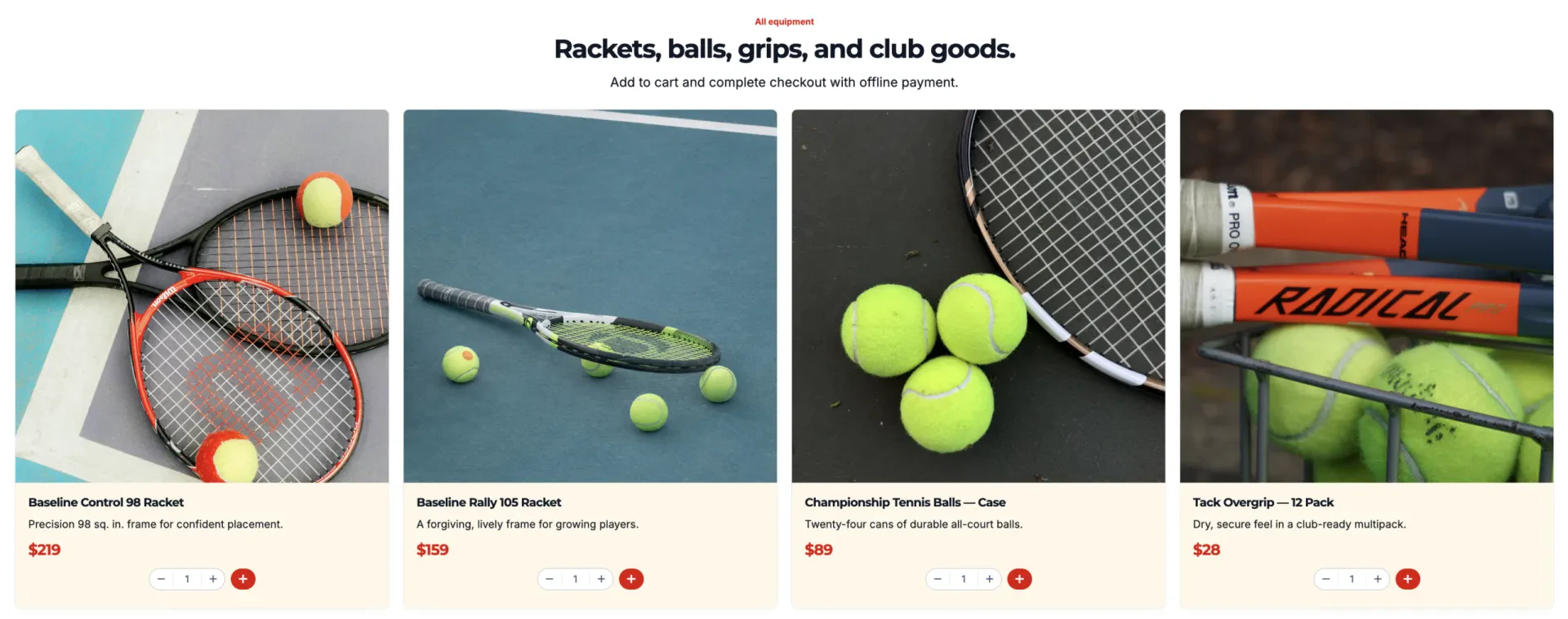
Clubs with junior academies, multiple facilities, or a separate pickleball program may want dedicated pages for those too.
Step 4: Set Your Branding
Lock in your visual style before you start building individual pages:
- 🎨 Primary and secondary colours
- 🔤 Fonts
- 🖼️ Logo placement
- 🧭 Navigation style
- 🔘 Button styles
- 📸 Court and facility photo style
- ↔️ Spacing between sections
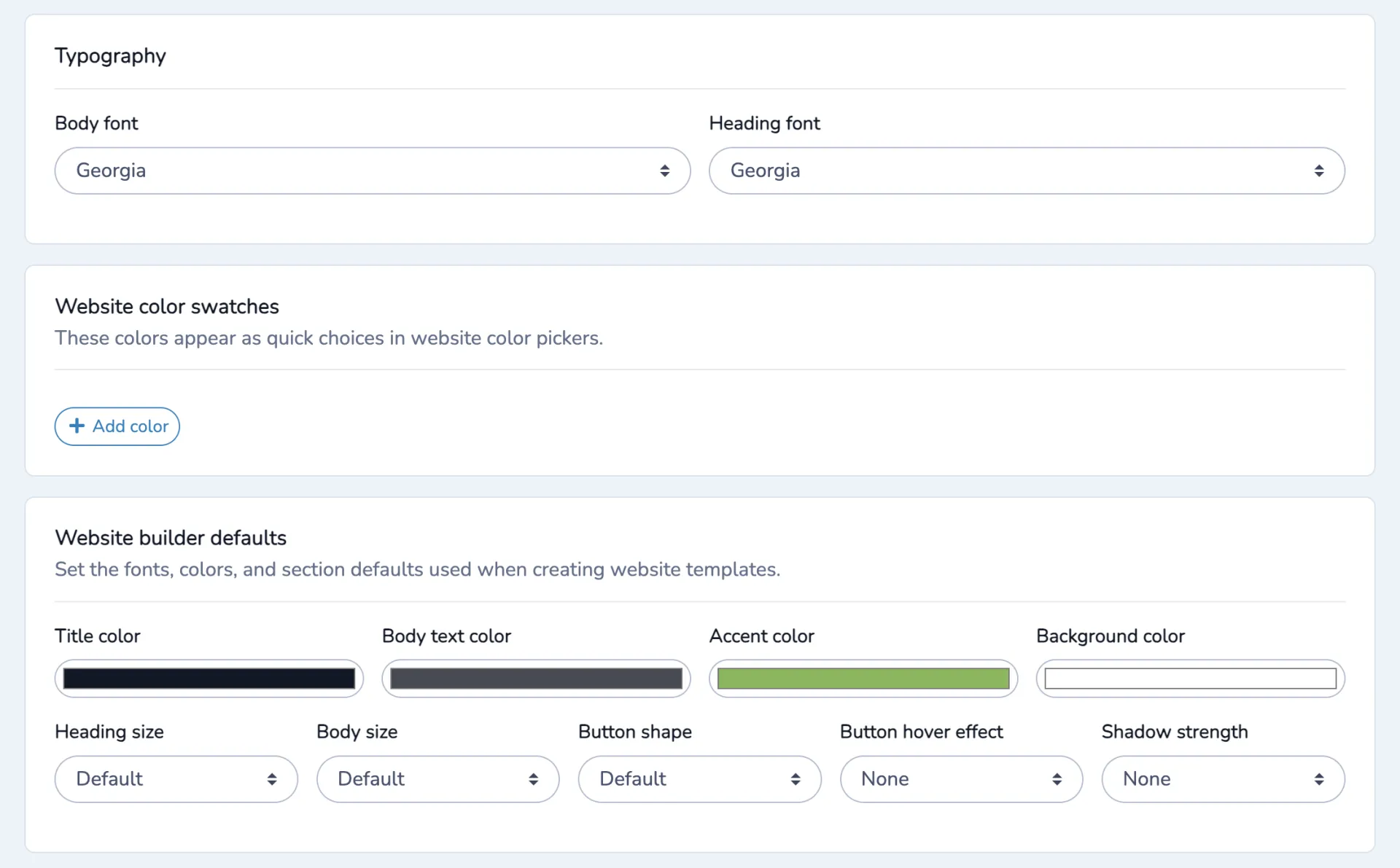
A member who books through a page that looks like your club, then lands on a booking screen that looks like generic software, starts to wonder if something went wrong. A website builder with centralized branding controls sets colours, fonts, and navigation once and carries them across every new page automatically.
Step 5: Build a Homepage That Leads With Booking
Your homepage has to serve two audiences at once: existing members who already know what they want and prospective members who are still deciding whether your club is right for them.
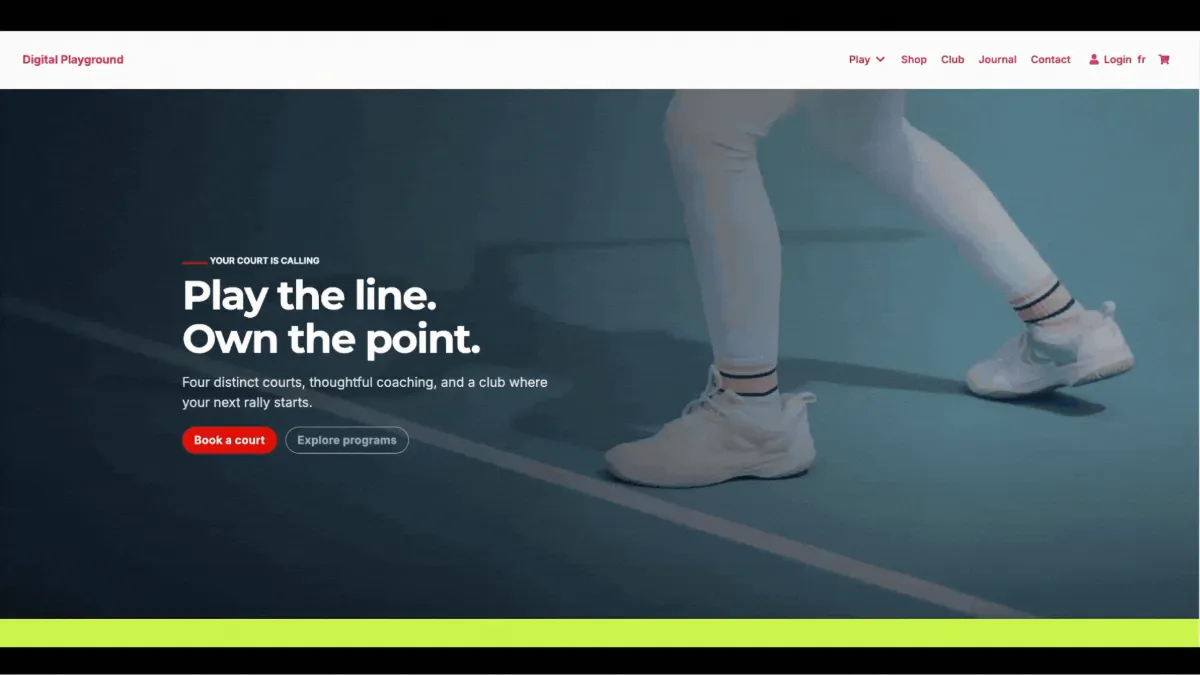
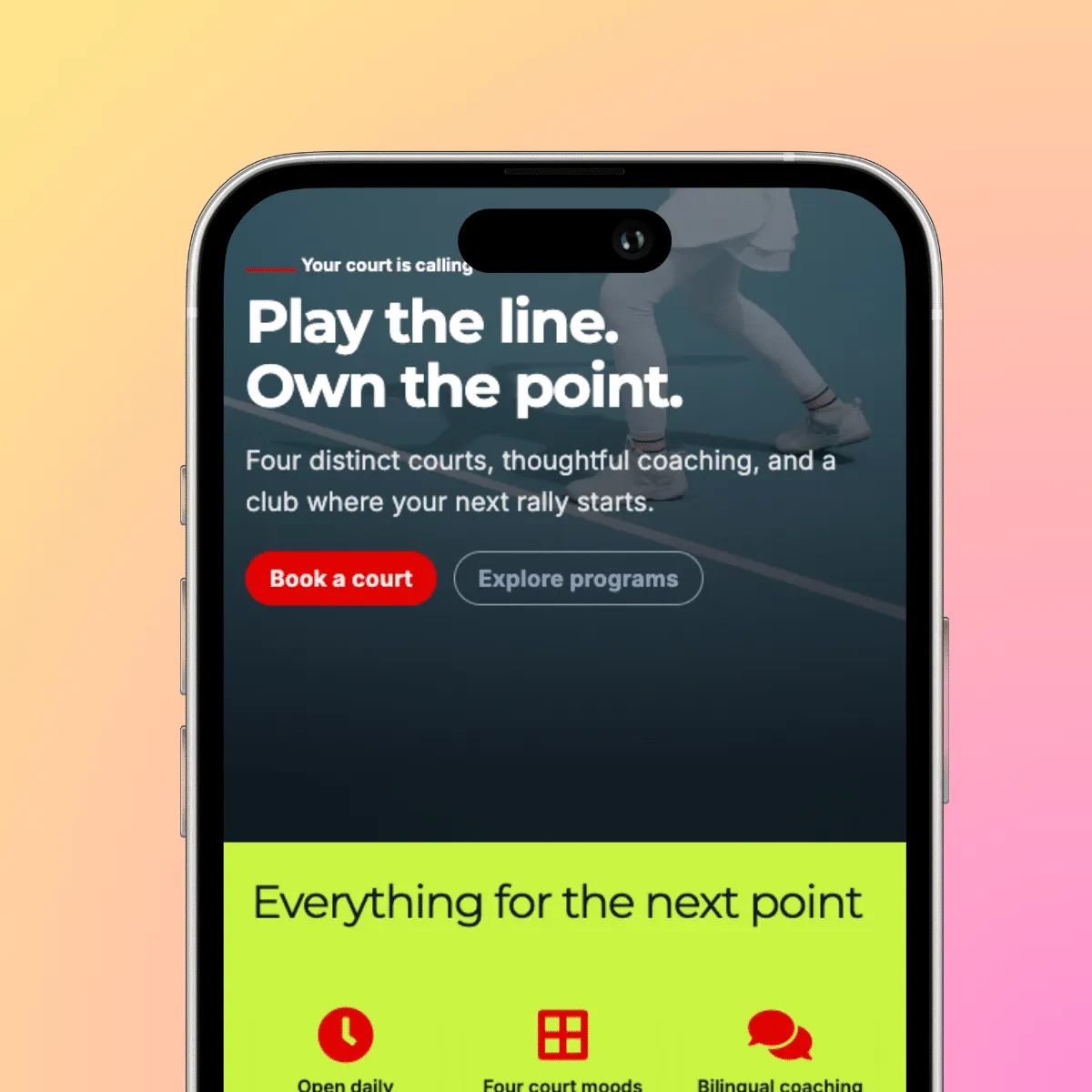
For returning members, booking should be easy to find. For prospective members, the homepage should quickly explain what your club offers, how membership works, and why they should choose your facility.
- 📅 Put booking within easy reach. Returning members shouldn’t have to search through your navigation to find the court calendar.
- 🎾 Explain what your club offers. Highlight memberships, lessons, leagues, facilities, and anything that makes your club different.
- 💰 Make pricing easy to find. Give prospective members enough information to understand their options before they contact you.
- 📸 Show the real club. Use photos of your courts, facility, coaches, and members rather than relying entirely on generic stock photography.
- 👉 Give visitors a clear next step. Whether that’s booking a court, viewing memberships, registering for a lesson, or contacting the club, make the primary actions obvious.
Step 6: Connect Booking and Registration to Your Website
Tennis clubs rarely have just one type of registration. A member might book a court, join a league, register for a clinic, sign up for a private lesson, or purchase a membership.
Your website should make those actions feel like part of the same experience rather than sending visitors to a different system for each one.
The best tennis club website builder will be connected to your registration system and route each of these correctly:
- 🎾 Drop-in and guest bookings, tied to real-time court availability
- 👤 Membership signups, with tier comparisons built in
- 👩🏫 Private and semi-private lessons, matched to coach availability
- 🏆 League and ladder registration, tied to season dates
- ✍️ Waivers and payment, collected once per member rather than per booking
- 📧 Confirmation emails specific to what was actually booked
The more closely your website is connected to booking and registration, the less information your staff has to maintain in multiple places. It also gives members a more consistent experience from browsing to registration to confirmation.
Step 7: Make Memberships, Pricing, and Programs Easy to Compare
Tennis clubs typically carry more pricing structures than a single class fee, so this deserves its own clearly laid-out section rather than a line in your FAQ.
Don’t make visitors piece together the cost of playing at your club from several different pages. Give each option enough context that someone can understand what they’re getting and what it costs.
Depending on your club, that might include:
- 🎾 Membership tiers and what each unlocks (court access, guest passes, league eligibility)
- 👤 Drop-in and non-member court rates
- 🎟️ Guest pass pricing and any limits per member
- 👩🏫 Private and group lesson rates
- 👦 Junior program pricing
- 🏆 League and ladder fees
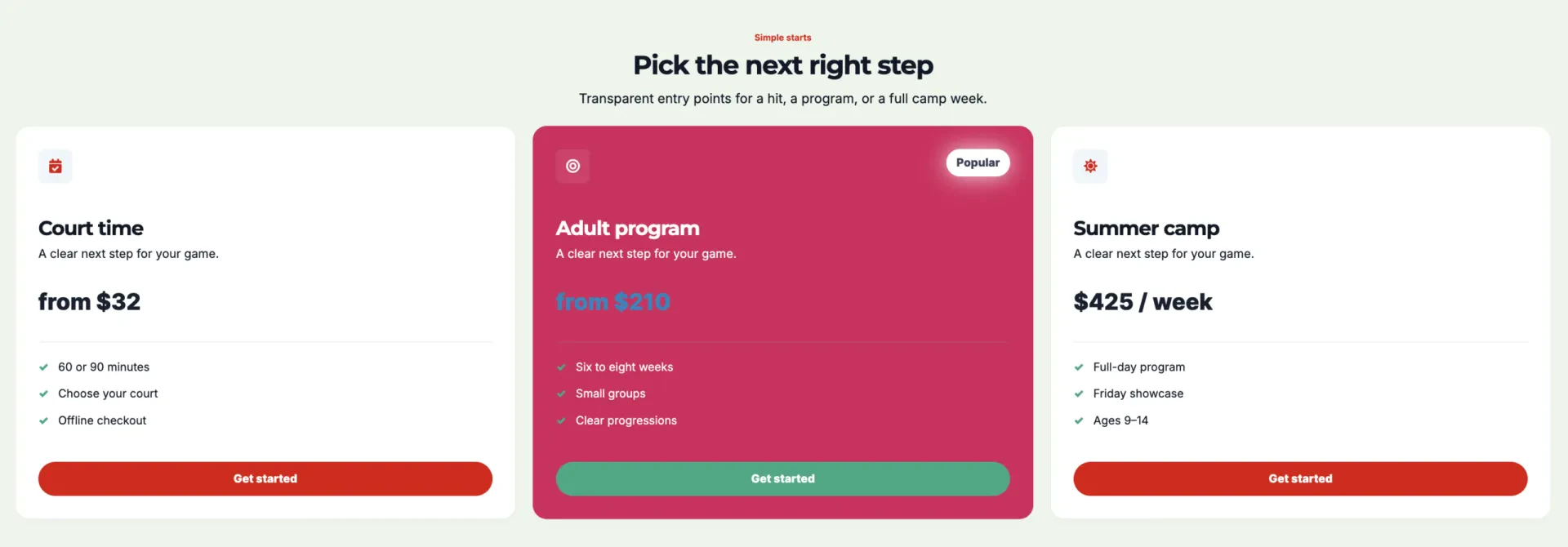
For membership tiers, a simple side-by-side comparison can make the differences much easier to understand. Highlight the benefits that actually affect a member’s decision, such as court access, booking privileges, guest allowances, discounts, or included programs.
Step 8: Make Weather and Cancellation Policies Easy to Find
If your club has outdoor courts, weather is a bigger operational factor than it is for most indoor activity businesses, and members will look for your policy before they book, not after.
Make these easy to find:
- 🌧️ Weather closures: How outdoor courts are affected, and whether members get credits or rebooking options.
- ❌ Cancellations: Notice required to cancel a court or lesson without a fee.
- 🧰 Court maintenance: How resurfacing or maintenance closures are communicated in advance.
- 👥 Guest rules: Limits on guests per member and any related fees.
Step 9: Promote Leagues, Ladders, and Tournaments
Court bookings and lessons keep the calendar full week to week, but leagues, ladders, and tournaments are often what keeps members engaged season over season. Give them real visibility instead of a single line on your homepage.
Consider dedicated sections for:
- 🏆 Leagues: Format, season dates, and standings.
- 📈 Ladders: How rankings work and how members challenge each other.
- 🎯 Clinics: Skill-building sessions by level.
- 🎉 Tournaments: One-time events, brackets, and entry details.
Give each program a clear next step. If a member is interested in a league or clinic, they shouldn’t have to return to the homepage and search for the registration form. Link directly from the program information to registration whenever possible.
Step 10: Test Your Website Courtside
Don’t just check whether the site technically works on a phone. Test the tasks your members are most likely to perform when they’re away from a desktop.
A Quick Member Experience Test
- ✅ Can I see which courts are open right now and start a booking?
- ✅ Can I book a specific duration, not just a fixed hour?
- ✅ Can I tell what a membership costs versus a drop-in rate?
- ✅ Can I check a coach’s credentials?
- ✅ Can I find the weather and cancellation policy?
- ✅ Can I join a league without calling the front desk?
- ✅ Can I sign up to be notified when my preferred court time opens up?
- ✅ Can I do all of this comfortably on my phone, one-handed, courtside?
If any answer is no, fix that page before members find the gap themselves.
Step 11: Publish and Share Your Website
Once tested, put the site in front of the members and prospects who already know your club:
- 📧 Email current and past members
- 📱 Share it on social media
- ✉️ Add the URL to staff email signatures
- 📝 Include it in league and season announcements
- 📲 Add a QR code at the front desk or on court signage
- 📍 Update your Google Business Profile and other local listings
If your club has multiple locations, consider how your website structure will handle them. A website builder that supports separate sites or subdomains can let each facility have its own information while your team manages everything from the same platform.
Activity Messenger: A Website Builder Built for Tennis Clubs
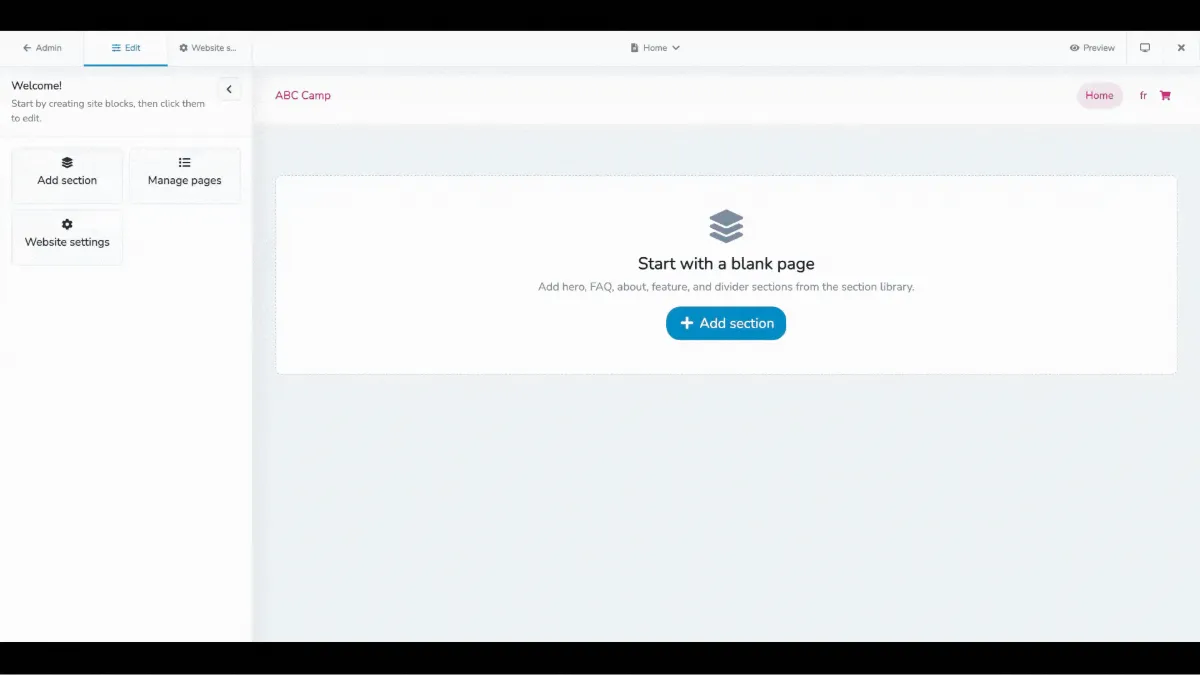
Activity Messenger was built to be the best website builder for tennis clubs, whether you’re already running registration and court booking on the platform or bringing your whole setup over for the first time. It connects your website directly to the registration and booking tools you use, and if you’re migrating from another system, we help manage that move too.
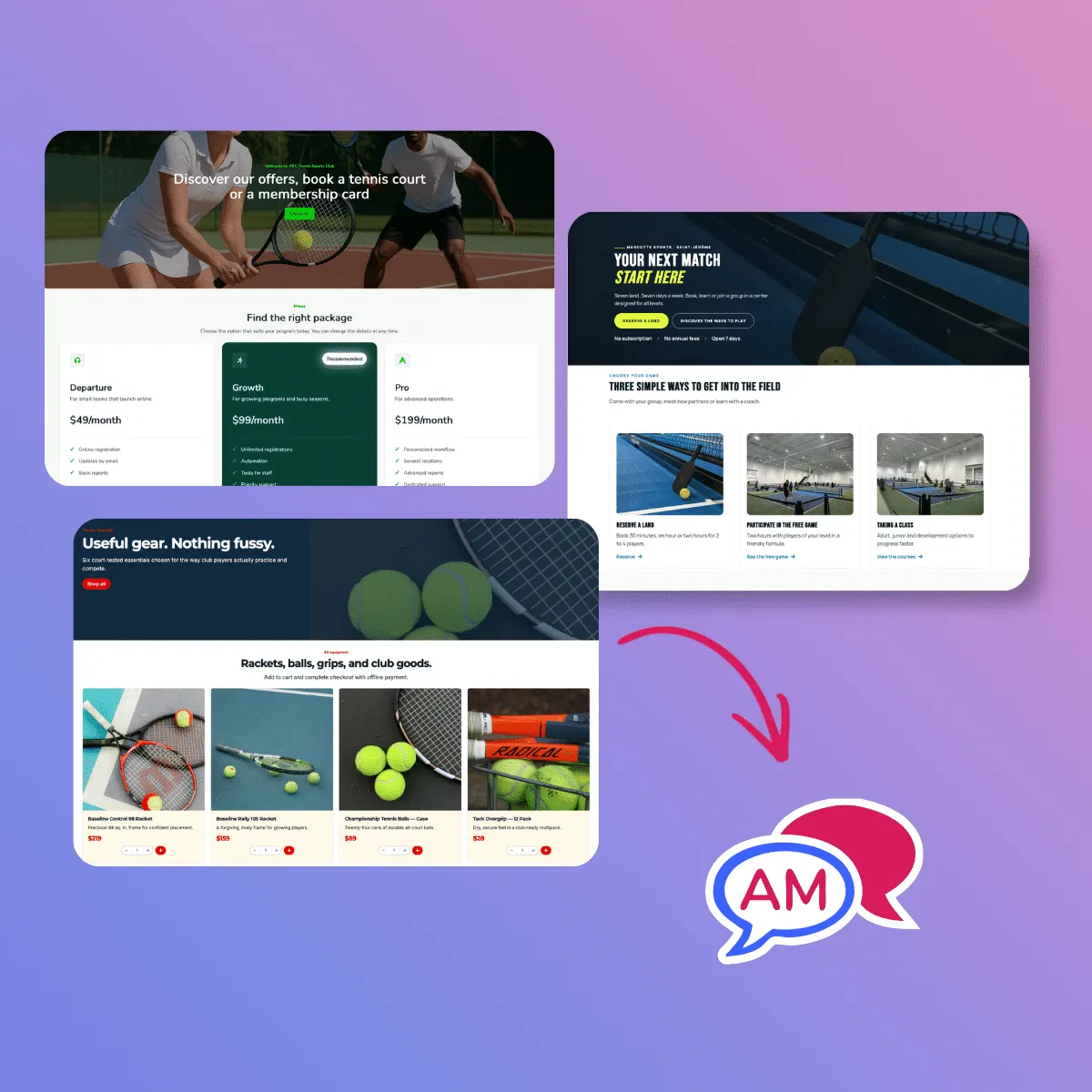
Court bookings, memberships, lessons, leagues, and other registrations can be connected to the same system.
Flexible registration options can also support different booking durations, such as 1-hour, 1.5-hour, or 2-hour sessions, depending on how your club operates.
Members can also subscribe to booking availability alerts for the courts, days, and times they prefer. They’ll get a daily email or SMS summary of open court time, or an alert when your staff announce a newly available slot, with a link straight to the booking calendar.
Waivers and payments can be included in the registration flow as well, giving members fewer steps to complete their booking or registration.
The same platform also supports email and SMS marketing, automated reminders, post-session surveys, and other member communications. That means your team can manage the website, registrations, and ongoing communication without exporting member lists between multiple tools.
Plus, for clubs with multiple locations or separate indoor and outdoor facilities, Activity Messenger can support separate websites using different domains or subdomains.
Frequently Asked Questions
What should I look for in the best website builder for tennis clubs?
Look for a platform that combines the things your members actually use: real-time court availability, mobile booking, flexible booking durations, membership and program registration, payments, and an easy-to-manage website. Design matters, but it shouldn’t be the only consideration. A website can look great and still create friction if members have to leave the site to check availability or complete a booking.
Do tennis clubs need a website builder and court booking software separately?
Ideally, court booking should feel like part of your website rather than a completely separate experience. A separate booking system can work, but if members have to jump between platforms, the transition can feel like starting over, and your team may have to maintain information in multiple places.
How do I handle variable court booking durations on my website?
Look for a website builder that supports duration-based bookings within one flexible package, rather than requiring separate listings for a 1-hour, 1.5-hour, and 2-hour slot. Members should be able to choose length from a dropdown and see matching availability instantly.
How should I organize membership and court pricing?
Group membership tiers, drop-in and guest rates, private and group lesson pricing, and league or ladder fees so members can compare at a glance instead of hunting across separate pages.
What’s the best way to handle weather policies for outdoor courts?
Give weather and closure policy its own visible section, not a buried FAQ line. Explain how closures are communicated, whether credits or rebooking apply, and how quickly members are notified.
Can I build separate websites for different tennis club locations?
Yes, particularly if locations have different courts, branding, or programming. Look for a tennis club website builder that supports multiple sites or subdomains from one account if you manage more than one facility.
Final Thoughts
The best website builder for tennis clubs isn’t necessarily the one with the most templates or design options. It’s the one that makes it easy for members to find a court, book the right time, understand their options, and register from any device.
Start with court availability, then build around memberships, lessons, leagues, pricing, and policies. Most importantly, make sure your website and booking system work together instead of against each other.
🎾 Book a free demo to see how Activity Messenger can help you build a tennis club website with booking, memberships, registration, and payments in one system.