
Creating an online store or pro shop can simplify the process of selling products, apparel and merchandise for your gymnastics club. With Activity Messenger, clubs can sell items directly on their website or even during the registration process.
The platform is easy to set up and offers options to better manage the sale, inventory and distribution of products, whether it’s leotards, accessories or gymnastics equipment.
In this article, we’ll explore:
- How to create and sell items online
- Setting up your online store
- How clients can navigate your online store
- Order Tracking and Management
- Website Integration and POS
- Selling Popular Items on Your Registration Form
- Marketing Your Online Store and Items
Also looking to for a modern software for your gymnastics club? Here’s an analysis of the 8 best gymnastics club software on the market.
How to create and sell items online
Before launching your online store, you’ll need to create and configure the items you want to sell in your account.
- Create Items: Define each product by adding a title, SKU code, inventory and descriptions.

- Add Tags: Tags allow you to sort products into categories (e.g., “Gymnastics Leotards”). They help organize the products in the store and improve visibility for clients.
- Upload Images: Images help clients visualize the product before purchasing. For leotards, for example, upload photos of each model and size.
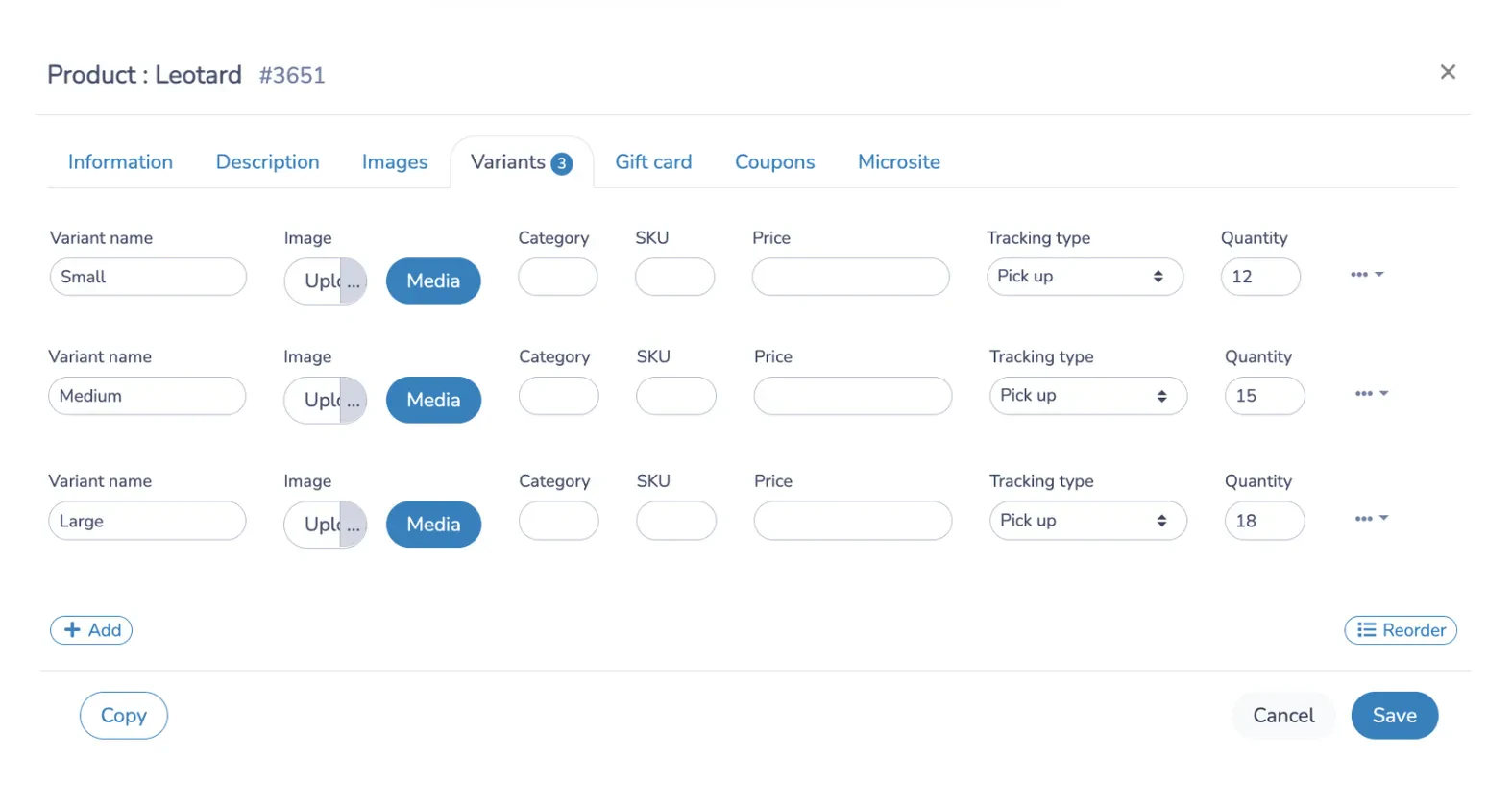
- Create production variations: Depending on the product, add variations like sizes (small, medium, large) with prices and inventory for each size.
Setting up your online store
Once your items are ready, configure the store to offer a simplified user experience:
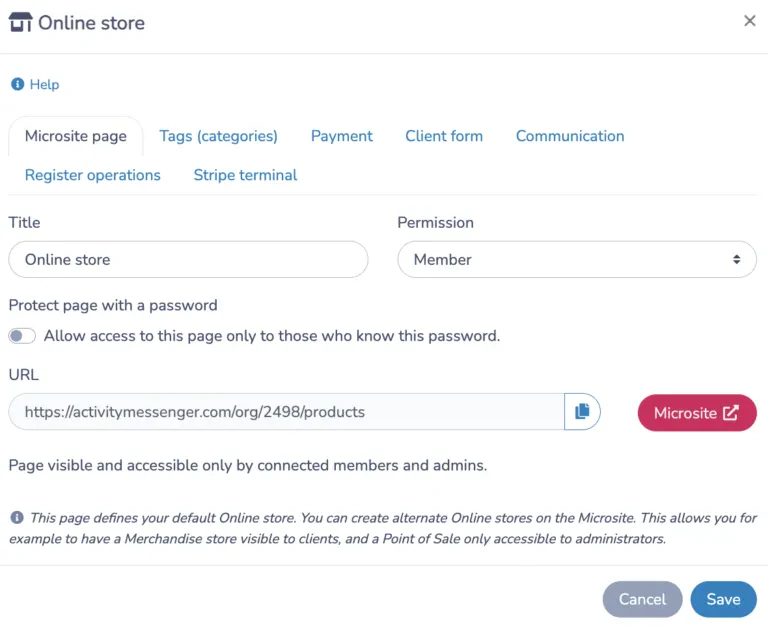
- Name your online store: Rename your online store and. Your online store has a unique link, QR code and can be fully embedded into your website so your customers never have to leave your site to make a purchase.
- Access Control: Define who can access the online store. For example, you may restrict access to products to competitive athletes or only share your store with your clients.
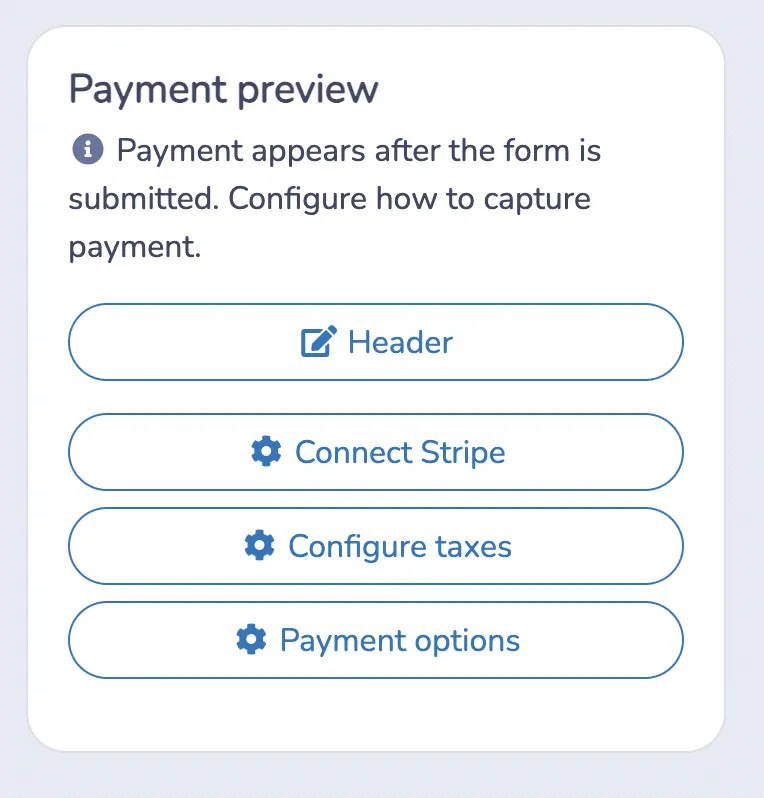
- Payment Settings: Connect Activity Messenger with Stripe to accept credit card payments. You can also offer additional payment options (Cash, Interac).
💡 Pro Tip: Supercharge your front desk with Activity Messenger’s POS + Stripe Terminal combo. Accept tap, chip, or swipe payments on-site with seamless syncing to registrations, memberships, and class packs. Pairing our POS with Stripe Terminal is the ultimate setup for fast, flexible, in-person payments.
How clients can navigate your online store
After configuring the store, you can test how it appears to customers:
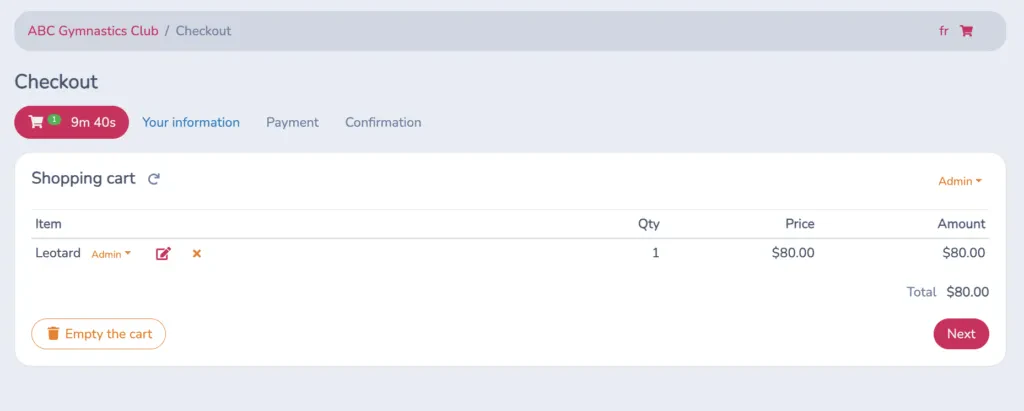
- Adding Products to Cart: Customers can select their product, choose the desired size or variant, then add the item to their cart.
- Checkout: Once they’ve completed their selections, customers can go to the checkout, fill out a form with their details (name, email, phone), and proceed with payment.
- Administrator Options: For in-person purchases, an administrator can record offline payments (cash, credit card via terminal) and finalize the purchase directly for the customer.
Order Tracking and Management
Activity Messenger provides advanced features for managing stock and order tracking:

- Inventory Tracking: After each sale, the stock is automatically updated. Items can be marked as “in preparation” when ready for collection, and “picked up” once they have been collected by the customer.
- Notifications: Set up notifications for items that require quick follow-up. For example, a notification can be sent to staff when someone buys a specific item, enabling quick order management.
Website Integration and POS
Website Integration
To maximize your store’s visibility you can embed it on your website:
- iFrame Integration: Embed the store on your website via an iFrame for a seamless customer experience, without users having to leave the site.
- QR Code: Display a QR code at your club’s entrance to allow members to easily access the store. This can also encourage impulse purchases for popular items.
Connecting a POS to Your Online Store for In-Person Sales
By integrating a point-of-sale (POS) system with your online store, you can streamline in-person transactions and manage both online and offline sales from a single platform. Here’s how connecting a POS can improve your sales and operations:

- Simple In-Person Transactions: A POS, such as Stripe Terminal, lets you accept credit card payments on the spot, making it ideal for club events, competitions, or at the front desk.
- Unified Sales Tracking: By integrating your POS with your online store, you can track both in-store and online sales in one place, simplifying financial reporting and inventory management.
- Improved Customer Experience: Customers have the flexibility to purchase items in person or online, and staff can quickly assist with transactions.
Learn more: Marketing ideas for your Gymnastics Club
Selling Popular Items on Your Registration Form
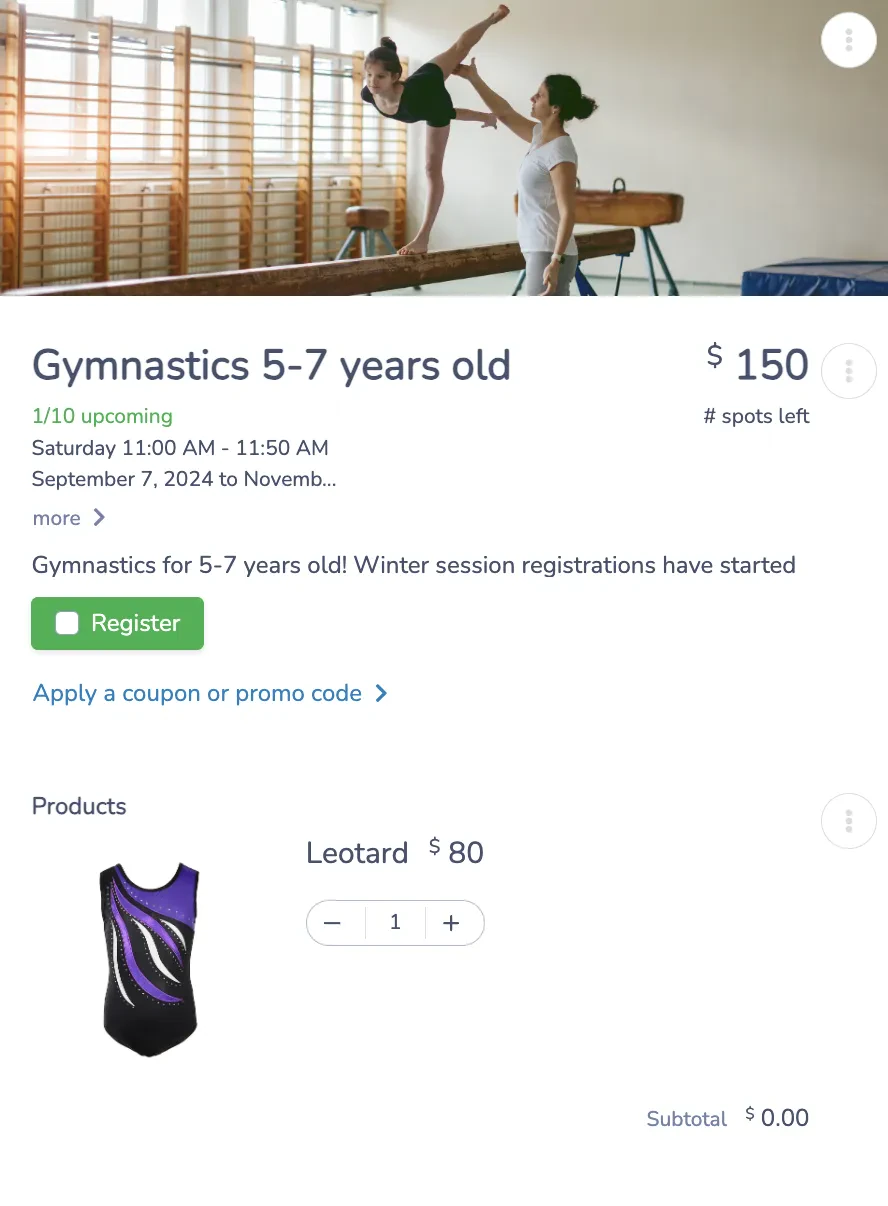
A good way to increase sales or merchandise and products is to add them as options during the registration process. This makes it easy for parents registering their children to add items to their order.
- Time Savings for Parents: Save parents time by allowing them to purchase essential items during registration.
- Enhanced User Experience: By adding products directly into the registration process, clients can complete everything in a single transaction.
- Boosting Sales: Adding products to the registration form encourages add-one purchases and increases the likelihood of sales. If people have to purchase items at another time, they might forget or simply decide not.
Marketing Your Online Store and Items
Effective marketing of your products is essential to increasing sales in your online store. Here are some strategies to help you promote your products and increase visibility:
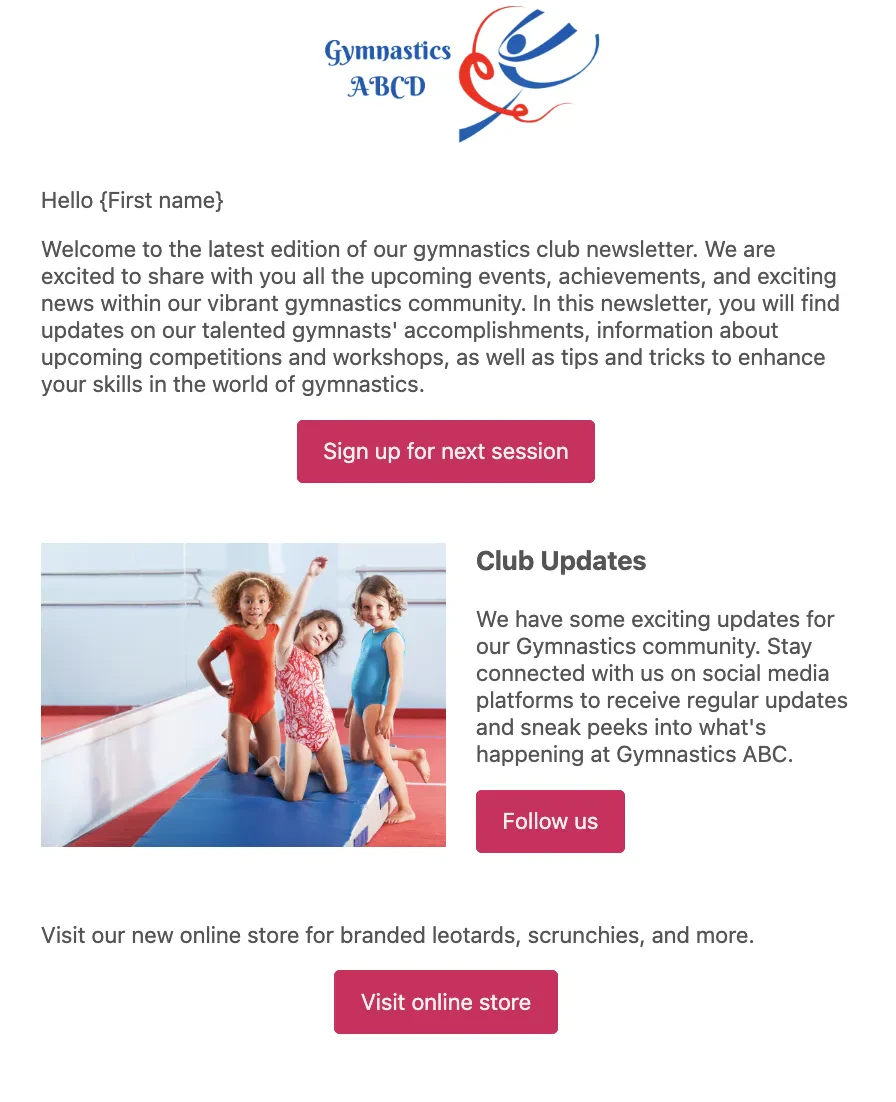
- Include a Store Link in Your Newsletters: Sending newsletters is a great way to engage with your members, and including a direct link to your online store encourages them to check out your latest offerings. Highlight popular or new items in each newsletter, and consider offering limited-time discounts or bundles to create a sense of urgency.
- Use QR Codes at Events: Placing QR codes in key locations during events, such as contests or club meetings, makes it easy for attendees to access your store and purchase items on the spot. Placing QR codes near registration desks, entry points, or merchandise tables can encourage impulse purchases and increase engagement.
- Promote on Social Media: Use your club’s social media accounts to promote products available in your store. Highlight one or two popular items each week and encourage followers to visit the online store. Posting testimonials or photos of members using the products can also generate interest.
- Seasonal and Event-Based Promotions: Tailor your store’s offerings to seasonal needs or special events. For example, promote winter training gear during colder months or limited-edition items for annual club competitions. This can create excitement and make your store feel relevant and contemporary.
Wrapping Up
Launching an online store with Activity Messenger is an efficient solution for fitness clubs looking to simplify product sales. In just a few steps, you can organize products, configure payment options, track orders and improve the customer experience. Whether you sell online or in person, Activity Messenger helps you manage your store effortlessly so you can focus on making your club a success.
Other ways to manage and grow your gymnastics club
How to create a gymnastics registration form
How to send bulk SMS
Create an online digital waiver
Gymnastics Software to grow your club