Activity Messenger now allows you to import registrations taken manually or from another registration platform. By uploading a simple CSV file, you can import a participant’s:
- Name
- Email address
- Mobile phone number
In addition, if registratants are children you can import their information with new fields:
- Child name
- Child date of birth
- Child gender
Finally, you can import the event/activity/class basic information:
- Activity name
- Activity start date
- Activity start time
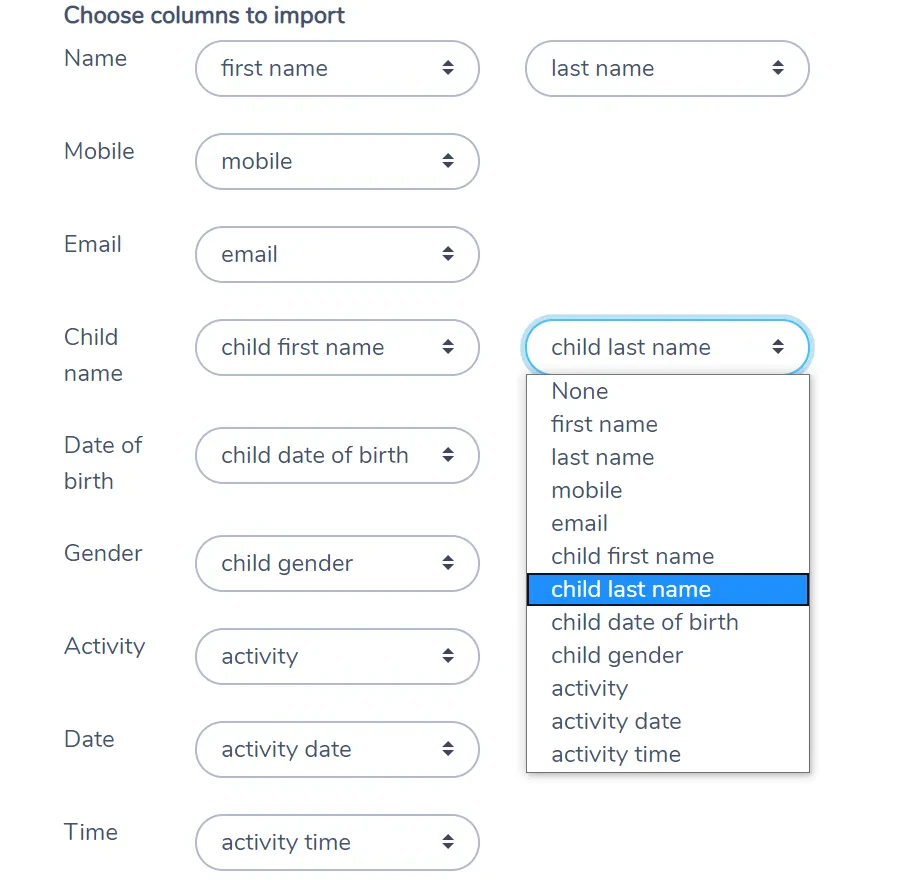
Map your columns
Activity Messenger will detect column names. Alternatively, if the names are different, you can specify them during the import.
Family accounts and multiple children
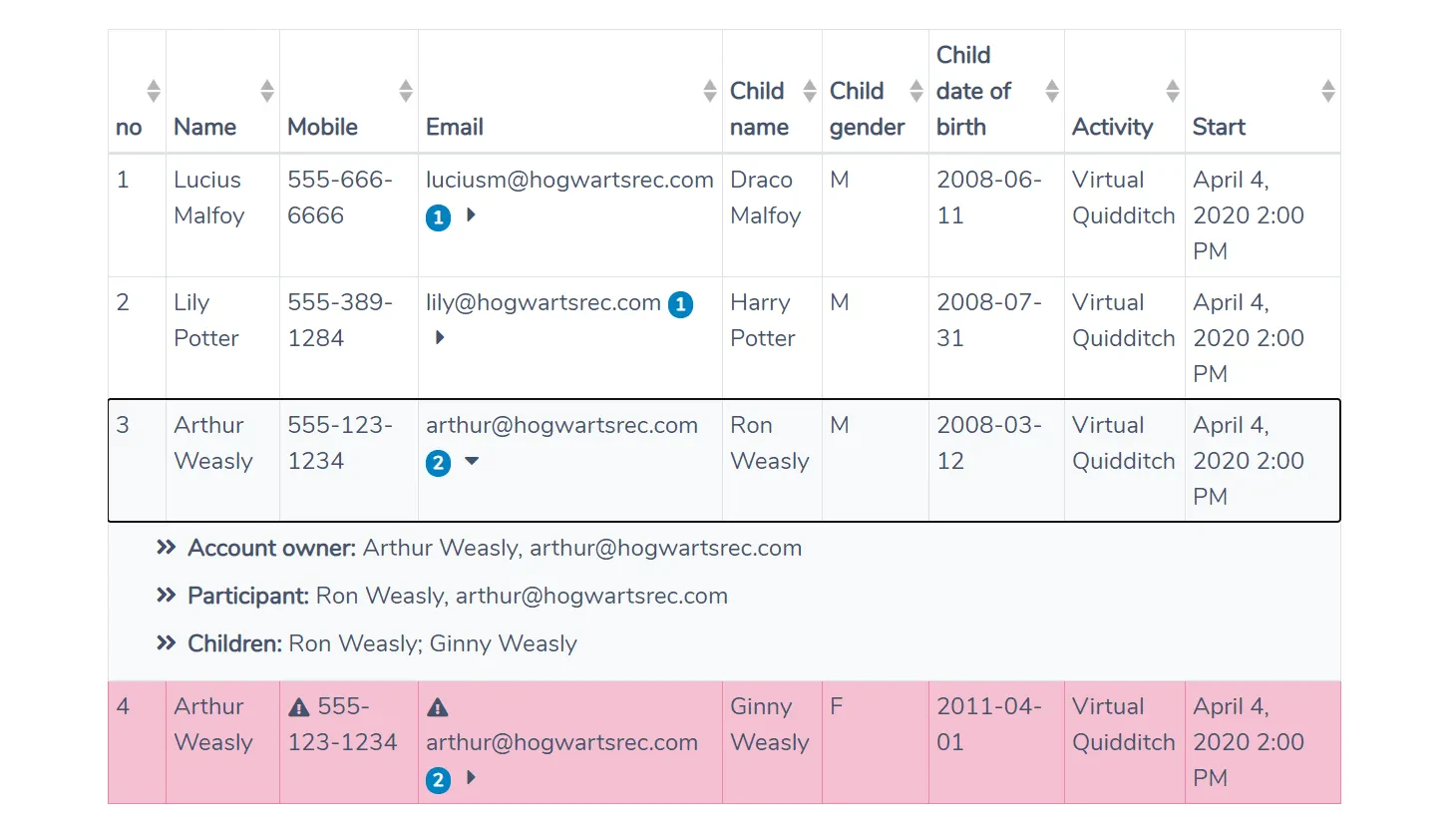
When you import parent and children, Activity Messenger will automatically detect siblings and group them together. It will target the parent only once. It won’t import duplicate emails.
Placeholders in email and text messages
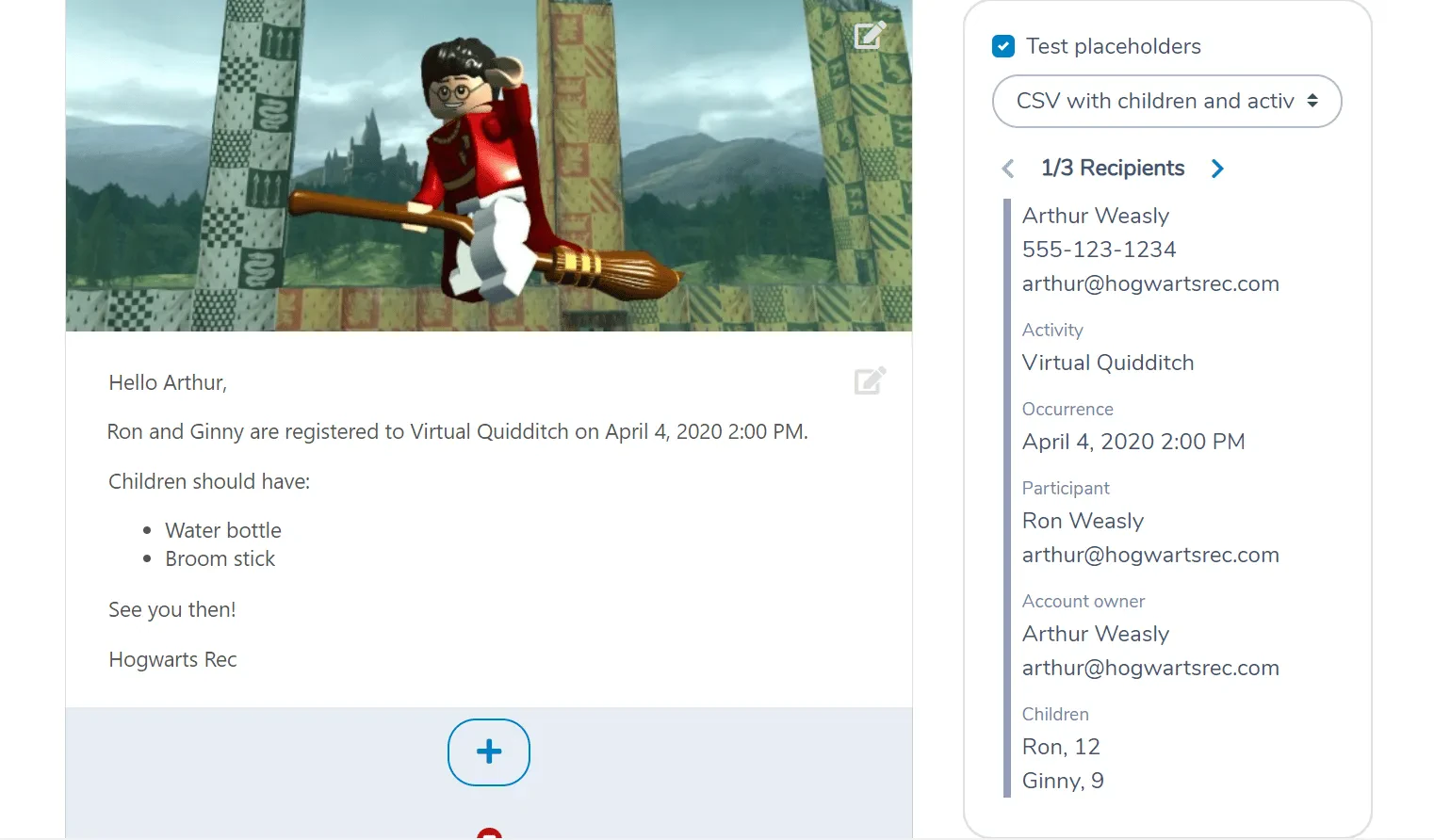
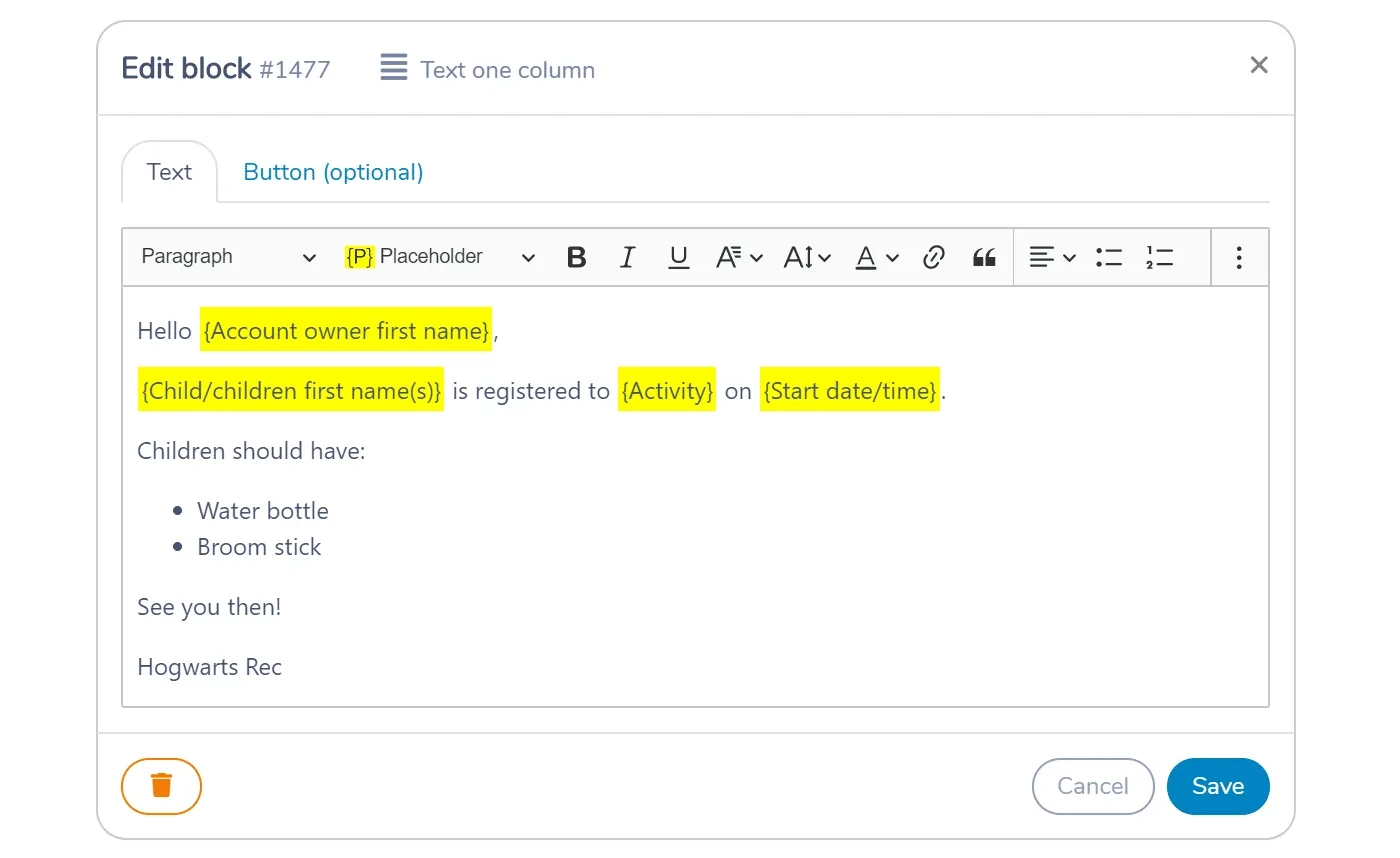
Once imported, you will be able to personalize email and text messages with these placeholders:
- Name: The recipient’s full name
- First name: The recipient’s first name
- Account owner name: The account owner’s full name
- Account owner first name: The account owner’s first name.
- Participant name: The participant’s full name
- Participant first name: The participant’s first name.
- Child/children first name(s): The family account children’s first names
- Activity: The activity the participant is registered to.
- Start date/time: Start date/time of the first occurrence (class or game) of the activity.
- Start date
- Start time
Previewing message templates
Preview each email message against the list of participants you have imported. See the placeholder replacements.