

We’re constantly improving Activity Messenger to better support your day-to-day operations. This February, we’ve introduced several new features and enhancements:
- Get notified instantly when an item is sold
- Take full control of your waitlists
- Offer the right type of membership: individual, family or corporate
- Split registration and payment between two different people
- More helpful improvements
🔔 Receive notification when an item is sold
Selling shirts, bottles, caps, or other branded items through your organization? Even if merchandising isn’t your core activity, it can help build team spirit, boost visibility, and raise funds for events.
To make things easier, you can now automatically notify an administrator as soon as an item is sold. This feature helps you to:
- Track inventory in real time;
- Coordinate fulfillment with your staff;
- Avoid running out of stock unexpectedly.
Would you like to find out more about sales management with Activity Messenger? Make an appointment with our team
📋 Control your waiting lists with greater precision
Tired of managing never-ending waitlists? We’ve added two new options to help you streamline the way they work:
- Limit the number of registrations on a waitlist to avoid having too many people to follow up with;
- Automatically hide activities when their waitlist is full, so people don’t sign up for something they can’t join.
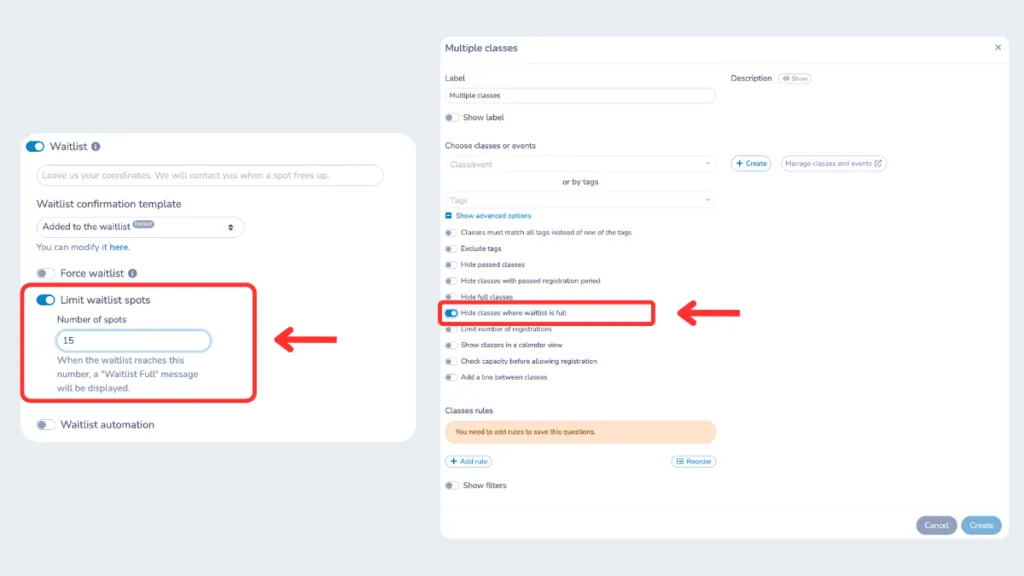
These improvements give you more control over your programs and create a smoother experience for families and participants.
🪪 Subscriptions: individual, family or corporate
Every organization has different membership needs. That’s why you can now create individual, family or corporate membership cards directly in Activity Messenger:
- Individual: A personal membership that can’t be transferred or renamed;
- Family: Multiple members under one shared membership;
- Corporate: For companies, schools or other institutions.
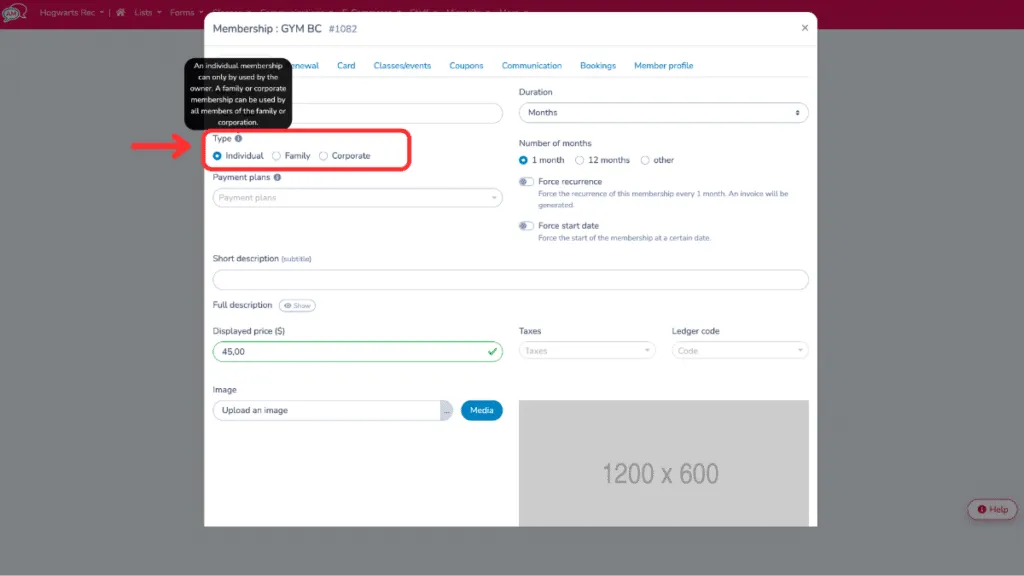
What’s more: during group registrations, Activity Messenger now automatically fills in member names based on the email address, saving time and reducing errors.
📖 Also read: How to create an online membership form?
✅ Forms: booking and payment by two different people
Need one person to choose the activity and another to pay? That’s now possible, thanks to a new “relay” question in your forms. Here’s how it works:
- The first person selects the activity and enters the participant’s details;
- They provide the email address of a second person (e.g., supervisor, parent, or finance contact);
- That person receives a link by email to complete the payment.
Each person gets a confirmation and a PDF invoice once the registration is complete. This is a great solution for schools, companies, or families where multiple people are involved in the process.
Even more new products
In addition to the main updates above, here are a few more improvements that were released in February:
- Automatic calculation of staff working hours in reports;
- Instructor attendance validation;
- Notifications when a class is full.
Join the growing number of organizations that trust Activity Messenger to simplify their operations. Book a free demo today and see how we can help you save time and grow faster!