

November is when the calendar flips. Winter sessions are filling up, and next summer’s camps are already landing on your desk. This month’s updates are built for exactly that stretch: fewer blank pages, fewer reports built by hand, and fewer “could you resend that?” emails.
Here’s what’s new in Activity Messenger this month 👇
- Ask your data a question with the new AI assistant
- Start from a template, not a blank page
- Camp add-ons that know when the bus is full
- Every message, right in your families’ accounts
- Other improvements this month
Ask your data a question with the new AI assistant
How many members signed up in October? Which classes still have open spots? Until now, answering that meant exporting a list, filtering a spreadsheet and hoping you didn’t miss a row.
Now you can just ask. The AI assistant answers questions about your data, pulls reports, and prepares drafts of forms, classes, memberships, newsletters and automations for you to review.
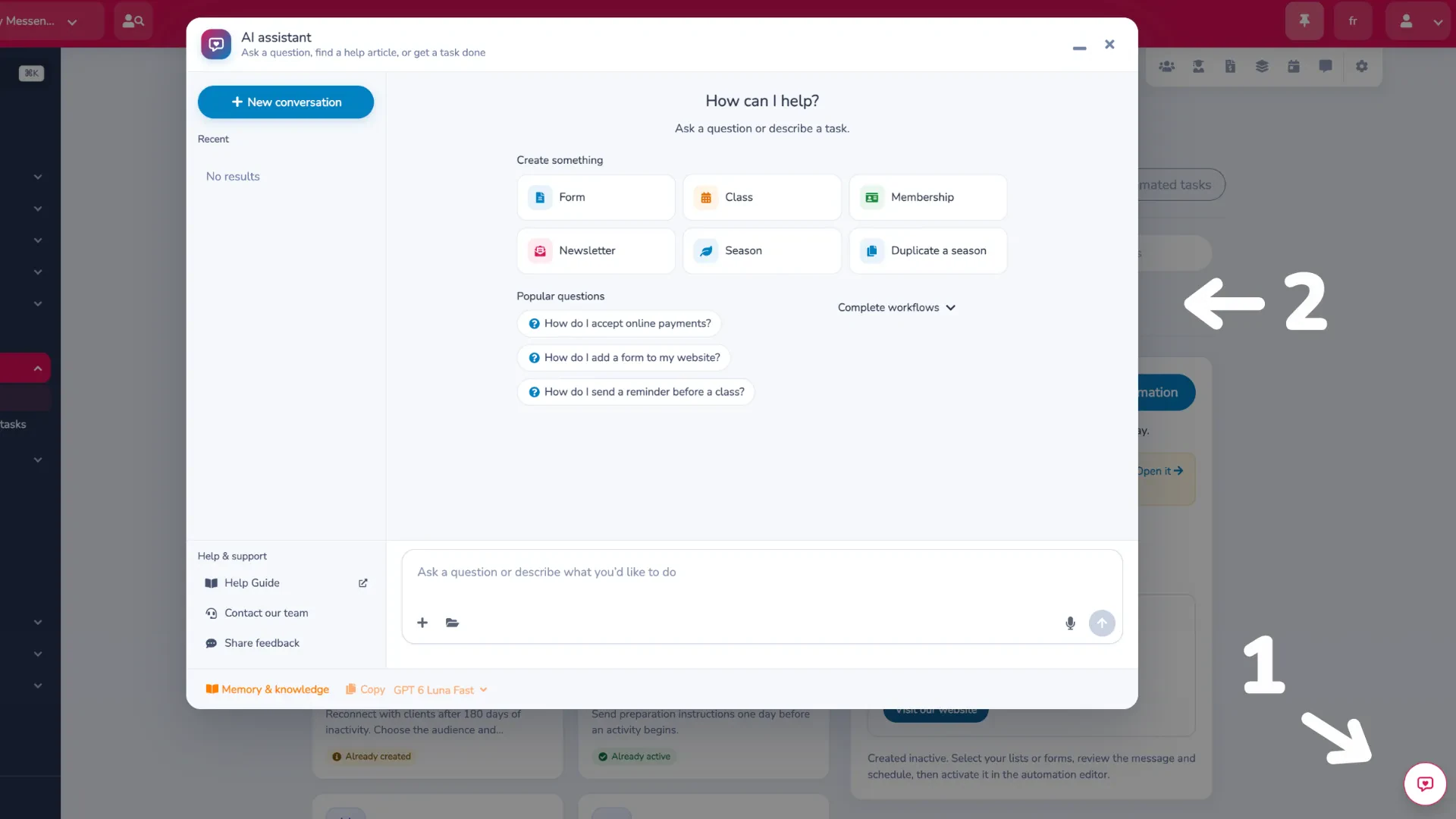
Two things mattered to us when we built it. The assistant only sees what your account has permission to see, and nothing it prepares goes live until you’ve reviewed it. And if you’d rather talk to a person, you can message our support team right from the assistant chat.
Curious what AI changes in registration software beyond a chatbot? Read What is AI-native registration software?
Start from a template, not a blank page
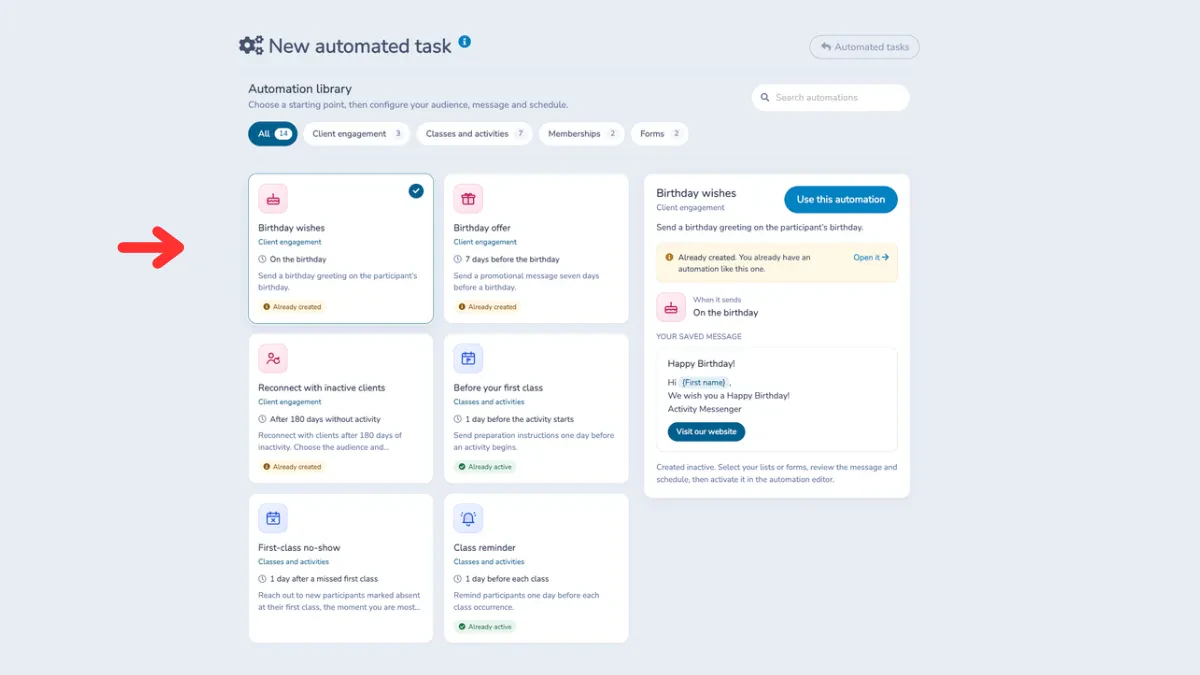
Wishing a camper happy birthday. Reminding a member their membership is up for renewal. Checking in with a family you haven’t seen since spring. Sending a reminder the day before class. These are the messages that keep families coming back, and they’re the first ones to slip when the front desk is busy.
Creating an automation now starts from a template library. Each template shows at a glance what it does and when it runs. Adjust the wording so it sounds like you, turn it on, and it keeps working in the background.
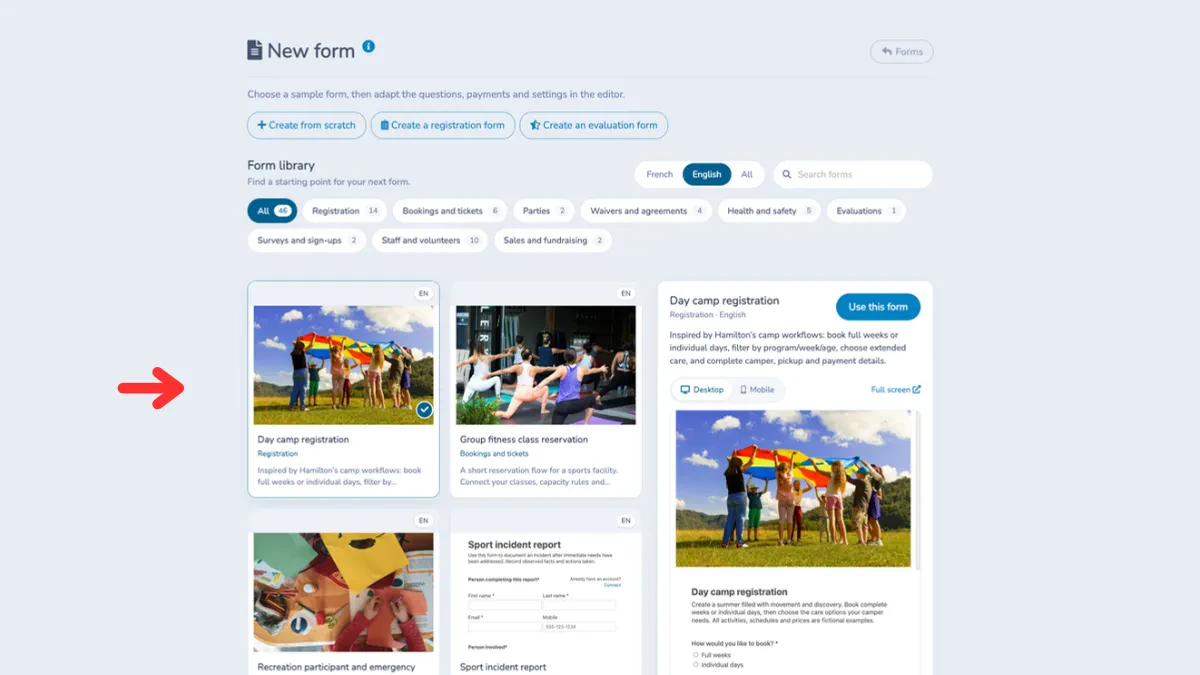
The same goes for forms. Registration, camp, membership, survey: form templates now live in a much more visual library, with a preview of each one. Filter by category or search by keyword, then make it yours with your own text, images, layout and branding.
👉 Want a head start? Browse our automation templates and form templates, or see how to build a camp registration form from a template.
Camp add-ons that know when the bus is full
Your camp week includes a trip to the zoo. You have one bus. 48 seats. And a lot more than 48 families who’d love to come.
You can now link a class add-on, like a bus ride or a lunch program, to a class. Capacity and attendance are handled automatically. Families see the remaining spots right in the form, capacity is checked again before payment, and the add-on shows as full the moment the linked class is full.
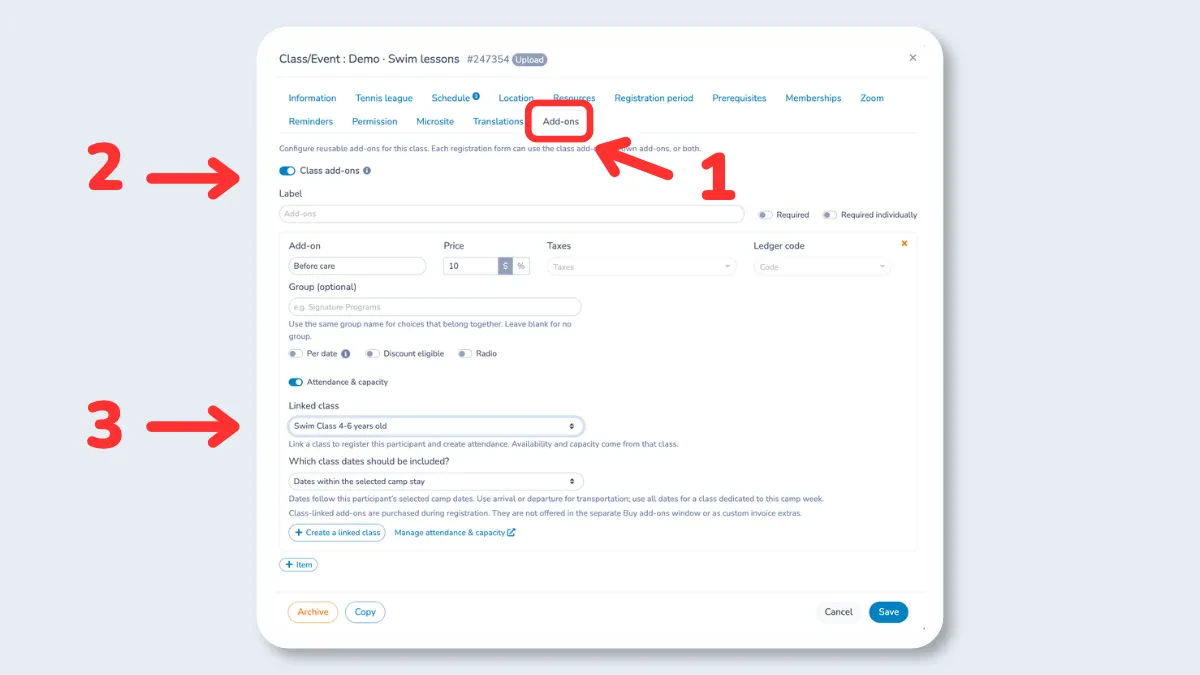
No more overselling. No more calling parents back to explain there’s no seat left on the bus. If you run camps, see how it fits into our camp management software, or see how linked add-ons work.
Every message, right in your families’ accounts
“Could you resend that email about the year-end show?” Families get dozens of emails a week, and yours end up buried between school notices and promo codes.
The new Communications tab in the client account gathers every message sent by your team or by the system. Families can open any of them, any time, without having to ask you.
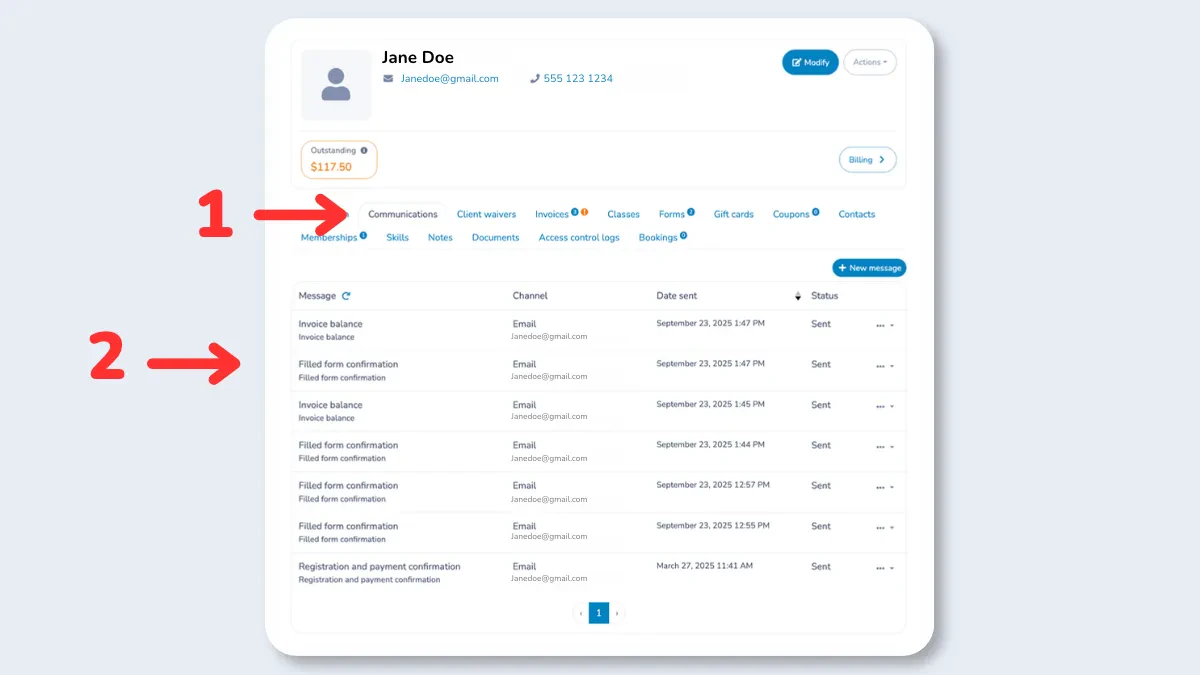
On your side, the client profile already shows every email and SMS sent, with the send time and delivery status. So when a parent says “I never got it,” you can check in seconds.
Other improvements this month
A few smaller updates that take some friction out of the week:
- A new Waitlist module to centralize and track every request;
- The next person on the waitlist is registered automatically when a spot opens up;
- Availability alerts let members know when a booking slot matching their criteria opens up;
- Tracked QR codes measure scans on your flyers, and you can change the destination without reprinting;
- Families can change seats from their account, and names now appear on seat maps;
- More options when duplicating classes (resources, dates, tags, staff schedule publishing);
- A side-by-side comparison of two forms in the Class Revenue report;
- SMS replies can be forwarded to an email address, with a link back to the conversation for easy follow-up.
Built for your busiest weeks
Winter registration and summer camp planning don’t leave much room for building reports or writing the same reminder for the tenth time. This month’s updates take those jobs off your plate, so your team can spend that time with families instead.
Missed last month? Catch up on what’s new from October 2026.
Curious to see how these features could work for your team? Book a demo today.