

Back-to-school season usually means a busier pace for sports and leisure organizations. More registrations to process, more communications to send, more decisions to make quickly. That’s exactly why, at Activity Messenger, we keep evolving our platform to make things easier.
Here’s a roundup of our latest updates, and more importantly, what they actually change for your day-to-day operations 👇
- 🗓️ A smoother registration experience for your participants
- 💰 Additional fees set up once, applied everywhere
- 📊 Financial data that turns into strategic insights
- 💬 Conversations kept in one place with Class Discussions
- 🚀 And several other improvements to streamline your operations
🗓️ A smoother registration experience for your participants
Finding the right class shouldn’t feel like a scavenger hunt. With the new Weekly Registration View, participants can now browse your activities by day or by week. Selecting a class instantly shows everything they need to know: schedule, price, available spots, location, and instructor, all in one place.
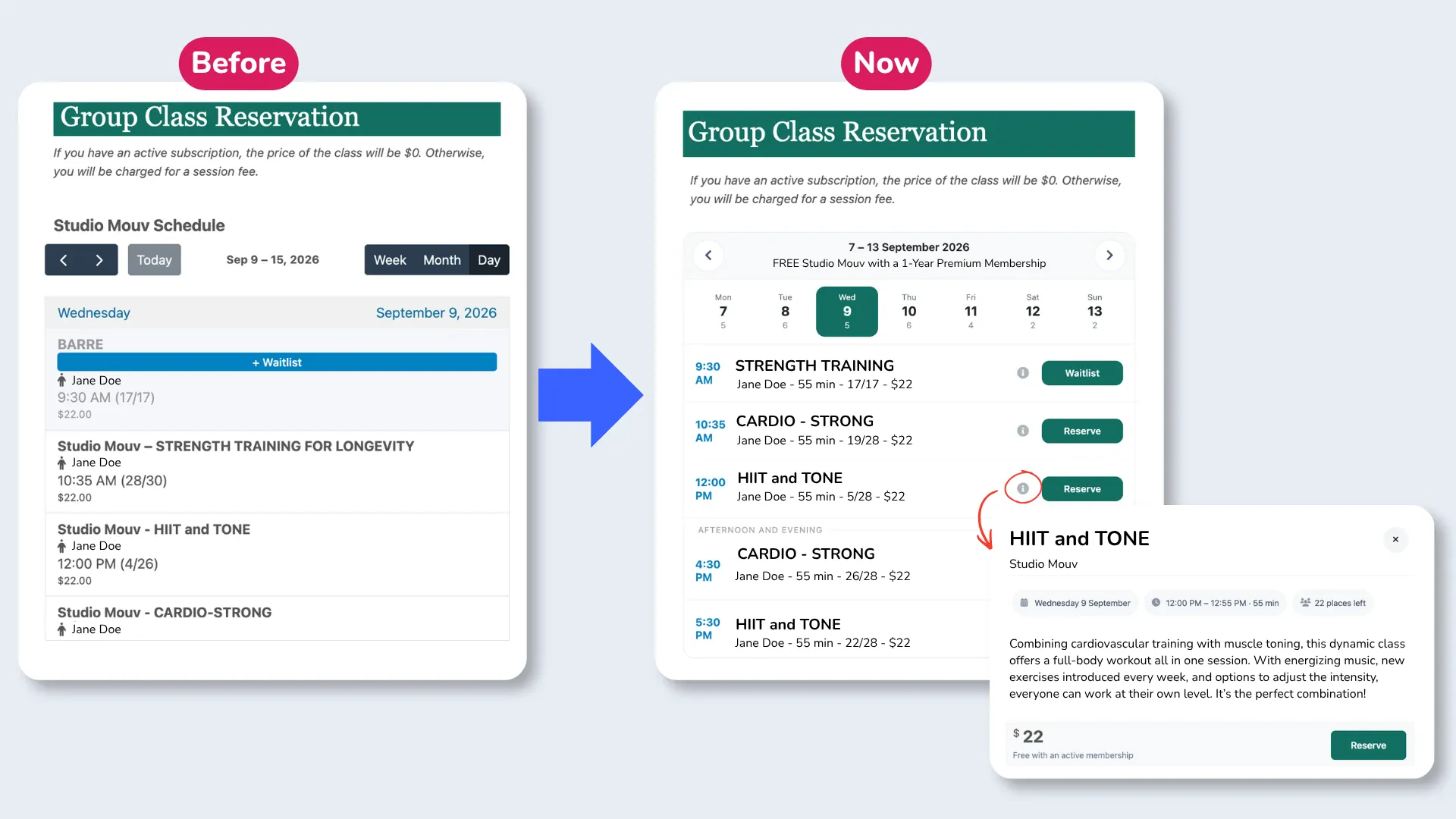
Registration and waitlist options are right there too, so participants can go from browsing to booking without jumping between pages. Fewer back-and-forths, fewer questions landing in your inbox, and a smoother path from interest to registration. For organizations offering a wide range of classes or time slots, that clarity often makes the difference between a visitor who leaves and a participant who signs up.
📖 Read More: 6 Best Online Registration Software Platforms (In-Depth Comparison)
💰 Additional fees set up once, applied everywhere
Configuring the same platform, administrative, or service fees on every form, invoice, or payment method is the kind of repetitive task that eats up time and leaves room for costly mistakes. With Default Additional Fees, organizations can now set a fee once, at the organization level, and have it automatically applied across invoices, payment forms, online store, POS, and custom invoices, regardless of the payment method used.
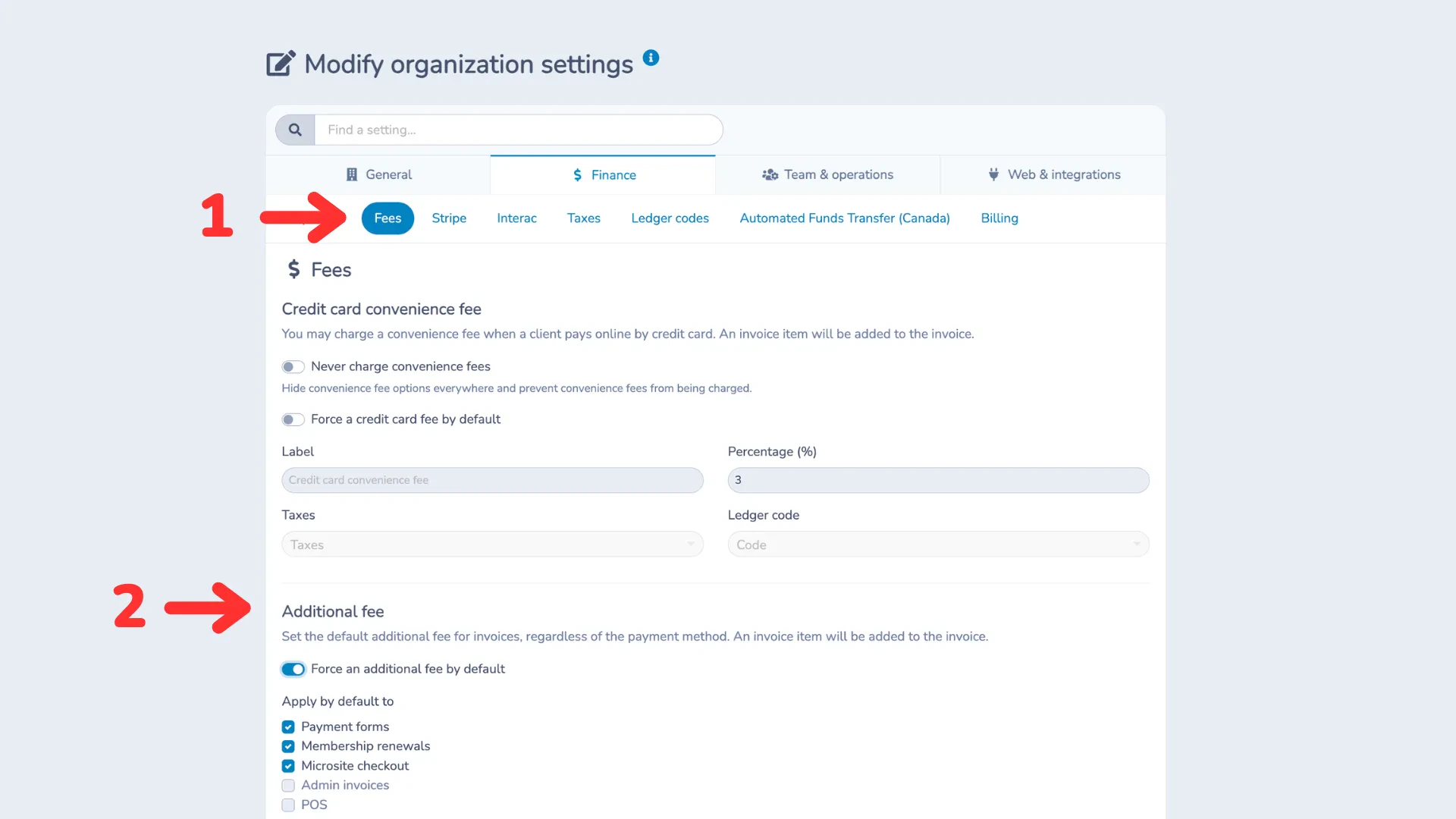
This consistency reduces the risk of a missed fee, keeps pricing uniform for your customers, and frees up time for your team, while still allowing fees to be adjusted on individual payment forms when needed.
📊 Financial data that turns into strategic insights
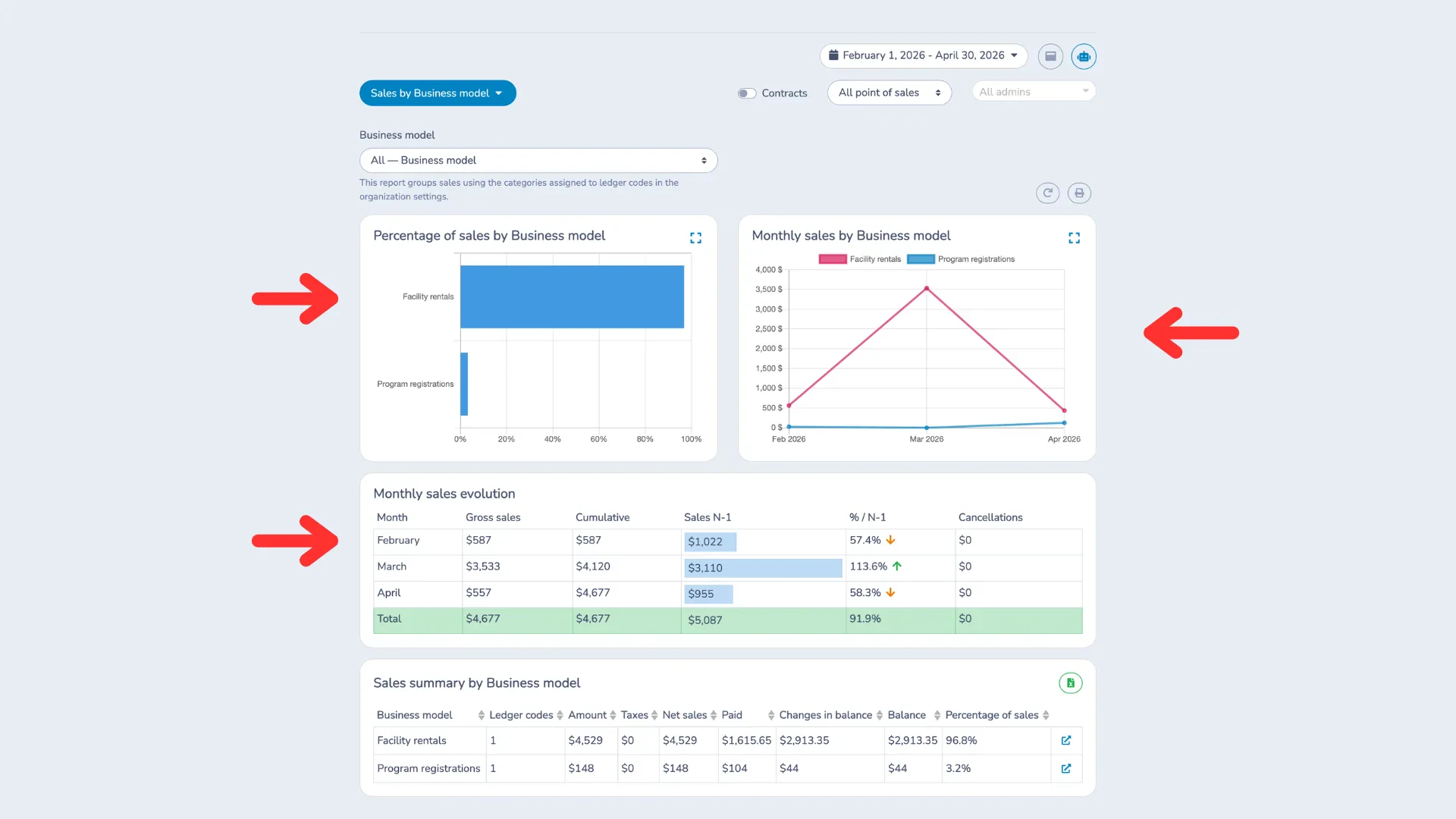
Knowing how much you sold is one thing. Understanding where that revenue actually comes from is another. With ledger-code categories and the new Sales report, you can group your revenue the way that makes sense for you, whether that’s by type of revenue, department, or business model, and track how it evolves over time with detailed charts and monthly trends.
That level of insight helps you and your board go beyond the total sales number, understand how each area is performing, and decide where to focus your efforts next.
💬 Conversations kept in one place with Class Discussions
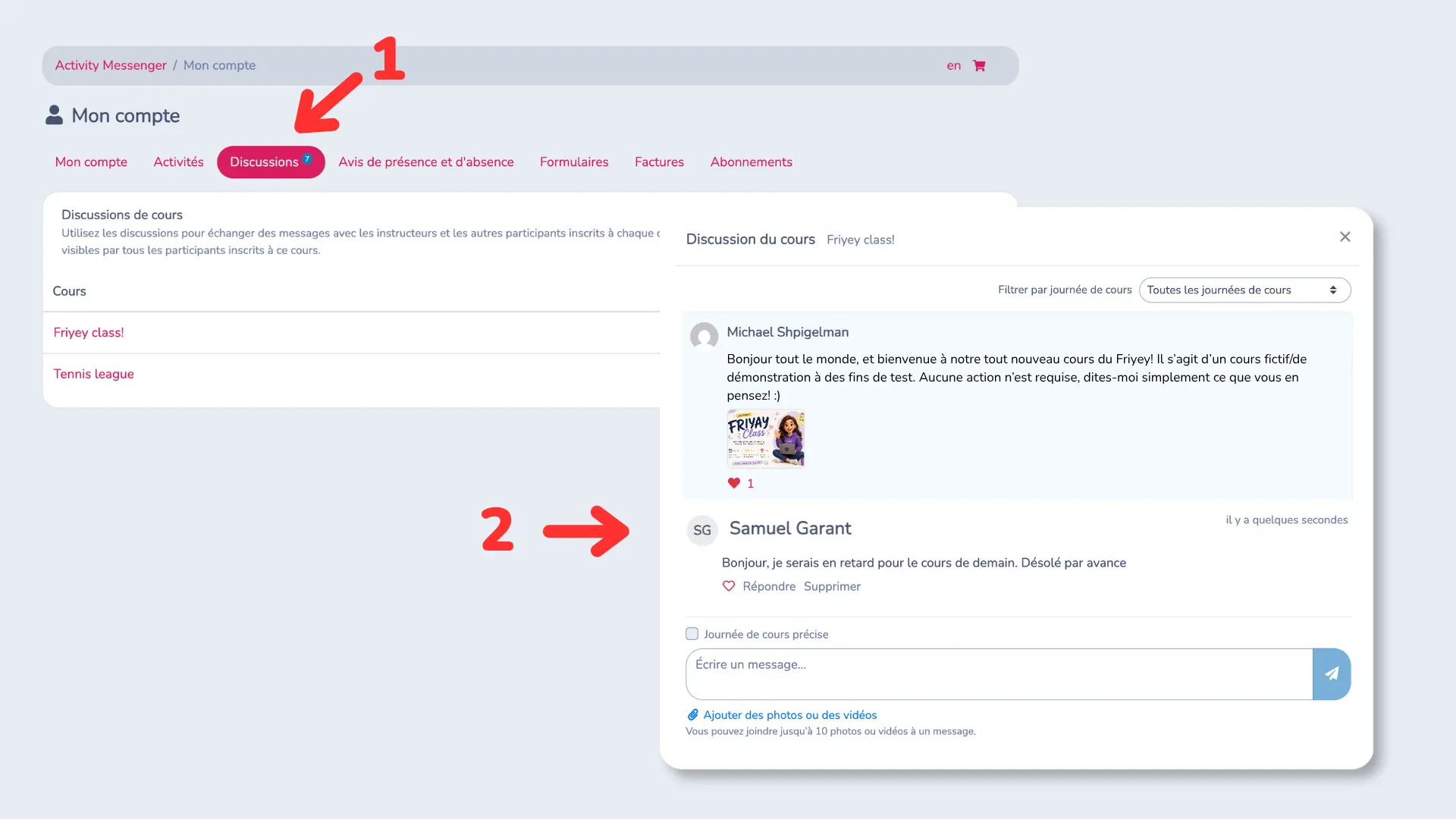
Conversations between instructors and participants tend to scatter across emails, texts, and outside group chats. Class Discussions bring those conversations directly into Activity Messenger: instructors and participants can share information, ask questions, and attach photos or videos, all in one place, with participants notified by email whenever a new discussion is posted.
It’s a simple way to keep a clear history of everything related to a class, without relying on outside tools.
📖 Read More: 6 Best Uplifter Alternatives (In-Depth Software Comparison)
🚀 And several other improvements to streamline your operations
This month, Activity Messenger also rolled out a number of smaller updates that add up to a smoother experience for both organizations and participants:
- Required memberships (such as daily or monthly insurance) can now be purchased directly during booking checkout;
- Different payment methods are now available based on the membership held, including more flexible options like offline payments;
- Form responses can be merged into single- or multi-page PDFs, useful for documents like incident reports, health records, waivers, and event forms;
- Class occurrences can be preselected and multiple participants registered on the same form, simplifying group registrations;
- Personalized emails, like welcome messages, can now be sent to additional family or corporate membership holders, even when they’re not the original purchaser;
- Admins are notified whenever a client updates their form answers.
A platform that keeps evolving with your organization's needs
Each of these updates shares the same goal: removing the small frictions that, added together, slow teams down and get in the way of a great participant experience. Some changes are bigger, like the new Weekly Registration View or Class Discussions. Others are smaller, quieter improvements that simply make everyday tasks a little easier. Either way, they all come from the same place, listening to the sports clubs, associations, and municipalities that use Activity Messenger every day, and building around what actually helps them.
Curious how these features could fit into your organization’s day-to-day? Book a demo today.