

Every month, we push Activity Messenger further to give you smarter, more intuitive tools that make a real difference in your daily work. Here’s what’s new this July and how it can help you work faster and serve your members even better.
Table of contents:
- Control who can view invoice details
- Easier tax management
- New Filter for Automated Reminders
- New “Pending” Registration Status
- Even more updates
🧾 Control Who Can View Invoice Details
Protect your financial data with an extra layer of privacy. You can now decide exactly which users are allowed to view detailed invoices, including:
- Individual item prices;
- Discounts;
- Taxes;
- Total amounts.
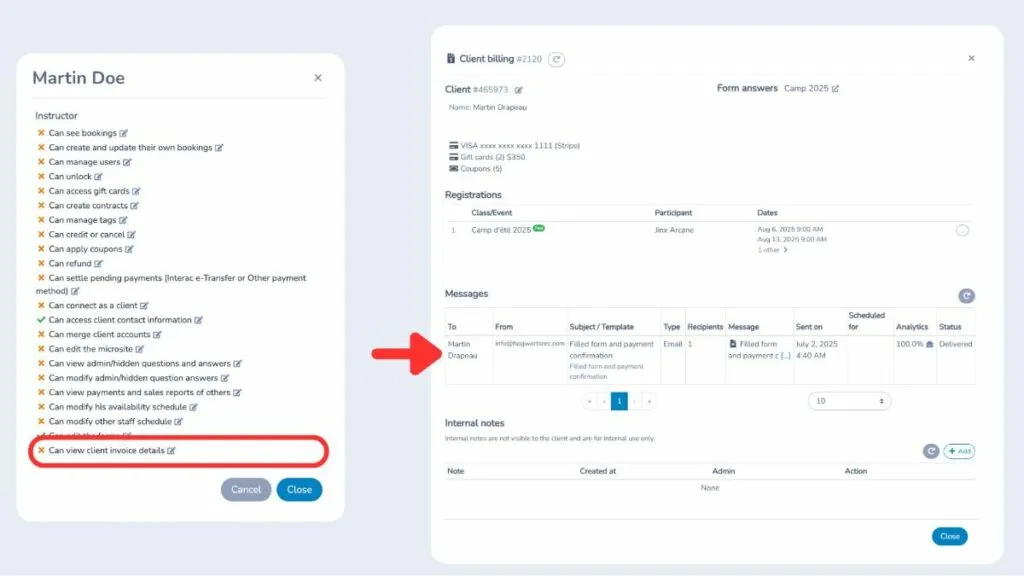
Manage this setting anytime from the User Control Panel. By default, it’s disabled for anyone with the Instructor role, helping you keep sensitive information secure within your organization.
💸 Easier Tax Management
Handling taxes is now simpler and more transparent:
- In Forms > Respondents, you can now show four additional columns: each tax (federal and provincial/state), subtotal before tax, and total after tax. Just click on Visible Columns to enable this view;
- When exporting to Excel, federal and provincial/state taxes are now displayed in separate columns;
- On any client invoice, you can choose to show or hide detailed tax information.
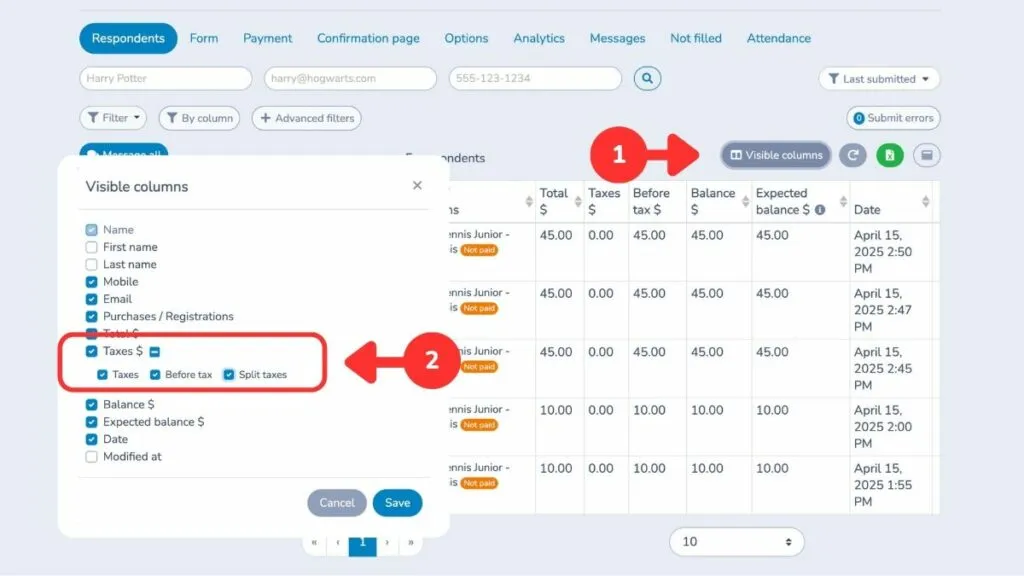
These improvements make it easier to track, report, and explain taxes to your clients.
🔍 New Filter for Automated Reminders
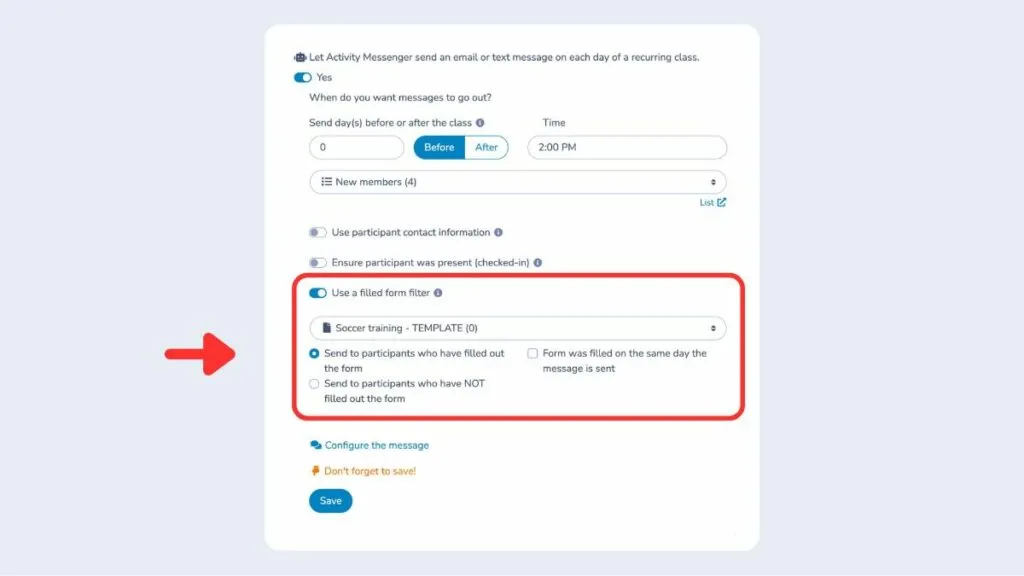
Send smarter reminders by targeting exactly who receives them. You can now set a reminder to go only to people who have (or haven’t) completed a specific registration form.
Find this option under Communications > Automation. It’s a simple way to:
- Keep your messages relevant;
- Avoid unnecessary emails;
- Improve the participant experience.
👉 New “Pending” Registration Status
You can now mark a participant as Pending directly from Forms > Classes/Events. Here’s how it works:
- Pending status does not count towards available spots;
- A message is shown at registration telling the participant that an admin must confirm their spot;
- You can approve or decline their registration manually, even if spots are still open.
This is different from waitlists, which only activate when a class is full. Pending status is perfect for activities where you want to screen or approve registrations before confirming.
In attendance lists, you’ll now see a dedicated Pending section, making it easy to confirm spots from:
- The attendance list itself;
- The respondent table;
- The client account.
💡 Looking for online registration software? Book a discovery call with one of our advisors.
Even More Updates
In July, we’ve also added:
- Let clients remove an item on the checkout page before paying;
- Track the date when a skill or level was assigned to a participant;
- Receive a notification when a contract is signed (enable in the form settings);
- Allow clients to cancel their recurring membership from their account (if enabled);
- Hide a form question so it’s only visible to admins;
- Block clients with an outstanding balance from submitting a new form (enable in the form settings);
- Apply or remove promo codes directly from an invoice as an admin;
- Define registration periods with exact start/end dates, days, hours, and minutes;
- Add a ticket barcode placeholder in reminder emails for faster check‑in;
- Add custom terms and conditions per class that participants must accept before completing registration.
Join the growing number of organizations that trust Activity Messenger to simplify their operations. Book a free demo today and see how we can help you save time and grow faster!