Activity Messenger allows you to send an email or a text message at a later time. Now it is possible to schedule a recurrence. Useful if you want to send a weekly reminder for example.
Schedule
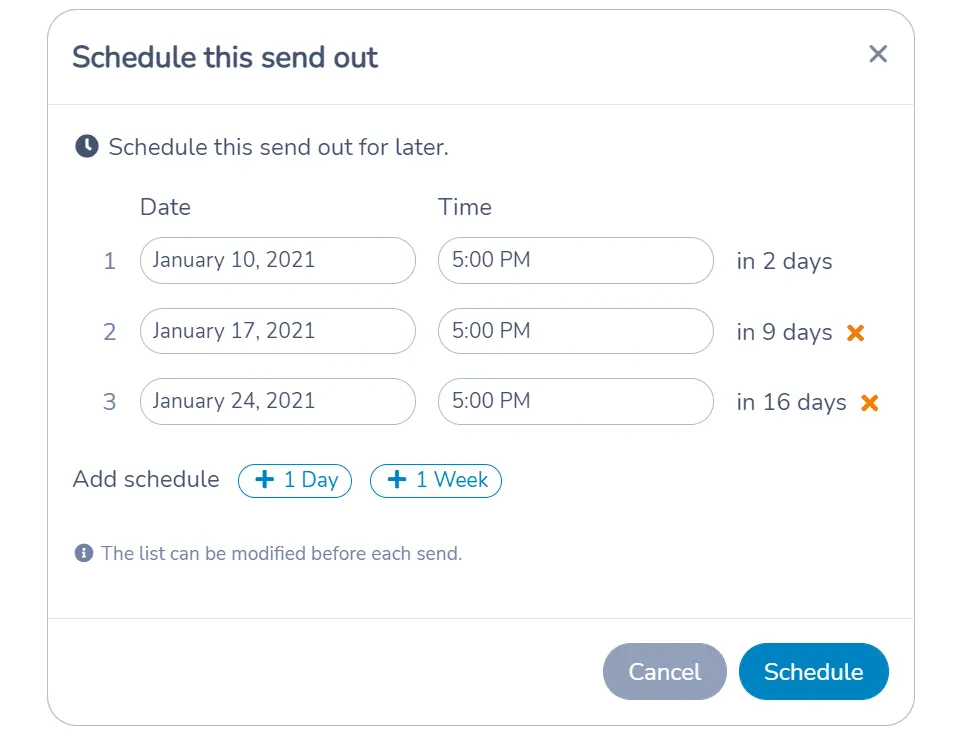
To schedule a recurring message, click on the Schedule button on the New message screen. The popup will allow you to add multiple dates and times to send the message.
List scheduled messages
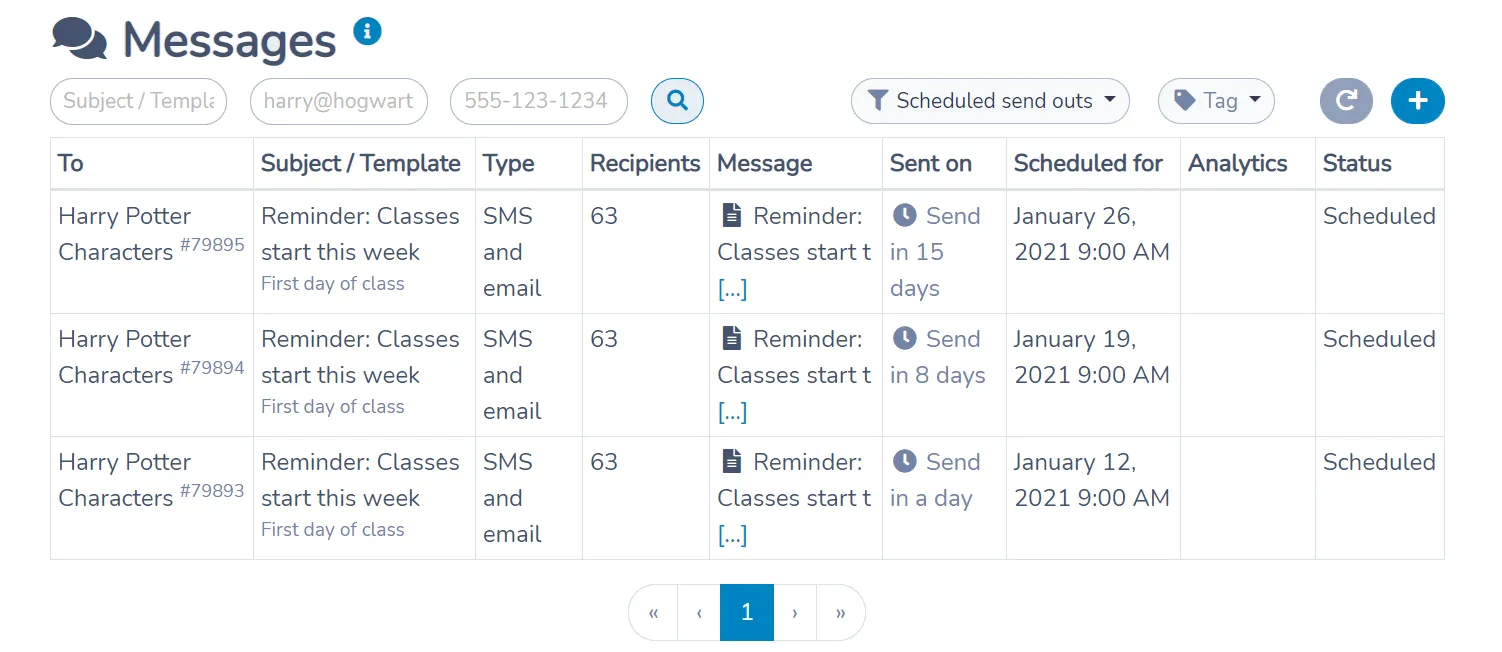
Scheduled messages appear in All messages. You can apply a filter to easily find scheduled messages.
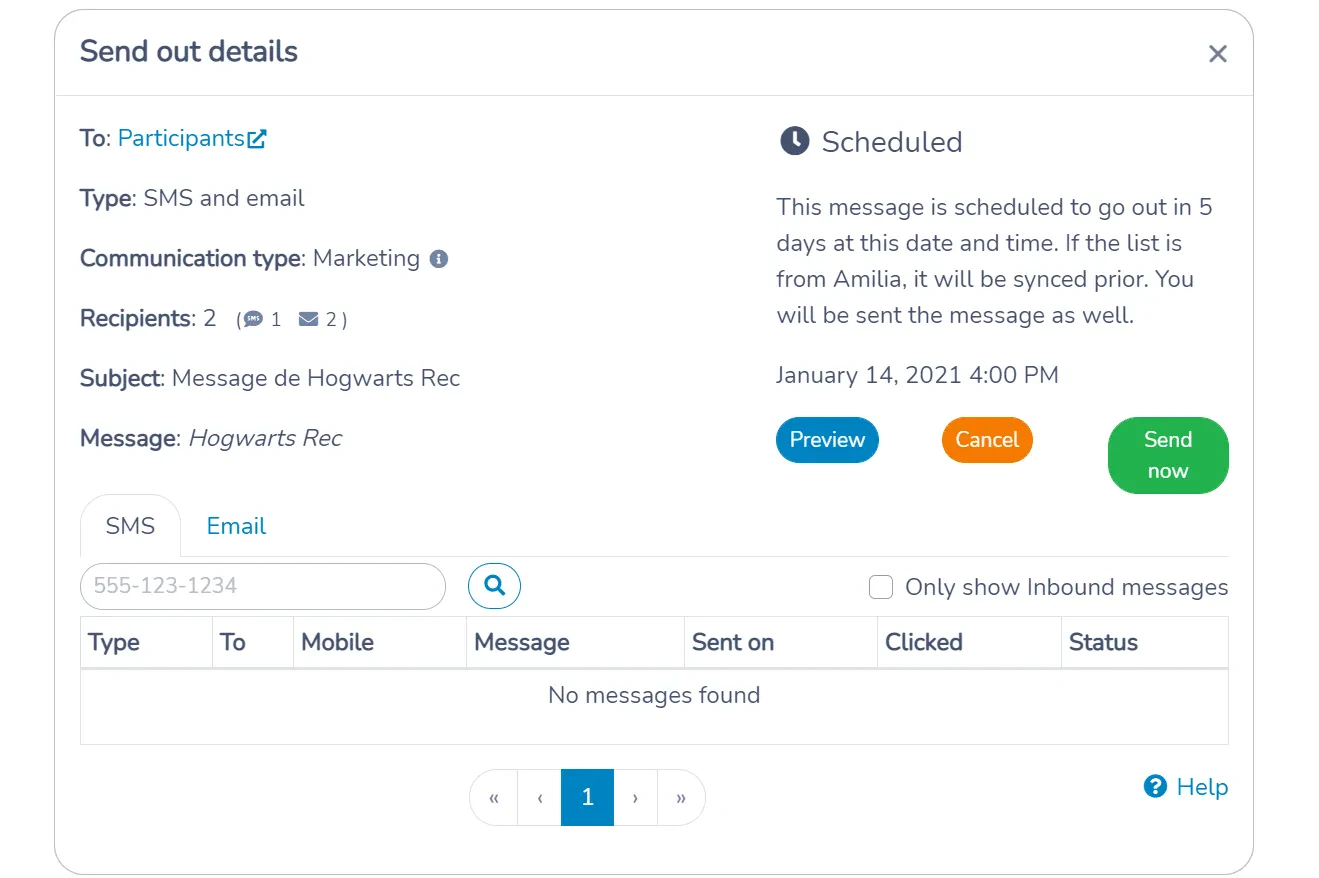
Manage
Scheduled messages can be individually managed. You can:
- Preview the email or text message that will be sent for each recipient
- Cancel the scheduled send out
- Decide to send the message immediately
More automations
This improvement was a requested feature by many of you and is part of Activity Messenger’s Automation module. We are planning more automated tasks in the future. Stay tuned for:
- Happy birthday emails and text messages
- Start of a session emails and text messages
- End of a session Emails and text messages
If you have other use cases, please reach out to us. We’re always eager to add features to simplify your daily lives.
Martin & Olivier