Whether you’re selling merchandise, class passes, memberships, or refreshments, having an efficient Point of Sale (POS) system tailored to your needs can streamline operations and improve the customer experience.
In this article, we explore how to create a versatile and user-friendly POS system using Activity Messenger, designed specifically for sports and leisure organizations.
This article is inspired by insights from Olivier Rousseau, co-founder of Activity Messenger, who brings over twelve years of experience in online registration for kids’ sports programs.
Traditional POS systems often cater to retail or hospitality businesses, but sports organizations have unique requirements. You may need to sell class registrations alongside merchandise or food and beverage items, manage one-time event tickets, or accept various payment types, including gift cards and membership fees. A customized POS system helps you:
With these capabilities, the front desk becomes a seamless checkout point that supports your business goals.
The core of your POS system is the ability to create invoices that include all the items or services a customer wants to purchase. Here’s how you can build an invoice within Activity Messenger:

This streamlined process allows front desk staff to build invoices quickly and accurately, reducing wait times and potential errors.
Not every class or membership will be part of your shortcuts, especially if you offer a wide variety. Activity Messenger’s POS system allows you to add custom items on the fly:
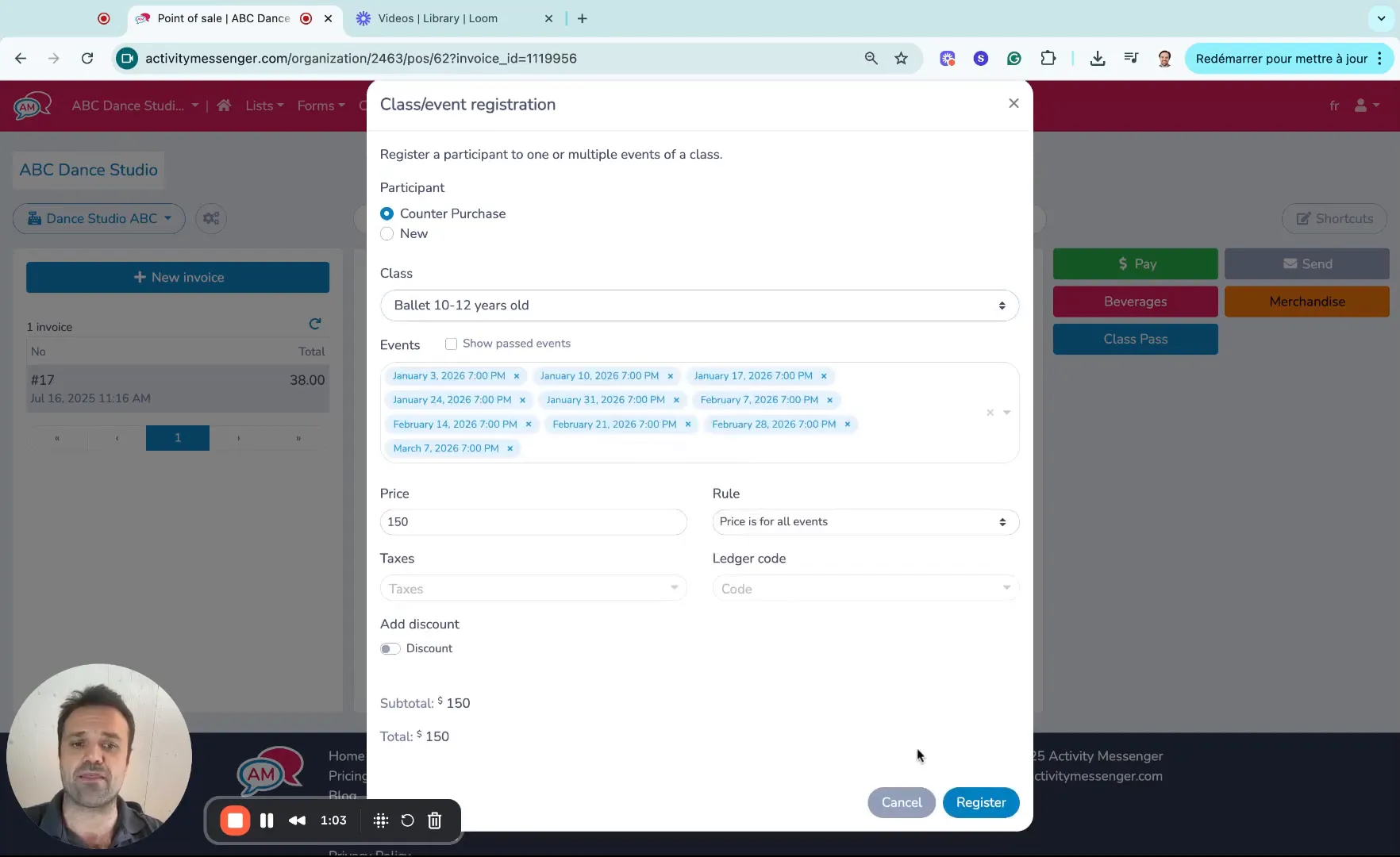
This flexibility ensures that your POS system can handle all scenarios, from routine purchases to unique requests, making it a powerful tool for your organization.
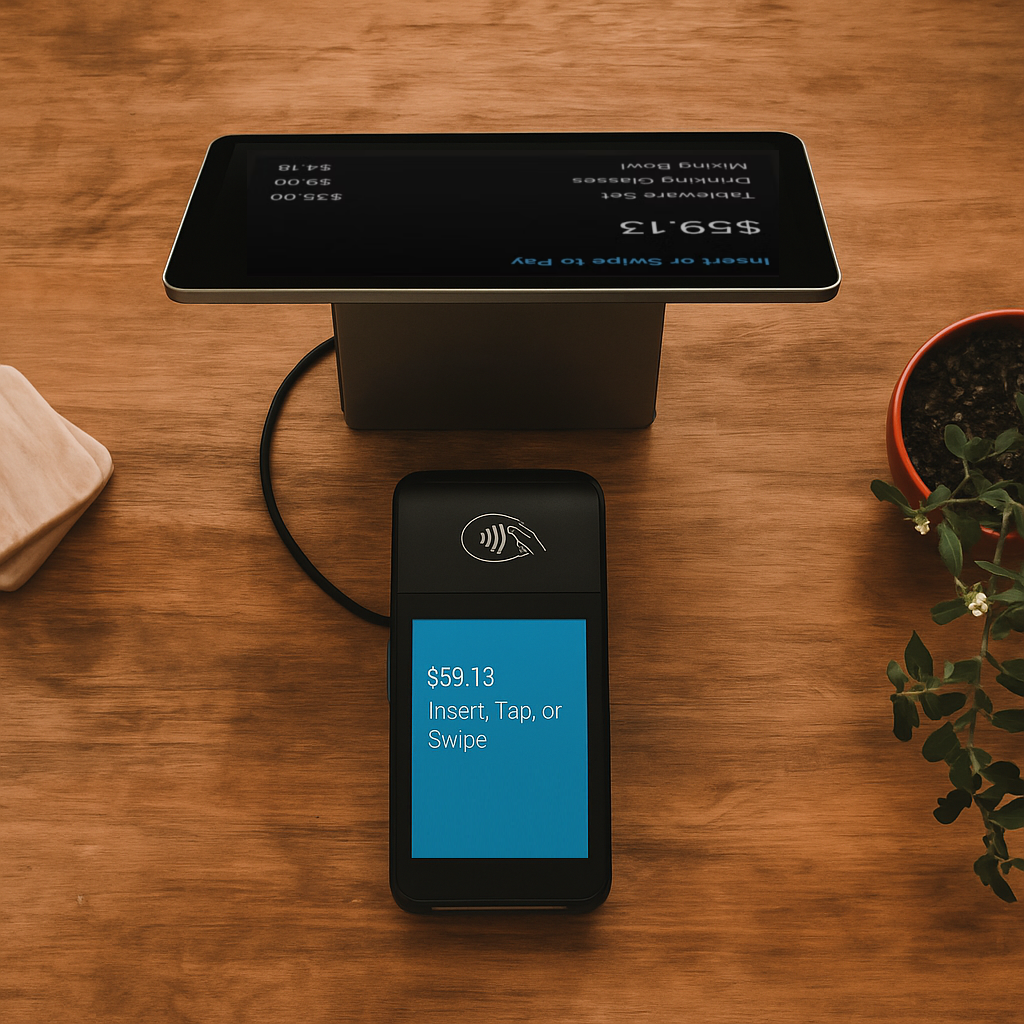
Once the invoice is built, collecting payment is the next crucial step. Activity Messenger integrates with multiple payment options to accommodate your customers’ preferences:

💡 Pro Tip: Supercharge your front desk with Activity Messenger’s POS + Stripe Terminal combo. Accept tap, chip, or swipe payments on-site with seamless syncing to registrations, memberships, and class packs. Pairing our POS with Stripe Terminal is the ultimate setup for fast, flexible, in-person payments.
Book a demo with one of our experts and discover how Activity Messenger can help simplify your operations.
Book a demoTo speed up the checkout process, especially during busy periods, you can create shortcuts for frequently sold items. This is particularly useful for consumables or popular merchandise. Here’s how to set up shortcuts:
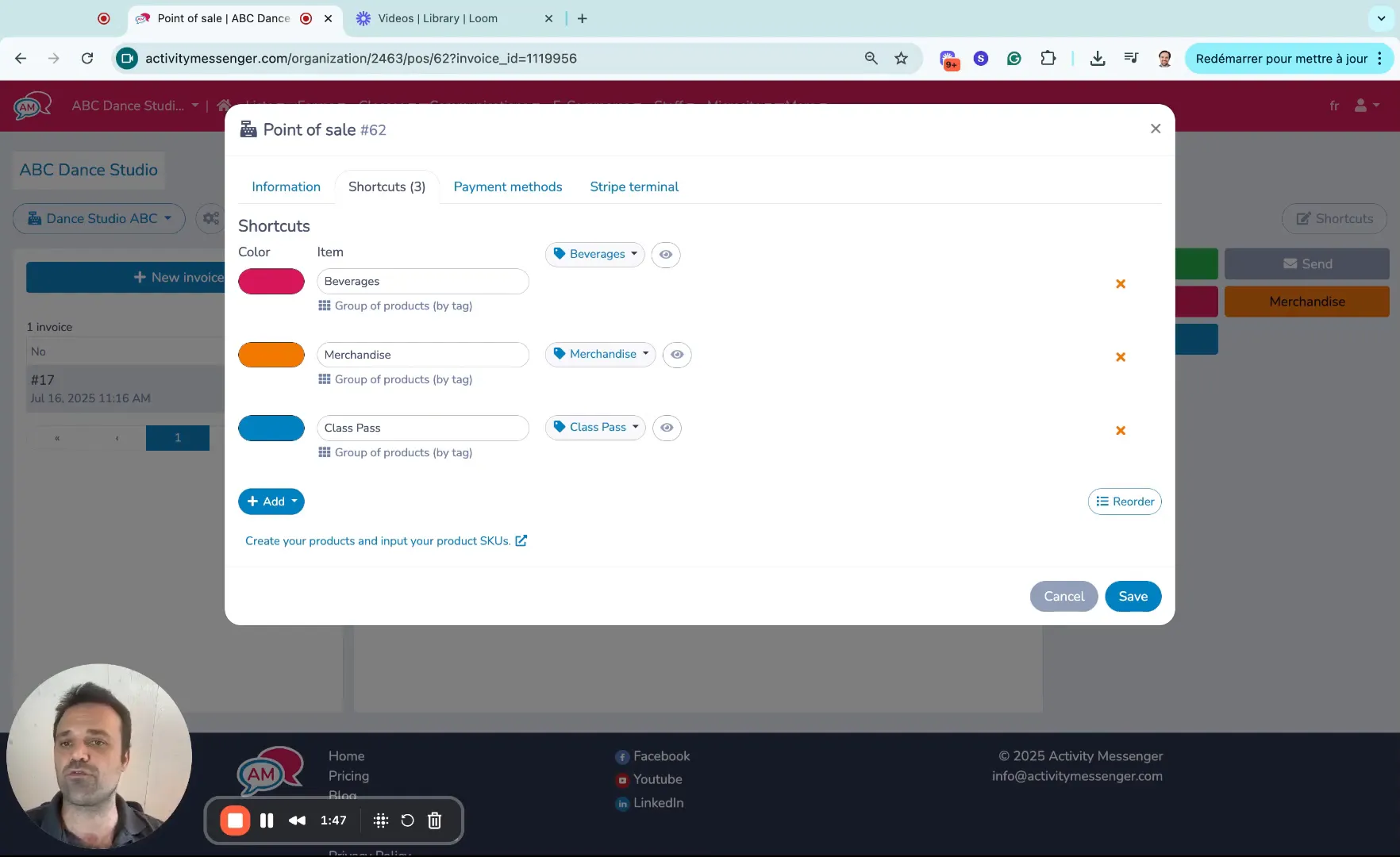
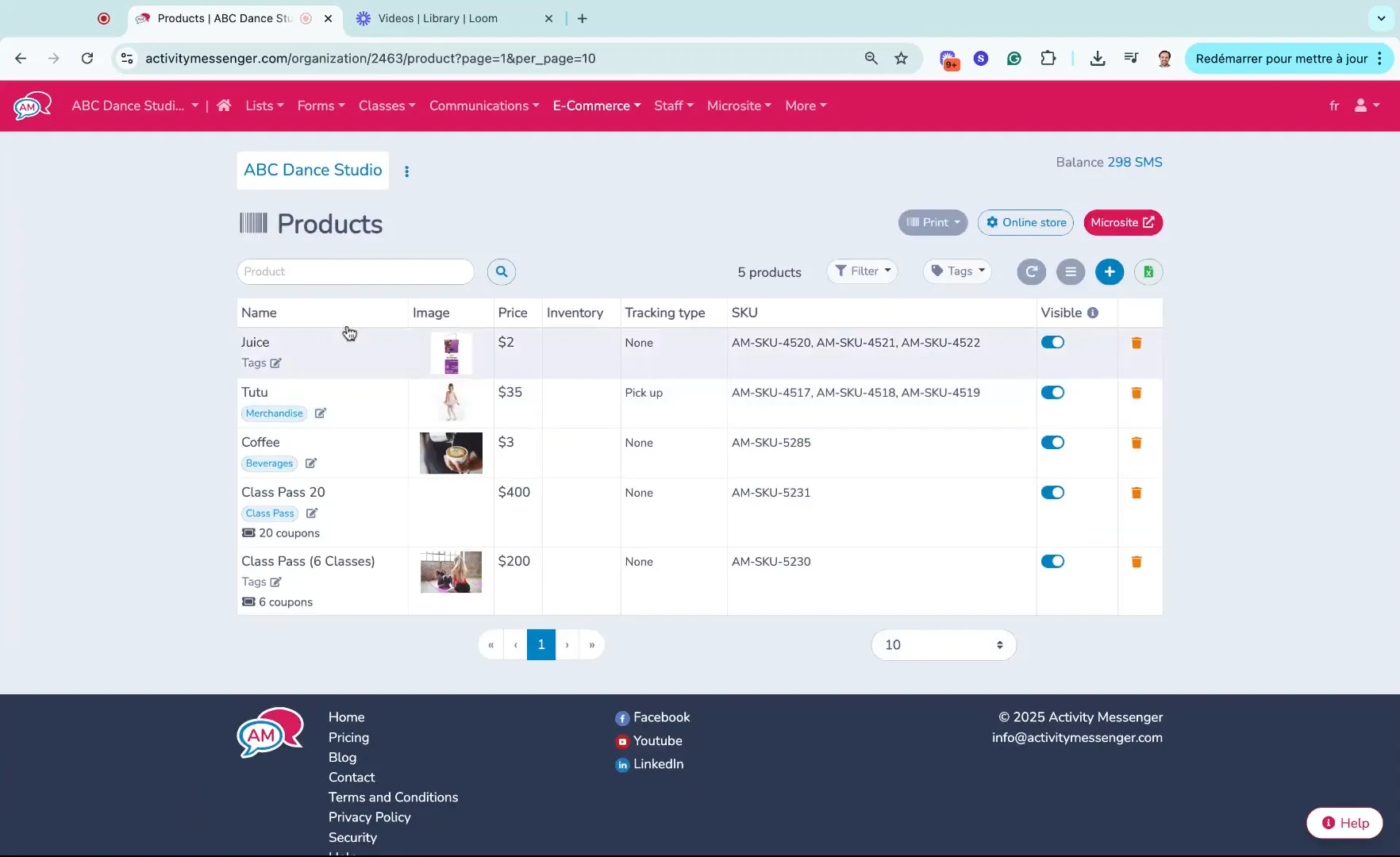
All items available for sale, whether through your POS system or online, are managed in the e-commerce section of Activity Messenger. Here’s how to keep your catalogue up-to-date and organized:
The versatility of Activity Messenger’s POS system makes it ideal for a variety of sports and leisure organizations, including:
By centralizing sales and registrations, your organization can better track revenue, inventory, and customer preferences.
For sports and leisure organizations, managing sales, registrations, and memberships can be a juggling act without the right tools. Activity Messenger’s POS system offers a powerful, flexible, and easy-to-use solution that streamlines the checkout process, supports multiple payment methods, and integrates seamlessly with your product inventory.
By creating shortcuts for frequent items, handling custom class registrations at the counter, and accepting payments through various channels, your front desk staff can deliver faster and more professional service. Whether you run a gym, dance studio, sports club, or event, implementing a tailored POS system will save time, reduce errors, and enhance customer satisfaction.
To learn more about how Activity Messenger can help you build and customize your POS system, visit activitymessenger.com and explore the platform’s full suite of features designed for the sports and leisure industry.
💡 Want to simplify your payments? Book a demo call today.