

Every month, Activity Messenger evolves to better meet your needs. In March, our team rolled out a new set of features. Here’s a detailed look at what’s new:
🔖 Automatically generate insurance claim receipts
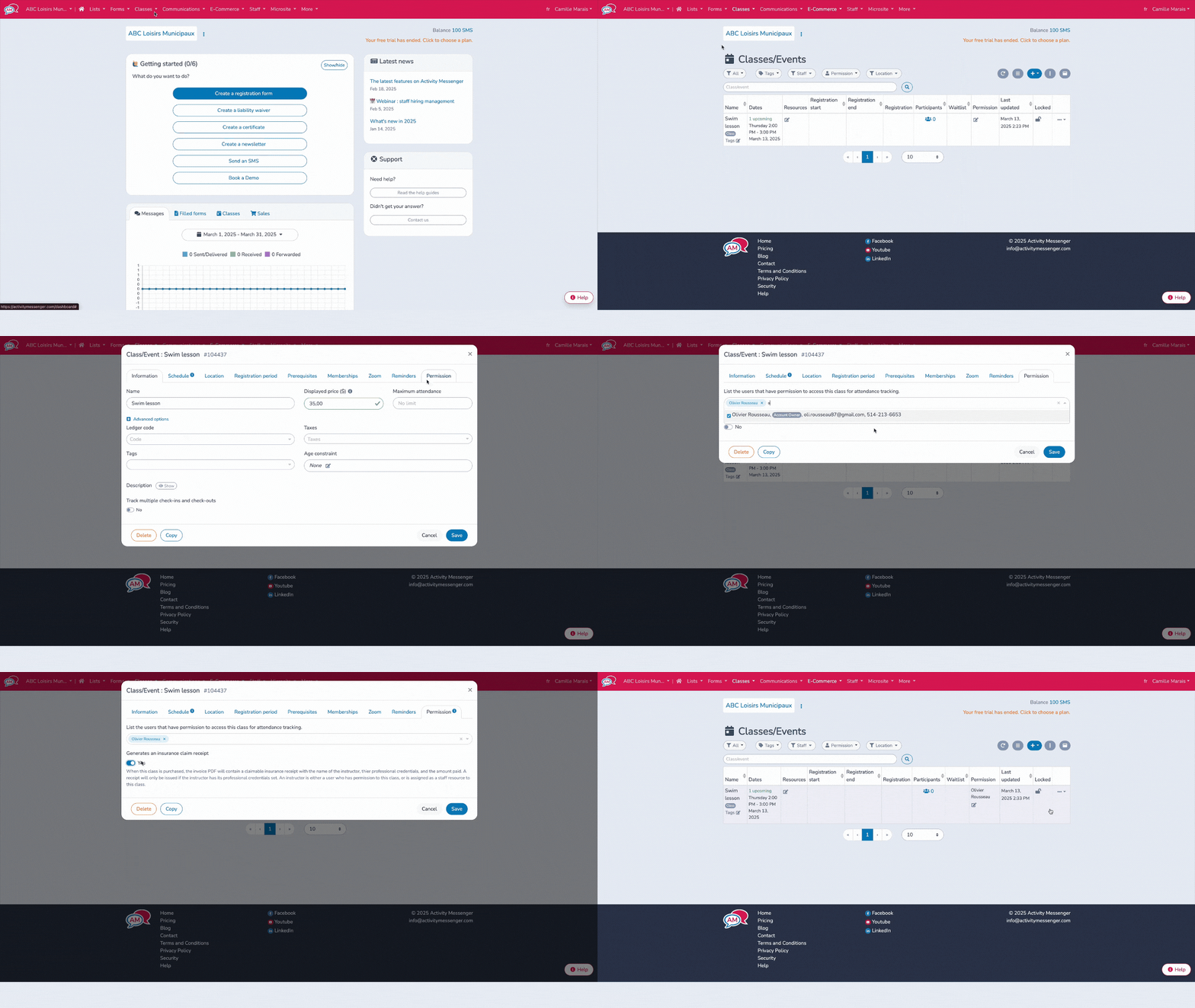
Great news for participants who need to submit receipts to their insurance provider! You can now generate an insurance claim receipt when they sign up for your activities. These receipts include:
- The instructor’s name;
- Their titles or certifications;
- The amount paid.
💡 Why it’s useful
This feature eliminates the need for participants to reach out later for missing information. It saves time for them and for you.
🥇 Assign skills and levels to your members
Do you offer level-based classes or want to track student progress? It’s now possible with the new Students and Skills tab, available in your Activity Messenger dashboard. With this feature, you can:
- Define the skills and abilities to be acquired;
- Create levels (Beginner, Intermediate, Advanced, etc.);
- Link those levels to your classes and members;
- Set prerequisites to prevent registration in a higher-level class without having completed the previous ones.
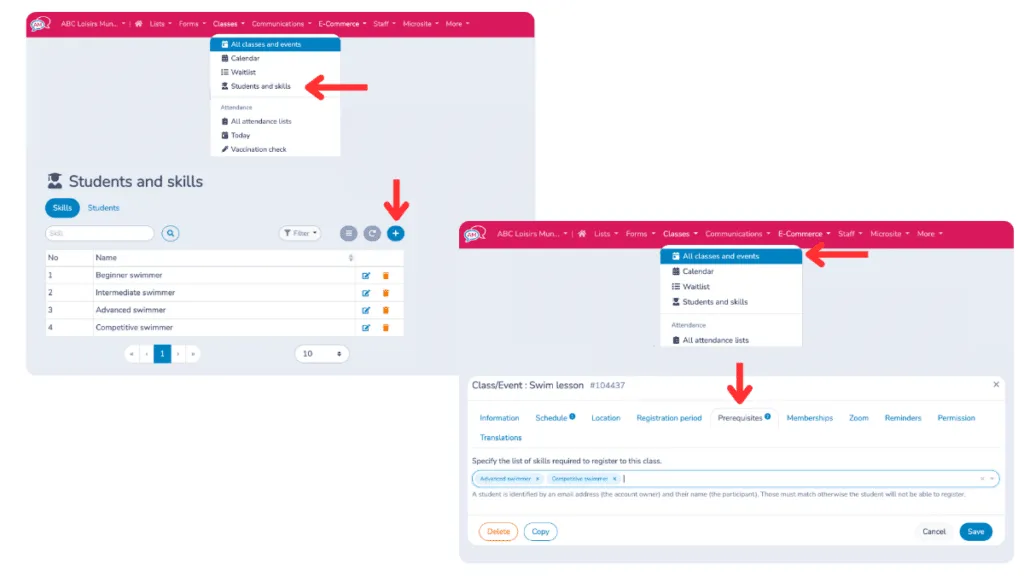
For example, a participant who hasn’t yet acquired the “Back Dive” skill won’t be able to register for the “Advanced Jumps” class without prior validation. This helps you structure your programs and gives your participants a clearer path forward.
🌎 Simplify bilingual form management
Do you offer services in both English and French? We’ve made it easier for you to manage bilingual content. With the March updates:
- Automatic translation is now available for titles, descriptions, fields, and other form elements;
- You can manage both languages from a single form, no need to duplicate your events or classes.
What this means for you:
Fewer duplicates, fewer errors and a seamless experience for all your clients, no matter their preferred language.
📖 Read more : How to Create a Bilingual Form (English-French)
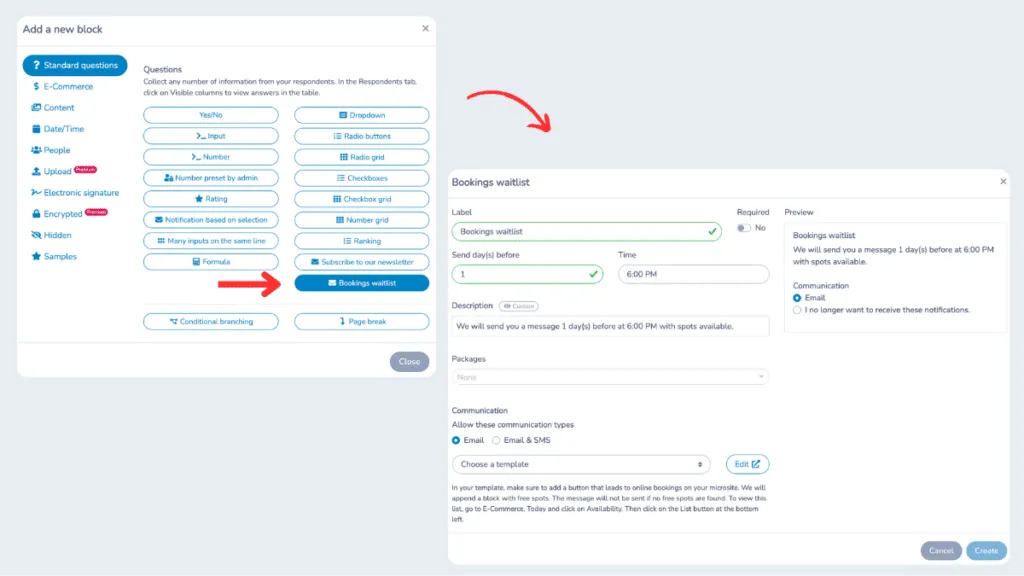
📋 Create a dedicated waitlist form
Want to start collecting interest before your official registration opens? Or keep track of people interested in a program that’s already full?
You can now create a waitlist form, with its own fields and rules. It’s a smart way to:
- Gauge the interest in a new activity;
- Fill a second group if demand is high;
- Stay in control of your registrations;
- Build a backup list in case of cancellations.
⏰ Send reminders with barcodes for easier check-in
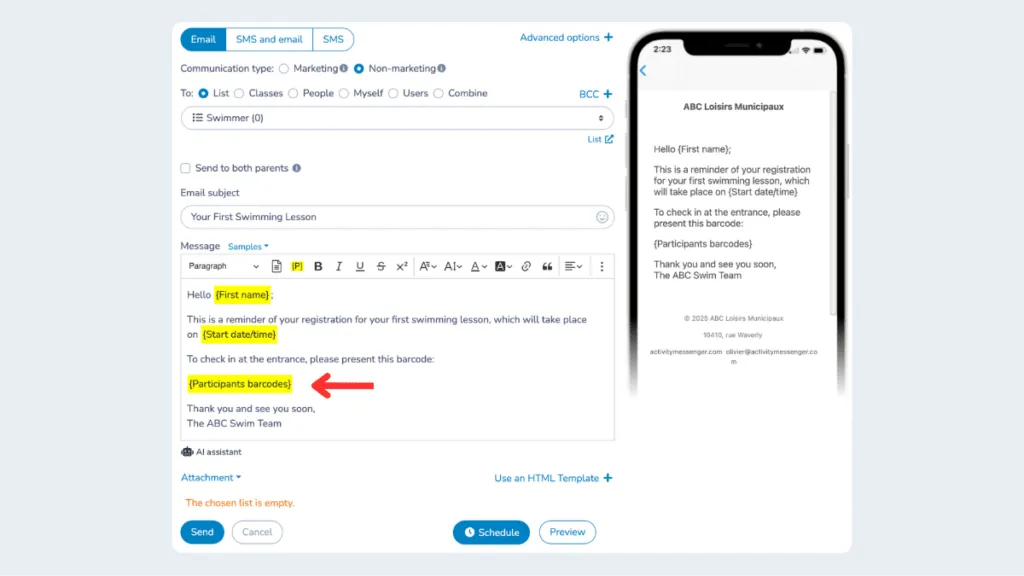
Participants already receive email reminders before each session. Now you can include a personalized barcode in those reminders.
This barcode can be scanned at the entrance of your facility, using any barcode reader or even a smartphone to:
- Confirm each participant’s presence;
- Speed up the check-in process;
- Strengthen security by ensuring that only registered participants gain access.
Perfect for camps, kids’ classes, public events, or any venue with restricted access.
More helpful improvements
We’ve also added several other improvements in March:
- Each staff member can now view the total hours they’ve worked (weekly, monthly, or yearly);
- Add audio files to your microsite;
- Delete a class directly from the calendar and see who’s registered ;
- Edit your scheduled messages without having to delete them;
- Clients with multiple gift cards can now choose which one to use when paying;
- Filter invoices by contract type for easier accounting;
- Export your entire client list to Excel for tracking or analysis.
Join the growing number of organizations that trust Activity Messenger to simplify their operations. Book a free demo today and see how we can help you save time and grow faster!