At Activity Messenger, we’re always working to make it easier for you to manage your activities and offer a smooth experience to your members. This month, we’ve released several updates that improve day-to-day operations, reduce manual work, and give your clients more flexibility.
Table of contents:
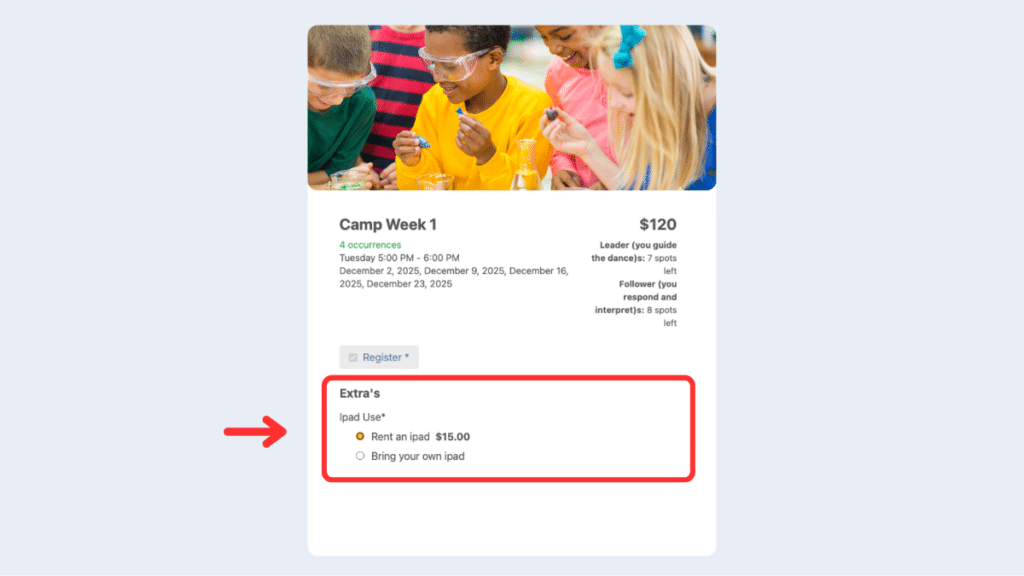
Great news for day camps and anyone offering class add-ons! You can now add extras as radio-button options directly in your registration forms. Participants can easily select the options they want, making the process clearer and faster for everyone. No confusion, no extra steps, and less work for your team.
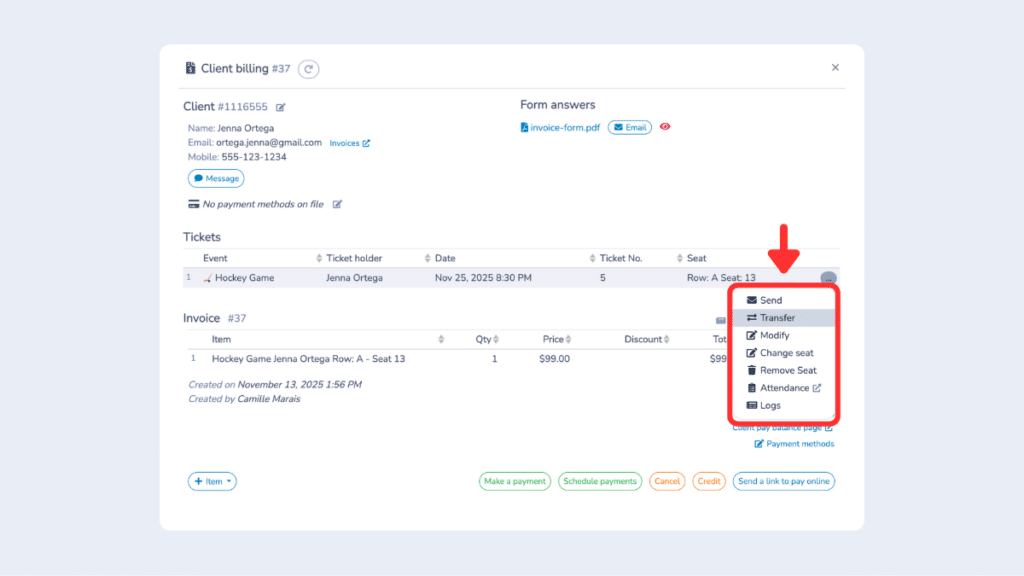
Transferring tickets for any event is now much simpler. During the transfer, the ticket appears as pending, and the recipient receives an email with a link to a form. Once they complete the form, the ticket is automatically sent to them and added to their account. This makes the process seamless for your participants and reduces manual follow-up on your side.
📚 À lire aussi : How to Mass Import and Send Event Tickets (in bulk)
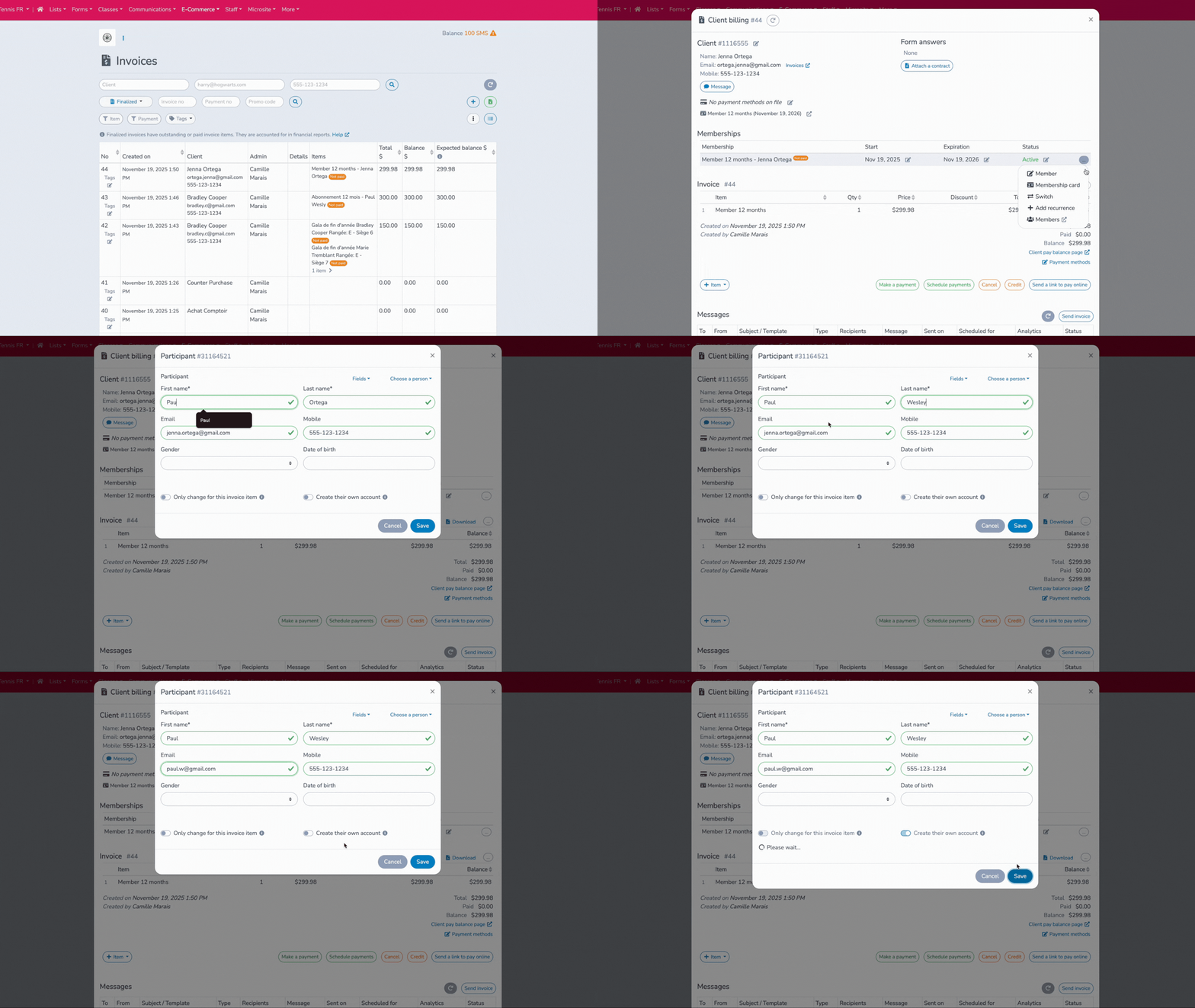
You can now create a client account for someone included on an invoice but who isn’t the main account holder. Simply enter their email, and Activity Messenger will offer the option to create a separate account. This is particularly useful for family or corporate memberships, allowing each person to access their own account, membership, and registrations while staying linked to the original invoice.
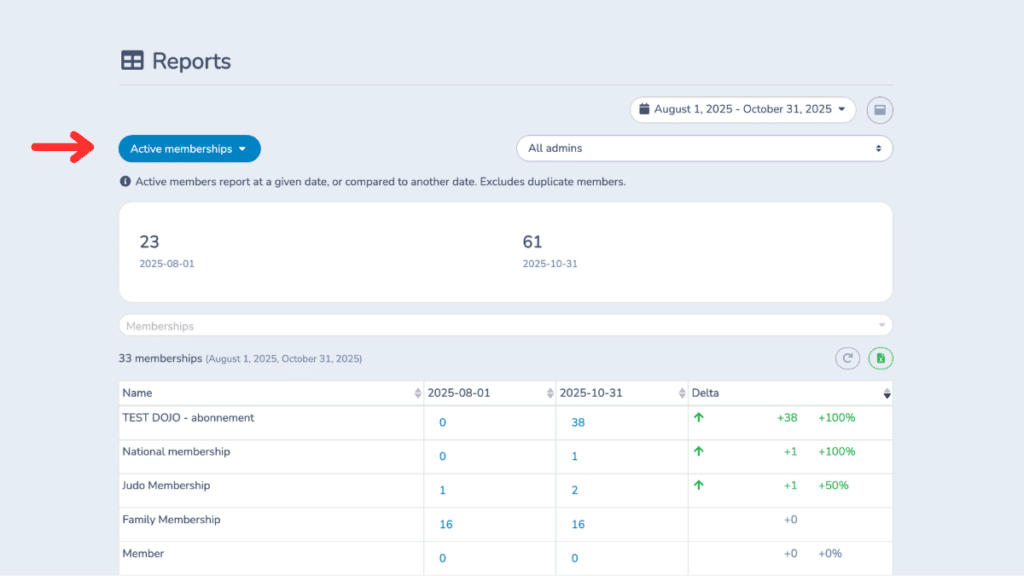
The new active memberships report lets you see all members who are active over a selected period. You can quickly spot trends when membership numbers rise or fall, helping you plan targeted actions during slower periods. It provides a clear overview to better understand engagement and keep your programs thriving.
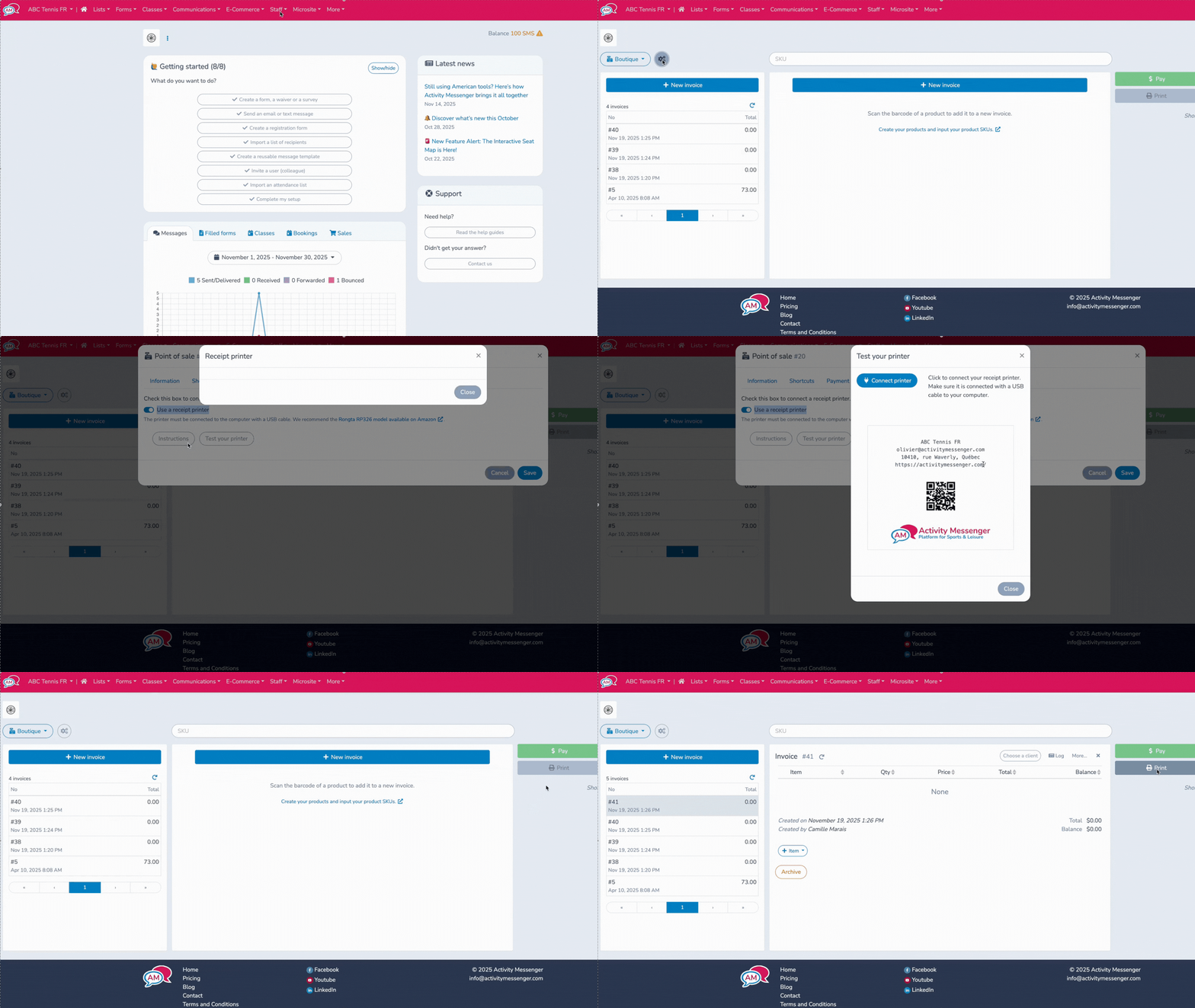
You can now connect a receipt printer directly to Activity Messenger. Once set up, a “Print” button appears on invoices and in the Point of Sale tab. Printed receipts include a QR code linking to the invoice, and clients can pay any remaining balance instantly. The system can also be configured to open the cash drawer when connected to the printer, making on-site transactions smoother and faster for both your staff and your clients.
Here’s a roundup of additional updates that make Activity Messenger even more powerful:
With these updates, Activity Messenger continues to strengthen its position as the go-to platform for simplifying registrations, communications, and event management. Each improvement is designed to reduce administrative work while enhancing the participant experience.
Join the growing number of organizations that trust Activity Messenger to simplify their operations. Book a free demo today and see how we can help you save time and grow faster!