Sending a PDF file by SMS can be tricky. We help you automate this by creating a link to you PDF file that can then be added to an SMS or Email. This can be sent to one or multiple recipients.
Your documents - Store PDF files
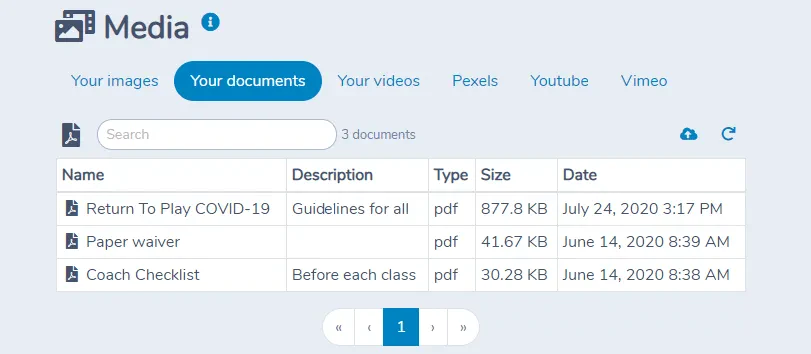
Introducing the Your documents tab in the Media manager. You may now upload PDF documents in Activity Messenger. They will appear alongside images and videos you have uploaded. You can then share them with your patrons, members and parents.
Shareable link
Each PDF file has a shareable link in the form https://am.lol/f/abc1234. You can copy the link to put it on your website, post it on social media or include it in an SMS or email in Activity Messenger.
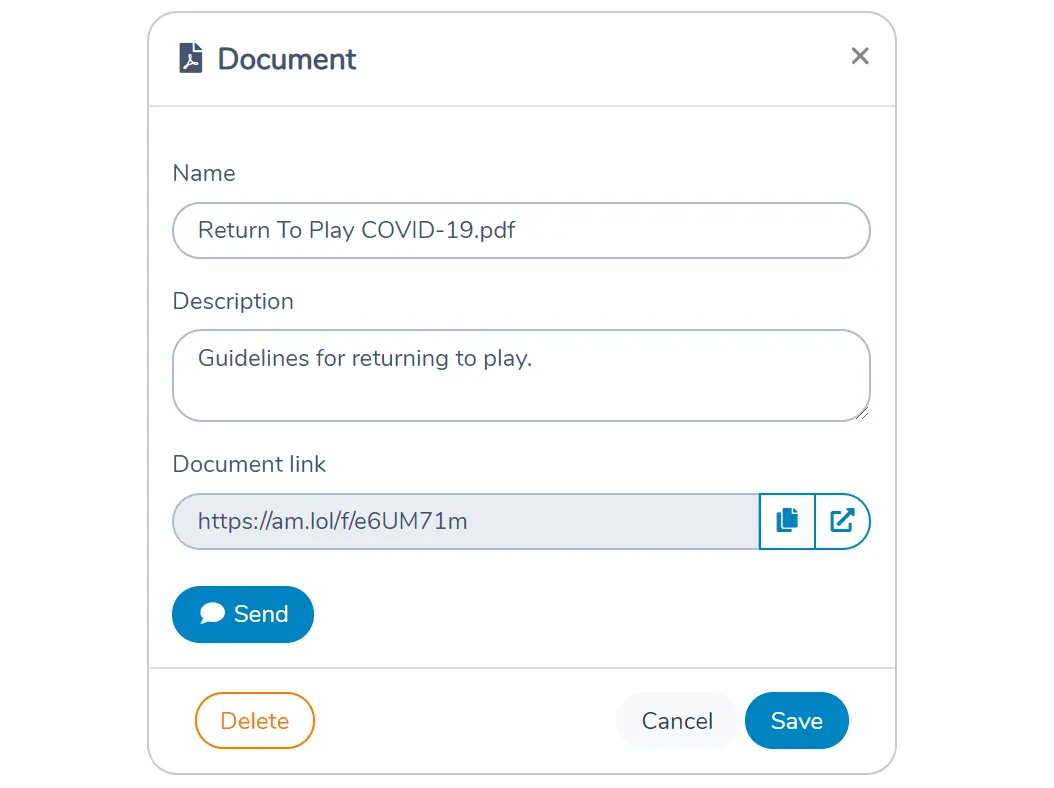
Send by SMS or email
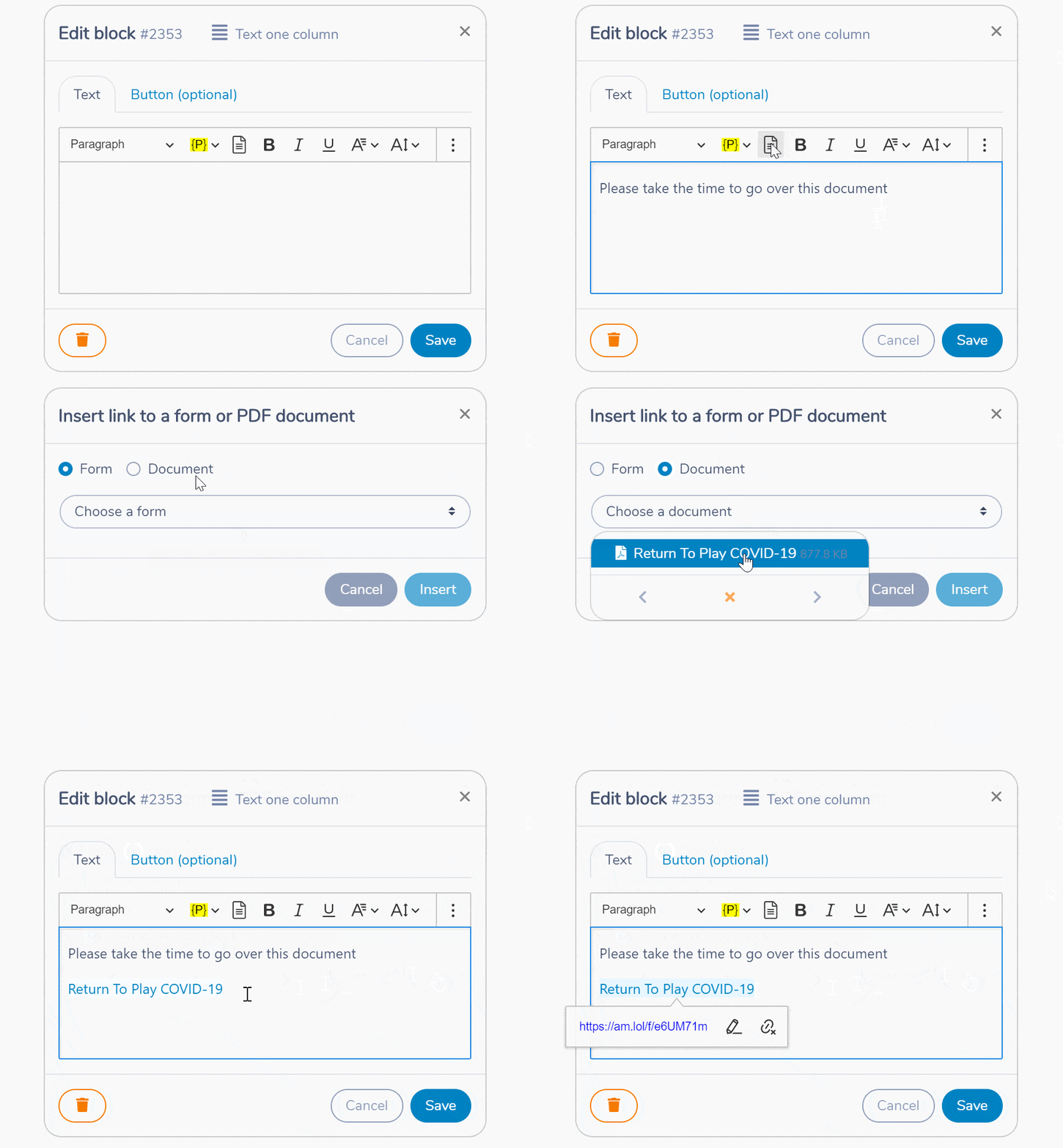
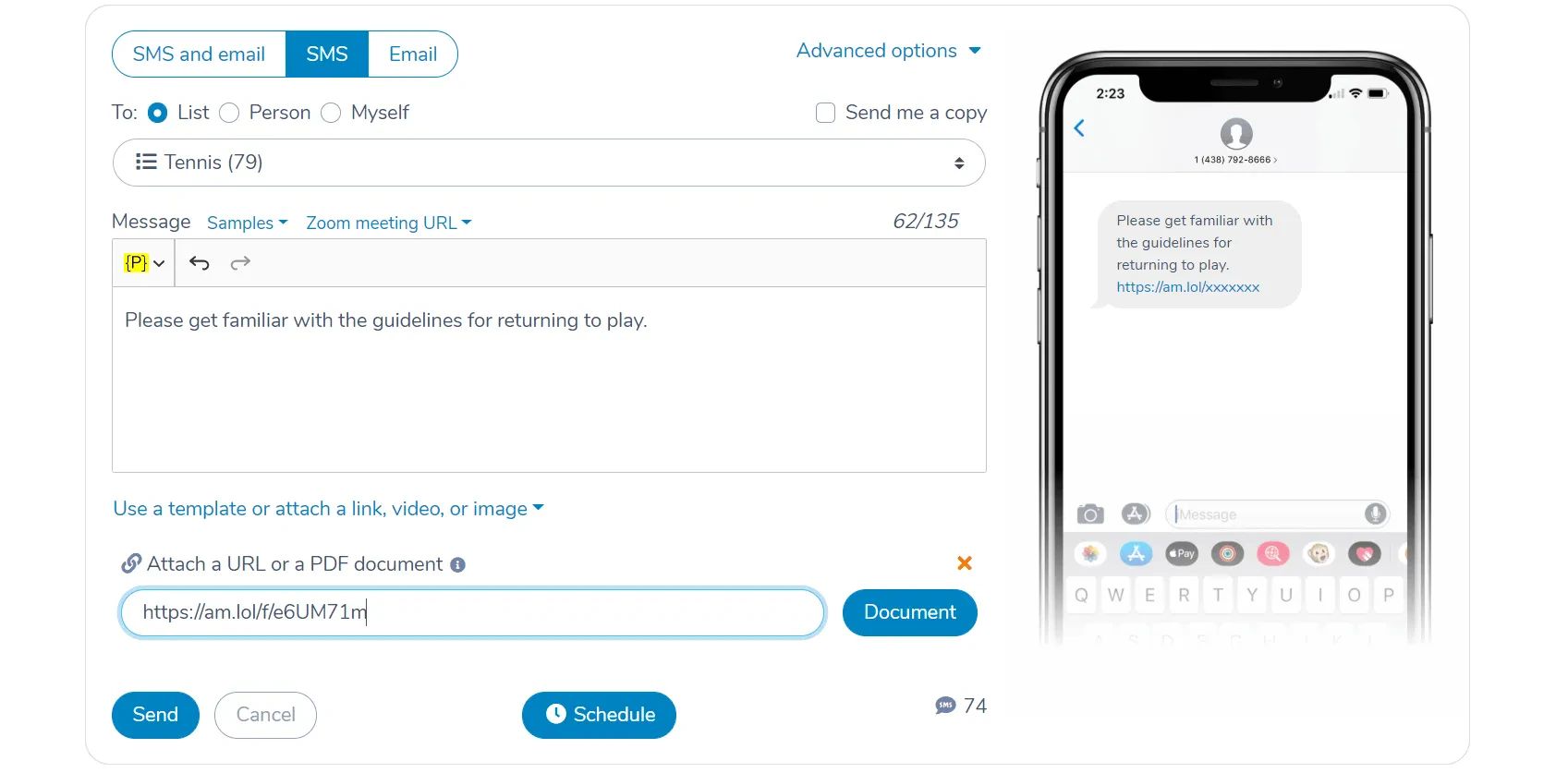
A PDF document can be attached as a link to a message. Click on the Document button to select a PDF from Your documents. Its shareable link will be appended to the SMS or email.
Insert the link to a PDF document in a template
When you edit a template, there is a new button in the toolbar to insert a PDF document. It will give you access to PDF documents you have previously uploaded in Activity Messenger.