10 Best Online Survey Tools in Canada

Olivier Rousseau
22 October 2025 Alternatives 2 min read

An online survey is one of the most effective tools for gathering feedback and gaining a deeper understanding of your customers’ experiences. For businesses in Canada, it’s important to work with a survey tool that meets their unique needs, is fully bilingual, and complies with Canadian data security laws.

Here are the 10 best online survey tools for Canadian businesses:

  1. Activity Messenger 🇨🇦
  2. Google Forms
  3. SurveyMonkey
  4. Typeform
  5. Zoho Survey
  6. Microsoft Forms
  7. QuestionPro
  8. Simple Survey 🇨🇦
  9. LimeSurvey
  10. SurveySparrow


Key Takeaways:

  • Activity Messenger stands out as a fully bilingual, Quebec-hosted all-in-one platform, ideal for businesses seeking integrated survey, registration, ticketing, and communication solutions.
  • Free tools like Google Forms are great for small businesses or quick, simple surveys, but lack bilingual support and local data hosting.
  • Popular international platforms like SurveyMonkey, SurveySparrow, and Typeform offer advanced features and customization, but may not comply with Canadian data residency requirements.
  • Local solutions like Simple Survey offer a user-friendly French interface and compliance with Law 25, catering well to Quebec-based organizations.
  • Consider your organization’s ecosystem and existing integrations — tools like Zoho Survey and Microsoft Forms are well-suited if you already use those suites.
  • Open-source options, such as LimeSurvey, offer high customization but require technical expertise to implement effectively.
  • Evaluating survey apps based on factors such as bilingual support, data hosting location, compliance, and feature set ensures you select the right fit for your Canadian business needs.


Table of Contents


DISCLAIMER: Activity Messenger is our product. We created it because we struggled for years with the shortcomings mentioned above with existing online survey software.

Best Practices for Running Surveys in Canada

Running surveys effectively requires attention :
  • Respect bilingual requirements: Offer your surveys fully in both English and French to comply with language laws and better engage respondents.
  • Be transparent about data use: Clearly state how you will use and protect respondents’ personal information in accordance with Law 25.
  • Keep surveys concise: Shorter surveys increase response rates. Focus on essential questions.
  • Use clear, simple language: Avoid jargon and make questions easy to understand in both languages.
  • Test on multiple devices: Ensure your survey works well on phones, tablets, and desktops.
  • Send reminders and follow-ups: Automation tools can help nudge participants to complete surveys without being intrusive.
  • Analyze and act on feedback: Share insights with your team and use the data to improve customer experience or internal processes.

Comparison Table

Quickly see how different tools stack up across key features to make the best choice for your organization.
Tool Ideal For Data Hosting Integrations Law 25 Compliance Bilingual Interface Pricing Free Version? Capterra Reviews
Activity Messenger 🇨🇦 All-in-one business solution Hosted in Quebec Stripe, Canva, CRM, ChatGPT, API From $89/mo 4.7/5
Google Forms Small businesses or one-time projects Hosted internationally Google Suite Free 4.7/5
SurveyMonkey Businesses seeking in-depth data collection Hosted internationally Zapier, Salesforce, CRMs From $30/mo 4.6/5
Typeform Businesses wanting impressive respondent experience Hosted internationally Zapier, HubSpot, Mailchimp From $25 USD/mo 4.7/5
Zoho Survey SMEs using the Zoho ecosystem Hosted internationally Zoho Suite From $9.27/mo ✅ (limited features) 4.6/5
Microsoft Forms Organizations familiar with Microsoft Hosted internationally (Can be hosted in Canada) Excel, Teams Included with Microsoft 365 4.6/5
QuestionPro Businesses conducting research Hosted internationally Salesforce, HubSpot From $99/mo ✅ (limited features) 4.8/5
Simple Survey 🇨🇦 Local businesses and organizations Hosted in Quebec Limited From $29/mo ✅ (free trial) 5.0/5
LimeSurvey Organizations with technical expertise seeking customization Hosted internationally (self-host option in Canada) API, Custom ✅* (self-hosted in Canada) From $36/mo (hosted) ✅ (limited features) 4.4/5
SurveySparrow Businesses seeking conversational surveys Hosted internationally Jira, Airtable, Google Sheets, Slack, Teams, etc Custom pricing (quarterly or yearly) ✅ (free trial) 4.4/5

 📌 Read More: Further compare Google Forms vs SurveyMonkey, Google Forms vs Microsoft Forms, and SurveyMonkey vs Jotform vs Activity Messenger to find the survey software that’s right for you.

1. Activity Messenger (Designed in Quebec)

Alternative to google forms and microsoft forms

Activity Messenger is an online survey tool that also replaces other tools like Mailchimp, Eventbrite, and Jotform.

Key Features:

  • Create personalized surveys.
  • Send via email and SMS.
  • Automate reminders and post-event follow-ups.
  • Integrate with Stripe, Canva, and more.

Ideal for: Businesses looking for an all-in-one solution (registration, surveys, ticketing, communication, etc). Activity Messenger is a Canadian Survey tool with data hosted in Quebec in compliance with Law 25.
2. Google Forms

Google Forms alternative for online surveys in Canada

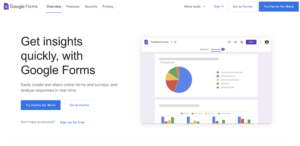
Google Formsis a free option, ideal for simple and quick surveys.

Key Features:

  • Quick creation of surveys and forms.
  • Customization with simple themes.
  • Exporting results to Google Sheets.

Ideal for: Small businesses or one-time projects.

3. SurveyMonkey

Survey Monkey alternative for online surveys in Canada

SurveyMonkey is one of the most popular tools, offering a wide range of advanced features.

Key Features:

  • Create multilingual surveys.
  • Advanced results analysis with detailed reports.
  • Advanced customization options.

Ideal for: Organizations that want to collect detailed data and perform advanced data analysis.

4. Typeform

TypeForm alternative for online surveys in Canada

Typeform is recognized for its interactive and visually appealing polls.

Key Features:

  • Create interactive forms and surveys.
  • Sleek and customizable design.
  • Dynamic user experience with real-time responses.

Ideal for: Organizations that want to impress their respondents.
5. Zoho Survey

Zoho Survey alternative in Canada

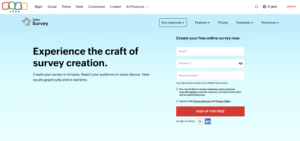
Zoho Survey is part of the Zoho application suite, offering seamless integration.

Key Features:

  • Create personalized surveys.
  • Integrated analysis with dashboards.
  • Integration with the Zoho suite.
Ideal for: SMBs already using Zoho.

6. Microsoft Forms

Microsoft Forms alternative for online surveys in canada

Microsoft Forms is an excellent option for users of the Office 365 suite.

Key Features:

  • Create interactive surveys and quizzes.
  • Integrate directly with Excel to analyze results.
  • Real-time collaboration through Office 365.

Ideal for: Organizations already familiar with Microsoft.

7. QuestionPro

QuestionPro Alternative in Canada for Online surveys

QuestionPro offers a wide range of tools for research and surveys.

Key Features:

  • Advanced respondent panel management.
  • Detailed reporting and statistical analysis.
  • Multi-channel options for distributing surveys.

Ideal for: Companies conducting in-depth research.

8. Simple Survey

SimpleSurvey Alternative in Canada

Simple Survey is a Quebec-based solution that is easy to use and perfectly suited to local needs.

Key Features:

  • French-language interface tailored to the Quebec market.
  • Quick and intuitive survey creation.
  • Easy export of results in various formats.

Ideal for: Organizations and local businesses looking for a quick and efficient solution.
9. LimeSurvey

LimeSurvey Alternative in Canada

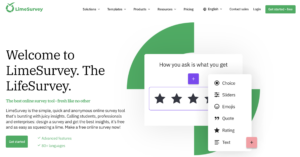
LimeSurvey is an open-source survey tool offering extensive customization.

Key Features:

  • Unlimited survey creation.
  • Support for multiple question types.
  • Data export in various formats.

Ideal for: Organizations with technical expertise seeking a customizable solution.

10. SurveySparrow

Screenshot of the SurveySparrow website homepage

SurveySparrow is a modern survey platform designed to improve engagement through conversational surveys and seamless integrations.

Key Features:

  • Chat-like surveys that increase completion rates.
  • Multilingual support with over 130 languages.
  • Real-time reporting and customizable dashboards.

Ideal for: Organizations looking for an intuitive, feature-rich survey tool with advanced analytics and strong integration capabilities.

How to Select the Right Survey Tool

Choosing the best survey tool depends on your organization’s unique priorities. Here’s a simple decision guide:

Do you need strict data compliance and Canadian hosting?
If so, prioritize tools like Activity Messenger or Simple Survey, which meet the requirements of Law 25.

Are you a small business or looking for a free, simple option?
Consider Google Forms or Microsoft Forms (if you use Office 365).

Do you want advanced analytics and multilingual surveys?
Look into SurveyMonkey, QuestionPro, or SurveySparrow.

Is design and user engagement a priority?
Choose Typeform for its interactive and visually appealing forms, SurveySparrow for its conversational approach, or Activity Messenger for an all-in-one software solution that integrates with Canva.

Do you already use Zoho apps or Microsoft 365?
Leverage Zoho Survey or Microsoft Forms for seamless integration.

Are you technically proficient and want open-source flexibility?
LimeSurvey is ideal but requires more setup.

Also, consider your budget, the team’s technical skills, integration needs, and whether you prefer all-in-one platforms or dedicated survey software.

Paid vs Free Survey Tools

Free Tools:

  • Examples: Google Forms, Microsoft Forms
  • Pros: No cost, quick setup, basic functionality for simple surveys
  • Cons: Usually lack bilingual support, Canadian data residency, advanced analytics, and integrations
  • Best for: Small businesses, one-time surveys, internal feedback, or testing survey concepts

Paid Tools:

  • Examples: Activity Messenger, SurveyMonkey, Typeform
  • Pros: Advanced features like logic branching, analytics dashboards, integrations with CRM and marketing tools, bilingual interfaces, and compliance with Canadian data privacy laws (Law 25, PIPEDA)
  • Cons: Subscription fees, some require technical expertise (e.g., self-hosted LimeSurvey)
  • Best for: Medium-to-large businesses, recurring surveys, customer-facing research, and organizations that need compliance with Canadian privacy laws

💡 Pro Tip: If you need local data hosting and bilingual support — critical in Quebec and for Law 25 compliance — free survey tools often fall short. Paid tools, particularly Activity Messenger or Simple Survey, are designed to meet these needs while providing additional features that save time and enhance engagement.

Conclusion: Choosing the Right Survey Tool for Your Canadian Business

Finding the best survey tool means balancing features, ease of use, and compliance with Canadian privacy laws. If local hosting, bilingual support, and an all-in-one platform are your top priorities, Activity Messenger is a standout choice.

💡 Ready to simplify how you gather customer feedback while ensuring full Canadian data compliance? Book a demo call today to see how Activity Messenger’s all-in-one platform can save you time, provide bilingual survey capabilities, and keep your data securely hosted in Quebec.

Written by Olivier Rousseau Olivier is a kids' sports programs owner who has been operating for over a decade with locations in Montreal, Quebec City, and Ottawa. He also helps Gymnastics Clubs, Swim Schools, and Dance Studios streamline their operations. He is the co-founder of Activity Messenger an online registration platform for the sports & leisure industry.

Simplify your online survey management with a Canadian tool

Subscribe for exclusive content

Receive News and Updates about our product