
Managing soccer registrations with paper forms or generic tools creates more work than it solves. Parents miss fields, waivers get lost, and you end up chasing down information that should have been collected up front.
A well-built online soccer registration form fixes all of that. It collects participant details, medical information, and signed waivers in one place, while automating confirmations and reminders so nothing slips through the cracks.
In this guide, we’ll walk through exactly how to build a soccer registration form that works for your academy or club, which fields to include, which tools to consider, and how to set up automations that save you hours every week. You can also skip straight to our free soccer registration form template below.
Key Takeaways:
- A good soccer registration form collects participant details, emergency contacts, medical information, program selection, and a signed liability waiver in one place.
- Online registration forms reduce manual admin work and eliminate paper forms, chasing signatures, and duplicate data entry.
- Choosing a form tool built for sports (rather than a generic builder) gives you features like payment processing, automated reminders, and digital waivers out of the box.
- Adding session options directly to your form helps parents self-select the right program, reducing back-and-forth emails.
- Automated confirmation emails and pre-session reminders set clear expectations and reduce last-minute questions from parents.
- A free soccer registration form template is available below to get you started quickly.
Table of Contents
- Step 1: What To Include in Your Soccer Lesson Registration Form
- Step 2: Select a Form Tool Designed for Soccer Academies
- Step 3: Create Your Soccer Registration Form
- Step 4: Add Soccer Lesson Dates and Program Options
- Step 5. Include a Liability Waiver With Digital Signature
- Step 6: Configure Your Confirmation Email
- Step 7: Set Up Automated Reminders
- Step 8. Share and Start Collecting Registrations
- Steal This Soccer Registration Form Template
- 3 Other Ways Activity Messenger Helps Soccer Coaches
- Frequently Asked Questions
- Final Thoughts
Step 1: What To Include in Your Soccer Lesson Registration Form
The goal of your soccer registration form is to collect everything you need up front, so you’re not following up with parents about missing details later. Here’s what to include:
1. Participant Information
Collect basic details about the participant, including:
- Full Name
- Date of Birth
- Gender
- Contact Information (email and phone number)
- Past experience, current level, etc
2. Parent/Guardian Information
If the participant is a minor, you’ll need to collect details about their parent or guardian:
- Full Name
- Contact Information (email and phone number)
- Relationship to Participant
3. Emergency Contact Information
In case of an emergency, it’s important to have a contact who can be reached quickly:
- Full Name
- Contact Information (phone number)
4. Medical Information
Gather any relevant medical details to ensure participant safety:
- Allergies
- Medical Conditions
- Medications
5. Program Selection
Allow participants to choose the program or session they wish to register for:
- Program Options (e.g., summer camp, fall league, spring goalie clinic)
- Session Times
- Price and Payment Plans
6. Waiver, Consent, and Digital Signature
Include a liability waiver section where participants or their guardians can agree to your terms and conditions:
- Waiver of Liability
- Photo/Video Consent
- Digital Signature
Step 2: Select a Form Tool Designed for Soccer Academies
Tools built specifically for the sports and leisure industry, like Activity Messenger, offer a more complete feature set without requiring you to patch together third-party integrations.
When evaluating options, look for:
- Mobile-first registration experience (most parents register from their phone)
- Integrated payment processing
- Digital waiver collection with e-signatures
- Automated confirmation emails
- Session and program management built in
⚽ Looking for a deeper comparison? Here is a list of the 6 best soccer management software options on the market.
Step 3: Create Your Soccer Registration Form
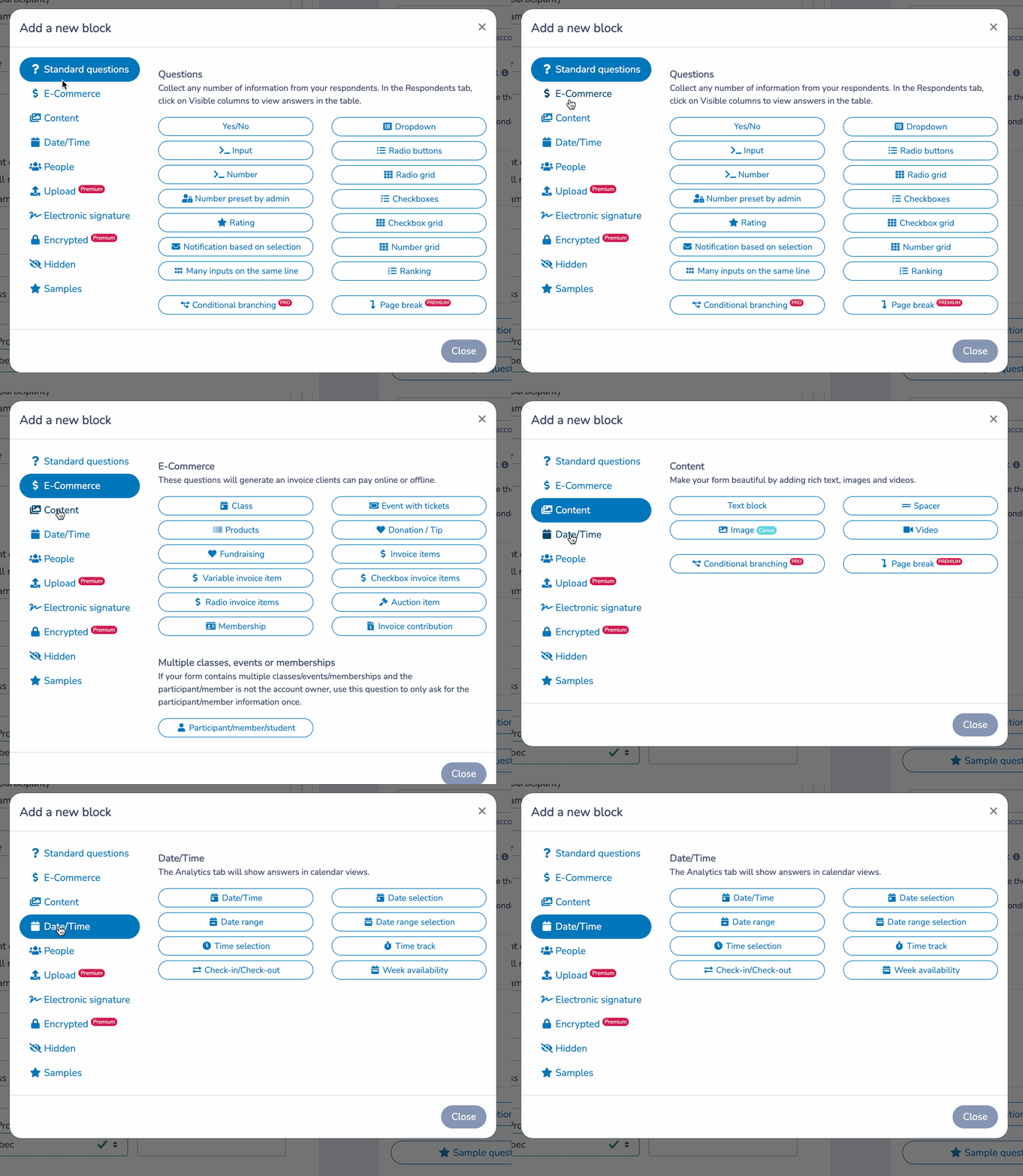
Once you’ve chosen your tool, here’s how to put the form together:
📋 Choose a template. Start with a soccer registration form template rather than building from scratch. Activity Messenger offers customizable templates designed for sports academies that include all the fields covered in Step 1.
🎨 Add your branding. Upload your logo, set your colours, and customize the form language to match your club’s communication style. A branded form builds trust, especially with first-time registrants. Activity Messenger integrates with Canva, so you can easily access all of your branding materials in just a few clicks.
💳 Set up payment processing. If your program charges a registration fee, connect a payment gateway like Stripe. You can also configure payment plans, early-bird pricing, and promo codes directly in the form.
✅ Test before you launch. Submit a test registration yourself. Verify that all fields work, that payment flows correctly, and that the confirmation email is sent with the correct information.
📋 Want to learn more about the different alternatives? Here are the 7 best online form-building tools for soccer academies.
Step 4: Add Soccer Lesson Dates and Program Options
Your registration form should help parents choose the best lesson based on their preferences, their child’s level and age, and their availability.
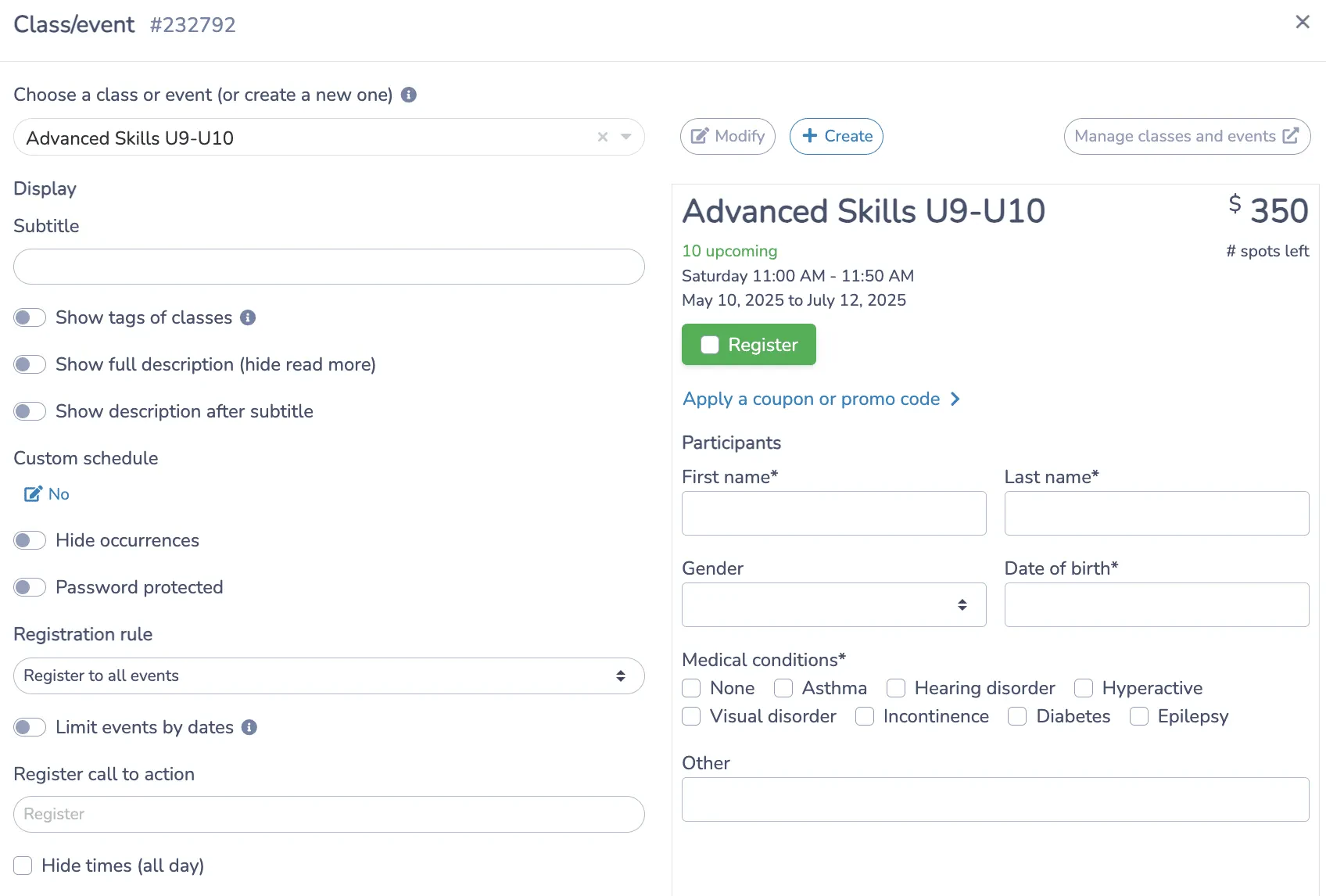
Here’s how to add specific lesson schedules to your registration form:
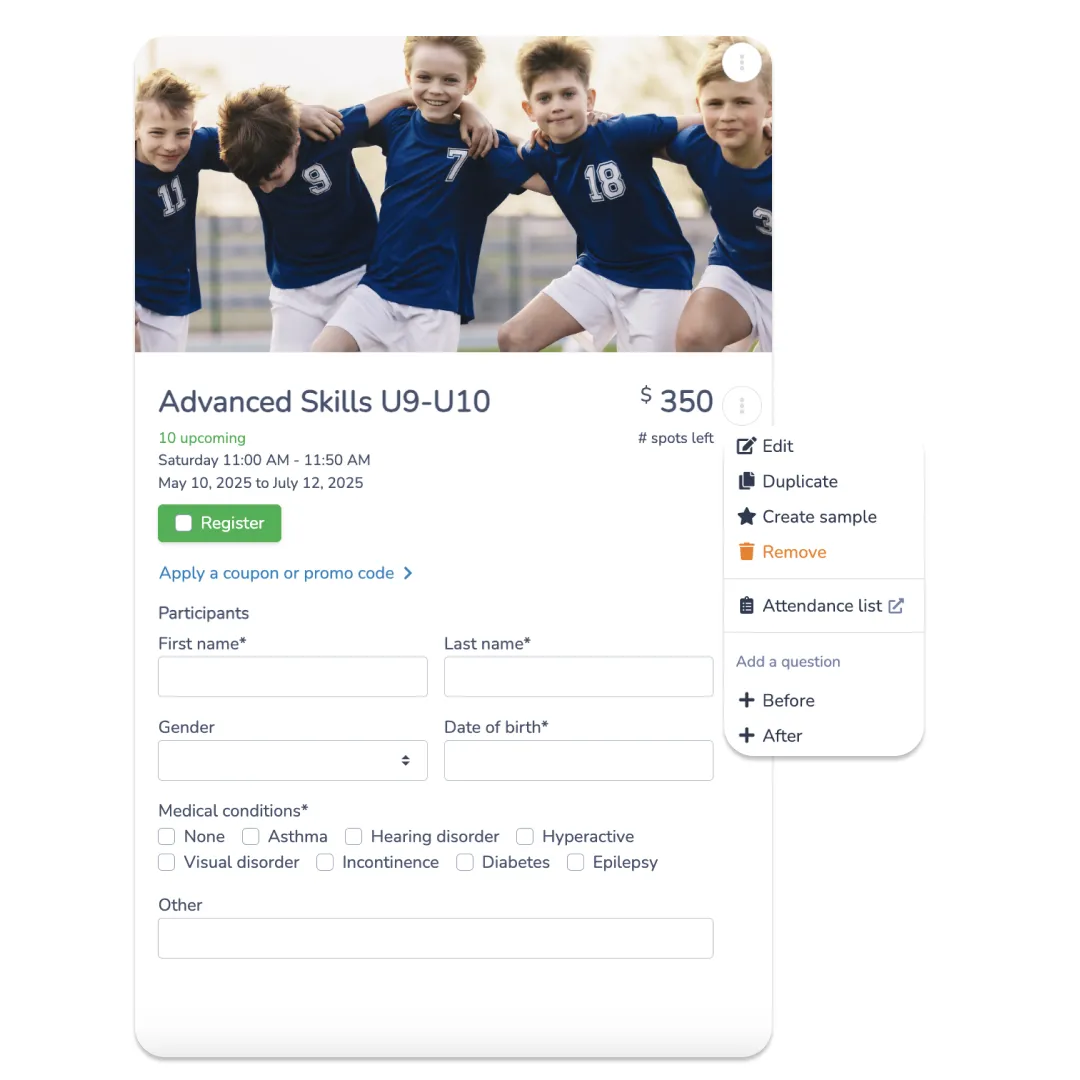
📅 Create program options. List each session, clinic, or camp as a selectable option. Include the cost, number of available spots, location, time, and coach’s name. The more detail you provide upfront, the fewer questions you’ll get afterward.
⚙️ Configure payment options. Set up multiple payment methods, offer pro-rated fees or payment plans where applicable, and include any discount codes. Canadian soccer programs can add Interact e-transfer as a payment option.
⏳ Show availability in real time. If a program is full, your form should automatically display that and offer waitlist enrolment instead of allowing parents to complete a registration that can’t be processed.
Step 5. Include a Liability Waiver With Digital Signature
Every soccer registration form should include a liability waiver. Collecting it at registration, rather than on the first day of practice, removes a significant administrative headache and ensures you have signed documentation on file from day one.
Here’s how it works in practice:
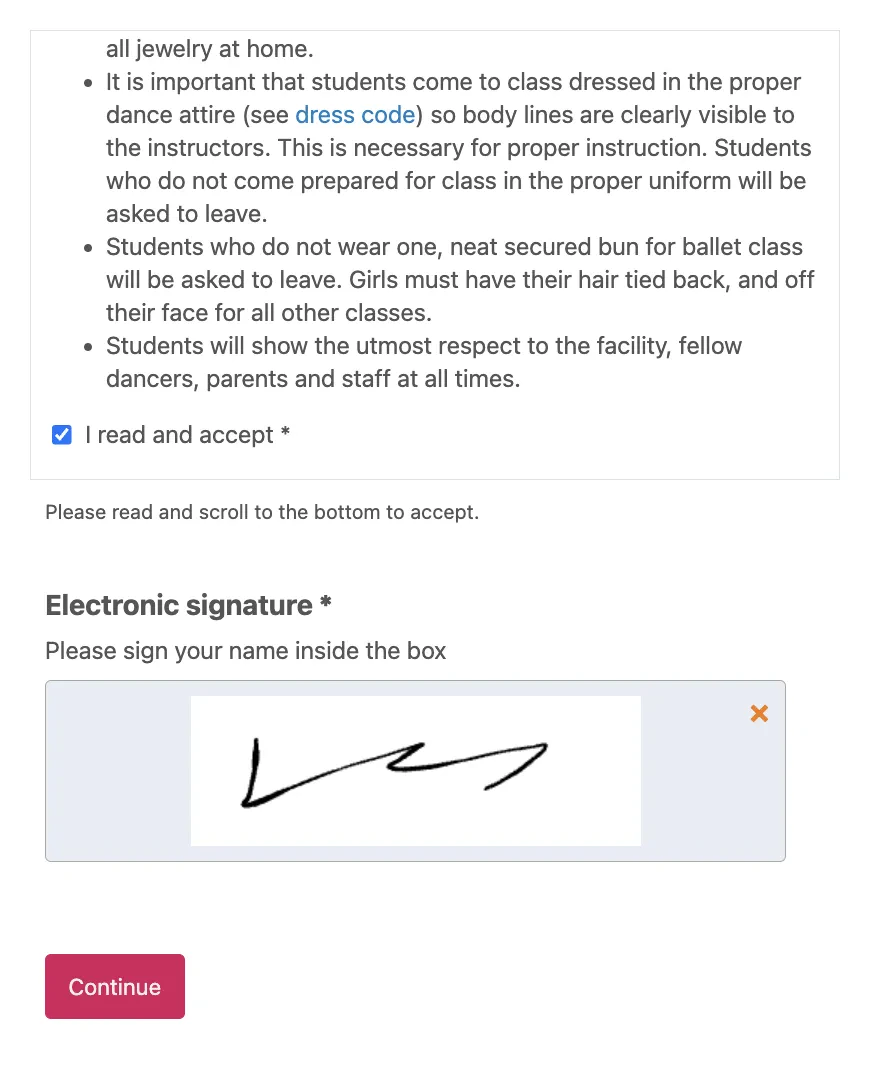
✍️ Add a digital signature field. Parents sign directly on the registration form, either by typing their name or drawing a signature on their phone. No printing, scanning, or separate waiver platform required.
🔒 Require acceptance before submission. The form won’t submit until the parent checks the acknowledgment box and signs. This removes any ambiguity about whether the waiver was actually read and agreed to.
🗂️ Store signed waivers automatically. All completed waivers are saved and accessible from your account, so you can pull them up at any time without digging through a filing cabinet.
Step 6: Configure Your Confirmation Email
Activity Messenger sends a confirmation email immediately when a parent enrolls their child in your soccer lessons. This email confirms the registration, provides a copy of their invoice, and should include any other important information regarding the upcoming session.
Here’s how to make the most of this feature:
⚡ Instant confirmation. Once a parent signs up their child, an email is automatically sent to confirm the registration and provide a copy of the invoice, ensuring parents have all the necessary details at their fingertips.
📍 Program details. Include the session date, time, location, and coach name in the email body. Don’t make parents dig through their accounts to find basic information.
👋 Personalized welcome message. Use mail merge to insert the child’s name, program name, and any session-specific instructions. A personalized email shows parents they registered with an organization that has its act together.
Step 7: Set Up Automated Reminders
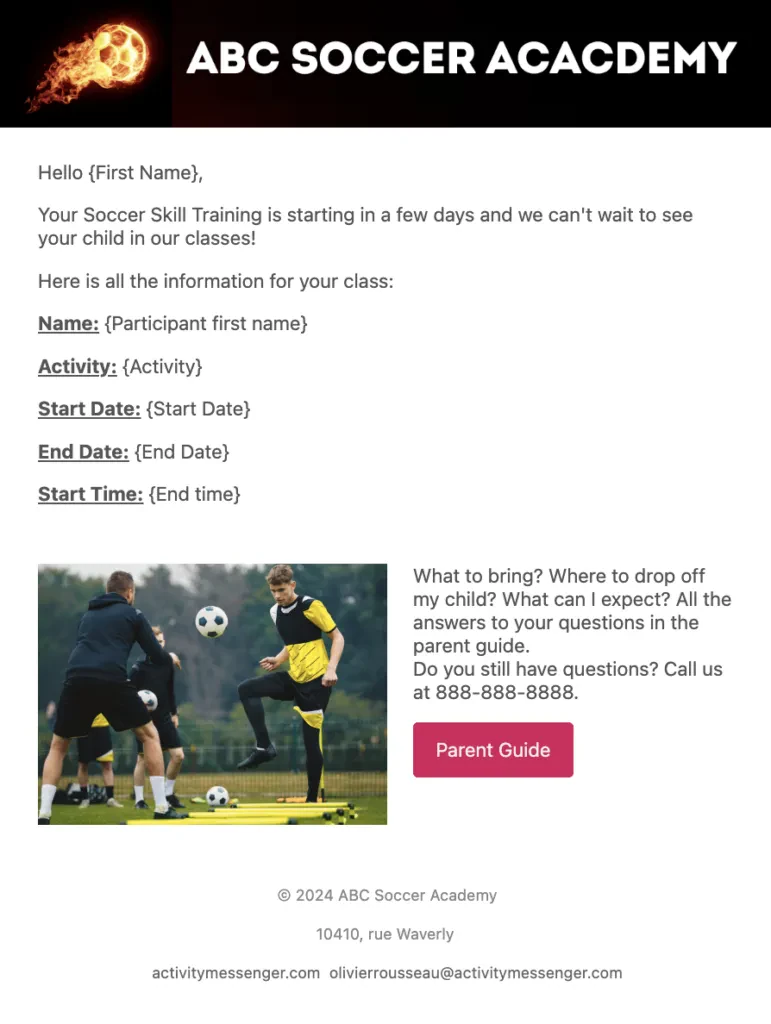
What happens after registration is critical to ensuring a positive experience for both parents and players. Automated reminders reduce no-shows, cut down on confused parent emails, and improve the overall experience without adding to your workload.
⏰ Pre-session reminder. Send a customized email or SMS 48 to 72 hours before the first class. Include the date, time, and location; what to bring; and what to expect. This one message alone will dramatically reduce last-minute questions.
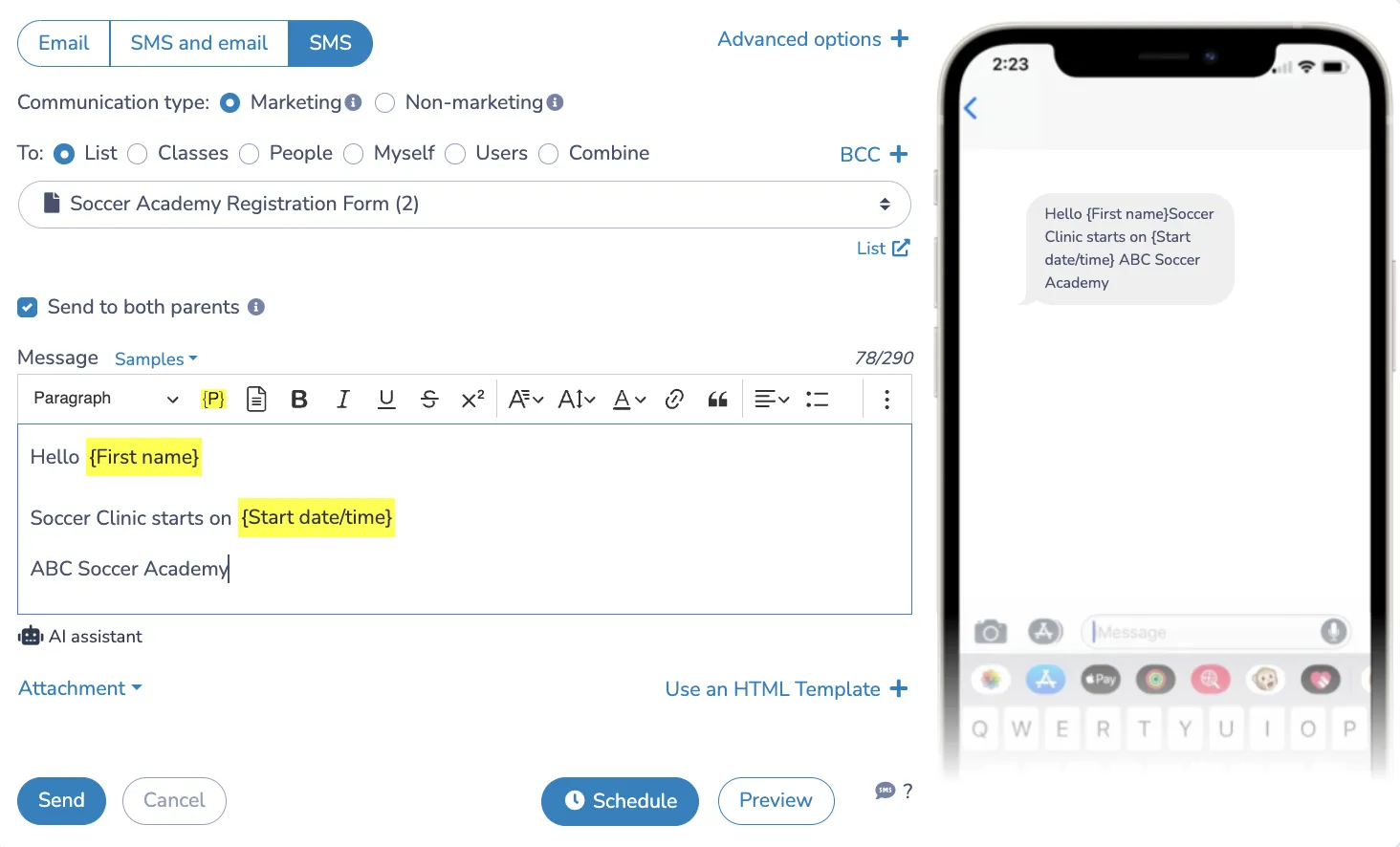
📝 Post-session feedback. After the session ends, send a short survey to gather feedback from parents and players. This helps you improve future programs and shows families that their experience matters to you.
Step 8. Share and Start Collecting Registrations
Effective promotion of your registration form is essential to maximize sign-ups. Here are a few channels you can use:
📬 Email and SMS outreach. Use Activity Messenger to send a newsletter or a direct message to your existing contacts, including a link to the registration form. SMS in particular sees significantly higher open rates than email, making it useful for time-sensitive enrolment windows.
🔗 Share the link directly. Post the registration link on your social media channels, include it in your email signature, and send it directly to anyone who has expressed interest.
📱 QR code. Activity Messenger generates a unique QR code for each registration form. Post it at your facility, at tournaments, or on printed flyers to make it easy for people to register on the spot.
🌐 Embed on your website. Adding the form directly to your website or behind a “Register Now” button removes friction for anyone landing on your site who’s ready to sign up.
📌 For more tips and strategies, read our guide on how to improve your online registration form. This will help you optimize your form for better engagement and conversion.
Steal This Soccer Registration Form Template
3 Other Ways Activity Messenger Helps Soccer Coaches
Optimizing your operations is essential for providing a top-notch experience for players and parents. Here’s how you can use Activity Messenger to streamline your processes:
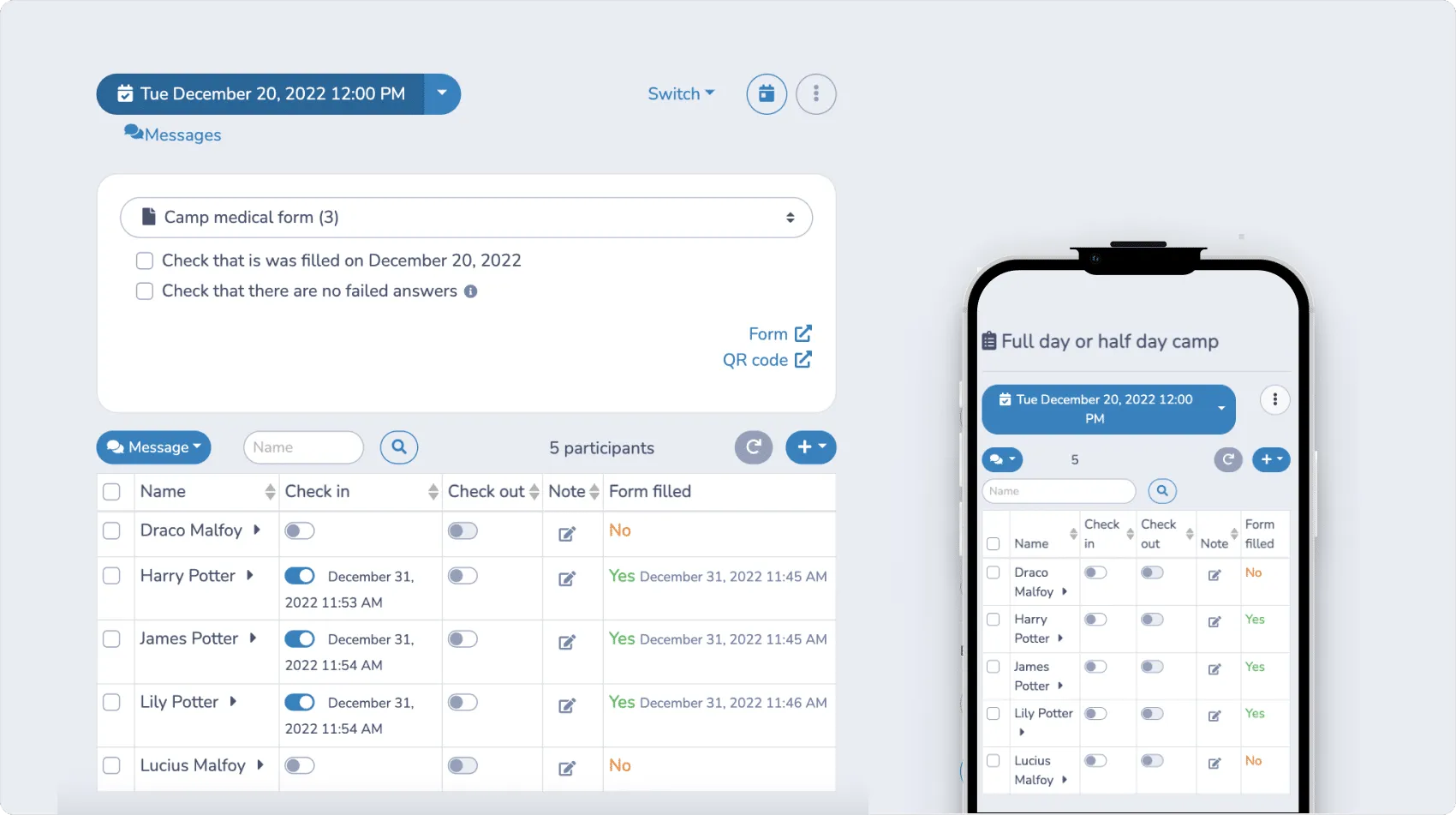
1. Attendance Tracking: Use a customizable check-in list for each lesson. Rename activities, assign coaches, divide students into groups, and save attendance records for later review. This helps keep track of participation and organize sessions effectively.

2. Data Analysis: Activity Messenger provides detailed analytics, giving you valuable data to improve operational and strategic aspects of your business. Use these insights to enhance training programs, make sure your staff is well-trained, and increase overall customer satisfaction.
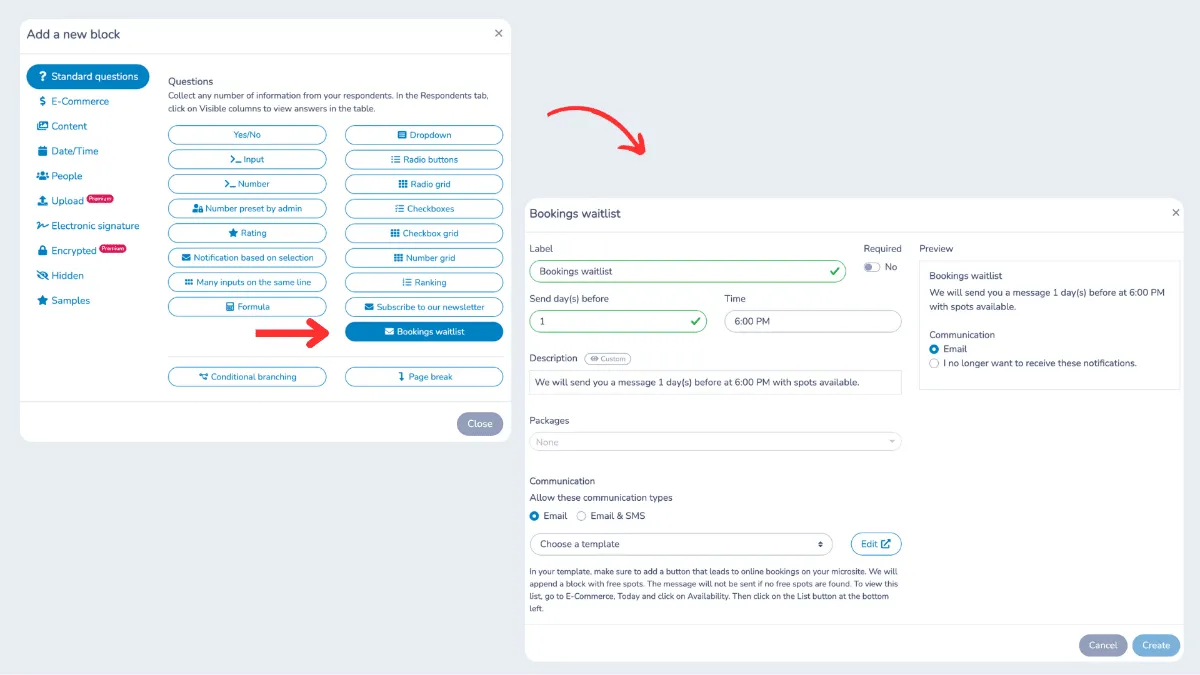
3. Waitlist Management: Effective waitlist management ensures that every spot is filled efficiently. The system automatically sends an email or SMS to those on the waitlist when a spot becomes available.
Frequently Asked Questions
What is a soccer registration form?
A soccer registration form is an online form that collects the information a club or academy needs to enroll a player in a program. This typically includes participant details, emergency contacts, medical information, program selection, payment, and a signed liability waiver. A well-built soccer registration form replaces paper forms entirely and gives coaches everything they need before the first session.
What information should a soccer registration form include?
At minimum, include the participant’s name, date of birth, and contact information, a parent or guardian section for minors, emergency contact details, medical information (allergies, conditions, medications), program selection, and a liability waiver with digital signature. Payment collection can also be built directly into the form.
What’s the best tool for creating a soccer registration form?
The right tool depends on your needs. Generic form builders like Google Forms work for simple data collection but lack payment processing, waivers, and automated reminders. Tools designed for sports programs, like Activity Messenger, include all of these features and are built to handle the full registration workflow from sign-up to first session.
Can I collect payment directly on a soccer registration form?
Yes, most sports-focused form tools support integrated payment processing through platforms like Stripe. You can collect registration fees, offer payment plans, and apply discount codes all within the same form.
How do I get parents to actually complete the registration form?
Keep the form as short as possible while still collecting what you need. Make sure it works well on mobile since most parents will register from their phone. Send a direct link by email or SMS rather than asking people to find it on your website. An early-bird discount can also help drive early completions.
Do I need a separate platform for liability waivers?
Not if you choose the right form tool. Activity Messenger lets you include a digital signature field directly in your soccer registration form, so parents sign the waiver at the same time they register. Signed waivers are stored automatically, and you can access them anytime without a separate system.
Why use an online registration form instead of paper forms?
Online registration forms eliminate manual data entry, reduce errors, and ensure you collect all required information upfront. Parents can register from anywhere, payments are processed instantly, and you have a complete record of every registration in one place. For most soccer programs, switching to online registration is one of the fastest ways to reduce admin time.
Final Thoughts
A good soccer registration form does more than collect names. It captures the information your coaches need, processes payments securely, collects signed waivers, and automatically triggers confirmation emails and reminders. That’s a lot of manual work removed from your plate before the season even starts.
If you’re still using paper forms or a generic tool that wasn’t built for sports, switching to a purpose-built platform like Activity Messenger is one of the simplest upgrades you can make.
💡 Ready to simplify registration for your soccer academy? Book a demo with Activity Messenger to see how clubs across North America manage sign-ups, communication, and waivers in one place.
📖 Related Reading: