Whether you’re collecting information for staff recruitment, customer inquiries, or event registrations, sending immediate, personalized responses after a form submission is crucial. But what if you could do all of this seamlessly within a single platform without juggling multiple tools?
This is exactly what Activity Messenger offers: a powerful yet simple way to build forms, collect responses, and send automated SMS notifications—all in one place.
In this article, we’ll walk you through the step-by-step process of setting up automated SMS text notifications that trigger right after someone submits a form. By the end, you’ll see how Activity Messenger can help you improve engagement and responsiveness without the need for complicated integrations.
This article is inspired by insights from Olivier Rousseau, co-founder of Activity Messenger, who brings over twelve years of experience in online registration for kids’ sports programs.
When a person fills out a form online, timely communication is key. Traditionally, form builders allow you to send confirmation emails, but emails can sometimes be overlooked or end up in spam folders.
SMS, on the other hand, has an open rate of over 90% and is often read within minutes. Sending an SMS notification immediately after form submission enhances the user experience by:
However, setting up SMS notifications typically requires integrating multiple tools, which can be complex and costly. Activity Messenger simplifies this by combining form building and SMS automation within a unified platform.
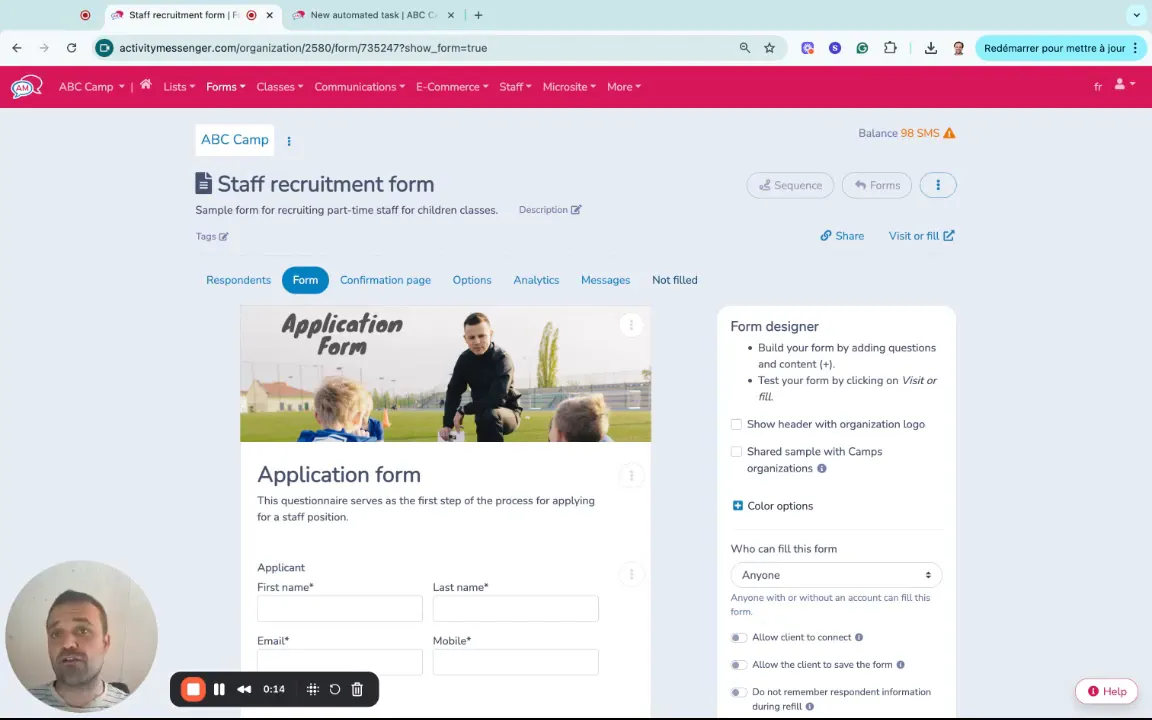
The first step is to create a form that will collect the necessary information. Activity Messenger offers a user-friendly drag-and-drop form builder that makes form creation quick and intuitive, even if you have no coding experience.
Key features include:
As respondents fill out your form, you’ll accumulate valuable data in one place, ready for immediate action.
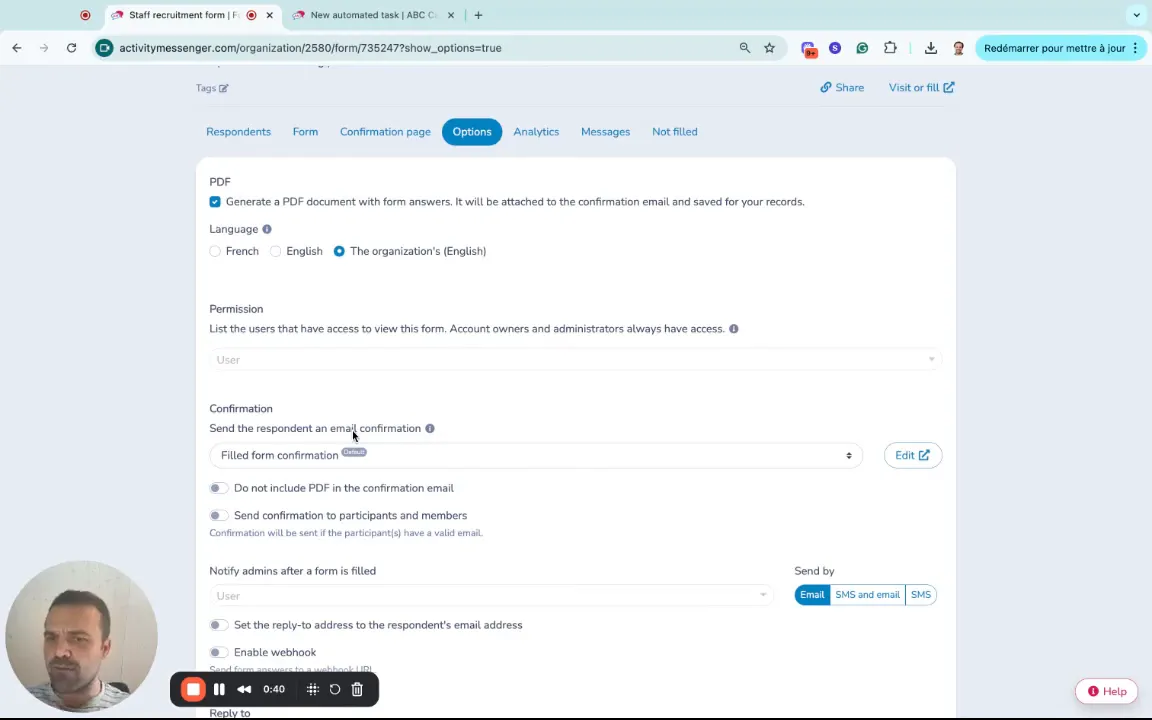
Once your form is created, Activity Messenger allows you to configure what happens after someone submits it. You can:
But here’s where Activity Messenger stands out: you can also send an automated SMS text message to the respondent immediately after form submission, providing a more direct and reliable communication channel.
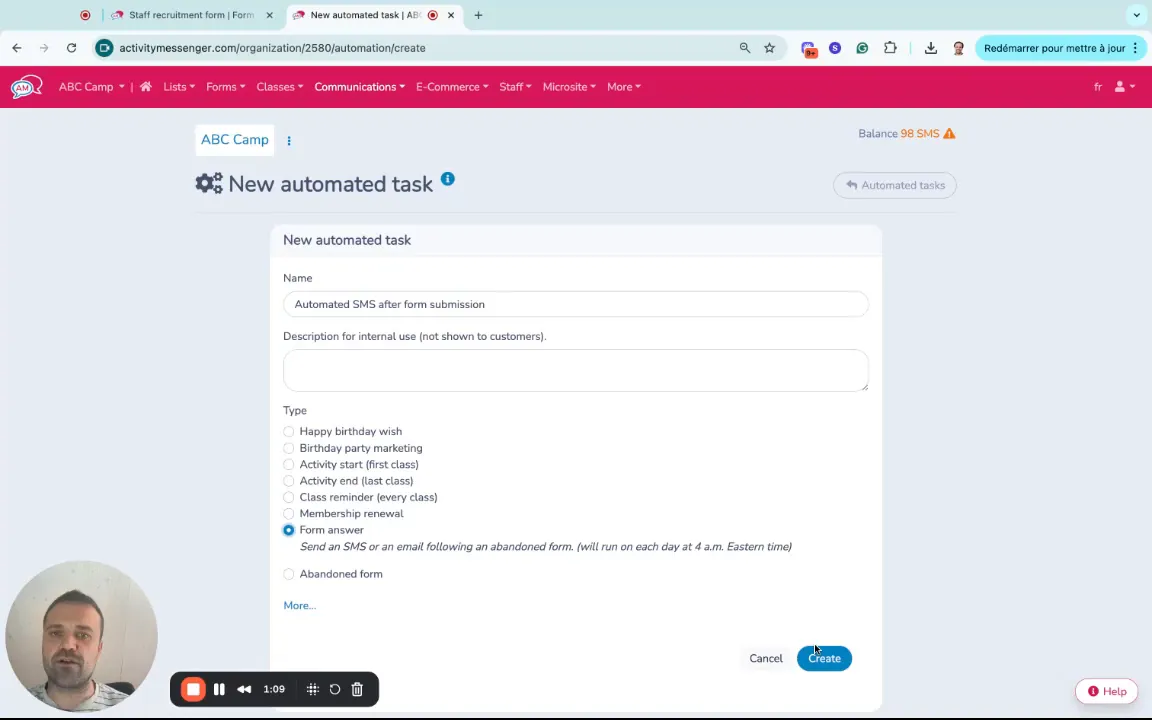
To send SMS messages automatically after a form is submitted, you’ll need to set up an automated task within Activity Messenger. This process is straightforward and completely integrated into the platform, so there’s no need for external apps or complex integrations.
Here’s how to do it:
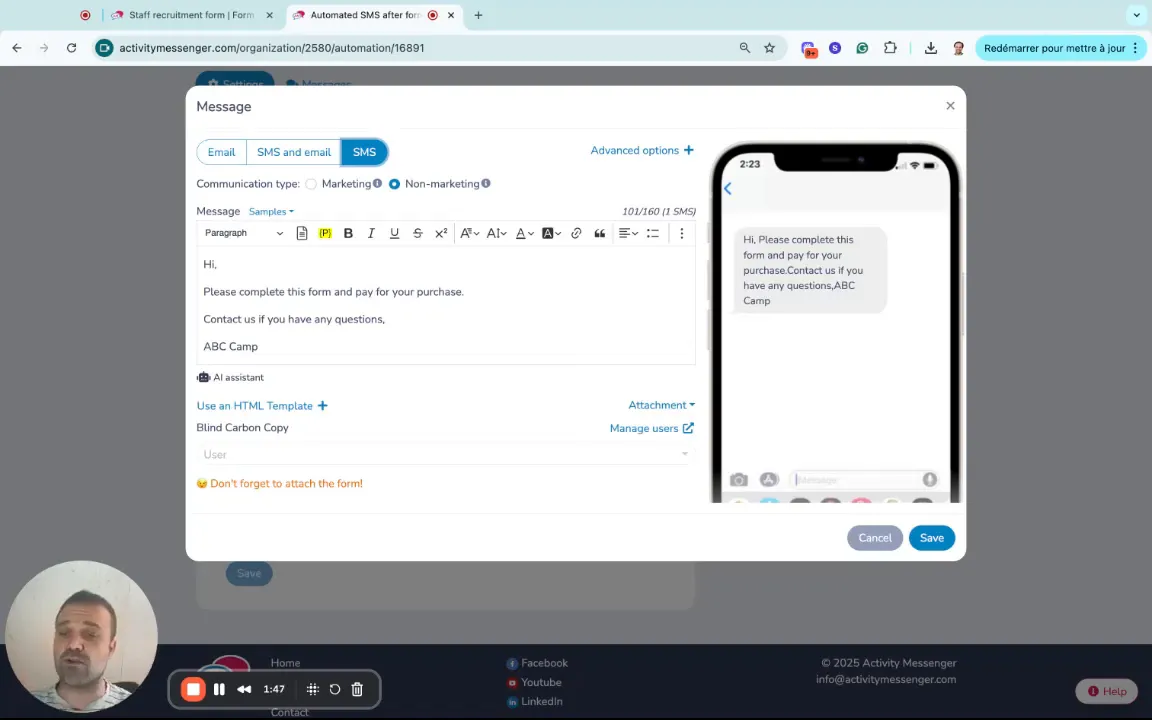
Now that you’ve linked your automated task to the form submission, you need to write the SMS message that will be sent out. Activity Messenger allows you to create custom text that can include placeholders or dynamic data from form answers, making each message personalized and relevant.
For example, you might write:
“Thank you for filling out the staff recruitment form. We will review your application and get back to you shortly.”
Once your message is ready, select the SMS option as the delivery method.
After configuring your SMS message and automation settings, save your work. From now on, every time someone submits the linked form, they will receive both:
💡 Pro Tip: This dual approach ensures that your respondents are promptly acknowledged through multiple channels, increasing the likelihood that they will read and act on your message.
Activity Messenger’s integrated approach to form building and SMS automation offers several advantages:
Book a demo with one of our experts and discover how Activity Messenger can help simplify your operations.
Book a demoThe ability to send automated SMS messages after form submissions can benefit many scenarios, including but not limited to:
Automating SMS notifications after form submissions is a powerful way to improve communication, increase engagement, and streamline your operations. Activity Messenger streamlines this process by combining form building and SMS automation in a single platform, making it simple and efficient.
By following the steps outlined above, you can quickly create custom forms, configure instant SMS responses, and ensure your respondents receive timely, personalized messages. This not only enhances the user experience but also reduces administrative overhead and speeds up your workflows.
💡 Modernize your communication strategy with SMS automation today! Book a demo call now to explore your options.