Whether you’re organizing a gymnastics competition, a community fundraiser, or a local swim meet, knowing how to sell event tickets online can save you hours of admin work and help you fill more seats.
The right ticketing setup lets attendees register and pay in minutes while giving you a clean system to manage payments, send reminders, and track attendance in one place.
This guide is for organizers running events of any size: sports clubs, dance studios, day camps, municipalities, NPOs, and small businesses.
Whether you’re selling 30 tickets for a swim meet or 500 for a year-end recital, read on to discover the tools, tactics, and platform features that make online ticket sales easier to manage from start to finish.
Key Takeaways:
- Choose a ticketing platform that handles payments, communication, and attendance tracking in one place, not just ticket sales.
- Offer multiple ticket types (age groups, family packs, early bird) to maximize sales and cater to different audiences.
- Automate ticket delivery with QR codes so check-in is fast and requires no extra hardware.
- Payment fees vary significantly by platform: Interac e-Transfer can reduce processing costs to as low as 1% for Canadian organizers.
- SMS and email reminders before your event, and surveys after, meaningfully improve the attendee experience.
- Conversion tactics like early bird pricing, abandoned cart automations, and A/B testing can help you sell out faster.
Table of Contents
- How to Create Online Tickets for Your Event
- Online Payment Options for Event Tickets
- Best Eventbrite Alternatives for Small Events
- How to Communicate With Event Attendees
- How to Track Event Attendance with QR Codes
- How to Improve Event Ticket Conversion Rates
- Frequently Asked Questions
- Start Selling Tickets Online in Minutes
How to Create Online Tickets for Your Event
Creating online tickets for your event starts with choosing the right platform. With a tool like Activity Messenger, you can integrate event ticket sales, surveys, marketing, and SMS communication with attendees.
- Customize your tickets with the event name, date, time, location, and price. You can also add instructions like “Scan your QR code at the door” or “Doors open 30 minutes early,” so attendees arrive prepared.
- Set ticket types based on age, seating, or group pricing. Family packs, student discounts, and early bird tiers all give buyers a reason to commit sooner and can meaningfully increase your average order value.
- Automate ticket delivery so that once a purchase is complete, the ticket is immediately emailed or texted with a QR code attached. No manual sending, no delays, and no risk of missing tickets.
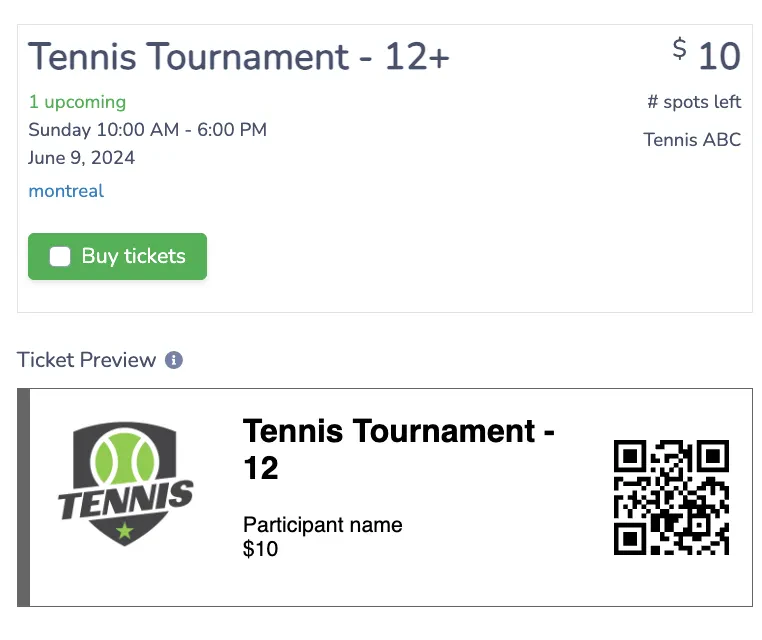
💡 Quick Tip: A well-branded ticket builds confidence that your event is professionally organized. If you’re designing promotional graphics or ticket visuals, a platform that integrates directly with Canva (like Activity Messenger) keeps everything in one workflow without the back-and-forth of exporting and re-uploading assets.
Online Payment Options for Event Tickets
Offering multiple payment options can make the buying process easier. Here are some popular payment options for selling tickets.
- Offline Payments: Some customers may prefer to pay in person with cash. You can still issue tickets online by marking the payment as “pending” until you receive payment.
- Credit Cards: Offering credit card payments is essential for online ticketing. You can integrate with platforms such as Stripe to securely process your transactions.
- Interac e-Transfer: Interac is a popular alternative to credit card payments for Canadian users that allows attendees to send money directly from their bank account.
Payment Processing Fees Compared: Activity Messenger vs. Eventbrite vs. TutuTix
| Feature | Activity Messenger (Interac) | Activity Messenger (Credit Card) | Eventbrite (Credit Card) | TutuTix (Credit Card) |
|---|---|---|---|---|
| Processing Fees* | 1% | 3.9% + $0.30 | 6.4% + $1.29 | 5% + $1.00 |
| Payout Speed | Instant | 1–3 days | 5 days | Weekly |
| Settlement | Automated** | Automated | Automated | Automated |
| Ticket Delivery (Email + QR) | ✅ | ✅ | ✅ | ✅ |
| Apple Wallet / Google Wallet | ✅ | ✅ | ✅ | ❌ |
| Interactive Seating Plans | ✅ | ✅ | ✅ | ❌ |
| Email & SMS Built In | ✅ | ✅ | ❌ | ❌ |
| Post-Event Surveys Built In | ✅ | ✅ | ❌ | ❌ |
| Website Embed (No Redirect) | ✅ | ✅ | ❌ | ❌ |
| Canadian-Based Platform | ✅ | ✅ | ❌ | ❌ |
| 24/7 Support | ✅ | ✅ | ❌ | ❌ |
*Includes all fees charged by registration software.
**Activity Messenger is the only registration platform that can automate Interac settlements.
📌 Read More: Check out the 8 best event ticketing software on the market, including Activity Messenger, to compare features, pricing, and more to make your next event a success.
Best Eventbrite Alternatives for Small Events
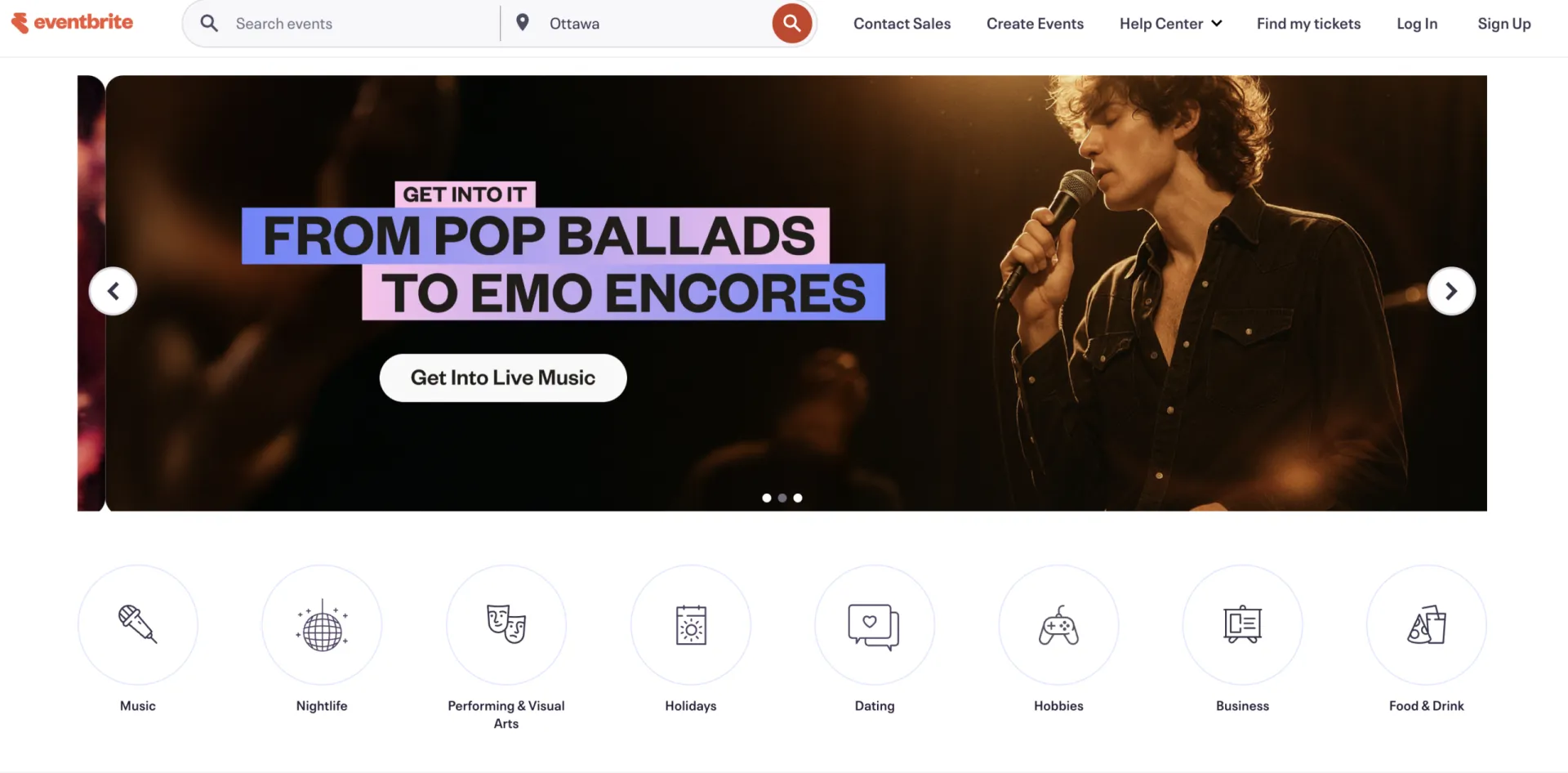
Eventbrite is a good choice for large public events where visibility on their marketplace adds value. For organizers outside that use case — sports clubs, recreation programs, community events — it may be more than you need, and the fees reflect that broader scope.
Credit card processing runs at 6.4% + $1.29 per ticket, and tools like email marketing, SMS, and post-event surveys aren’t included, so you’d need separate platforms to fill those gaps.
Activity Messenger is built for exactly this type of organizer. It’s a Canadian platform that combines ticketing, communications, waivers, and reporting in one place, with lower processing fees and support for Interac e-Transfer.
📌 Read More: For a detailed side-by-side breakdown, see how Activity Messenger compares to Eventbrite.
How to Communicate With Event Attendees
Improving communication with attendees will help you deliver the best possible event experience. Here are some strategies that can help:
- Event reminders help keep attendance rates high and reduce last-minute confusion. Send a confirmation email immediately after purchase, followed by a reminder 24–48 hours before the event. Include the ticket, the venue address, parking information, and anything attendees need to bring. For events where attendees often ask the same questions, a well-timed reminder cuts down on support requests significantly.
- SMS is the right tool for urgent or day-of updates. If a venue changes, a session is delayed, or you need to share gate information at the last minute, SMS reaches people where they are. Open rates for SMS are significantly higher than email, making it the better channel when timing matters.
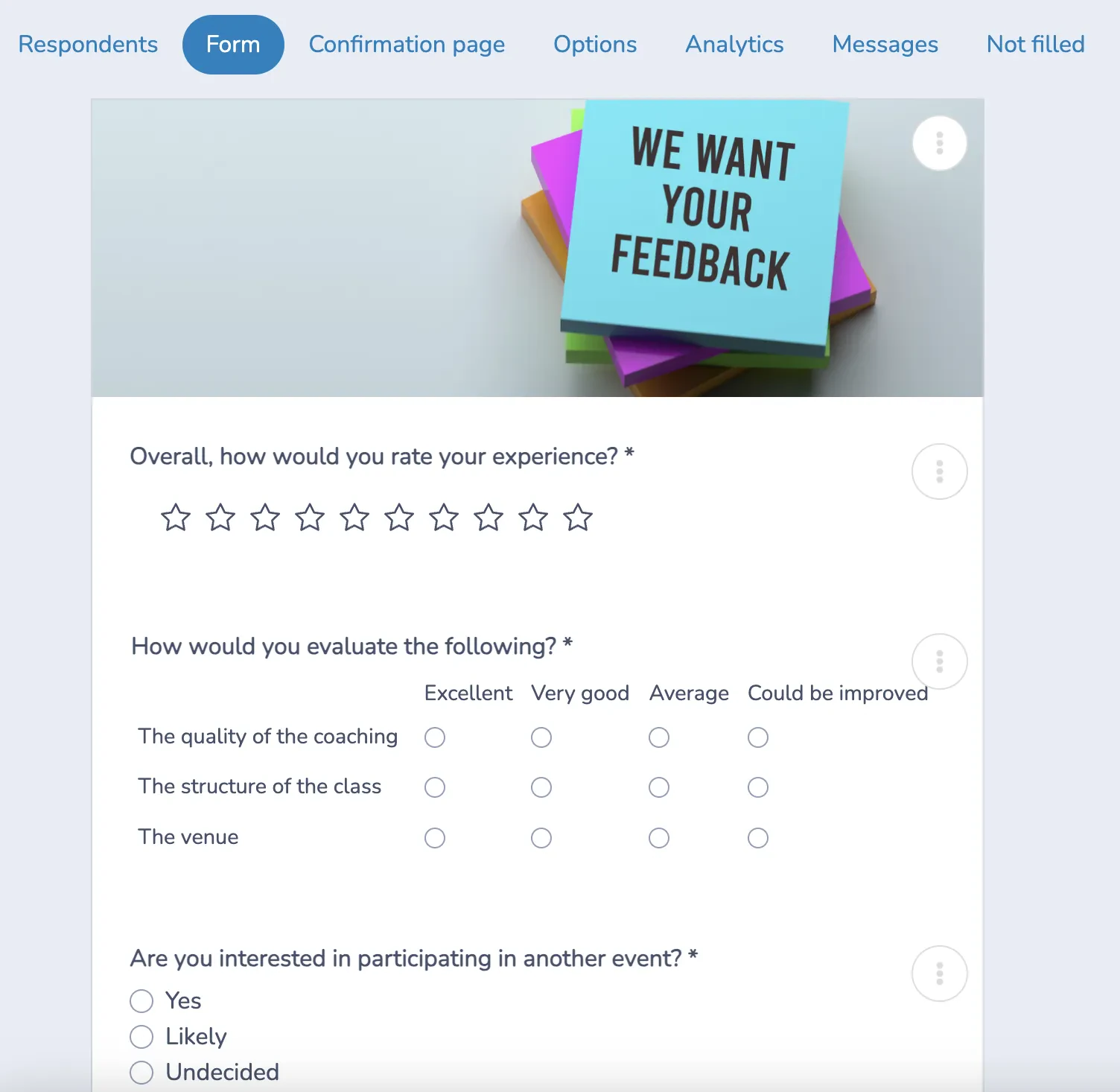
- Post-event surveys close the loop with your attendees and generate data you can actually use. Ask what worked, what didn’t, and whether they’d attend again. Even a three-question survey sent within 24 hours of the event captures feedback while the experience is still fresh.
How to Track Event Attendance with QR Codes
Once your event is live and tickets have been sold, managing arrivals is straightforward:
- Scan Tickets with a Smartphone: Each ticket includes a unique QR code that attendees receive by email or SMS. At the door, a staff member scans the code with any smartphone with no dedicated hardware required.
- Track Attendance Data: The system instantly marks that attendee as checked in and updates your attendance list in real time, so you always have an accurate count of who has arrived and who hasn’t.
- Intuitive Access Control: Only valid tickets that haven’t already been scanned are accepted, which is particularly important for events involving children or restricted venues.
Over time, attendance data helps you spot trends like peak attendance periods, dropout rates between ticket purchase and actual arrival, and which event formats consistently draw the best turnout. That information feeds directly into planning and pricing decisions for future events.
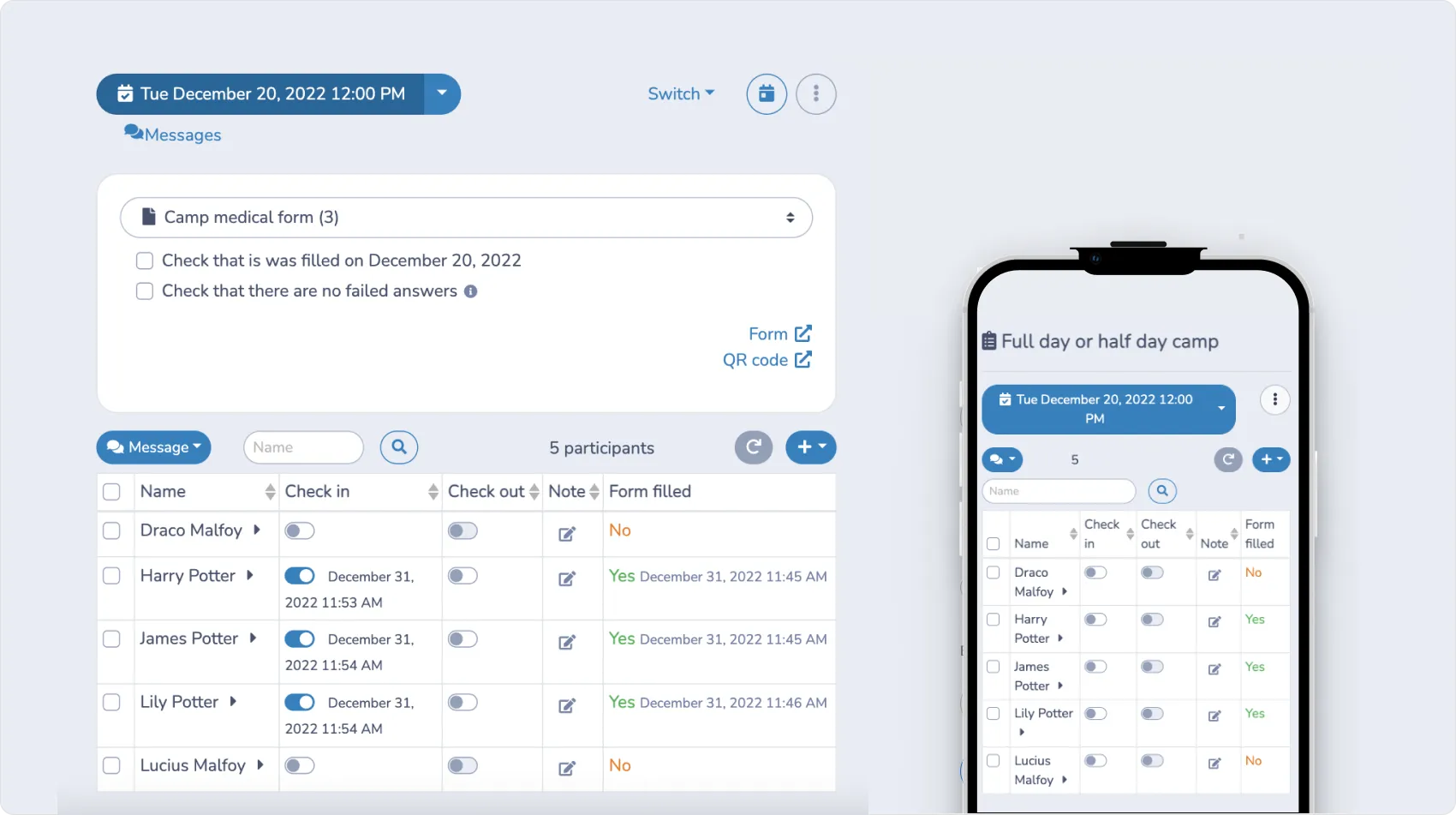
👉 To learn more about how attendance tracking works end-to-end, see Activity Messenger’s attendance list features.
How to Improve Event Ticket Conversion Rates
Improving the conversion rate of your event ticket sales is essential to selling out your events.
Here are some strategies to keep in mind:
- Early bird pricing creates a deadline that motivates action. Offer a discounted rate for the first few weeks of ticket sales, then revert to standard pricing. This front-loads your sales, gives you better advance planning data, and rewards attendees who commit early.
- Social proof helps convert undecided buyers. A short quote from a past attendee, a photo from a previous edition, or a simple “sold out last year” notice near your ticket button can meaningfully increase conversion, especially for first-time events where potential attendees have no prior experience to draw from.
- Abandoned cart automations recover sales from people who started the checkout process but didn’t complete it. A single follow-up email sent a few hours after abandonment (with a direct link back to the ticket page) is often enough to bring them back. This requires no manual work once the automation is configured.
- A/B testing helps you improve over time. Test two different email subject lines, two ticket price points, or two versions of your event description page. Small improvements in open rate or click-through rate compound across every event you run.
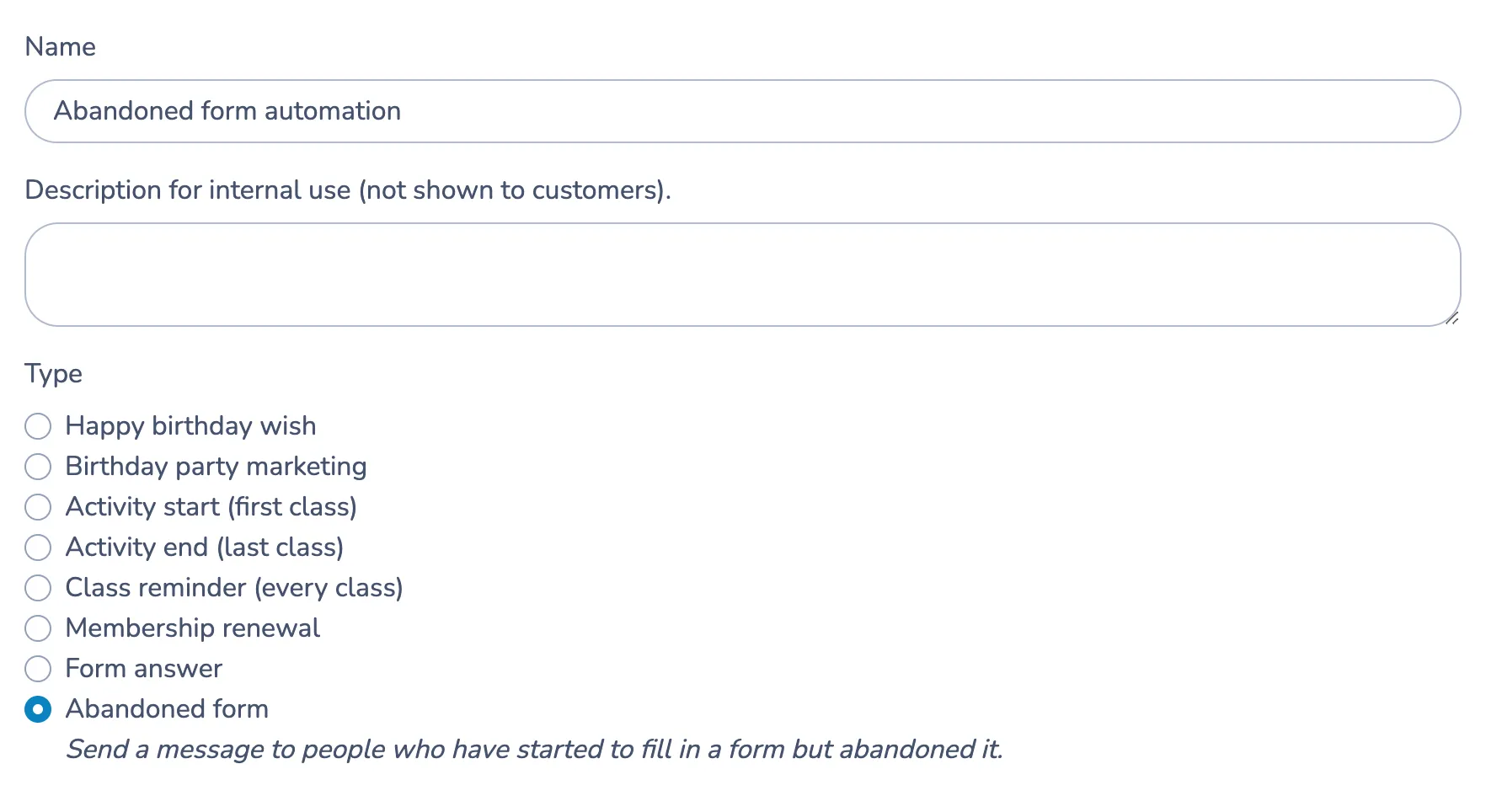
💡 Want to learn more? Here are 11 simple changes to improve your conversion rates.
Frequently Asked Questions
Can I sell event tickets online for free?
Most platforms charge processing fees rather than a flat monthly fee, so you won’t pay upfront, but fees are deducted from each ticket sold. Credit card fees typically range from 3.9% to 6.4% + a flat per-ticket charge depending on the platform. Using Interac e-Transfer through a platform like Activity Messenger reduces that to as low as 1% for Canadian organizers.
What’s the best ticketing platform for small events?
The best fit depends on your priorities. If you need only ticket sales, Eventbrite works for basic use. If you need ticketing, email and SMS communication, QR check-in, and post-event surveys in one place without paying for separate tools, an all-in-one platform like Activity Messenger is worth evaluating, especially for recurring events.
How do I accept Interac payments for event tickets?
Not all platforms support Interac. Activity Messenger is one of the few Canadian ticketing platforms that can accept and automatically settle Interac e-Transfer payments, making it a practical option for organizers whose attendees prefer to pay directly from their bank accounts.
Do attendees need to print their tickets?
No — tickets can be saved to Apple Wallet or Google Wallet and scanned directly from a smartphone at the door. Organizers scan QR codes using any smartphone; no dedicated hardware is needed.
Can I manage recurring events on the same platform?
Yes. Platforms like Activity Messenger let you duplicate events, manage multiple dates and locations simultaneously, and track registrations across all sessions from one dashboard, which is particularly useful for clubs and organizations running programs year-round.
👉 Want to explore even more ways to improve your next event? We have guides dedicated to selling tickets with seat assignments and cancelling events.
Start Selling Tickets Online in Minutes
Setting up online ticketing doesn’t need to be technically complex or expensive. The core ingredients are straightforward: a platform that fits your event type, payment options that work for your audience, automated ticket delivery, and a basic communication plan before and after the event.
For organizers running recurring events like leagues, recitals, and tournaments, the real payoff comes from having everything in one system. When your ticketing, reminders, check-in, and post-event follow-up are connected, each event runs a little smoother than the last.
Use the steps in this guide as a checklist for your next event, and adjust them based on your attendees’ responses.
💡 Ready to simplify your event ticketing? Book a demo with Activity Messenger today to see how you can manage tickets, payments, communications, and attendance all in one place and spend less time on admin before, during, and after your events.