If you’re reading this, you’re probably shopping for online form tools or looking for an alternative to what you’re currently using. Maybe you’re on Google Forms and need something more powerful. Maybe you’re paying for Jotform or SurveyMonkey and wondering if there’s a better fit.
Most form tools do a decent job of collecting data. Where they fall short is everything that surrounds the form: confirmation emails, follow-ups, payment processing, and attendance tracking. You end up stitching together three or four tools to cover what should be one workflow.
This guide breaks down the 7 best online form tools available today, what they do well, where they fall short, and which one is the right fit for how your organization actually works.
DISCLAIMER: Activity Messenger is our software. We created it after years of experiencing the shortcomings of existing online form tools.
You’ve created the perfect Instagram post. People click through and land on your website. Then they get redirected to your registration form, which has completely different fonts, colours, and branding from everything else they’ve seen. That disconnect costs you credibility and completions.
Branding is one reason to reconsider your current tool, but it’s rarely the only one. Here are three areas where most organizations eventually hit a wall:
1. Your forms don’t match your website
Most form tools produce something that looks like a form tool, not like your business. If your registration page looks nothing like the rest of your site, it creates friction and erodes trust at exactly the moment you need it most.
2. Ticketing and registration still require a separate tool
If you run events, you’re probably managing a separate Eventbrite account in addition to your form tool. That means two places to log in, two sets of transaction fees, and two places where customer data lives. For organizations running programs or events regularly, that adds up quickly.
3. You have no idea if your follow-up emails are working
Most online form tools let you send a confirmation email. Very few show you whether anyone opened it. Without open-rate tracking, you don’t know who received your message, who ignored it, or who needs a follow-up. That’s a problem when the email contains something important, like a waiver, a payment reminder, or event details.
These gaps are why many organizations end up paying for Mailchimp, SimpleTexting, Certifier, and an attendance tracker on top of their form tool. If any of these sound familiar, it may be worth looking at what’s actually available before renewing what you have.
| Tool | Best For | Pricing | Payment Collection | Email Follow-Up | SMS | Automation | Capterra Score |
|---|---|---|---|---|---|---|---|
| Activity Messenger | Sports clubs, camps, studios, and recreation organizations that want registration, communication, and marketing in one place | Starts at $99/month | Yes, built-in payment processing | Yes, with open rate tracking and resend-to-unopened | Yes, bulk SMS included | Advanced: reminders, billing, surveys, birthday flows, and more | 4.8/5 |
| Google Forms | Individuals and small teams who need a free, no-setup option for basic surveys or simple intake forms | Free | No | No | No | No automation available | 4.7/5 |
| Microsoft Forms | Organizations already using Microsoft 365 who want a free form tool that feeds into Excel | Free, included with Microsoft 365 | No | No | No | No automation available | 4.6/5 |
| Jotform | Businesses that need customized forms with conditional logic, widgets, and payment collection | Free plan available; paid plans from $34/month | Yes, integrates with multiple payment processors | Yes, basic confirmation and notification emails | No, requires Zapier | Basic triggers and notifications | 4.7/5 |
| Wufoo | Small to mid-sized businesses that want flexible, branded forms connected to a CRM or marketing platform | Free plan available; paid plans vary | Yes, built-in payment collection | Yes, basic email notifications | No | Basic notifications only | 4.4/5 |
| Cognito Forms | Larger organizations handling high volumes of responses that need security and data control | Free plan available; paid plans scale with usage | Yes, built-in payment collection | Yes, basic notifications | No | Moderate: calculated fields and conditional logic | 4.6/5 |
| Typeform | Marketers and researchers who want a conversational, one-question-at-a-time experience | Free plan available; paid plans from ~$25/month | Yes, via Stripe integration | Yes, basic thank-you and notification emails | No | Basic logic jumps and conditional branching | 4.7/5 |
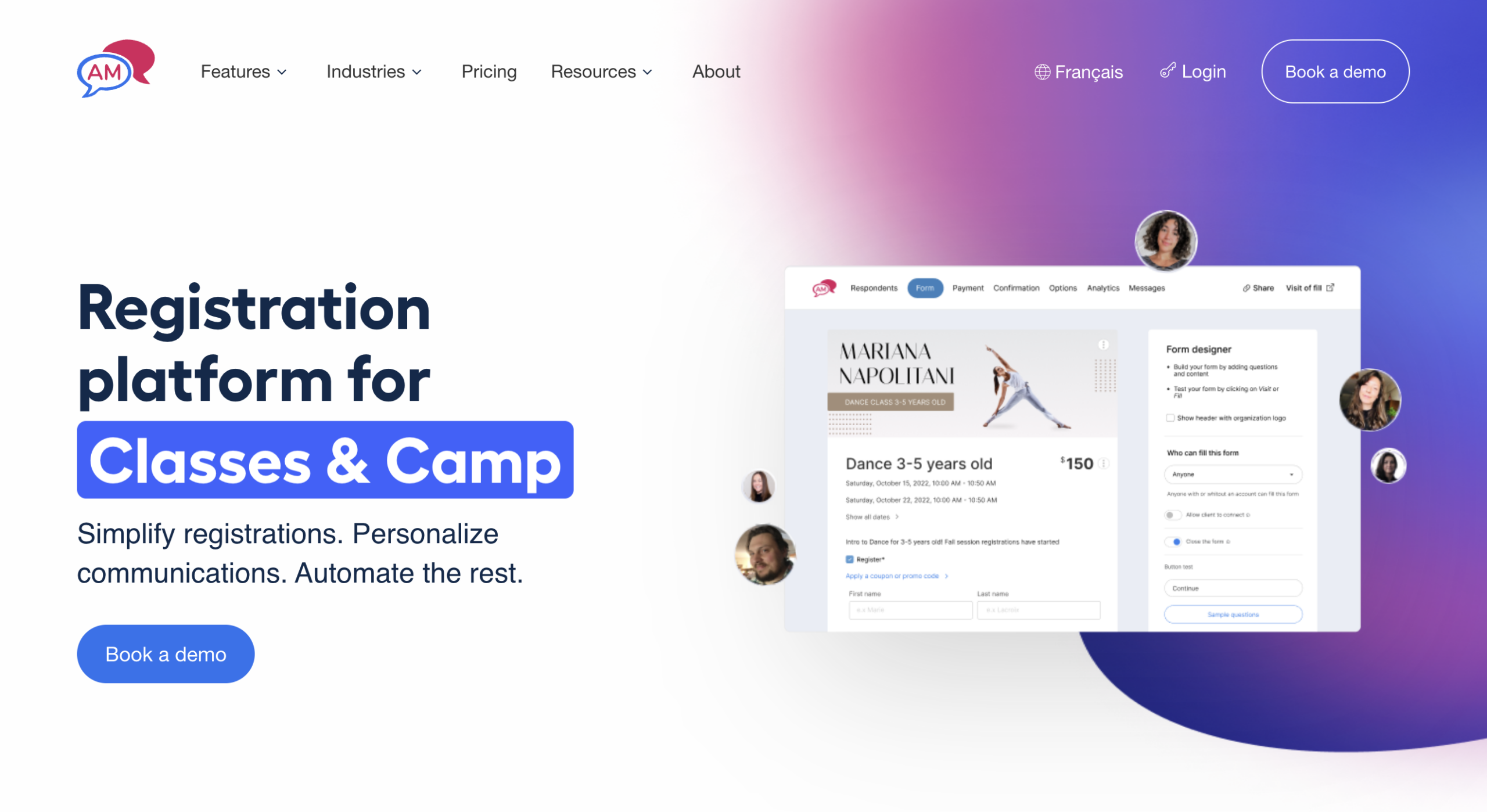
Best for: Organizations that want to replace multiple tools with one platform
Activity Messenger is the only platform designed to handle the full complexity of running a sports club, recreation program, camp, or community organization in a single tool.
While other online form tools focus on data collection, Activity Messenger connects your forms to registration, payments, communication, and automation without requiring you to export anything or pay for a third-party integration.
Ideal for: Recreation programs, camps, studios, sports clubs, municipalities, nonprofits
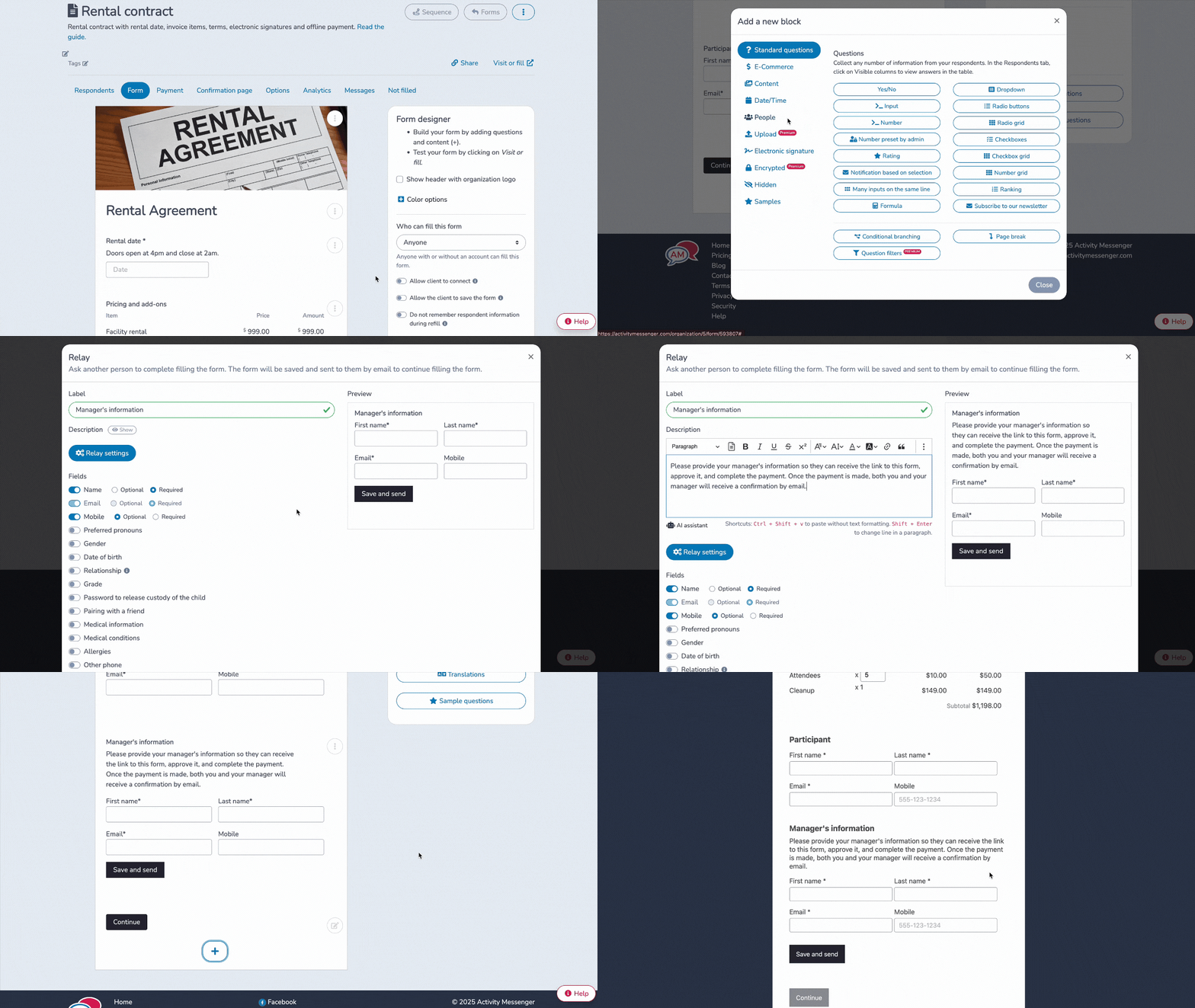
Most form-building tools simply handle form management. Where organizations often run into trouble is everything that surrounds the form: communicating with respondents, tracking who showed up, selling tickets, sending reminders, and managing billing. That’s where Activity Messenger goes further.
Activity Messenger replaces your newsletter tool (a direct alternative to Mailchimp and Constant Contact), your bulk SMS software, your event ticketing platform, and your survey tool. There’s no longer a need to manually export participant lists to a separate email platform or pay for Zapier to bridge the gap between tools.
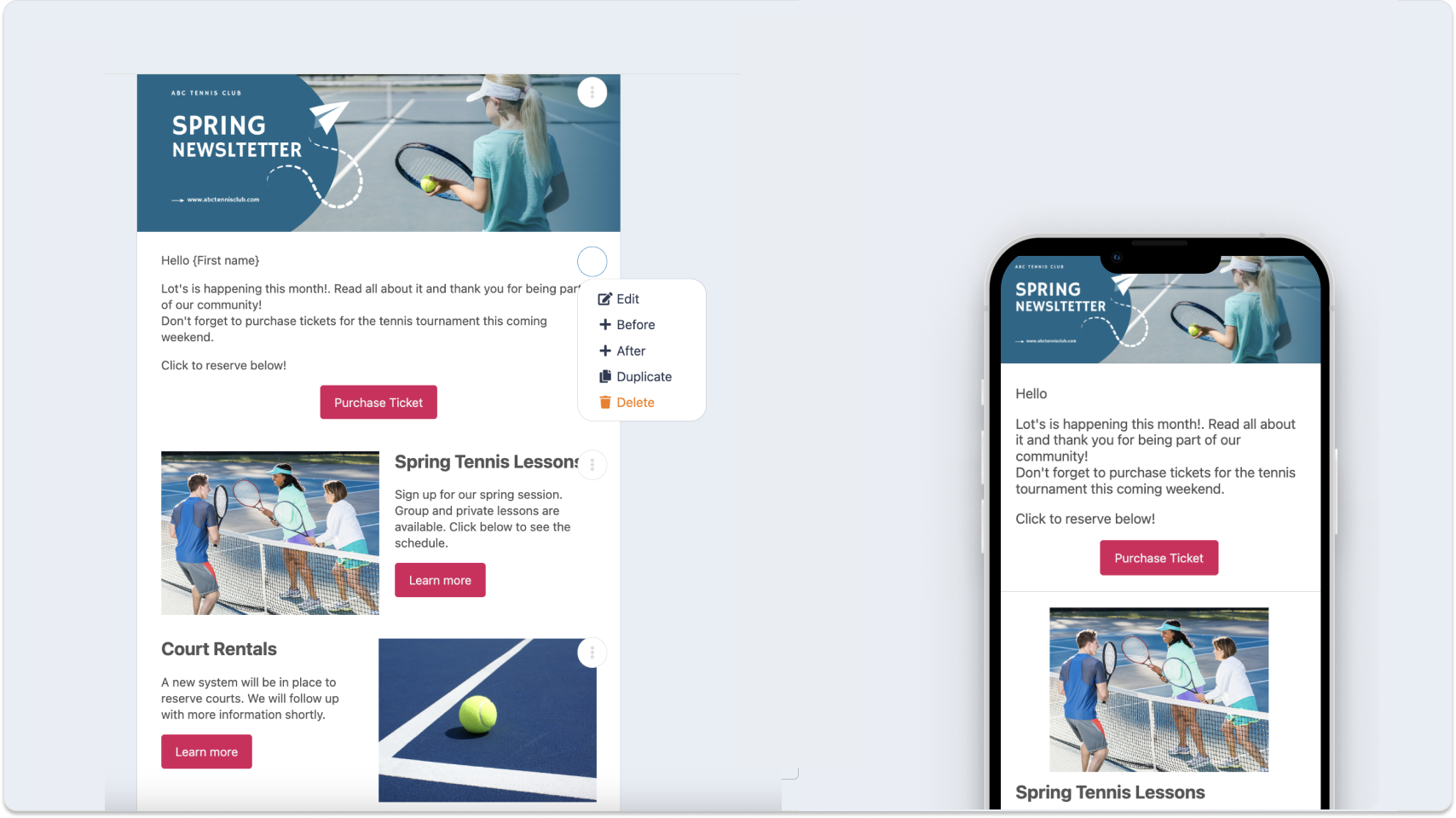
The built-in Canva integration means you can design newsletters and communications without ever leaving the platform, keeping your branding consistent from your registration form through to your post-event follow-up. An analytics dashboard shows you your marketing ROI and form conversion rates in one place.
On the communication side, Activity Messenger goes beyond what most tools offer. You can view email open rates, resend only to contacts who haven’t opened a message, and follow up by SMS if needed. If you’ve ever sent an important email and had no idea who actually read it, this alone is a significant upgrade.
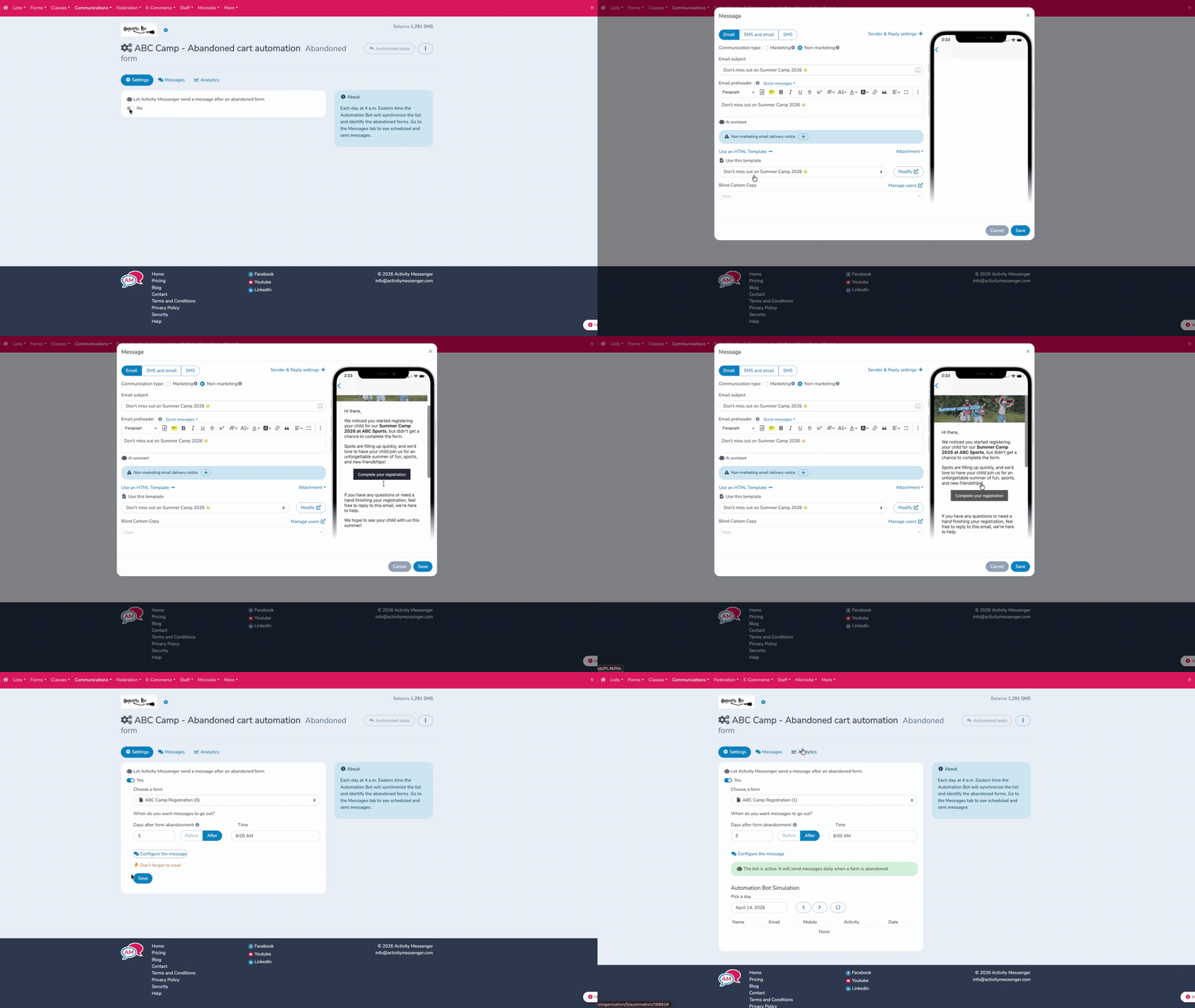
Automation in Activity Messenger covers real, practical workflows that most organizations are currently doing manually:
Every automation supports personalization with data from your forms, ensuring the right message reaches the right person at the right time without manual effort.
Other Standout Features:
💬 What our customers say:
“This product has been a great addition to helping us organize our waivers. We have been looking for a system that will help mitigate storage as well as the amount of staffing hours being utilized to try to organize and collect waivers. This system is fast and efficient and user friendly for the customer. The price was a great selling point for the amount of forms we collected a year with out breaking the budget. Happy we found a Canadian company as well that understood compliance!” — Kimberly F., Executive Director, Non-Profit Organization Management
“Activity Messenger has seamlessly integrated with our existing registration software and has plugged the existing holes we had with personalized communication as well as form and waiver management. The team is quick to implement fixes and is always available for support.”— Cj P., Gym Director, Sports Centre
Limitations: Not the right fit if you only need a simple, occasional form. The depth of features has a learning curve, and the pricing reflects the all-in-one value rather than form-only use cases.

Best for: Simple surveys, internal intake forms, and budget-conscious users
Google Forms stands out for two things: it’s free, and it’s fast. For users who need a quick survey or a simple intake form, setup takes minutes. Integration with Google Sheets automatically pushes responses into a spreadsheet, making basic data analysis easy for teams already working in the Google ecosystem.
Customization covers the basics: header images, colour schemes, and font choices. It’s enough for simple use cases, but limiting if you want forms that match your brand or need to stand on their own as a customer-facing experience.
Limitations: Google Forms works well for simple forms, such as surveys or basic intake forms. For more complex needs, such as online registration forms, branded customer experiences, or meaningful follow-up with respondents, other solutions should be considered. There is no payment collection, no SMS, no open rate tracking, and no automation.
📌 Read More: If your organization is starting to outgrow it, our blog Why Google Forms might not be ideal for a growing business is worth a read.

Best for: Teams already using Microsoft 365
Microsoft Forms is a free solution that uses AI to assist with form creation and integrates with Excel to manage and analyze collected data. It’s a natural fit for organizations already embedded in the Microsoft ecosystem, particularly schools, enterprises, and teams working inside Teams and SharePoint.
A couple of useful features worth noting: AI-suggested questions can help speed up survey design, and animated backgrounds add a level of polish you wouldn’t expect from a free tool.
Limitations: Microsoft Forms doesn’t offer direct integration with management systems outside the Microsoft ecosystem, which can limit its usefulness once responses start coming in. It’s a strong tool within its lane, but it falls short for organizations that need more than basic data collection.
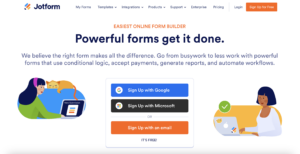
Best for: Users who need deep form customization and a wide range of integrations
Jotform is a versatile form builder with an extensive template library that makes it accessible for users at all skill levels. Advanced customization options, including CSS modifications, let you tailor almost every aspect of your forms. It integrates with a wide range of payment platforms and supports widgets for features such as Instagram integration and digital signature collection.
Limitations: SMS communication requires an external tool, such as Zapier. Attendance list management is not available. Organizations that need to communicate directly and regularly with form respondents will likely need additional tools in addition to Jotform.
📌 Read More: If you’re currently using Jotform and wondering if there’s a better fit, see our full Jotform breakdown.
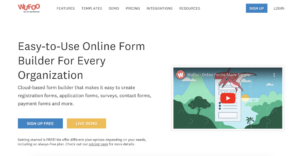
Best for: Businesses that value flexibility and brand consistency
Wufoo offers a fast, user-friendly form-building experience with solid customization options that let you align your forms with your brand. Integrations with platforms like Salesforce and Mailchimp make it straightforward to sync collected data with your existing CRM or marketing tools, which is a practical advantage for teams that already have a stack they’re happy with.
Limitations: Wufoo doesn’t directly integrate SMS or customizable newsletter functionality. For organizations with specific needs around respondent communication or data storage, other solutions may be more appropriate.
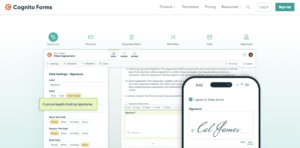
Best for: Larger organizations managing high volumes of form responses
Cognito Forms is built for scale. It handles large volumes of responses without sacrificing ease of use, and its drag-and-drop builder supports a wide range of field types, including checkboxes, dropdowns, text fields, images, and video, all without requiring coding skills.
Security is a genuine differentiator. Two-factor authentication and access controls make it a reliable choice for organizations handling sensitive data, where protecting the integrity and confidentiality of information is a priority.
Limitations: Organizations with specific customization needs or niche integrations may find the base functionality somewhat limiting. For teams that also need SMS, event management, or automated follow-up communications, Cognito Forms will need to be paired with other tools.
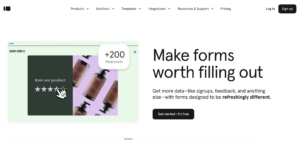
Best for: Surveys and research where response quality matters
Typeform takes a different approach to online forms by presenting questions one at a time. The idea is that focused respondents give better answers, and for customer research, NPS surveys, or any intake process where experience matters, it tends to deliver.
The platform offers templates and customizable designs, with control over question layout, fonts, icons, and alignment. For sharing, Typeform supports integration via a chat window on your site, as well as email, social networks, and QR codes.
Limitations: Lower-tier plans include limits on the number of forms that can be completed per month. Post-submission communication with respondents is very limited. For organizations that need to act on responses at scale, Typeform works best as one part of a larger stack rather than a standalone solution.
Before choosing an online form tool, here are a few questions to ask yourself:
Pull up your current form on your phone and time how long it takes to complete. If it takes more than two minutes, or if you have to pinch and zoom at any point, you’re losing submissions. Look for tools that support conditional logic so respondents only see questions relevant to them, and check that the mobile experience is tested, not just technically responsive.
Write out the full list of tools your organization would need to run a complete workflow: a form tool, an email platform, an SMS tool, an event ticketing system, and a survey tool. Price them out individually. For many small organizations, that stack runs $150 to $300 per month across separate subscriptions. Platforms that consolidate these functions often cost less overall and save significant time on setup and maintenance.
When selecting an online form tool, consider:
If you need a broader toolset: forms plus email, SMS, payments, and event registration, Activity Messenger can replace tools like Jotform, SurveyMonkey, Eventbrite, and Smartwaiver, consolidating everything into a single platform.
💡 Want to see how it all fits together? Book an introductory call with Activity Messenger to find out how registration, communication, and form management can run from a single system.