Managing registrations for before and after school care programs can be complex, particularly with multiple sessions, drop-ins, and variable attendance days. Luckily, the right tools can streamline this process, making registration easier for parents and allowing program administrators to efficiently manage attendance and payments.
In this article, we’ll show you how to create a flexible, user-friendly registration form tailored for before and after school care programs. Whether you’re offering a seasonal program or drop-in care, you’ll learn to set up a system that simplifies the entire registration and management process.
This article is inspired by insights from Olivier Rousseau, co-founder of Activity Messenger, who brings over twelve years of experience in online registration for kids’ sports programs.
Before diving into the technical setup, it’s important to understand the unique requirements of after-school care registration. Parents typically want the option to:
A well-designed registration form should accommodate all these needs while maintaining simplicity and clarity for parents.
One of the first considerations is how to allow parents to register either for the entire session or for drop-in days. For example, a parent might register their child from September 8th to January 23rd, Monday through Friday, from 3:00 p.m. to 4:00 p.m.
At the same time, the system allows for drop-in registrations, where parents pick specific dates as needed. Both types of registrations feed into the same attendance list, ensuring you have a consolidated view of attendance regardless of how children are registered.
This flexibility is crucial because it respects the diverse needs of families, some of whom require consistent daily care, while others need occasional drop-in support. The form’s design allows parents to easily select their preferred dates and then input their child’s information.

After selecting dates, the registration form moves to the next step, which collects other parent or guardian emergency contact details. This ensures that the program has all necessary contact information for safety and communication purposes.
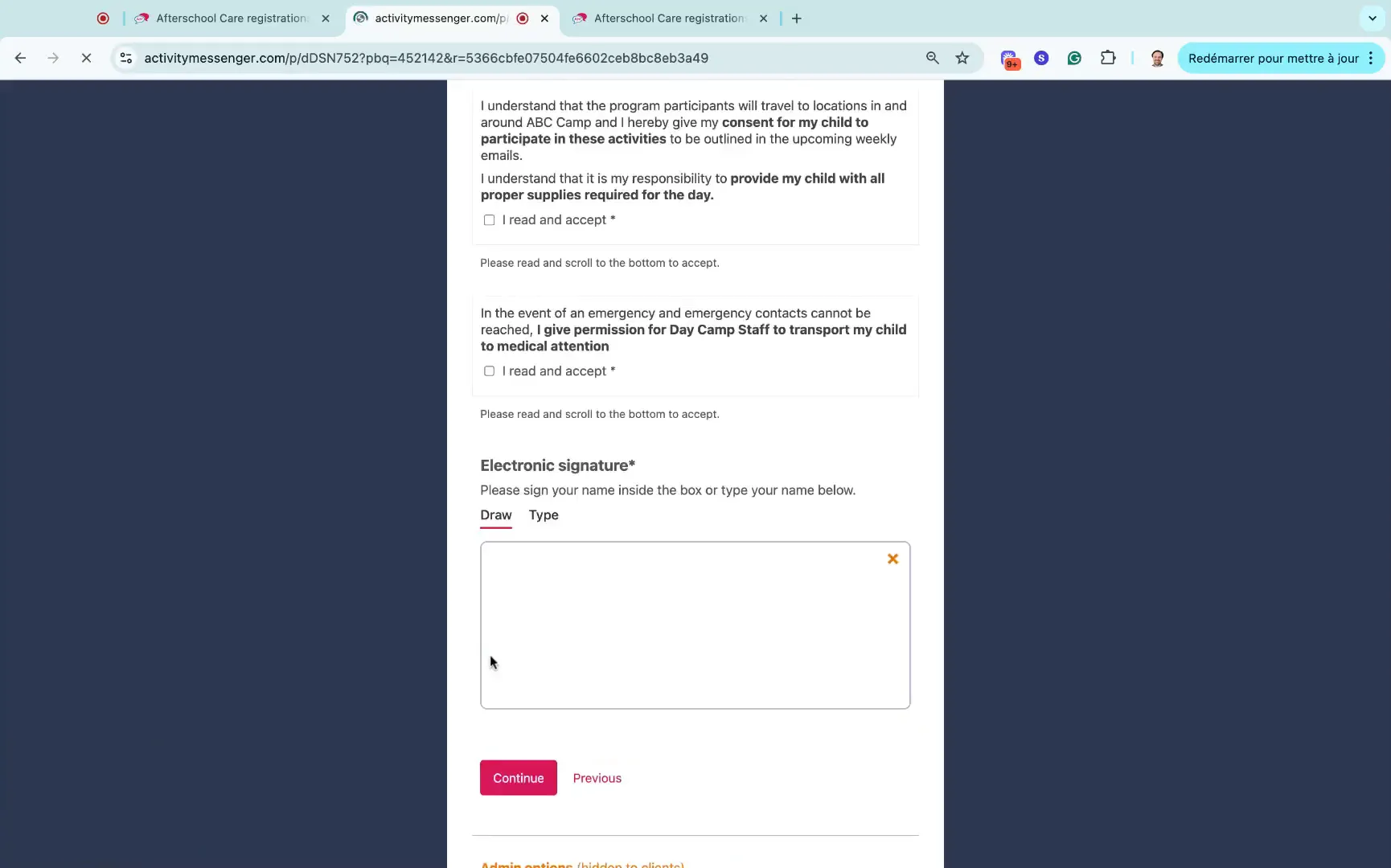
Following this, the form includes waiver agreements. Waivers are essential for after school programs as they protect your organization and clarify responsibilities. Parents can review and sign off on these digital waivers directly within the registration process.
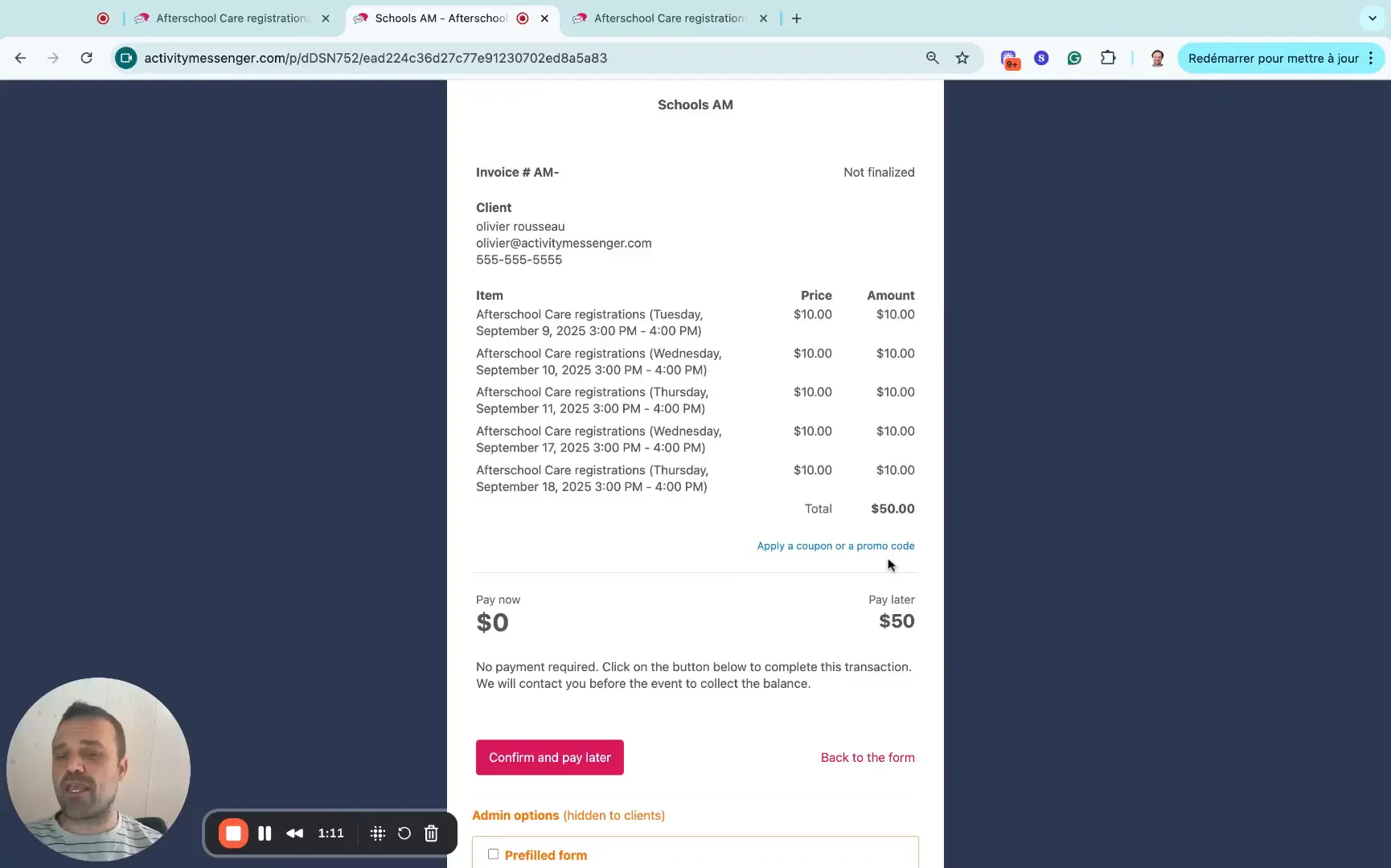
Once the registration details and waivers are completed, parents are presented with an invoice summarizing the selected dates and total cost based on the chosen sessions or drop-in days. Transparency in pricing helps avoid confusion or disputes later.
Activity Messenger supports various payment methods, including credit cards, offline payments, and Interac e-transfers for Canadian users. Offering multiple payment options increases convenience and accessibility for families.
For example, a parent may choose to confirm the registration and pay later if that suits their needs. This flexibility helps accommodate different financial situations and preferences.
Behind the scenes, creating this registration form is straightforward thanks to a drag-and-drop interface. Program administrators can easily customize the form layout and order to meet their specific needs.
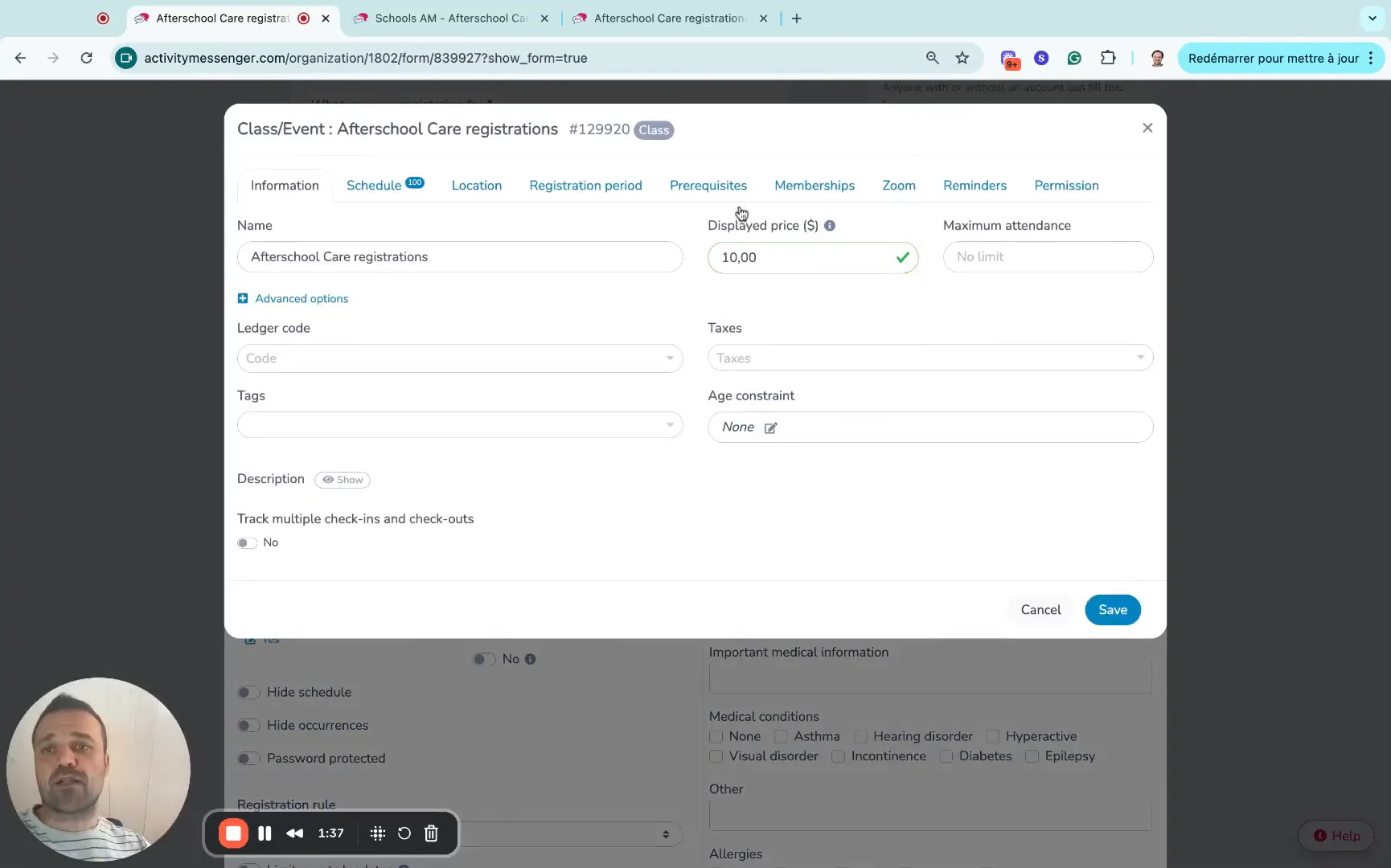
When setting up the program, you create what’s called a “class” or “program” in the system, such as “After School Care.” Here, you define the display price per date (e.g., $10 per session) and add all relevant dates and times for the program’s duration.
Additional settings allow you to include taxes if applicable and set age constraints to ensure only eligible children can register for certain activities.
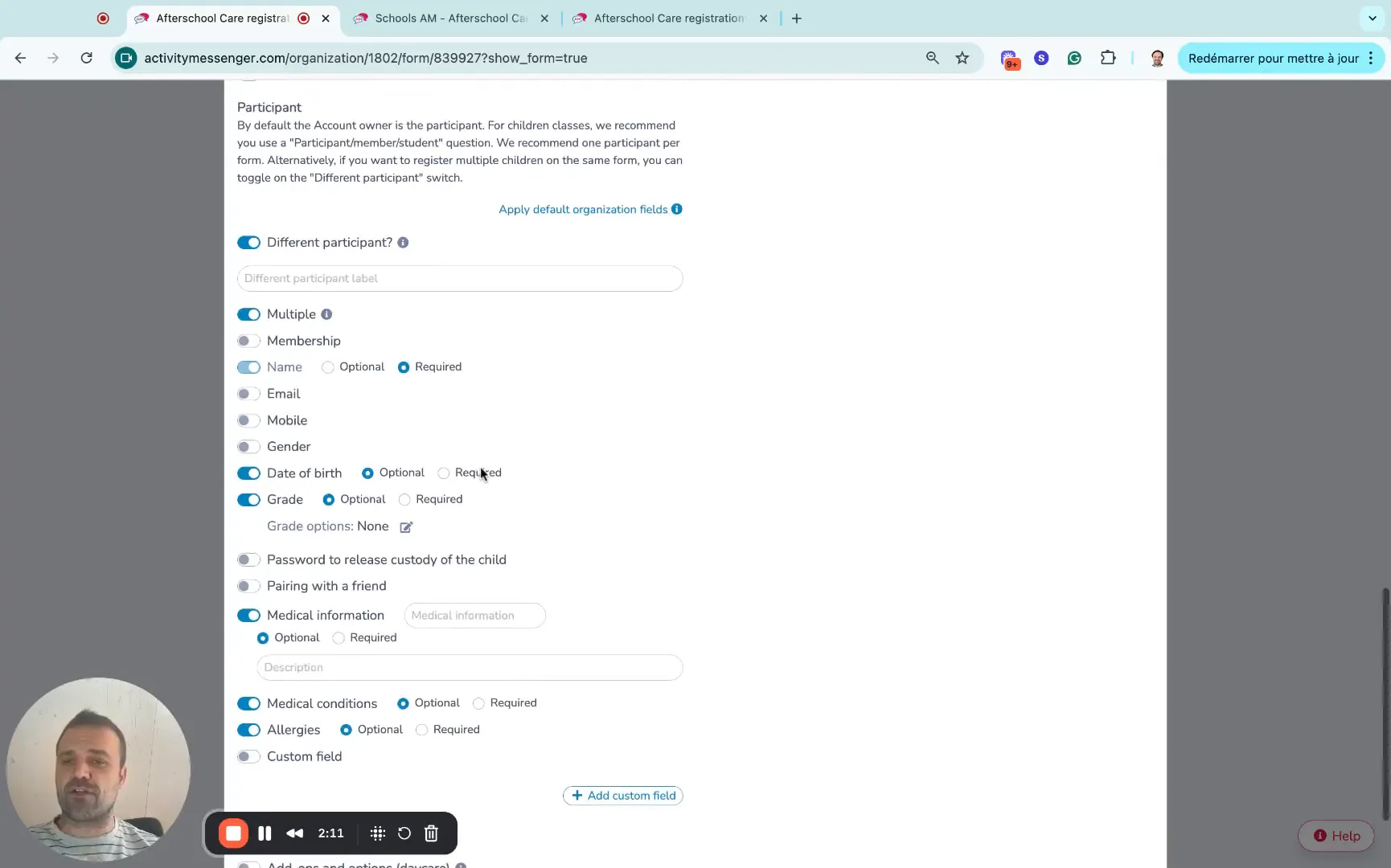
To ensure safety and proper care, the registration form can be configured to collect detailed information such as the child’s grade, medical conditions, allergies, and other relevant notes. These fields can be toggled on or off depending on the program’s requirements.
Collecting this information up front helps staff prepare for each child’s needs and ensures compliance with health and safety standards.
Popular after-school care programs often reach capacity quickly. To handle this, the registration system includes a waitlist feature. If the program is full, families can add their child to the waitlist, giving them a chance to secure a spot if one becomes available.
This automated waitlist management system helps maximize enrollment and reduce the need for manual follow-ups with families.
Book a demo with one of our experts and discover how Activity Messenger can help simplify your operations.
Book a demoOnce registration is underway, tracking attendance becomes a key operational task. The backend system provides a clear interface that allows you to view registered children, their grades, and attendance status.
Staff can check children in and out, add notes for each registration, and easily navigate between different program dates. This centralizes attendance management, reducing errors and missed records.
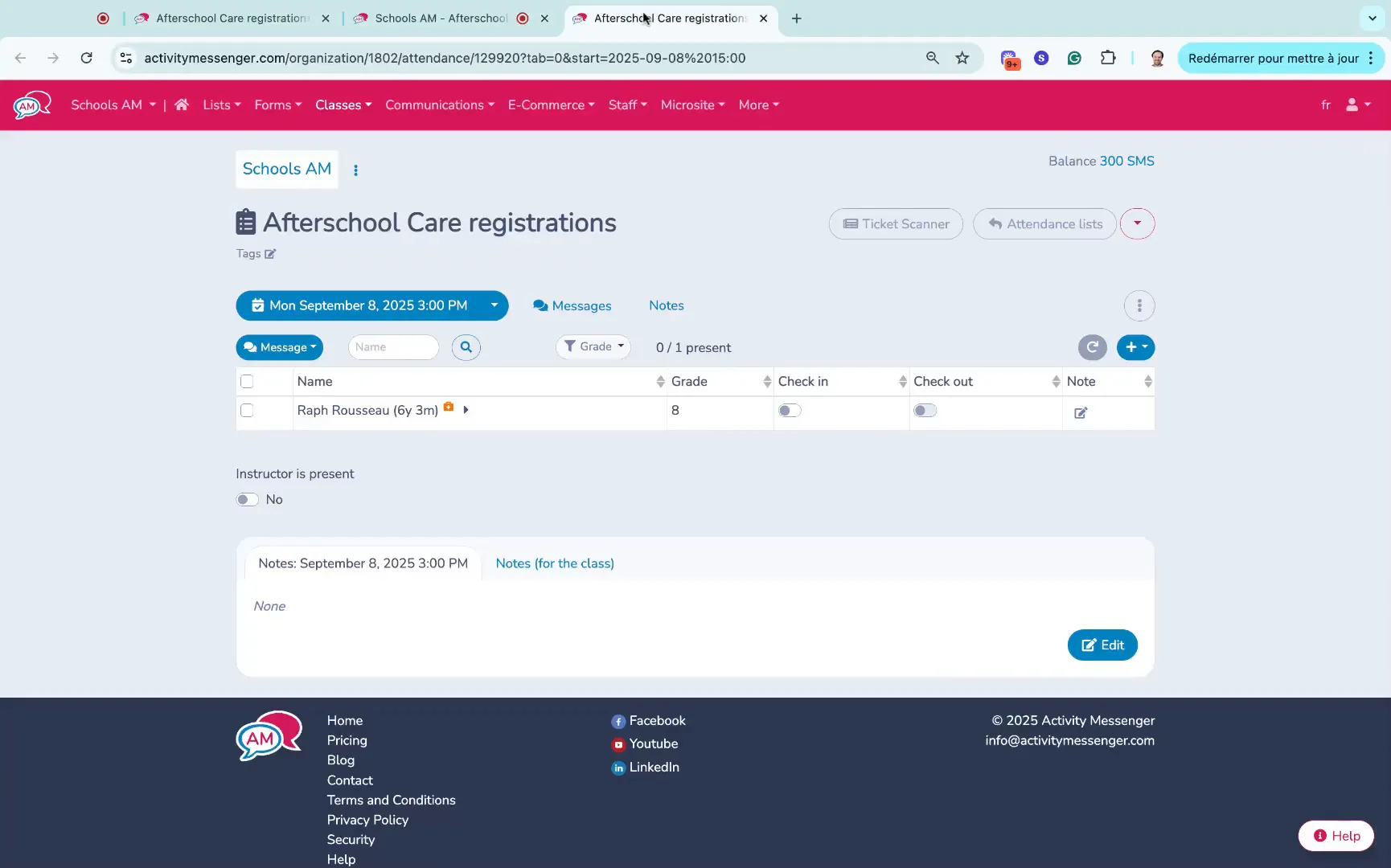
The system also tracks payment status for each registration. For example, if a child is registered as a drop-in and the parent chooses to pay offline, the system marks the registration as unpaid until the payment is processed.
This visibility helps administrators follow up on outstanding payments and keep accurate financial records without juggling multiple spreadsheets or systems.
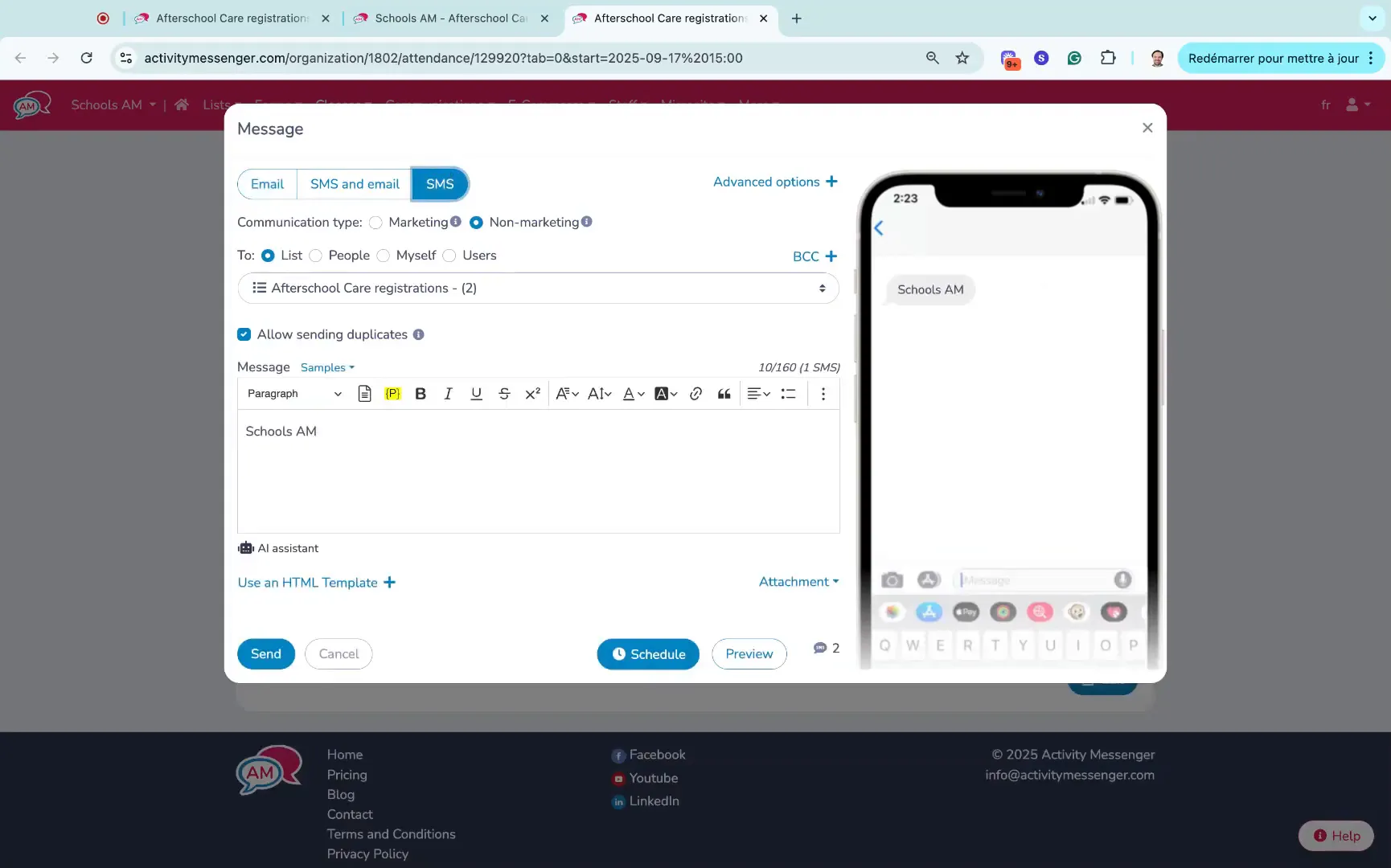
Communication is vital for keeping parents informed about schedule changes, cancellations, or other important updates. The platform allows you to send messages directly to both parents or guardians associated with a registration.
Importantly, you can toggle SMS notifications to send time-sensitive texts. This is especially useful for urgent messages, such as last-minute class cancellations or reminders about pickup times.
Setting up a dedicated online registration form for your before and after school care programs offers several advantages over traditional paper-based or manual systems:
Creating a registration form for before and after school care programs doesn’t have to be complicated. By leveraging a flexible and easy-to-use platform like Activity Messenger, you can offer parents a seamless registration experience while simplifying your administrative tasks.
💡 Want to improve your program’s efficiency with before and after school care registrations? Book a demo call today to explore your options.