
Small towns thrive on connection. Whether you’re a city council member, a community organizer, or just someone who wants to make your neighbourhood a better place, surveying your fellow citizens is a powerful way to understand their needs and shape the future together.
This guide walks you through everything you need, from writing your first question to choosing the right platform, so you can start gathering feedback to shape your town. Plus, for a quick way to learn how to survey citizens in a small town, check out the video below for a detailed walkthrough.
Key Takeaways:
- Informal feedback from town hall meetings and community chatter only captures the loudest voices, not the most representative ones.
- Residents are more likely to complete a survey that’s short, focused on one topic, and available through multiple channels.
- Mixing digital and physical distribution (email, SMS, QR codes, paper backup) consistently produces higher response rates than any single channel alone.
- The right survey tool should match your goals: free options work for one-off polls, while platforms like Activity Messenger handle the full workflow from distribution to follow-up.
- Sharing results publicly, even from a small sample, is what turns a one-time survey into an ongoing cycle of community trust.
Table of Contents
- Why Citizen Surveys Matter in Small Towns
- Step 1: Define Your Goal
- Step 2: Write Questions That Get Answered
- Step 3: Share Your Survey With Citizens
- Step 4: Analyze Your Results
- Step 5: Share What You Learned
- Common Mistakes to Avoid
- Survey Template for Municipalities
- Best Survey Tools for Small Towns
- Final Thoughts: Surveying Builds Community
🏛️ Activity Messenger is a complete parks and recreation management software designed and priced for municipalities and townships of all sizes.
Why Citizen Surveys Matter in Small Towns
You probably think you already know what people want. You hear it at your go-to restaurant, during school pickup, and at the hardware store. But informal conversations only capture the loudest voices, not necessarily the most representative ones.
A structured survey changes that:
- Gives everyone a voice, including residents who don’t attend town hall meetings.
- Backs decisions with real data, making it easier to justify budgets and policy changes to the council or stakeholders.
- Surfaces problems you didn’t know existed, like frustrations that residents carry silently.
- Builds public trust, because asking for input signals that you’re listening.
- Strengthens civic participation: when people see that their feedback leads to action, they engage more.
Communities with strong two-way communication between residents and government tend to report higher levels of trust and civic participation. Surveys are one of the most practical ways to create that channel.

Step 1: Define Your Goal
Before you decide on your first question, be clear on what you actually want to learn. The biggest mistake in community surveys is trying to cover too much ground at once: asking about road repairs, youth programs, park hours, and downtown parking all in the same form. By doing so, you’ll encounter survey fatigue, vague answers, and data you can’t act on.
Pick one clear objective per survey. For example:
- “What recreational programs should we offer this summer?”
- “How safe do residents feel walking downtown at night?”
- “How do residents prefer to receive local news and updates?”
- “How satisfied are you with the condition of our public parks?”
A focused survey takes less time to complete, gets more responses, and produces cleaner data. If you have multiple topics to cover, run separate surveys spaced over time.
📌 Pro Tip: Write your goal in one sentence before you build the survey. If you can’t summarize it in one sentence, narrow it down.
Step 2: Write Questions That Get Answered
Attention is short, even in small towns. Aim for 5 to 8 questions that someone can answer in under five minutes. Here’s how to structure them well:
Use a Mix of Question Types
Multiple choice — Fast to answer, easy to analyze. Best for specific, bounded topics.
“How often do you visit the town recreation centre?” ○ Never ○ A few times a year ○ Monthly ○ Weekly or more
Rating scales (1 to 5 or 1 to 10) — Great for measuring satisfaction, importance, or agreement.
“How would you rate the condition of the town’s walking trails?” 1 (Poor) to 5 (Excellent)
Ranking questions — Useful when residents need to prioritize among options.
“Rank these potential summer events from most to least appealing.”
One or two open-ended questions — These take more effort but often produce your most valuable insights. Place them near the end.
“Is there anything else you’d like us to know about your experience with town services?”
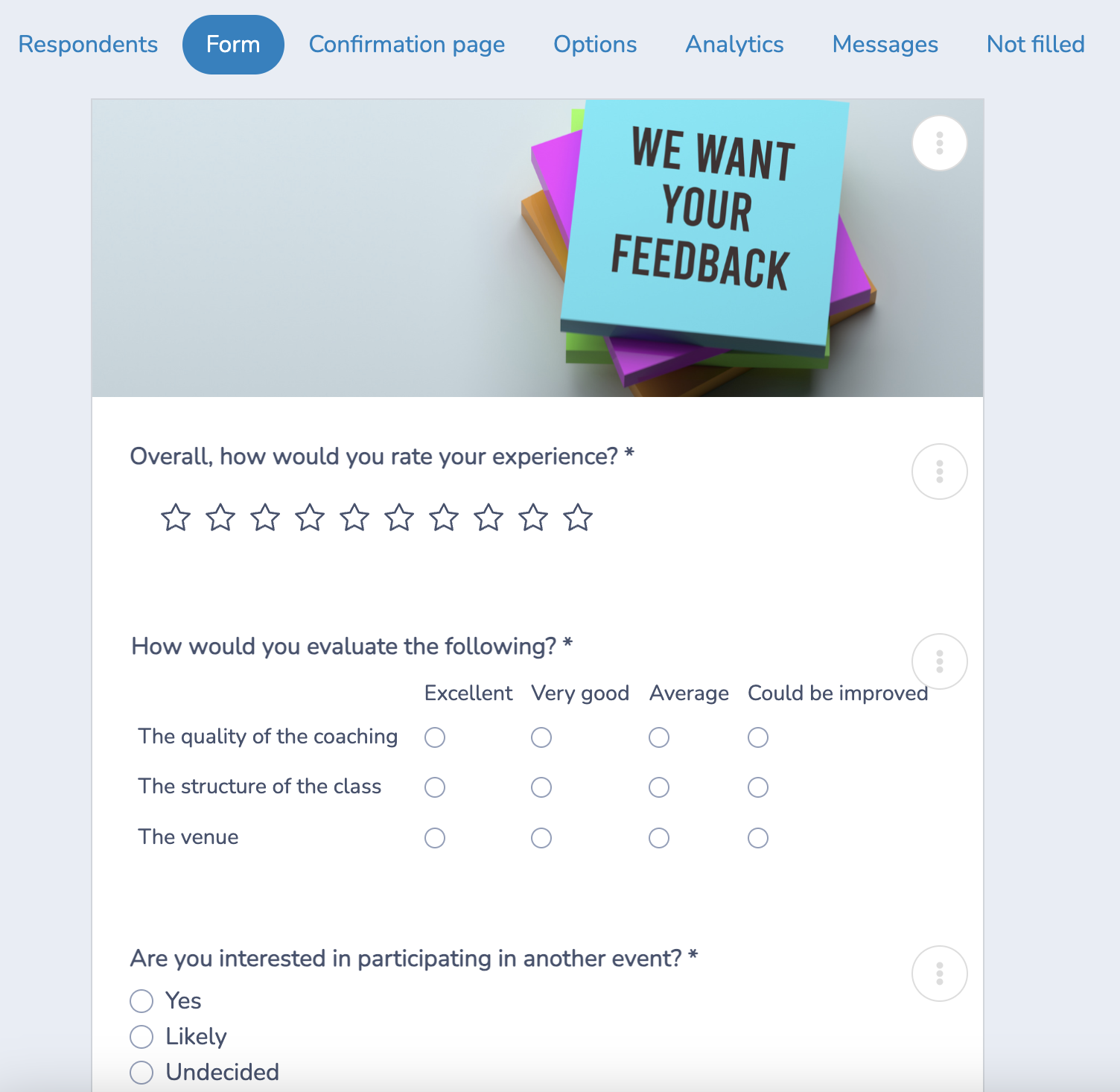
Writing Tips:
- Use plain language. Avoid jargon, acronyms, or overly formal phrasing. Write the way you’d talk to a neighbour.
- Ask one thing per question. “How satisfied are you with park maintenance and hours?” is two questions.
- Avoid leading questions. “Don’t you think the new library hours are inconvenient?” pushes people toward a specific answer.
- Make most questions optional. Required fields on open-ended questions drive people to abandon surveys halfway through.
Step 3: Share Your Survey With Citizens
A great survey that nobody sees is a wasted survey. Distribution is where most small-town efforts fall short. They create a form, post it once on Facebook, and wonder why they only received a handful of responses.
Here’s how to tackle it:
Digital Channels
- Town website — Embed the survey on your homepage with a clear call to action
- Email newsletter — Direct link with a brief, compelling subject line (“2 minutes to shape your town’s summer”)
- SMS/Text message — High open rates; ideal for time-sensitive surveys
- Social media — Facebook, Nextdoor, and Instagram work well for community-facing content; pin the post so it stays visible
Physical Channels
- QR codes — Post at the town hall, the library, the rec centre, the post office, and local businesses. Anyone with a smartphone can respond on the spot
- Paper backup — For residents without reliable internet access, offer a paper version at the front desk with a way to submit it
- Community events — Set up a tablet at farmers’ markets, concerts in the park, or seasonal events
Partnerships
- Local businesses — Ask them to share the survey link on their social channels or display a QR code
- Schools — Surveys sent through school communications reach a broad cross-section of families
- Community groups — Sports leagues, faith communities, and senior centres can help reach underrepresented demographics
Timing matters. Avoid launching surveys during holidays or major local events. Tuesday through Thursday tend to see the highest email response rates. Give your survey at least two weeks to run, with a reminder sent midway.
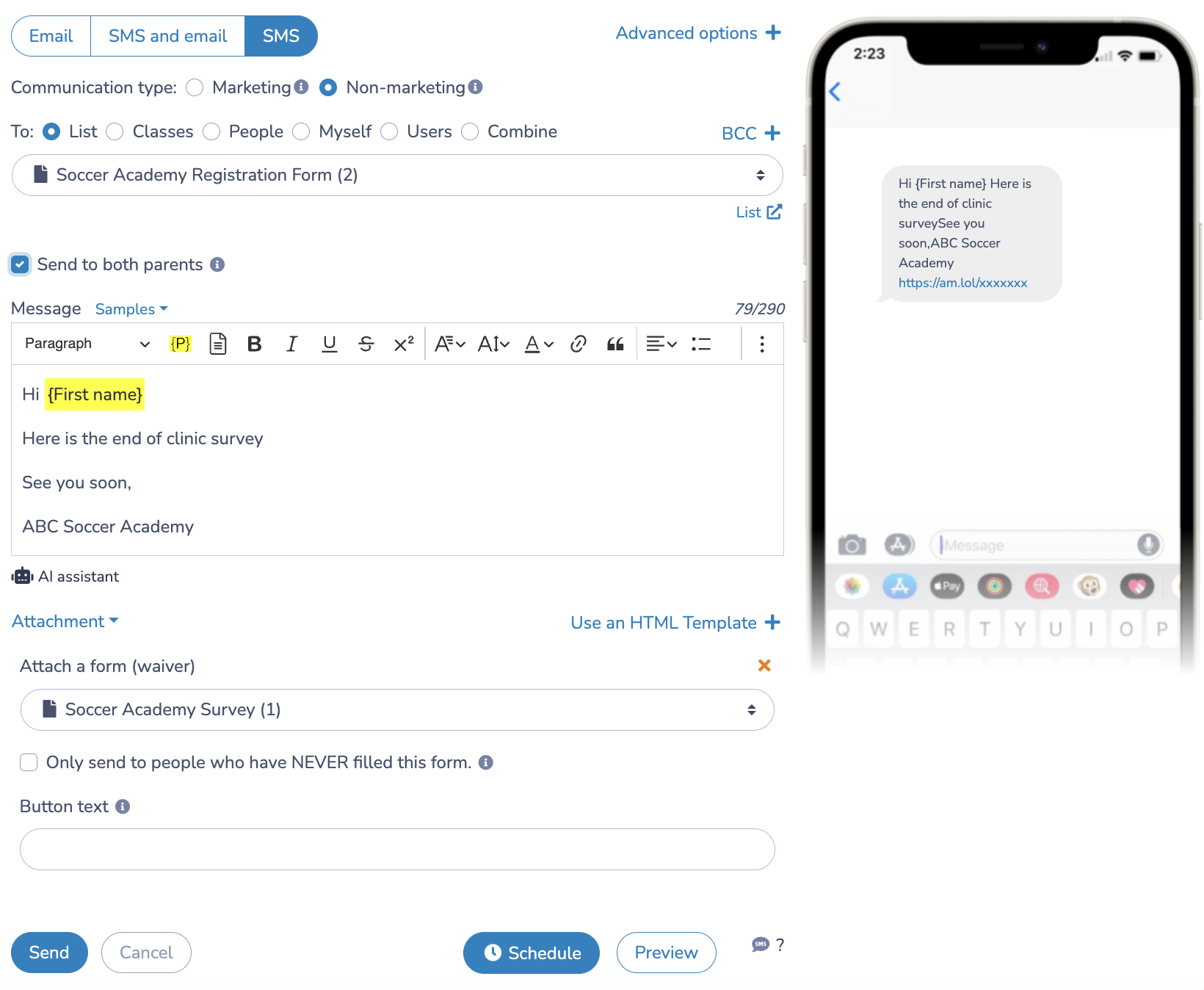
📌 Pro Tip: In my experience, using a mix of distribution channels to share your surveys with residents boosts response rates. And more feedback means better data to help you make smarter decisions as a town leader.
Step 4: Analyze Your Results
Once responses start coming in, resist the urge to just skim the numbers. Good analysis turns data into decisions, so take your time.
What to Look For:
Quantitative data (multiple choice, ratings):
- Overall averages and distributions: what’s the spread of responses, not just the average?
- Outliers: are there pockets of very low or very high satisfaction worth investigating?
- Segment breakdowns: do responses differ by age group, neighbourhood, or other demographics you collected?
Qualitative data (open-ended):
- Read through all responses before drawing conclusions
- Group similar themes together (a simple spreadsheet or tagging system works well here)
- Look for patterns, not just individual opinions. One person’s frustration matters, but ten people mentioning the same issue is a signal
Use Your Survey Tool’s Built-In Analytics
Most platforms generate automatic charts and summary dashboards. Use these as a starting point, but export your raw data to a spreadsheet for deeper analysis when needed.
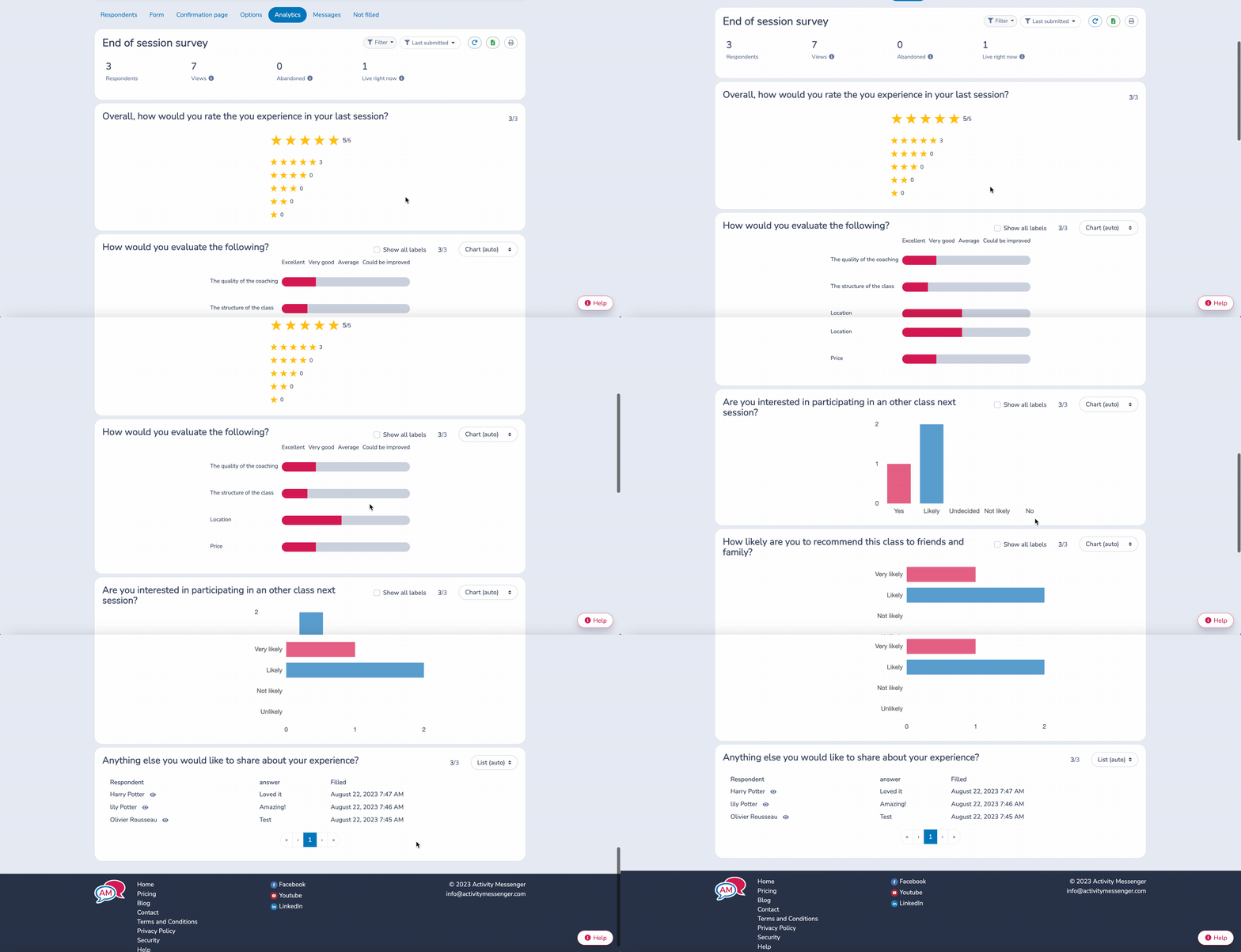
📌 Pro Tip: Before you launch, decide how many responses you’d consider a meaningful sample for your town. For a town of 2,000 people, 150 to 200 responses is solid. For a town of 500, even 50 responses can be statistically meaningful if your questions are well-designed.
Step 5: Share What You Learned
This is the most overlooked step, and the most important one for long-term engagement.
When residents spend 5 minutes filling out your survey and never hear another word about it, they won’t participate next time. When they see a direct connection between their input and a real decision, they become advocates for civic participation.
How to close the loop:
- Publish a brief results summary in your town newsletter, website, and social media. Even a few paragraphs and a chart or two are enough.
- Be specific about what you heard: “64% of residents said they’d use an outdoor skating rink if we built one in the town centre.”
- Explain what comes next: “Based on your feedback, we’re allocating $15,000 in this year’s parks budget toward trail repairs.”
- Acknowledge areas where you can’t act immediately. Residents respect honesty about constraints more than silence.
Even if your survey only got 30 responses, share the results. It shows transparency and signals that you take the process seriously.
Common Mistakes to Avoid
Even well-intentioned surveys can go sideways. Here are some common mistakes worth knowing:
⏰ Surveying too frequently. If residents get a survey every month, they’ll stop responding. Space them out, quarterly or tied to specific initiatives.
🤝 Ignoring accessibility. Not everyone reads English fluently, uses a smartphone, or has reliable broadband. Consider multilingual options and paper fallbacks where your community needs them.
🔒 Asking for too much personal information. Keep demographic questions optional and explain why you’re asking. Residents are more likely to respond honestly when they trust their data won’t be misused.
📣 Acting on the loudest voices only. A handful of very vocal residents can skew open-ended responses. Look for patterns across the full dataset, not just the most emphatic replies.
📋 Letting results gather dust. A survey with no follow-up is worse than no survey at all. It signals that participation is performative. Always have a plan for what you’ll do with the results before you launch.
Survey Template for Municipalities
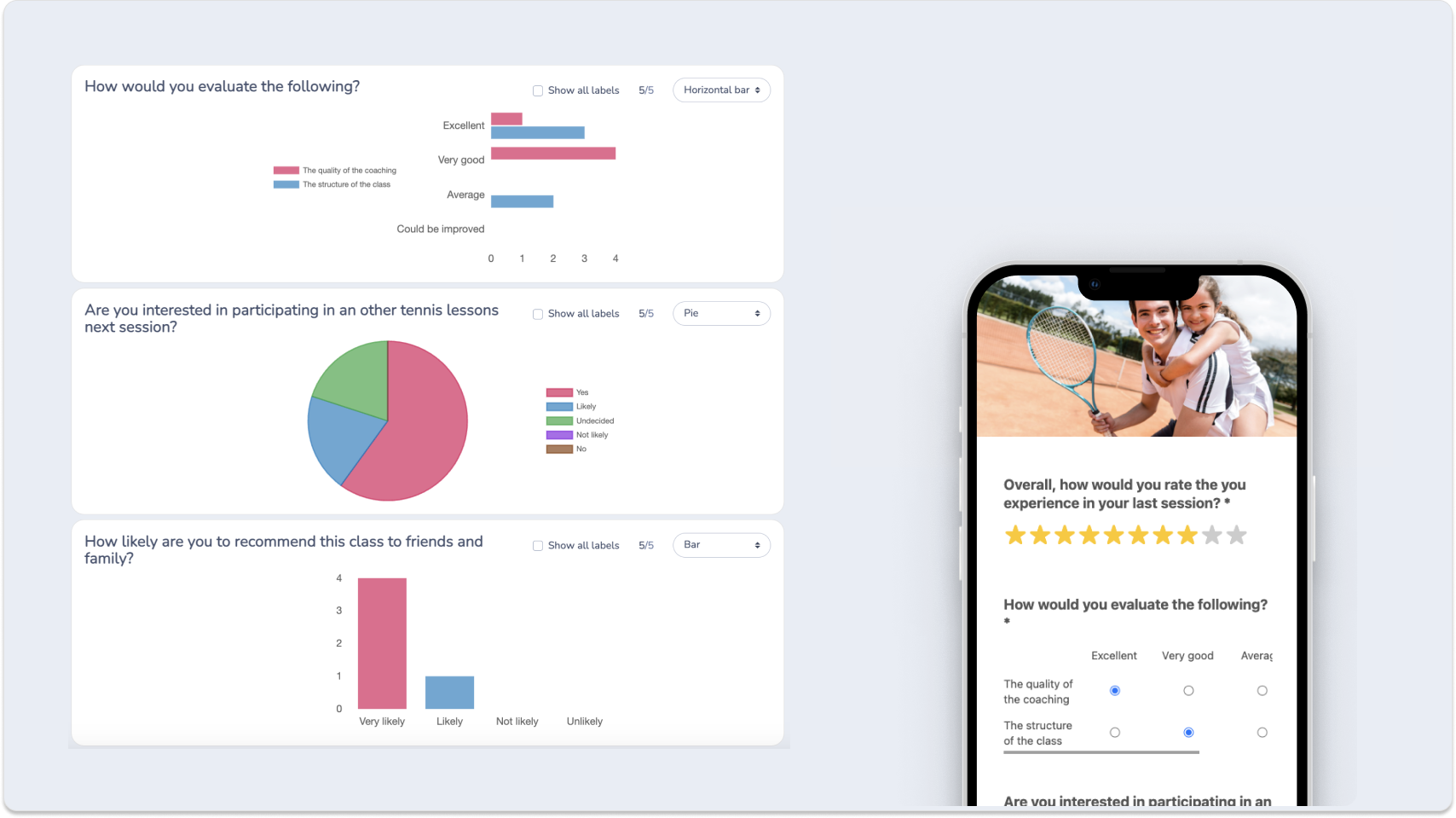
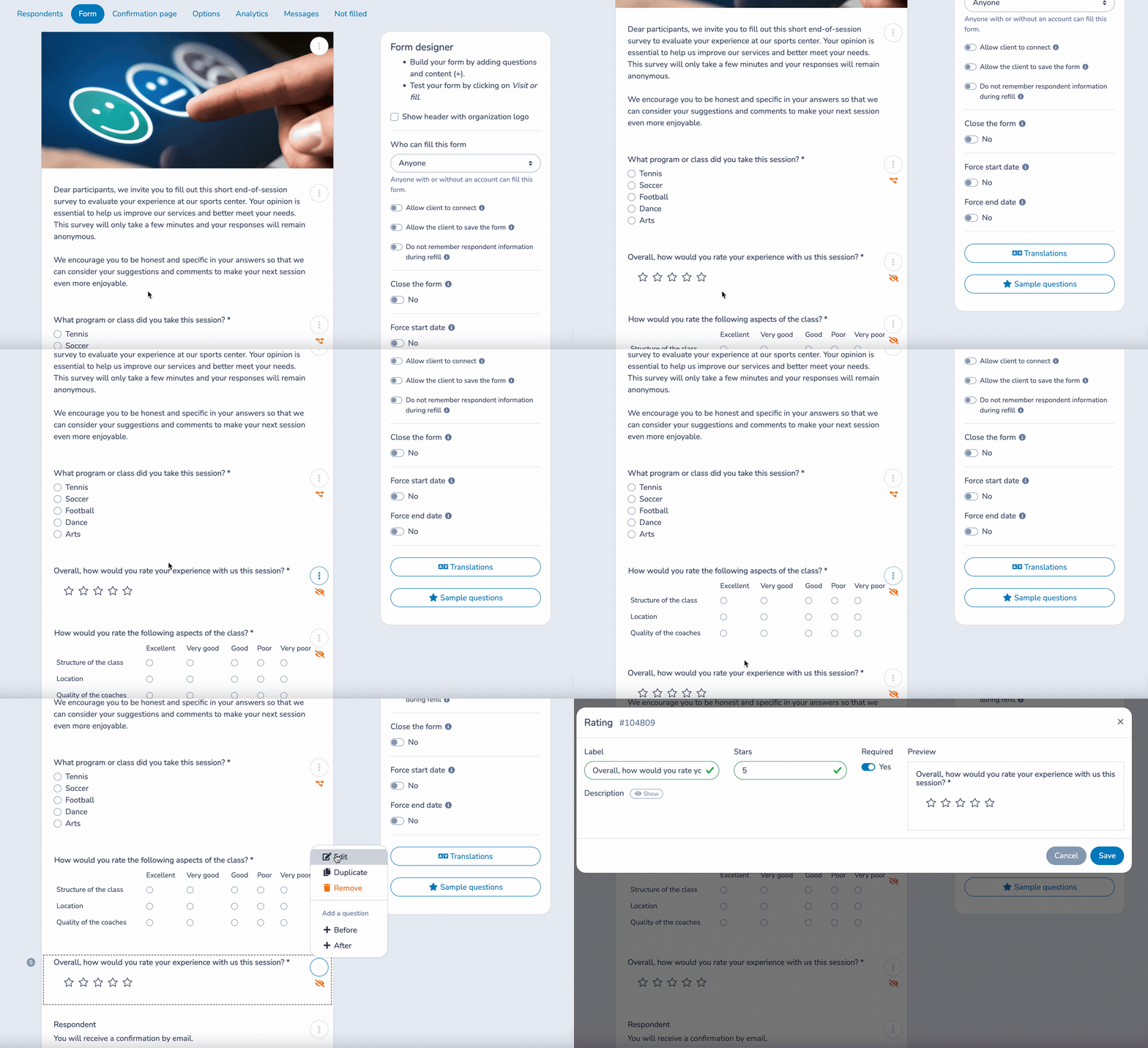
Here is a survey template for municipalities, created using Activity Messenger. Test it out and see if you like it:
Best Survey Tools for Small Towns
Choosing the right platform matters. A tool that’s too complex wastes staff time; one that’s too basic limits what you can do with the data. Here’s how the top options stack up for municipal use.
Quick Comparison
| Feature | Google Forms | Jotform | SurveyMonkey | Activity Messenger |
|---|---|---|---|---|
| Free Plan | ✅ Unlimited | ✅ Limited | ✅ Very limited | ❌ |
| Custom Branding | ❌ | ✅ (paid) | ✅ (paid) | ✅ |
| Analytics & Reports | Basic | Visual reports | Built-In | Built-in |
| Mobile Friendly | ✅ | ✅ | ✅ | ✅ |
| Email/SMS Tools | ❌ | ❌ | ❌ | ✅ Built-in |
| QR Code Support | ✅ | ✅ | ✅ | ✅ |
| Best For | Quick polls | Custom forms | Data-heavy surveys | Community engagement |
Google Forms
Best for: Quick, no-cost surveys and simple feedback
Price: Free with a Google account
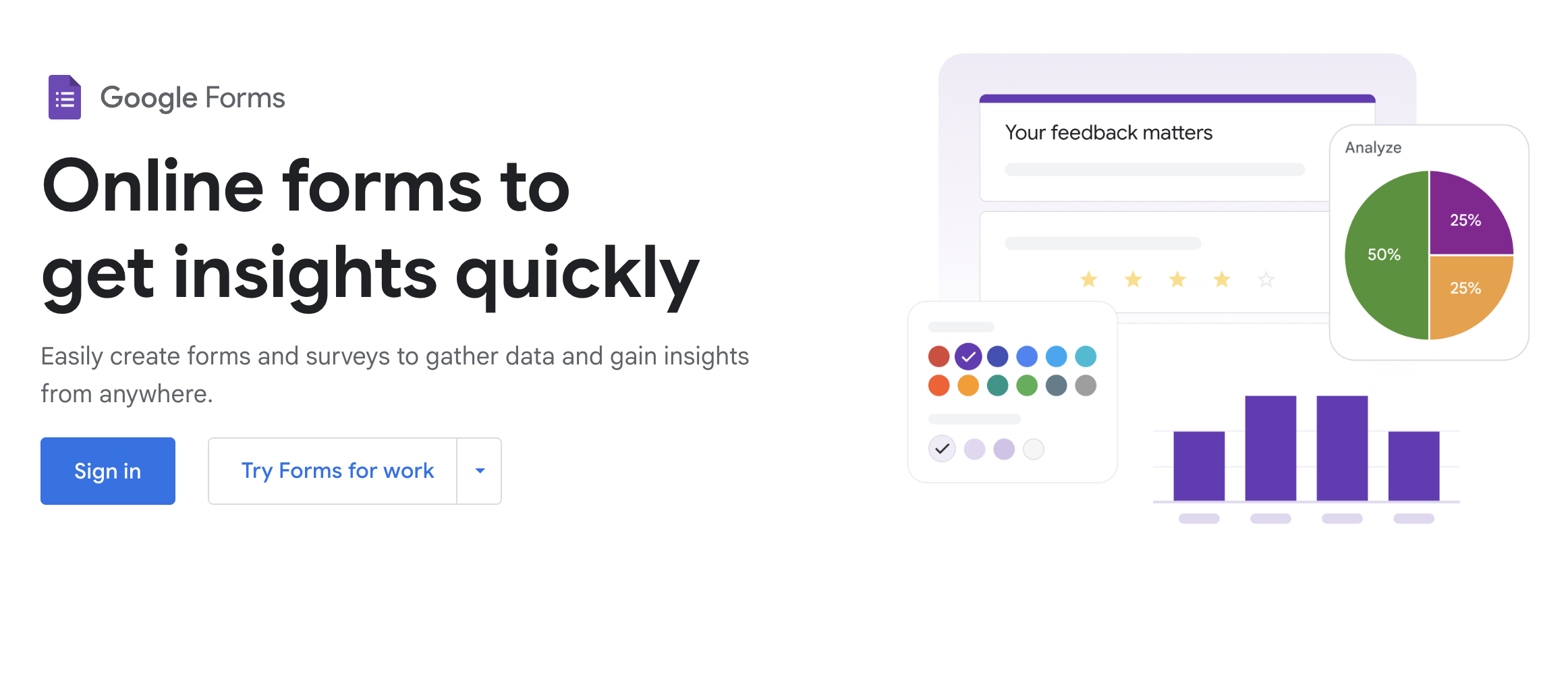
Google Forms is the easiest starting point: no learning curve, unlimited responses, and direct integration with Google Sheets for data tracking. If you need something live in 20 minutes, this is a good option.
Pros:
- Free and unlimited.
- Integrates with Google Sheets for easy data tracking.
- Simple to set up and share via link, email, or QR code.
- No learning curve; if you’ve ever used Google Docs, you’re good to go.
Cons:
- Very basic in terms of design—no branding or customization unless you get crafty.
- No built-in analytics beyond raw data (you’ll need to analyze in Sheets or Excel).
- Lacks advanced logic (like skip questions or conditional logic).
- No pre- or post-survey communication tools.
Ideal for: One-off polls, informal feedback, or small internal surveys.
Jotform
Best for: Clean, professional-looking forms with more flexibility
Price: Free up to 100 monthly submissions; paid plans from around $39/month
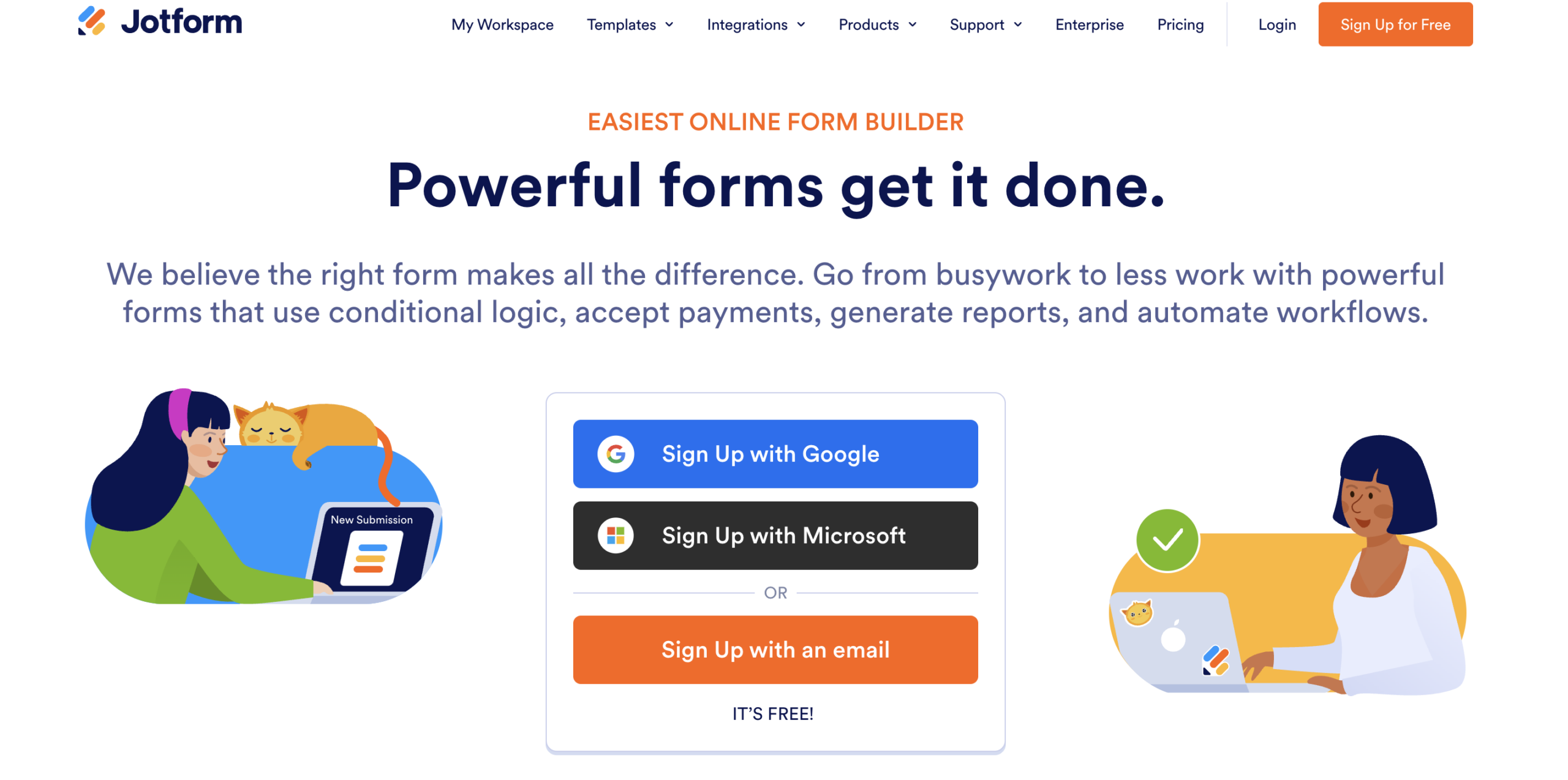
Jotform’s drag-and-drop builder makes it easy to create polished surveys without any coding. It supports conditional logic, form branching, file uploads, and exports to PDF or Excel.
Pros:
- Drag-and-drop builder makes it easy to create surveys.
- Conditional logic, file uploads, and form branching.
- Templates for community feedback, event registration, and more.
- Export data to PDF or Excel, and generate reports with charts.
Cons:
- Free plan is generous, but the submission and storage limits may be tight for larger projects.
- Branding appears on forms unless you upgrade.
- Slightly steeper learning curve than Google Forms for some users.
Ideal for: Small towns that want professional-looking forms or need structured, detailed feedback from residents.
SurveyMonkey
Best for: Surveys requiring in-depth analysis and data segmentation
Price: Free for up to 10 questions and 40 responses; paid plans from around $25/month
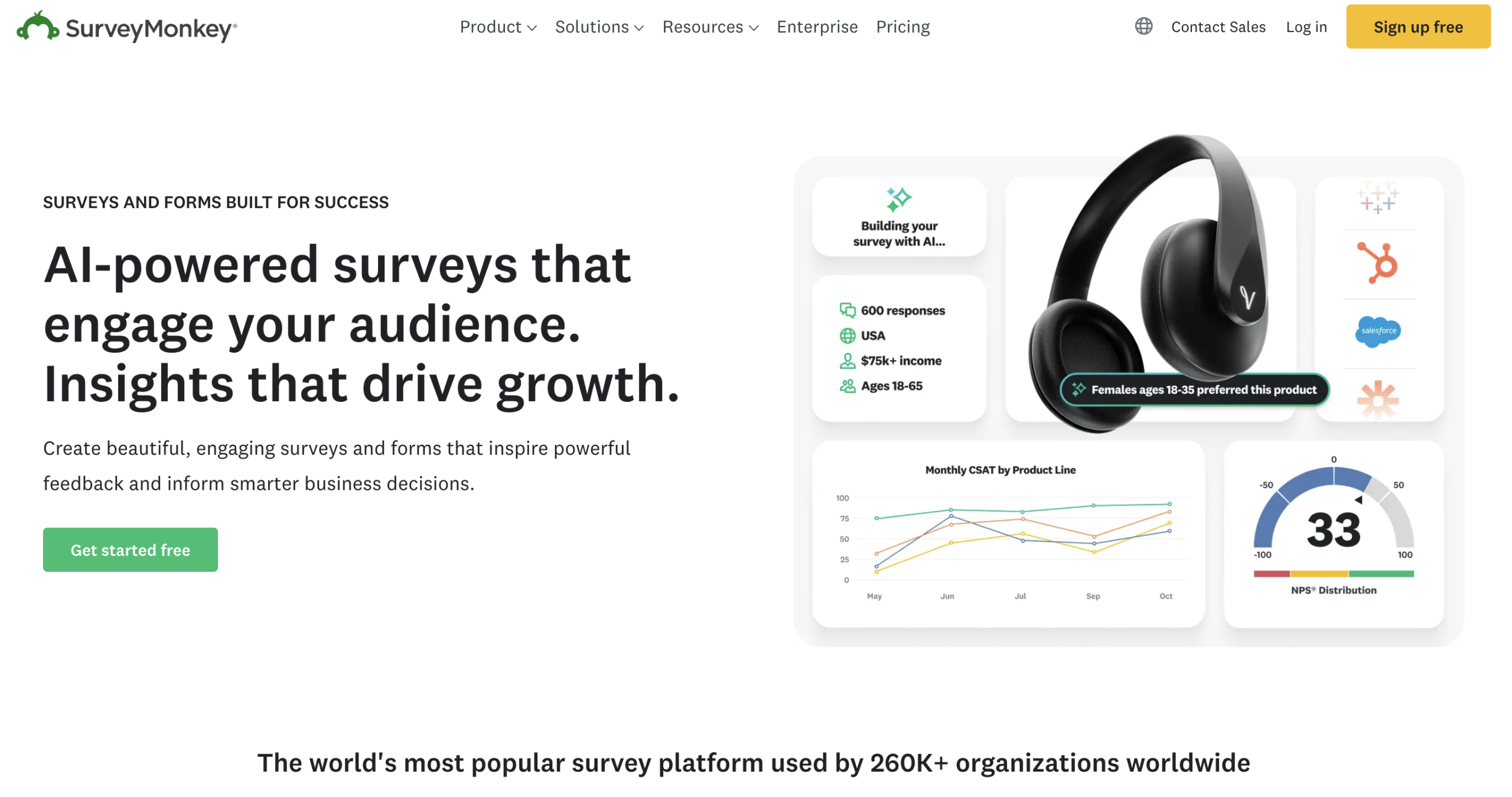
SurveyMonkey offers trends, text analysis, skip logic, A/B testing, and exportable dashboards. If you’re preparing data for a grant application, a council presentation, or a long-term planning document, its depth of reporting is notable.
Pros:
- Polished interface and mobile-optimized surveys.
- Analytics dashboard, including graphs, trends, and text analysis.
- Supports skip logic, randomization, and A/B testing.
- Share results with collaborators via reports or dashboards.
Cons:
- Very limited free plan. You’ll likely need to upgrade even for basic usage.
- Slightly more corporate feel; may be too much for small, community-driven surveys.
- No built-in SMS, email newsletters, or community tools.
Ideal for: Town-wide planning surveys, community satisfaction reports, or any project where data accuracy and presentation matter.
Activity Messenger
Best for: Municipalities running programs, events, and ongoing community engagement
Price: Starting at $99/month; replaces tools like Mailchimp, Eventbrite, and TxtSquad
Activity Messenger is built specifically for community-based organizations and local governments. Unlike the other tools on this list, it combines surveys with email newsletters, SMS messaging, online registration, and waivers on a single platform. That means you can send a survey, follow up with non-respondents by text, and share results by email without switching tools.
Pros:
- Designed for community groups, rec programs, and local governments.
- Combines forms, email, SMS, and newsletters on one platform.
- Easy to segment and follow up with survey respondents.
- Supports QR codes & mobile-friendly surveys.
- Includes branding customization and analytics.
Cons:
- Not as widely known as the other platforms.
- Focused on community-based orgs, so not ideal for corporate use cases.
- No free plan to get started.
Ideal for: Towns with recurring events, sports leagues, summer programs, or municipal registrations, especially if you want to do more than just collect data.
Which Tool Should You Choose?
- Budget is zero: Start with Google Forms.
- You need professional forms on a small budget: Try Jotform.
- You’re producing formal reports or grant documentation: SurveyMonkey could work.
- You want an all-in-one platform for ongoing community engagement: Activity Messenger is built for you.
👉 Want a more in-depth look at top survey software? This blog breaks down the 10 best survey tools, including those listed above.
Final Thoughts: Surveying Builds Community
In a small town, every resident’s opinion carries weight. A well-run survey sends a message that leadership is paying attention and that participation matters.
You don’t need a big budget or a data team to do this well. You need a clear question, a tool that fits your situation, and the follow-through to share what you find.
Start with one survey and keep it focused. Then tell people what you heard. That simple loop, repeated over time, is how towns build trust.
📅 If you want to learn more about Activity Messenger and how we help municipalities and small towns with surveys, waivers, newsletters, online registration and much more, book a demo with one of our experts.
📖 Related Reading:
- Texting for Municipalities: A Complete Guide to Bulk SMS for Local Governments
- How to Send Municipal Newsletters: Step-by-Step Guide
- How to Create a Digital Waiver for Parks and Recreation Activities
- How To Simplify Online Facility Rentals for Municipalities
- Best Recreation Management Software for Organization, Planning, and Events