Creating an online waiver for municipalities doesn’t have to be complicated. Whether you’re running a summer camp, a community sports league, or a public event, moving from paper liability forms to digital waivers saves staff time, reduces errors, and creates a better experience for residents.
This guide walks you through exactly what to include in a municipal liability waiver, how to build one step by step, and which tools work best for local governments and small towns.
Key Takeaways:
- A legally sound online waiver for municipalities should include assumption of risk, release of liability, an indemnification clause, and a clear digital signature section.
- Drag-and-drop form builders make it easy to create and publish waivers without IT support.
- Digital waivers are more reliable than paper: they’re time-stamped, stored automatically, and accessible from any device.
- Sharing waivers by email, SMS, or QR code improves completion rates before registration day.
- The best municipal waiver tools integrate directly with program registration and communication software.
Table of Contents
- What to Include in a Municipal Liability Waiver
- Step 1: Use a Simple Drag-and-Drop Form Builder
- Step 2: Collect Participant or Guardian Information
- Step 3: Add the Assumption of Risk and Liability Statement
- Step 4: Include Digital Signatures
- Step 5: Share Your Waiver with the Community
- Steal This Municipal Liability Waiver Template
- Best Online Waiver Tools for Municipalities
- Final Thoughts
What to Include in a Municipal Liability Waiver
To be both effective and legally sound, your online waiver for municipalities needs to cover several key areas. Here’s what to include:
1. Assumption of Risk. Clearly outline the types of risks participants accept by joining the program, such as physical injury, property damage, environmental conditions, and so on. The language should be specific to the activity.
2. Release of Liability. A statement where the participant agrees to release the municipality, its staff, and affiliates from liability for injuries or losses incurred during participation.
3. Indemnification Clause. This clause ensures that the participant agrees to indemnify and hold harmless the municipality against any claims resulting from their participation.
4. Emergency Contact and Medical Information. Especially important for youth programs and camps. Include fields for allergies, current medications, and emergency contact details.
5. Parental or Guardian Consent. If minors are participating, a parent or legal guardian must sign the waiver. Make this section clearly distinct in your form layout.
6. Media Release (Optional). If your event includes photography or video, ask for explicit consent to use images or footage for promotional purposes.
7. Clear Signature Section. Include the participant’s full name, date, and signature. For digital waivers, automatically capturing an IP address and timestamp adds an additional layer of documentation.
Step 1: Use a Simple Drag-and-Drop Form Builder
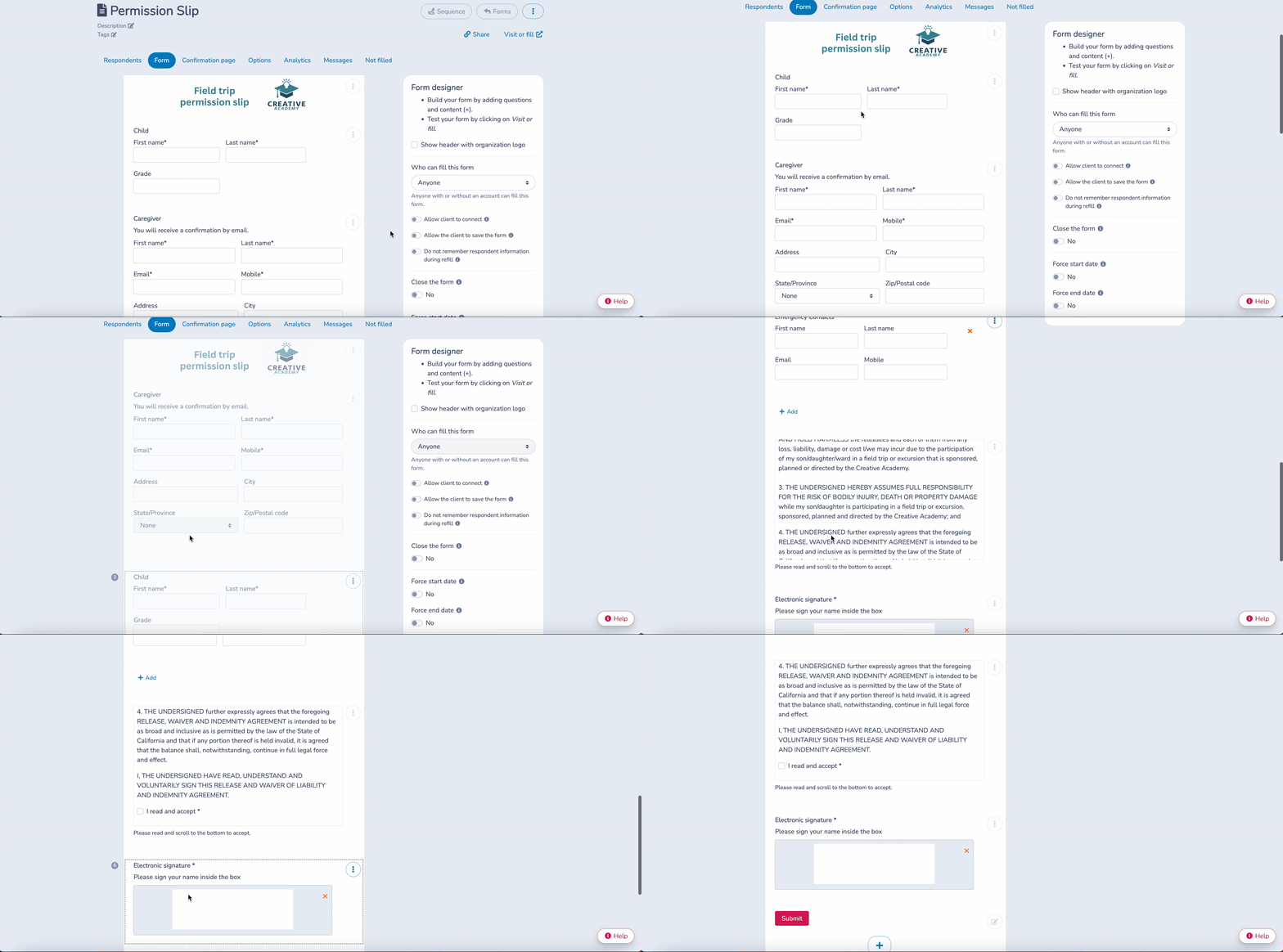
Most online waiver tools for municipalities offer a drag-and-drop form builder that lets your team create and customize waivers without requiring a technical background. Here’s how to get started using Activity Messenger (the process is similar across most platforms):
- Create a new form: Log in to your Activity Messenger account and create a new liability form from scratch or from a template.
- Customize the layout: Arrange sections, add headers, and upload your municipality’s logo to keep branding consistent. Canva integrates well here if you need to design any visual elements.
- Test on mobile: Before publishing, preview the form on a phone. Many residents will sign on a mobile device, so the layout needs to work on small screens.
Step 2: Collect Participant or Guardian Information
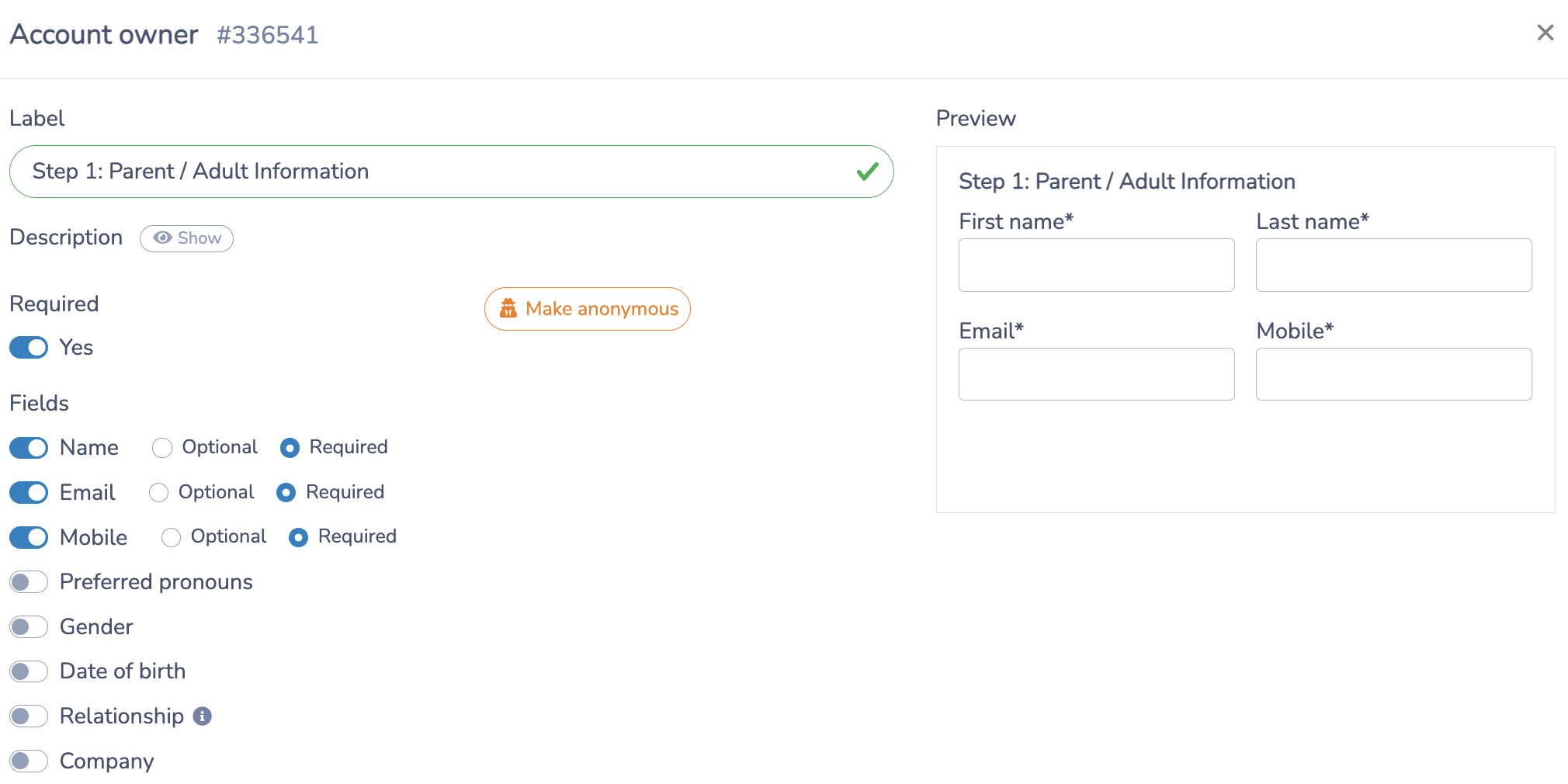
The first section of your waiver should gather essential contact details. At a minimum, collect:
- Full name
- Email address
- Phone number
- Date of birth (required if determining minor status)
- Any additional program-specific information
You can mark fields as mandatory and apply validation rules to prevent incomplete submissions. For youth programs, add a separate section for parent or guardian information and make it conditional on the participant’s age.
Step 3: Add the Assumption of Risk and Liability Statement
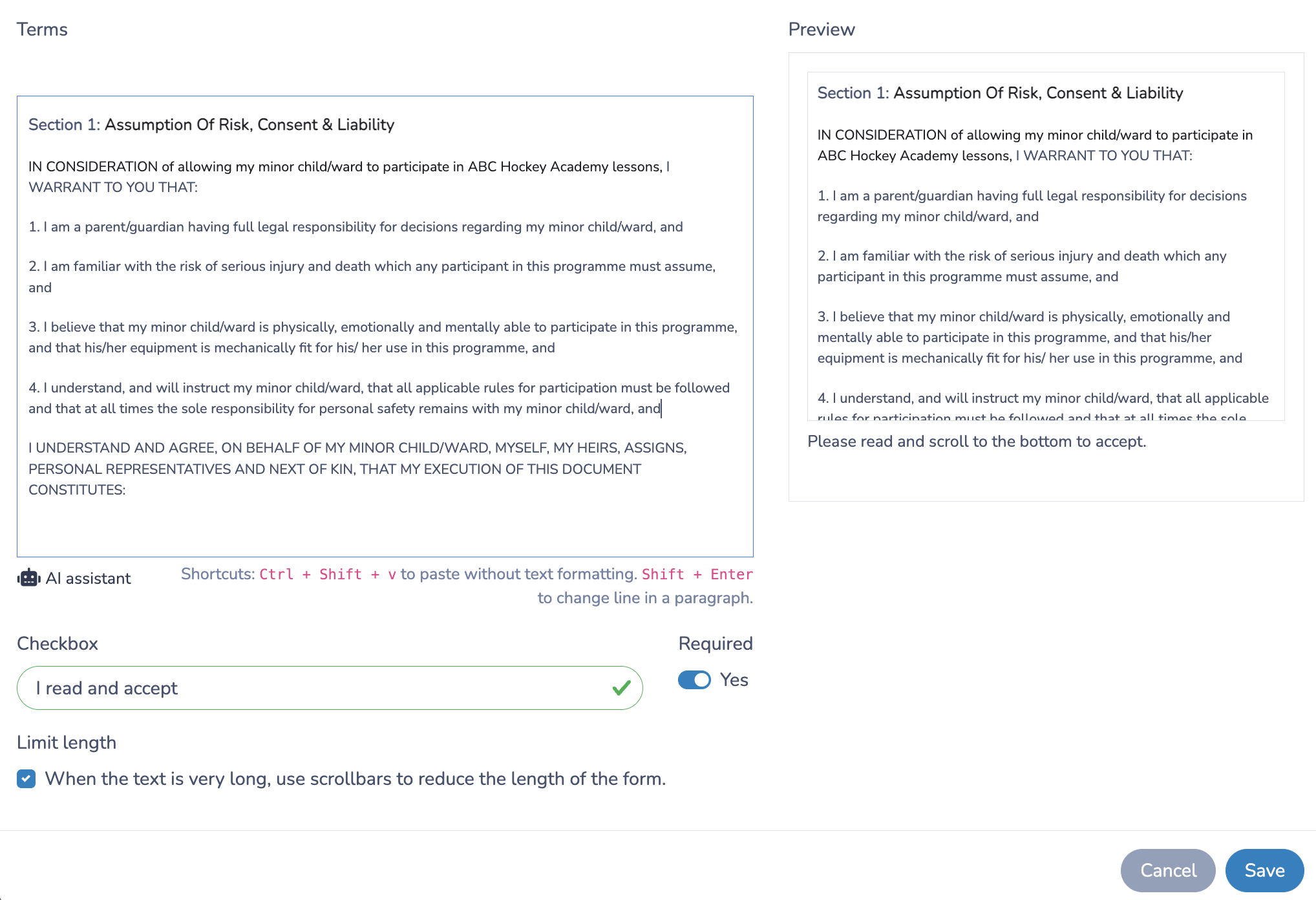
This is the legal core of your online waiver. It should clearly outline the potential risks associated with the activity and confirm that the participant understands and accepts those risks.
A few formatting principles that improve clarity and completeness:
- Use plain language. Avoid dense legal jargon. Residents should be able to read the waiver and understand what they’re agreeing to.
- Cover the key points. Acknowledge specific risks (e.g., physical contact in hockey, environmental hazards in outdoor programs), define the municipality’s responsibilities and limitations, and include consent for emergency medical treatment if needed.
- Format for readability. Short paragraphs, bold headings, and bullet points help residents actually read what they’re signing, which matters both for compliance and trust.
Paste your liability text directly into the form builder. At the bottom of this section, include a checkbox asking participants to confirm they accept the terms, for example:
“I have read and accept the terms and conditions of this waiver.”
Step 4: Include Digital Signatures
A digital signature field is what converts your form into a legally valid waiver. Here’s what to look for when setting this up:
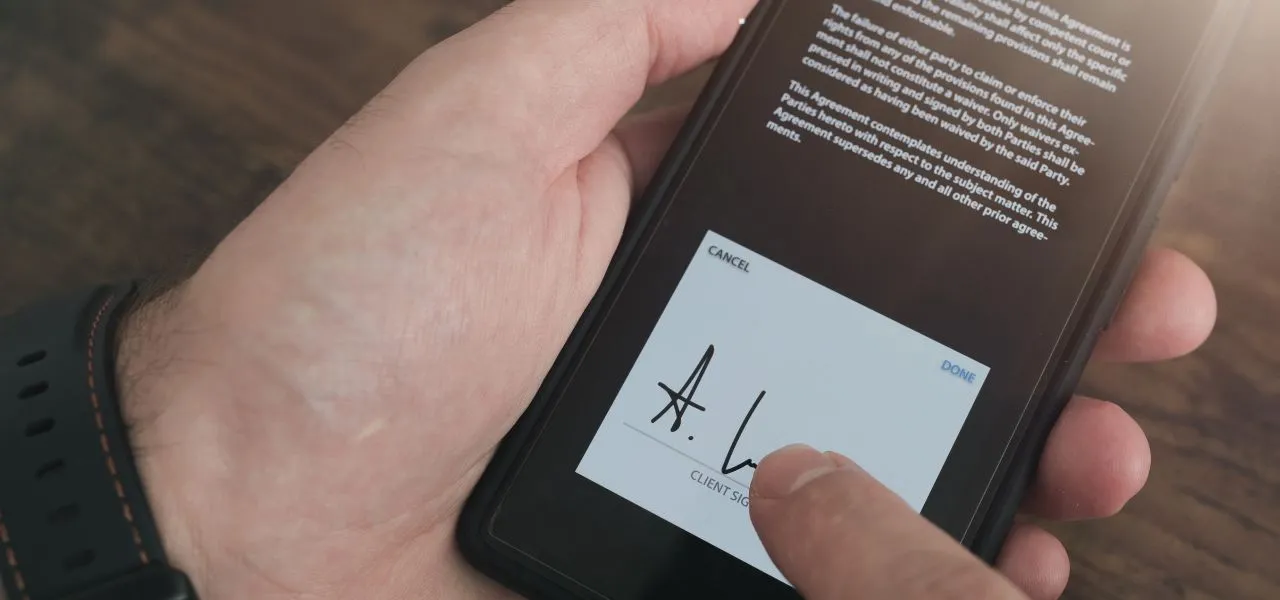
- Signature field: Use the dedicated signature component in your form builder so residents can sign with a mouse, stylus, or finger.
- Mobile-friendly design: The signature field should work smoothly on touchscreens, as most residents completing waivers for a summer program will be on their phones.
- Automatic timestamps: Capture the date and time of each signature for documentation and audit purposes. This is especially important if your municipality ever needs to reference a waiver after an incident.

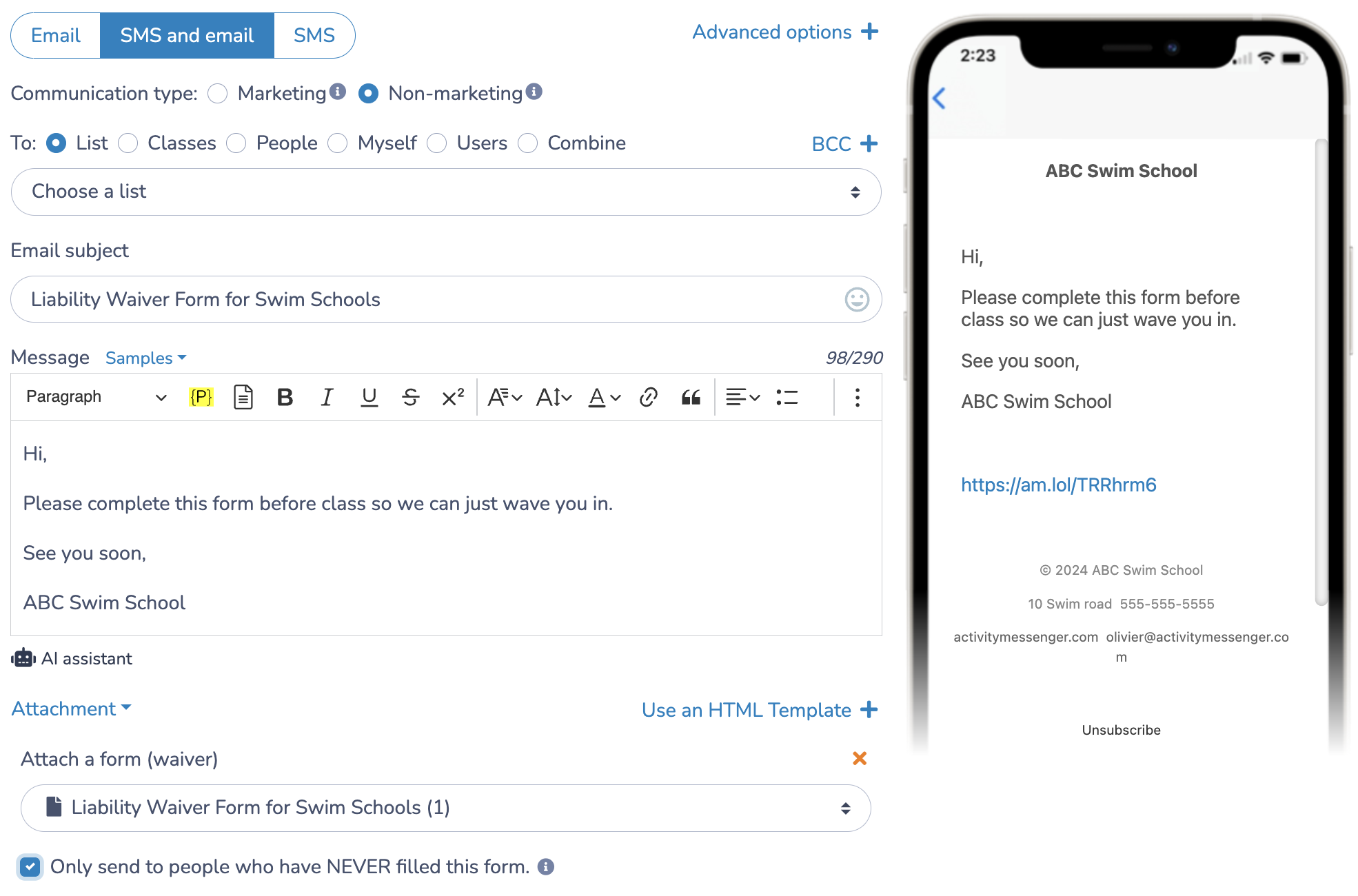
📌 Pro Tip: Scheduling automated text or email reminders to residents who haven’t yet submitted their waiver significantly improves completion rates before program start dates.
Step 5: Share Your Waiver with the Community
Once you’ve tested your online waiver, there are several effective ways to distribute it:
- Email: Include the waiver link in your registration confirmation message, or feature it in your municipal newsletter.
- SMS: Text the link directly to registered participants for quick access.
- QR codes: Generate a QR code that residents can scan at the event, the recreation desk, or summer camp check-in. Print it on posters or include it in paper handouts.
- Website: Embed the form directly on the relevant program or event page so residents can complete it on their own time.
Steal This Municipal Liability Waiver Template
Here’s a sample waiver you can adapt for your municipality’s programs and events:
I, the undersigned, understand that participation in programs and events organized by [Municipality Name] involves certain risks, including but not limited to physical injury, property damage, or other unforeseen incidents. I voluntarily choose to participate in these activities and assume all associated risks.
In consideration of being allowed to participate, I hereby release and hold harmless [Municipality Name], its employees, volunteers, and affiliates from any liability, claims, demands, or causes of action arising out of or related to any injury, loss, or damage that may occur as a result of my participation.
I certify that I am in good health and able to participate in the activities. I agree to follow all rules and instructions provided by [Municipality Name] staff and program leaders.
[For minors:] I, as parent/guardian of the participant, give permission for my child to participate and agree to all terms stated above.
👉 Here’s how a small town recreation department might deploy this in practice: residents registering for the spring soccer league receive a confirmation email with a waiver link. Those who haven’t signed three days before the first session get an automated SMS reminder. At check-in, a QR code at the front desk catches any stragglers.
Best Online Waiver Tools for Municipalities
Here are the tools most commonly used by municipalities and small towns to move from paper to digital waivers:
1. Activity Messenger: Purpose-built for parks and recreation departments. Supports custom forms, e-signatures, automated reminders, and mobile-friendly waivers, all integrated with program registration and bulk SMS. Also replaces standalone tools like Eventbrite, Mailchimp, and SurveyMonkey.
2. Smartwaiver: A dedicated waiver platform with custom branding, data storage, and analytics. Integrates with existing CRM or booking systems.
3. WaiverForever: Offers cloud storage, offline signing, and integration with multiple platforms. A good option for municipalities running on-site events where Wi-Fi may be unreliable.
4. DocuSign: An enterprise-level e-signature solution widely used in the public sector. Not waiver-specific, but suitable for organizations that need a platform covering a broad range of agreement types.
5. HelloSign (Dropbox Sign): User-friendly signature collection for liability waivers and other municipal documents. Integrates with Google Workspace and Dropbox.
| Tool | Built for Municipalities | E-Signatures | Registration Integration | Offline Signing | Pricing Model |
|---|---|---|---|---|---|
| Activity Messenger | ✅ Yes | ✅ Yes | ✅ Yes | ❌ No | Flat rate |
| Smartwaiver | ⚠️ Partial | ✅ Yes | ⚠️ Via CRM | ❌ No | Per waiver volume |
| WaiverForever | ❌ General use | ✅ Yes | ⚠️ Limited | ✅ Yes | Per month |
| DocuSign | ❌ General use | ✅ Yes | ❌ No | ❌ No | Per envelope |
| HelloSign | ❌ General use | ✅ Yes | ❌ No | ❌ No | Per user |
Final Thoughts
Moving to an online waiver system is one of the more straightforward efficiency wins available to municipal recreation departments. Residents get a better experience, your team spends less time chasing paper forms, and you end up with cleaner, searchable documentation when you need it.
If your municipality is still managing waivers separately from registration, it’s worth looking at a platform that handles both in one place.
📅 Book a free demo of Activity Messenger to see how it handles online waivers, program registration, and community communications together.
📖 Related Reading: