Most municipalities are still running registration forms through a combination of Google Forms, email threads, and spreadsheets. Residents fill out a form, staff manually send a confirmation, someone chases down a cheque, a waiver gets printed and lost, and by the time a program starts, half the paperwork is missing.
The right municipal registration form fixes all of that in a single flow: payments, waivers, emergency contacts, and confirmation emails are handled automatically, without the back-and-forth.
This guide covers what to look for in a platform, how to build a form people actually complete, and how to automate the follow-up.
Key Takeaways:
- Municipal registration forms are the first touchpoint residents have with your programs. A clunky form encourages drop-offs before registration is even complete.
- The right platform goes beyond basic data collection: it handles payments, waivers, automated communications, and waitlists in one place.
- Free tools like Google Forms work for simple needs but lack the features most municipalities and recreation departments actually require.
- A consistent, professional form experience increases registrations and reduces the administrative burden on your team.
- Platforms like Activity Messenger are purpose-built for community programs and can replace multiple tools at once.
Table of Contents
Step 1: Define What Your Registration Form Needs to Do
Not all municipal registration forms are the same, so before you open any form builder, be sure to figure out what yours actually needs to do.
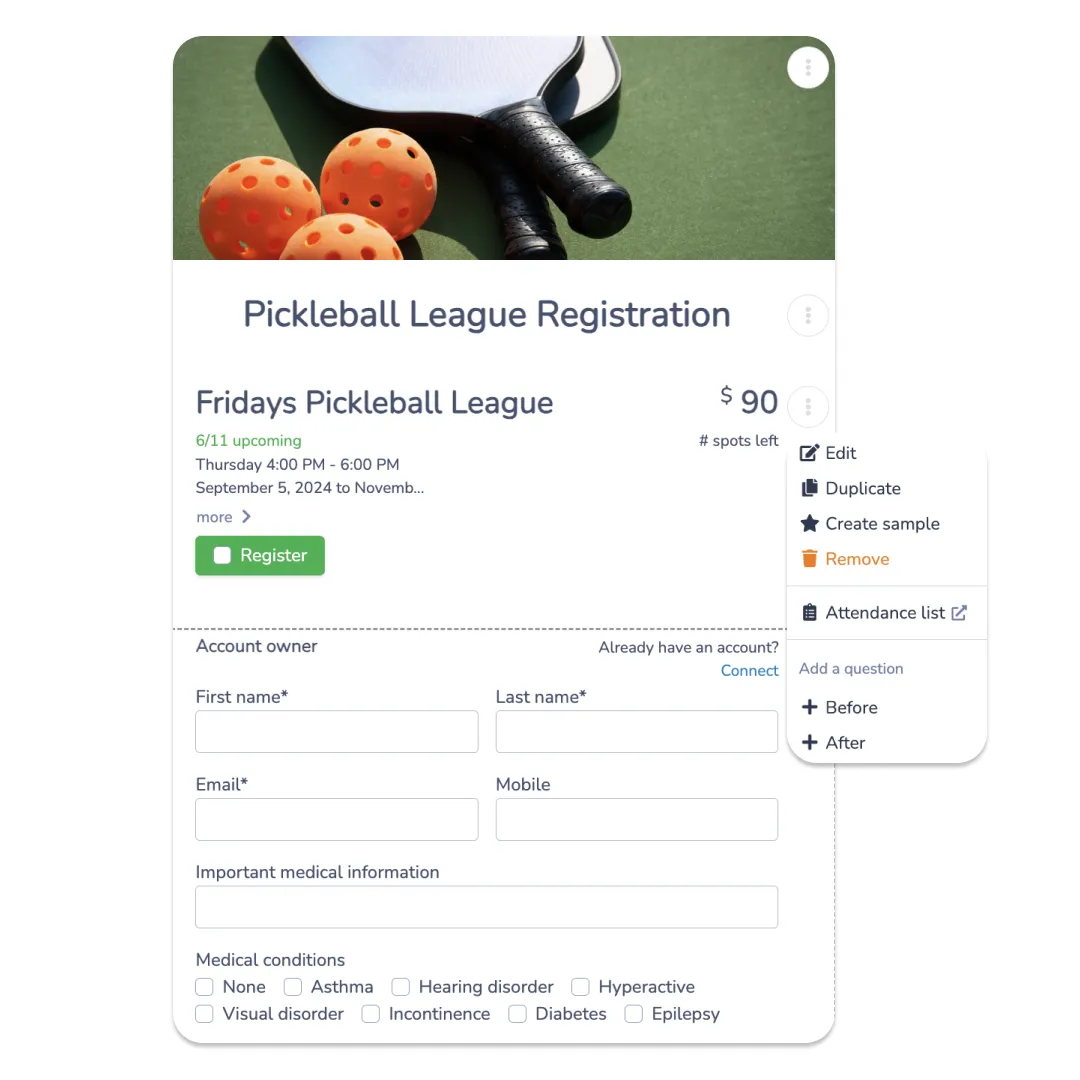
What information do you need to collect? Most community programs require a participant’s name, date of birth, emergency contact, and relevant medical or allergy information. Some programs may also need proof of residency or income-based eligibility.
Will you collect payment through the form? Online payment significantly reduces no-shows and simplifies accounting. If you’re collecting registration fees, you’ll need a platform that integrates with payment processors like Stripe, or supports offline options, such as Interac e-Transfer, for communities that prefer it.
Do you need digital waivers? Most recreation programs require a liability waiver. Integrating e-signature directly into the registration form eliminates paper-chasing and keeps everything in one record.
Will you need to manage waitlists? Popular programs fill up fast. A form that automatically captures waitlisted registrants and notifies them when a spot opens saves hours of manual follow-up.
Step 2: Choose the Right Form-Building Tool
This is the decision that shapes everything else. The platform you choose will determine how much time your team spends on administration versus actual programming.
What to look for:
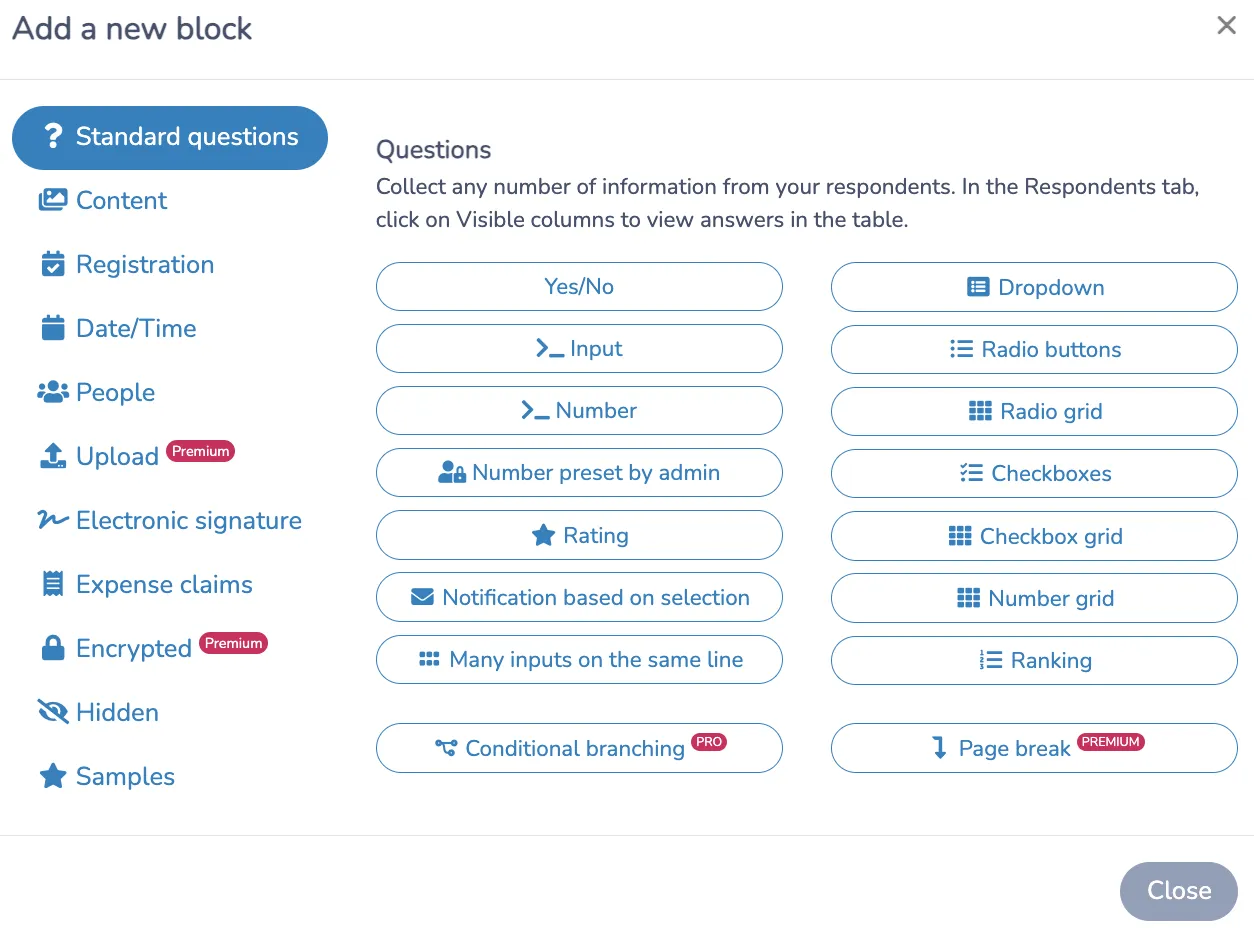
- Integrated online payments so residents can pay at the point of registration without you chasing invoices
- Digital waivers with e-signature to capture consent in the same step as registration
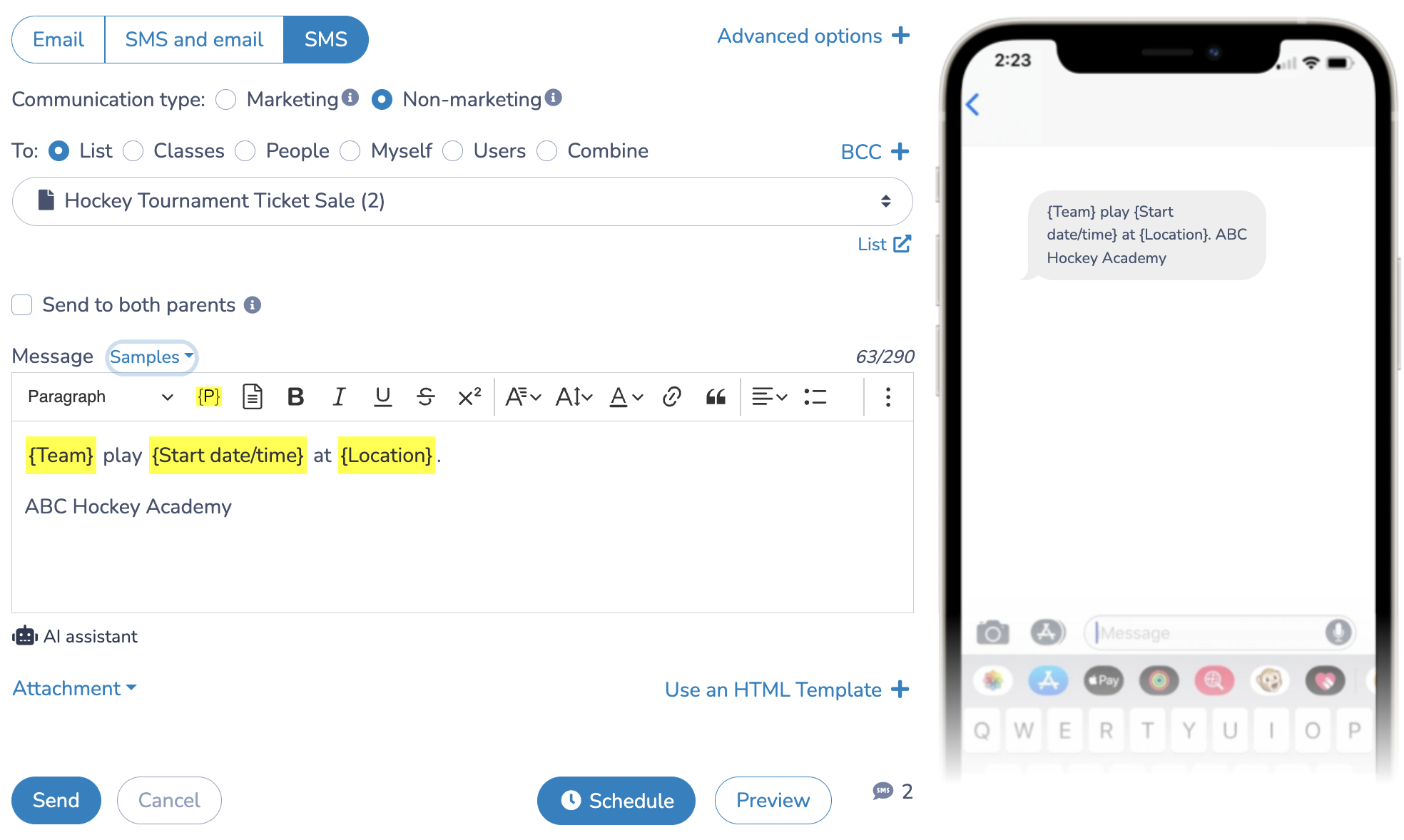
- Automated email and SMS communications for confirmations, session reminders, and cancellation notices
- Waitlist management with automatic queue handling when capacity is reached
- Bilingual form support, which is essential for many Canadian municipalities
- Attendance tracking tied directly to registrations
- Real-time reporting so you know how many spots remain, who has paid, and who has signed their waiver
Activity Messenger vs. Google Forms
Google Forms is easy to start with, but it requires significant workarounds to handle anything beyond basic data collection. Here’s how the two compare for municipal use:
| Feature | Activity Messenger | Google Forms |
|---|---|---|
| Customizable registration forms | ✅ | ✅ |
| Integrated online payments | ✅ | ❌ |
| Digital waivers with e-signature | ✅ | ❌ |
| Automated email/SMS reminders | ✅ | ❌ |
| Waitlist management | ✅ | ❌ |
| Bilingual form support | ✅ | ✅ |
| Real-time analytics | ✅ | Limited |
| Attendance tracking | ✅ | Manual only |
| Designed for community programs | ✅ | ❌ |
Google Forms works fine for small-scale, free events with no waivers or payments. But for most municipal recreation programs, it quickly becomes a patchwork of spreadsheets, email threads, and manual follow-up.
A note on transaction fees: Many small towns hesitate to use online registration because of the fees involved. Activity Messenger supports offline payment workflows, so you can streamline everything from form creation to billing without requiring residents to pay online.
Other platforms worth considering:
- Jotform — customizable forms with payment integration, suitable for a range of event types
- Eventbrite — well-suited for public events and community festivals that need ticketing and promotion
- CommunityPass — built specifically for parks and recreation departments, covering program registration and facility scheduling
- Cvent — robust feature set for large-scale events and detailed analytics
Step 3: Build Your Form
Once you’ve chosen your platform, building a municipal registration form that actually gets completed comes down to a few design decisions:
Keep it short where possible. Only ask for information you’ll actually use. Every extra field is a reason to abandon the form. Medical information and emergency contacts are necessary; asking for a resident’s preferred social media handle is not.
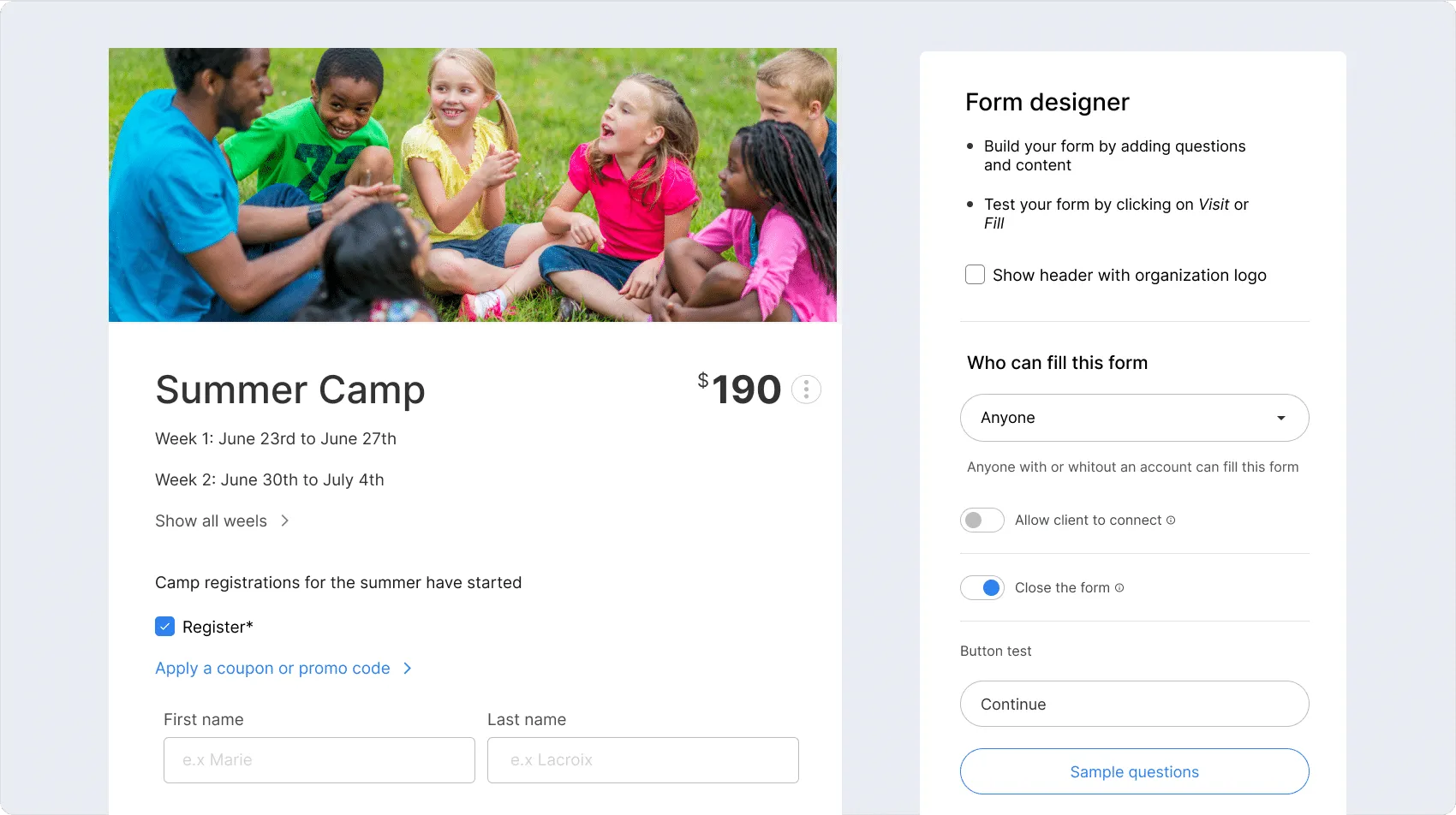
Allow selecting multiple programs in a single form. Families with multiple children or residents registering for several sessions shouldn’t have to start over. Forms that allow program and time-slot selection in a single flow significantly reduce friction.
Group related fields together. Participant information first, then emergency contacts, then medical information, then payment and waiver at the end. The logical flow mirrors how residents naturally think about registering.
Embed the waiver in the form. Don’t send a separate waiver email after the fact. Collecting an e-signature as part of the registration flow means better compliance and a cleaner record.
Test on mobile before publishing. A large portion of residents will register on their phones. If the form doesn’t work well on a small screen, your completion rate will suffer regardless of how polished it looks on a desktop.
Step 4: Automate Your Communications
A municipal registration form is only as good as what happens after someone submits it. Manual confirmation emails are among the most time-consuming tasks.
At minimum, automate:
- Confirmation email immediately on registration, with waiver confirmation if applicable
- Session start reminder 48 to 72 hours before the program begins
- Waitlist notifications when a spot opens
- Cancellation or schedule-change notices
Also worth considering:
- End-of-session satisfaction surveys. Collecting resident feedback automatically after a program closes is one of the most underused tools in municipal recreation. It helps you understand what’s working and what residents actually want next season.
- Payment reminders for any outstanding balances on offline payment plans
📝 Collect more information: Data collection should not stop at registration. Most municipalities want to know what their residents like and don’t like about the activities and events they register for. That’s where automating an online survey at the end of a session can help you better serve your citizens.
Frequently Asked Questions
Do we need a paid platform, or will Google Forms work?
It depends on what your programs require. If you’re running free events with no waivers and no payments, Google Forms is fine. Once you need to collect payment, gather signed waivers, manage waitlists, or automate communications, a purpose-built platform saves far more time than it costs.
How do we handle residents who want to pay in person or by cheque?
Platforms like Activity Messenger support offline payment workflows. You can use the online form for registration data, waiver collection, and communications, while processing payments separately, keeping everything in a single record without forcing residents to pay online.
What’s the best way to handle programs with multiple sessions or age groups?
Build a single form that lets participants select their session, age group, or program type from a dropdown or checkbox. This keeps the experience clean and gives you better data than managing separate forms for every variation.
How do we stay compliant with privacy legislation?
In Canada, collecting personal information through registration forms triggers obligations under PIPEDA and applicable provincial legislation. Make sure your platform stores data securely, your form explains how information will be used, and you have a process for responding to access or deletion requests. When in doubt, check with your municipal solicitor.
Can we use the same platform for municipal registrations and communications?
Yes, and it’s worth doing. Platforms like Activity Messenger handle both, so your contact lists stay up to date automatically, and residents receive the right communications without any manual list management.
Getting Started
Creating effective municipal registration forms doesn’t require a large budget or an IT team. Start with your highest-volume program, build a form that covers payment, waivers, and automated communications, and see how much time you get back.
For most municipalities, the difference between a patched-together Google Form workflow and a purpose-built solution is a few hours a week, every week.
Activity Messenger was built specifically for municipalities and recreation departments managing exactly this kind of work.
📅 Book a free demo to see how it fits your programs.
📖 Related Reading: