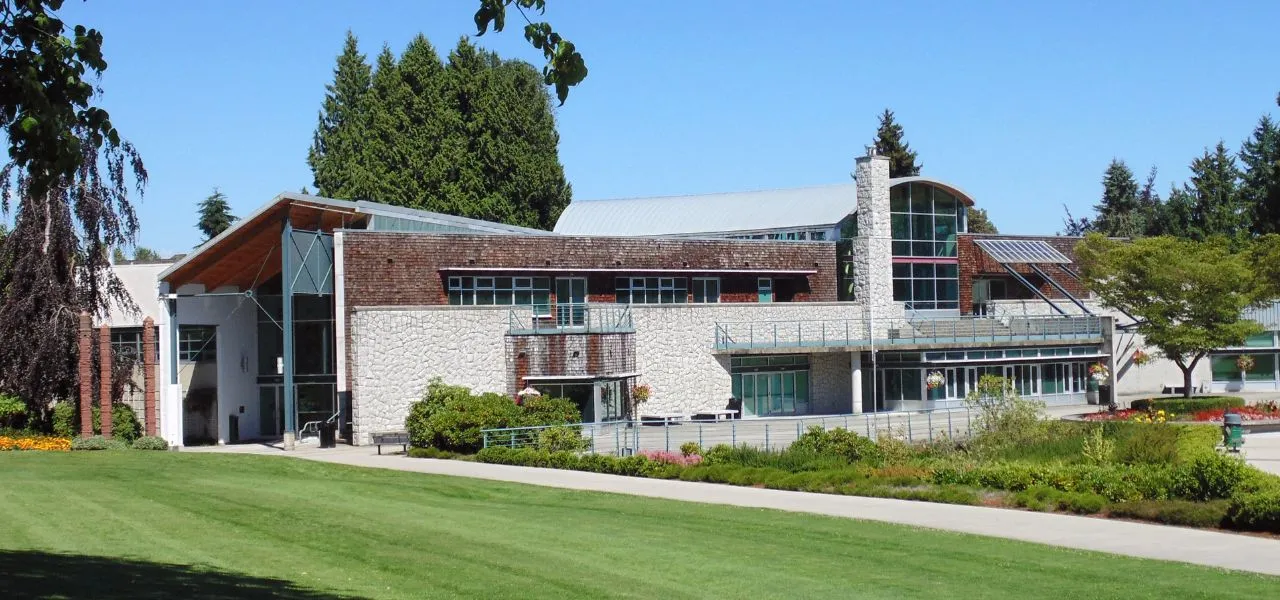
Managing online facility rentals for municipalities doesn’t have to mean chasing down paper forms, playing phone tag with residents, or untangling double bookings in a shared spreadsheet.
Whether your department oversees a single arena or a network of community centers, parks, and sports fields, how you manage facility rentals directly impacts staff time, resident satisfaction, and revenue.
In this guide, we’ll walk through the most common pain points in traditional rental management, what a modern online facility-rental process looks like, and how to set one up in a way that works for your team and your community.
Key Takeaways:
- Manual rental processes (phone calls, paper forms, spreadsheet calendars) create unnecessary errors, staff burden, and resident frustration.
- Residents expect to find availability, book, and pay online, just like they do for everything else.
- Modern online facility rental software lets municipalities automate the entire workflow: booking, contracts, payments, reminders, and reporting.
- The right platform should handle pricing rules, approval flows, and real-time availability without requiring IT support to operate.
- Starting with one facility and scaling up is a practical, low-risk way to modernize your rental process.
Table of Contents
- Common Problems with Municipal Facility Booking Systems
- What Residents Expect from an Online Facility Booking System
- How to Automate Your Facility Rental Workflow
- How to Set Up Online Facility Rentals Step by Step
- Choosing the Right Platform for Municipal Facility Rentals
- Frequently Asked Questions
- Final Thoughts
Common Problems with Municipal Facility Booking Systems
Most Parks and Recreation departments didn’t choose a manual rental process; they inherited one. And while paper forms and wall calendars may have worked when volume was low, they don’t scale. Here’s where things tend to break down:
📞 Too many manual steps. Every rental that comes in by phone or email requires a staff member to manually check availability, send a form, follow up on payment, file a contract, and add the booking to the calendar. That’s five or six steps per rental for every single booking.
📅 Double bookings and scheduling conflicts. When your availability lives in a spreadsheet or on a physical calendar, it only takes one missed update to create a conflict. Double bookings damage trust with residents and create stressful, last-minute scrambles for staff.
💸 Chasing payments and signed contracts. Collecting a deposit or getting a liability waiver back shouldn’t require three reminder emails. But without automation, that’s exactly what happens, and overworked staff absorb that friction.
🔍 No transparency for residents. When residents have to call to find out if a facility is available, you’re creating unnecessary frustrations. Most people will simply give up, book a private venue instead, and never come back to your website.
🗂️ No central record of bookings, payments, and communications. When booking data lives in email threads, a shared drive, and a physical folder on someone’s desk, reporting becomes a manual exercise, and nothing is easy to find when you need it.
What Residents Expect from an Online Facility Booking System
Your residents book hotels, restaurant tables, and fitness classes online without picking up the phone. They expect the same from their municipality. If your facility rental process still involves “call us for availability” or “print and sign this form,” you’re creating friction that turns people away.

Here’s what a smooth online facility rental experience looks like from a resident’s point of view:
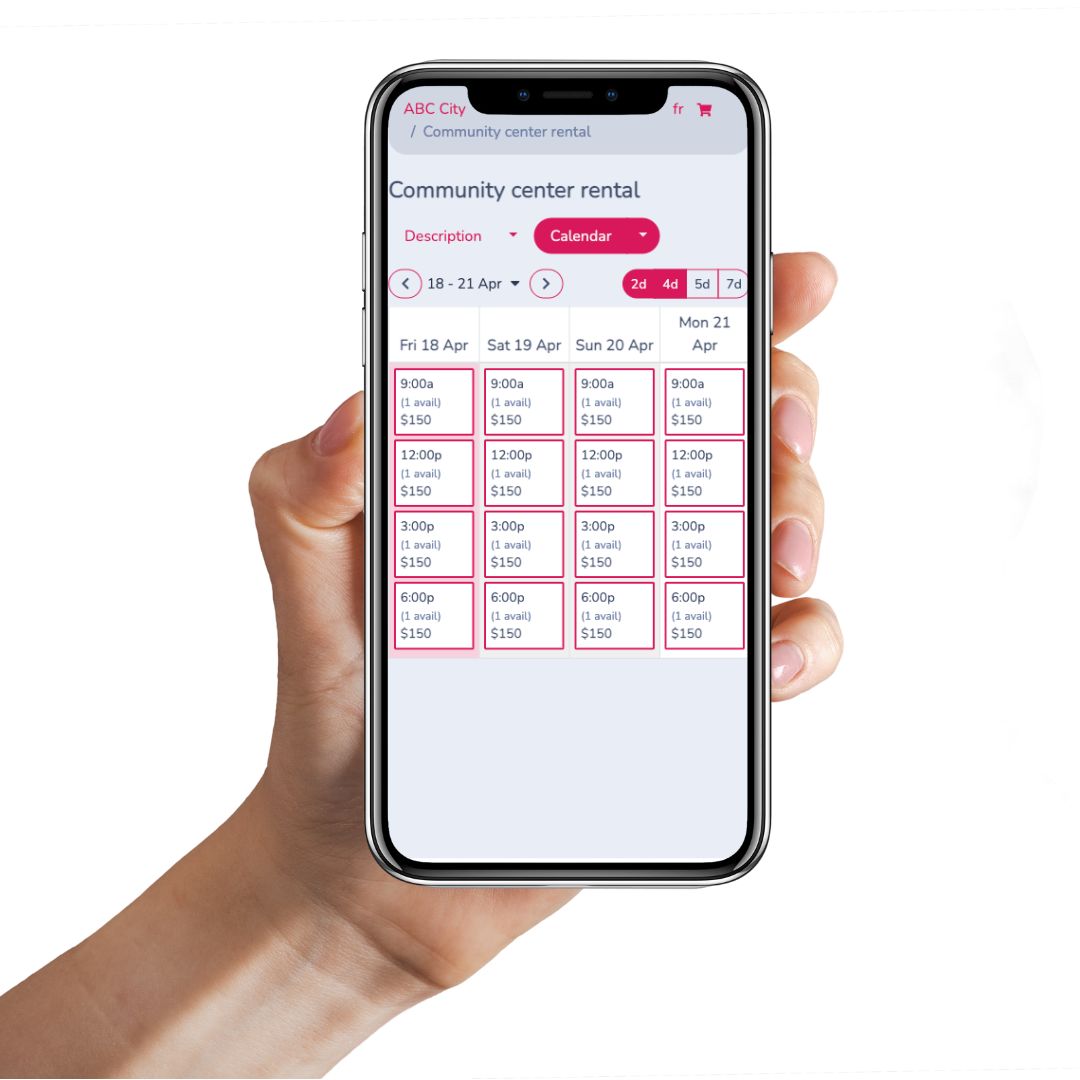
- They visit your website and see a real-time calendar showing exactly what’s available.
- They choose a facility, select a date and time, and fill out a form with the information your department needs.
- They pay online, upload the required documents, such as proof of insurance, and digitally sign the rental contract, all in a single flow.
- They receive an automatic confirmation and a reminder a few days before their booking.
- Your staff is notified right away, and the booking appears on the internal calendar without anyone having to enter it manually.
How to Automate Your Facility Rental Workflow
Platforms like Activity Messenger go beyond simply taking bookings online. They let you automate your entire online facility rental workflow, or just the parts you want to hand off, so nothing gets missed.
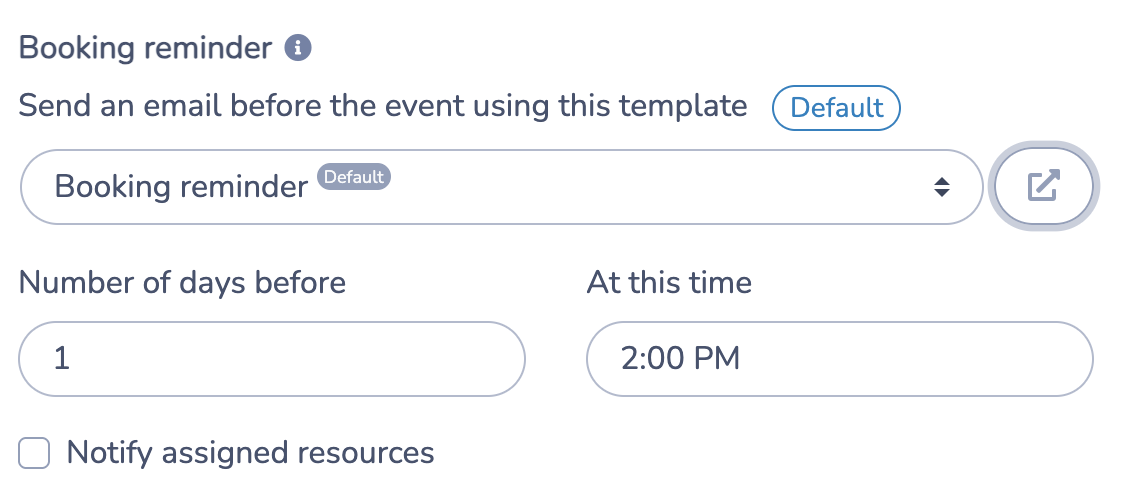
Automated reminders
Set up automated reminder emails or SMS messages to send a few days before a rental, personalized with the renter’s name, facility, and time. If a staff member needs to prepare the space, they can be notified at the same time.
Follow-up messages and rebooking links
Once a rental wraps up, an automated follow-up can go out with a short feedback survey, a thank-you note, or a direct link to rebook the same space. This makes it easy for repeat renters to return without having to start the process from scratch.
Flexible pricing and approval rules
Rental pricing is rarely one-size-fits-all. A good platform lets you:
- Charge different rates for residents vs. non-residents
- Offer discounts for local nonprofits or community organizations
- Require supervisor approval for bookings outside regular hours
- Set minimum or maximum rental durations for specific facilities (e.g., gym minimum: 2 hours)
- Apply deposits, flat fees, or tiered hourly rates per facility
Centralized reporting
Bookings, payments, contracts, and communications all live in one dashboard. Filter by date, facility, or renter type. Pull year-end summaries without digging through old email threads.
How to Set Up Facility Rentals Step by Step
Step 1: Define your rental information requirements
Start by listing everything your department needs to collect before a rental can be approved. This typically includes:
- Facility, date, and time selection (with real-time availability)
- Type of rental and expected number of participants
- Contact information and any special requests
- Uploaded documents such as proof of insurance, permits, or photo ID
- Custom questions specific to certain facilities (e.g., “Do you need access to the kitchen?”)
Getting this list right up front means your online form collects everything in one shot, with no back-and-forth emails to fill in the gaps.
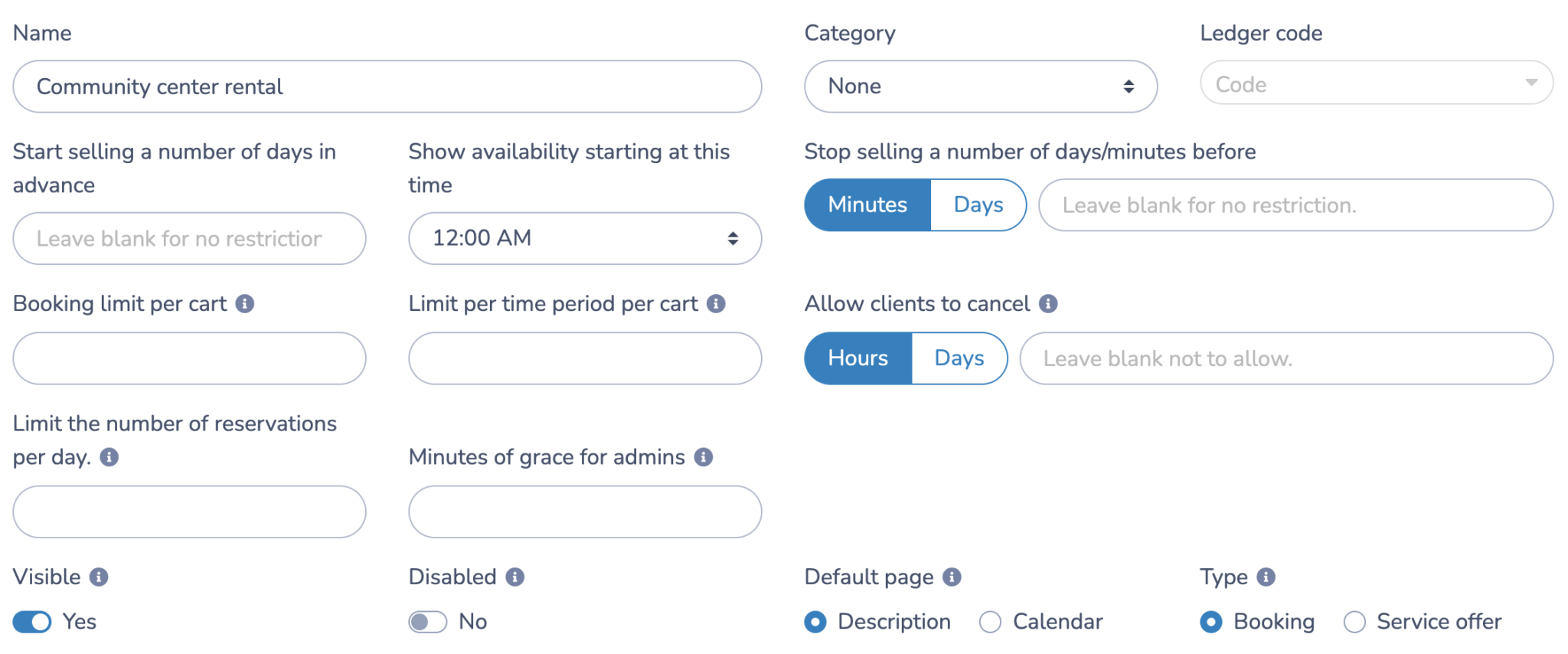
Step 2: Create your facilities as bookable resources
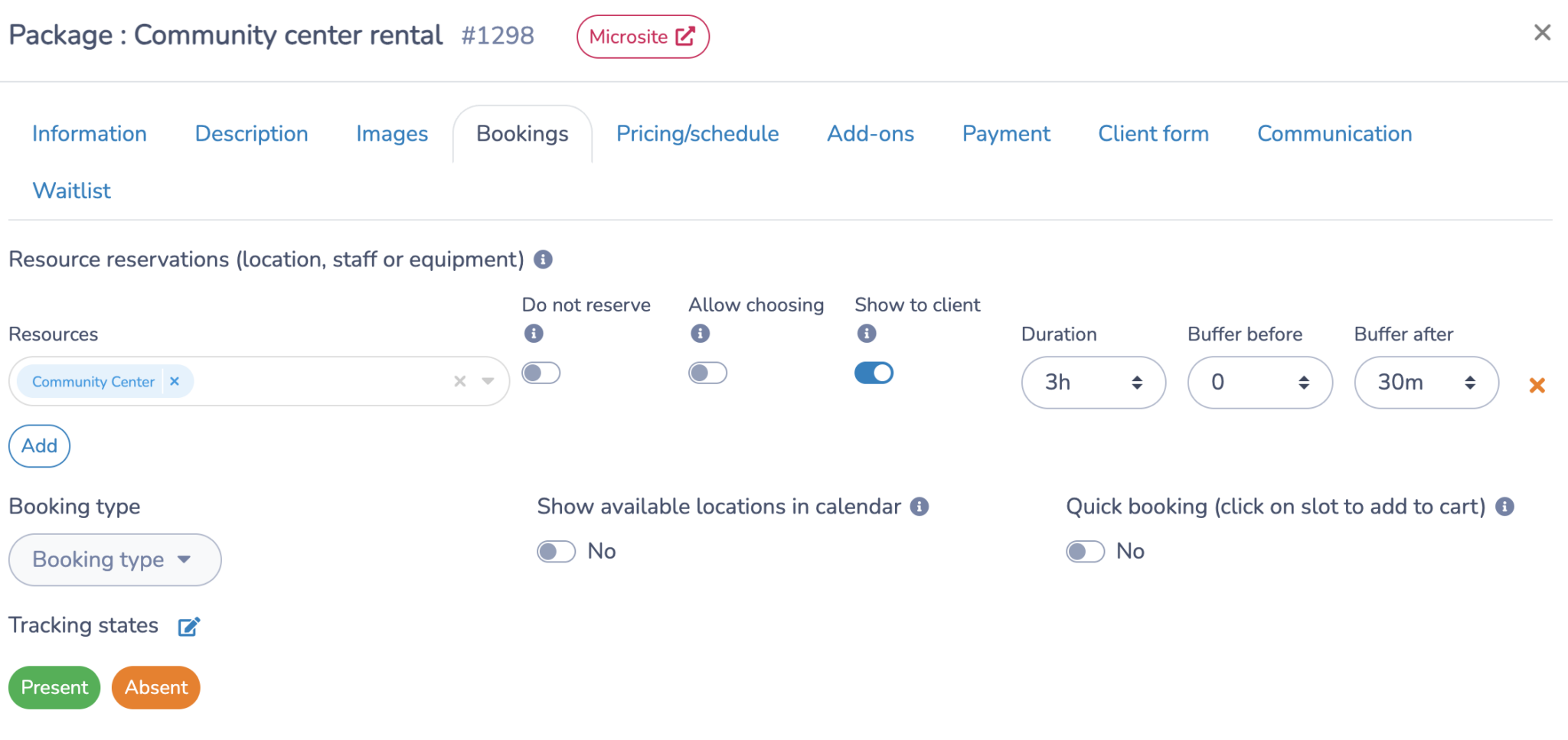
Every rental form is linked to one or more bookable resources. These can be a gymnasium, community room, pool, tennis court, meeting room, or outdoor pavilion.
For each facility, you’ll configure:
- Available hours (e.g., 9 AM to 9 PM, Monday to Friday)
- Blocked dates for holidays, recurring programs, or staff events
- Pricing: hourly rates, flat fees, deposits, or tiered rates by renter type
- Booking rules: minimum/maximum rental time, resident-only hours, recurring booking options
Once set up, each facility automatically manages its own availability. The system prevents overbooking without anyone needing to manually update a calendar.
Step 3: Set up your availability calendar
A real-time availability calendar is what makes self-serve online facility rentals work. Residents see exactly what’s open directly from your website. The calendar updates the moment a booking is made, whether it came in online from a resident or was entered by staff.
- Already-booked slots don’t appear as available
- Staff can block time instantly for maintenance or events
- Recurring bookings are accounted for automatically
Step 4: Configure online payments
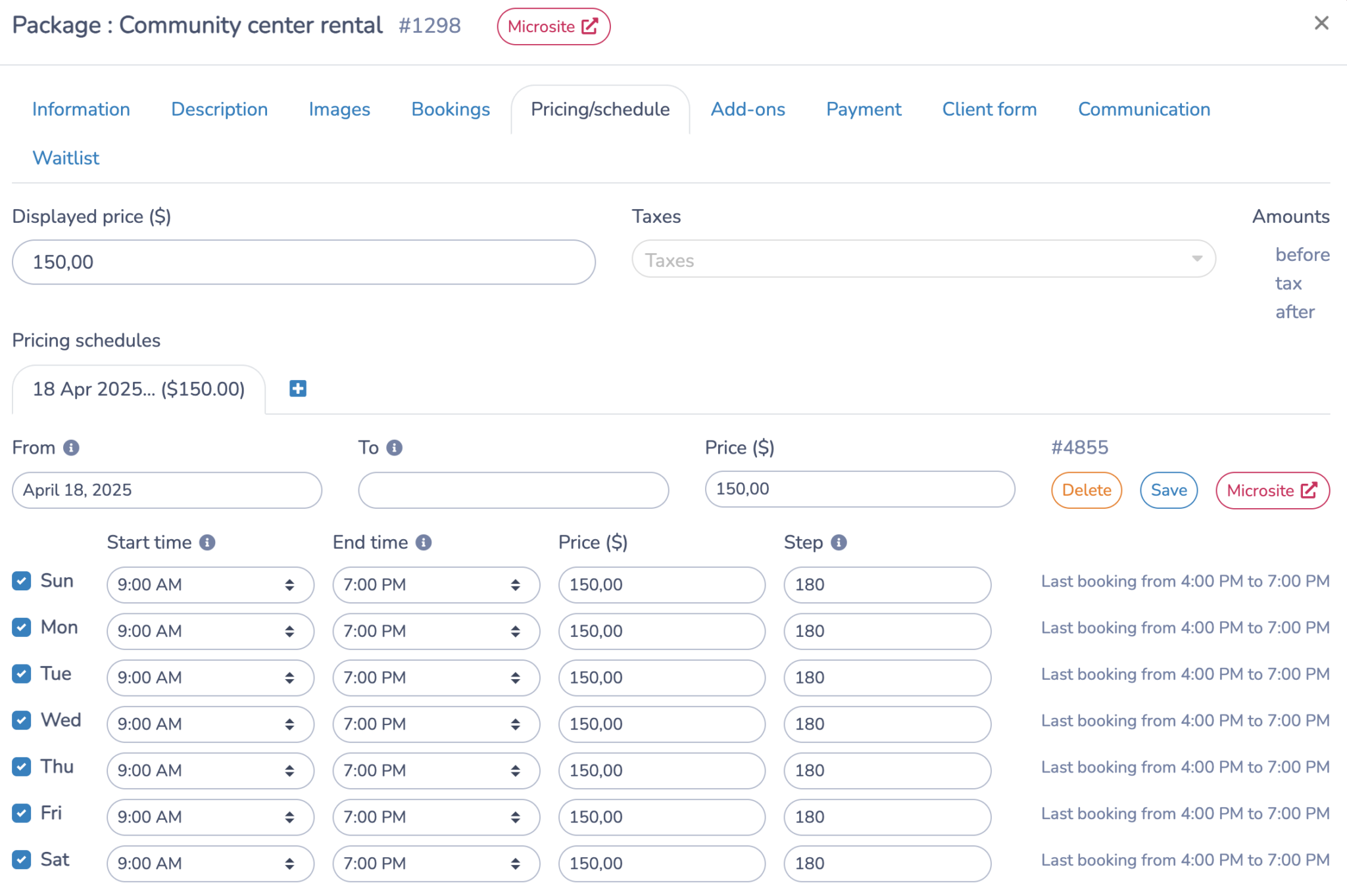
Decide how and when you want to collect payment:
- Full payment upfront at the time of booking
- A deposit now, with the balance due closer to the rental date
- Manual review and approval before any payment is charged
Activity Messenger supports credit cards, offline payments, and Interac e-Transfer. Invoices go out automatically, and you can track both online and offline payments in one place.
Step 5: Set up automated rental contracts
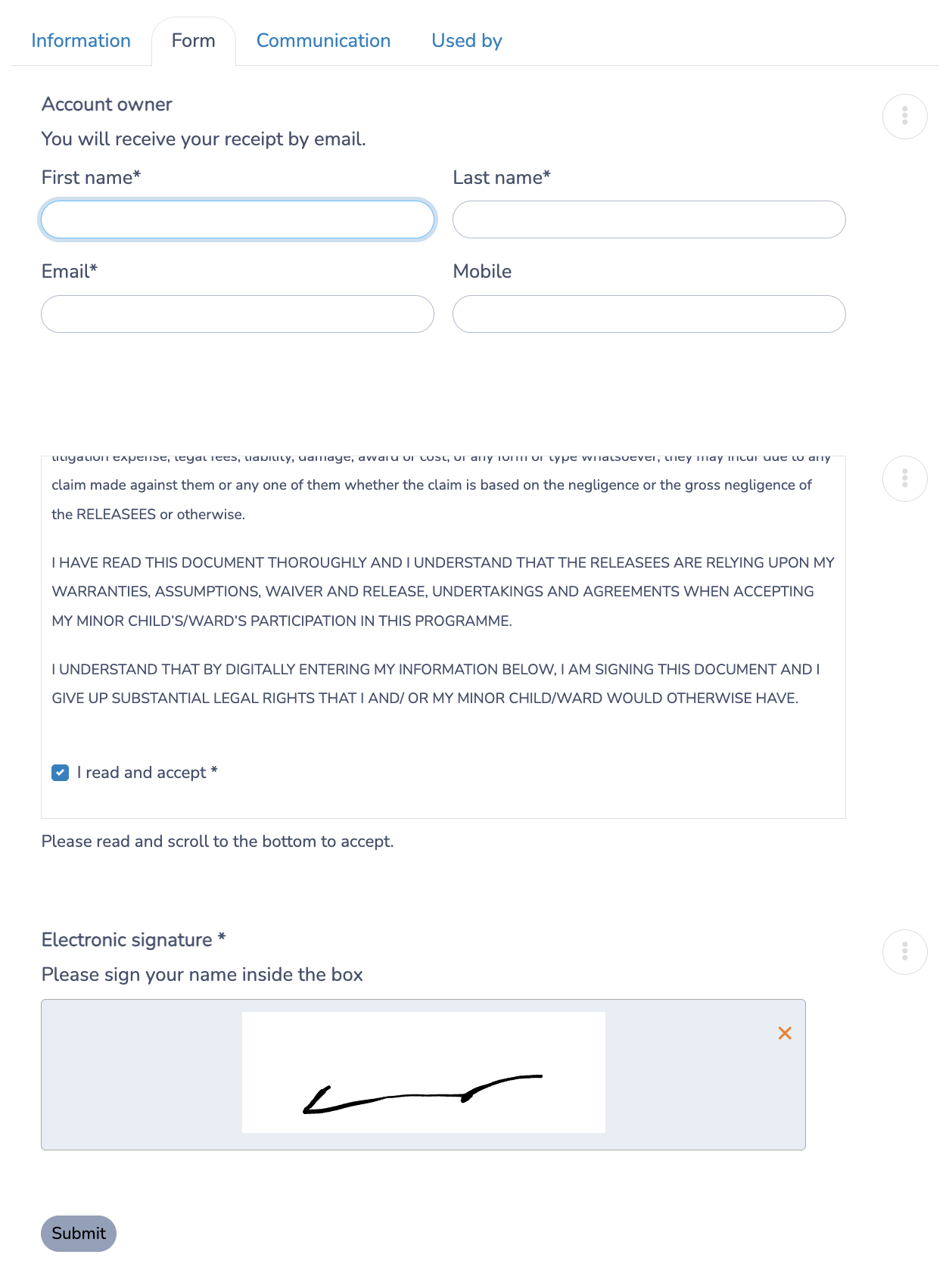
Once a resident completes the booking form, the platform generates a rental contract automatically using the information they submitted. Here’s how it works:
- The renter’s name, dates, facility, and rental details are filled into a pre-approved contract template.
- Terms, rules, and cancellation policies are included, with a checkbox for the renter to confirm they’ve read and accepted them.
- A digital signature is required before the booking is confirmed.
- The signed contract is stored in the resident’s profile.
This takes one of the most time-consuming parts of the rental process off your team’s plate and gives your department a clean paper trail for every booking.
Step 6: Keep everything organized in one place
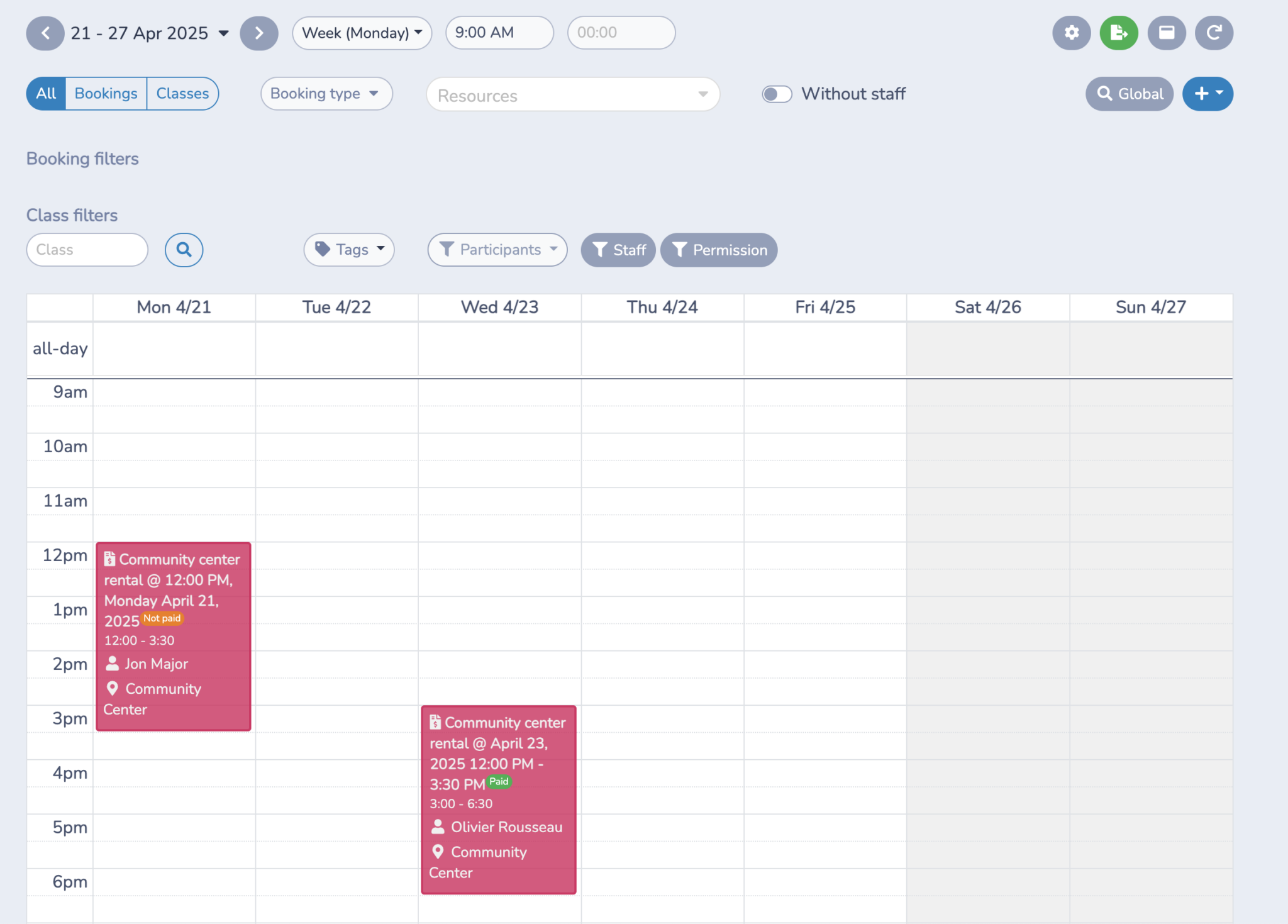
With bookings, contracts, payments, attendance notes, and communications all in one dashboard, your team has what they need without hunting through multiple systems. Internal calendar views show what’s coming up across all facilities at a glance, and when it’s time for a year-end report or an audit, the data is already there.
Handling Cancellations and No-Shows
Even with a solid booking process in place, a renter could cancel at the last minute, a group might not show up, or a payment dispute could arise after the fact. It’s worth having a clear policy before any of that happens, and making sure your platform can enforce it automatically.
A few things to sort out before you go live with online facility rentals:
- Cancellation deadlines. How many days’ notice is required for a full or partial refund? Build this into your rental contract so renters see it before they sign.
- Deposit handling. Is the deposit refundable, applied to the balance, or forfeited in the event of a no-show? Make the terms explicit in the booking flow.
- Late arrivals and overruns. If a renter runs long and another booking follows, who handles that conversation? Having a documented policy prevents awkward situations for staff.
- Disputed charges. If a renter disputes a fee, a centralized record of the signed contract, payment history, and communication thread is your best protection.
Activity Messenger automatically stores all of this. The signed contract, the payment record, and any messages exchanged are tied to the booking, so if something is ever questioned, you have the full picture in one place.
Choosing the Right Platform for Municipal Facility Rentals
Not every booking tool is built with municipalities in mind. General-purpose event-booking software often lacks the features that Parks and Recreation departments actually need. Here’s what to look for:
| Feature | Why It Matters |
|---|---|
| Real-time availability calendar | Prevents double bookings and gives residents self-serve access |
| Custom pricing rules | Supports resident/non-resident rates, nonprofit discounts, deposits |
| Digital contracts and waivers | Removes paper and creates an automatic record for every booking |
| Automated reminders and follow-ups | Reduces no-shows and cuts down on staff follow-up time |
| Online payments (including Interac e-Transfer) | Collects revenue without manual invoicing |
| Approval workflows | Lets supervisors review requests before confirming |
| Reporting and dashboards | Makes year-end reporting easier without manual data entry |
| No IT support required | Your team should be able to run it without outside help |
🏛️ Activity Messenger is built specifically for municipalities and Parks and Recreation departments. Beyond online facility rentals, a single subscription includes program registration, surveys, digital waivers, bulk SMS, and ticketing for community events, with flat-rate pricing that doesn’t increase as your contact list grows.
Frequently Asked Questions: Online Facility Rentals for Municipalities
How do online facility rentals reduce staff workload?
When the booking, payment, and contract process moves online, staff no longer need to manually check availability, send forms, chase payments, or file paperwork. Most of the administrative steps happen automatically.
What’s the best way to prevent double bookings?
A real-time availability calendar that updates with every new booking is the most reliable solution. When staff and residents both book from the same live calendar, conflicts don’t occur as they do with shared spreadsheets or wall calendars.
Can we charge different rates for different renters?
Yes, most facility rental platforms let you set different pricing for residents vs. non-residents, private vs. nonprofit organizations, and peak vs. off-peak hours. These rules get applied automatically based on how the renter fills out the form.
Do residents need to create an account to book?
It depends on the platform. Some allow guest bookings; others require a profile. A profile-based system has practical advantages because it stores past bookings, signed contracts, and payment history, making rebooking and record-keeping easier.
Is it hard to get started with online facility rentals?
Most municipalities start with a single facility and expand from there. If the platform is designed for non-technical users, your team can typically be up and running within a few days.
Final Thoughts
The right online facility booking system helps municipalities automate scheduling, payments, contracts, and communications while improving the resident experience.
If your rental process still runs on phone calls, spreadsheets, and sticky notes, the transition is more straightforward than it might seem. Start with one facility, set up a form that collects what you need, and let the system handle the rest.
See how municipalities across North America use Activity Messenger to automate facility bookings, collect payments online, manage rental contracts, and reduce administrative workload.
📅 Book a free demo to see the platform in action.
📖 Related Reading: