Getting swim registration right matters beyond the admin side. When a parent can sign up online in five minutes, choose the right level for their child, pay, and have a signed waiver on file before the first class, they show up to that first session with a very different impression of your school than the parent who had to email twice and fill out a PDF.
This guide covers what to include in a swim lesson registration form, how to choose the right platform, and how to set up the automations that keep everything running after sign-up. Be sure to check out the free template, too.
Key Takeaways:
- A complete swim lesson registration form captures participant details, swim level, emergency contacts, medical information, program selection, and a signed waiver before the first session begins.
- Moving registration online eliminates the back-and-forth of paper forms, phone sign-ups, and manual payment tracking.
- A tool built for aquatic programs handles payments, waivers, and reminders in one place instead of forcing you to stitch together separate systems.
- Letting families self-select their program based on age, level, and schedule saves you from fielding the same questions over and over.
- Automated confirmation emails and pre-session reminders cut down on no-shows and last-minute confusion.
Table of Contents
- Step 1: What To Include in Your Swim Lesson Registration Form
- Step 2: Select a Form Tool Designed for Swim Schools
- Step 3: Create Your Swim Lesson Registration Form
- Step 4: Add Lesson Dates and Program Options
- Step 5: Include a Liability Waiver With Digital Signature
- Step 6: Configure Your Confirmation Email
- Step 7: Set Up Automated Reminders
- Step 8: Share and Start Collecting Registrations
- Try This Free Swim Lesson Registration Form Template 👇
- 3 More Ways Activity Messenger Helps Swim School Owners
- Frequently Asked Questions
- Final Thoughts
Step 1: What To Include in Your Swim Lesson Registration Form
Before you start building, think about what your instructors actually need to know before a swimmer shows up. A good registration form is the first safety checkpoint of the season. Be sure to collect:
1. Participant Information
The basics about the swimmer:
- Full name
- Date of birth
- Gender
- Email and phone number
- Current swim level or previous experience
2. Parent or Guardian Information
For children’s programs, you need a parent or guardian on file:
- Full name
- Email and phone number
- Relationship to the participant
3. Emergency Contact Information
Someone who can be reached quickly if something happens at the pool:
- Full name
- Phone number
4. Medical Information
Health details that instructors need to know before getting in the water:
- Allergies
- Medical conditions
- Current medications
5. Program Selection
Let families choose the option that fits without needing to call you:
- Program type (e.g., parent-and-tot, beginner group, private lessons, adult swim)
- Preferred session times
- Pricing and any available payment plans
6. Waiver, Consent, and Digital Signature
Legal sign-off before the first class:
- Liability waiver
- Photo and video consent
- Digital signature field
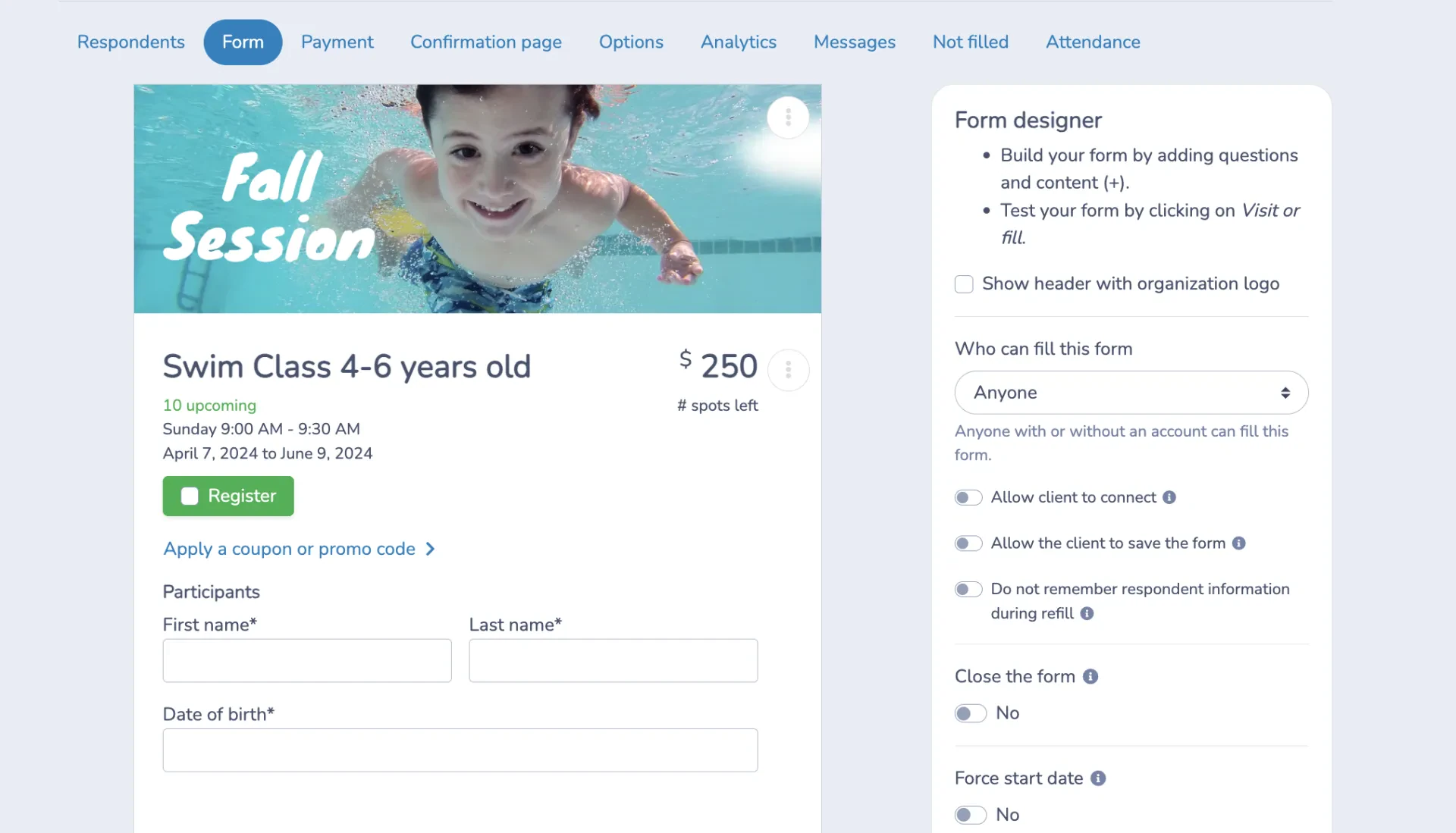
Step 2: Select a Form Tool Designed for Swim Schools
Swim schools have specific needs that generic tools weren’t designed around. Session capacity limits, swim level sorting, waitlist management, waiver collection, and payment processing all need to work together, and with a general-purpose form builder, you’re usually managing each of those separately.
Before committing to a platform, consider:
- How the form performs on a phone. Most parents register from their phone, often while waiting to pick up a sibling or standing at the front desk. A clunky mobile experience loses registrations.
- Whether payment is built in or added on. Sending a separate invoice after someone registers adds a step that many parents won’t complete.
- How waivers are handled. A waiver sent as a follow-up email has a much lower completion rate than one that’s required before the form can be submitted.
- What happens when a session fills up. You want automatic waitlist enrolment, not a parent completing a full registration for a class that’s already closed.
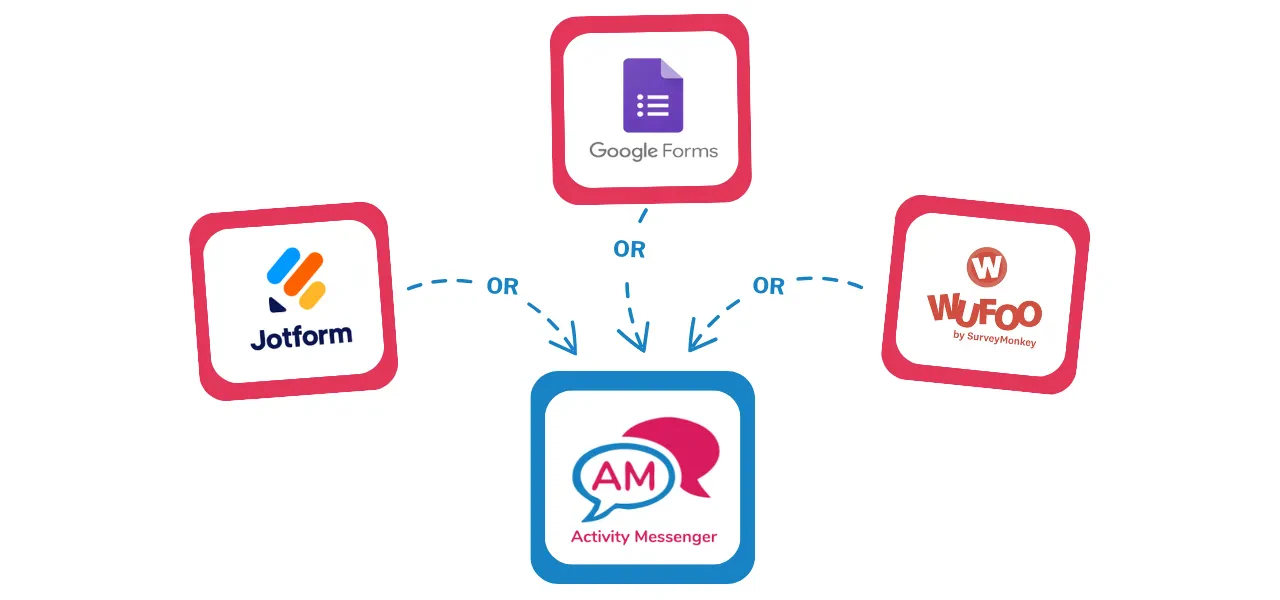
Activity Messenger was designed for sports and recreation programs and handles all of the above without third-party add-ons. Google Forms, Jotform, and Wufoo are reasonable starting points for schools with simple needs, but most programs outgrow them once sessions, payments, and waivers come into play.
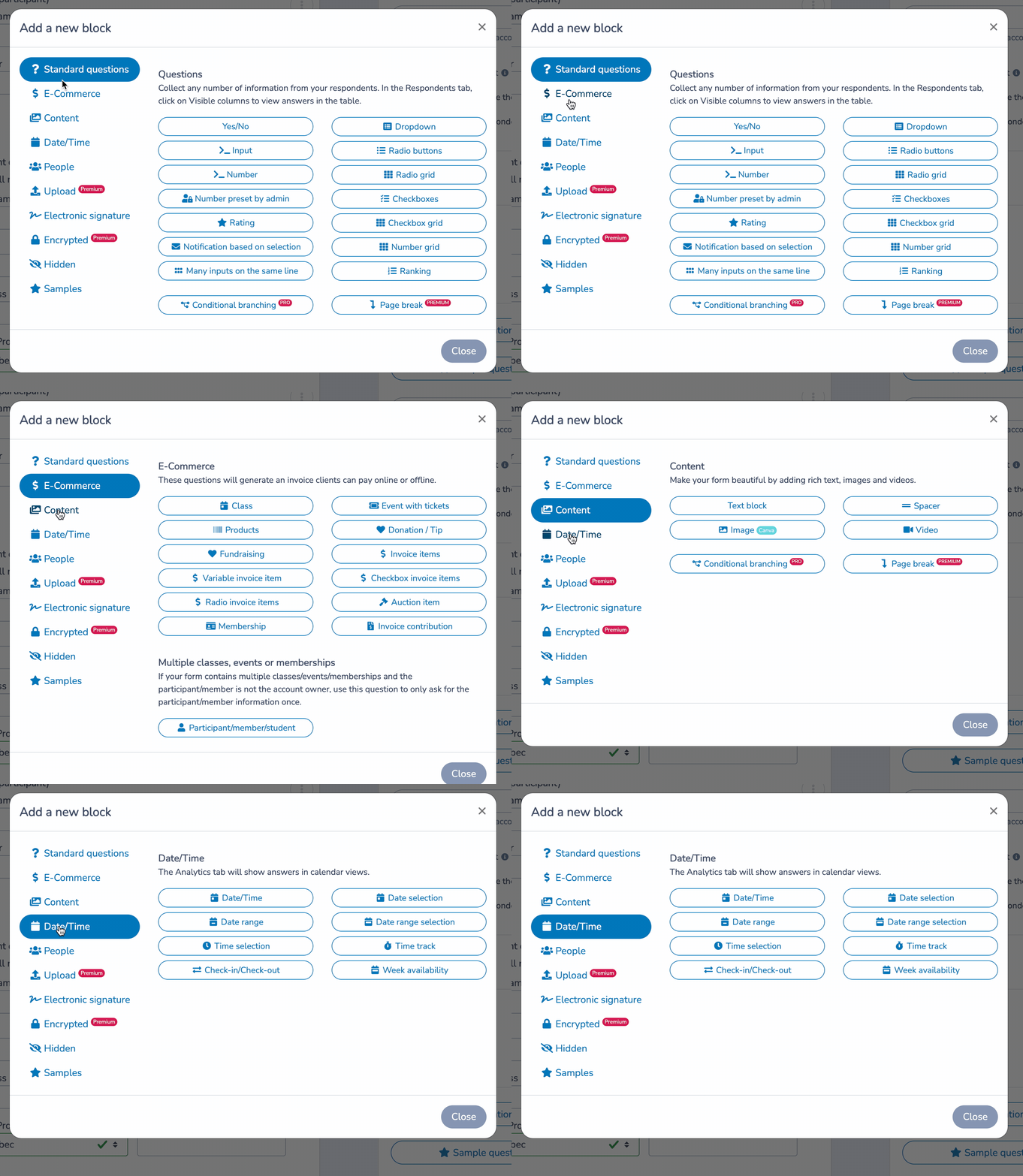
Step 3: Create Your Swim Lesson Registration Form
📋 Don’t start from scratch. Swim-specific registration templates already exist with the fields you need. Activity Messenger’s templates are customizable, so you can add what’s relevant to your school and remove what isn’t. Starting from a template cuts setup time significantly.
🎨 Brand it. Your registration form is often the first interaction a new family has with your school online. A form with your logo, your colours, and your tone of voice signals that you’re an organized, professional operation. Activity Messenger connects directly to Canva, so your design assets are already there when you need them.
💳 Get payments set up before you launch. Connect Stripe for credit card processing, and enable Interact e-transfer if you’re running a Canadian program. Payment plans, early-bird pricing, and promo codes can all be configured directly in the form.
✅ Register yourself as a test. Go through the entire flow as if you’re a parent signing up a child. Check field logic, confirm that the payment processes correctly, and make sure the confirmation email arrives with the right information.
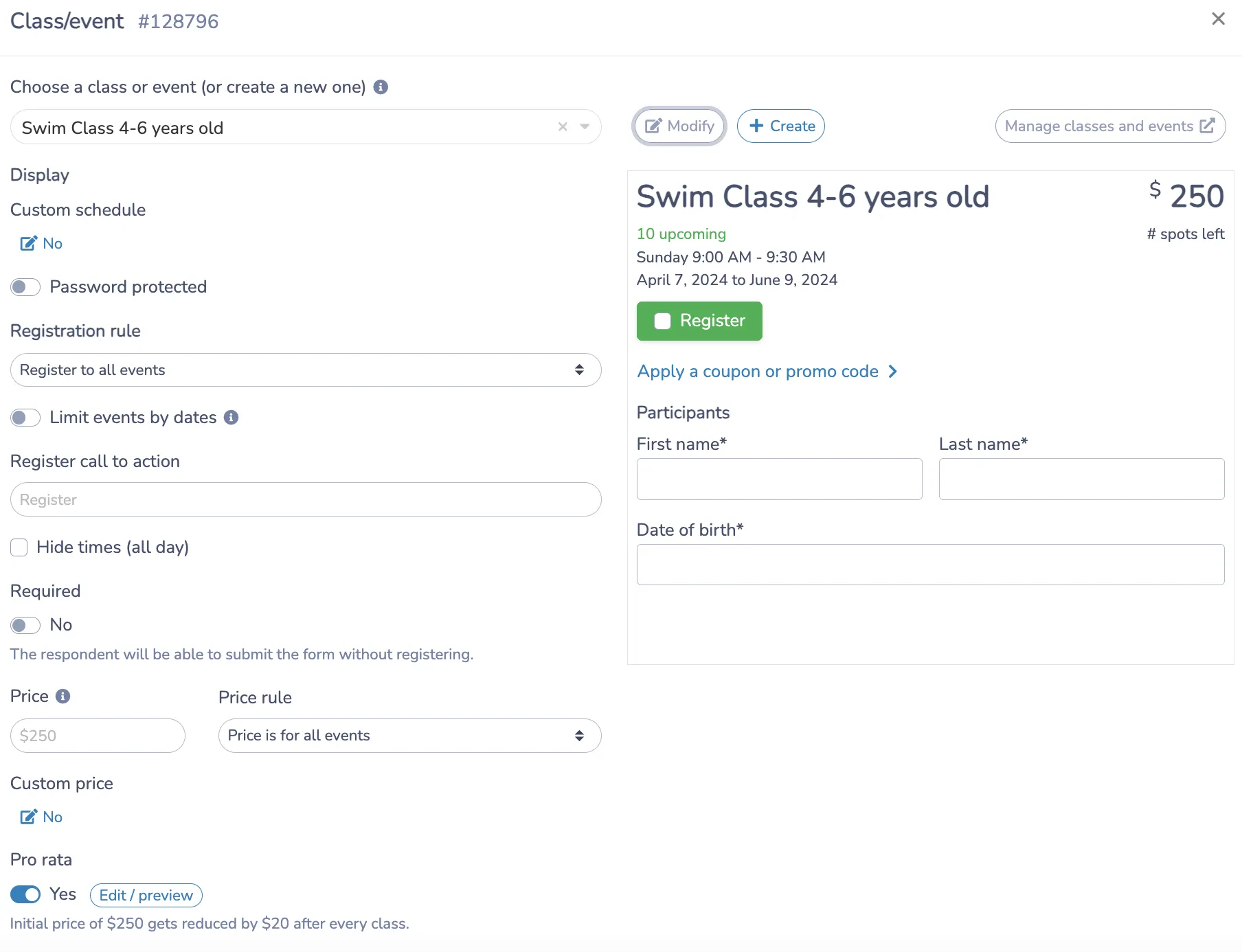
Step 4: Add Lesson Dates and Program Options
This is where the form does some real work. A parent who can look at your form and immediately understand which program is right for their child, see the schedule, confirm the cost, and register without having to email you first is a parent who completes the registration.
📅 Give each program its own listing. Session name, dates, time, pool location, instructor, cost, and available spots. The goal is to answer the question “Is this the right program for my kid?” before it gets asked. Activity Messenger’s ChatGPT integration can help you write descriptions if you’re not sure where to start.
⚙️ Don’t limit families to a single payment method. Some parents want to pay in full, while others need a payment plan like pro-rated tuition. Canadian families may prefer Interac e-Transfer over a credit card. Offering flexibility here reduces abandoned registrations.
⏳ Close full sessions automatically. When a class hits capacity, the form should stop accepting registrations for that session and offer a waitlist instead. Handling this manually is a liability, both for double-booking and for the parent experience.
A note on swim level placement:
Swim level is one of the most important fields on your registration form, and also one of the most commonly mishandled. Unlike sport skill levels, swim level placement carries real safety implications. A child registered in the wrong class may be in water that isn’t appropriate for their ability.
A few things that help:
- Give each level a plain-language description rather than just a name. “Beginner” means different things to different parents. A description like “swimmer is not yet comfortable putting their face in the water” removes the guesswork and reduces misplacements.
- Add a short self-assessment question. Something like “Can your child swim 25 metres unassisted?” takes ten seconds to answer and catches most placement errors before they happen.
- Build in an instructor review step. Your form can note that final level placement is confirmed by the instructor at the first class. This sets the right expectation for parents and gives you a process for handling re-placements without confrontation.
A form that guides parents toward the right level saves your instructors’ time and keeps classes running at the right pace.
Step 5: Include a Liability Waiver With Digital Signature
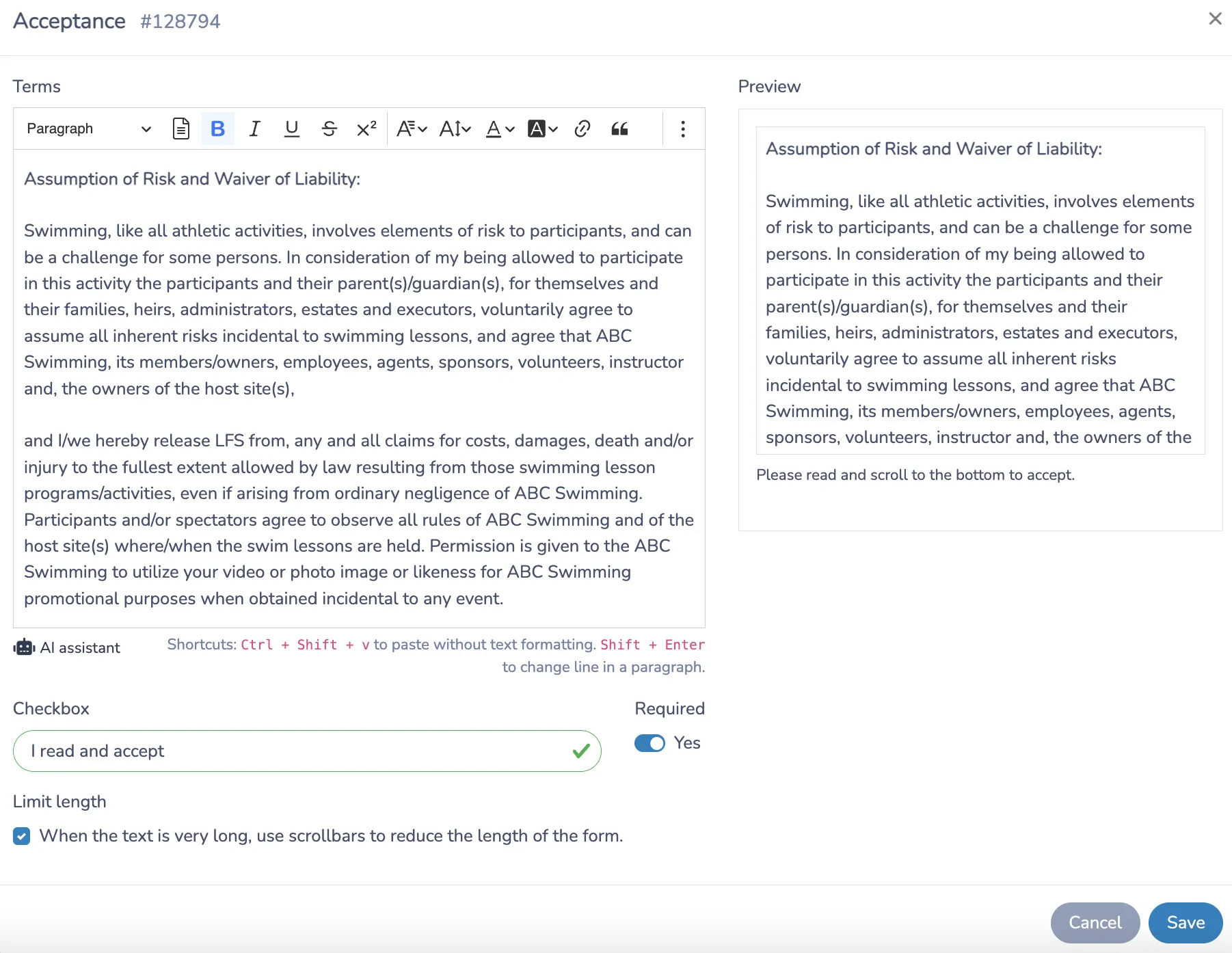
Aquatic programs carry real risk, and documented consent matters. Getting the waiver signed during registration, rather than handed out on the pool deck on day one, means your records are complete before the session starts and your instructors aren’t tracking down missing paperwork between classes.
✍️ Put the signature inside the form. Parents type their names or draw a signature directly on their phones or computers. It takes seconds and doesn’t require printing anything.
🔒 Block submission until it’s signed. The form shouldn’t be submittable without a completed waiver. This is the only reliable way to ensure 100% completion of waivers before a session begins.
🗂️ Keep everything in one place. Signed waivers are stored in your Activity Messenger account. If you ever need to pull one up for an incident report, an audit, or a parent dispute, it’s there without any digging.
Step 6: Configure Your Confirmation Email
Most swim schools send a confirmation email. Fewer send one that’s actually useful. The difference is in the details.
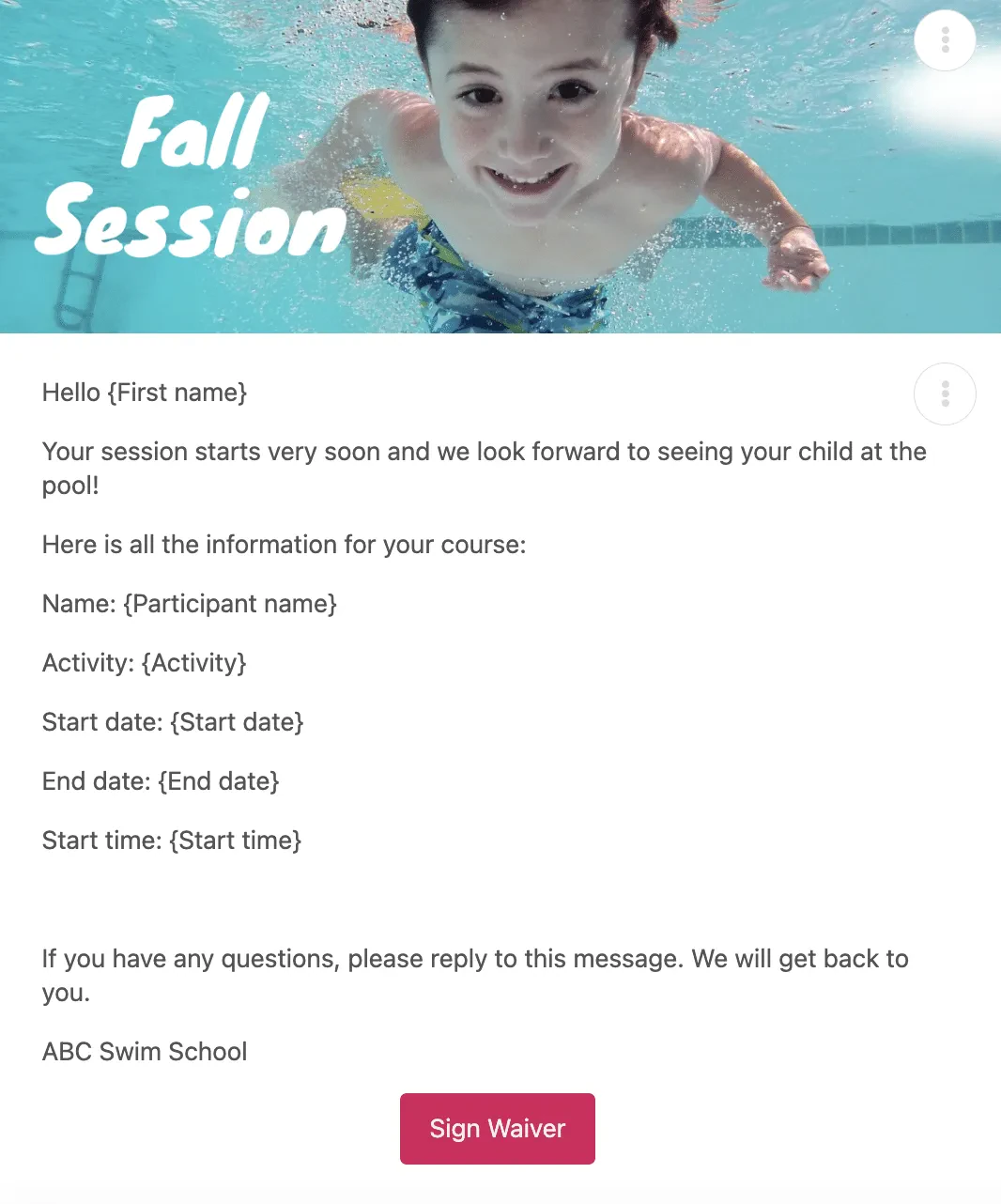
⚡ Send it the moment registration is complete. Activity Messenger triggers the confirmation automatically. Parents don’t need to wonder if their spot is secured.
📍 Answer the obvious questions in the email itself. When is the first session? Which pool? Who’s the instructor? What should the swimmer bring? Put it all in the confirmation email so parents don’t have to log in to find out. The less friction between registration and showing up prepared, the better.
👋 Personalize it. A confirmation email that addresses the swimmer by name and references the specific program they signed up for feels considered rather than automated. Mail merge in Activity Messenger makes this easy to set up once and forget.
What to include in your confirmation email that other sports don’t need:
A swim lesson confirmation email covers more ground than what you’d send for a soccer clinic or tennis program. Parents showing up to a pool for the first time have questions that go beyond date and time.
Consider including:
- Which entrance to use and where to park, especially if your facility shares a building with other programs
- Change room location and whether swimmers should arrive in their suit or change on site
- Pool rules around deck access, whether parents can watch from the pool deck or a viewing area, and photo policies
- What to bring: goggles, swim cap if required, towel, water bottle, and any footwear rules for the pool deck
- What not to bring: some facilities prohibit outdoor shoes past a certain point or have rules around food near the water
Putting this in the confirmation email means parents arrive prepared instead of confused at the front desk on the first day. It also cuts down on the calls and messages your staff receive in the 48 hours before a new session starts.
Step 7: Set Up Automated Reminders
The families who show up to the first class prepared are usually the ones who got a useful reminder beforehand. Set these up once, and they run automatically for every registration going forward.
⏰ A pre-session reminder 48 to 72 hours out. Include the date, time, location, what to bring, and what to expect. This single automated message eliminates most last-minute questions that would otherwise hit your inbox the day before class starts.
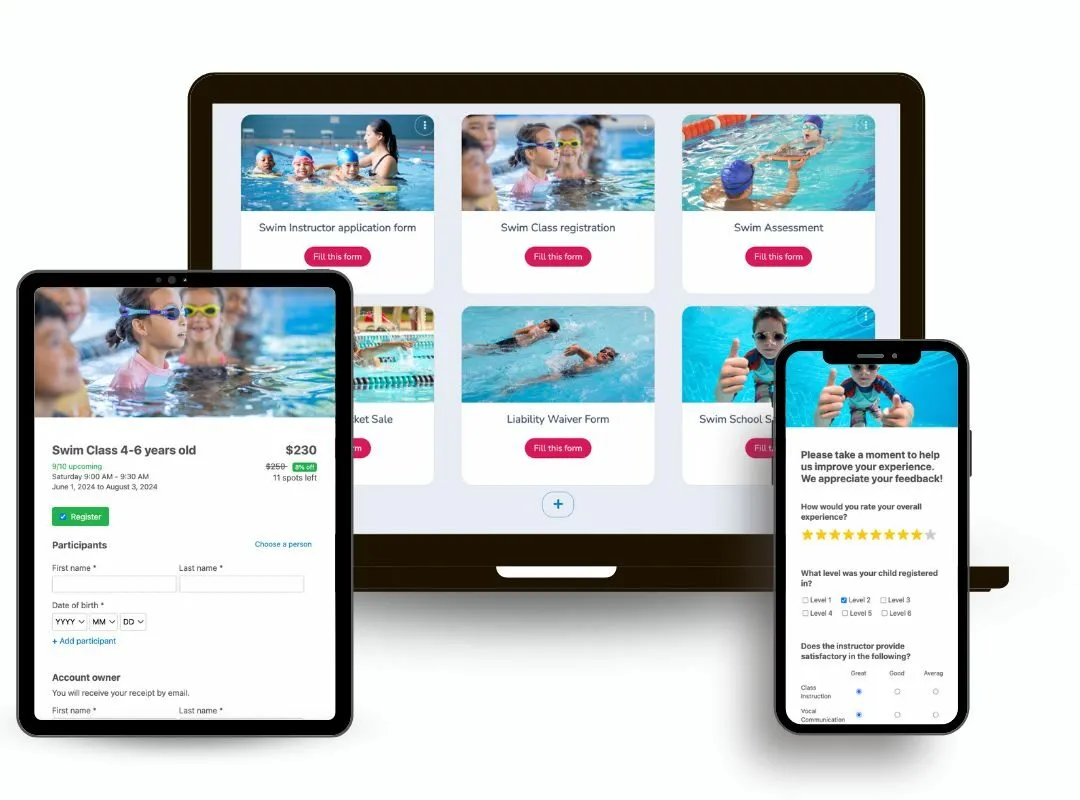
📝 A post-session survey when it’s over. Feedback collected immediately after a session is more specific and more actionable than anything gathered weeks later. It also gives families a channel to share concerns before they turn into negative reviews.
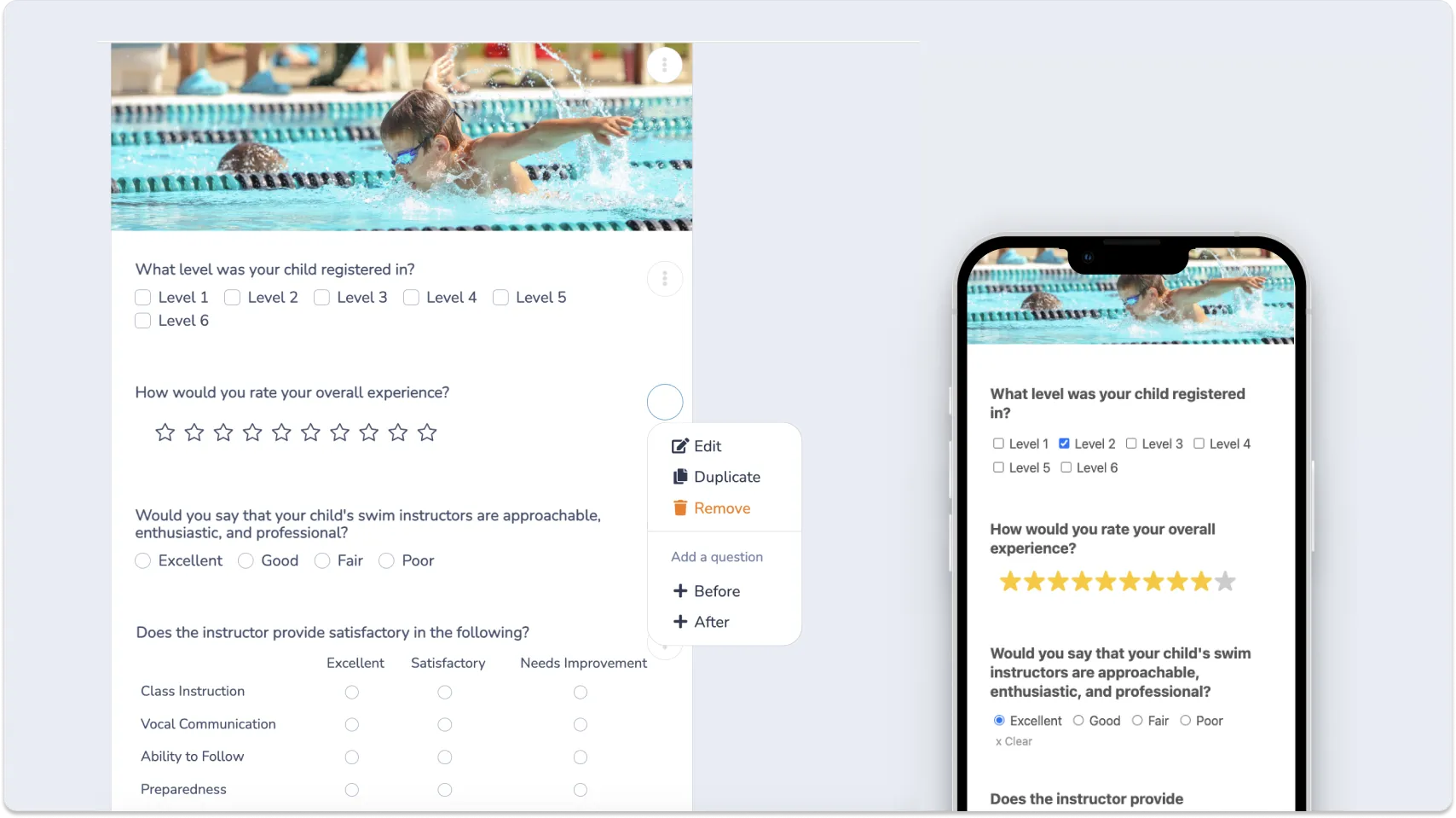
Try This Free Swim Lesson Registration Form Template 👇
3 More Ways Activity Messenger Helps Swim School Owners
Attendance Tracking
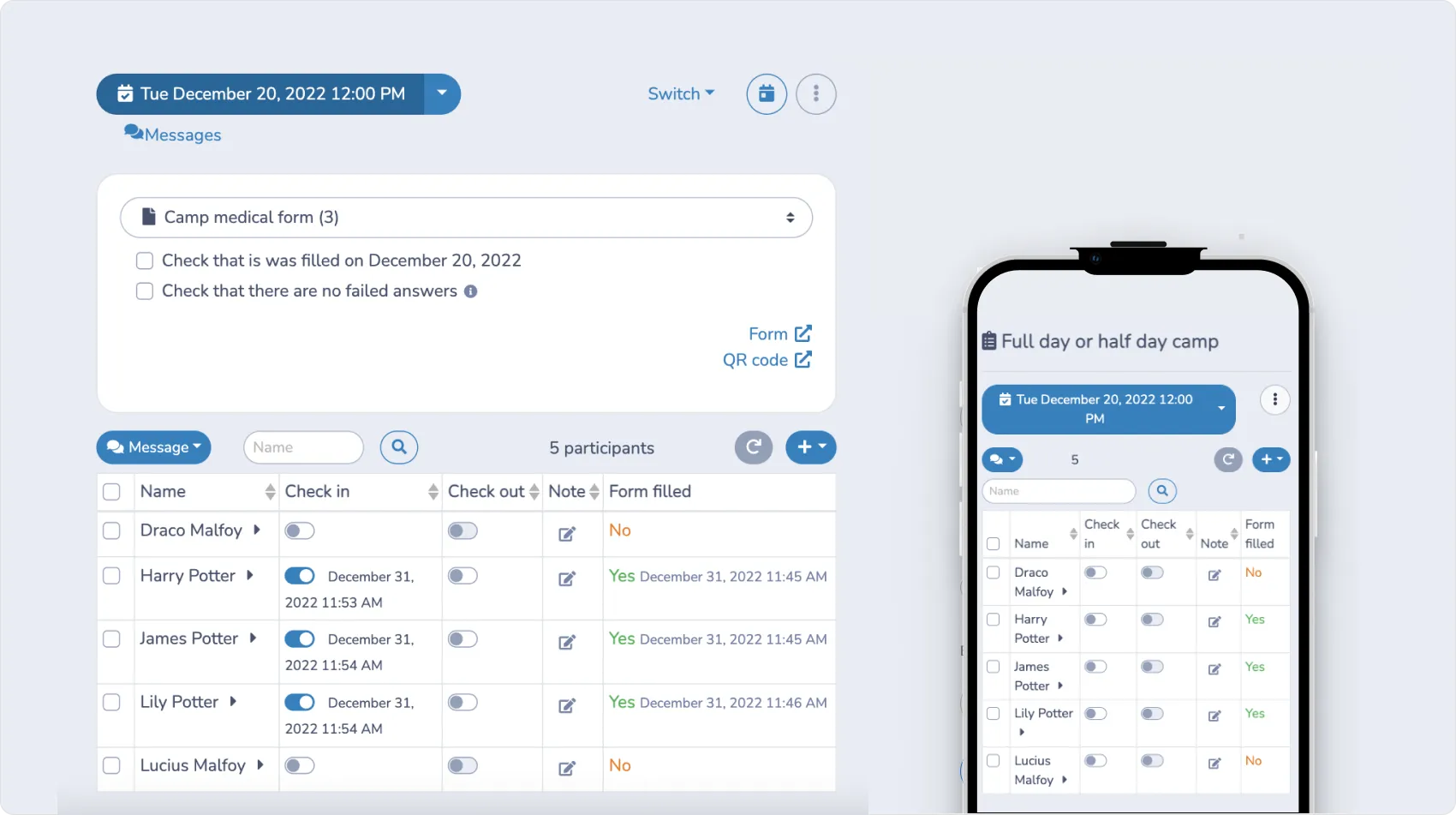
Every class in Activity Messenger generates its own attendance list automatically, no setup required. As swimmers register, they’re added to the list for their session.
Instructors can mark attendance in real time, add notes to individual swimmer profiles, and send an SMS directly from the list if a parent needs to be reached during the day.
Past attendance records are stored and searchable at the end of the season, which is useful for tracking progress over time or following up with families who missed multiple sessions.
Swim Instructor Hiring and Onboarding
Finding qualified swim instructors takes time, and the hiring process at most swim schools is more manual than it needs to be. Activity Messenger’s staff onboarding tools let you build custom application forms for instructor positions, collecting certifications, availability, and experience without sorting through a pile of resumes.
Shortlisted candidates can schedule their own interview through an integrated calendar, and once someone is hired, employment contracts are sent and signed digitally through the same platform. Everything from the application to the signed contract is in one place.

Swim Progress Reports and Level Certificates
Parents sign their kids up for swim lessons because they want to see progress. At the end of each session, Activity Messenger’s certificate feature lets you generate personalized level completion certificates for your swimmers. Templates are customizable through Canva, so the design matches your school’s branding.
Certificates are sent automatically via email or SMS and can be downloaded as PDFs. It’s a concrete way to mark what a child has accomplished and gives families something to hold onto between sessions.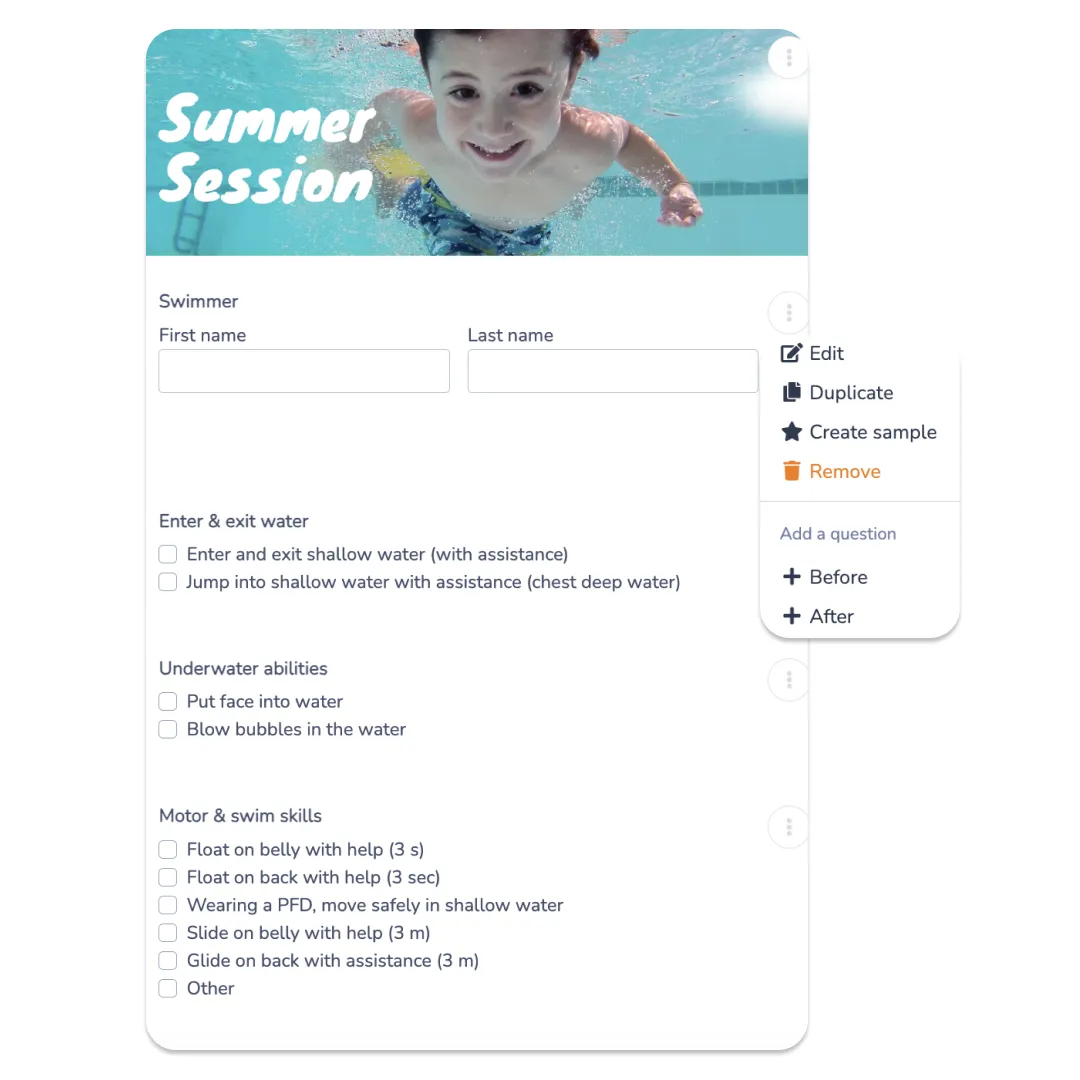
Case Study Highlight: How Swim to Safety Cut Their Admin Time by 50%
“It was a lot of chasing, a lot of extra work to get all of that done. I was manually tracking payments, manually tracking attendance, manually tracking every single part of the process. Activity Messenger changed all of that.”
Frequently Asked Questions
What is a swim lesson registration form?
A swim lesson registration form is an online form that collects everything a swim school needs before the first class starts, such as participant details, swim level, emergency contacts, medical information, program selection, payment, and a signed liability waiver. For aquatic programs in particular, having complete information on file before a child gets in the water is a safety requirement.
What should a swim lesson registration form include?
At minimum: the swimmer’s name, date of birth, contact information, and current swim level. For children’s programs, include a parent or guardian section and emergency contact details. You should also collect medical information such as allergies and conditions, a program selection field, payment, and a digital liability waiver. Schools running bilingual programs or multiple locations may also want to add language preferences and site selection.
What is the best platform for swim school registration?
The right platform depends on the size of your program and what you need it to do. Google Forms and Jotform work well for basic data collection, but most swim schools need more than that, including session management, payment processing, digital waivers, and automated communications all in one place. Activity Messenger is built specifically for sports and recreation programs and handles the full registration workflow without requiring third-party tools.
Can I collect swim lesson fees directly through the registration form?
Yes, platforms like Activity Messenger support payment processing through Stripe for credit cards, and Canadian swim schools can also accept Interac e-Transfer directly through the form. You can set registration fees, offer payment plans for multi-session programs, and apply promotional codes all within the same form families use to sign up.
Do I need a separate system for swim lesson liability waivers?
Not if you’re using the right tool. Activity Messenger lets you embed a digital signature field directly in your swim lesson registration form, so the waiver is signed as part of the sign-up process rather than tracked down separately. Every signed waiver is stored automatically and accessible from your account at any time.
How do I organize swimmers by level in my registration form?
Add a program selection field that lists each session by level, beginner, intermediate, advanced, adult, parent-and-tot, and so on. Include the class schedule, instructor name, available spots, and cost for each option. When swimmers can self-select based on clear information, you spend less time on the phone redirecting people to the right class.
Why should swim schools use online registration instead of paper forms?
Paper registration creates gaps. Fields get skipped, waivers go unsigned, and payment follows up later if it happens at all. Online registration closes those gaps by making each field required before submission, collecting payment at sign-up, and storing everything in one place. For aquatic programs where health and safety details matter, having accurate, complete records on file from the start is especially important.
How do I reduce no-shows for swim lessons?
Automated reminders are the most effective tool. A message sent 48 to 72 hours before the first session, including the date, time, location, and what to bring, eliminates the most common reasons people miss the first class. Activity Messenger lets you set these up once, so they go out automatically for every registration going forward.
Final Thoughts
Registration is the first real experience a family has with your swim school. A smooth, professional sign-up process signals that the rest of the experience will be the same. A frustrating one that includes paper forms, separate waiver emails, and manual payment follow-ups signals the opposite.
Getting your registration form right doesn’t require a big overhaul. The right platform handles the details, and Activity Messenger is built for exactly this kind of program. If you’re ready to stop managing registration manually, it’s worth taking a closer look.
💡 Want to see how it works for your swim school? Book a demo with Activity Messenger and see how aquatic programs across North America handle sign-ups, waivers, and communications.
📖 Related Reading: