When someone is selecting a dance studio for themselves or their child, they often compare four or five similar options in their neighbourhood. The registration process is one of the first indications of what the rest of the year will be like.
If they can find the right class, see the schedule, pay, and sign a waiver in one sitting, they arrive at the first class with confidence. If they have to email you twice to figure out what to wear or whether their kid can take both ballet and tap on the same day, that impression sticks.
This guide walks through what to include in a dance registration form, how to pick the right platform, and how to set up the automations that carry a family from sign-up through recital season. Plus, you can scroll for a free dance registration template down below.
The first step in designing your dance class registration form is to identify the essential information needed from students or their families.
Be sure to collect:
1. Dancer information
2. Parent or guardian information
For dancers under 18:
3. Emergency contact information
4. Medical information
5. Class and style selection
Let them choose without needing to call the front desk:
6. Waiver, media consent, and digital signature
Legal sign-off before the first class:

The key features important for a dance studio differ from those of a generic form builder:
Activity Messenger was built for sports and recreation programs, including dance studios, and handles multi-class scheduling, bundled tuition, and add-ons in a single form.
Google Forms or Jotform can work for a small studio with one or two class offerings, but most studios outgrow them as soon as siblings, multiple styles, and recital fees enter the picture.
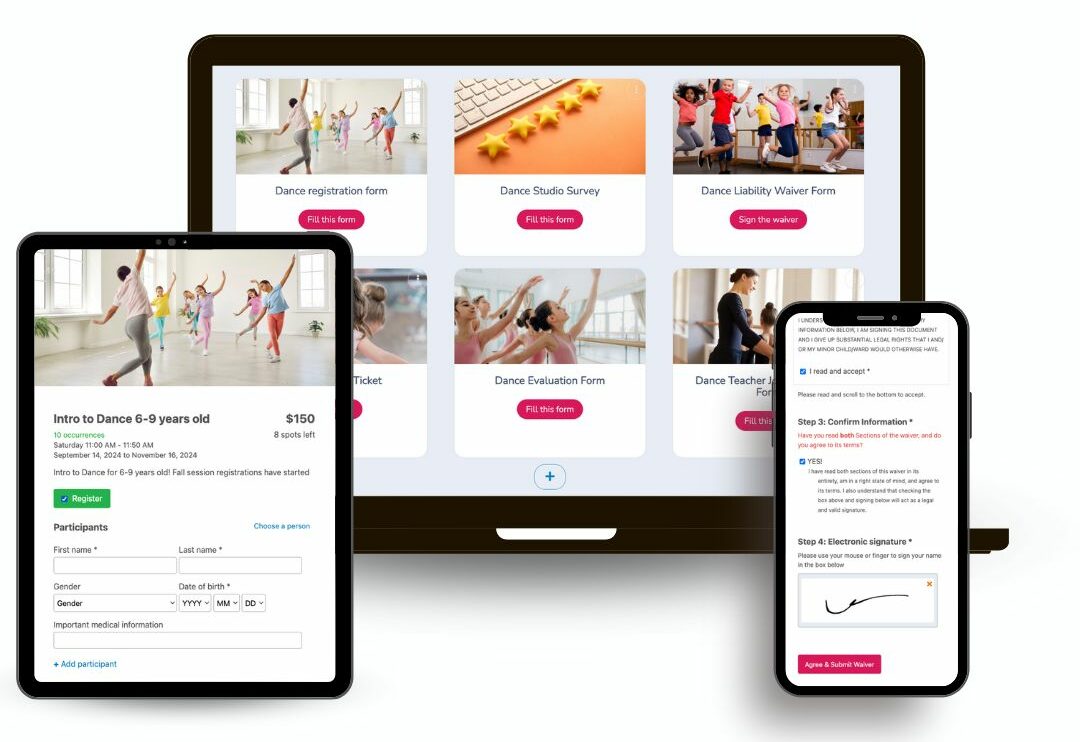
By thoughtfully customizing these elements, your dance registration forms will not only be functional but also visually appealing, ensuring a seamless and engaging registration process for all participants.
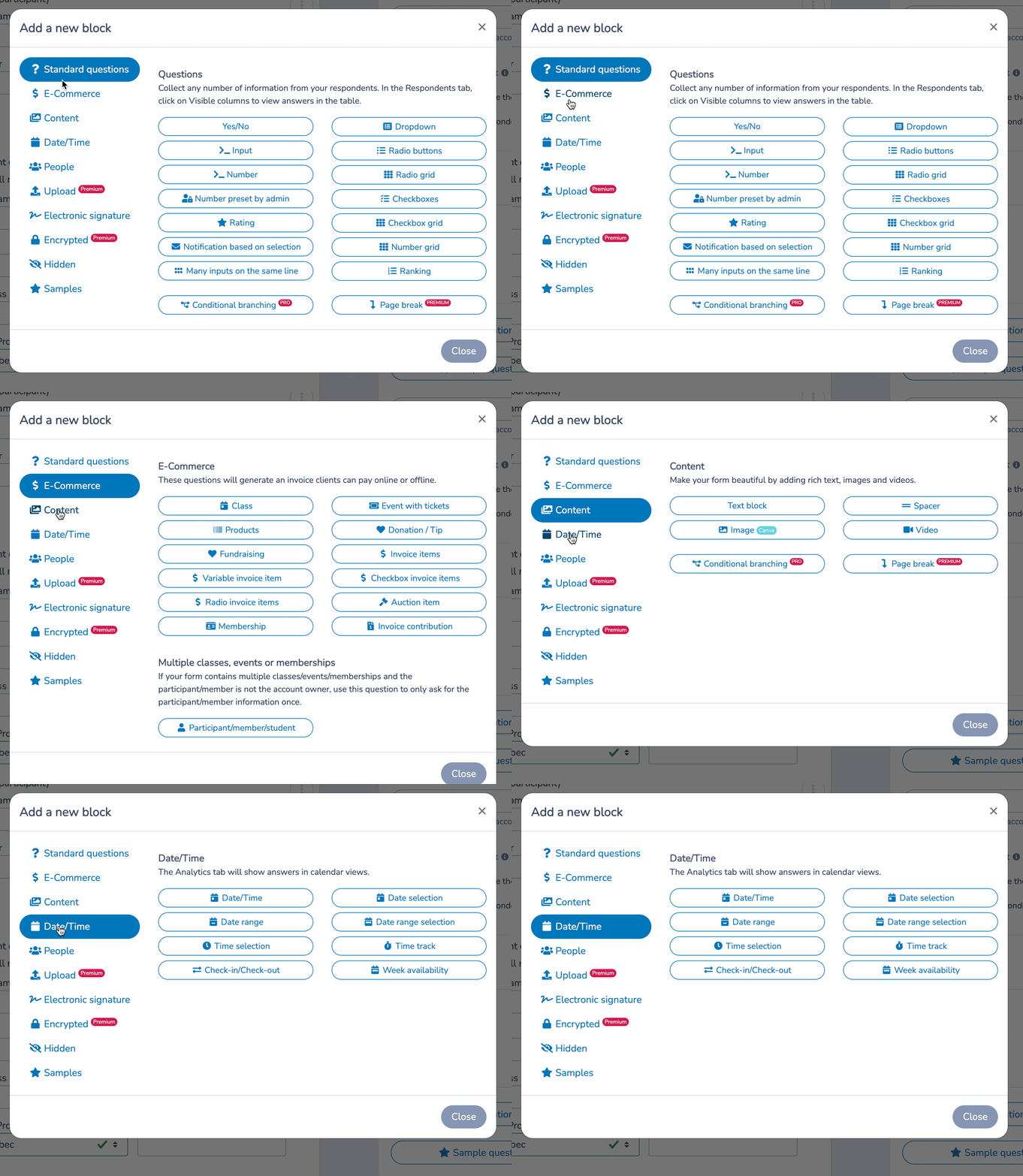
This is the step that looks the most different from a single-activity registration form, and it’s worth building deliberately.
📝 List classes by style and level, not as one long dropdown. Ballet, jazz, contemporary, acro, and so on, each with its own age or level breakdown underneath. A parent scanning a single flat list of forty class names will give up before they find the right one.
📦 Let them add multiple classes to one registration. A dancer taking ballet and tap, or two siblings taking different classes, should generate a single form submission and a single invoice, not several. This is the single biggest usability gap in generic form tools for dance studios.
💰 Price by the structure you actually use. Some studios charge a flat per-class tuition. Others are priced based on total weekly hours, with a discount for dancers who take on more classes. Whatever your model, the form should calculate it automatically rather than asking a parent to do the math or asking your front desk to correct it after the fact.
💬 Write class descriptions that help a family self-place. Instead of just “Intermediate Jazz,” something like “for dancers with at least a year of jazz training, comfortable with basic leaps and turns” cuts down on the emails asking whether a class is the right fit. Note that the final placement may be adjusted by the instructor in the first couple of weeks, so a move isn’t read as a demotion.

👉 You can connect your forms to Stripe to collect credit card payments. For Canadian dance schools, you can integrate Interact e-transfer payments to your registration form using a form builder like Activity Messenger.
Dance carries real physical risk, from acro and partner lifts to a rolled ankle in a jump combination, and documented consent matters. Collecting it at registration means your records are complete before the first class, rather than being chased down during week three.

The confirmation email should answer what a new dance student needs to know before day one: which room or entrance to use, the instructor’s name, the dress code, tights, shoe type, hair requirements, and where to buy or rent anything the studio doesn’t sell directly.
Whether parents can watch from a viewing window matters more in dance than in most activities, since many studios restrict parent access to the studio floor. Send it the moment registration completes, and personalize it with the dancer’s name and specific class through mail merge.
Reminders should carry the family past week one, through to the recital:
📌 Read More: What To Include in Your Confirmation Email
Activity Messenger is much more than a form builder for your dance studio. Here are some of the ways we can help you save time and better understand your students’ experience in your studio:
Managing Sibling and Multi-Class Discounts
When one family has three kids across six classes, pricing gets complicated fast if it’s tracked by hand. Activity Messenger’s payments and invoicing tools automatically apply sibling and multi-class discounts at checkout, so your front desk doesn’t have to recalculate a family’s invoice every time someone adds a class mid-session.
Recital Ticketing Without a Separate Box Office Tool
Recital season means reserved or general-admission seating, programs, and often a livestream link, on top of regular registration traffic.
Activity Messenger’s ticketing tools handle recital ticket sales directly and are integrated with the same system you use for class registration, so you’re not setting up a separate Eventbrite page every spring.

Level Certificates, Sent Automatically
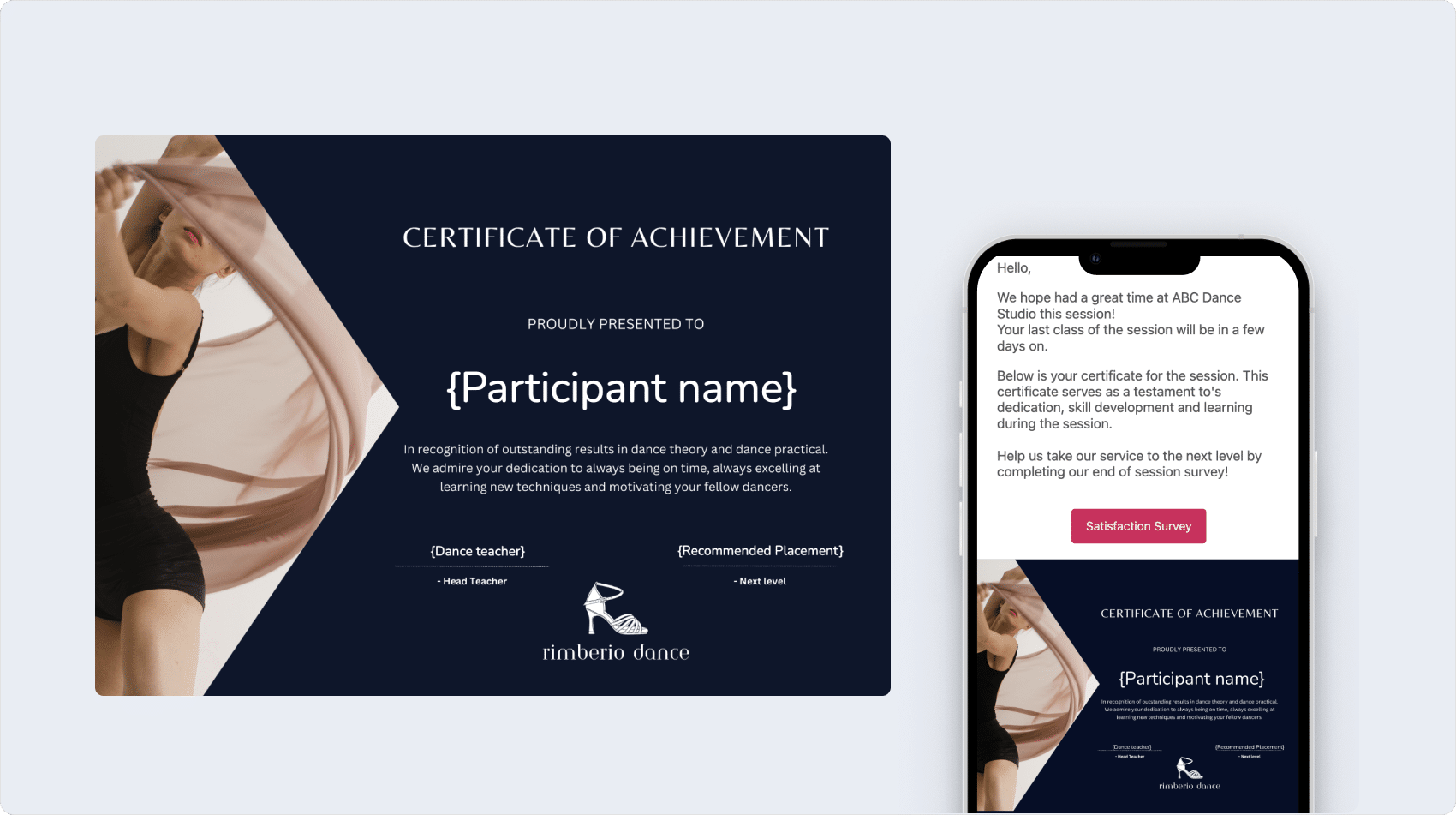
At the end of a term, you can generate personalized level or achievement certificates for dancers, brand them in Canva to match your studio, and send them automatically by email or SMS. It’s a concrete way to mark what a dancer has accomplished, without your staff having to assemble and email certificates one by one.
Instructor Onboarding From Application to Signed Contract
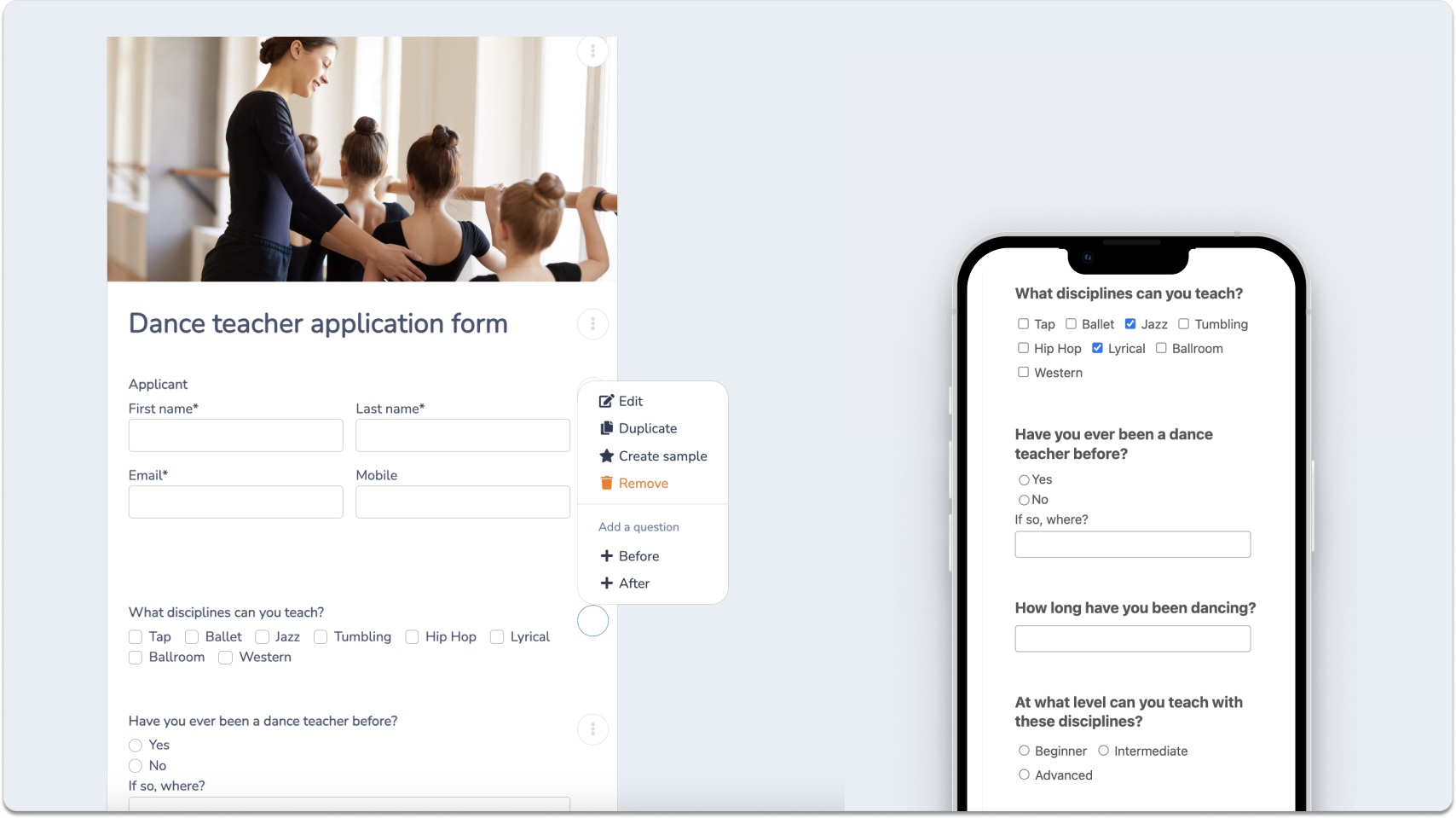
On the staffing side, Activity Messenger’s onboarding tools let you build custom application forms for instructor positions, collect certifications and availability, and send digitally signed contracts once someone’s hired.
Everything from the initial application to the signed contract lives in the same platform you use for class registration.
A dance registration form is an online form that collects everything a studio needs before a dancer’s first class: dancer details, class selection, emergency contacts, medical information, payment, and a signed waiver. Unlike other activity registration forms, a dance form typically also needs to account for a dancer enrolling in more than one class or style at once, as well as costume and recital details.
Your form should allow a parent to select multiple classes, potentially across different styles and age groups, in a single registration, and generate one combined invoice rather than requiring a separate submission and a separate charge per class. This matters more than it might seem: a family with two or three kids across several classes is a common scenario at most studios, and a form that can’t handle it creates real friction at the exact moment you’re trying to make a good first impression.
Collecting costume sizing at registration means one less form for parents to track down mid-year, and gives you sizing data months before your ordering deadline. Some studios still prefer a dedicated costume form closer to recital season if sizing tends to change; either approach works, but during registration is the easier option.
Not necessarily. Platforms like Activity Messenger handle recital ticket sales directly, tied to the same registration and family records you already have, which means you’re not manually cross-referencing a separate ticketing platform against your class rosters. This also makes it easier to offer priority access or discounted tickets to performing families, since the system already knows which dancers are in the recital.
A dance waiver needs to cover physical liability, the risk of injury from movement, lifts, and physical exertion, the same as most activity waivers. But it should also specifically cover media consent. Dance studios use class and recital footage for marketing, social media, and recital DVDs or livestreams far more than most other activities, and a generic liability waiver that doesn’t address this will leave you needing a second signature later, usually right before a recital, when you least want to be chasing paperwork.
Look for a registration platform that can calculate tuition based on total enrolled hours or number of classes, with discounts applied automatically as a dancer adds more, rather than a tool built only for flat per-session pricing. This matters most for studios where a dancer’s cost depends on their full weekly schedule rather than a single flat fee, since manually calculating it for every family introduces errors and slows down your front desk.
Beyond a standard pre-class reminder covering the date, time, and what to wear, dance studios benefit most from two reminders that other activities typically don’t need: a costume deadline reminder ahead of your ordering cutoff, and a recital week reminder covering call time, what to bring backstage, and ticket pickup. These two are consistently the source of the most last-minute questions studios field every spring, and both can be fully automated once you’ve set them up.
Registration is the first real interaction a family has with your studio, and for dance studios, it’s carrying more weight than a single sign-up: multiple classes, tuition structures, costumes, and eventually a recital, all tracked from the same starting point. Getting that starting point right, one form, one invoice, one record per family, makes everything downstream easier.
Activity Messenger is built to handle that, from a dancer’s first class to their spot on the recital stage. If you’re managing this by hand or across several disconnected tools right now, it’s worth a closer look.
💡 Want to see how it works for your studio? Book a demo with Activity Messenger and see how dance studios across North America handle sign-ups, costumes, and recital season.