Activity Messenger Help Center
Zoom Classes
Managing your online classes via Zoom becomes simple with Activity Messenger. Whether you offer one-off or in-session virtual classes, integrating with Zoom makes it easy not only to automate reminders and registrations, but also to organize your classes overall. This centralization allows you to manage your online activities efficiently and smoothly.
Activity Messenger integrates Zoom and Amilia to help you set up and run Zoom Online Classes. Activity Messenger provides solutions to these pain points:
- Eliminates the manual process of creating Zoom meetings for dozens of classes a week.
- Automates sending the Zoom meetings to participants by SMS or email.
- Automates sending reminders before the class to avoid no-shows and refunds.
# Resources
# Running a Zoom class with Amilia
Learn how to connect Zoom to Activity Messenger, import Amilia classes and automatically create Zoom meetings from activity schedules. Send the Zoom meetings by SMS and email to participants.
"Sunny" musical piece from bensound.com.
# Best practices running a Zoom class
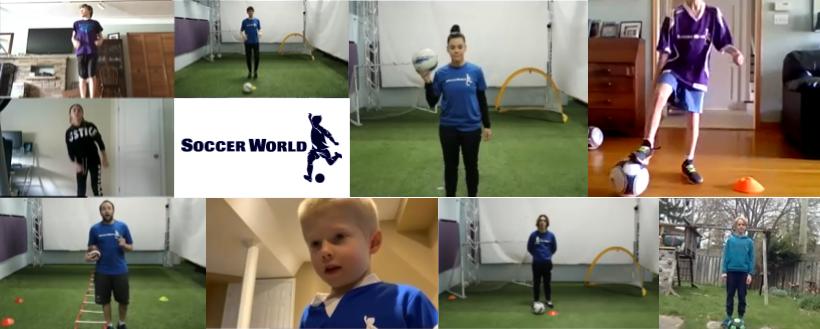
Duncan from Soccer World Hamilton shares lessons learned running Zoom soccer classes.
Connecting Zoom
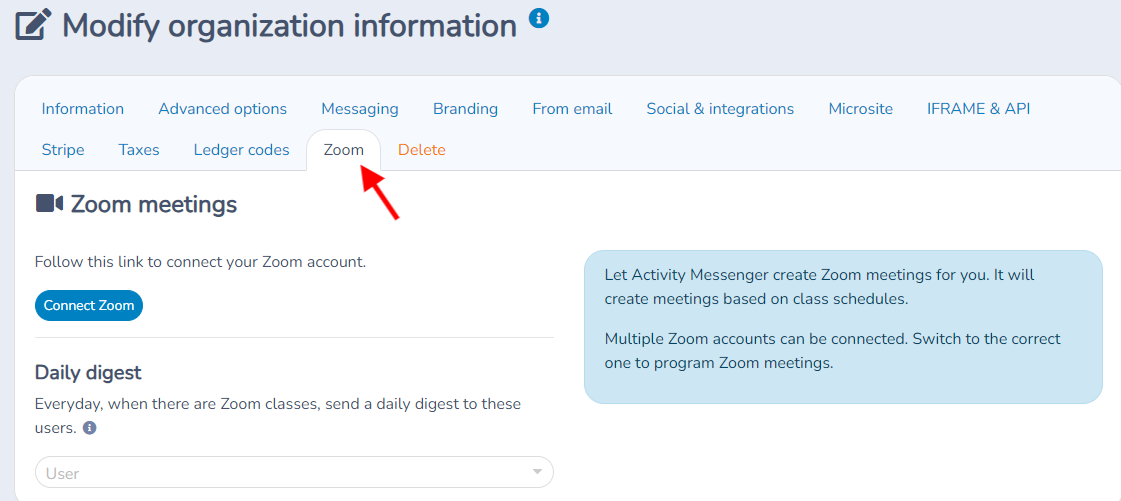
Go to your account options under the Zoom tab.
Click the link to connect your Zoom account.
Once connected, Activity Messenger will be linked to Zoom, allowing you to synchronize your classes.
Class creation and management
Go to the class section and press the (+) button to create a new class.
Fill in the class details as for a regular class (e.g.: name, frequency, etc.).
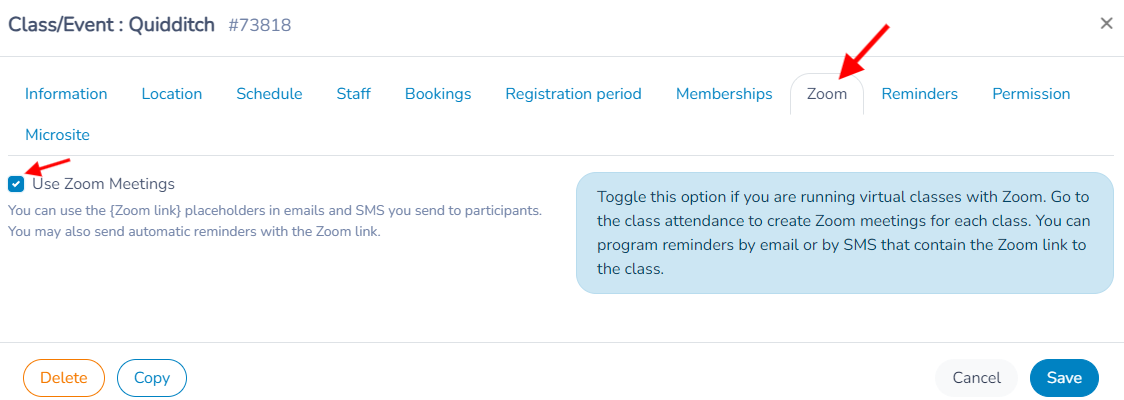
Activate the Zoom option by pressing the corresponding button. This will automatically create a Zoom session for this class.
Reminder Automation
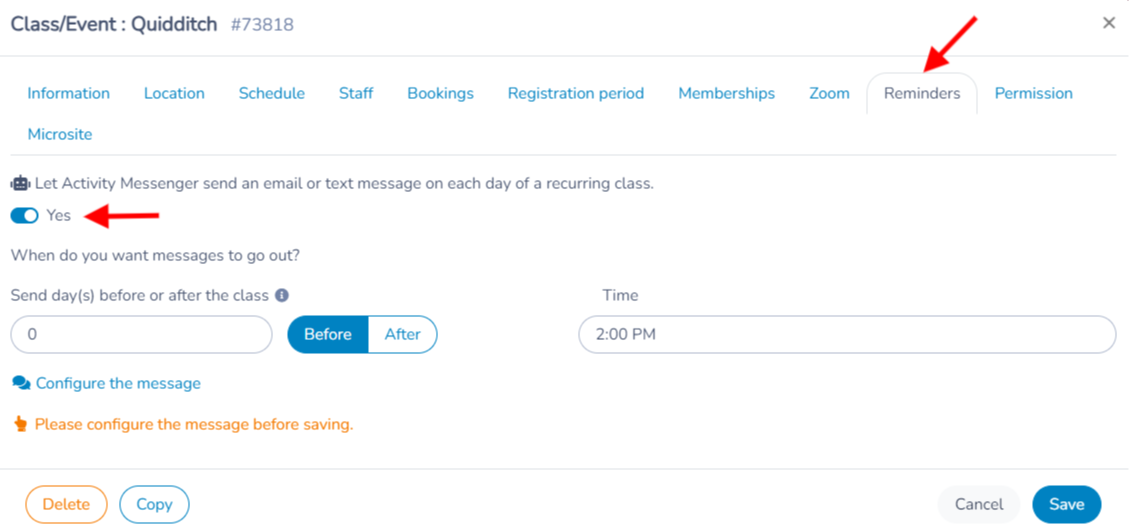
Set up automatic reminders for your participants.
Set the reminder to be sent, for example, one hour before class starts.
Include the activity name, date, time and Zoom link with the appropriate placeholders in your reminder template. Preview a recipient to verify the actual values.
Review the automation audience and the current registration status. Message subscription preferences, cancelled registrations and access to a Zoom meeting are different controls; do not assume that an unsubscribe alone revokes a previously shared Zoom link.
Uninstallation
To disconnect Zoom, simply click on Disconnect. Your Zoom account will no longer be usable in Activity Messenger.
List of Zoom classes
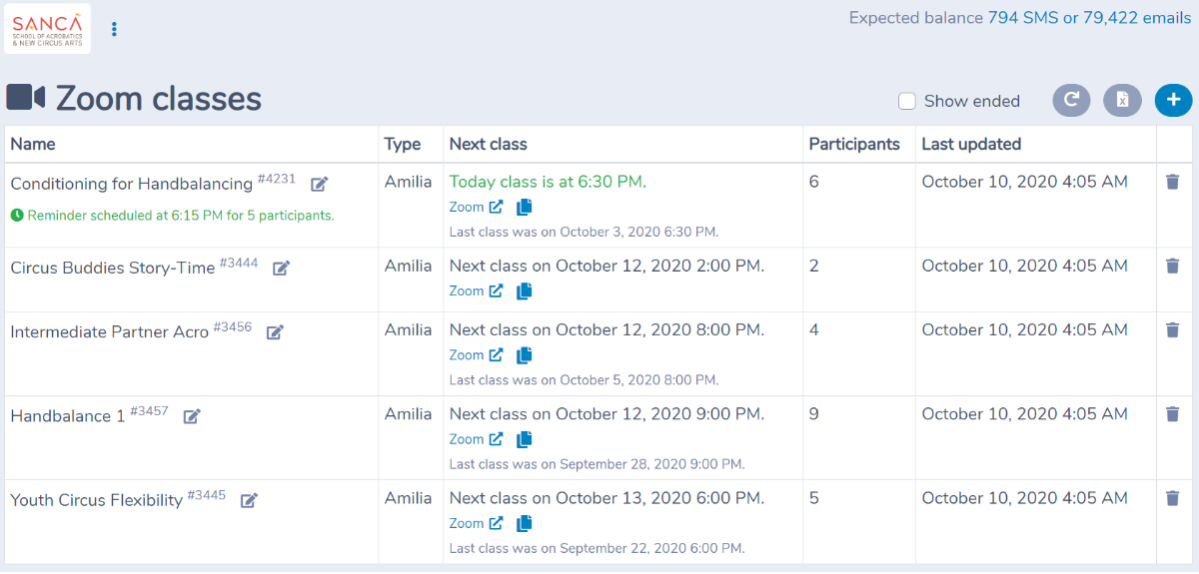
Click on All Zoom classes under the Zoom classes menu. On this page are listed the Zoom classes you are running. When a class has passed, it will automatically be hidden.
Best practices for online classes on Zoom
Soccer World Hamilton's Duncan shares the lessons he and his coaches have learned from teaching online soccer lessons over Zoom.
Choose your registration workflow
Create a class and its schedule when taking registrations in Activity Messenger. For external rosters, follow running Zoom classes with Amilia. Configure the meeting on the scheduled occurrence and preview the reminder separately.