Activity Messenger Help Center
Connecting Amilia
Activity Messenger can pull information directly from Amilia using their API. Follow these steps to grant Activity Messenger access to the API.
Step 1 - In Amilia
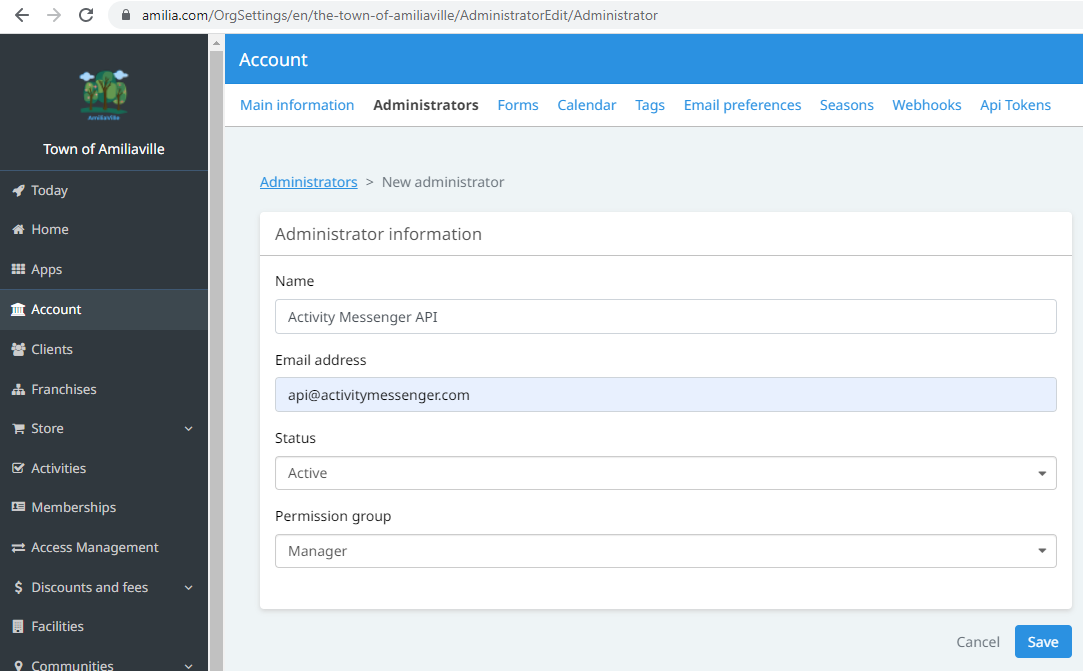
In Amilia, click on Account and Administrators. Add a new administrator called Activity Messenger API with email address api@activitymessenger.com. Use the Manager permission level. Follow this guide if you need more help.
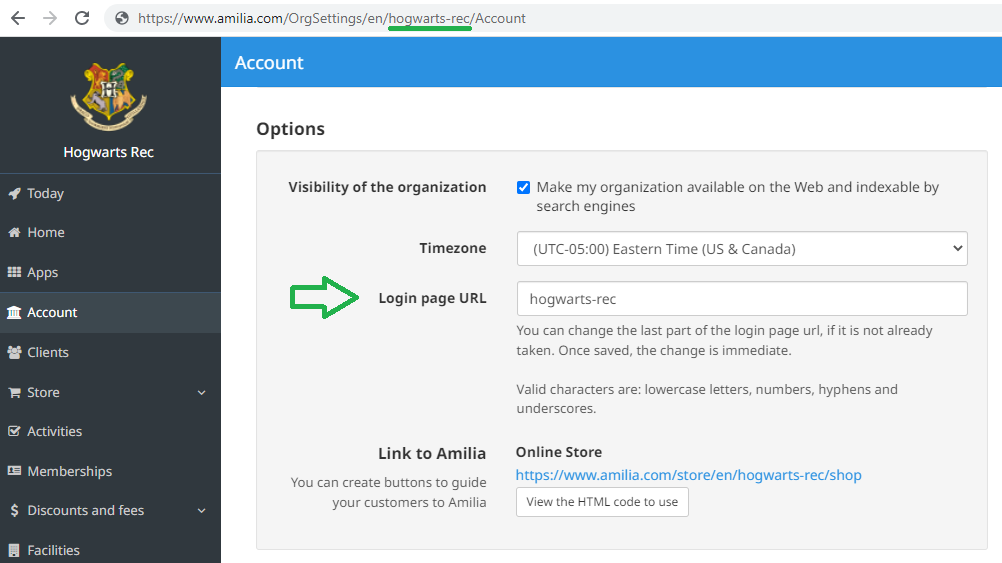
Again in Amilia, click on Account, Main information. Scroll down to the Options section. Copy the "Login page URL" value. Also called a "slug", it uniquely identifies your organization.
Step 2 - In Activity Messenger
In Activity Messenger, click on the organization menu button (⋮) next to your logo, and under Integrations click on Amilia.
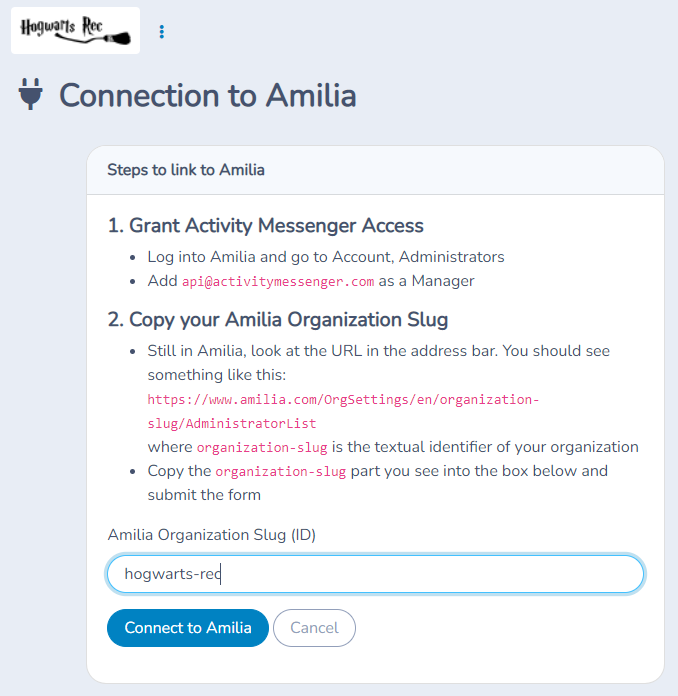
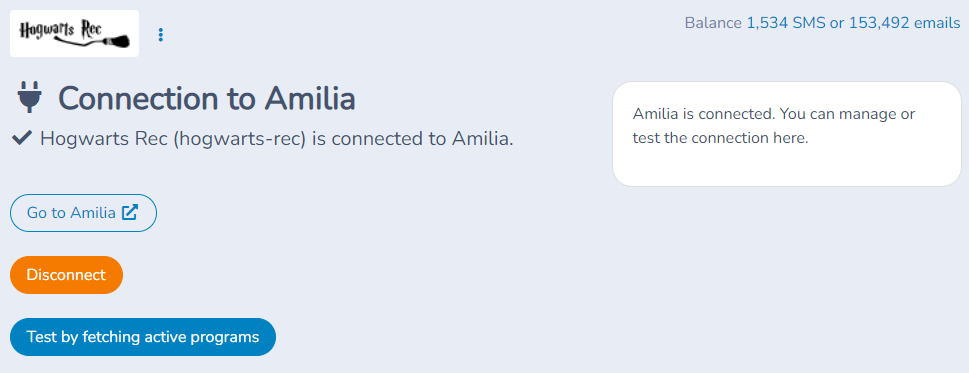
Paste the "Login page URL" (slug) value copied from Amilia. Click on Connect.
Next: Building a list of participants, members or multipass holders from Amilia